remote KIA CEED 2015 User Guide
[x] Cancel search | Manufacturer: KIA, Model Year: 2015, Model line: CEED, Model: KIA CEED 2015Pages: 1210, PDF Size: 35.92 MB
Page 288 of 1210

4 207
Features of your vehicle
Skipping the Guidance Message While the guidance message is being
stated, shortly press the key (under
0.8 seconds) to discontinue the guidance
message and sound the “beep”.
After the “beep”, say the voice command.Ending Voice Command
While using voice command, press and
hold the key (over 0.8 seconds) to
end voice command.
While using voice command, pressing the steering wheel remote controller or
a different key will end voice command.
In a state where the system is waiting for your voice command, say “cancel” or
“end” to end voice command.
In a state where the system is waiting for your voice command, shortly press
the key (under 0.8 seconds) to end
voice command.
JD eng 4b(~211).QXP 3/4/2015 4:40 PM Page 207
Page 291 of 1210

Features of your vehicle
210
4
System?
activated
Fader Fader is sound positon between FRONT and REAR. It can be
adjusted sound by user
Balance Balance is sound positon between Right and Left. It can
be adjusted sound by user
Default This function is used to initialize
setting value
System Setup system or system infor-
mation
Memory Information Display used memory size
VRS Mode Setup Voice command mode
Normal Normal mode. This function is used to set default value of
voice recognition factor
Expert Expert mode. This function is used to set exercised value of
voice recognition factor
Language This function is used to select
user language
Deutsch Deutsch
English(UK) English(UK)
Français French
Italiano Italian
Español Spanish
Nederlands dutch
Svenska swedish
Dansk Danish
Polish
Polski Russian
The system will be The system will be
rebooted
Please change languagePlease change language when
ignition ON
Bluetooth not readyYou can use BT System for a moment Because BT system is
being initialized
Add a new Bluetooth Add a new Bluetooth®Wireless
Technology de vice from your phone
Processing Bluetooth
You can use BT System for a moment Because BT system is
being initialized or processing
other command
Incoming Call Receivng phone
Call Ended Call Ended
Call Rejected When there is unwanted call, You push the button on the
steering remote controller
Unknown "Unknown" mean Headunit or phone don't have any informa-
tion about phone number
Call is not possible Call is not possible
MIC Mute Microphone mute
Activate
BluetoothActivate Bluetooth®Wireless
TechnologySystem
Bluetooth SystemBluetooth®Wireless
Technologysystem activated
when ignition ON
device from your phone
Please try later
Please wait
rebooted
JD eng 4b(~211).QXP 3/4/2015 4:40 PM Page 210
Page 296 of 1210

4 215
Features of your vehicle
Steering remote controller
(1) VOLUME
Used to control volume. (2) MUTE
Mutes audio volume. (3) SEEK
When pressed shortly (under 0.8 seconds)
- Radio mode : searches broadcast fre-quencies saved to presets.
- Media (CD / USB / iPod / My Music / BT Audio) modes : changes the track, file. When pressed and held (over 0.8 seconds)
- Radio mode, automatically searches broadcast frequencies and channels
- Media(CD/USB/iPod/My Music) modes, rewinds or fast forwards the track or song(file)
(4) MODE
Each time this key is pressed, the mode is changed in order of FM1
➟FM2
➟FMA➟AM➟AMA➟USB or iPod➟AUX
➟My Music➟BT Audio
If the media is not connected or a disc is
not inserted, corresponding modes will
be disabled. (5)
When pressed shortly (under 0.8 seconds)
- Starts voice recognition
- When selecting during a voice prompt, stops the prompt and converts to voice
command waiting state
When pressed and held (over 0.8 seconds)
- Ends voice recognition (6)
When pressed shortly (under 0.8 seconds)
- When pressed in the phone screen,
displays call history screen
- When pressed in the dial screen, makes a call
- When pressed in the incoming call screen, answers the call
- When pressed during call waiting, switches to waiting call (Call Waiting)
When pressed and held (over 0.8 seconds)
- When pressed in the Bluetooth®
Wireless Technology Handsfree wait
mode, redials the last call
- When pressed during a
Bluetooth®
Wireless Technology Handsfree call,
switches call back to mobile phone
(Private)
- When pressed while calling on the mobile phone, switches call back to
Bluetooth®Wireless Technology
Handsfree (Operates only when
Bluetooth®Wireless Technology
Handsfree is connected)
(7) Ends phone call
JD eng 4c(~265).QXP 3/4/2015 4:48 PM Page 215
Page 323 of 1210
Features of your vehicle
242
4
Bluetooth® Wireless Technology
Pairing a Bluetooth®Wireless
Technology wireless technology
Device What is
Bluetooth®Wireless
Technology Pairing?
Pairing refers to the process of syn-
chronizing your
Bluetooth®Wireless
Technology phone or device with the
car audio system for connection.
Pairing is necessary to connect anduse the
Bluetooth®Wireless
Technology feature. Pairing Key / Key on
the Steering Remote Controller
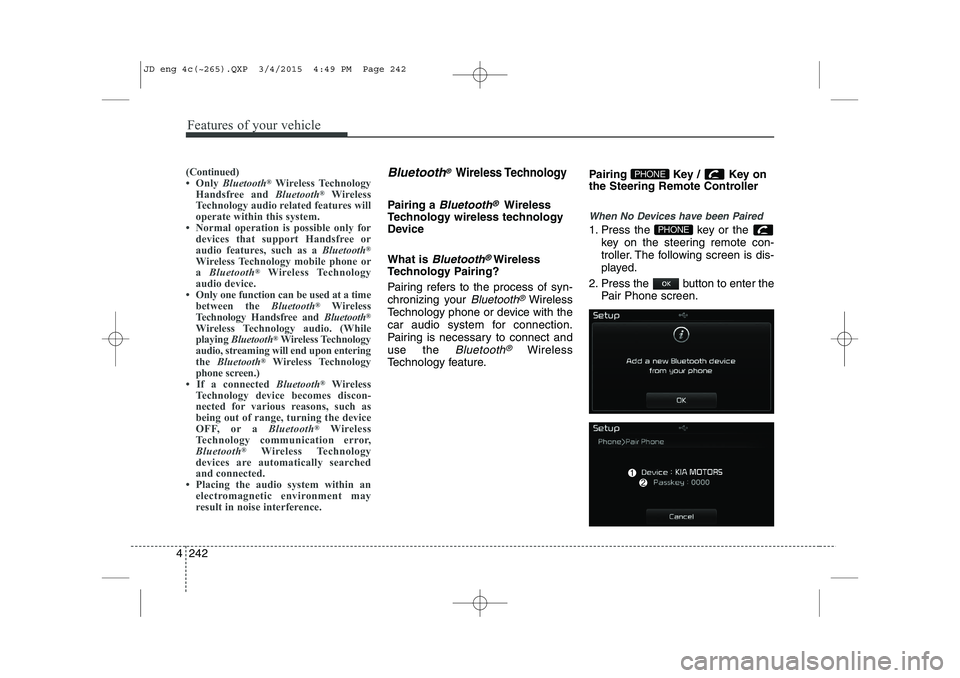
When No Devices have been Paired
1. Press the key or the
key on the steering remote con-
troller. The following screen is dis-
played.
2. Press the button to enter the Pair Phone screen.PHONE
PHONE(Continued)
Only Bluetooth ®
Wireless Technology
Handsfree and Bluetooth®
Wireless
Technology audio related features will
operate within this system.
Normal operation is possible only for
devices that support Handsfree or
audio features, such as a Bluetooth®
Wireless Technology mobile phone ora Bluetooth ®
Wireless Technology
audio device.
Only one function can be used at a time between the Bluetooth®
Wireless
Technology Handsfree and Bluetooth®
Wireless Technology audio. (While
playing Bluetooth ®
Wireless Technology
audio, streaming will end upon entering
the Bluetooth ®
Wireless Technology
phone screen.)
If a connected Bluetooth®
Wireless
Technology device becomes discon-
nected for various reasons, such as
being out of range, turning the device
OFF, or a Bluetooth®
Wireless
Technology communication error,
Bluetooth ®
Wireless Technology
devices are automatically searched
and connected.
Placing the audio system within an electromagnetic environment may
result in noise interference.
JD eng 4c(~265).QXP 3/4/2015 4:49 PM Page 242
Page 324 of 1210
4 243
Features of your vehicle
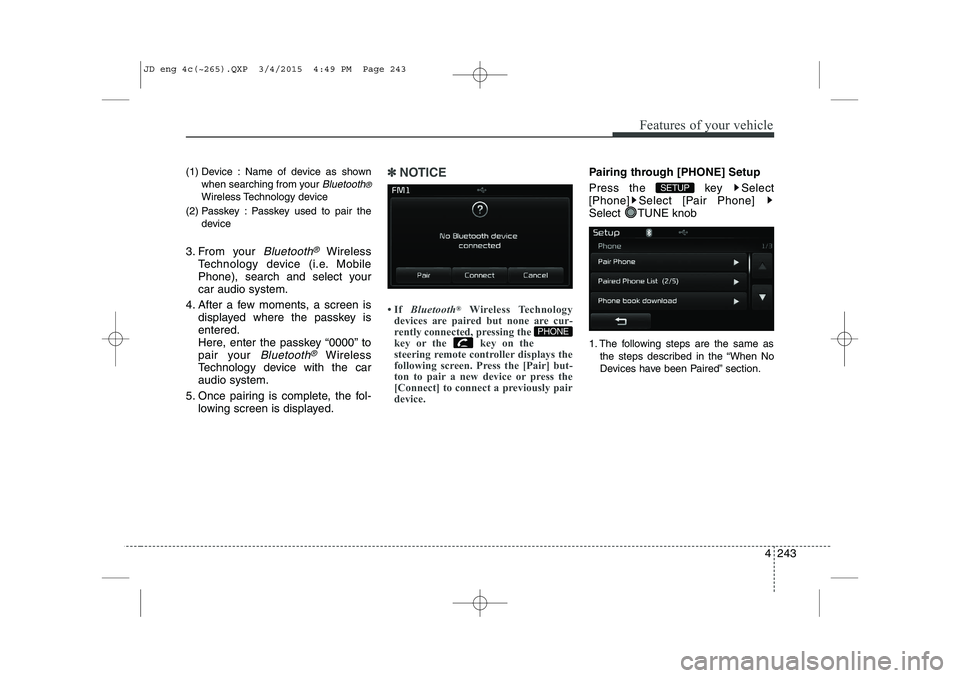
(1) Device : Name of device as shownwhen searching from your
Bluetooth®
Wireless Technology device
(2) Passkey : Passkey used to pair the device
3. From your
Bluetooth®Wireless
Technology device (i.e. Mobile
Phone), search and select yourcar audio system.
4. After a few moments, a screen is displayed where the passkey isentered.
Here, enter the passkey “0000” to
pair your
Bluetooth®Wireless
Technology device with the caraudio system.
5. Once pairing is complete, the fol- lowing screen is displayed.
✽✽NOTICE
If Bluetooth ®
Wireless Technology
devices are paired but none are cur-
rently connected, pressing the
key or the key on the
steering remote controller displays the
following screen. Press the [Pair] but-
ton to pair a new device or press the
[Connect] to connect a previously pair
device.Pairing through [PHONE] Setup
Press the key Select
[Phone] Select [Pair Phone]
Select TUNE knob
1. The following steps are the same as
the steps described in the “When No
Devices have been Paired” section.
SETUP
PHONE
JD eng 4c(~265).QXP 3/4/2015 4:49 PM Page 243
Page 332 of 1210
4 251
Features of your vehicle
VOICE RECOGNITION
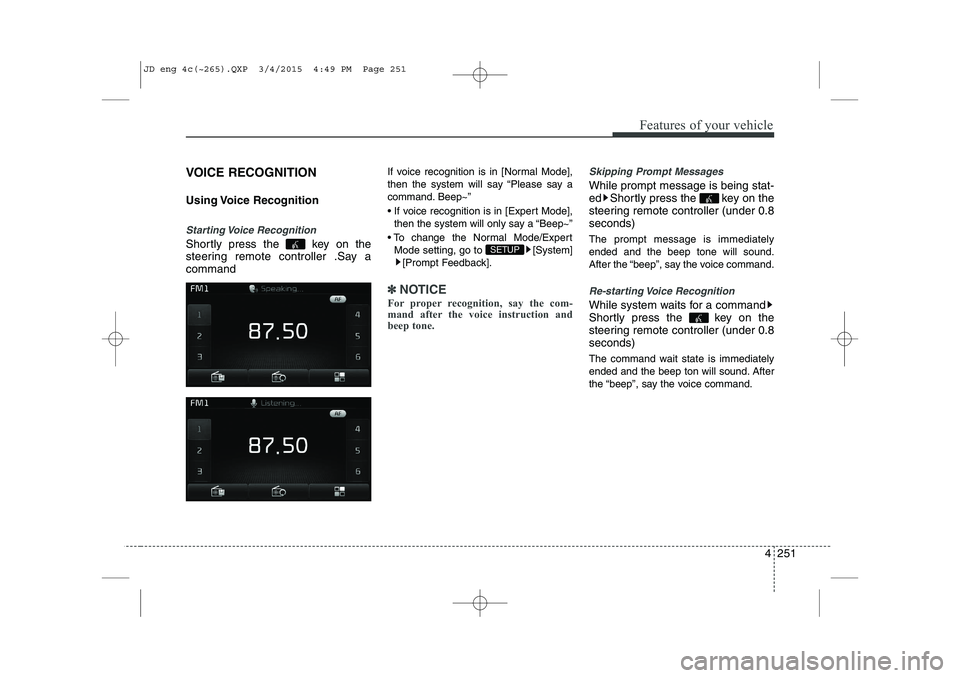
Using Voice Recognition
Starting Voice Recognition
Shortly press the key on the
steering remote controller .Say acommandIf voice recognition is in [Normal Mode],
then the system will say “Please say a
command. Beep~”
If voice recognition is in [Expert Mode],
then the system will only say a “Beep~”
To change the Normal Mode/Expert Mode setting, go to [System] [Prompt Feedback].
✽✽ NOTICE
For proper recognition, say the com-
mand after the voice instruction and
beep tone.
Skipping Prompt Messages
While prompt message is being stat-
ed Shortly press the key on the
steering remote controller (under 0.8seconds) The prompt message is immediately ended and the beep tone will sound.
After the “beep”, say the voice command.
Re-starting Voice Recognition
While system waits for a command
Shortly press the key on the
steering remote controller (under 0.8seconds)
The command wait state is immediately
ended and the beep ton will sound. After
the “beep”, say the voice command.
SETUP
JD eng 4c(~265).QXP 3/4/2015 4:49 PM Page 251
Page 333 of 1210
Features of your vehicle
252
4
ENDING VOICE RECOGNITION
While Voice Recognition is operating
Press and hold the key on the
steering remote controller (over 0.8 seconds)
✽✽ NOTICE
While using voice command, pressing a steering wheel remote control or a
different key will end voice command.
In a state where the system is waiting for a voice command, say “cancel” or
“end” to end voice command.
In a state where the system is waiting
for a voice command, press and hold
the key on the steering remote
controller to end voice command.
JD eng 4c(~265).QXP 3/4/2015 4:49 PM Page 252
Page 453 of 1210

627
What to do in an emergency
Changing a tire with TPMS
If you have a flat tire, the low Tire
Pressure and Position telltales will
come on. We recommend that the
system be checked by an authorized
Kia dealer. Each wheel is equipped with a tire pressure sensor mounted inside the
tire behind the valve stem. You must
use TPMS specific wheels. It is rec-
ommended that you have your tires
serviced by an authorized Kia dealer.If you drive the vehicle for about 10
minutes at speeds above 25 km/h
after replaceing the low pressure tire
with the spare tire, the below willhappen:
The TPMS malfunction indicator
may blink for approximately 1
minute and then remain continuous-
ly illuminated because the TPMSsensor is not mounted on the
sparewheel.CAUTION
The TPMS malfunction indica-
tor may blink for approximate-ly 1 minute and then remaincontinuously illuminated if thevehicle is moving around elec- tric power supply cables orradios transmitter such as atpolice stations, government and public offices, broadcast-ing stations, military installa-tions, airports, or transmitting towers, etc. This can interferewith normal operation of theTire Pressure Monitoring System (TPMS).
The TPMS malfunction indica- tor may blink for approximate-ly 1 minute and then remaincontinuously illuminated if snow chains are used or someseparate electronic devicessuch as notebook computer, mobile charger, remote starteror navigation etc., are used inthe vehicle. This can interfere with normal operation of theTire Pressure MonitoringSystem (TPMS).
CAUTION
We recommend that you use thesealant approved by Kia.
The sealant on the tire pressuresensor and wheel shall be elem-inated when you replace the tire with a new one.
JD eng 6.QXP 3/12/2015 3:05 PM Page 27
Page 593 of 1210
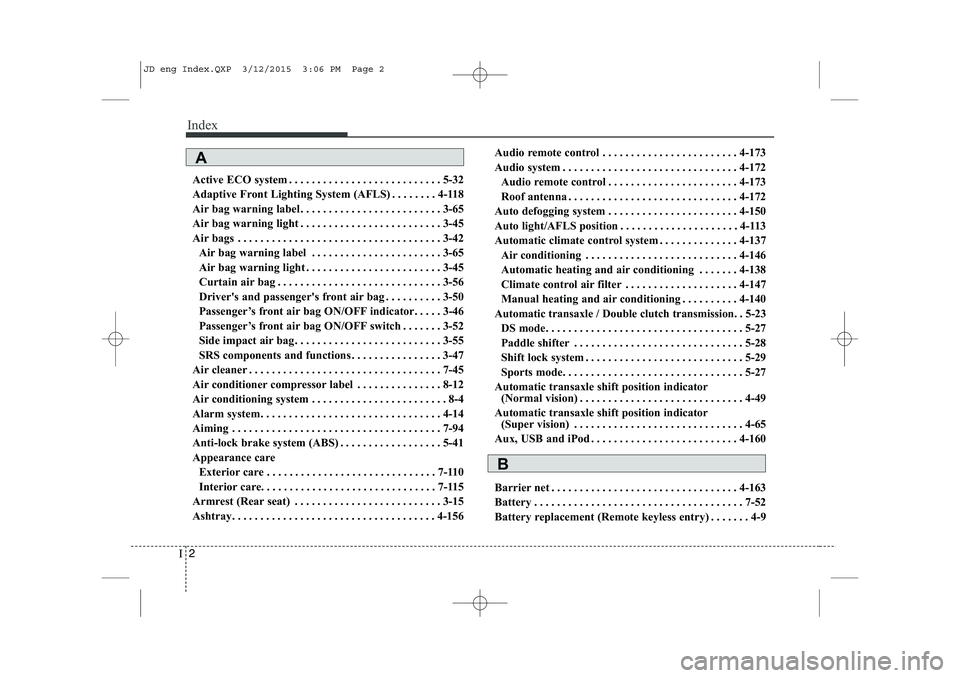
Index
2
I
Active ECO system . . . . . . . . . . . . . . . . . . . . . . . . . . . 5-32
Adaptive Front Lighting System (AFLS) . . . . . . . . 4-118
Air bag warning label . . . . . . . . . . . . . . . . . . . . . . . . . 3-65
Air bag warning light . . . . . . . . . . . . . . . . . . . . . . . . . 3-45
Air bags . . . . . . . . . . . . . . . . . . . . . . . . . . . . . . . . . . . . 3-42
Air bag warning label . . . . . . . . . . . . . . . . . . . . . . . 3-65
Air bag warning light . . . . . . . . . . . . . . . . . . . . . . . . 3-45
Curtain air bag . . . . . . . . . . . . . . . . . . . . . . . . . . . . . 3-56
Driver's and passenger's front air bag . . . . . . . . . . 3-50
Passenger’s front air bag ON/OFF indicator. . . . . 3-46
Passenger’s front air bag ON/OFF switch . . . . . . . 3-52
Side impact air bag. . . . . . . . . . . . . . . . . . . . . . . . . . 3-55
SRS components and functions . . . . . . . . . . . . . . . . 3-47
Air cleaner . . . . . . . . . . . . . . . . . . . . . . . . . . . . . . . . . . 7-45
Air conditioner compressor label . . . . . . . . . . . . . . . 8-12
Air conditioning system . . . . . . . . . . . . . . . . . . . . . . . . 8-4
Alarm system. . . . . . . . . . . . . . . . . . . . . . . . . . . . . . . . 4-14
Aiming . . . . . . . . . . . . . . . . . . . . . . . . . . . . . . . . . . . . . 7-94
Anti-lock brake system (ABS) . . . . . . . . . . . . . . . . . . 5-41
Appearance care Exterior care . . . . . . . . . . . . . . . . . . . . . . . . . . . . . . 7-110
Interior care. . . . . . . . . . . . . . . . . . . . . . . . . . . . . . . 7-115
Armrest (Rear seat) . . . . . . . . . . . . . . . . . . . . . . . . . . 3-15
Ashtray. . . . . . . . . . . . . . . . . . . . . . . . . . . . . . . . . . . . 4-156 Audio remote control . . . . . . . . . . . . . . . . . . . . . . . . 4-173
Audio system . . . . . . . . . . . . . . . . . . . . . . . . . . . . . . . 4-172
Audio remote control . . . . . . . . . . . . . . . . . . . . . . . 4-173
Roof antenna . . . . . . . . . . . . . . . . . . . . . . . . . . . . . . 4-172
Auto defogging system . . . . . . . . . . . . . . . . . . . . . . . 4-150
Auto light/AFLS position . . . . . . . . . . . . . . . . . . . . . 4-113
Automatic climate control system . . . . . . . . . . . . . . 4-137 Air conditioning . . . . . . . . . . . . . . . . . . . . . . . . . . . 4-146
Automatic heating and air conditioning . . . . . . . 4-138
Climate control air filter . . . . . . . . . . . . . . . . . . . . 4-147
Manual heating and air conditioning . . . . . . . . . . 4-140
Automatic transaxle / Double clutch transmission. . 5-23
DS mode. . . . . . . . . . . . . . . . . . . . . . . . . . . . . . . . . . . 5-27
Paddle shifter . . . . . . . . . . . . . . . . . . . . . . . . . . . . . . 5-28
Shift lock system . . . . . . . . . . . . . . . . . . . . . . . . . . . . 5-29
Sports mode. . . . . . . . . . . . . . . . . . . . . . . . . . . . . . . . 5-27
Automatic transaxle shift position indicator (Normal vision) . . . . . . . . . . . . . . . . . . . . . . . . . . . . . 4-49
Automatic transaxle shift position indicator (Super vision) . . . . . . . . . . . . . . . . . . . . . . . . . . . . . . 4-65
Aux, USB and iPod . . . . . . . . . . . . . . . . . . . . . . . . . . 4-160
Barrier net . . . . . . . . . . . . . . . . . . . . . . . . . . . . . . . . . 4-163
Battery . . . . . . . . . . . . . . . . . . . . . . . . . . . . . . . . . . . . . 7-52
Battery replacement (Remote keyless entry) . . . . . . . 4-9
A
B
JD eng Index.QXP 3/12/2015 3:06 PM Page 2
Page 601 of 1210
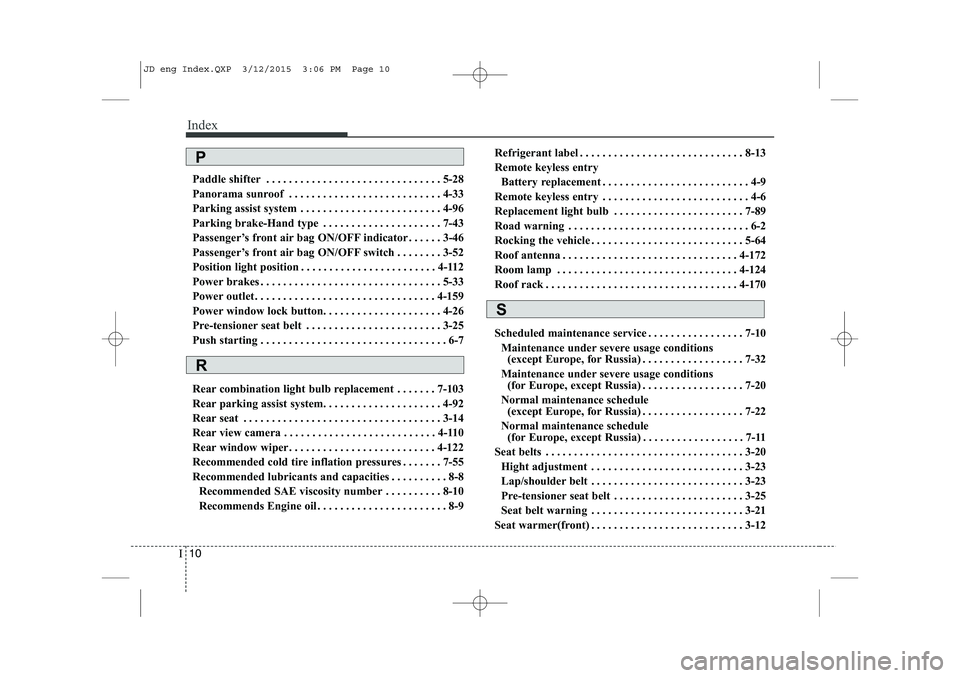
Index
10
I
Paddle shifter . . . . . . . . . . . . . . . . . . . . . . . . . . . . . . . 5-28
Panorama sunroof . . . . . . . . . . . . . . . . . . . . . . . . . . . 4-33
Parking assist system . . . . . . . . . . . . . . . . . . . . . . . . . 4-96
Parking brake-Hand type . . . . . . . . . . . . . . . . . . . . . 7-43
Passenger’s front air bag ON/OFF indicator . . . . . . 3-46
Passenger’s front air bag ON/OFF switch . . . . . . . . 3-52
Position light position . . . . . . . . . . . . . . . . . . . . . . . . 4-112
Power brakes . . . . . . . . . . . . . . . . . . . . . . . . . . . . . . . . 5-33
Power outlet . . . . . . . . . . . . . . . . . . . . . . . . . . . . . . . . 4-159
Power window lock button. . . . . . . . . . . . . . . . . . . . . 4-26
Pre-tensioner seat belt . . . . . . . . . . . . . . . . . . . . . . . . 3-25
Push starting . . . . . . . . . . . . . . . . . . . . . . . . . . . . . . . . . 6-7
Rear combination light bulb replacement . . . . . . . 7-103
Rear parking assist system. . . . . . . . . . . . . . . . . . . . . 4-92
Rear seat . . . . . . . . . . . . . . . . . . . . . . . . . . . . . . . . . . . 3-14
Rear view camera . . . . . . . . . . . . . . . . . . . . . . . . . . . 4-110
Rear window wiper . . . . . . . . . . . . . . . . . . . . . . . . . . 4-122
Recommended cold tire inflation pressures . . . . . . . 7-55
Recommended lubricants and capacities . . . . . . . . . . 8-8
Recommended SAE viscosity number . . . . . . . . . . 8-10
Recommends Engine oil . . . . . . . . . . . . . . . . . . . . . . . 8-9 Refrigerant label . . . . . . . . . . . . . . . . . . . . . . . . . . . . . 8-13
Remote keyless entry
Battery replacement . . . . . . . . . . . . . . . . . . . . . . . . . . 4-9
Remote keyless entry . . . . . . . . . . . . . . . . . . . . . . . . . . 4-6
Replacement light bulb . . . . . . . . . . . . . . . . . . . . . . . 7-89
Road warning . . . . . . . . . . . . . . . . . . . . . . . . . . . . . . . . 6-2
Rocking the vehicle . . . . . . . . . . . . . . . . . . . . . . . . . . . 5-64
Roof antenna . . . . . . . . . . . . . . . . . . . . . . . . . . . . . . . 4-172
Room lamp . . . . . . . . . . . . . . . . . . . . . . . . . . . . . . . . 4-124
Roof rack . . . . . . . . . . . . . . . . . . . . . . . . . . . . . . . . . . 4-170
Scheduled maintenance service . . . . . . . . . . . . . . . . . 7-10
Maintenance under severe usage conditions (except Europe, for Russia) . . . . . . . . . . . . . . . . . . 7-32
Maintenance under severe usage conditions (for Europe, except Russia) . . . . . . . . . . . . . . . . . . 7-20
Normal maintenance schedule (except Europe, for Russia) . . . . . . . . . . . . . . . . . . 7-22
Normal maintenance schedule (for Europe, except Russia) . . . . . . . . . . . . . . . . . . 7-11
Seat belts . . . . . . . . . . . . . . . . . . . . . . . . . . . . . . . . . . . 3-20
Hight adjustment . . . . . . . . . . . . . . . . . . . . . . . . . . . 3-23
Lap/shoulder belt . . . . . . . . . . . . . . . . . . . . . . . . . . . 3-23
Pre-tensioner seat belt . . . . . . . . . . . . . . . . . . . . . . . 3-25
Seat belt warning . . . . . . . . . . . . . . . . . . . . . . . . . . . 3-21
Seat warmer(front) . . . . . . . . . . . . . . . . . . . . . . . . . . . 3-12
R
S
P
JD eng Index.QXP 3/12/2015 3:06 PM Page 10