change wheel KIA CEED 2015 Owner's Guide
[x] Cancel search | Manufacturer: KIA, Model Year: 2015, Model line: CEED, Model: KIA CEED 2015Pages: 1210, PDF Size: 35.92 MB
Page 757 of 1210
Features of your vehicle
72
4
Lamp Menu
• Headlamp delay (if equipped)
If the headlamp delay function is checked :
The Headlamp delay and Headlamp
Welcome function will be activated.
• Auto Triple Turn
(One-touch triple turn signal)
If the auto triple turn function is checked :
The lane change signals will blink 3 times
when the turn signal lever is moved
slightly.
• Welcome Light (if equipped)
If the welcome light function is checked :
The welcome light function of puddle
lamp will activate. Settings Menu
• Seat Easy Access (for Driver Position
Memory System equipped vehicle)
(if equipped)
If the seat easy access function is
checked:
The driver's seat will automatically move
forward or rearward for the driver to enter
or exit the vehicle comfortably.
• Welcome Sound
If the welcome sound function is checked :
The Welcome Sound function will be acti-
vated.
• Steering Position (if equipped)
If the steering position function is
checked:
The warning illuminates on the LCD dis-
play when the steering wheel is not
aligned with the ENGINE STRAT/STOP
button in the ON position. • AVG fuel ECO Reset
Auto Reset - The average fuel economy
will reset automatically
when you drive after refu- elling.
Manual Reset - The average fuel econo- my will not reset auto-
matically when you drive
after refuelling. You can
reset the average fuel
economy by pressing
the button for morethan 1 second when the
average fuel economy is
displayed.
• Speed Gauge Scale (if equipped)
- 100% : The size of the numbers on speed gauge is normal state.
- 110% : The size of the numbers on speed gauge will increase.
• Unit
You can choose the displayed unit in the
instrument cluster “km” or “mile”.
• Language
Choose the language you prefer within
the LCD display.
JD RHD 4a(~171).QXP 4/14/2015 6:59 PM Page 72
Page 763 of 1210
Features of your vehicle
78
4
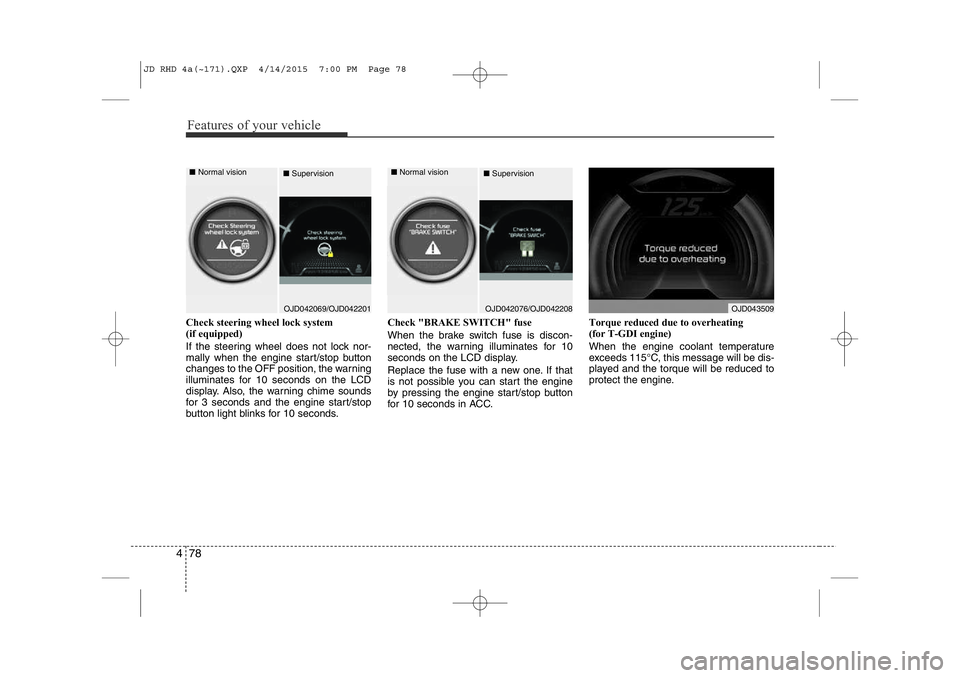
Check steering wheel lock system
(if equipped)
If the steering wheel does not lock nor-
mally when the engine start/stop button
changes to the OFF position, the warning
illuminates for 10 seconds on the LCD
display. Also, the warning chime sounds
for 3 seconds and the engine start/stop
button light blinks for 10 seconds. Check "BRAKE SWITCH" fuse
When the brake switch fuse is discon-
nected, the warning illuminates for 10
seconds on the LCD display.
Replace the fuse with a new one. If that
is not possible you can start the engine
by pressing the engine start/stop button
for 10 seconds in ACC.
Torque reduced due to overheating
(for T-GDI engine)
When the engine coolant temperature
exceeds 115°C, this message will be dis-
played and the torque will be reduced to
protect the engine.
OJD042069/OJD042201
■
Normal vision
■SupervisionOJD042076/OJD042208
■
Normal vision
■SupervisionOJD043509
JD RHD 4a(~171).QXP 4/14/2015 7:00 PM Page 78
Page 786 of 1210
4 101
Features of your vehicle
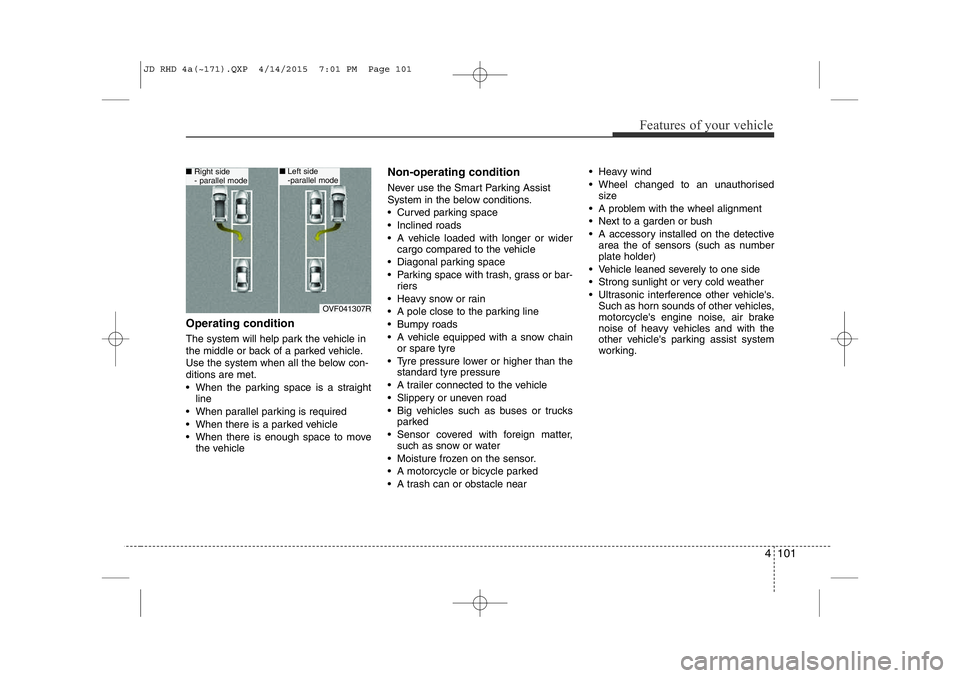
Operating condition
The system will help park the vehicle in
the middle or back of a parked vehicle.
Use the system when all the below con-ditions are met.
• When the parking space is a straightline
• When parallel parking is required
• When there is a parked vehicle
• When there is enough space to move the vehicle Non-operating condition
Never use the Smart Parking Assist
System in the below conditions.
• Curved parking space
• Inclined roads
• A vehicle loaded with longer or wider
cargo compared to the vehicle
• Diagonal parking space
• Parking space with trash, grass or bar- riers
• Heavy snow or rain
• A pole close to the parking line
• Bumpy roads
• A vehicle equipped with a snow chain or spare tyre
• Tyre pressure lower or higher than the standard tyre pressure
• A trailer connected to the vehicle
• Slippery or uneven road
• Big vehicles such as buses or trucks parked
• Sensor covered with foreign matter, such as snow or water
• Moisture frozen on the sensor.
• A motorcycle or bicycle parked
• A trash can or obstacle near • Heavy wind
• Wheel changed to an unauthorised
size
• A problem with the wheel alignment
• Next to a garden or bush
• A accessory installed on the detective area the of sensors (such as number plate holder)
• Vehicle leaned severely to one side
• Strong sunlight or very cold weather
• Ultrasonic interference other vehicle's. Such as horn sounds of other vehicles,
motorcycle's engine noise, air brake
noise of heavy vehicles and with the
other vehicle's parking assist system
working.
OVF041307R
■Right side
- parallel mode■Left side
-parallel mode
JD RHD 4a(~171).QXP 4/14/2015 7:01 PM Page 101
Page 793 of 1210
Features of your vehicle
108
4
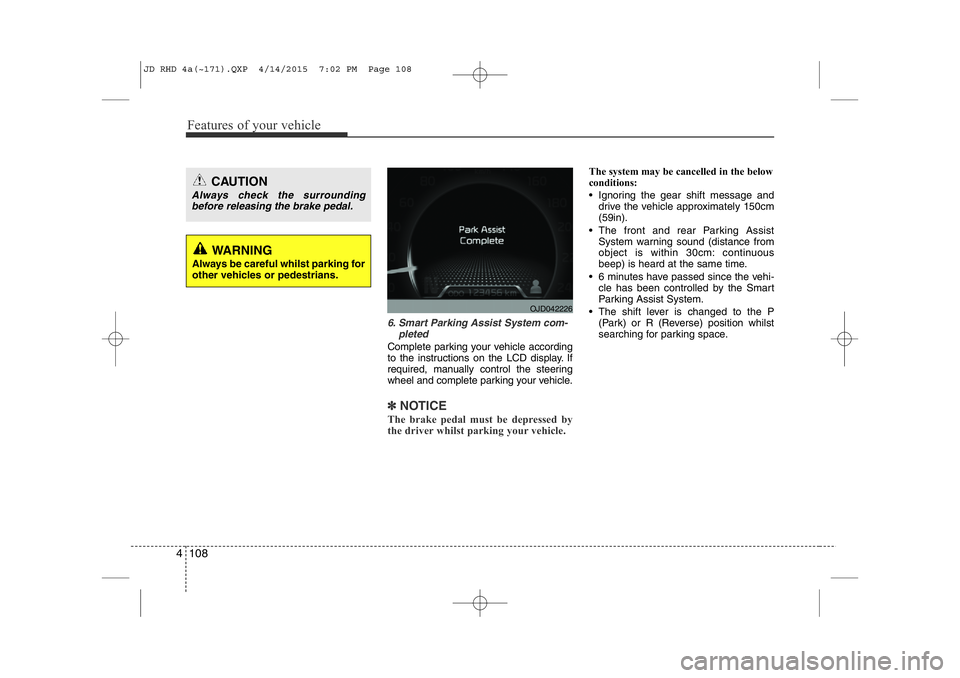
6. Smart Parking Assist System com-
pleted
Complete parking your vehicle according
to the instructions on the LCD display. If
required, manually control the steering
wheel and complete parking your vehicle.
✽NOTICE
The brake pedal must be depressed by
the driver whilst parking your vehicle.
The system may be cancelled in the below
conditions:
• Ignoring the gear shift message and drive the vehicle approximately 150cm (59in).
• The front and rear Parking Assist System warning sound (distance from
object is within 30cm: continuous
beep) is heard at the same time.
• 6 minutes have passed since the vehi- cle has been controlled by the Smart
Parking Assist System.
• The shift lever is changed to the P (Park) or R (Reverse) position whilst
searching for parking space.
WARNING
Always be careful whilst parking for
other vehicles or pedestrians.
CAUTION
Always check the surrounding before releasing the brake pedal.
OJD042226
JD RHD 4a(~171).QXP 4/14/2015 7:02 PM Page 108
Page 816 of 1210
4 131
Features of your vehicle
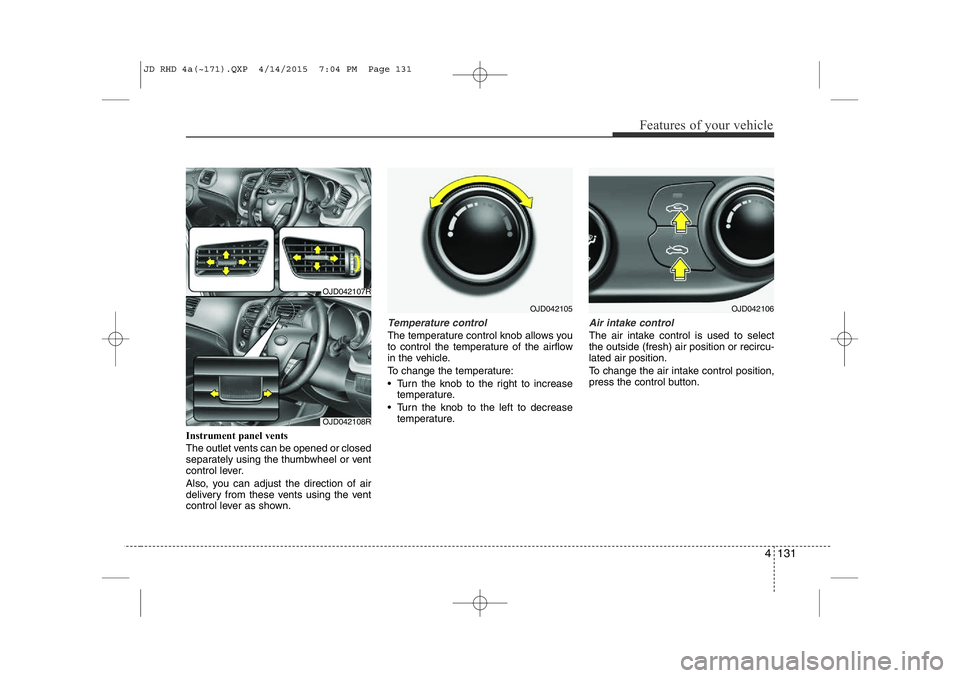
Instrument panel vents
The outlet vents can be opened or closed
separately using the thumbwheel or vent
control lever.
Also, you can adjust the direction of air
delivery from these vents using the vent
control lever as shown.
Temperature control
The temperature control knob allows you
to control the temperature of the airflow
in the vehicle.
To change the temperature:
• Turn the knob to the right to increasetemperature.
• Turn the knob to the left to decrease temperature.
Air intake control
The air intake control is used to select the outside (fresh) air position or recircu-lated air position.
To change the air intake control position,
press the control button.
OJD042105
OJD042107R
OJD042108R
OJD042106
JD RHD 4a(~171).QXP 4/14/2015 7:04 PM Page 131
Page 827 of 1210
Features of your vehicle
142
4
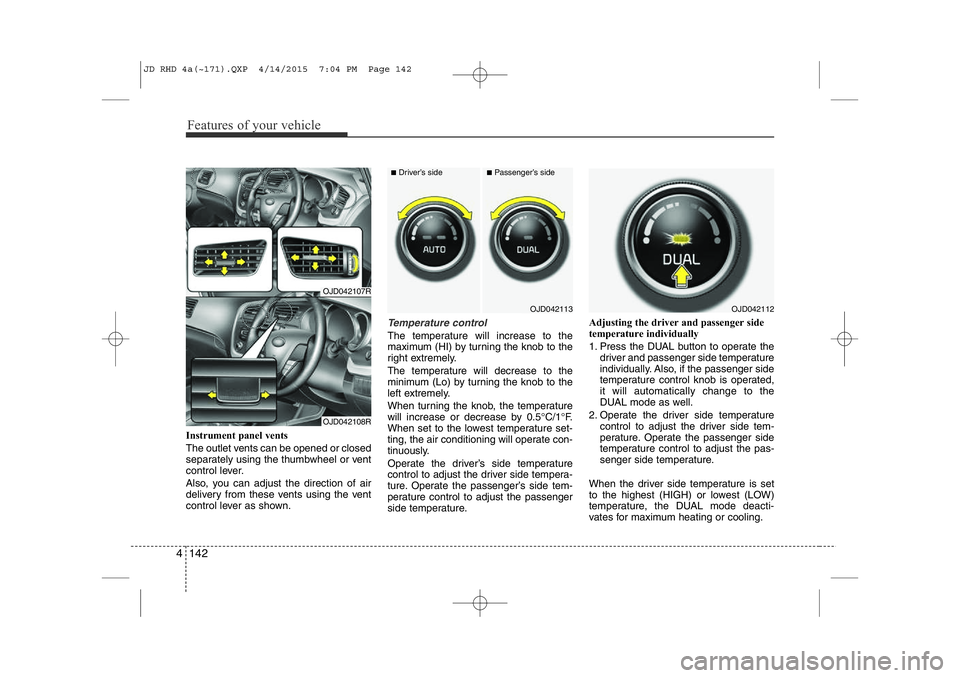
Instrument panel vents
The outlet vents can be opened or closed
separately using the thumbwheel or vent
control lever.
Also, you can adjust the direction of air
delivery from these vents using the vent
control lever as shown.
Temperature control
The temperature will increase to the
maximum (HI) by turning the knob to the
right extremely.
The temperature will decrease to the
minimum (Lo) by turning the knob to the
left extremely.
When turning the knob, the temperature
will increase or decrease by 0.5°C/1°F.
When set to the lowest temperature set-
ting, the air conditioning will operate con-
tinuously.
Operate the driver’s side temperature
control to adjust the driver side tempera-
ture. Operate the passenger’s side tem-
perature control to adjust the passenger
side temperature. Adjusting the driver and passenger side
temperature individually
1. Press the DUAL button to operate the
driver and passenger side temperature
individually. Also, if the passenger side
temperature control knob is operated,it will automatically change to the
DUAL mode as well.
2. Operate the driver side temperature control to adjust the driver side tem-
perature. Operate the passenger side
temperature control to adjust the pas-
senger side temperature.
When the driver side temperature is set
to the highest (HIGH) or lowest (LOW)
temperature, the DUAL mode deacti-
vates for maximum heating or cooling.
OJD042113
■ Driver’s side■Passenger’s side
OJD042112
OJD042107R
OJD042108R
JD RHD 4a(~171).QXP 4/14/2015 7:04 PM Page 142
Page 959 of 1210
59
Driving your vehicle
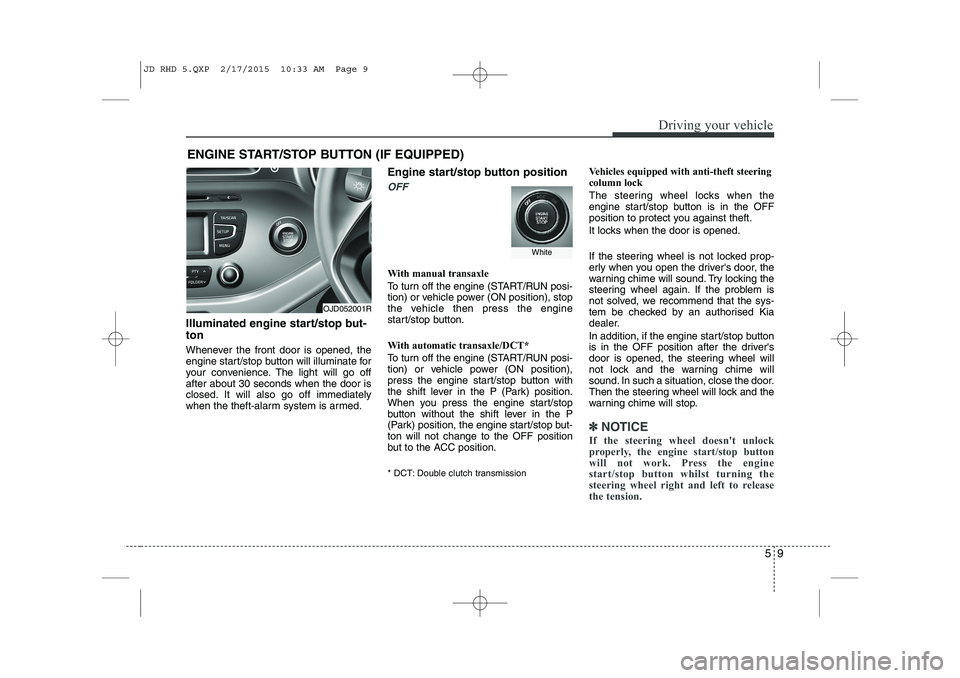
ENGINE START/STOP BUTTON (IF EQUIPPED)
Illuminated engine start/stop but- ton
Whenever the front door is opened, the
engine start/stop button will illuminate for
your convenience. The light will go offafter about 30 seconds when the door is
closed. It will also go off immediately
when the theft-alarm system is armed. Engine start/stop button position
OFF
With manual transaxle
To turn off the engine (START/RUN posi-
tion) or vehicle power (ON position), stop
the vehicle then press the engine
start/stop button.
With automatic transaxle/DCT*
To turn off the engine (START/RUN posi-
tion) or vehicle power (ON position),
press the engine start/stop button with
the shift lever in the P (Park) position.
When you press the engine start/stop
button without the shift lever in the P
(Park) position, the engine start/stop but-ton will not change to the OFF position
but to the ACC position.
* DCT: Double clutch transmissionVehicles equipped with anti-theft steering
column lock
The steering wheel locks when the
engine start/stop button is in the OFF
position to protect you against theft.
It locks when the door is opened.
If the steering wheel is not locked prop-
erly when you open the driver's door, the
warning chime will sound. Try locking the
steering wheel again. If the problem is
not solved, we recommend that the sys-
tem be checked by an authorised Kia
dealer.
In addition, if the engine start/stop button
is in the OFF position after the driver's
door is opened, the steering wheel will
not lock and the warning chime will
sound. In such a situation, close the door.
Then the steering wheel will lock and the
warning chime will stop.
✽✽
NOTICE
If the steering wheel doesn't unlock
properly, the engine start/stop button
will not work. Press the engine
start/stop button whilst turning the
steering wheel right and left to release
the tension.
OJD052001R
White
JD RHD 5.QXP 2/17/2015 10:33 AM Page 9
Page 961 of 1210
511
Driving your vehicle
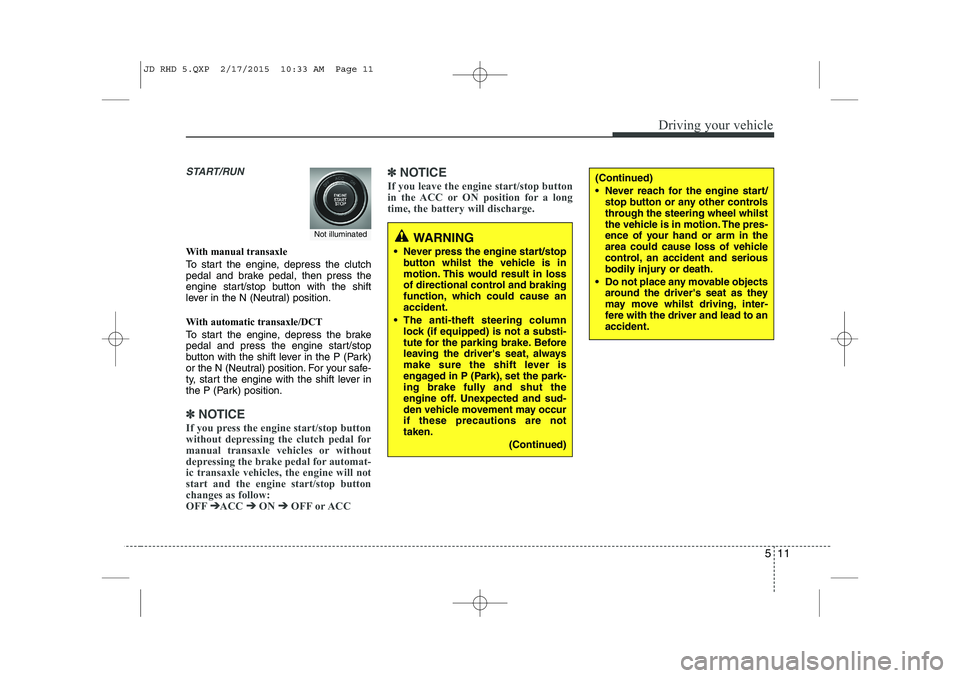
START/RUN
With manual transaxle
To start the engine, depress the clutch
pedal and brake pedal, then press the
engine start/stop button with the shift
lever in the N (Neutral) position.
With automatic transaxle/DCT
To start the engine, depress the brake
pedal and press the engine start/stop
button with the shift lever in the P (Park)
or the N (Neutral) position. For your safe-
ty, start the engine with the shift lever in
the P (Park) position.
✽✽
NOTICE
If you press the engine start/stop button
without depressing the clutch pedal for
manual transaxle vehicles or without
depressing the brake pedal for automat-
ic transaxle vehicles, the engine will not
start and the engine start/stop button
changes as follow:
OFF ➔
➔
ACC ➔➔
ON ➔➔
OFF or ACC ✽
✽
NOTICE
If you leave the engine start/stop button
in the ACC or ON position for a long
time, the battery will discharge.
WARNING
Never press the engine start/stop button whilst the vehicle is in
motion. This would result in loss
of directional control and braking
function, which could cause anaccident.
The anti-theft steering column lock (if equipped) is not a substi-
tute for the parking brake. Before
leaving the driver's seat, always
make sure the shift lever is
engaged in P (Park), set the park-
ing brake fully and shut the
engine off. Unexpected and sud-
den vehicle movement may occurif these precautions are nottaken.
(Continued)
(Continued)
Never reach for the engine start/stop button or any other controls
through the steering wheel whilst
the vehicle is in motion. The pres-
ence of your hand or arm in the
area could cause loss of vehicle
control, an accident and serious
bodily injury or death.
Do not place any movable objects around the driver's seat as they
may move whilst driving, inter-
fere with the driver and lead to anaccident.
Not illuminated
JD RHD 5.QXP 2/17/2015 10:33 AM Page 11
Page 972 of 1210
Driving your vehicle
22
5
Downshifting
When you must slow down in heavy traf-
fic or whilst driving up steep hills, down-
shift before the engine starts to labour.
Downshifting reduces the chance of
stalling and gives better acceleration
when you again need to increase your
speed. When the vehicle is travelling
down steep hills, downshifting helps
maintain safe speed and prolongs brake
life. Good driving practices
Never take the vehicle out of gear and
coast down a hill. This is extremely
hazardous. Always leave the vehicle in
gear.
Don't "ride" the brakes. This can cause them to overheat and malfunction.
Instead, when you are driving down a
long hill, slow down and shift to a lower
gear. When you do this, engine braking
will help slow down the vehicle.
Slow down before shifting to a lower gear. This will help avoid over-revving
the engine, which can cause damage.
Slow down when you encounter cross winds. This gives you much better con-
trol of your vehicle.
Be sure the vehicle is completely stopped before you attempt to shift into
R (Reverse). The transaxle can be
damaged if you do not. To shift into R
(Reverse), depress the clutch, move
the shift lever to neutral, wait three sec-
onds, then shift to the R (Reverse)position.
Exercise extreme caution when driving on a slippery surface. Be especially
careful when braking, accelerating or
shifting gears. On a slippery surface,
an abrupt change in vehicle speed can
cause the drive wheels to lose traction
and the vehicle to go out of control.WARNING
Always buckle-up! In a collision, an unbelted occupant is signifi-
cantly more likely to be seriously
injured or killed than a properlybelted occupant.
Avoid high speeds when corner- ing or turning.
Do not make quick steering wheel movements, such as sharp
lane changes or fast, sharp turns.
The risk of rollover is greatly increased if you lose control of
your vehicle at highway speeds.
Loss of control often occurs if two or more wheels drop off the
roadway and the driver over-
steers to reenter the roadway.
In the event your vehicle leaves the roadway, do not steer sharply.
Instead, slow down before pulling
back into the travel lanes.
Never exceed posted speed lim- its.
JD RHD 5.QXP 2/17/2015 10:33 AM Page 22
Page 980 of 1210
Driving your vehicle
30
5
Good driving practices
Never move the shift lever from P
(Park) or N (Neutral) to any other posi-
tion with the accelerator pedaldepressed.
Never move the shift lever into P (Park) when the vehicle is in motion.
Be sure the vehicle is completely stopped before you attempt to shift into
R (Reverse) or D (Drive).
Never take the vehicle out of gear and coast down a hill. This may be
extremely hazardous. Always leave the
vehicle in gear when moving.
Do not "ride" the brakes. This can cause them to overheat and malfunc-
tion. Instead, when you are driving
down a long hill, slow down and shift to
a lower gear. When you do this, engine
braking will help slow down the vehicle.
Slow down before shifting to a lower gear. Otherwise, the lower gear maynot be engaged.
Always use the parking brake. Do not depend on placing the transaxle in P
(Park) to keep the vehicle from moving. Exercise extreme caution when driving
on a slippery surface. Be especially
careful when braking, accelerating or
shifting gears. On a slippery surface,
an abrupt change in vehicle speed can
cause the drive wheels to lose traction
and the vehicle to go out of control.
Optimum vehicle performance and economy is obtained by smoothly
depressing and releasing the accelera-tor pedal.
WARNING
Always buckle-up! In a collision, an unbelted occupant is signifi-
cantly more likely to be seriously
injured or killed than a properlybelted occupant.
Avoid high speeds when corner- ing or turning.
Do not make quick steering wheel movements, such as sharp
lane changes or fast, sharp turns.
The risk of rollover is greatly increased if you lose control of
your vehicle at highway speeds.
Loss of control often occurs if two or more wheels drop off the
roadway and the driver over-
steers to reenter the roadway.
In the event your vehicle leaves the roadway, do not steer sharply.
Instead, slow down before pulling
back into the travel lanes.
Never exceed posted speed lim- its.
JD RHD 5.QXP 2/17/2015 10:34 AM Page 30