Type KIA Cerato 2016 2.G Owner's Guide
[x] Cancel search | Manufacturer: KIA, Model Year: 2016, Model line: Cerato, Model: KIA Cerato 2016 2.GPages: 501, PDF Size: 14.8 MB
Page 125 of 501
Features of your vehicle
54
4
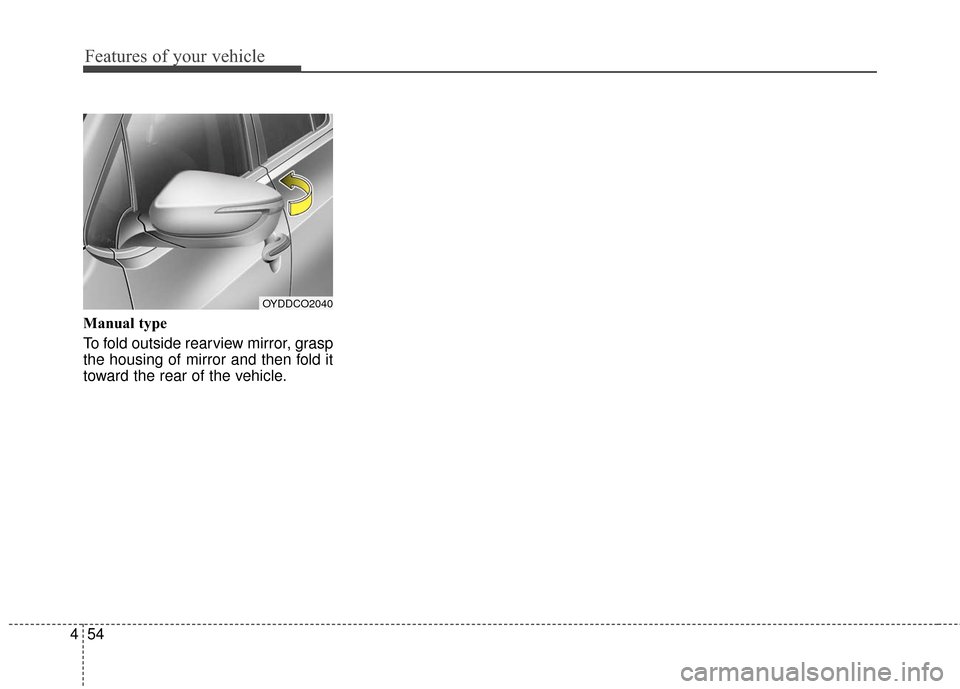
Manual type
To fold outside rearview mirror, grasp
the housing of mirror and then fold it
toward the rear of the vehicle.
OYDDCO2040
Page 126 of 501
455
Features of your vehicle
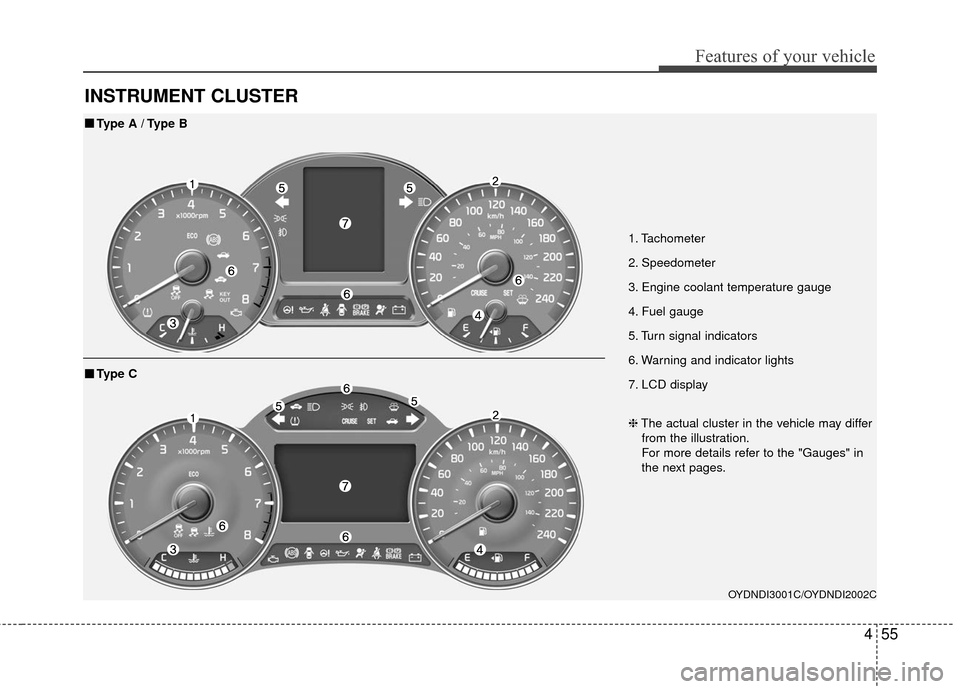
INSTRUMENT CLUSTER
1. Tachometer
2. Speedometer
3. Engine coolant temperature gauge
4. Fuel gauge
5. Turn signal indicators
6. Warning and indicator lights
7. LCD display
OYDNDI3001C/OYDNDI2002C
■
■Type A / Type B
❈The actual cluster in the vehicle may differ
from the illustration.
For more details refer to the "Gauges" in
the next pages.
■
■ Type C
Page 127 of 501
Features of your vehicle
56
4
Instrument Cluster Control
Adjusting Instrument Cluster
Illumination
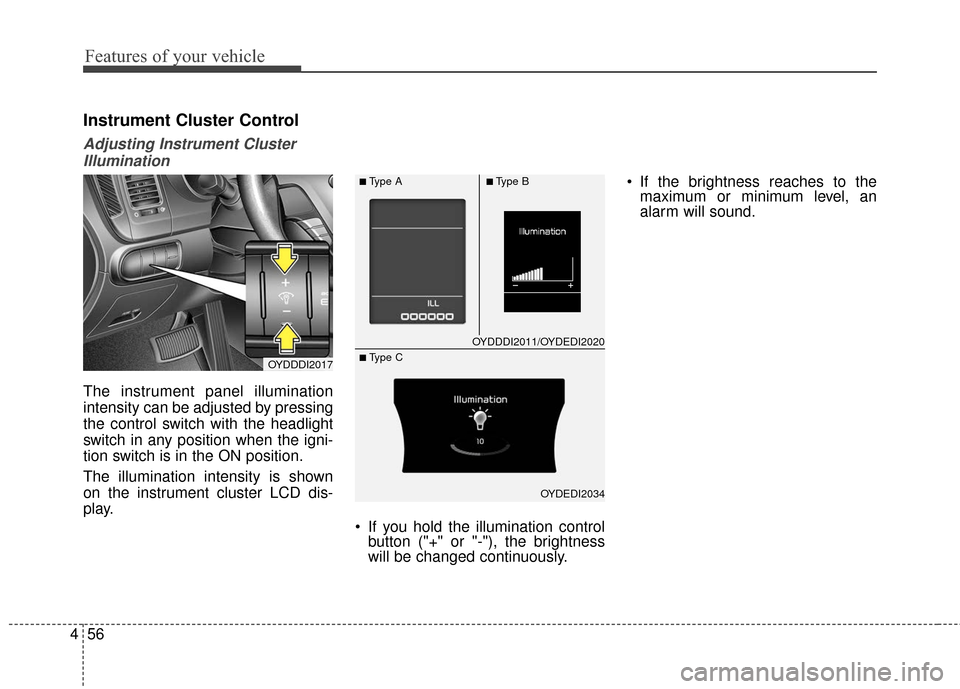
The instrument panel illumination
intensity can be adjusted by pressing
the control switch with the headlight
switch in any position when the igni-
tion switch is in the ON position.
The illumination intensity is shown
on the instrument cluster LCD dis-
play.
If you hold the illumination controlbutton ("+" or "-"), the brightness
will be changed continuously. If the brightness reaches to the
maximum or minimum level, an
alarm will sound.
OYDDDI2017
OYDDDI2011/OYDEDI2020
OYDEDI2034
■Type A■Type B
■ Type C
Page 128 of 501
![KIA Cerato 2016 2.G Owners Guide 457
Features of your vehicle
LCD Display Control
The LCD display modes can be
changed by using the control buttons
on the steering wheel.
[Type A]
(1) TRIP : TRIP button for changingtrip modes
(2) RES](/img/2/2972/w960_2972-127.png "KIA Cerato 2016 2.G Owners Guide 457
Features of your vehicle
LCD Display Control
The LCD display modes can be
changed by using the control buttons
on the steering wheel.
[Type A]
(1) TRIP : TRIP button for changingtrip modes
(2) RES")
457
Features of your vehicle
LCD Display Control
The LCD display modes can be
changed by using the control buttons
on the steering wheel.
[Type A]
(1) TRIP : TRIP button for changingtrip modes
(2) RESET : RESET button for reset- ting items [Type B]
(1) : MODE button for changing
modes
(2) : MOVE button for changing items
(3) : SELECT/RESET button for setting or resetting the
selected item
❈ For the LCD modes, refer to "LCD
Display" in this chapter.
Gauges
Speedometer
The speedometer indicates the for-
ward speed of the vehicle.
The speedometer is calibrated in
kilometers per hour and/or miles per
hour.
OYDDDI2018OYDEDI2003L
OYDEDI2004L
■Type A, B
■ Type C
■Type A
■Type B
Page 129 of 501
Features of your vehicle
58
4
Tachometer
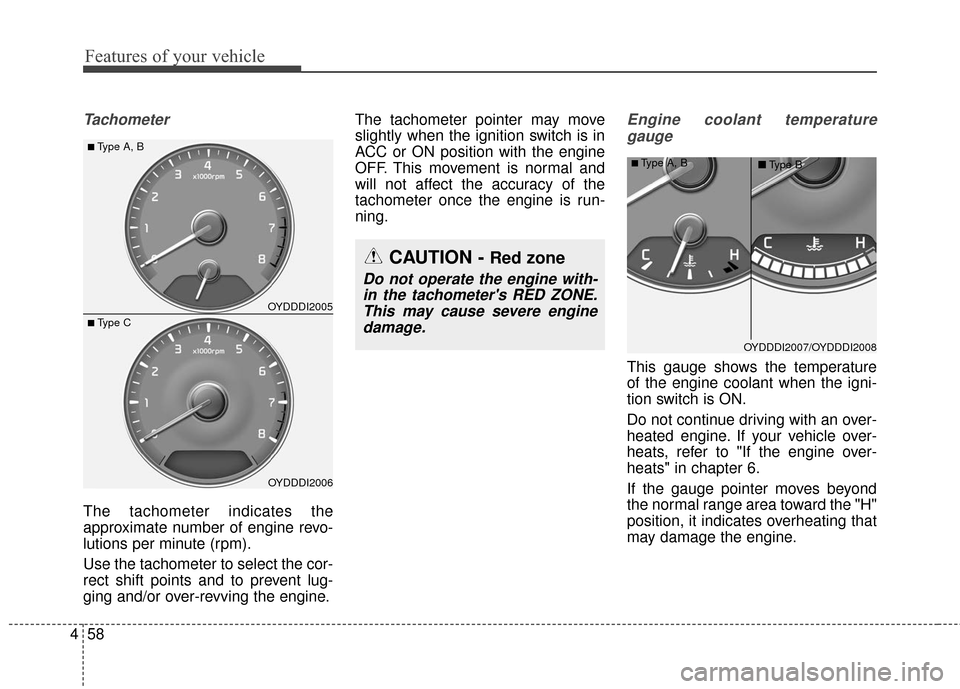
The tachometer indicates the
approximate number of engine revo-
lutions per minute (rpm).
Use the tachometer to select the cor-
rect shift points and to prevent lug-
ging and/or over-revving the engine. The tachometer pointer may move
slightly when the ignition switch is in
ACC or ON position with the engine
OFF. This movement is normal and
will not affect the accuracy of the
tachometer once the engine is run-
ning.
Engine coolant temperature
gauge
This gauge shows the temperature
of the engine coolant when the igni-
tion switch is ON.
Do not continue driving with an over-
heated engine. If your vehicle over-
heats, refer to "If the engine over-
heats" in chapter 6.
If the gauge pointer moves beyond
the normal range area toward the "H"
position, it indicates overheating that
may damage the engine.
OYDDDI2005
OYDDDI2006
■Type A, B
■ Type C
CAUTION - Red zone
Do not operate the engine with-in the tachometer's RED ZONE.This may cause severe enginedamage.
OYDDDI2007/OYDDDI2008
■Type A, B ■Type B
Page 130 of 501
459
Features of your vehicle
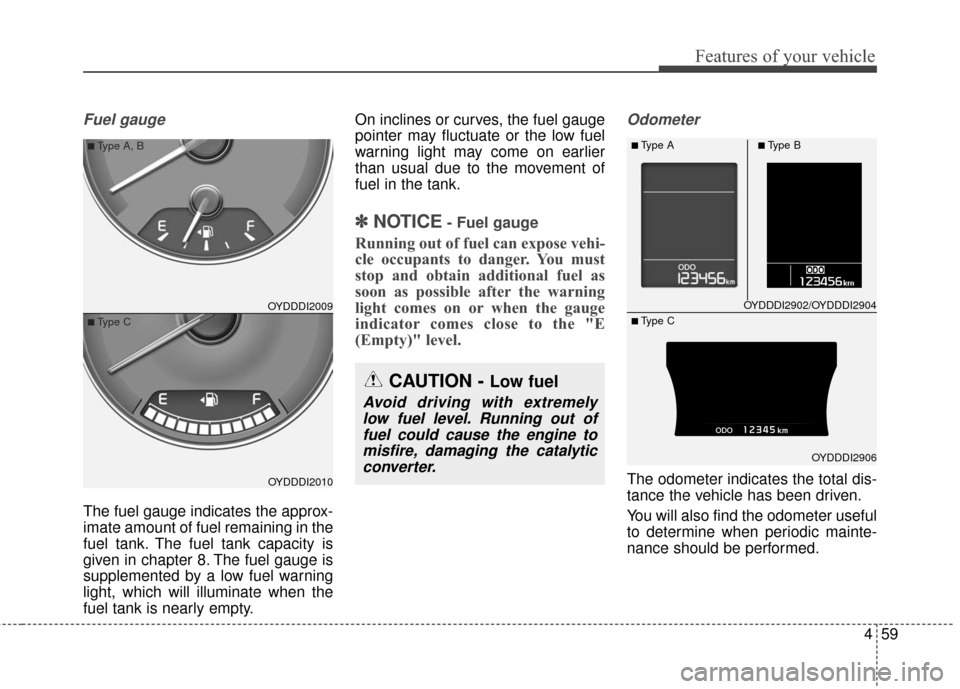
Fuel gauge
The fuel gauge indicates the approx-
imate amount of fuel remaining in the
fuel tank. The fuel tank capacity is
given in chapter 8. The fuel gauge is
supplemented by a low fuel warning
light, which will illuminate when the
fuel tank is nearly empty.On inclines or curves, the fuel gauge
pointer may fluctuate or the low fuel
warning light may come on earlier
than usual due to the movement of
fuel in the tank.
✽ ✽
NOTICE- Fuel gauge
Running out of fuel can expose vehi-
cle occupants to danger. You must
stop and obtain additional fuel as
soon as possible after the warning
light comes on or when the gauge
indicator comes close to the "E
(Empty)" level.
Odometer
The odometer indicates the total dis-
tance the vehicle has been driven.
You will also find the odometer useful
to determine when periodic mainte-
nance should be performed.
OYDDDI2009
OYDDDI2010
■Type A, B
■Type C
CAUTION - Low fuel
Avoid driving with extremely
low fuel level. Running out offuel could cause the engine tomisfire, damaging the catalyticconverter.
OYDDDI2902/OYDDDI2904
OYDDDI2906
■Type A■Type B
■ Type C
Page 131 of 501
Features of your vehicle
60
4
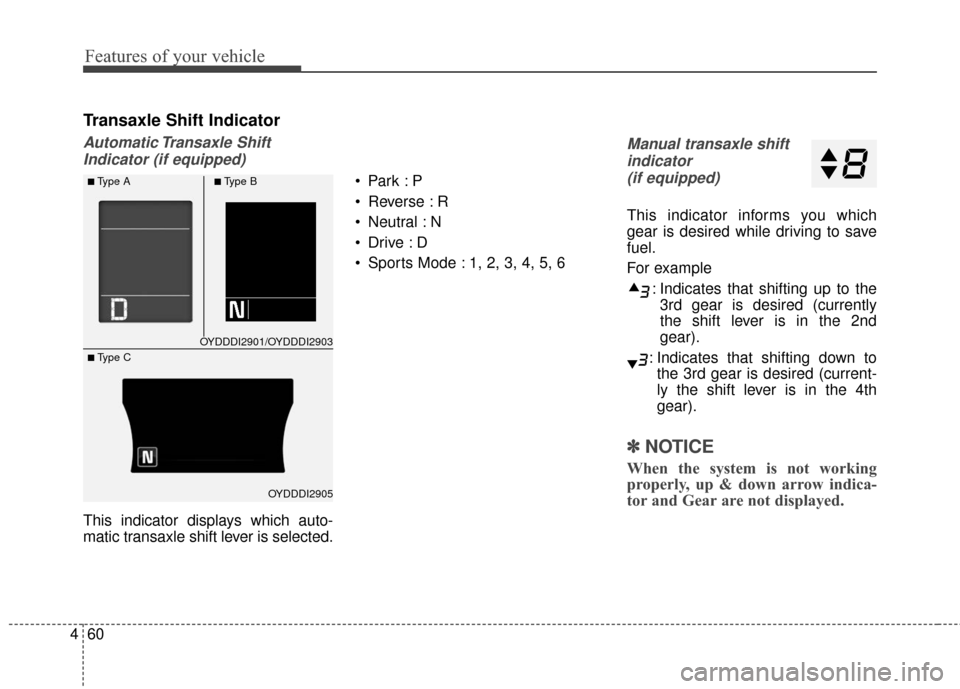
Transaxle Shift Indicator
Automatic Transaxle Shift
Indicator (if equipped)
This indicator displays which auto-
matic transaxle shift lever is selected.
Reverse : R
Neutral : N
Sports Mode : 1, 2, 3, 4, 5, 6
Manual transaxle shift
indicator (if equipped)
This indicator informs you which
gear is desired while driving to save
fuel.
For example
: Indicates that shifting up to the3rd gear is desired (currently
the shift lever is in the 2nd
gear).
: Indicates that shifting down to the 3rd gear is desired (current-
ly the shift lever is in the 4th
gear).
✽ ✽ NOTICE
When the system is not working
properly, up & down arrow indica-
tor and Gear are not displayed.
OYDDDI2901/OYDDDI2903
OYDDDI2905
■Type A■Type B
■ Type C
Page 132 of 501
461
Features of your vehicle
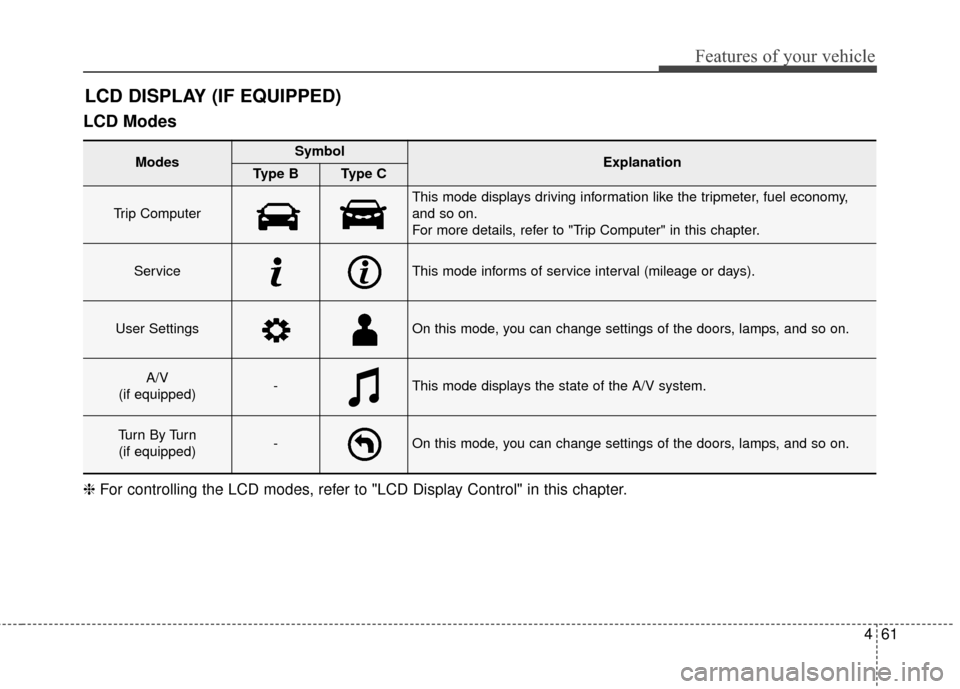
LCD Modes
LCD DISPLAY (IF EQUIPPED)
❈For controlling the LCD modes, refer to "LCD Display Control" in this chapter.
Modes SymbolExplanationType BType C
Trip Computer
This mode displays driving information like the tripmeter, fuel economy,
and so on.
For more details, refer to "Trip Computer" in this chapter.
ServiceThis mode informs of service interval (mileage or days).
User SettingsOn this mode, you can change settings of the doors, lamps, and so on.
A/V
(if equipped)-This mode displays the state of the A/V system.
Tu r n B y Tu r n (if equipped)-On this mode, you can change settings of the doors, lamps, and so on.
Page 133 of 501
Features of your vehicle
62
4
Service Mode
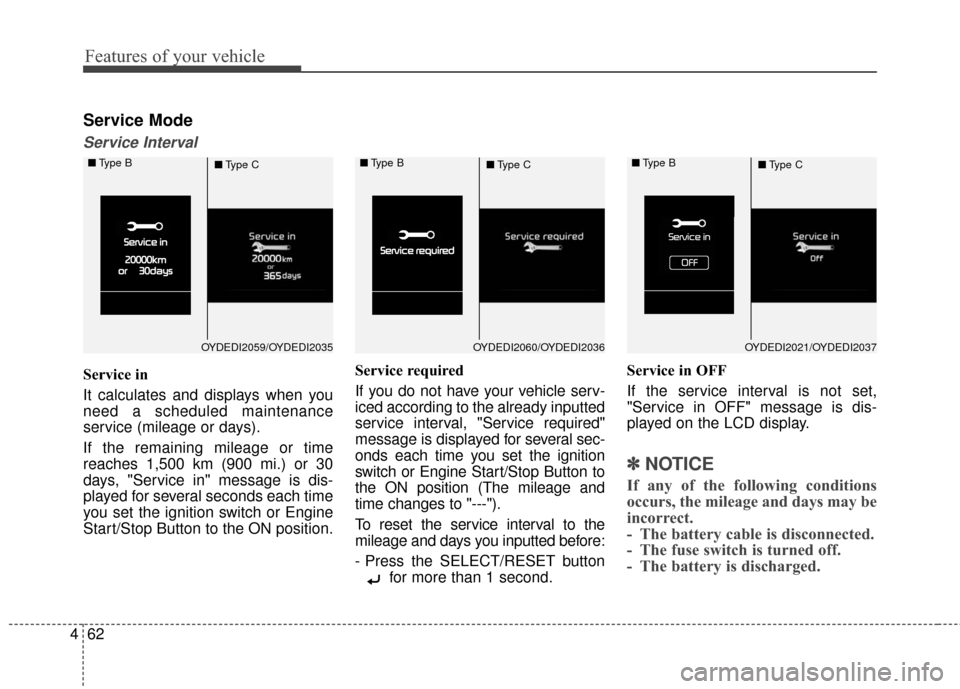
Service Interval
Service in
It calculates and displays when you
need a scheduled maintenance
service (mileage or days).
If the remaining mileage or time
reaches 1,500 km (900 mi.) or 30
days, "Service in" message is dis-
played for several seconds each time
you set the ignition switch or Engine
Start/Stop Button to the ON position. Service required
If you do not have your vehicle serv-
iced according to the already inputted
service interval, "Service required"
message is displayed for several sec-
onds each time you set the ignition
switch or Engine Start/Stop Button to
the ON position (The mileage and
time changes to "---").
To reset the service interval to the
mileage and days you inputted before:
- Press the SELECT/RESET button
for more than 1 second. Service in OFF
If the service interval is not set,
"Service in OFF" message is dis-
played on the LCD display.
✽ ✽
NOTICE
If any of the following conditions
occurs, the mileage and days may be
incorrect.
- The battery cable is disconnected.
- The fuse switch is turned off.
- The battery is discharged.
OYDEDI2059/OYDEDI2035
■
Type B
■Type COYDEDI2060/OYDEDI2036
■
Type B
■Type COYDEDI2021/OYDEDI2037
■
Type B
■Type C
Page 134 of 501
463
Features of your vehicle
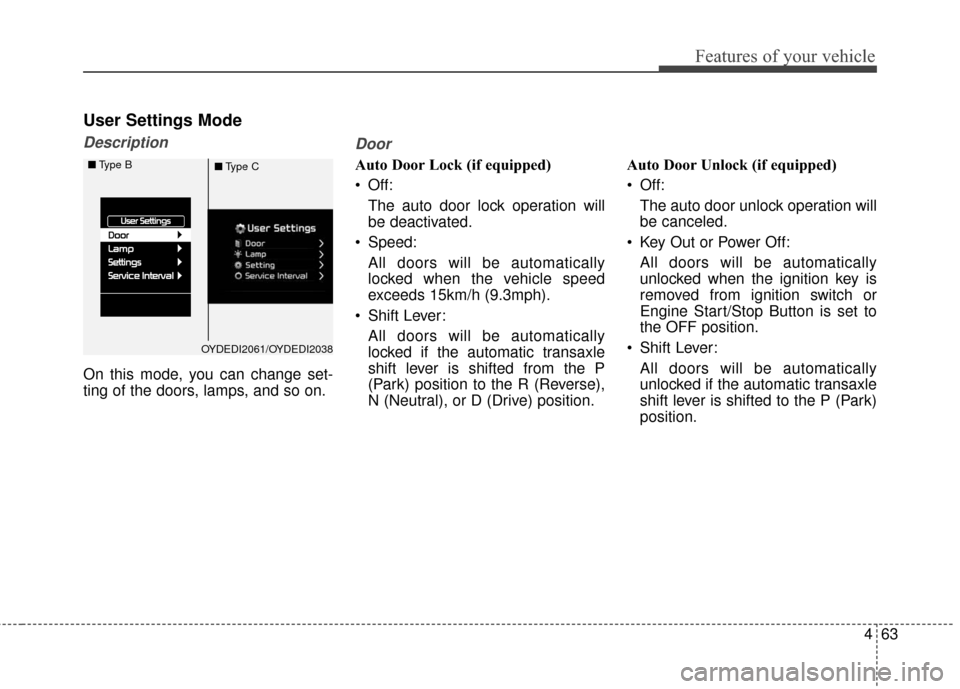
User Settings Mode
Description
On this mode, you can change set-
ting of the doors, lamps, and so on.
Door
Auto Door Lock (if equipped)
Off:The auto door lock operation will
be deactivated.
Speed: All doors will be automatically
locked when the vehicle speed
exceeds 15km/h (9.3mph).
Shift Lever: All doors will be automatically
locked if the automatic transaxle
shift lever is shifted from the P
(Park) position to the R (Reverse),
N (Neutral), or D (Drive) position. Auto Door Unlock (if equipped)
Off:
The auto door unlock operation will
be canceled.
Key Out or Power Off: All doors will be automatically
unlocked when the ignition key is
removed from ignition switch or
Engine Start/Stop Button is set to
the OFF position.
Shift Lever: All doors will be automatically
unlocked if the automatic transaxle
shift lever is shifted to the P (Park)
position.
OYDEDI2061/OYDEDI2038
■
Type B
■Type C