transmission KIA FORTE 2019 Owner's Manual
[x] Cancel search | Manufacturer: KIA, Model Year: 2019, Model line: FORTE, Model: KIA FORTE 2019Pages: 550, PDF Size: 11.66 MB
Page 269 of 550
523
Driving your vehicle
For smooth operation, depress thebrake pedal when shifting from N(Neutral) to a forward or reverse gear. Transmission ranges
The indicator in the instrument clus-
ter displays the shift lever position
when the ignition switch is in the ON
position.
P (Park)
Always come to a complete stop
before shifting into P (Park). This
position locks the transmission and
prevents the front wheels from rotat-
ing.
WARNING
- Intelligent Variable
Transmission (IVT)
Always check the surrounding areas near your vehicle for
people, especially children,
before shifting a car into D
(Drive) or R (Reverse).
Before leaving the driver’s seat, always make sure the
shift lever is in the P (Park)
position; then set the parking
brake fully and shut the engine
off. Unexpected and sudden
vehicle movement can occur if
these precautions are not fol-
lowed in the order identified.
Do not use the engine brake (shifting from a high gear to
lower gear) rapidly on slip-
pery roads.
The vehicle may slip causing
an accident.
CAUTION
To avoid damage to your transmission, do not acceler-ate the engine in R (Reverse)or any forward gear positionwith the brakes on.
When stopped on an incline, do not hold the vehicle sta-tionary with engine power.Use the service brake or theparking brake.
Do not shift from N (Neutral) or P (Park) into D (Drive), or R(Reverse) when the engine isabove idle speed.
WARNING
Shifting into P (Park) while the vehicle is in motion will cause
the drive wheels to lock which
will cause you to lose control
of the vehicle.
Do not use the P (Park) posi- tion in place of the parking
brake. Always make sure the
shift lever is latched in the P
(Park) position and set the
parking brake fully.
Never leave a child unattend- ed in a vehicle.
BDm CAN (ENG) 5.QXP 7/4/2018 10:13 AM Page 23
Page 270 of 550
Driving your vehicle
24
5
R (Reverse)
Use this position to drive the vehicle
backward. N (Neutral)
The wheels and transmission are not
engaged. The vehicle will roll freely
even on the slightest incline unless
the parking brake or service brakes
are applied.
-Parking in N (Neutral) gear
Follow the steps below when parking
and you want the vehicle to move
when pushed.
1.After parking your vehicle, step on
the brake pedal and move the shift
lever to "P" with the ignition button in
"ON" or while the engine is running.
2.If the parking brake is applied unlock the parking brake.
3.While pressing the brake pedal, turn the ignition button "OFF".
- For smart key equipped vehicles,the ignition switch can be moved
to "OFF" only when the shift lever
is in "P".
4.Change the gear shift lever to "N" (Neutral) while pressing the brake
pedal and pushing "SHIFT LOCK
RELEASE" button or inserting, a
tool (e.g. flathead screw-driver) into
the "SHIFT LOCK RELEASE"
access hole at the same time. Then,
the vehicle will move when external
force is applied.
CAUTION
The transmission may be dam-aged if you shift into P (Park)while the vehicle is in motion.
CAUTION
Always come to a complete stopbefore shifting into or out of R(Reverse); you may damage thetransmission if you shift into Rwhile the vehicle is in motion,except as explained in “Rockingthe vehicle” in this section.
WARNING
Do not drive with the shift lever
in N (Neutral).
The engine brake will not work
and lead to an accident.
BDm CAN (ENG) 5.QXP 7/4/2018 10:13 AM Page 24
Page 271 of 550
525
Driving your vehicle
D (Drive)
This is the normal forward driving
position. The transmission will auto-
matically shift, providing the best fuel
economy and power.
For extra power when passing anoth-
er vehicle or climbing grades,
depress the accelerator fully, at which
time the transmission will automati-
cally downshift to the next lower gear.
✽ ✽NOTICE
Always come to a complete stop
before shifting into D (Drive).
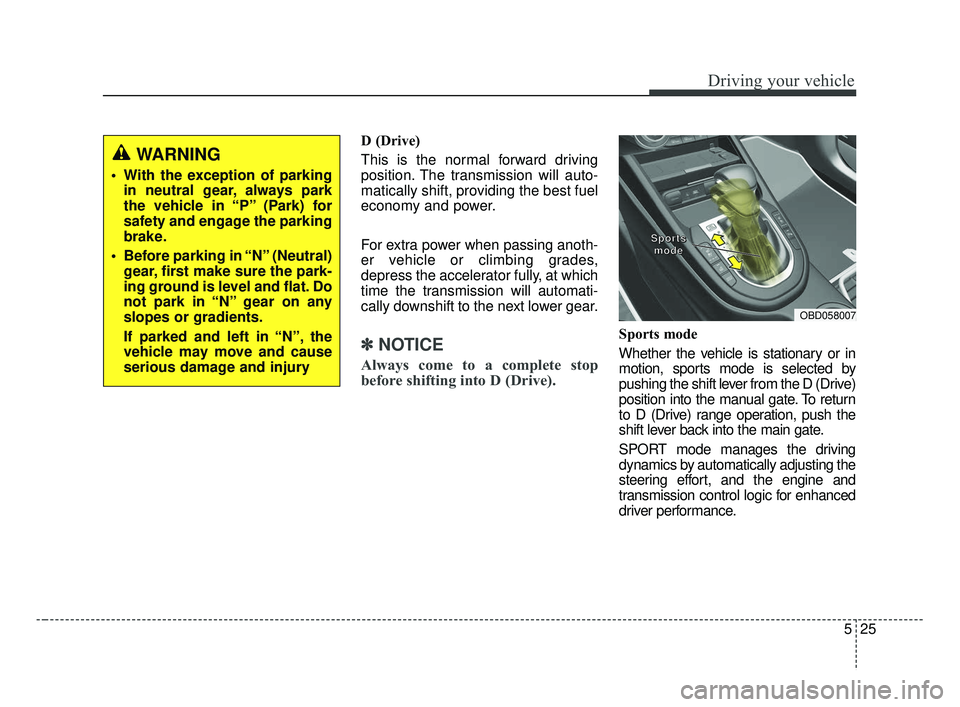
Sports mode
Whether the vehicle is stationary or in
motion, sports mode is selected by
pushing the shift lever from the D (Drive)
position into the manual gate. To return
to D (Drive) range operation, push the
shift lever back into the main gate.
SPORT mode manages the driving
dynamics by automatically adjusting the
steering effort, and the engine and
transmission control logic for enhanced
driver performance.
OBD058007
S S
S S
p p
p p
o o
o o
r r
r r
t t
t t
s s
s s
m m
m m
o o
o o
d d
d d
e e
e e
WARNING
With the exception of parking
in neutral gear, always park
the vehicle in “P” (Park) for
safety and engage the parking
brake.
Before parking in “N” (Neutral) gear, first make sure the park-
ing ground is level and flat. Do
not park in “N” gear on any
slopes or gradients.
If parked and left in “N”, the
vehicle may move and cause
serious damage and injury
BDm CAN (ENG) 5.QXP 7/4/2018 10:13 AM Page 25
Page 272 of 550
Driving your vehicle
26
5
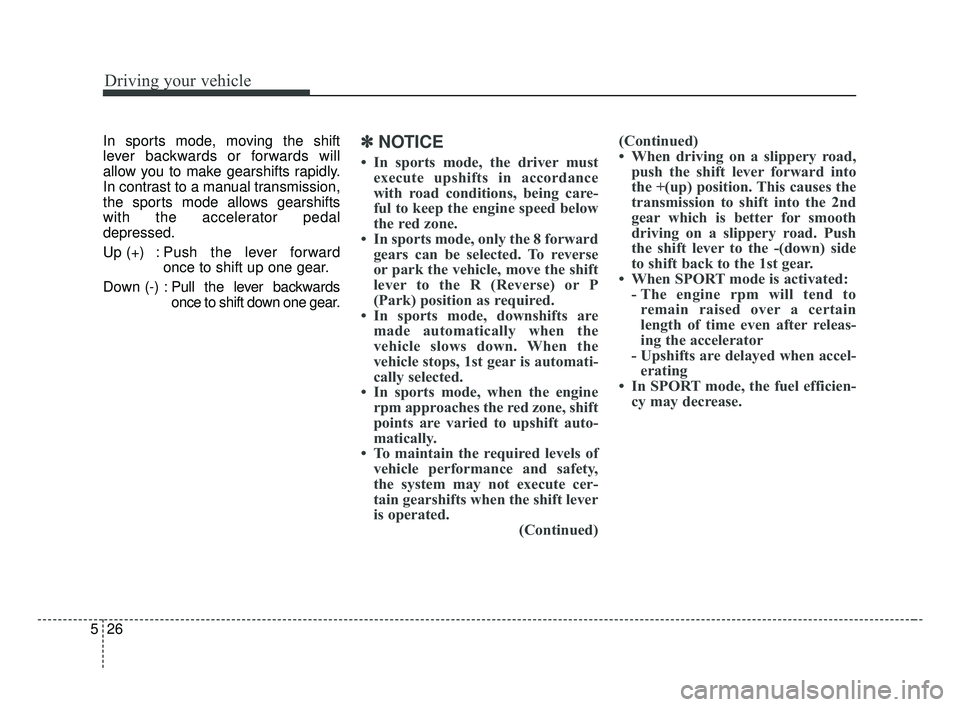
In sports mode, moving the shift
lever backwards or forwards will
allow you to make gearshifts rapidly.
In contrast to a manual transmission,
the sports mode allows gearshifts
with the accelerator pedal
depressed.
Up (+) : Push the lever forward
once to shift up one gear.
Down (-) : Pull the lever backwards
once to shift down one gear.✽ ✽
NOTICE
• In sports mode, the driver must
execute upshifts in accordance
with road conditions, being care-
ful to keep the engine speed below
the red zone.
• In sports mode, only the 8 forward gears can be selected. To reverse
or park the vehicle, move the shift
lever to the R (Reverse) or P
(Park) position as required.
• In sports mode, downshifts are made automatically when the
vehicle slows down. When the
vehicle stops, 1st gear is automati-
cally selected.
• In sports mode, when the engine rpm approaches the red zone, shift
points are varied to upshift auto-
matically.
• To maintain the required levels of vehicle performance and safety,
the system may not execute cer-
tain gearshifts when the shift lever
is operated. (Continued)(Continued)
• When driving on a slippery road,
push the shift lever forward into
the +(up) position. This causes the
transmission to shift into the 2nd
gear which is better for smooth
driving on a slippery road. Push
the shift lever to the -(down) side
to shift back to the 1st gear.
• When SPORT mode is activated: - The engine rpm will tend toremain raised over a certain
length of time even after releas-
ing the accelerator
- Upshifts are delayed when accel- erating
• In SPORT mode, the fuel efficien- cy may decrease.
BDm CAN (ENG) 5.QXP 7/4/2018 10:13 AM Page 26
Page 273 of 550
527
Driving your vehicle
Shift lock system (if equipped)
For your safety, the Intelligent
Variable Transmission (IVT) has a
shift lock system which prevents
shifting the transmission from P
(Park) into R (Reverse) unless the
brake pedal is depressed.
To shift the transmission from P
(Park) into R (Reverse):
1. Depress and hold the brake pedal.
2. Start the engine or turn the ignitionswitch to the ON position.
3. Move the shift lever.
If the brake pedal is repeatedly
depressed and released with the shift
lever in the P (Park) position, a chat-
tering noise near the shift lever may
be heard. This is a normal condition.
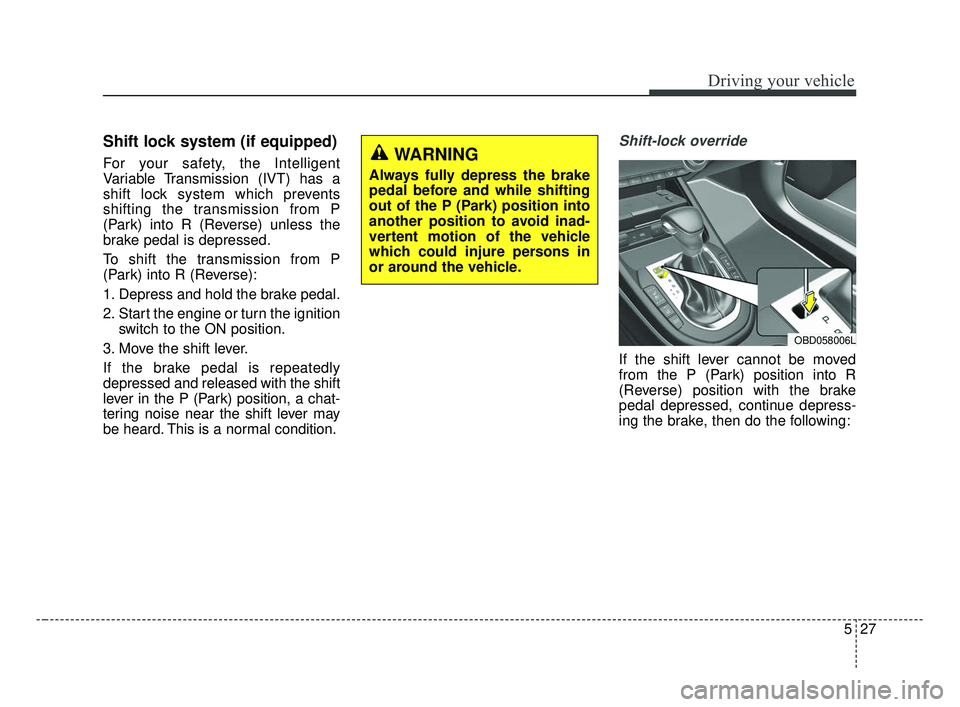
Shift-lock override
If the shift lever cannot be moved
from the P (Park) position into R
(Reverse) position with the brake
pedal depressed, continue depress-
ing the brake, then do the following:
WARNING
Always fully depress the brake
pedal before and while shifting
out of the P (Park) position into
another position to avoid inad-
vertent motion of the vehicle
which could injure persons in
or around the vehicle.
OBD058006L
BDm CAN (ENG) 5.QXP 7/4/2018 10:13 AM Page 27
Page 279 of 550
533
Driving your vehicle
Rear drum brakes (if equipped)
Your rear drum brakes do not have
wear indicators. Therefore, have the
rear brake linings inspected if you
hear a rear brake rubbing noise. Also
have your rear brakes inspected
each time you change or rotate your
tires and when you have the front
brakes replaced.
Parking brake
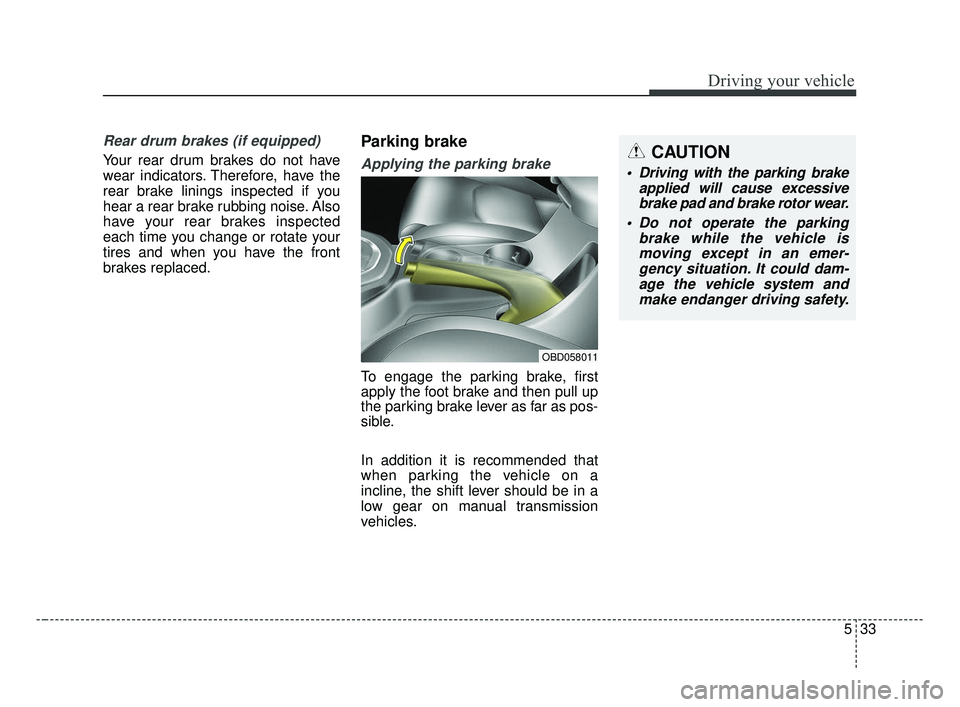
Applying the parking brake
To engage the parking brake, first
apply the foot brake and then pull up
the parking brake lever as far as pos-
sible.
In addition it is recommended that
when parking the vehicle on a
incline, the shift lever should be in a
low gear on manual transmission
vehicles.
OBD058011
CAUTION
Driving with the parking brakeapplied will cause excessivebrake pad and brake rotor wear.
Do not operate the parking brake while the vehicle ismoving except in an emer-gency situation. It could dam-age the vehicle system andmake endanger driving safety.
BDm CAN (ENG) 5.QXP 7/4/2018 10:13 AM Page 33
Page 280 of 550
Driving your vehicle
34
5
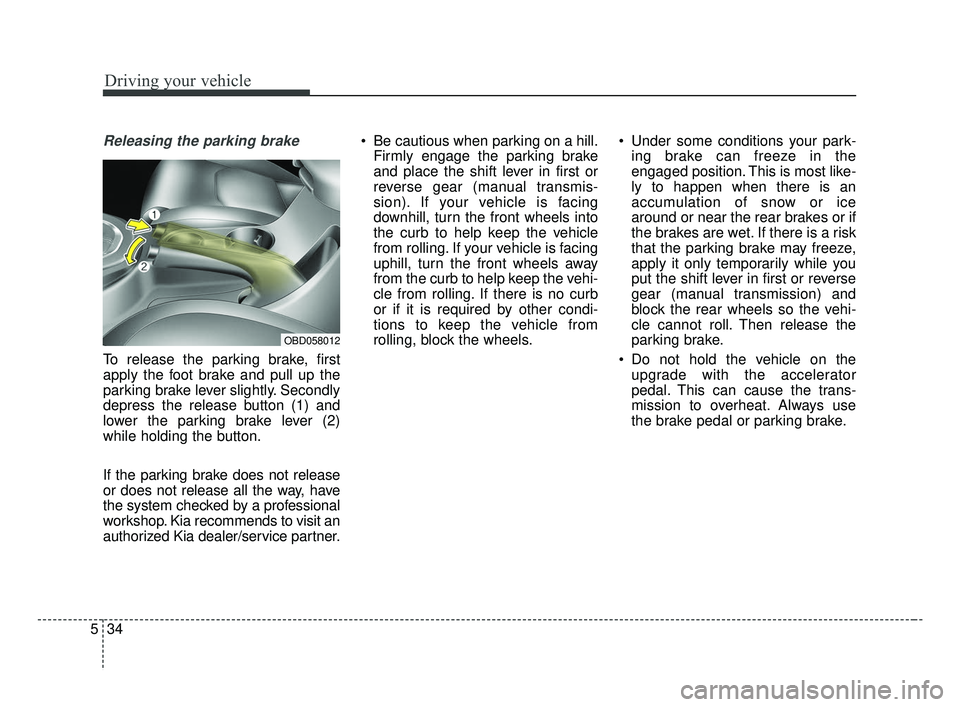
Releasing the parking brake
To release the parking brake, first
apply the foot brake and pull up the
parking brake lever slightly. Secondly
depress the release button (1) and
lower the parking brake lever (2)
while holding the button.
If the parking brake does not release
or does not release all the way, have
the system checked by a professional
workshop. Kia recommends to visit an
authorized Kia dealer/service partner. Be cautious when parking on a hill.
Firmly engage the parking brake
and place the shift lever in first or
reverse gear (manual transmis-
sion). If your vehicle is facing
downhill, turn the front wheels into
the curb to help keep the vehicle
from rolling. If your vehicle is facing
uphill, turn the front wheels away
from the curb to help keep the vehi-
cle from rolling. If there is no curb
or if it is required by other condi-
tions to keep the vehicle from
rolling, block the wheels. Under some conditions your park-
ing brake can freeze in the
engaged position. This is most like-
ly to happen when there is an
accumulation of snow or ice
around or near the rear brakes or if
the brakes are wet. If there is a risk
that the parking brake may freeze,
apply it only temporarily while you
put the shift lever in first or reverse
gear (manual transmission) and
block the rear wheels so the vehi-
cle cannot roll. Then release the
parking brake.
Do not hold the vehicle on the upgrade with the accelerator
pedal. This can cause the trans-
mission to overheat. Always use
the brake pedal or parking brake.
OBD058012
BDm CAN (ENG) 5.QXP 7/4/2018 10:13 AM Page 34
Page 290 of 550
Driving your vehicle
44
5
Hill-start assist control (HAC)
A vehicle has the tendency to roll
back on a steep hill when it starts to
go after stopping. The Hill-start
Assist Control (HAC) prevents the
vehicle from rolling back by applying
the brakes automatically for about 2
seconds. The brakes are released
when the accelerator pedal is
depressed or after about 2 seconds.
The HAC is activated only for about 2
seconds, so when the vehicle is
starting off always depress the accel-
erator pedal.
Good braking practices
Check to be sure the parking brake
is not engaged and the parking
brake indicator light is out before
driving away.
Driving through water may get the brakes wet. They can also get wet
when the vehicle is washed. Wet
brakes can be dangerous! Your
vehicle will not stop as quickly if the
brakes are wet. Wet brakes may
cause the vehicle to pull to one side.
To dry the brakes, apply the brakes
lightly until the braking action
returns to normal, taking care to
keep the vehicle under control at all
times. If the braking action does not
return to normal, stop as soon as it
is safe to do so and call an author-
ized Kia dealer for assistance.
Don't coast down hills with the vehicle out of gear. This is extreme-
ly hazardous. Keep the vehicle in
gear at all times, use the brakes to
slow down, then shift to a lower
gear so that engine braking will
help you maintain a safe speed. Don't "ride" the brake pedal.
Resting your foot on the brake
pedal while driving can be danger-
ous because the brakes might
overheat and lose their effective-
ness. It also increases the wear of
the brake components.
If a tire goes flat while you are driv- ing, apply the brakes gently and
keep the vehicle pointed straight
ahead while you slow down. When
you are moving slowly enough for it
to be safe to do so, pull off the road
and stop in a safe place.
If your vehicle is equipped with an Intelligent Variable Transmission /
Dual clutch transmission, don't let
your vehicle creep forward. To
avoid creeping forward, keep your
foot firmly on the brake pedal when
the vehicle is stopped.
Be cautious when parking on a hill. Firmly engage the parking brake
and place the shift lever in P (intel-
ligent variable transmission). If
your vehicle is facing downhill, turn
the front wheels into the curb to
help keep the vehicle from rolling.
WARNING- Maintaining
Brake Pressure on Incline
HAC does not replace the need
to apply brakes while stopped on
an incline. While stopped, make
sure you maintain brake pres-
sure sufficient to prevent your
vehicle from rolling backward
and causing an accident. Don’t
release the brake pedal until you
are ready to accelerate forward.
BDm CAN (ENG) 5.QXP 7/4/2018 10:13 AM Page 44
Page 291 of 550
545
Driving your vehicle
If your vehicle is facing uphill, turn
the front wheels away from the
curb to help keep the vehicle from
rolling. If there is no curb or if it is
required by other conditions to
keep the vehicle from rolling, block
the wheels.
Under some conditions your park- ing brake can freeze in the
engaged position. This is most like-
ly to happen when there is an
accumulation of snow or ice
around or near the rear brakes or if
the brakes are wet. If there is a risk
that the parking brake may freeze,
apply it only temporarily while you
put the shift lever in P (intelligent
variable transmission) and block
the rear wheels so the vehicle can-
not roll. Then release the parking
brake.
Do not hold the vehicle on an incline with the accelerator pedal.
This can cause the transmission to
overheat. Always use the brake
pedal or parking brake.
BDm CAN (ENG) 5.QXP 7/4/2018 10:13 AM Page 45
Page 321 of 550
575
Driving your vehicle
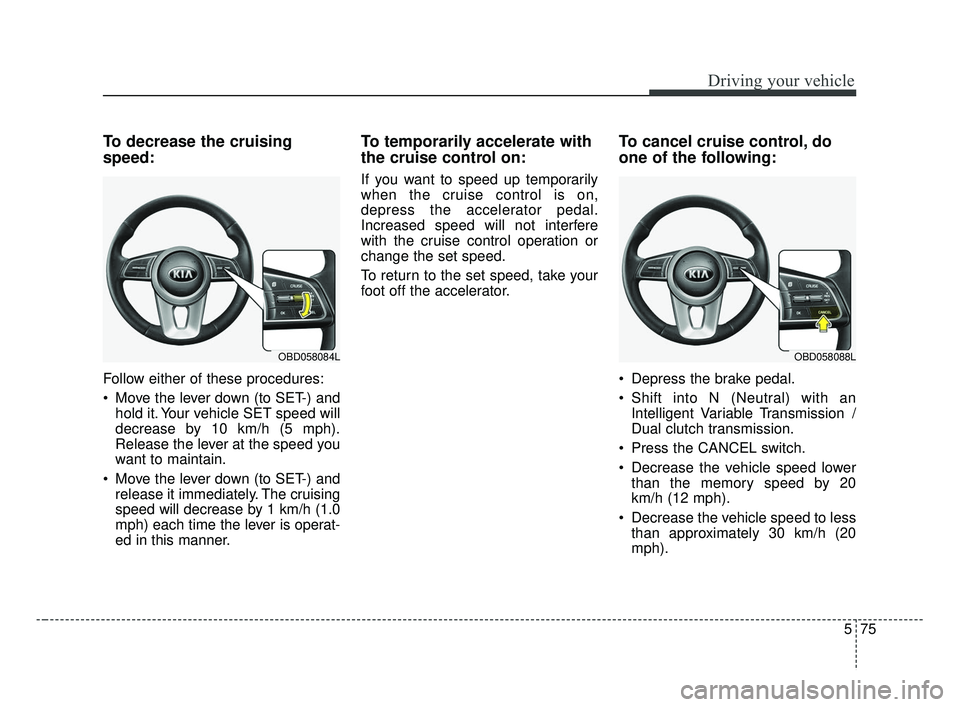
To decrease the cruising
speed:
Follow either of these procedures:
Move the lever down (to SET-) andhold it. Your vehicle SET speed will
decrease by 10 km/h (5 mph).
Release the lever at the speed you
want to maintain.
Move the lever down (to SET-) and release it immediately. The cruising
speed will decrease by 1 km/h (1.0
mph) each time the lever is operat-
ed in this manner.
To temporarily accelerate with
the cruise control on:
If you want to speed up temporarily
when the cruise control is on,
depress the accelerator pedal.
Increased speed will not interfere
with the cruise control operation or
change the set speed.
To return to the set speed, take your
foot off the accelerator.
To cancel cruise control, do
one of the following:
Depress the brake pedal.
Shift into N (Neutral) with an Intelligent Variable Transmission /
Dual clutch transmission.
Press the CANCEL switch.
Decrease the vehicle speed lower than the memory speed by 20
km/h (12 mph).
Decrease the vehicle speed to less than approximately 30 km/h (20
mph).
OBD058088LOBD058084L
BDm CAN (ENG) 5.QXP 7/4/2018 10:15 AM Page 75