headlights KIA K900 2015 1.G Owner's Manual
[x] Cancel search | Manufacturer: KIA, Model Year: 2015, Model line: K900, Model: KIA K900 2015 1.GPages: 522, PDF Size: 7.92 MB
Page 185 of 522
This indicator light illuminates for 2
seconds and goes off:
When the vehicle can not detectthe smart key which is in the vehi-
cle while the Engine Start/Stop
Button is ON.
In this case, have your vehicle
inspected by an authorized Kia
Premium dealer.
This indicator light blinks:
When the battery of the smart key is weak.
- At this time, you can not start theengine. However, you can start the
engine if you press the Engine
Start/Stop Button with the smart
key. (For more details, refer to
“Starting the Engine” in chapter 5).
When there is a malfunction with the immobilizer system.
In this case, have your vehicle
inspected by an authorized Kia
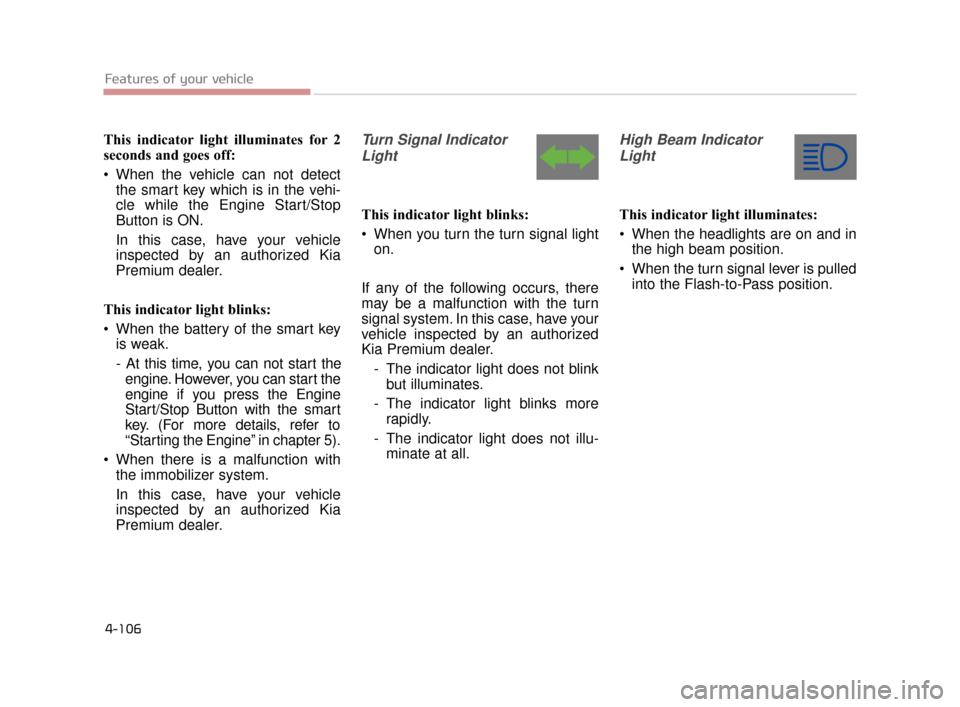
Premium dealer.Turn Signal Indicator
Light
This indicator light blinks:
When you turn the turn signal light on.
If any of the following occurs, there
may be a malfunction with the turn
signal system. In this case, have your
vehicle inspected by an authorized
Kia Premium dealer. - The indicator light does not blinkbut illuminates.
- The indicator light blinks more rapidly.
- The indicator light does not illu- minate at all.
High Beam Indicator
Light
This indicator light illuminates:
When the headlights are on and in the high beam position.
When the turn signal lever is pulled into the Flash-to-Pass position.
Features of your vehicle
4-106
KH CAN (ENG) 4:2015 3/26/2015 10:42 AM Page 106
Page 186 of 522
Features of your vehicle
4
4-107
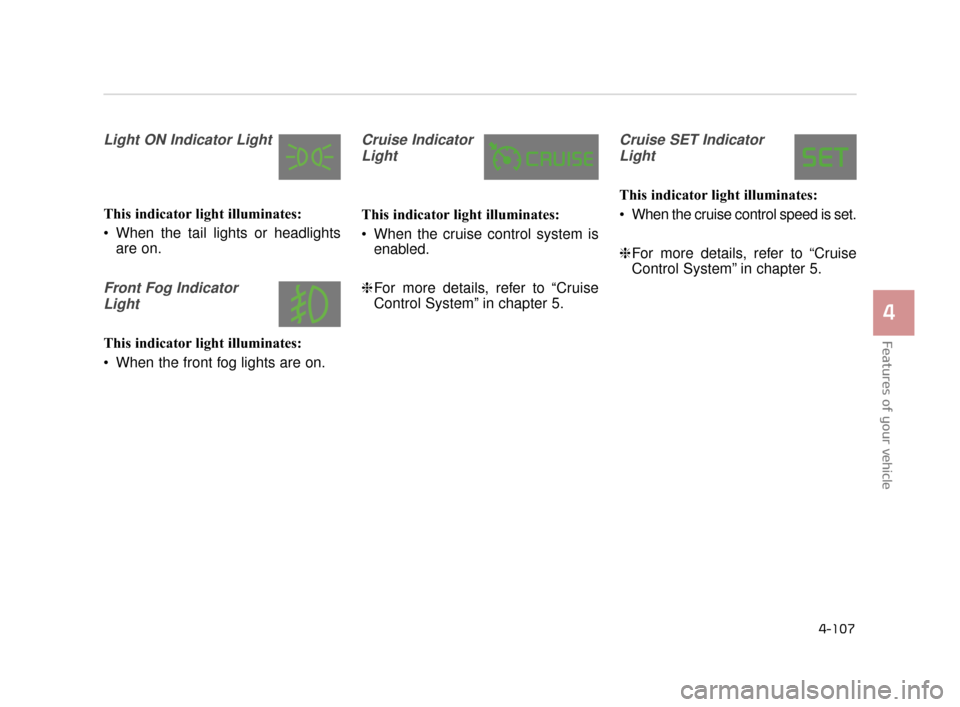
Light ON Indicator Light
This indicator light illuminates:
When the tail lights or headlightsare on.
Front Fog Indicator
Light
This indicator light illuminates:
When the front fog lights are on.
Cruise IndicatorLight
This indicator light illuminates:
When the cruise control system is enabled.
❈ For more details, refer to “Cruise
Control System” in chapter 5.
Cruise SET Indicator
Light
This indicator light illuminates:
When the cruise control speed is set.
❈ For more details, refer to “Cruise
Control System” in chapter 5.
KH CAN (ENG) 4:2015 3/26/2015 10:42 AM Page 107
Page 201 of 522
Features of your vehicle
4-122
LIGHTING
Battery saver function
The purpose of this feature is toprevent the battery from being dis-
charged. The system automatically
turns off the parking lights when
the driver turns off the engine and
opens the driver-side door.
With this feature, the parking lights will be turned off automatically if
the driver parks on the side of the
road at night.
If necessary, to keep the lights on
when the engine is turned OFF,
perform the following:
1) Open the driver-side door.
2) Turn the parking lights OFF and ON again using the light switch
on the steering column.
Headlight escort function
If you turn the Engine Start/Stop
Button to the ACC or OFF position
with the headlights ON, the head-
lights (and/or tail lights) remain on for
about 5 minutes. However, if the dri-
ver’s door is opened and closed, the
headlights are turned off after 15
seconds.
The headlights can be turned off by
pressing the lock button on the smart
key twice or turning the light switch to
the OFF or Auto position.
However, if you turn the light switch
to the Auto position when it is dark
outside, the headlights will not be
turned off. If the driver gets out of the vehicle
through other doors (except driver's
door), the battery saver function
does not operate and the headlight
escort function does not turn off
automatically. Therefore, It causes
the battery to be discharged. In this
case, make sure to turn off the lamp
before getting out of the vehicle.
KH CAN (ENG) 4:2015 3/26/2015 10:43 AM Page 122
Page 202 of 522
Features of your vehicle
4
4-123
Daytime running light
Daytime Running Lights (DRL) can
make it easier for others to see the
front of your vehicle during the day.
DRL can be helpful in many different
driving conditions, and it is especial-
ly helpful after dawn and before sun-
set.
The DRL system turns OFF when:
1. The headlights(Front position lamp,Low beam, High beam) are ON.
2. The parking brake is applied.
3. Engine stops.
4. The front fog light is ON.
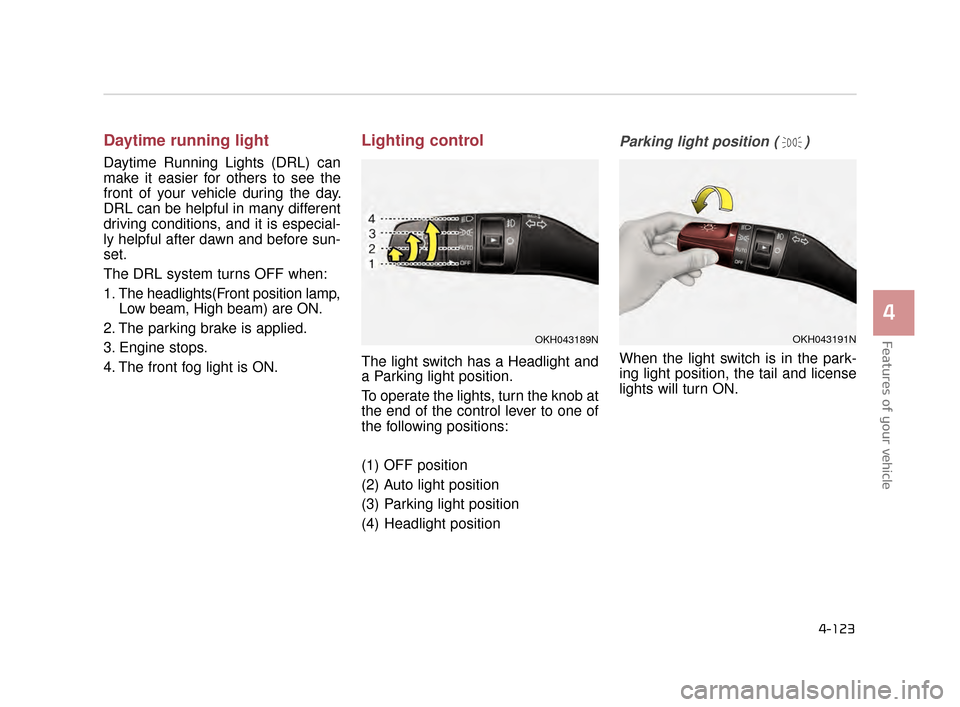
Lighting control
The light switch has a Headlight and
a Parking light position.
To operate the lights, turn the knob at
the end of the control lever to one of
the following positions:
(1) OFF position
(2) Auto light position
(3) Parking light position
(4) Headlight position
Parking light position ( )
When the light switch is in the park-
ing light position, the tail and license
lights will turn ON.
OKH043191NOKH043189N
KH CAN (ENG) 4:2015 3/26/2015 10:43 AM Page 123
Page 203 of 522
Features of your vehicle
4-124
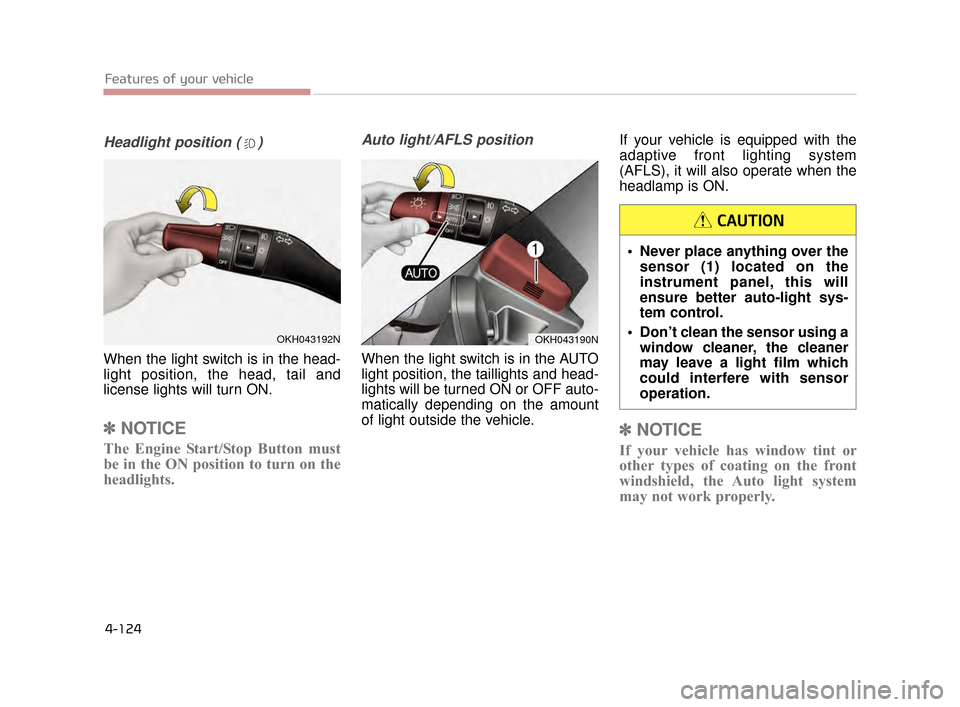
Headlight position ( )
When the light switch is in the head-
light position, the head, tail and
license lights will turn ON.
✽NOTICE
The Engine Start/Stop Button must
be in the ON position to turn on the
headlights.
Auto light/AFLS position
When the light switch is in the AUTO
light position, the taillights and head-
lights will be turned ON or OFF auto-
matically depending on the amount
of light outside the vehicle. If your vehicle is equipped with the
adaptive front lighting system
(AFLS), it will also operate when the
headlamp is ON.
✽
NOTICE
If your vehicle has window tint or
other types of coating on the front
windshield, the Auto light system
may not work properly.
OKH043192NOKH043190N
Never place anything over the
sensor (1) located on the
instrument panel, this will
ensure better auto-light sys-
tem control.
Don’t clean the sensor using a window cleaner, the cleaner
may leave a light film which
could interfere with sensor
operation.
CAUTION
KH CAN (ENG) 4:2015 3/26/2015 10:43 AM Page 124
Page 204 of 522
Features of your vehicle
4
4-125
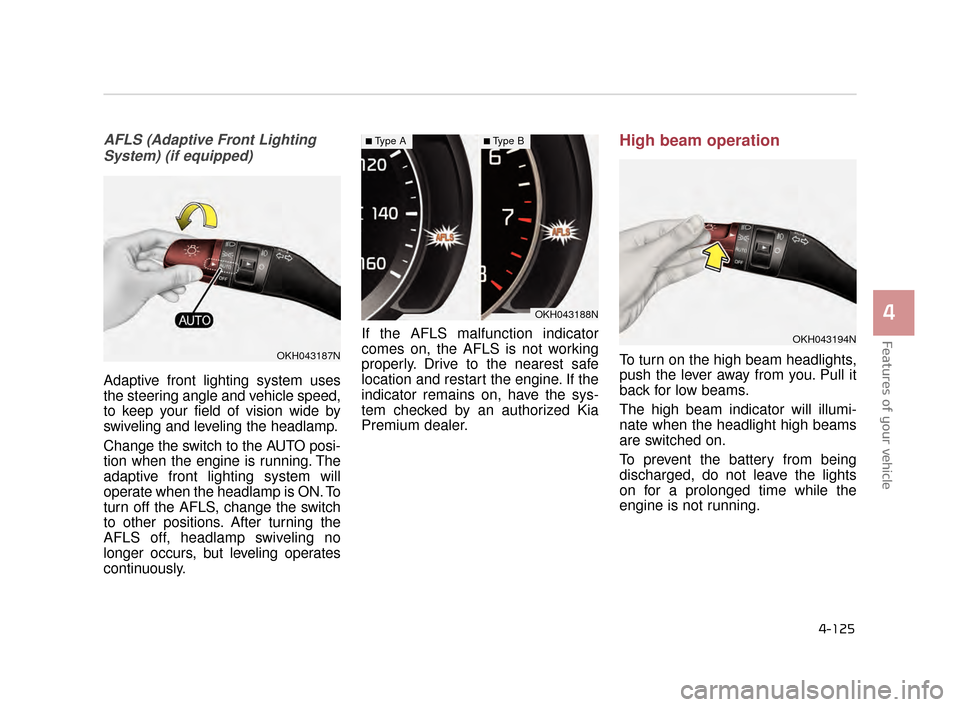
AFLS (Adaptive Front LightingSystem) (if equipped)
Adaptive front lighting system uses
the steering angle and vehicle speed,
to keep your field of vision wide by
swiveling and leveling the headlamp.
Change the switch to the AUTO posi-
tion when the engine is running. The
adaptive front lighting system will
operate when the headlamp is ON. To
turn off the AFLS, change the switch
to other positions. After turning the
AFLS off, headlamp swiveling no
longer occurs, but leveling operates
continuously. If the AFLS malfunction indicator
comes on, the AFLS is not working
properly. Drive to the nearest safe
location and restart the engine. If the
indicator remains on, have the sys-
tem checked by an authorized Kia
Premium dealer.
High beam operation
To turn on the high beam headlights,
push the lever away from you. Pull it
back for low beams.
The high beam indicator will illumi-
nate when the headlight high beams
are switched on.
To prevent the battery from being
discharged, do not leave the lights
on for a prolonged time while the
engine is not running.
OKH043188N
■Type A■Type B
OKH043187N
OKH043194N
KH CAN (ENG) 4:2015 3/26/2015 10:43 AM Page 125
Page 205 of 522
Features of your vehicle
4-126
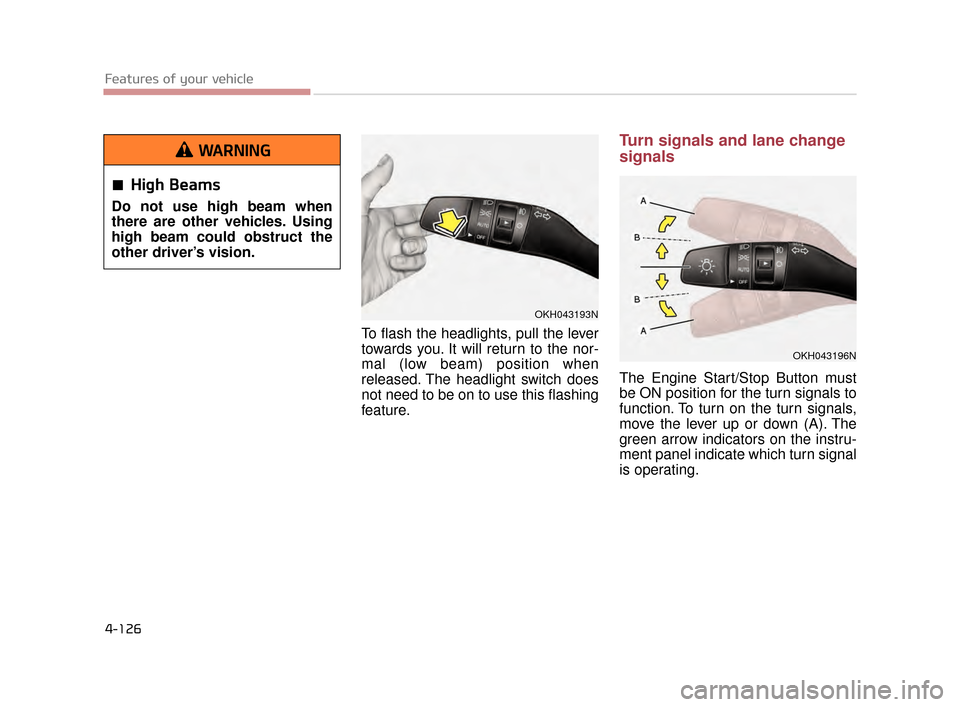
To flash the headlights, pull the lever
towards you. It will return to the nor-
mal (low beam) position when
released. The headlight switch does
not need to be on to use this flashing
feature.
Turn signals and lane change
signals
The Engine Start/Stop Button must
be ON position for the turn signals to
function. To turn on the turn signals,
move the lever up or down (A). The
green arrow indicators on the instru-
ment panel indicate which turn signal
is operating.
OKH043193N
High Beams
Do not use high beam when
there are other vehicles. Using
high beam could obstruct the
other driver’s vision.
WARNING
OKH043196N
KH CAN (ENG) 4:2015 3/26/2015 10:43 AM Page 126
Page 340 of 522
Driving your vehicle
5
5-85
The LDWS may not warn you
even if the vehicle leaves the
lane, or may warn you even if
the vehicle does not leave the
lane when;
The lane can't be visible due tosnow, rain, stain, a puddle or other
environmental conditions.
The brightness of the outside changes suddenly such as tunnel
enter/exit.
The headlights are off at night or in a tunnel.
The color of the lane marking from the road is difficult to distinguish.
Driving on a steep grade or a curve.
Light such as street light, sunlight or oncoming vehicle light reflects
from water on the road.
The lens or windshield is stained with foreign matter.
The sensor cannot detect the lane because of fog, heavy rain or
heavy snow. The surrounding of the inside rear
view mirror temperature is high
due to a direct ray of light.
The lane is very wide or narrow.
The lane line is damaged or indis- tinct.
The windshield is fogged by humid air in the vehicle.
The shadow is on the lane line by a median strip.
The sensor cannot distinguish the lane from the road due to the dust.
There is a mark similar to a lane line.
There is a boundary structure.
The distance from vehicle ahead is very short or the vehicle ahead
drives hiding the lane line.
The vehicle vibrates heavily due to road conditions.
The lane number increases or decreases or the lane lines are
crossing.
Putting something on the dash- board.
Driving with the sun in front of you. Driving in areas under construc-
tion.
The lane line is more than two in either side (Left/Right)
KH CAN (ENG) 5:2015 3/25/2015 10:53 AM Page 85
Page 353 of 522
5-98
Driving your vehicle
Adjust your mirrors to reduce theglare from other driver's head-
lights.
Keep your headlights clean and properly aimed on vehicles not
equipped with the automatic head-
light aiming feature. Dirty or
improperly aimed headlights will
make it much more difficult to see
at night.
Avoid staring directly at the head- lights of oncoming vehicles. You
could be temporarily blinded, and it
will take several seconds for your
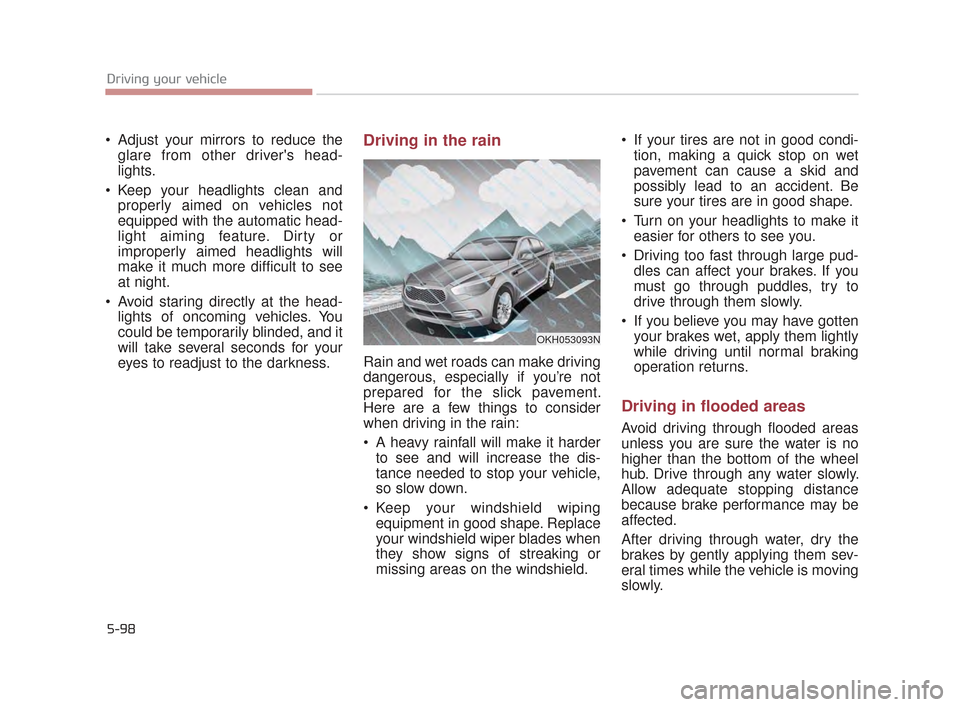
eyes to readjust to the darkness.Driving in the rain
Rain and wet roads can make driving
dangerous, especially if you’re not
prepared for the slick pavement.
Here are a few things to consider
when driving in the rain:
A heavy rainfall will make it harderto see and will increase the dis-
tance needed to stop your vehicle,
so slow down.
Keep your windshield wiping equipment in good shape. Replace
your windshield wiper blades when
they show signs of streaking or
missing areas on the windshield. If your tires are not in good condi-
tion, making a quick stop on wet
pavement can cause a skid and
possibly lead to an accident. Be
sure your tires are in good shape.
Turn on your headlights to make it easier for others to see you.
Driving too fast through large pud- dles can affect your brakes. If you
must go through puddles, try to
drive through them slowly.
If you believe you may have gotten your brakes wet, apply them lightly
while driving until normal braking
operation returns.
Driving in flooded areas
Avoid driving through flooded areas
unless you are sure the water is no
higher than the bottom of the wheel
hub. Drive through any water slowly.
Allow adequate stopping distance
because brake performance may be
affected.
After driving through water, dry the
brakes by gently applying them sev-
eral times while the vehicle is moving
slowly.
OKH053093N
KH CAN (ENG) 5:2015 3/25/2015 10:55 AM Page 98
Page 448 of 522
7-52
Maintenance
Battery recharging by battery
charger
Your vehicle has a maintenance-free,
calcium-based battery.
If the battery becomes dischargedin a short time (because, for exam-
ple, the headlights or interior lights
were left on while the vehicle was
not in use), recharge it by slow
charging (trickle) for 10 hours.
If the battery gradually discharges because of high electric load while
the vehicle is being used, recharge
it at 20-30A for two hours.
Battery recharging by vehicle
After a jump start from a good bat-
tery, run the engine for 20-30 min-
utes at idle or driving the vehicle
before it is shutoff. Vehicle may not
restart if you shut it off before the
battery had chance to adequately
recharge.
When recharging the battery,
observe the following precautions:
The battery must be removed fromthe vehicle and placed in an area
with good ventilation.
Do not allow cigarettes, sparks, or flame near the battery.
Watch the battery during charging, and stop or reduce the charging
rate if the battery cells begin
gassing (boiling) violently or if the
temperature of the electrolyte of
any cell exceeds 49°C (120°F).
Wear eye protection when check- ing the battery during charging. Disconnect the battery charger in
the following order.
1.Turn off the battery charger main switch.
2.Unhook the negative clamp from the negative battery terminal.
3.Unhook the positive clamp from the positive battery terminal.
Before performing maintenance or recharging the battery, turn off all
accessories and stop the engine.
The negative battery cable must be removed first and installed last
when the battery is disconnected.
Operation related to the battery should be done at an authorized
Kia Premium dealer.
KH CAN (ENG) 7:2015 3/26/2015 6:41 AM Page 52