ESP KIA K900 2016 Owner's Manual
[x] Cancel search | Manufacturer: KIA, Model Year: 2016, Model line: K900, Model: KIA K900 2016Pages: 542, PDF Size: 38.35 MB
Page 261 of 542
Bluetooth®Wireless
Technology hands-freeYou can use the phone wirelessly by
using the
Bluetooth®Wireless
Technology.
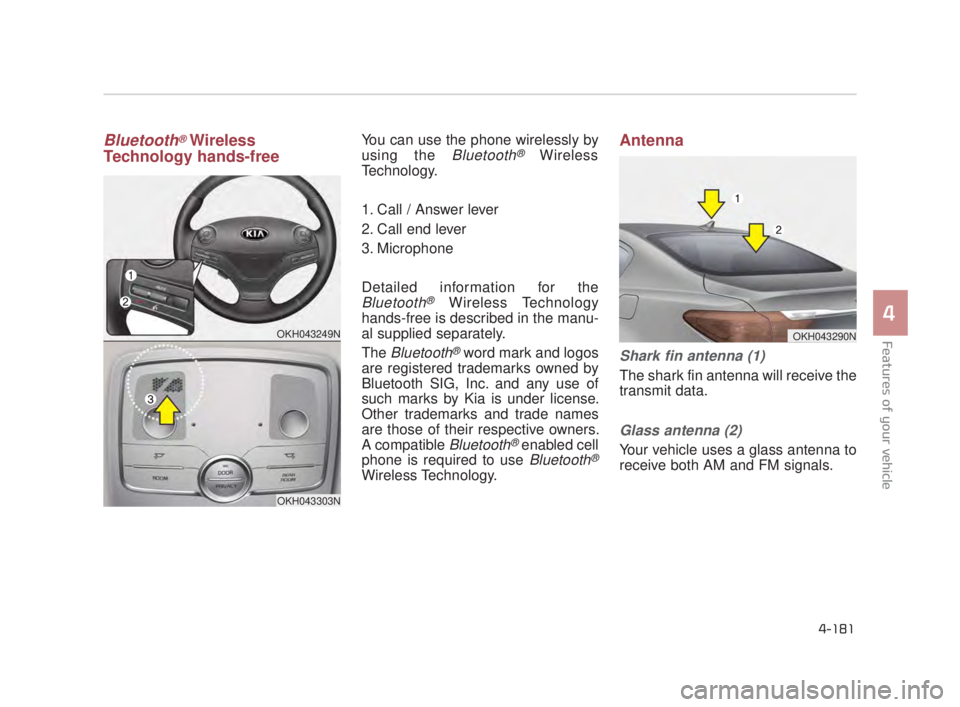
1. Call / Answer lever
2. Call end lever
3. Microphone
Detailed information for the
Bluetooth®Wireless Technology
hands-free is described in the manu-
al supplied separately.
The
Bluetooth®word mark and logos
are registered trademarks owned by
Bluetooth SIG, Inc. and any use of
such marks by Kia is under license.
Other trademarks and trade names
are those of their respective owners.
A compatible
Bluetooth®enabled cell
phone is required to use
Bluetooth®
Wireless Technology.
Antenna
Shark fin antenna (1)
The shark fin antenna will receive the
transmit data.
Glass antenna (2)
Your vehicle uses a glass antenna to
receive both AM and FM signals.
OKH043249N
OKH043303N
OKH043290N
4-181
4
Features of your vehicle
4
KH USA 4:2015 3/24/2015 4:45 PM Page 181
Page 267 of 542
5-4
Driving your vehicle
Before entering vehicle
Be sure that all windows, outsidemirror(s), and outside lights are
clean.
Check the condition of the tires.
Check under the vehicle for any sign of leaks.
Be sure there are no obstacles behind you if you intend to back up.
Necessary inspections
Fluid levels, such as engine oil,
engine coolant, brake fluid, and
washer fluid should be checked on a
regular basis, with the exact interval
depending on the fluid. Further
details are provided in Section 7,
“Maintenance”.
Before starting
Close and lock all doors.
Position the seat so that all con-trols are easily reached.
Buckle your seat belt.
Adjust the inside and outside rearview mirrors.
Be sure that all lights work.
Check all gauges.
Check the operation of warning lights when the Engine Start/Stop
button is turned to the ON position.
Release the parking brake and make sure the brake warning light
goes off.
For safe operation, be sure you are
familiar with your vehicle and its
equipment.
BEFORE DRIVING
Distracted driving
Focus on the road while driving.
The driver's primary responsi-
bility is in the safe and legal
operation of the vehicle. Use of
any hand held devices, other
equipment or vehicle systems
that distract the driver should
not be used during vehicle
operation.
WARNING
Check surrounding
Always check the surrounding
areas near your vehicle for peo-
ple, especially children, before
putting a vehicle into D (Drive)
or R (Reverse).
WARNING
KH USA 5:2015 3/25/2015 9:13 AM Page 4
Page 304 of 542
![KIA K900 2016 Owners Manual Driving your vehicle
5
5-41
When you press the [AUTO HOLD]
switch, if the driver door, engine
hood and trunk are not closed or the
driver seat belt is not fastened, the
notice will illuminate on the L](/img/2/55064/w960_55064-303.png "KIA K900 2016 Owners Manual Driving your vehicle
5
5-41
When you press the [AUTO HOLD]
switch, if the driver door, engine
hood and trunk are not closed or the
driver seat belt is not fastened, the
notice will illuminate on the L")
Driving your vehicle
5
5-41
When you press the [AUTO HOLD]
switch, if the driver door, engine
hood and trunk are not closed or the
driver seat belt is not fastened, the
notice will illuminate on the LCD dis-
play. Also warning chime sounds
once. In that time, press the [AUTO
HOLD] button after closing the driver
door, engine hood and trunk and fas-
tening the seat belt.
Anti-lock brake system (ABS)
ABS (or ESC) will not prevent acci-
dents due to improper or dangerous
driving maneuvers. Even though
vehicle control is improved during
emergency braking, always maintain
a safe distance between you and
objects ahead. Vehicle speeds
should always be reduced during
extreme road conditions.
The vehicle should be driven at
reduced speeds in the following cir-
cumstances:
When driving on rough, gravel orsnow-covered roads
When driving with tire chains installed
When driving on roads where the road surface is pitted or has differ-
ent surface heights.
Driving in these conditions increases
the stopping distance for your vehi-
cle. The ABS continuously senses the
speed of the wheels. If the wheels
are going to lock, the ABS system
repeatedly modulates the hydraulic
brake pressure to the wheels.
When you apply your brakes under
conditions which may lock the
wheels, you may hear a “tik-tik’’
sound from the brakes, or feel a cor-
responding sensation in the brake
pedal. This is normal and it means
your ABS is active.
In order to obtain the maximum ben-
efit from your ABS in an emergency
situation, do not attempt to modulate
your brake pressure and do not try to
pump your brakes. Press your brake
pedal as hard as possible or as hard
as the situation allows the ABS to
control the force being delivered to
the brakes.
OKH053046N
■Type A■Type B
KH USA 5:2015 3/25/2015 9:15 AM Page 41
Page 306 of 542
Driving your vehicle
5
5-43
✽NOTICE
When you jump start your vehicle
because of a drained battery, the
engine may not run as smoothly and
the ABS warning light may turn on
at the same time. This happens
because of the low battery voltage. It
does not mean your ABS has mal-
functioned.
• Do not pump your brakes!
• Have the battery recharged before
driving the vehicle.
Electronic stability control
(ESC)
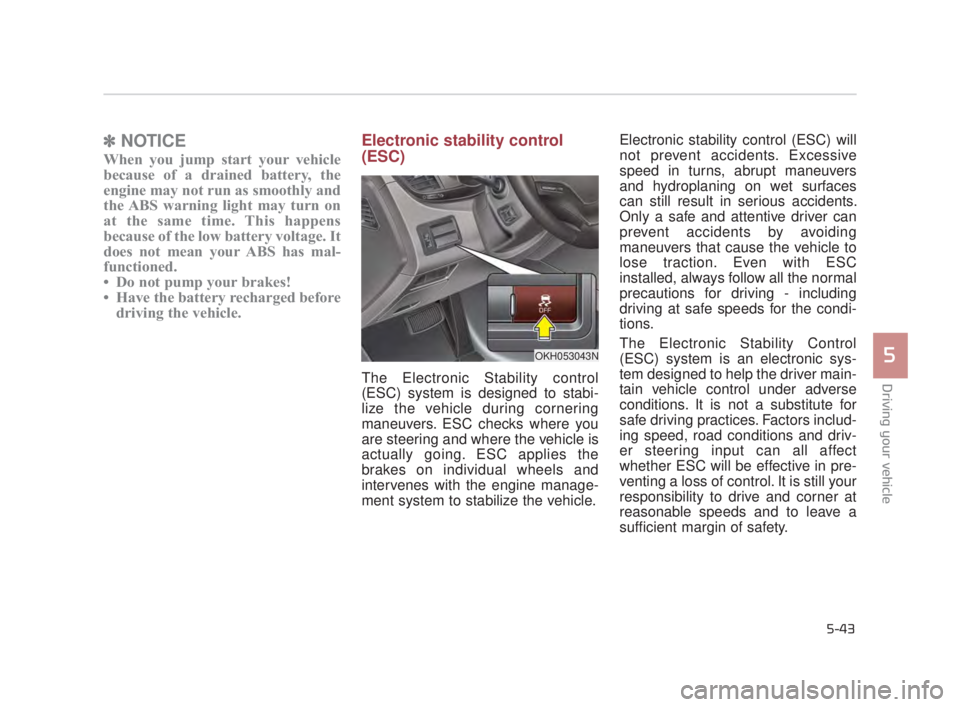
The Electronic Stability control
(ESC) system is designed to stabi-
lize the vehicle during cornering
maneuvers. ESC checks where you
are steering and where the vehicle is
actually going. ESC applies the
brakes on individual wheels and
intervenes with the engine manage-
ment system to stabilize the vehicle. Electronic stability control (ESC) will
not prevent accidents. Excessive
speed in turns, abrupt maneuvers
and hydroplaning on wet surfaces
can still result in serious accidents.
Only a safe and attentive driver can
prevent accidents by avoiding
maneuvers that cause the vehicle to
lose traction. Even with ESC
installed, always follow all the normal
precautions for driving - including
driving at safe speeds for the condi-
tions.
The Electronic Stability Control
(ESC) system is an electronic sys-
tem designed to help the driver main-
tain vehicle control under adverse
conditions. It is not a substitute for
safe driving practices. Factors includ-
ing speed, road conditions and driv-
er steering input can all affect
whether ESC will be effective in pre-
venting a loss of control. It is still your
responsibility to drive and corner at
reasonable speeds and to leave a
sufficient margin of safety.
OKH053043N
KH USA 5:2015 3/25/2015 9:15 AM Page 43
Page 307 of 542
5-44
Driving your vehicle
When you apply your brakes under
conditions which may lock the
wheels, you may hear a “tik-tik’’
sound from the brakes, or feel a cor-
responding sensation in the brake
pedal. This is normal and it means
your ESC is active.ESC operation
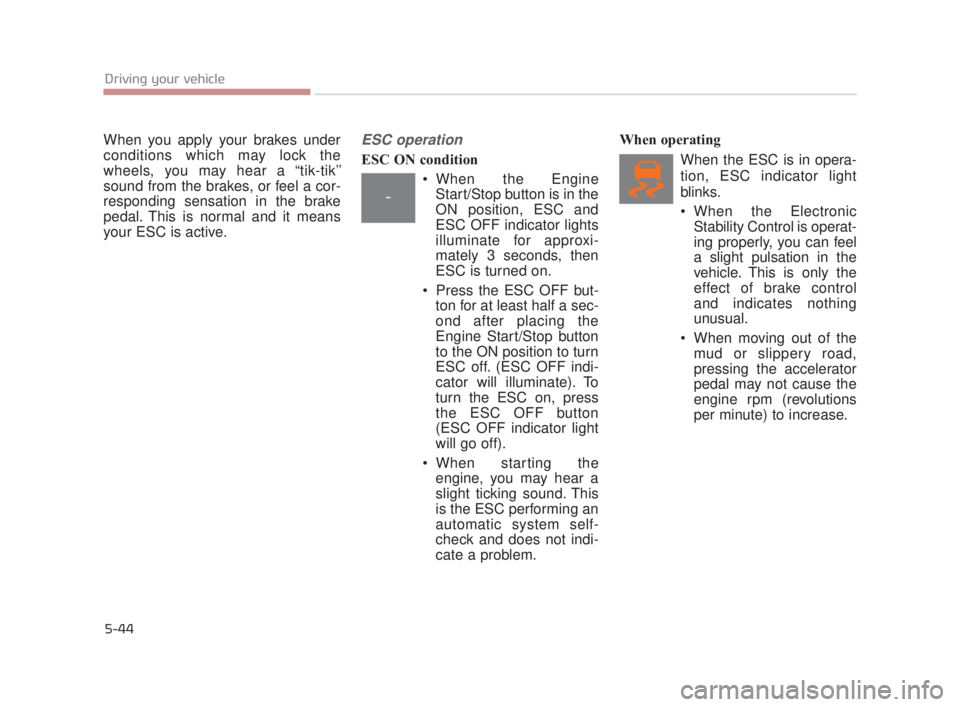
ESC ON condition When the EngineStart/Stop button is in the
ON position, ESC and
ESC OFF indicator lights
illuminate for approxi-
mately 3 seconds, then
ESC is turned on.
Press the ESC OFF but- ton for at least half a sec-
ond after placing the
Engine Start/Stop button
to the ON position to turn
ESC off. (ESC OFF indi-
cator will illuminate). To
turn the ESC on, press
the ESC OFF button
(ESC OFF indicator light
will go off).
When starting the engine, you may hear a
slight ticking sound. This
is the ESC performing an
automatic system self-
check and does not indi-
cate a problem. When operating
When the ESC is in opera-
tion, ESC indicator light
blinks.
When the ElectronicStability Control is operat-
ing properly, you can feel
a slight pulsation in the
vehicle. This is only the
effect of brake control
and indicates nothing
unusual.
When moving out of the mud or slippery road,
pressing the accelerator
pedal may not cause the
engine rpm (revolutions
per minute) to increase.
-
KH USA 5:2015 3/25/2015 9:15 AM Page 44
Page 316 of 542
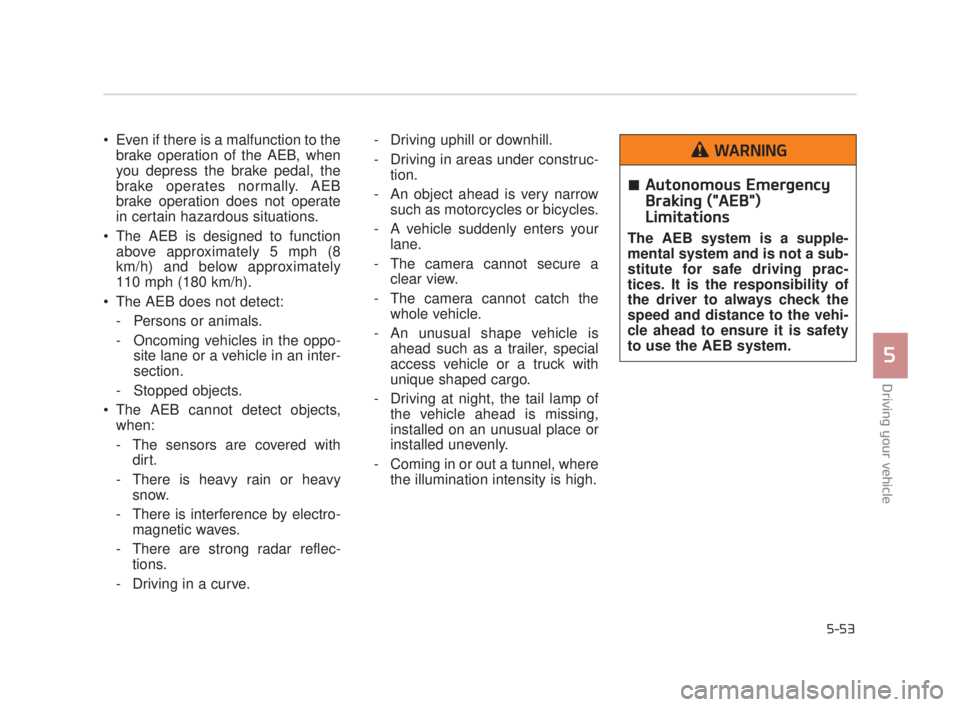
Even if there is a malfunction to thebrake operation of the AEB, when
you depress the brake pedal, the
brake operates normally. AEB
brake operation does not operate
in certain hazardous situations.
The AEB is designed to function above approximately 5 mph (8
km/h) and below approximately
110 mph (180 km/h).
The AEB does not detect: - Persons or animals.
- Oncoming vehicles in the oppo- site lane or a vehicle in an inter-
section.
- Stopped objects.
The AEB cannot detect objects, when:
- The sensors are covered with dirt.
- There is heavy rain or heavy snow.
- There is interference by electro- magnetic waves.
- There are strong radar reflec- tions.
- Driving in a curve. - Driving uphill or downhill.
- Driving in areas under construc-
tion.
- An object ahead is very narrow such as motorcycles or bicycles.
- A vehicle suddenly enters your lane.
- The camera cannot secure a clear view.
- The camera cannot catch the whole vehicle.
- An unusual shape vehicle is ahead such as a trailer, special
access vehicle or a truck with
unique shaped cargo.
- Driving at night, the tail lamp of the vehicle ahead is missing,
installed on an unusual place or
installed unevenly.
- Coming in or out a tunnel, where the illumination intensity is high.
Driving your vehicle
5
5-53
Autonomous Emergency
Braking ("AEB")
Limitations
The AEB system is a supple-
mental system and is not a sub-
stitute for safe driving prac-
tices. It is the responsibility of
the driver to always check the
speed and distance to the vehi-
cle ahead to ensure it is safety
to use the AEB system.
WARNING
KH USA 5:2015 3/25/2015 9:15 AM Page 53
Page 320 of 542
Driving your vehicle
5
5-57
SMART MODE
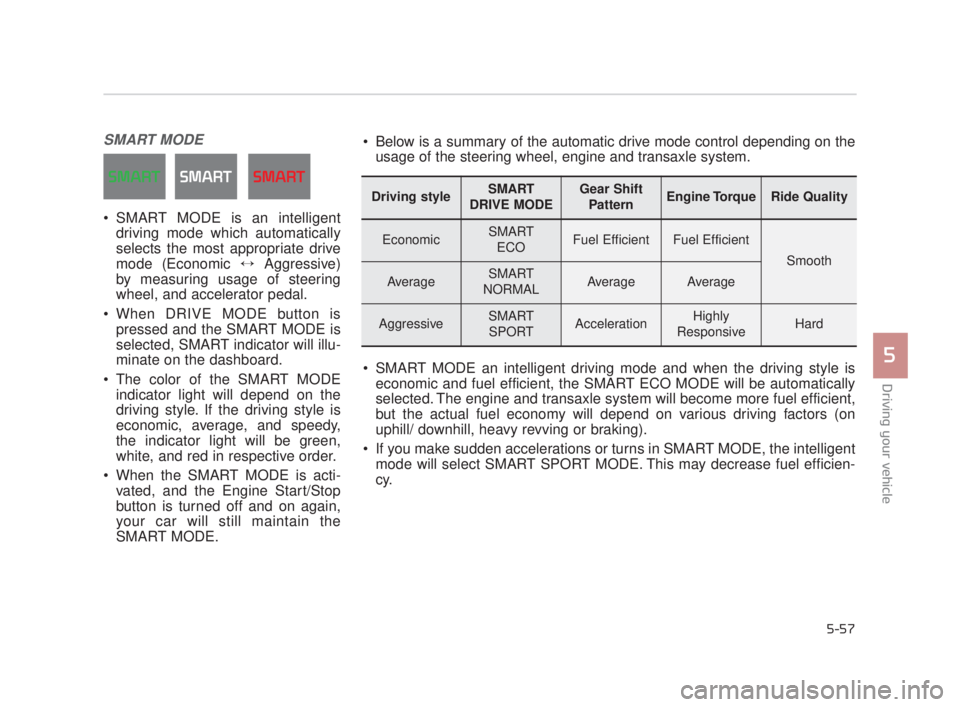
SMART MODE is an intelligentdriving mode which automatically
selects the most appropriate drive
mode (Economic ↔ Aggressive)
by measuring usage of steering
wheel, and accelerator pedal.
When DRIVE MODE button is pressed and the SMART MODE is
selected, SMART indicator will illu-
minate on the dashboard.
The color of the SMART MODE indicator light will depend on the
driving style. If the driving style is
economic, average, and speedy,
the indicator light will be green,
white, and red in respective order.
When the SMART MODE is acti- vated, and the Engine Start/Stop
button is turned off and on again,
your car will still maintain the
SMART MODE.
Driving styleSMART
DRIVE MODEGear Shift PatternEngine TorqueRide Quality
EconomicSMART ECOFuel EfficientFuel Efficient
Smooth
AverageSMART
NORMALAverageAverage
AggressiveSMART SPORTAccelerationHighly
ResponsiveHard
Below is a summary of the automatic drive mode control depending on the usage of the steering wheel, engine and transaxle system.
SMART MODE an intelligent driving mode and when the driving style is economic and fuel efficient, the SMART ECO MODE will be automatically
selected. The engine and transaxle system will become more fuel efficient,
but the actual fuel economy will depend on various driving factors (on
uphill/ downhill, heavy revving or braking).
If you make sudden accelerations or turns in SMART MODE, the intelligent mode will select SMART SPORT MODE. This may decrease fuel efficien-
cy.
KH USA 5:2015 3/25/2015 9:16 AM Page 57
Page 323 of 542
5-60
Driving your vehicle
Attributes of SMART MODE.
If the accelerator pedal is pressedgently, your vehicle will recognize it
as a economic driving style. After
some time, the system will automat-
ically shift to SMART ECO MODE.
If you press the accelerator pedal frequently and heavily in SMART
ECO MODE, the system will auto-
matically shift to SMART NORMAL
MODE.
Even when driving style has not changed from SMART ECO
MODE, if your vehicle is driven
uphill considerably, the system will
detect the gradient. Then, the
SMART system will automatically
change the setting to the SMART
NORMAL MODE temporarily.
Once your vehicle is out of the hilly
ground, your vehicle will automati-
cally return to the SMART ECO
MODE. The SMART system will recognize
sudden and repetitive acceleration or
steering as aggressive driving and
automatically turn to the SMART
SPORT MODE. Your vehicle will run
at a lower gear in SMART SPORT
MODE compared to those in
SMART NORMAL MODE.
The vehicle's start and stop
response rate will become faster.
When the SMART SPORT MODE is activated, and you take your feet
off the accelerator pedal, the vehi-
cle will remain in low gear and you
may sense engine brake. This is
due to necessary preparatory time
for the next acceleration and is
only normal.
The SMART SPORT MODE is acti- vated only when very aggressive
and high speed is detected.
Therefore, in average driving
styles, the SMART system will
select either SMART ECO or
SMART NORMAL MODE. The artificial intelligence algorithm
will instantly calculate each driver's
style of driving. So if the driver is
changed to a different person, the
algorithm will measure accordingly.
KH USA 5:2015 3/25/2015 9:16 AM Page 60
Page 330 of 542
Driving your vehicle
5
5-67
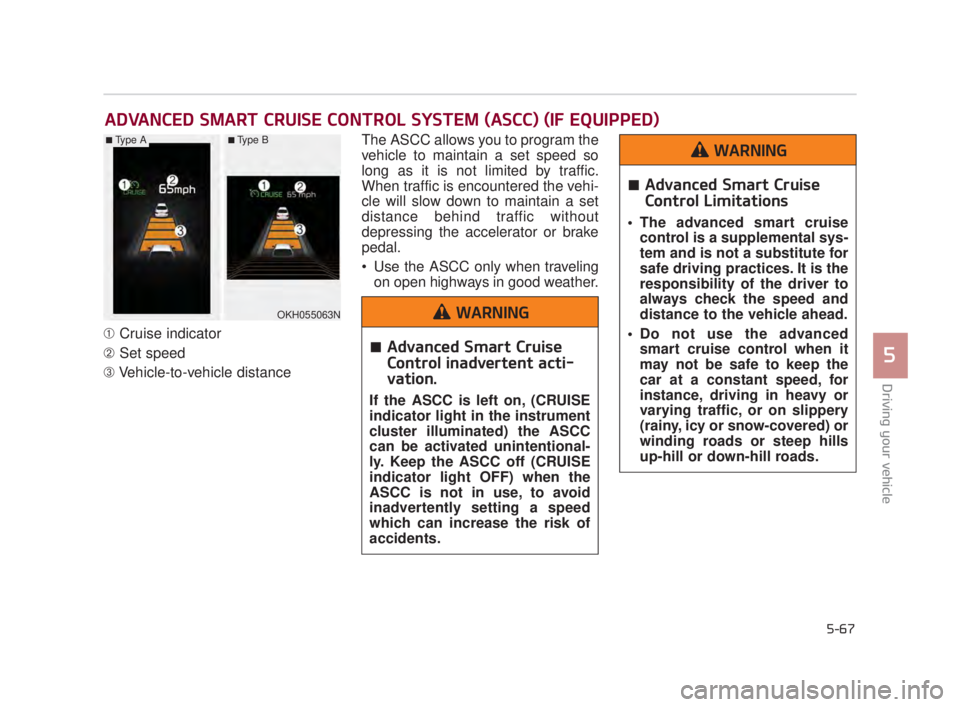
➀Cruise indicator
\b Set speed
➂ Vehicle-to-vehicle distance The ASCC allows you to program the
vehicle to maintain a set speed so
long as it is not limited by traffic.
When traffic is encountered the vehi-
cle will slow down to maintain a set
distance behind traffic without
depressing the accelerator or brake
pedal.
Use the ASCC only when traveling
on open highways in good weather.
ADVANCED SMART CRUISE CONTROL SYSTEM (ASCC) (IF EQUIPPED)
OKH055063N
■Type A■Type B
Advanced Smart Cruise
Control inadvertent acti-
vation.
If the ASCC is left on, (CRUISE
indicator light in the instrument
cluster illuminated) the ASCC
can be activated unintentional-
ly. Keep the ASCC off (CRUISE
indicator light OFF) when the
ASCC is not in use, to avoid
inadvertently setting a speed
which can increase the risk of
accidents.
WARNING
Advanced Smart Cruise
Control Limitations
The advanced smart cruisecontrol is a supplemental sys-
tem and is not a substitute for
safe driving practices. It is the
responsibility of the driver to
always check the speed and
distance to the vehicle ahead.
Do not use the advanced smart cruise control when it
may not be safe to keep the
car at a constant speed, for
instance, driving in heavy or
varying traffic, or on slippery
(rainy, icy or snow-covered) or
winding roads or steep hills
up-hill or down-hill roads.
WARNING
KH USA 5:2015 3/25/2015 9:16 AM Page 67
Page 331 of 542
5-68
Driving your vehicle
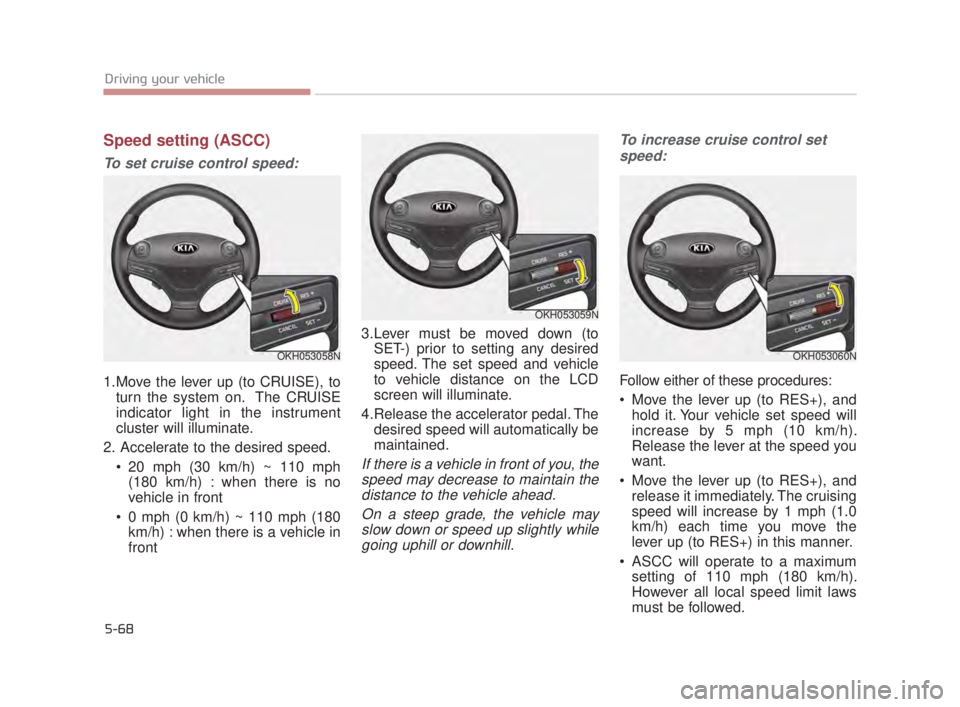
Speed setting (ASCC)
To set cruise control speed:
1.Move the lever up (to CRUISE), toturn the system on. The CRUISE
indicator light in the instrument
cluster will illuminate.
2. Accelerate to the desired speed. 20 mph (30 km/h) ~ 110 mph(180 km/h) : when there is no
vehicle in front
0 mph (0 km/h) ~ 110 mph (180 km/h) : when there is a vehicle in
front 3.Lever must be moved down (to
SET-) prior to setting any desired
speed. The set speed and vehicle
to vehicle distance on the LCD
screen will illuminate.
4.Release the accelerator pedal. The desired speed will automatically be
maintained.
If there is a vehicle in front of you, thespeed may decrease to maintain thedistance to the vehicle ahead.
On a steep grade, the vehicle mayslow down or speed up slightly whilegoing uphill or downhill. To increase cruise control set
speed:
Follow either of these procedures:
Move the lever up (to RES+), and hold it. Your vehicle set speed will
increase by 5 mph (10 km/h).
Release the lever at the speed you
want.
Move the lever up (to RES+), and release it immediately. The cruising
speed will increase by 1 mph (1.0
km/h) each time you move the
lever up (to RES+) in this manner.
ASCC will operate to a maximum setting of 110 mph (180 km/h).
However all local speed limit laws
must be followed.
OKH053058N
OKH053059N
OKH053060N
KH USA 5:2015 3/25/2015 9:16 AM Page 68