display KIA K900 2019 Workshop Manual
[x] Cancel search | Manufacturer: KIA, Model Year: 2019, Model line: K900, Model: KIA K900 2019Pages: 580, PDF Size: 15.11 MB
Page 344 of 580
579
Driving your vehicle
If you push the smart cruise controltoggle switch (RES+ or SET-) while
Auto Hold and smart cruise control
is operating, the Auto Hold will be
released regardless of accelerator
pedal operation and the vehicle will
start to move. The AUTO HOLD
indicator changes from green to
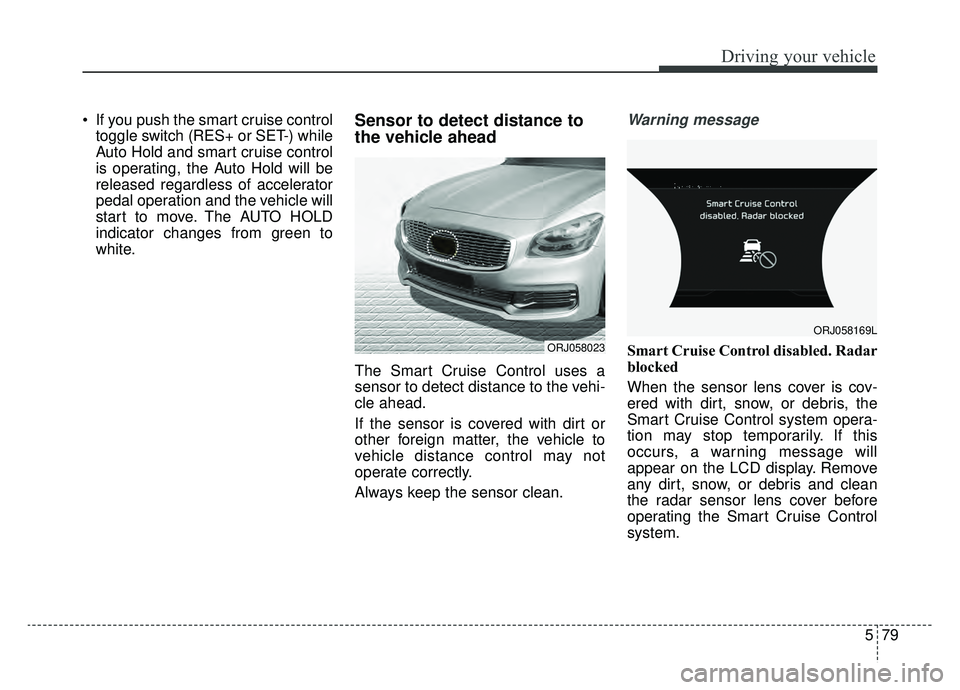
white.Sensor to detect distance to
the vehicle ahead
The Smart Cruise Control uses a
sensor to detect distance to the vehi-
cle ahead.
If the sensor is covered with dirt or
other foreign matter, the vehicle to
vehicle distance control may not
operate correctly.
Always keep the sensor clean.
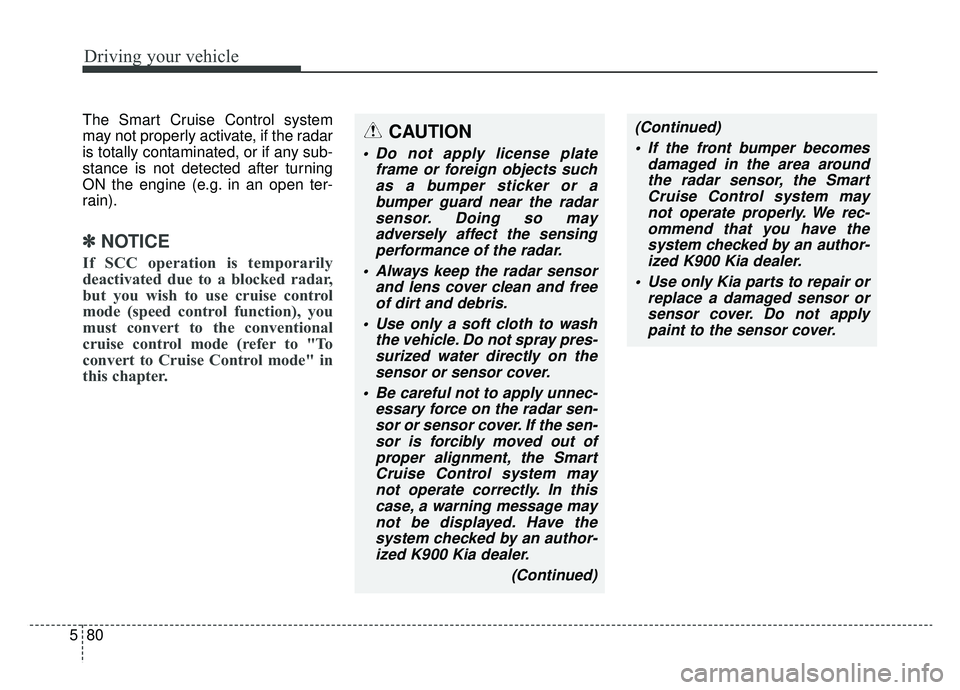
Warning message
Smart Cruise Control disabled. Radar
blocked
When the sensor lens cover is cov-
ered with dirt, snow, or debris, the
Smart Cruise Control system opera-
tion may stop temporarily. If this
occurs, a warning message will
appear on the LCD display. Remove
any dirt, snow, or debris and clean
the radar sensor lens cover before
operating the Smart Cruise Control
system.ORJ058023
ORJ058169L
Page 345 of 580
Driving your vehicle
80
5
The Smart Cruise Control system
may not properly activate, if the radar
is totally contaminated, or if any sub-
stance is not detected after turning
ON the engine (e.g. in an open ter-
rain).
✽ ✽
NOTICE
If SCC operation is temporarily
deactivated due to a blocked radar,
but you wish to use cruise control
mode (speed control function), you
must convert to the conventional
cruise control mode (refer to "To
convert to Cruise Control mode" in
this chapter.
CAUTION
Do not apply license plate
frame or foreign objects suchas a bumper sticker or abumper guard near the radarsensor. Doing so mayadversely affect the sensingperformance of the radar.
Always keep the radar sensor and lens cover clean and freeof dirt and debris.
Use only a soft cloth to wash the vehicle. Do not spray pres-surized water directly on thesensor or sensor cover.
Be careful not to apply unnec- essary force on the radar sen-sor or sensor cover. If the sen-sor is forcibly moved out ofproper alignment, the SmartCruise Control system maynot operate correctly. In thiscase, a warning message maynot be displayed. Have thesystem checked by an author-ized K900 Kia dealer.
(Continued)
(Continued) If the front bumper becomes damaged in the area aroundthe radar sensor, the SmartCruise Control system maynot operate properly. We rec-ommend that you have thesystem checked by an author-ized K900 Kia dealer.
Use only Kia parts to repair or replace a damaged sensor orsensor cover. Do not applypaint to the sensor cover.
Page 346 of 580
581
Driving your vehicle
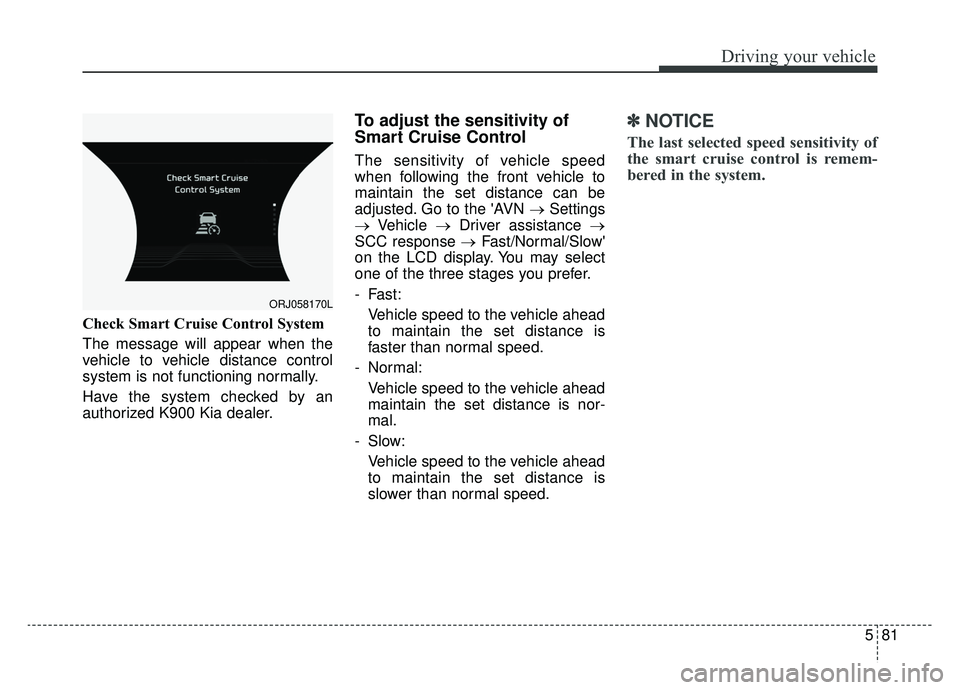
Check Smart Cruise Control System
The message will appear when the
vehicle to vehicle distance control
system is not functioning normally.
Have the system checked by an
authorized K900 Kia dealer.
To adjust the sensitivity of
Smart Cruise Control
The sensitivity of vehicle speed
when following the front vehicle to
maintain the set distance can be
adjusted. Go to the 'AVN →Settings
→ Vehicle →Driver assistance →
SCC response → Fast/Normal/Slow'
on the LCD display. You may select
one of the three stages you prefer.
- Fast:
Vehicle speed to the vehicle ahead
to maintain the set distance is
faster than normal speed.
- Normal: Vehicle speed to the vehicle ahead
maintain the set distance is nor-
mal.
- Slow: Vehicle speed to the vehicle ahead
to maintain the set distance is
slower than normal speed.
✽ ✽ NOTICE
The last selected speed sensitivity of
the smart cruise control is remem-
bered in the system.
ORJ058170L
Page 353 of 580
Driving your vehicle
88
5
The Leading Vehicle Departure Alert
system alerts the driver of the depar-
ture of the vehicle in front when the
vehicle is stopped and the Smart
Cruise Control (SCC) system is in
activation.System setting and operating
conditions
System setting
With the engine ON, the Leading
Vehicle Departure Alert system turns
on and gets ready to be activated
when the 'AVN → Settings →Vehicle
→ Driver Assistance →Driving
assist →Leading vehicle departure
alert' is selected on the cluster. The
system stops operation when the
setting is deactivated. However, if the
engine is turned off then on again,
the system maintains the previous
state.
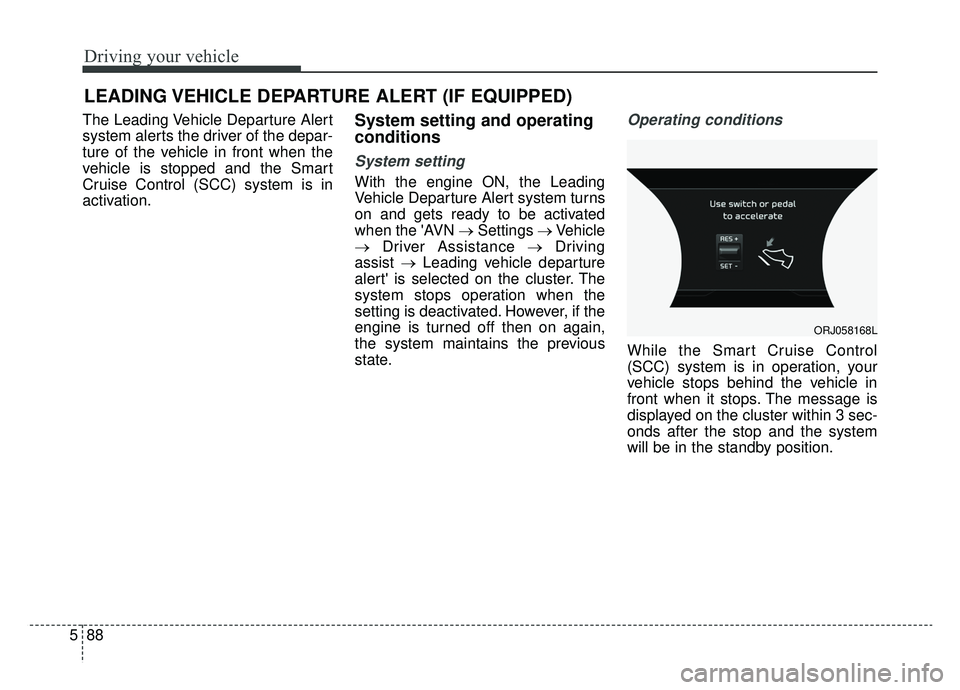
Operating conditions
While the Smart Cruise Control
(SCC) system is in operation, your
vehicle stops behind the vehicle in
front when it stops. The message is
displayed on the cluster within 3 sec-
onds after the stop and the system
will be in the standby position.
LEADING VEHICLE DEPARTURE ALERT (IF EQUIPPED)
ORJ058168L
Page 354 of 580
589
Driving your vehicle
System activation
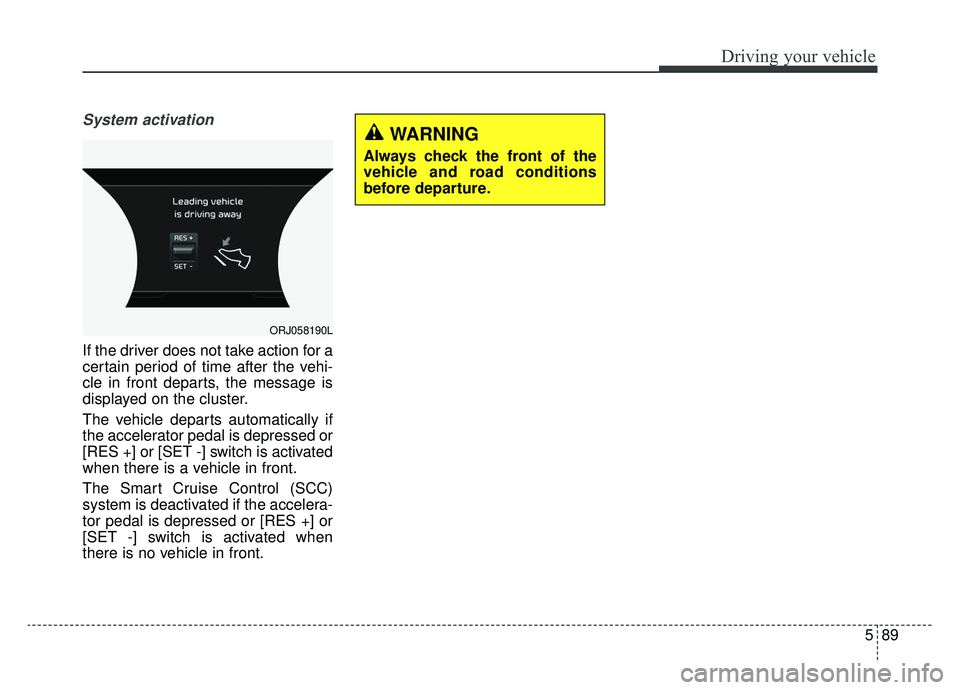
If the driver does not take action for a
certain period of time after the vehi-
cle in front departs, the message is
displayed on the cluster.
The vehicle departs automatically if
the accelerator pedal is depressed or
[RES +] or [SET -] switch is activated
when there is a vehicle in front.
The Smart Cruise Control (SCC)
system is deactivated if the accelera-
tor pedal is depressed or [RES +] or
[SET -] switch is activated when
there is no vehicle in front.
ORJ058190L
WARNING
Always check the front of the
vehicle and road conditions
before departure.
Page 355 of 580
Driving your vehicle
90
5
Your vehicle may be equipped with
the ISG system, which reduces fuel
consumption by automatically shut-
ting down the engine, when the vehi-
cle is at a standstill. (For example :
red light, stop sign and traffic jam)
The engine starts automatically as
soon as the starting conditions are
met.
The ISG system is ON whenever the
engine is running.
✽ ✽
NOTICE
When the engine automatically
starts by the ISG system, some
warning lights (ABS, ESC, ESC
OFF, EPS or Parking brake warn-
ing light) may turn on for a few sec-
onds.
This happens because of low battery
voltage. It does not mean the system
has malfunctioned.
Auto stop
To stop the engine in idle stop
mode
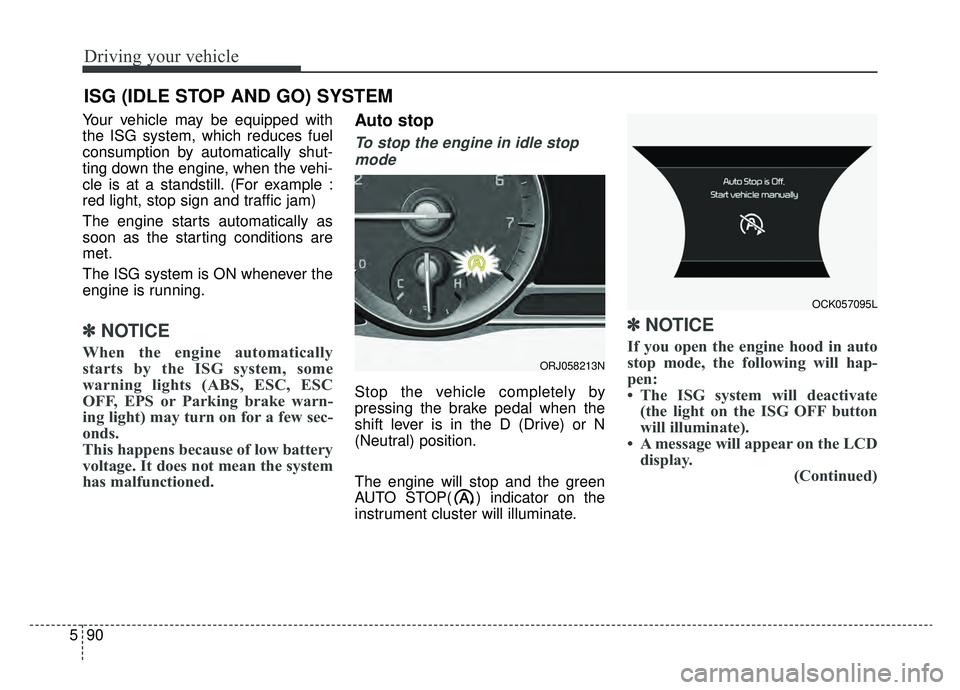
Stop the vehicle completely by
pressing the brake pedal when the
shift lever is in the D (Drive) or N
(Neutral) position.
The engine will stop and the green
AUTO STOP( ) indicator on the
instrument cluster will illuminate.
✽ ✽ NOTICE
If you open the engine hood in auto
stop mode, the following will hap-
pen:
• The ISG system will deactivate
(the light on the ISG OFF button
will illuminate).
• A message will appear on the LCD display. (Continued)
ISG (IDLE STOP AND GO) SYSTEM
ORJ058213N
OCK057095L
Page 357 of 580
Driving your vehicle
92
5
Condition of ISG system oper-
ation
The ISG system will operate
under the following condition:
- The driver’s seat belt is fastened.
- The driver’s door and engine hood are closed.
- The brake vacuum pressure is adequate.
- The battery is sufficiently charged.
- The outside temperature is between -10°C to 35°C (14°F to
95°F).
- The engine coolant temperature is not too low.
✽ ✽ NOTICE
• If the ISG system does not meet
the operation condition, the ISG
system is deactivated. The light on
the ISG OFF button will illumi-
nate and a message “Auto Stop
conditions not met” will appear on
the LCD display.
• If the light or notice comes on con- tinuously, please check the opera-
tion condition.
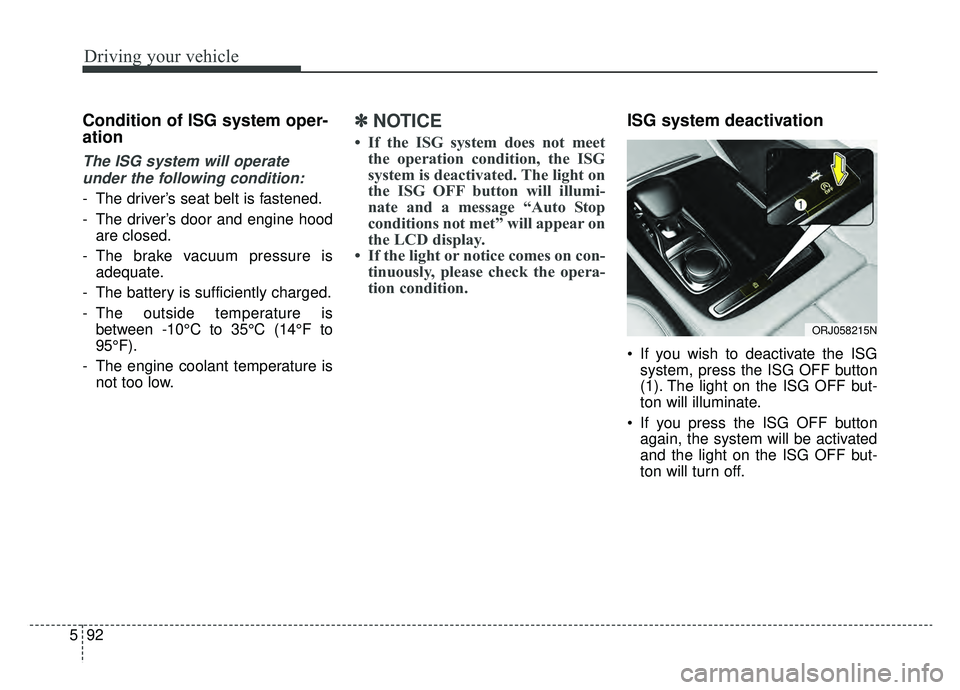
ISG system deactivation
If you wish to deactivate the ISG
system, press the ISG OFF button
(1). The light on the ISG OFF but-
ton will illuminate.
If you press the ISG OFF button again, the system will be activated
and the light on the ISG OFF but-
ton will turn off.
ORJ058215N
Page 372 of 580
5107
Driving your vehicle
LKA system operation
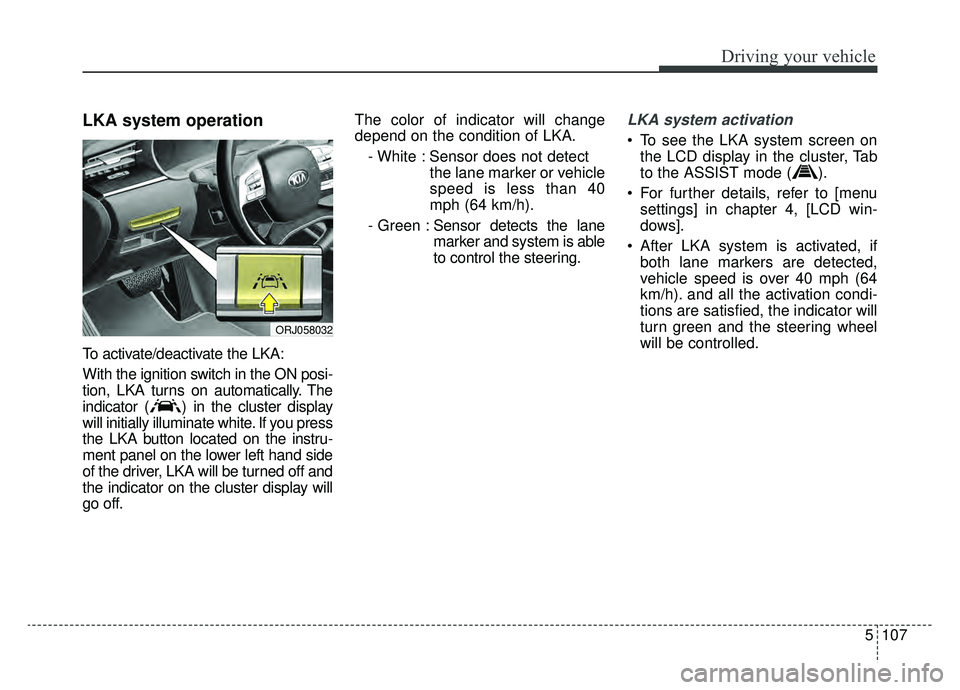
To activate/deactivate the LKA:
With the ignition switch in the ON posi-
tion, LKA turns on automatically. The
indicator ( ) in the cluster display
will initially illuminate white. If you press
the LKA button located on the instru-
ment panel on the lower left hand side
of the driver, LKA will be turned off and
the indicator on the cluster display will
go off.The color of indicator will change
depend on the condition of LKA.
- White : Sensor does not detect the lane marker or vehicle
speed is less than 40
mph (64 km/h).
- Green : Sensor detects the lane
marker and system is able
to control the steering.
LKA system activation
To see the LKA system screen on
the LCD display in the cluster, Tab
to the ASSIST mode ( ).
For further details, refer to [menu settings] in chapter 4, [LCD win-
dows].
After LKA system is activated, if both lane markers are detected,
vehicle speed is over 40 mph (64
km/h). and all the activation condi-
tions are satisfied, the indicator will
turn green and the steering wheel
will be controlled.
ORJ058032
Page 373 of 580
Driving your vehicle
108
5
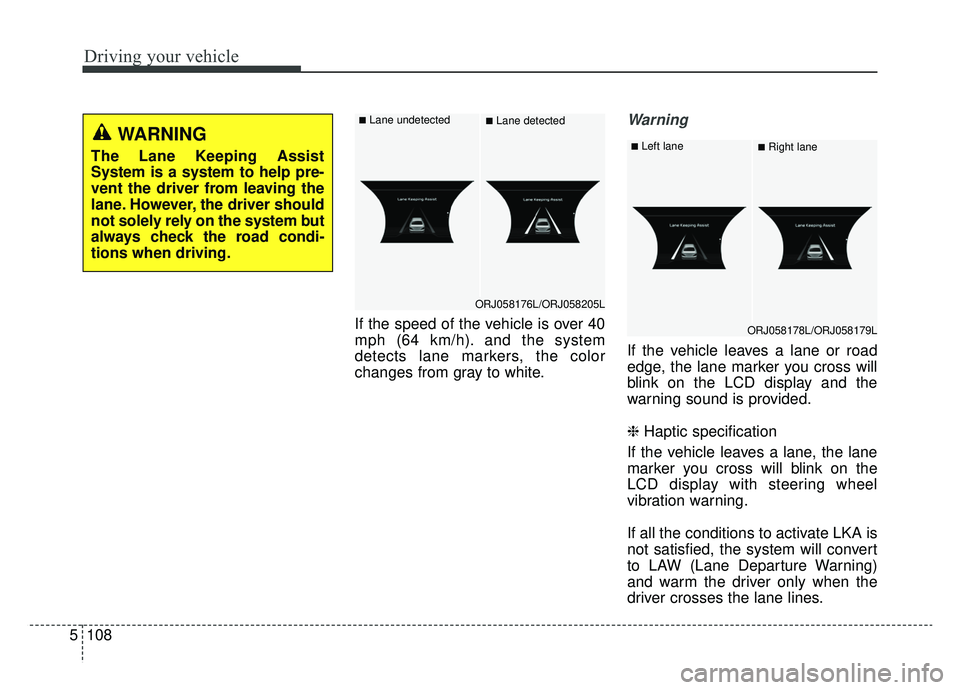
If the speed of the vehicle is over 40
mph (64 km/h). and the system
detects lane markers, the color
changes from gray to white.
Warning
If the vehicle leaves a lane or road
edge, the lane marker you cross will
blink on the LCD display and the
warning sound is provided.
❈ Haptic specification
If the vehicle leaves a lane, the lane
marker you cross will blink on the
LCD display with steering wheel
vibration warning.
If all the conditions to activate LKA is
not satisfied, the system will convert
to LAW (Lane Departure Warning)
and warm the driver only when the
driver crosses the lane lines.
ORJ058176L/ORJ058205L
■Lane undetected■Lane detected
ORJ058178L/ORJ058179L
■Left lane■Right laneWARNING
The Lane Keeping Assist
System is a system to help pre-
vent the driver from leaving the
lane. However, the driver should
not solely rely on the system but
always check the road condi-
tions when driving.
Page 379 of 580
Driving your vehicle
114
5
The Forward Collision-Avoidance
Assist-Lane-Change Oncoming func-
tion detects the oncoming vehicle
with a front view camera at the front
wihdshield. And it assists the driver’s
steering to help avoiding the collision
to oncoming vehicle and keeping the
vehicle in the lanes, when the vehicle
drives over the centerline.Function operation
Driver can activate(or deactivate) the
function from the AVN:
'AVN →Settings →Vehicle →Driver
assistance →Forward Collision-
Avoidance Assist (FCA)’ For further
details, refer to [System setting] in
this chapter, [FCA].
Warning message and func-
tion control
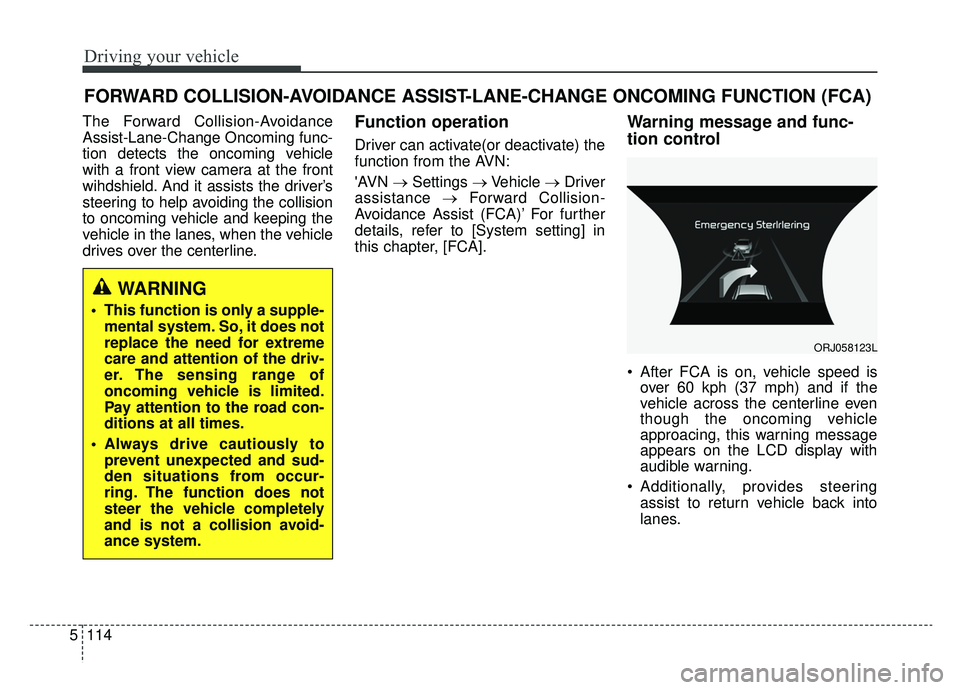
After FCA is on, vehicle speed is over 60 kph (37 mph) and if the
vehicle across the centerline even
though the oncoming vehicle
approacing, this warning message
appears on the LCD display with
audible warning.
Additionally, provides steering assist to return vehicle back into
lanes.
FORWARD COLLISION-AVOIDANCE ASSIST-LANE-CHANGE ONCOMING FUNCTION (FCA)
WARNING
This function is only a supple-mental system. So, it does not
replace the need for extreme
care and attention of the driv-
er. The sensing range of
oncoming vehicle is limited.
Pay attention to the road con-
ditions at all times.
Always drive cautiously to prevent unexpected and sud-
den situations from occur-
ring. The function does not
steer the vehicle completely
and is not a collision avoid-
ance system.
ORJ058123L