lock KIA K900 2019 Workshop Manual
[x] Cancel search | Manufacturer: KIA, Model Year: 2019, Model line: K900, Model: KIA K900 2019Pages: 580, PDF Size: 15.11 MB
Page 137 of 580
Features of your vehicle
44
4
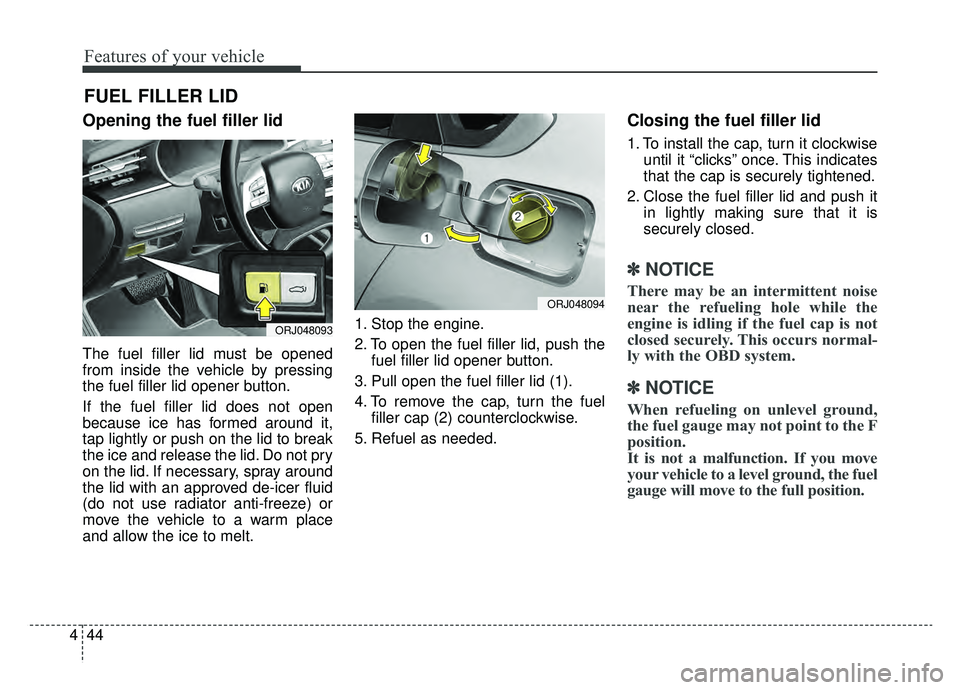
Opening the fuel filler lid
The fuel filler lid must be opened
from inside the vehicle by pressing
the fuel filler lid opener button.
If the fuel filler lid does not open
because ice has formed around it,
tap lightly or push on the lid to break
the ice and release the lid. Do not pry
on the lid. If necessary, spray around
the lid with an approved de-icer fluid
(do not use radiator anti-freeze) or
move the vehicle to a warm place
and allow the ice to melt. 1. Stop the engine.
2. To open the fuel filler lid, push the
fuel filler lid opener button.
3. Pull open the fuel filler lid (1).
4. To remove the cap, turn the fuel filler cap (2) counterclockwise.
5. Refuel as needed.
Closing the fuel filler lid
1. To install the cap, turn it clockwise until it “clicks” once. This indicates
that the cap is securely tightened.
2. Close the fuel filler lid and push it in lightly making sure that it is
securely closed.
✽ ✽NOTICE
There may be an intermittent noise
near the refueling hole while the
engine is idling if the fuel cap is not
closed securely. This occurs normal-
ly with the OBD system.
✽ ✽NOTICE
When refueling on unlevel ground,
the fuel gauge may not point to the F
position.
It is not a malfunction. If you move
your vehicle to a level ground, the fuel
gauge will move to the full position.
FUEL FILLER LID
ORJ048093
ORJ048094
Page 152 of 580
459
Features of your vehicle
Automatic-Dimming Night Vision
Safety™ (NVS®) Mirror
The NVS
®Mirror in your vehicle is
designed to reduce annoying glare in
the rearview mirror while driving. For
more information regarding NVS
®
mirrors and other applications,
please refer to the Gentex website:
www.gentex.com
❈ Night Vision Safety™ is a registered
trademark of Gentex Corporation. Automatic-dimming function
Your mirror will automatically dim
upon detecting glare from the vehi-
cles traveling behind you.✽ ✽
NOTICE
The mirror defaults to the ON posi-
tion each time the vehicle is started.
Integrated HomeLink®Wireless
Control System
The HomeLink
®Wireless Control
System provides a convenient way to
replace up to three hand-held radio-
frequency (RF) transmitters with a
single built-in device. This innovative
feature will learn the radio frequency
codes of most current transmitters to
operate devices such as gate opera-
tors, garage door openers, entry
door locks, security systems, even
home lighting. Both standard and
rolling code-equipped transmitters
can be programmed by following the
outlined procedures. Additional
HomeLink
®information can be found
at: www.homelink.com or by calling
1-800-355-3515.
❈ HomeLink
®is a registered trade-
mark of Johnson Controls, Inc.
CAUTION
The NVS®Mirror automatically
reduces glare during driving conditions based upon light lev-els monitored in front of thevehicle and from the rear of thevehicle. These light sensors arevisible through openings in thefront and rear of the mirror case.Any object that obstructs eitherlight sensor will degrade theautomatic dimming control fea-ture.
Page 161 of 580
Features of your vehicle
68
4
L/R : When the remote control outside
rearview mirror switch (1) is
selected to the L (left) or R (right)
position, both outside rearview
mirrors will move downward.
Neutral : When the remote control
outside rearview mirror
switch is placed in the mid-
dle position, the outside
rearview mirrors will not
operate while the vehicle is
moving rearward.
The outside rearview mirrors will auto-
matically revert to their original posi-
tions under the following conditions:
1. The Engine Start/Stop button is in the OFF position.
2. Shift lever is moved to any position except R (Reverse).
3. The remote control outside rearview mirror switch is not
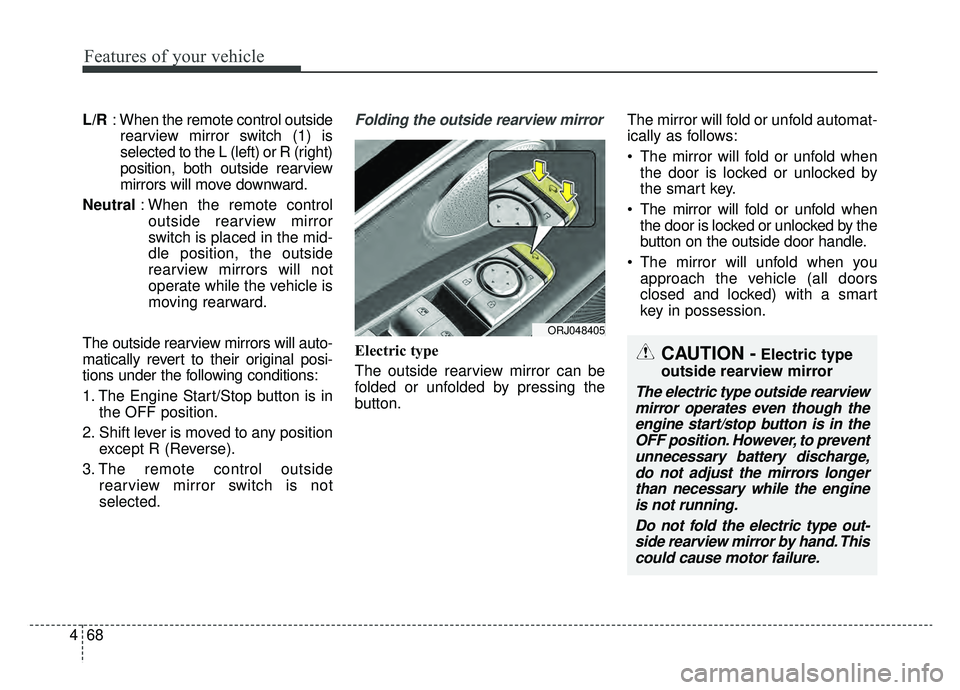
selected.Folding the outside rearview mirror
Electric type
The outside rearview mirror can be
folded or unfolded by pressing the
button. The mirror will fold or unfold automat-
ically as follows:
The mirror will fold or unfold when
the door is locked or unlocked by
the smart key.
The mirror will fold or unfold when the door is locked or unlocked by the
button on the outside door handle.
The mirror will unfold when you approach the vehicle (all doors
closed and locked) with a smart
key in possession.
ORJ048405
CAUTION -Electric type
outside rearview mirror
The electric type outside rearview mirror operates even though theengine start/stop button is in theOFF position. However, to preventunnecessary battery discharge,do not adjust the mirrors longerthan necessary while the engineis not running.
Do not fold the electric type out-side rearview mirror by hand. Thiscould cause motor failure.
Page 186 of 580
493
Features of your vehicle
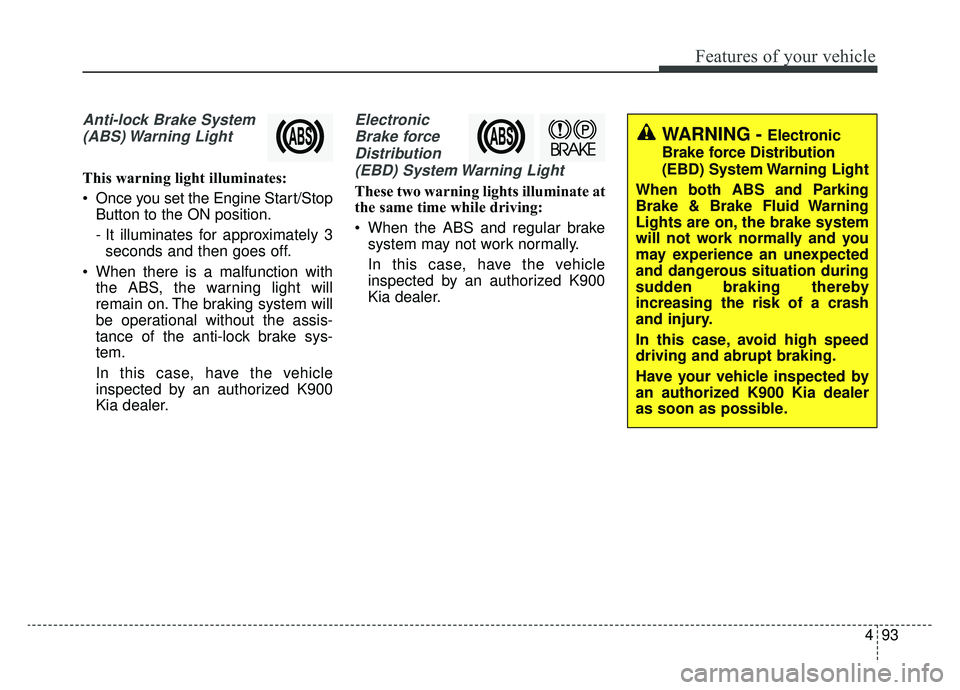
Anti-lock Brake System(ABS) Warning Light
This warning light illuminates:
Once you set the Engine Start/Stop Button to the ON position.
- It illuminates for approximately 3seconds and then goes off.
When there is a malfunction with the ABS, the warning light will
remain on. The braking system will
be operational without the assis-
tance of the anti-lock brake sys-
tem.
In this case, have the vehicle
inspected by an authorized K900
Kia dealer.
Electronic
Brake forceDistribution(EBD) System Warning Light
These two warning lights illuminate at
the same time while driving:
When the ABS and regular brake system may not work normally.
In this case, have the vehicle
inspected by an authorized K900
Kia dealer.
WARNING - Electronic
Brake force Distribution
(EBD) System Warning Light
When both ABS and Parking
Brake & Brake Fluid Warning
Lights are on, the brake system
will not work normally and you
may experience an unexpected
and dangerous situation during
sudden braking thereby
increasing the risk of a crash
and injury.
In this case, avoid high speed
driving and abrupt braking.
Have your vehicle inspected by
an authorized K900 Kia dealer
as soon as possible.
Page 201 of 580
Features of your vehicle
108
4
✽ ✽
NOTICE
• This system can only sense objects
within the range and location of
the sensors; It can not detect
objects in other areas where sen-
sors are not installed. Also, small
or slim objects, such as poles or
objects located between sensors
may not be detected by the sen-
sors. Always visually check behind
the vehicle when backing up.
• Be sure to inform any drivers of the vehicle that may be unfamiliar
with the system regarding the sys-
tems capabilities and limitations.
Non-operational conditions of
parking distance warning
parking distance warning may
not operate when:
1. Moisture is frozen to the sensor. (It will operate normally when the ice
melts.)
2. Sensor is covered with foreign matter, such as snow or water, or
the sensor cover is blocked. (It will
operate normally when the materi-
al is removed or the sensor is no
longer blocked.)
3. Driving on uneven road surfaces such as unpaved roads, gravel,
bumps, or gradient.
4. Objects generating excessive noise such as vehicle horns, loud
motorcycle engines, or truck air
brakes can interfere with the sen-
sor.
5. The weather conditions produce heavy rain or water spray.
6. Wireless transmitters or mobile phones present near the sensor.
Detecting range may decrease
when:
1. Outside air temperature is extremely hot or cold.
2. The sensor is covered with foreign matter such as snow or water.
(The sensing range will return to
normal when removed.)
The following objects may not be
recognized by the sensor:
1. Sharp or slim objects such as ropes, chains or small poles.
2. Objects, which tend to absorb sen- sor frequency such as clothes,
spongy material or snow.
3. Undetectable objects smaller than 4 in. (1 m) and narrower than 5.5
in. (14 cm) in diameter.
Page 220 of 580
4127
Features of your vehicle
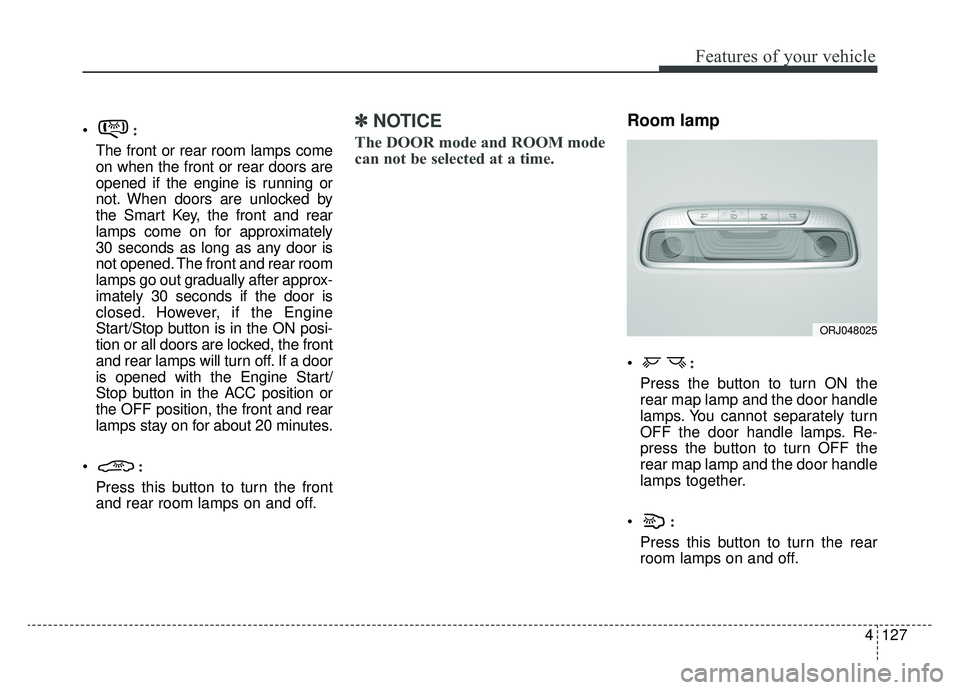
:
The front or rear room lamps come
on when the front or rear doors are
opened if the engine is running or
not. When doors are unlocked by
the Smart Key, the front and rear
lamps come on for approximately
30 seconds as long as any door is
not opened. The front and rear room
lamps go out gradually after approx-
imately 30 seconds if the door is
closed. However, if the Engine
Start/Stop button is in the ON posi-
tion or all doors are locked, the front
and rear lamps will turn off. If a door
is opened with the Engine Start/
Stop button in the ACC position or
the OFF position, the front and rear
lamps stay on for about 20 minutes.
:
Press this button to turn the front
and rear room lamps on and off.
✽ ✽ NOTICE
The DOOR mode and ROOM mode
can not be selected at a time.
Room lamp
:
Press the button to turn ON the
rear map lamp and the door handle
lamps. You cannot separately turn
OFF the door handle lamps. Re-
press the button to turn OFF the
rear map lamp and the door handle
lamps together.
:
Press this button to turn the rear
room lamps on and off.
ORJ048025
Page 223 of 580
Features of your vehicle
130
4
WELCOME SYSTEM (IF EQUIPPED)
Headlight (Headlamp) escort
function
When the headlight(light switch in
the headlight or AUTO position) is on
and all doors (and trunk) are locked
and closed, the position light and
headlight will come on for 15 sec-
onds if any of the below is per-
formed.
With the smart key system
- When the door unlock button ispressed on the smart key.
At this time, if you press the door lock
or unlock button, the position light
and headlight will turn off immediate-
ly.
Interior light
When the interior light switch is in the
DOOR position and all doors (and
trunk) are locked and closed, the
room lamp will come on for 30 sec-
onds if any of the below is performed.
With the smart key system - When the door unlock button ispressed on the smart key.
- When the button of the outside door handle is pressed.
At this time, if you press the door lock
button, the lamps will turn off imme-
diately.
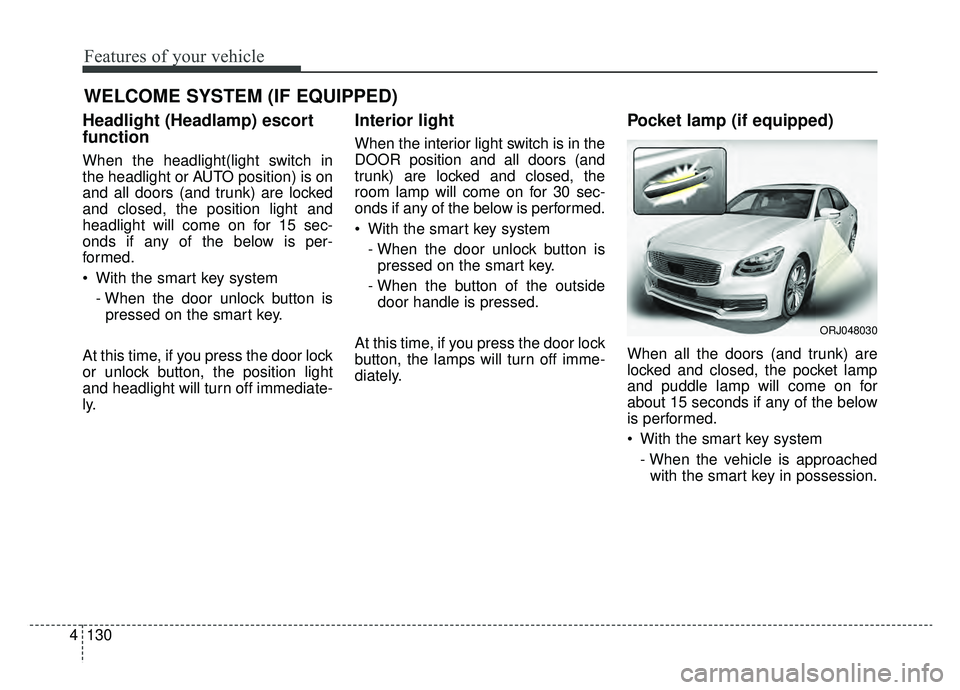
Pocket lamp (if equipped)
When all the doors (and trunk) are
locked and closed, the pocket lamp
and puddle lamp will come on for
about 15 seconds if any of the below
is performed.
With the smart key system - When the vehicle is approachedwith the smart key in possession.
ORJ048030
Page 235 of 580
Features of your vehicle
142
4
System operation
Ventilation
1.Set the mode to the position.
2.Set the air intake control to the out-
side (fresh) air position.
3.Set the temperature control to the desired position.
4.Set the fan speed control to the desired speed.
Heating
1.Set the mode to the position.
2.Set the air intake control to the out-side (fresh) air position.
3.Set the temperature control to the desired position.
4.Set the fan speed control to the desired speed.
5.If dehumidified heating is desired, turn the air conditioning system (if
equipped) on.
If the windshield fogs up, set the mode to the
orposition. Operation Tips
To keep dust or unpleasant fumes
from entering the vehicle through
the ventilation system, temporarily
set the air intake control to the
recirculated air position. Be sure to
return the control to the fresh air
position when the irritation has
passed to keep fresh air in the
vehicle. This will help keep the driv-
er alert and comfortable.
Air for the heating/cooling system is drawn in through the grilles just
ahead of the windshield. Care
should be taken that these are not
blocked by leaves, snow, ice or
other obstructions.
To prevent interior fog on the wind- shield, set the air intake control to
the fresh air position and fan speed
to the desired position, turn on the
air conditioning system, and adjust
the temperature control to desired
temperature.
Air conditioning
All Kia Air Conditioning Systems are
filled with R-1234yf refrigerant.
1.Start the engine. Press the air con-ditioning button.
2.Set the mode to the position.
3.Set the air intake control to the out- side air or recirculated air position.
4.Adjust the fan speed control and temperature control to maintain
maximum comfort.
When maximum cooling is desired, set the temperature control to the
extreme left position, then set the
fan speed control to the highest
speed.
Page 244 of 580
4151
Features of your vehicle
STORAGE COMPARTMENTS
These compartments can be used to
store small items required by the
driver or passengers.
To avoid possible theft, do notleave valuables in the storage
compartment.
Always keep the storage compart- ment covers closed while driving.
Do not attempt to place so many
items in the storage compartment
that the storage compartment
cover can not close securely.Center console storage
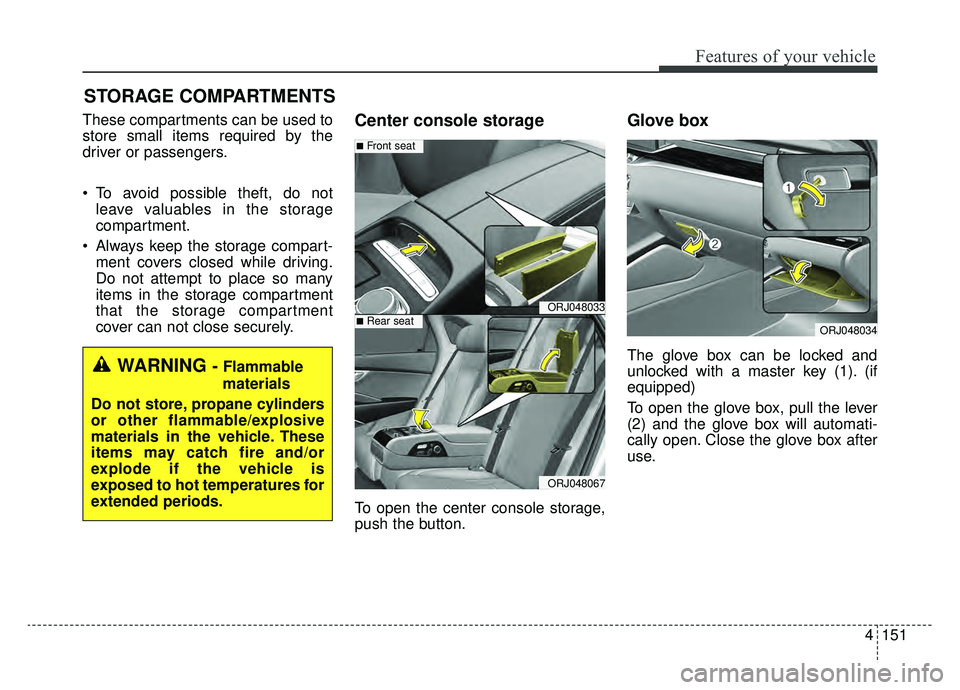
To open the center console storage,
push the button.
Glove box
The glove box can be locked and
unlocked with a master key (1). (if
equipped)
To open the glove box, pull the lever
(2) and the glove box will automati-
cally open. Close the glove box after
use.WARNING - Flammable
materials
Do not store, propane cylinders
or other flammable/explosive
materials in the vehicle. These
items may catch fire and/or
explode if the vehicle is
exposed to hot temperatures for
extended periods.
ORJ048034
ORJ048033
ORJ048067
■Front seat
■Rear seat
Page 245 of 580
Features of your vehicle
152
4
✽ ✽
NOTICE
If the temperature control knob is in
the warm or hot position, warm or
hot air will flow into the glove box.
Sunglass holder
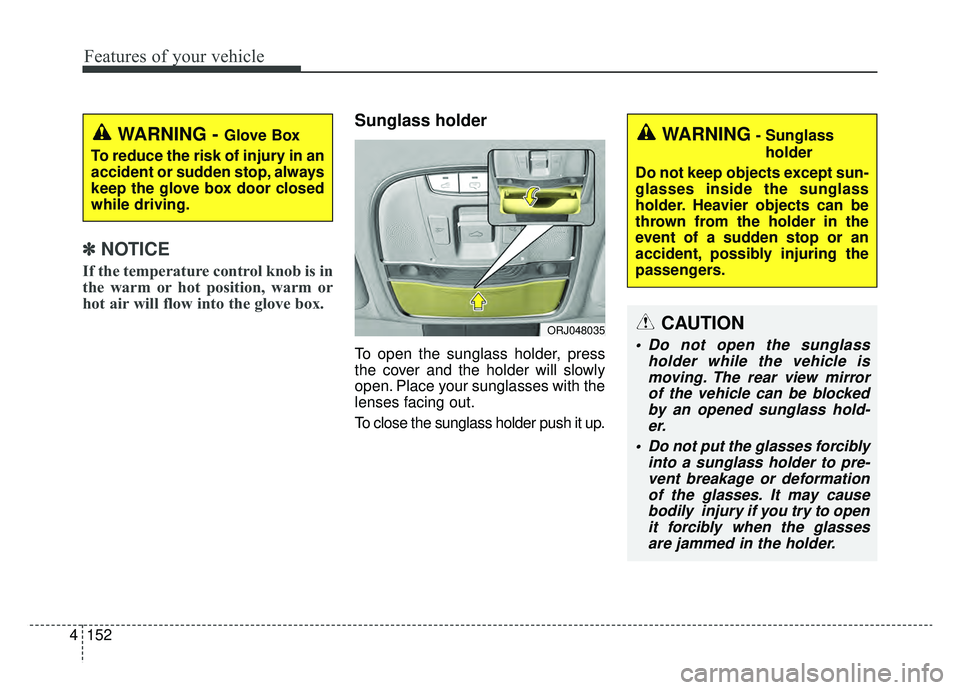
To open the sunglass holder, press
the cover and the holder will slowly
open. Place your sunglasses with the
lenses facing out.
To close the sunglass holder push it up.
WARNING - Glove Box
To reduce the risk of injury in an
accident or sudden stop, always
keep the glove box door closed
while driving.WARNING- Sunglass holder
Do not keep objects except sun-
glasses inside the sunglass
holder. Heavier objects can be
thrown from the holder in the
event of a sudden stop or an
accident, possibly injuring the
passengers.
ORJ048035CAUTION
Do not open the sunglass holder while the vehicle ismoving. The rear view mirrorof the vehicle can be blockedby an opened sunglass hold-er.
Do not put the glasses forcibly into a sunglass holder to pre-vent breakage or deformationof the glasses. It may causebodily injury if you try to openit forcibly when the glassesare jammed in the holder.