ESP KIA K900 2020 User Guide
[x] Cancel search | Manufacturer: KIA, Model Year: 2020, Model line: K900, Model: KIA K900 2020Pages: 593, PDF Size: 14.99 MB
Page 106 of 593
413
Features of your vehicle
This device complies with Part 15
of the FCC rules.
Operation is subject to the following
two conditions:
1. This device may not cause harmfulinterference, and
2. This device must accept any inter- ference received, including inter-
ference that may cause undesired
operation.
✽ ✽NOTICE
Changes or modifications not
expressly approved by the party
responsible for compliance could
void the user's authority to operate
the equipment.
Page 140 of 593
447
Features of your vehicle
Make sure to refuel your vehicle
according to the “Fuel requirements”
suggested in chapter 1.
If the fuel filler cap requires replace-
ment, use only a genuine Kia cap or the
equivalent specified for your vehicle. An
incorrect fuel filler cap can result in a
serious malfunction of the fuel system
or emission control system.
WARNING- Cell phonefires
Do not use cellular phones
while refueling. Electric current
and/or electronic interference
from cellular phones can poten-
tially ignite fuel vapors causing
a fire.
WARNING- Smoking
DO NOT use matches or a lighter
and DO NOT SMOKE or leave a lit
cigarette in your vehicle while at
a gas station especially during
refueling. Automotive fuel is
highly flammable and can, when
ignited, result in fire.
WARNING- Refueling & Vehicle fires
When refueling, always shut the
engine off. Sparks produced by
electrical components related
to the engine can ignite fuel
vapors, causing a fire. Once
refueling is complete, check to
make sure the filler cap and
filler door are securely closed,
before starting the engine.
CAUTION- Exterior paint
Do not spill fuel on the exterior surfaces of the vehicle. Anytype of fuel spilled on paintedsurfaces may damage the paint.
Page 142 of 593
449
Features of your vehicle
Sunroof open warning
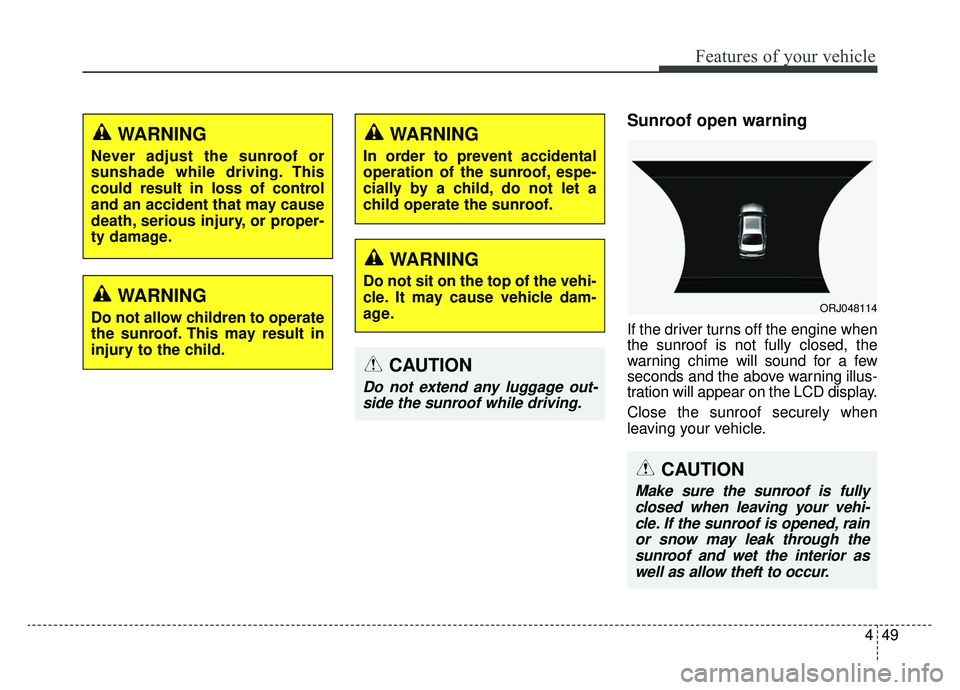
If the driver turns off the engine when
the sunroof is not fully closed, the
warning chime will sound for a few
seconds and the above warning illus-
tration will appear on the LCD display.
Close the sunroof securely when
leaving your vehicle.
WARNING
Do not allow children to operate
the sunroof. This may result in
injury to the child.
WARNING
Never adjust the sunroof or
sunshade while driving. This
could result in loss of control
and an accident that may cause
death, serious injury, or proper-
ty damage.
CAUTION
Do not extend any luggage out-side the sunroof while driving.
ORJ048114
CAUTION
Make sure the sunroof is fullyclosed when leaving your vehi-cle. If the sunroof is opened, rainor snow may leak through thesunroof and wet the interior aswell as allow theft to occur.
WARNING
In order to prevent accidental
operation of the sunroof, espe-
cially by a child, do not let a
child operate the sunroof.
WARNING
Do not sit on the top of the vehi-
cle. It may cause vehicle dam-
age.
Page 150 of 593
457
Features of your vehicle
Horn
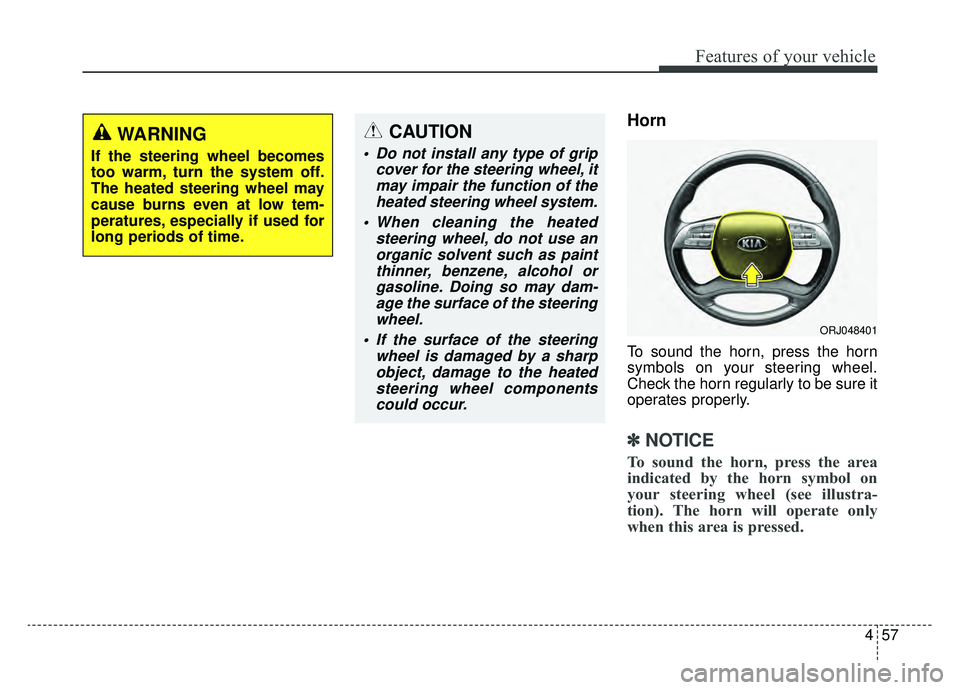
To sound the horn, press the horn
symbols on your steering wheel.
Check the horn regularly to be sure it
operates properly.
✽ ✽NOTICE
To sound the horn, press the area
indicated by the horn symbol on
your steering wheel (see illustra-
tion). The horn will operate only
when this area is pressed.
CAUTION
Do not install any type of grip
cover for the steering wheel, itmay impair the function of theheated steering wheel system.
When cleaning the heated steering wheel, do not use anorganic solvent such as paintthinner, benzene, alcohol orgasoline. Doing so may dam-age the surface of the steeringwheel.
If the surface of the steering wheel is damaged by a sharpobject, damage to the heatedsteering wheel componentscould occur.
WARNING
If the steering wheel becomes
too warm, turn the system off.
The heated steering wheel may
cause burns even at low tem-
peratures, especially if used for
long periods of time.
ORJ048401
Page 156 of 593
463
Features of your vehicle
NVS®is a registered trademark and
Z-Nav™ is a trademark of the
Gentex Corporation, Zeeland,
Michigan. HomeLink
®is a registered
trademark owned by Johnson
Controls, Incorporated, Milwaukee,
Wisconsin.
FCC ID: NZLZTVHL3
IC: 4112A-ZTVHL3
✽ ✽ NOTICE
This device complies with Part 15 of
the FCC Rules.
Operation is subject to the following
three conditions:
1. This device may not cause harm-
ful interference, and
2. This device must accept any inter- ference received, including inter-
ference that may cause undesired
operation.
3. The transceiver has been tested and complies with FCC and
Industry Canada rules. Changes
or modifications not expressly
approved by the party responsible
for compliance could void the
user's authority to operate the
device.
Two Way Communication
Programming
1.Complete the HomeLink
“Programming” first.
2.Before the first 10 times the HomeLink button is pressed after
the programming, the following
steps MUST occur to program two
way communication. (only for some
older garage doors)
Page 160 of 593
467
Features of your vehicle
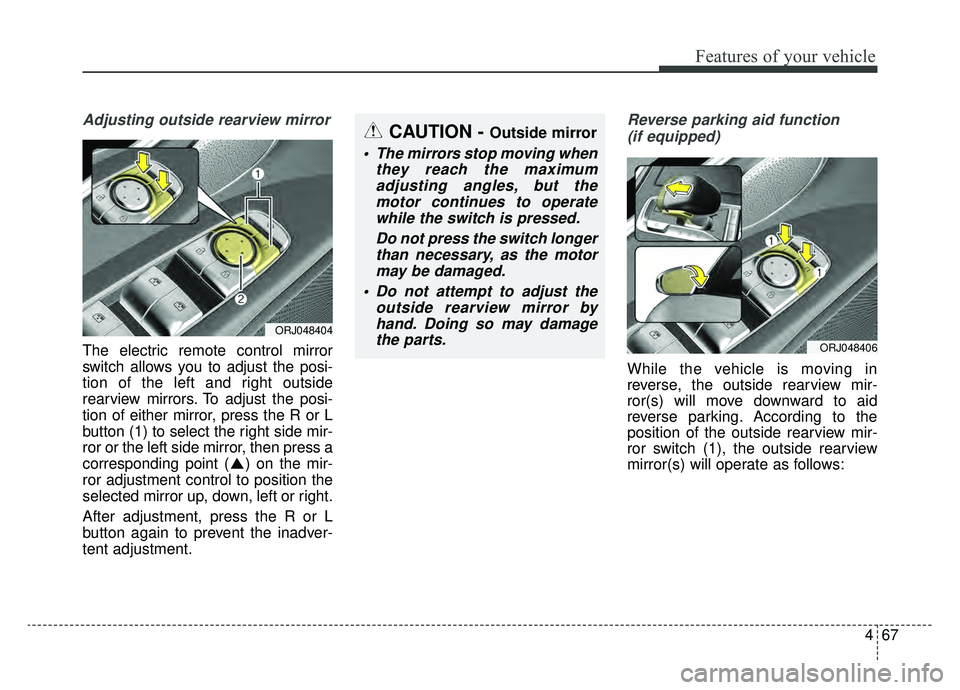
Adjusting outside rearview mirror
The electric remote control mirror
switch allows you to adjust the posi-
tion of the left and right outside
rearview mirrors. To adjust the posi-
tion of either mirror, press the R or L
button (1) to select the right side mir-
ror or the left side mirror, then press a
corresponding point ( ) on the mir-
ror adjustment control to position the
selected mirror up, down, left or right.
After adjustment, press the R or L
button again to prevent the inadver-
tent adjustment.
Reverse parking aid function (if equipped)
While the vehicle is moving in
reverse, the outside rearview mir-
ror(s) will move downward to aid
reverse parking. According to the
position of the outside rearview mir-
ror switch (1), the outside rearview
mirror(s) will operate as follows:
ORJ048404
CAUTION - Outside mirror
The mirrors stop moving when they reach the maximumadjusting angles, but themotor continues to operatewhile the switch is pressed.
Do not press the switch longerthan necessary, as the motormay be damaged.
Do not attempt to adjust the outside rearview mirror byhand. Doing so may damagethe parts.
ORJ048406
Page 182 of 593
489
Features of your vehicle
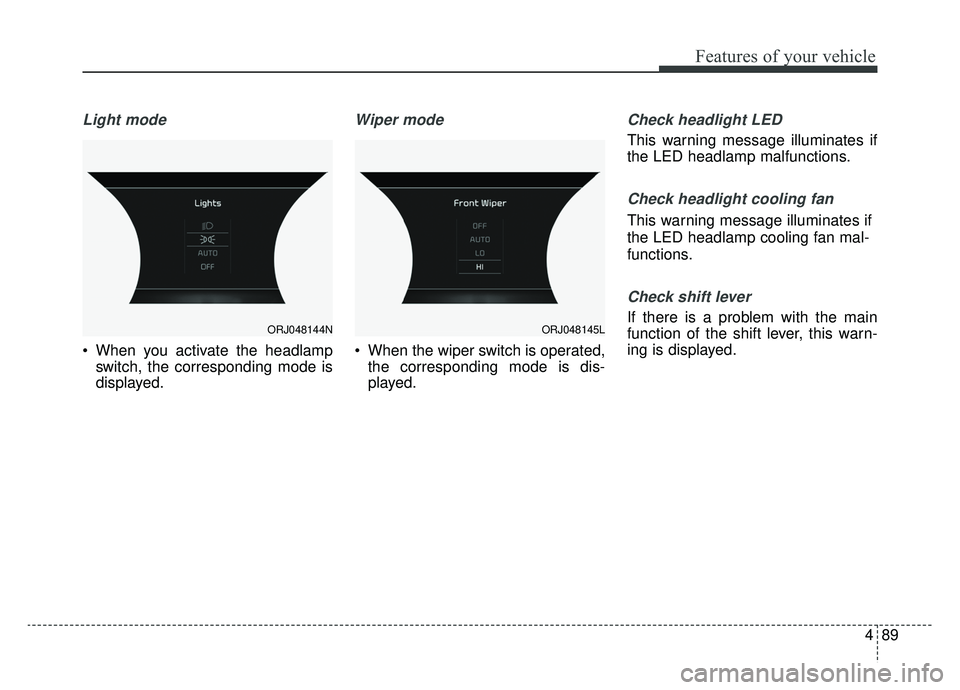
Light mode
When you activate the headlampswitch, the corresponding mode is
displayed.
Wiper mode
When the wiper switch is operated,the corresponding mode is dis-
played.
Check headlight LED
This warning message illuminates if
the LED headlamp malfunctions.
Check headlight cooling fan
This warning message illuminates if
the LED headlamp cooling fan mal-
functions.
Check shift lever
If there is a problem with the main
function of the shift lever, this warn-
ing is displayed.ORJ048144NORJ048145L
Page 196 of 593
![KIA K900 2020 User Guide 4103
Features of your vehicle
AUTO HOLD IndicatorLight (if equipped)
This indicator light illuminates:
[White] When you activate the auto hold system by pressing the AUTO
HOLD button.
[Green] When y](/img/2/55052/w960_55052-195.png "KIA K900 2020 User Guide 4103
Features of your vehicle
AUTO HOLD IndicatorLight (if equipped)
This indicator light illuminates:
[White] When you activate the auto hold system by pressing the AUTO
HOLD button.
[Green] When y")
4103
Features of your vehicle
AUTO HOLD IndicatorLight (if equipped)
This indicator light illuminates:
[White] When you activate the auto hold system by pressing the AUTO
HOLD button.
[Green] When you stop the vehicle completely by depressing the
brake pedal with the auto hold sys-
tem activated.
[Yellow] When there is a malfunc- tion with the auto hold system.
In this situation, have the vehicle
inspected by an authorized K900
Kia dealer.
❈ For more details, refer to “Auto
Hold” in chapter 5.
LKA(Lane Keeping
Assist) indicator
The LKA indicator will illuminate
when you turn the lane keeping
assistant system on by pressing the
LKA button.
If there is a problem with the system,
the yellow LKA indicator will illumi-
nate.
❈ For more details, refer to “Lane
Keeping Assist” in chapter 5.
AUTO
HOLDWARNING - Distracted
driving
Driving while distracted can
result in a loss of vehicle con-
trol that may lead to an acci-
dent, severe personal injury,
and death. The driver's primary
responsibility is in the safe and
legal operation of the vehicle,
and any handheld devices,
other equipment, or vehicle sys-
tems which take the driver's
eyes, attention, and focus away
from the safe operation of the
vehicle, or which are not per-
missible by law, should never
be used during operation of the
vehicle.
Page 199 of 593

Features of your vehicle
106
4
The Parking Distance Warning sys-
tem assists the driver during move-
ment of the vehicle by chiming if any
object is sensed within the distance
of 39 in. (100 cm) in front and 47 in.
(120 cm) behind the vehicle. This system is a supplemental sys-
tem and is not intended to, nor does
it, replace the need for the driver's
extreme care and attention.
The sensing range and objects
detectable by the sensors (➀) are
limited. Whenever moving pay as
much attention to what is in front and
behind of you as you would in a vehi-
cle without a Parking Distance
Warning system.
Operation of the Parking
Distance Warning system
Operating condition
This system activates when the
Parking Distance Warning system
button is pressed with the ignition
switch ON.
The indicator of the Parking Distance Warning system button
turns on automatically and activates
the Parking Distance Warning sys-
tem when you shift the gear to the R
(Reverse) position. It will turn off
automatically when you drive above
12.4 mph (20 km/h).
PARKING DISTANCE WARNING SYSTEM
WARNING
The Parking Distance Warning
system is a supplemental sys-
tem only.
The operation of the parking
distance warning can be affect-
ed by several factors (including
environmental conditions).
It is the responsibility of the
driver to always check the areas
around the vehicle before and
while parking.
ORJ048011L
ORJ048012L
■Rear
■Front
ORJ049013N
Page 202 of 593

4109
Features of your vehicle
✽ ✽NOTICE
1. The warning may not sound
sequentially depending on the
speed and shapes of the objects
detected.
2. The Parking Distance Warning system system may malfunction if
the vehicle bumper height or sen-
sor installation has been modified.
Any non-factory installed equip-
ment or accessories may also
interfere with the sensor perform-
ance.
3. Sensor may not recognize objects less than 12 in. (30 cm) from the
sensor, or it may sense an incor-
rect distance. Use with caution.
4. When the sensor is frozen or stained with snow or water, the
sensor may be inoperative until
the stains are removed using a
soft cloth.
5. Do not push, scratch or strike the sensor with any hard objects that
could damage the surface of the
sensor. Sensor damage could
occur.
✽ ✽NOTICE
This system can only sense objects
within the range and location of the
sensors, it can not detect objects in
other areas where sensors are not
installed. Also, small or slim objects,
or objects located between sensors
may not be detected.
Always visually check in front and
behind the vehicle when driving.
Be sure to inform any drivers in the
vehicle that may be unfamiliar with
the system regarding the system's
capabilities and limitations.
Pay close attention when the vehicle
is driven close to objects on the
road, particularly pedestrians, and
especially children. Be aware that
some objects may not be detected
by the sensors, due to the objects
distance, size or material, all of
which can limit the effectiveness of
the sensor. Always perform a visual
inspection to make sure the vehicle
is clear of all obstructions before
moving the vehicle in any direction.