phone KIA NIRO EV 2020 Navigation System Quick Reference Guide
[x] Cancel search | Manufacturer: KIA, Model Year: 2020, Model line: NIRO EV, Model: KIA NIRO EV 2020Pages: 244, PDF Size: 5.65 MB
Page 39 of 244
Useful functions
Using the First Run Setup
Using the phone projection function Using the driving assist display
Using the climate control system
Using the rear-seat climate control system
Using the Driver Talk mode in the rear seat Using the Quiet mode in the rear seat Using the sound mood lampPlaying Sounds of NatureUsing the HD Radio Data
Seeing the driving information Seeing notifications
Using the Electric Vehicle menu
02
Page 42 of 244
2-4
Using the phone projection
function
When you connect an Android smartphone or iPhone to the
vehicle with a USB cable, you can run and control applications
on the phone through the widescreen using its user-friendly
interface.
\335Warning
Do not adjust or set up any phone settings while driving. You may
lose your steering control which could cause an accident and
severe bodily injuries.
\334Caution
Using an approved USB cable provided by your smartphone
manufacturer is recommended. Using unapproved USB cables
may cause a phone projection error or a system malfunction.
Pairing to an Android smartphone via
Android Auto
When you connect an Android smartphone to the vehicle with
Android Auto, you can run and control applications on the phone
through the widescreen using its user-friendly interface.
1 To use Android Auto, first check the following.
000EVisit the Android Auto website at https://www.android.
com/auto to check the list of countries, device types, and
models that support Android Auto.
000EDownload and install the Android Auto application from
Google Play Store. It is not possible to install Android Auto
in countries that do not support the feature.
2 On the All Menus screen, touch Setup
>
Device
Connections >
Android Auto and select the
Enable Android Auto checkbox.
Page 43 of 244
2-5
Using the Android Auto
1 On the All Menus screen, touch Android Auto.
2 Perform the desired function.
000ETo run the functions for phone, music, or navigation on
the smartphone, touch the corresponding app icon.
000ETo use the Google voice recognition, press and hold the
Voice Recognition button on the steering wheel.
0000
A
By pressing the [ MODE] button on the steering wheel, you
can run the media application on your smartphone as well as
the Radio/Media mode of the system.
0000
A
On the All Menus screen, touch Setup >
Advanced >
Steering Wheel MODE Button and then press the [ MODE]
button to set the functions to run.
> See “ Steering Wheel MODE
Button.”
0000
A
By pressing the Call button on the steering wheel, you can
make a call via Bluetooth connection.
0000
A
The screen may differ depending on the vehicle model
and specifications.
0000
A
Select Use Split Screen at Android Auto screen to show
split screen when using Android Auto (if equipped).
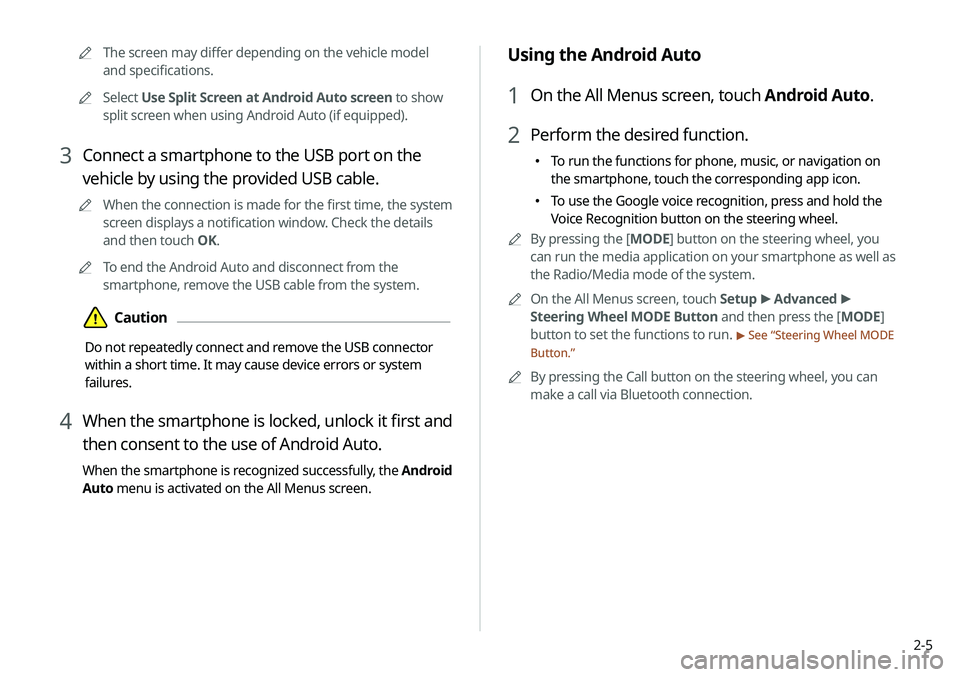
3 Connect a smartphone to the USB port on the
vehicle by using the provided USB cable.
0000
A
When the connection is made for the first time, the system
screen displays a notification window. Check the details
and then touch OK.
0000
A
To end the Android Auto and disconnect from the
smartphone, remove the USB cable from the system.
\334Caution
Do not repeatedly connect and remove the USB connector
within a short time. It may cause device errors or system
failures.
4 When the smartphone is locked, unlock it first and
then consent to the use of Android Auto.
When the smartphone is recognized successfully, the Android
Auto menu is activated on the All Menus screen.
Page 44 of 244
2-6
Pairing to an iPhone via Apple CarPlay
After you connect an iPhone to the vehicle with Apple CarPlay,
you can run and control applications on the phone through the
system screen.
1 To use Apple CarPlay, first check the following:
000EFor iPhone models that support Apple CarPlay, visit the
Apple website at https://www.apple.com/ios/carplay
.
000EMake sure Apple CarPlay and Siri are enabled in your
iPhone settings. If you do not see options for Apple
CarPlay or Siri, update to the latest iOS version.
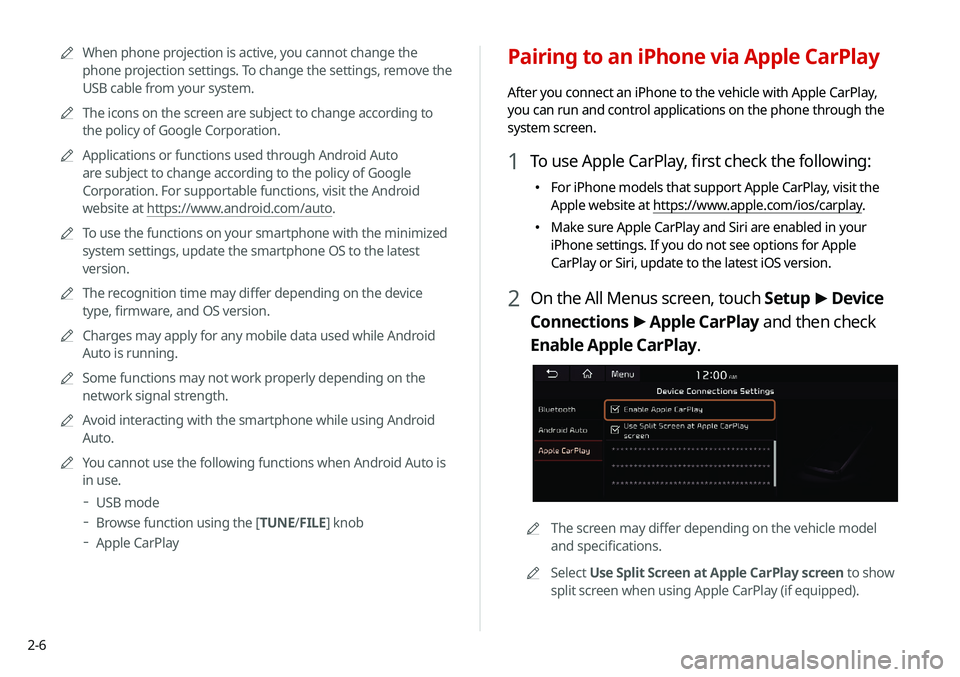
2 On the All Menus screen, touch Setup
>
Device
Connections >
Apple CarPlay and then check
Enable Apple CarPlay.
0000A The screen may differ depending on the vehicle model
and specifications.
0000
A
Select Use Split Screen at Apple CarPlay screen to show
split screen when using Apple CarPlay (if equipped).
0000
A
When phone projection is active, you cannot change the
phone projection settings. To change the settings, remove the
USB cable from your system.
0000
A
The icons on the screen are subject to change according to
the policy of Google Corporation.
0000
A
Applications or functions used through Android Auto
are subject to change according to the policy of Google
Corporation. For supportable functions, visit the Android
website at https://www.android.com/auto.
0000
A
To use the functions on your smartphone with the minimized
system settings, update the smartphone OS to the latest
version.
0000
A
The recognition time may differ depending on the device
type, firmware, and OS version.
0000
A
Charges may apply for any mobile data used while Android
Auto is running.
0000
A
Some functions may not work properly depending on the
network signal strength.
0000
A
Avoid interacting with the smartphone while using Android
Auto.
0000
A
You cannot use the following functions when Android Auto is
in use.
000DUSB mode
000DBrowse function using the [TUNE/
FILE] knob
000DApple CarPlay
Page 45 of 244
2-7
Using the Apple CarPlay
1 On the All Menus screen, touch Apple CarPlay.
2 Perform the desired function.
000ETo run any of functions (phone, messaging, navigation,
etc.) on your iPhone, touch the corresponding function
icon.
000ETo run the Siri voice recognition, press and hold the Voice
Recognition button on the steering wheel.
0000
A
To display the system Home screen, touch
.
0000
A
By pressing the [ MODE] button on the steering wheel, you
can run the media application on your smartphone as well as
the Radio/Media mode of the system.
0000
A
On the All Menus screen, touch Setup >
Advanced >
Steering Wheel MODE Button and then press the [ MODE]
button to set the functions to run.
> See “ Steering Wheel MODE
Button.”
0000
A
When you receive a call, press the Call button on the steering
wheel to answer it.
0000
A
When phone projection is active, you cannot change the
phone projection settings. To change the settings, remove the
USB cable from your system.
0000
A
Applications or functions used through Apple CarPlay
are subject to change according to the policy of Apple
Corporation. For supportable functions, visit the Apple
Corporation website at http://www.apple.com/ios/carplay .
3 Connect an iPhone to the USB port on the vehicle
by using the provided USB cable.
0000
A
When the connection is made for the first time, the system
screen displays a notification window. Check the details
and then touch OK.
0000
A
To end the Apple CarPlay and disconnect from the iPhone,
remove the USB cable from the system.
\334Caution
Do not repeatedly connect and remove the USB connector
within a short time. It may cause device errors or system
failures.
4 When the iPhone is locked, unlock it first and then
consent to the use of Apple CarPlay.
When the iPhone is recognized successfully, the Apple
CarPlay menu is activated on the All Menus screen.
Page 46 of 244
2-8
Using the driving assist display
You can see the view around the vehicle through the system
screen.0000
A
The displayed screen may differ depending on the vehicle
model.
\335Warning
When backing up, make sure to follow the guidelines below:
000EBefore entering your vehicle, always check the area behind
your vehicle.
000EDo not solely rely on the rear view camera when backing up.
Always ensure that it is safe to back up by checking behind
you and looking in the rearview mirrors.
000EAlways back up slowly and stop immediately if you suspect
that a person, especially a child, might be behind you.
\334Caution
Objects on the screen may not be as close or far as they appear.
Be sure to check the rear, left, and right sides with your own eyes
for safety.
0000
A
To use the functions on your smartphone with the minimized
system settings, update the smartphone OS to the latest
version.
0000
A
The recognition time may differ depending on the device
type, firmware, and OS version.
0000
A
Charges may apply for any mobile data used while Apple
CarPlay is running.
0000
A
Some functions may not work properly depending on the
network signal strength.
0000
A
Avoid interacting with the smartphone while using Apple
CarPlay.
0000
A
You cannot use the following functions when Apple CarPlay is
in use.
000DBluetooth
000DUSB mode
000DBrowse function using the [TUNE/
FILE] knob
000DAndroid Auto
Page 53 of 244
2-15
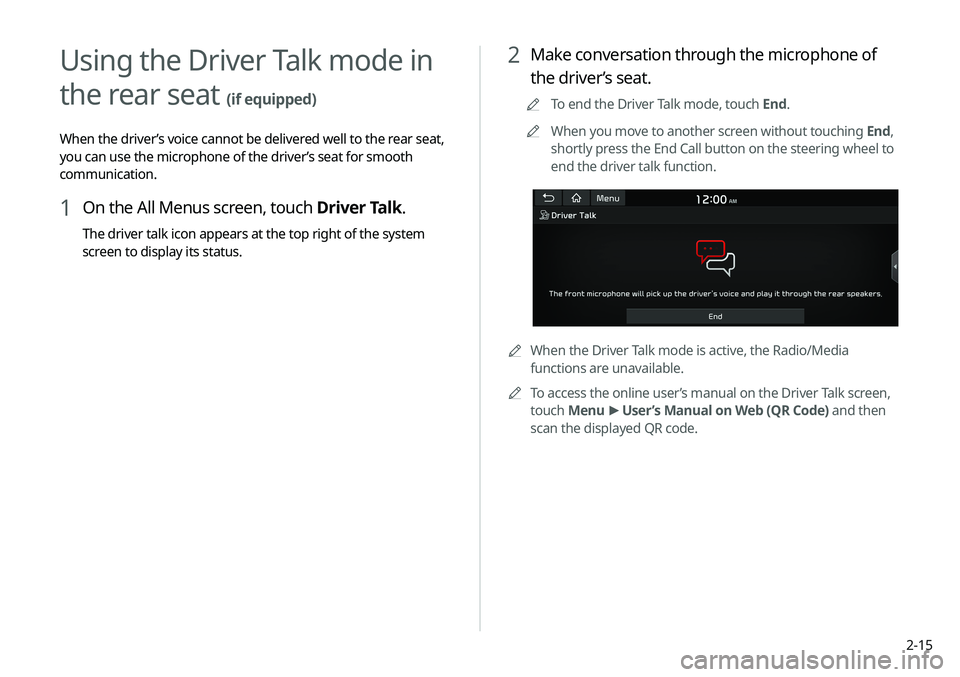
2 Make conversation through the microphone of
the driver’s seat.
0000
A
To end the Driver Talk mode, touch End.
0000
A
When you move to another screen without touching End,
shortly press the End Call button on the steering wheel to
end the driver talk function.
0000
A
When the Driver Talk mode is active, the Radio/Media
functions are unavailable.
0000
A
To access the online user’s manual on the Driver Talk screen,
touch Menu >
User’s Manual on Web (QR Code) and then
scan the displayed QR code.
Using the Driver Talk mode in
the rear seat
(if equipped)
When the driver’s voice cannot be delivered well to the rear seat,
you can use the microphone of the driver’s seat for smooth
communication.
1 On the All Menus screen, touch Driver Talk.
The driver talk icon appears at the top right of the system
screen to display its status.
Page 91 of 244
4-7
Listening to music via Bluetooth
To use a Bluetooth device for audio playback, connect a device
that supports Bluetooth communication such as mobile phone
and MP3 player.
For more information about Bluetooth connection:
> see “Connecting a Bluetooth device.”
0000
A
The controls or display screens may differ depending on the
connected Bluetooth device, phone model, and music player
application.
0000
A
The streaming may not be supported in some music player
applications.
0000
A
Some functions may not be available depending on the
connected Bluetooth device or phone model.
0000
A
When a media device or mobile phone is connected by both
the Bluetooth and USB cable at the same time, the device
or system may not work properly. To use the Bluetooth
connection, remove all cables from the device.
0000
A
When connecting a USB storage, do not use a separate
extension cable and directly connect to the USB port. When
you connect a USB storage via a USB hub or extension cable,
the device may not be recognized.
0000
A
Push the USB connector fully into the USB port. When the
connector is not fully inserted, a communication problem
may occur.
0000
A
Noise may occur when removing a USB device from the
system.
0000
A
You can play only the files that have been encoded in the
standard format.
0000
A
The following USB devices may not be recognized or may not
work properly.
000DEncrypted MP3 players
000DUSB devices that are not recognized as removable disks
0000
A
USB devices may not be recognized depending on the device
status.
0000
A
Some USB devices may not be supported due to compatibility
issues.
0000
A
USB device recognition may take longer than usual depending
on the device type, capacity, and file formats on the device.
0000
A
Some devices may not be charged through USB connection. It
depends on the USB specifications.
0000
A
You can hide files only in the USB device formatted in exFAT/
NTFS/FAT16/32. The hidden files can be found in the “Hidden_”
folder.
Page 120 of 244

5-26
4 After changing the information, touch Save.
Deleting a registered favorite place(s)
1 On the Navigation Menu screen, touch Address
Book.
2 Select the desired group.
3 Among the registered favorite places, select a
place to delete and touch Delete.
4 Select the destination(s) to delete and touch
Delete.
Editing the registered place
You can change the place name, phone number, and other
information of a favorite place.
1 On the Navigation Menu screen, touch Address
Book.
2 Select a group that contains the destination to
change at the left of the screen.
3 Touch Edit next to the place for information
change.
Page 124 of 244
5-30
Terms and Conditions
Personal Use Only. You agree to use this Product together
with COMPANY's authorized application for the solely personal,
non-commercial purposes for which you were licensed, and
not for service bureau, time-sharing or other similar purposes.
Accordingly, but subject to the restrictions set forth in the
following paragraphs, you agree not to otherwise reproduce,
copy, modify, decompile, disassemble, create any derivative
works of, or reverse engineer any portion of this Data, and may
not transfer or distribute it in any form, for any purpose, except
to the extent permitted by mandatory laws. You may not assign
this EULA or any of the rights or licenses granted under this EULA,
except when installed in the system for which it was created.
Restrictions. Except where you have been specifically licensed
to do so by COMPANY, and without limiting the preceding
paragraph, you may not use the Product (i) with any products,
systems, or applications installed or otherwise connected to or
in communication with vehicles, capable of vehicle navigation,
positioning, dispatch, real time route guidance, fleet management
or similar applications; or (ii) with or in communication with any
positioning devices or any mobile or wireless-connected electronic
or computer devices, including without limitation cellular phones,
palmtop and handheld computers, pagers, and personal digital
assistants or PDAs.COPYING OR USE OF THE PRODUCT EXCEPT AS PERMITTED
BY THIS EULA IS UNAUTHORIZED AND IS COPYRIGHT
INFRINGEMENT UNDER THE LAWS OF YOUR COUNTRY. IF
YOU COPY OR USE THE PRODUCT WITHOUT COMPANY'S
PERMISSION, EXCEPT AS PERMITTED BY THIS EULA, YOU ARE
VIOLATING THE LAW AND LIABLE TO COMPANY AND ITS
LICENSORS FOR DAMAGES, AND YOU MAY BE SUBJECT TO
CRIMINAL PENALTIES.
THE PRODUCT MAY INCLUDE ENFORCEMENT TECHNOLOGY
DESIGNED TO PREVENT (i) UNAUTHORIZED COPYING OF THE
PRODUCT ONTO PHYSICAL STORAGE MEDIA OR VIA TRANSFER
OVER THE INTERNET OR OTHER ELECTRONIC COMMUNICATION
MEANS AND/OR (ii) ILLEGAL USAGE OF THE PRODUCT OTHER
THAN BY A SPECIFICALLY AHTORIZED DEVICE. YOU AGREE THAT
COMPANY MAY USE THESE MEASURES TO PROTECT COMPANY
AND THE LICENSORS AGAINST COPYRIGHT INFRINGEMENT.
Uploads. The Product may provide functionality through which
you are able to upload certain information about your use of the
Product (collectively, "Uploads") to COMPANY's servers or receive
other services from COMPANY (collectively, the "Services"). If
you use such functionality, you authorize COMPANY to retain
your Uploads on its servers. COMPANY will have no obligation
to provide any Services, may change the form and nature of
any Services at any time with or without notice to you, will have
no liability whatsoever to you for any failure of the Product or
Services to transmit your Uploads to or from COMPANY's servers,
may cease providing any Services at any time with or without
notice to you, and will have no obligation to retain your Uploads (or
any other materials you may provide to COMPANY) on its servers
or return your Uploads (or any other materials you may provide
to COMPANY) to you before deleting them from its servers.