display KIA NIRO HYBRID EV 2022 Repair Manual
[x] Cancel search | Manufacturer: KIA, Model Year: 2022, Model line: NIRO HYBRID EV, Model: KIA NIRO HYBRID EV 2022Pages: 684, PDF Size: 9.67 MB
Page 400 of 684
573
Driving your vehicle
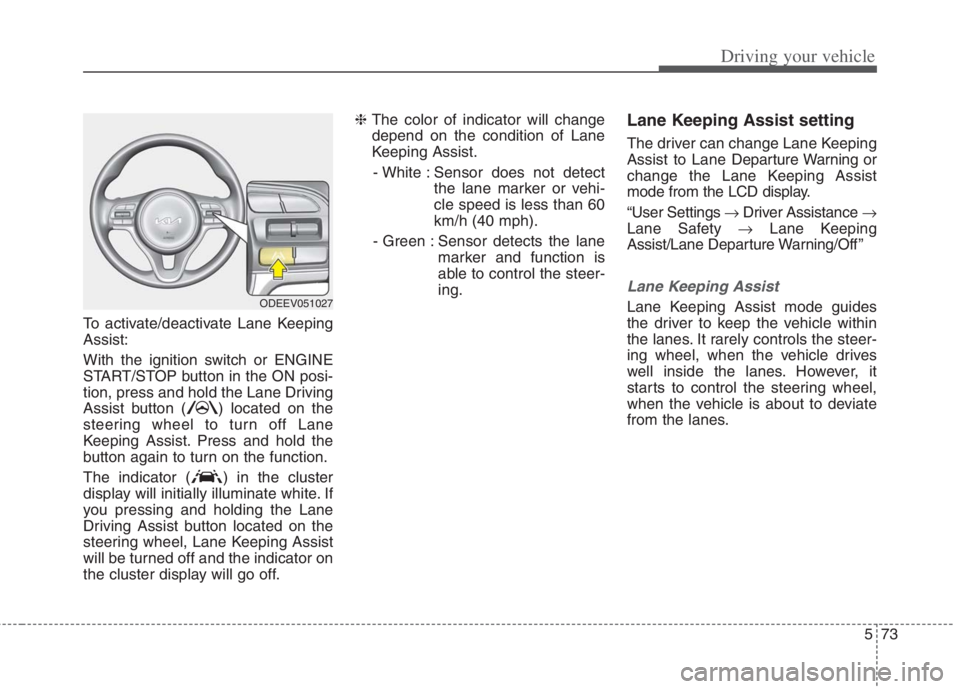
To activate/deactivate Lane Keeping
Assist:
With the ignition switch or ENGINE
START/STOP button in the ON posi-
tion, press and hold the Lane Driving
Assist button ( ) located on the
steering wheel to turn off Lane
Keeping Assist. Press and hold the
button again to turn on the function.
The indicator ( ) in the cluster
display will initially illuminate white. If
you pressing and holding the Lane
Driving Assist button located on the
steering wheel, Lane Keeping Assist
will be turned off and the indicator on
the cluster display will go off.❈ The color of indicator will change
depend on the condition of Lane
Keeping Assist.
- White : Sensor does not detect
the lane marker or vehi-
cle speed is less than 60
km/h (40 mph).
- Green : Sensor detects the lane
marker and function is
able to control the steer-
ing.
Lane Keeping Assist setting
The driver can change Lane Keeping
Assist to Lane Departure Warning or
change the Lane Keeping Assist
mode from the LCD display.
“User Settings Driver Assistance
Lane Safety Lane Keeping
Assist/Lane Departure Warning/Off ”
Lane Keeping Assist
Lane Keeping Assist mode guides
the driver to keep the vehicle within
the lanes. It rarely controls the steer-
ing wheel, when the vehicle drives
well inside the lanes. However, it
starts to control the steering wheel,
when the vehicle is about to deviate
from the lanes.ODEEV051027
Page 401 of 684
Driving your vehicle
74 5
Lane Departure Warning
Lane Departure Warning warns the
driver with a visual and acoustic
warning when the function detects
the vehicle leaving the lane. In this
mode, the steering wheel will not be
controlled. When the vehicle’s front
wheel contacts the inside edge of
lane line, the contacted line will be
displayed on the LCD display.
Off
If you select ‘Off’, it is the same with
pressing Lane Safety ( ) button
to release.
Lane Keeping Assist activa-
tion
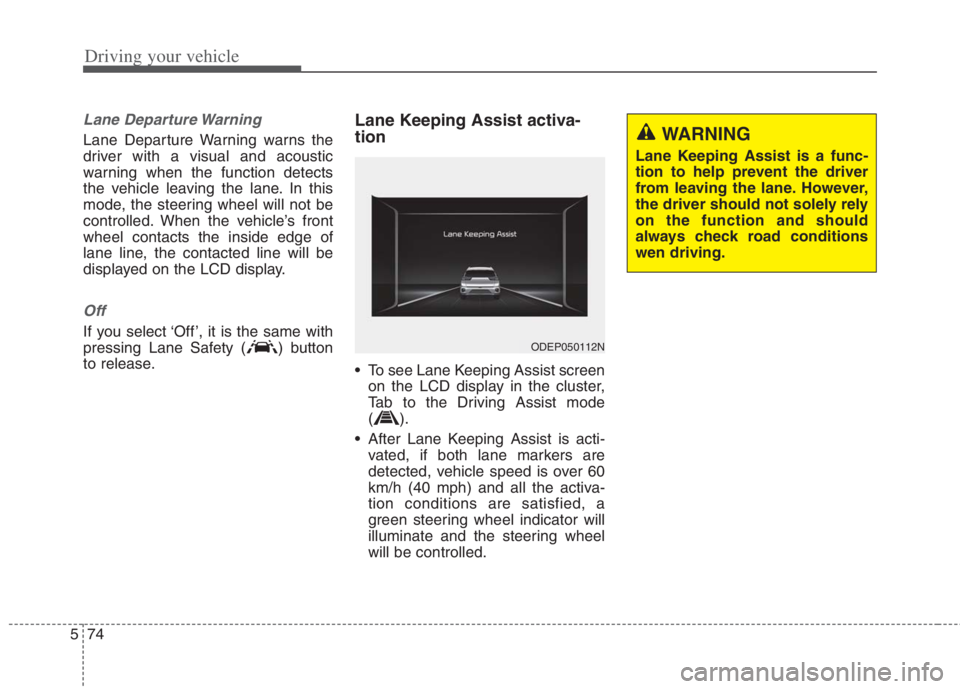
To see Lane Keeping Assist screen
on the LCD display in the cluster,
Tab to the Driving Assist mode
().
After Lane Keeping Assist is acti-
vated, if both lane markers are
detected, vehicle speed is over 60
km/h (40 mph) and all the activa-
tion conditions are satisfied, a
green steering wheel indicator will
illuminate and the steering wheel
will be controlled.
ODEP050112N
WARNING
Lane Keeping Assist is a func-
tion to help prevent the driver
from leaving the lane. However,
the driver should not solely rely
on the function and should
always check road conditions
wen driving.
Page 402 of 684
575
Driving your vehicle
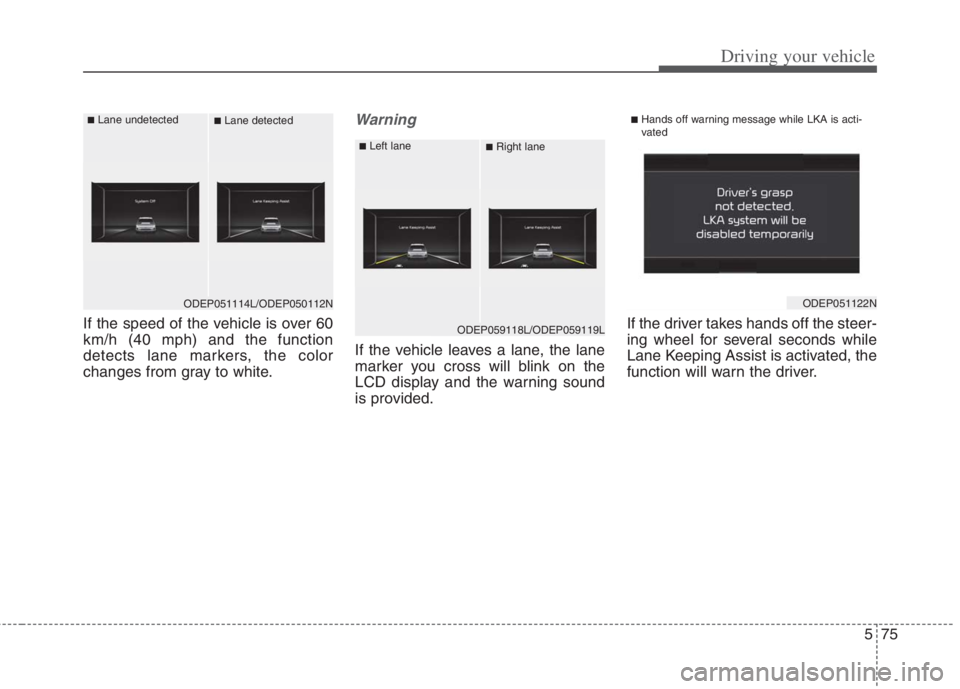
If the speed of the vehicle is over 60
km/h (40 mph) and the function
detects lane markers, the color
changes from gray to white.
Warning
If the vehicle leaves a lane, the lane
marker you cross will blink on the
LCD display and the warning sound
is provided.If the driver takes hands off the steer-
ing wheel for several seconds while
Lane Keeping Assist is activated, the
function will warn the driver.
ODEP059118L/ODEP059119L
■Left lane■Right lane
ODEP051122N
■Hands off warning message while LKA is acti-
vated
ODEP051114L/ODEP050112N
■Lane undetected■Lane detected
Page 410 of 684
583
Driving your vehicle
Warning message and func-
tion control
Blind-Spot Collision Warning
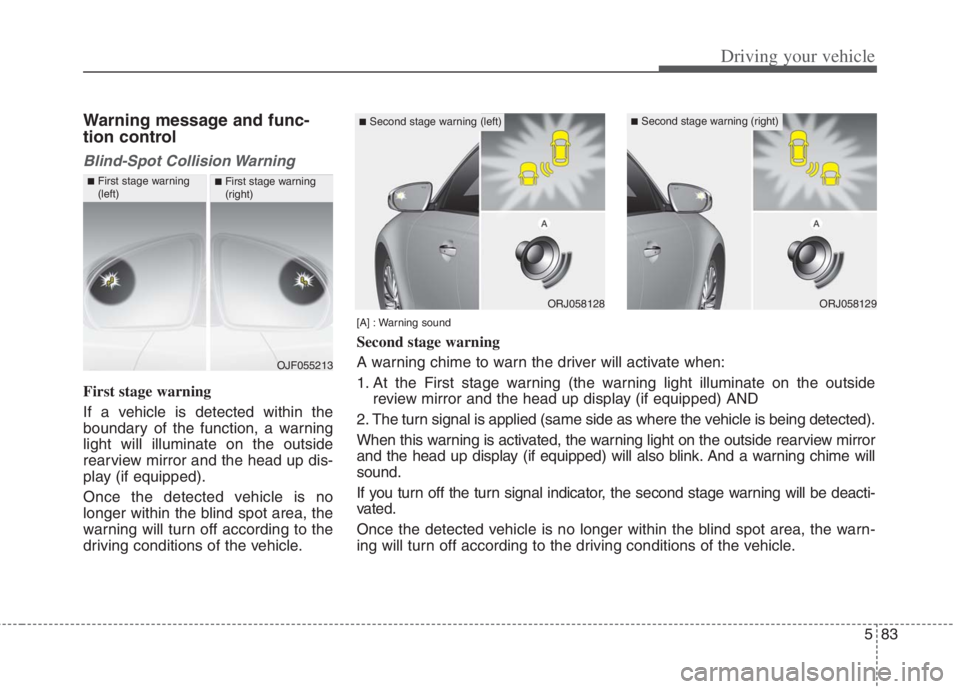
First stage warning
If a vehicle is detected within the
boundary of the function, a warning
light will illuminate on the outside
rearview mirror and the head up dis-
play (if equipped).
Once the detected vehicle is no
longer within the blind spot area, the
warning will turn off according to the
driving conditions of the vehicle.
OJF055213
■First stage warning
(left)■First stage warning
(right)
ORJ058128ORJ058129
[A] : Warning sound
Second stage warning
A warning chime to warn the driver will activate when:
1. At the First stage warning (the warning light illuminate on the outside
review mirror and the head up display (if equipped) AND
2. The turn signal is applied (same side as where the vehicle is being detected).
When this warning is activated, the warning light on the outside rearview mirror
and the head up display (if equipped) will also blink. And a warning chime will
sound.
If you turn off the turn signal indicator, the second stage warning will be deacti-
vated.
Once the detected vehicle is no longer within the blind spot area, the warn-
ing will turn off according to the driving conditions of the vehicle.
■Second stage warning (left)■Second stage warning (right)
Page 412 of 684
585
Driving your vehicle
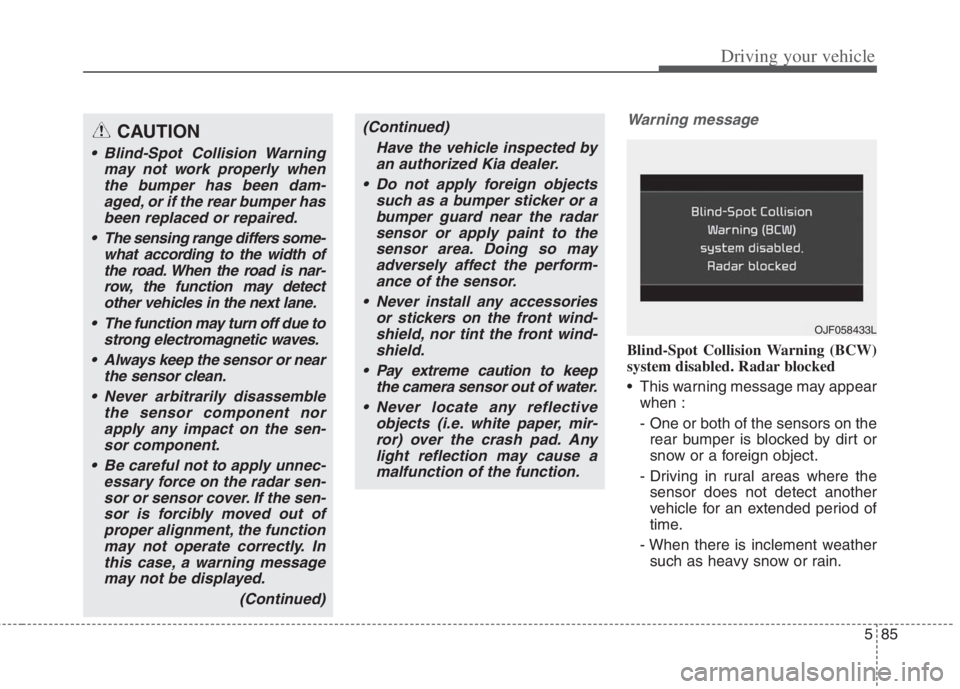
Warning message
Blind-Spot Collision Warning (BCW)
system disabled. Radar blocked
This warning message may appear
when :
- One or both of the sensors on the
rear bumper is blocked by dirt or
snow or a foreign object.
- Driving in rural areas where the
sensor does not detect another
vehicle for an extended period of
time.
- When there is inclement weather
such as heavy snow or rain.
CAUTION
Blind-Spot Collision Warning
may not work properly when
the bumper has been dam-
aged, or if the rear bumper has
been replaced or repaired.
The sensing range differs some-
what according to the width of
the road. When the road is nar-
row, the function may detect
other vehicles in the next lane.
The function may turn off due to
strong electromagnetic waves.
Always keep the sensor or near
the sensor clean.
Never arbitrarily disassemble
the sensor component nor
apply any impact on the sen-
sor component.
Be careful not to apply unnec-
essary force on the radar sen-
sor or sensor cover. If the sen-
sor is forcibly moved out of
proper alignment, the function
may not operate correctly. In
this case, a warning message
may not be displayed.
(Continued)
(Continued)
Have the vehicle inspected by
an authorized Kia dealer.
Do not apply foreign objects
such as a bumper sticker or a
bumper guard near the radar
sensor or apply paint to the
sensor area. Doing so may
adversely affect the perform-
ance of the sensor.
Never install any accessories
or stickers on the front wind-
shield, nor tint the front wind-
shield.
Pay extreme caution to keep
the camera sensor out of water.
Never locate any reflective
objects (i.e. white paper, mir-
ror) over the crash pad. Any
light reflection may cause a
malfunction of the function.
OJF058433L
Page 418 of 684
591
Driving your vehicle
Basic function
Driver Attention Warning can help
determine the driver's attention level
by analyzing driving pattern and driv-
ing time while vehicle is being driven.
Driver Attention Warning will recom-
mend a break when the driver's
attention level falls below a certain
level.
Leading Vehicle Departure
Alert function
Leading Vehicle Departure Alert
function will inform the driver when
a detected vehicle in front departs
from a stop.
Driver Attention Warning setting
To turn ON Driver Attention
Warning, turn on the engine, and
then selecting “User Settings
Driver Assistance Driver
Attention Warning Low Activity
Warning” on the LCD display.
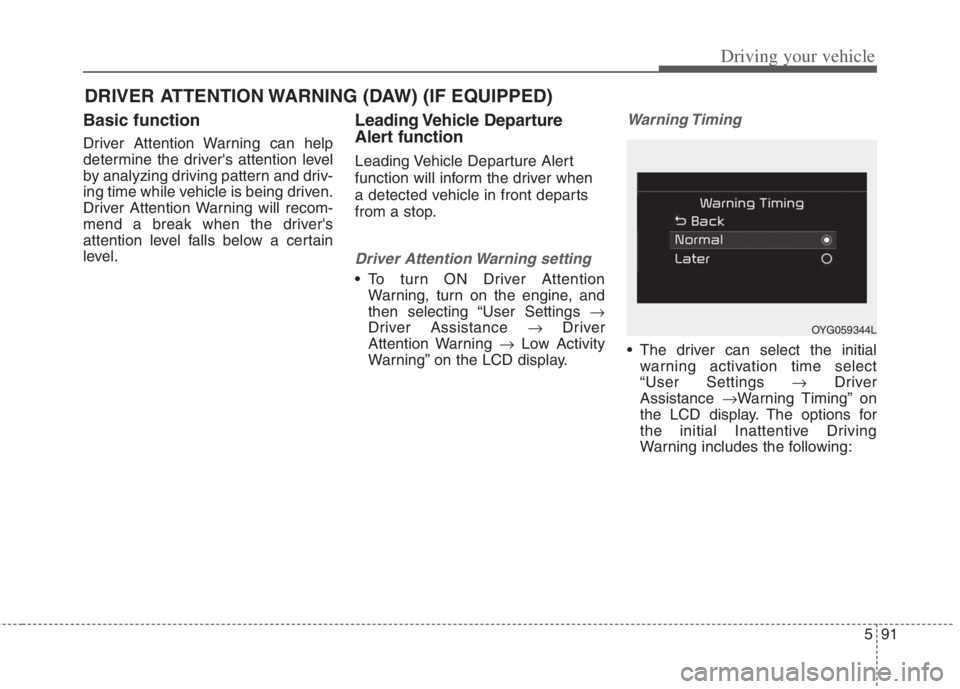
Warning Timing
The driver can select the initial
warning activation time select
“User Settings Driver
Assistance Warning Timing” on
the LCD display. The options for
the initial Inattentive Driving
Warning includes the following:
DRIVER ATTENTION WARNING (DAW) (IF EQUIPPED)
OYG059344L
Page 419 of 684
Driving your vehicle
92 5
- Normal :
Driver Attention Warning helps
warn the driver of his/her fatigue
level or inattentive driving practices
faster than ‘Later’ mode.
- Later :
Driver Attention Warning helps
warn the driver of his/her fatigue
level or inattentive driving practices
later than Normal mode.
The set-up of Driver Attention
Warning will be maintained, as
selected, when the engine is re-
started.
✽ ✽
NOTICE
Other driver assistance systems like
Forward Collision-Avoidance Assist,
etc. can be changed when warning
time setting is changed.
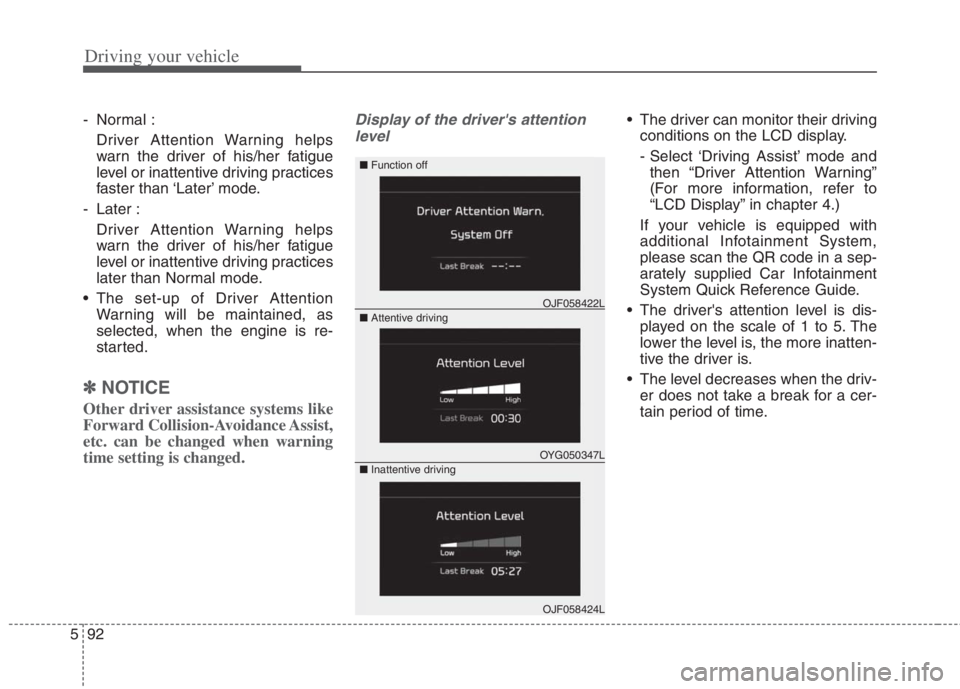
Display of the driver's attention
level The driver can monitor their driving
conditions on the LCD display.
- Select ‘Driving Assist’ mode and
then “Driver Attention Warning”
(For more information, refer to
“LCD Display” in chapter 4.)
If your vehicle is equipped with
additional Infotainment System,
please scan the QR code in a sep-
arately supplied Car Infotainment
System Quick Reference Guide.
The driver's attention level is dis-
played on the scale of 1 to 5. The
lower the level is, the more inatten-
tive the driver is.
The level decreases when the driv-
er does not take a break for a cer-
tain period of time.
OYG050347L
OJF058422L
OJF058424L
■ Function off
■ Attentive driving
■ Inattentive driving
Page 421 of 684
Driving your vehicle
94 5
WARNING
Driver Attention Warning is
not a substitute for safe driv-
ing practices, but a conven-
ience function only. It is the
driver's responsibility to
always drive cautiously and
safely.
A fatigued driver should take
a break, even if there is no
suggestion to do so by Driver
Attention Warning.
Driver Attention Warning standby
Driver Attention Warning enters the
ready status and displays the
‘Standby’ screen in the following situ-
ations.
- Driving speed is over 180 km/h
(110 mph).
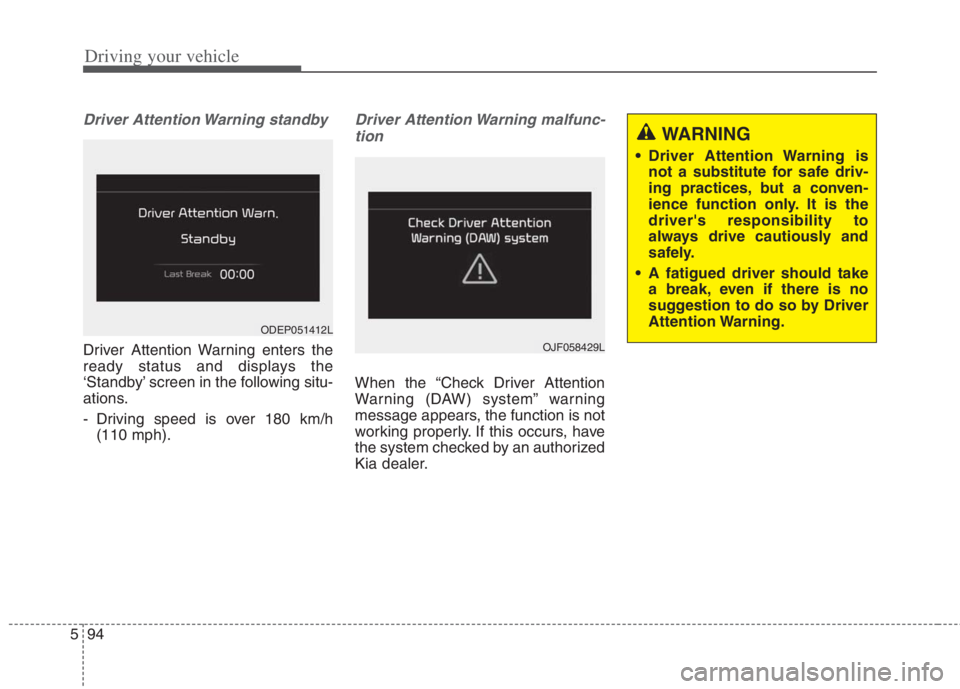
Driver Attention Warning malfunc-
tion
When the “Check Driver Attention
Warning (DAW) system” warning
message appears, the function is not
working properly. If this occurs, have
the system checked by an authorized
Kia dealer.
OJF058429L
ODEP051412L
Page 423 of 684
WARNING
Driver Attention Warning is a
driver assistance device and
may not warn the driver even
after the leading vehicle's
departure.
Even if you are warned of the
leading vehicle's departure,
always check the traffic condi-
tions yourself before safely
moving the vehicle.
Driving your vehicle
96 5
Leading Vehicle Departure
Alert
This function reminds the driver the
leading vehicle’s driving departure
after stopping.
Driver Attention Warning setting
With the vehicle ON, Leading Vehicle
Departure Alert function turns on and
gets ready to be activated when the
“User Settings Driver Assistance
Driver Attention Warning Leading
Vehicle Departure Alert” is selected on
the cluster. The function stops opera-
tion when the setting is deactivated.
However, if the vehicle is turned off
then onagain, the function maintains
the previous state.
Operating conditions
If the driver does not take action for a
certain period of time after the vehi-
cle in front departs, the “Leading
vehicle is driving away” message is
displayed on the cluster.
(Continued)
The vehicle drives on a curvy
road.
The vehicle drives on a bumpy
road.
The vehicle drives through a
windy area.
The vehicle is controlled by
the other driver assistance
systems such as Lane
Keeping Assist.
Page 430 of 684
5103
Driving your vehicle
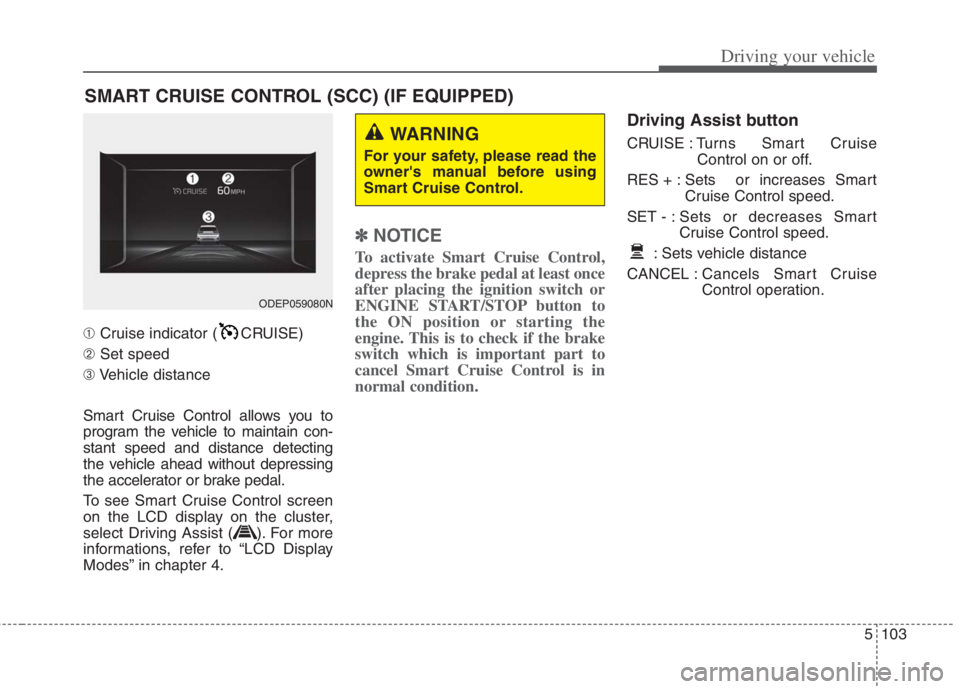
➀Cruise indicator ( CRUISE)
➁Set speed
➂Vehicle distance
Smart Cruise Control allows you to
program the vehicle to maintain con-
stant speed and distance detecting
the vehicle ahead without depressing
the accelerator or brake pedal.
To see Smart Cruise Control screen
on the LCD display on the cluster,
select Driving Assist ( ). For more
informations, refer to “LCD Display
Modes” in chapter 4.
✽ ✽
NOTICE
To activate Smart Cruise Control,
depress the brake pedal at least once
after placing the ignition switch or
ENGINE START/STOP button to
the ON position or starting the
engine. This is to check if the brake
switch which is important part to
cancel Smart Cruise Control is in
normal condition.
Driving Assist button
CRUISE : Turns Smart Cruise
Control on or off.
RES + : Sets or increases Smart
Cruise Control speed.
SET - : Sets or decreases Smart
Cruise Control speed.
: Sets vehicle distance
CANCEL :Cancels Smart Cruise
Control operation.
SMART CRUISE CONTROL (SCC) (IF EQUIPPED)
WARNING
For your safety, please read the
owner's manual before using
Smart Cruise Control.
ODEP059080N