lane assist KIA NIRO HYBRID EV 2022 Owners Manual
[x] Cancel search | Manufacturer: KIA, Model Year: 2022, Model line: NIRO HYBRID EV, Model: KIA NIRO HYBRID EV 2022Pages: 684, PDF Size: 9.67 MB
Page 218 of 684
Features of your vehicle
80 4
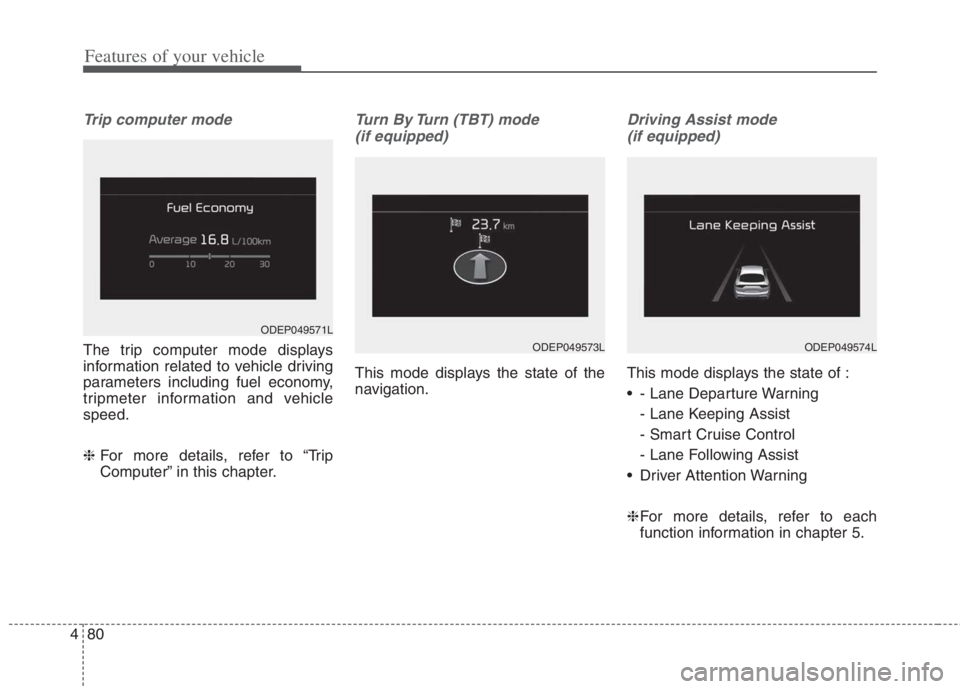
Trip computer mode
The trip computer mode displays
information related to vehicle driving
parameters including fuel economy,
tripmeter information and vehicle
speed.
❈ For more details, refer to “Trip
Computer” in this chapter.
Turn By Turn (TBT) mode
(if equipped)
This mode displays the state of the
navigation.
Driving Assist mode
(if equipped)
This mode displays the state of :
- Lane Departure Warning
- Lane Keeping Assist
- Smart Cruise Control
- Lane Following Assist
Driver Attention Warning
❈For more details, refer to each
function information in chapter 5.
ODEP049571L
ODEP049574LODEP049573L
Page 219 of 684
481
Features of your vehicle
Tire Pressure
❈For more details, refer to “Tire
Pressure Monitoring System
(TPMS)” in chapter 6.Master warning mode
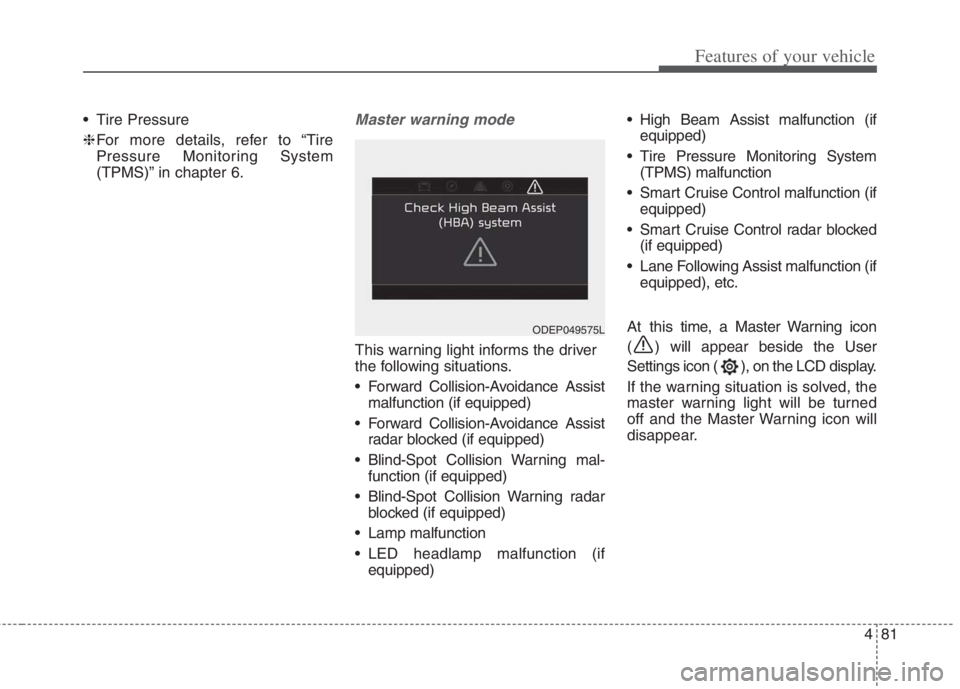
This warning light informs the driver
the following situations.
Forward Collision-Avoidance Assist
malfunction (if equipped)
Forward Collision-Avoidance Assist
radar blocked (if equipped)
Blind-Spot Collision Warning mal-
function (if equipped)
Blind-Spot Collision Warning radar
blocked (if equipped)
Lamp malfunction
LED headlamp malfunction (if
equipped) High Beam Assist malfunction (if
equipped)
Tire Pressure Monitoring System
(TPMS) malfunction
Smart Cruise Control malfunction (if
equipped)
Smart Cruise Control radar blocked
(if equipped)
Lane Following Assist malfunction (if
equipped), etc.
At this time, a Master Warning icon
( ) will appear beside the User
Settings icon ( ), on the LCD display.
If the warning situation is solved, the
master warning light will be turned
off and the Master Warning icon will
disappear.
ODEP049575L
Page 221 of 684
483
Features of your vehicle
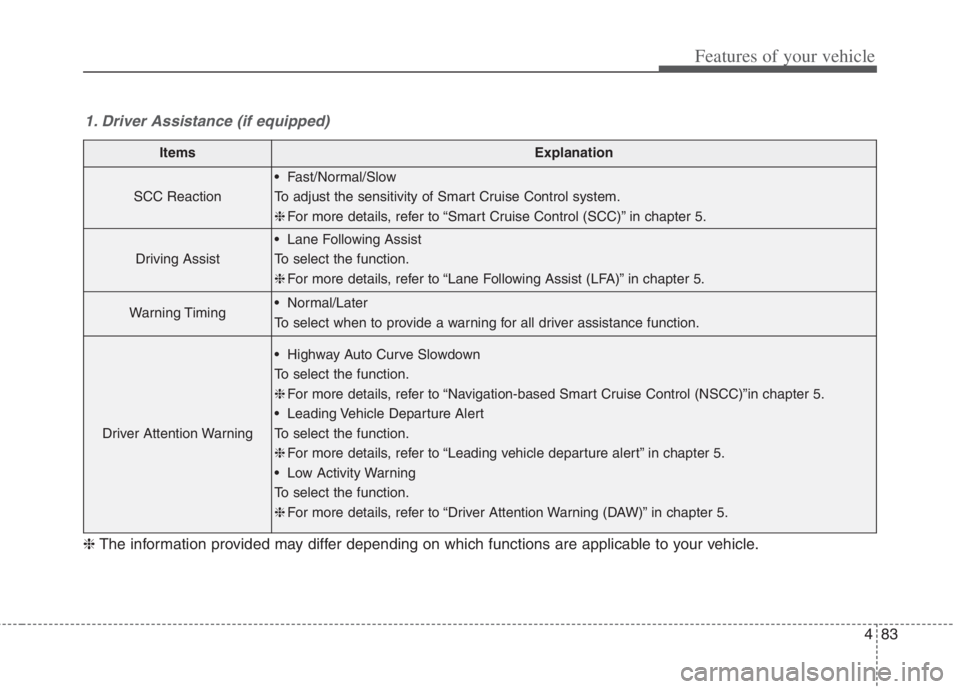
1. Driver Assistance (if equipped)
ItemsExplanation
SCC Reaction
Fast/Normal/Slow
To adjust the sensitivity of Smart Cruise Control system.
❈For more details, refer to “Smart Cruise Control (SCC)” in chapter 5.
Driving Assist
Lane Following Assist
To select the function.
❈For more details, refer to “Lane Following Assist (LFA)” in chapter 5.
Warning Timing Normal/Later
To select when to provide a warning for all driver assistance function.
Driver Attention Warning
Highway Auto Curve Slowdown
To select the function.
❈For more details, refer to “Navigation-based Smart Cruise Control (NSCC)”in chapter 5.
Leading Vehicle Departure Alert
To select the function.
❈For more details, refer to “Leading vehicle departure alert” in chapter 5.
Low Activity Warning
To select the function.
❈For more details, refer to “Driver Attention Warning (DAW)” in chapter 5.
❈The information provided may differ depending on which functions are applicable to your vehicle.
Page 222 of 684
Features of your vehicle
84 4
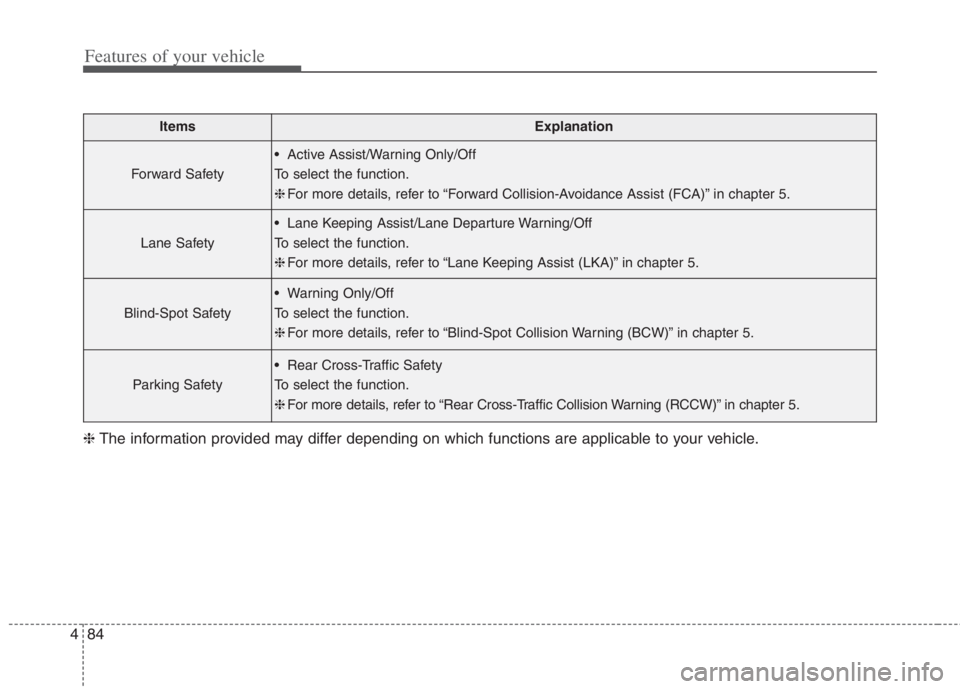
ItemsExplanation
Forward Safety
Active Assist/Warning Only/Off
To select the function.
❈For more details, refer to “Forward Collision-Avoidance Assist (FCA)” in chapter 5.
Lane Safety
Lane Keeping Assist/Lane Departure Warning/Off
To select the function.
❈For more details, refer to “Lane Keeping Assist (LKA)” in chapter 5.
Blind-Spot Safety
Warning Only/Off
To select the function.
❈For more details, refer to “Blind-Spot Collision Warning (BCW)” in chapter 5.
Parking Safety
Rear Cross-Traffic Safety
To select the function.
❈For more details, refer to “Rear Cross-Traffic Collision Warning (RCCW)” in chapter 5.
❈The information provided may differ depending on which functions are applicable to your vehicle.
Page 252 of 684
Features of your vehicle
114 4
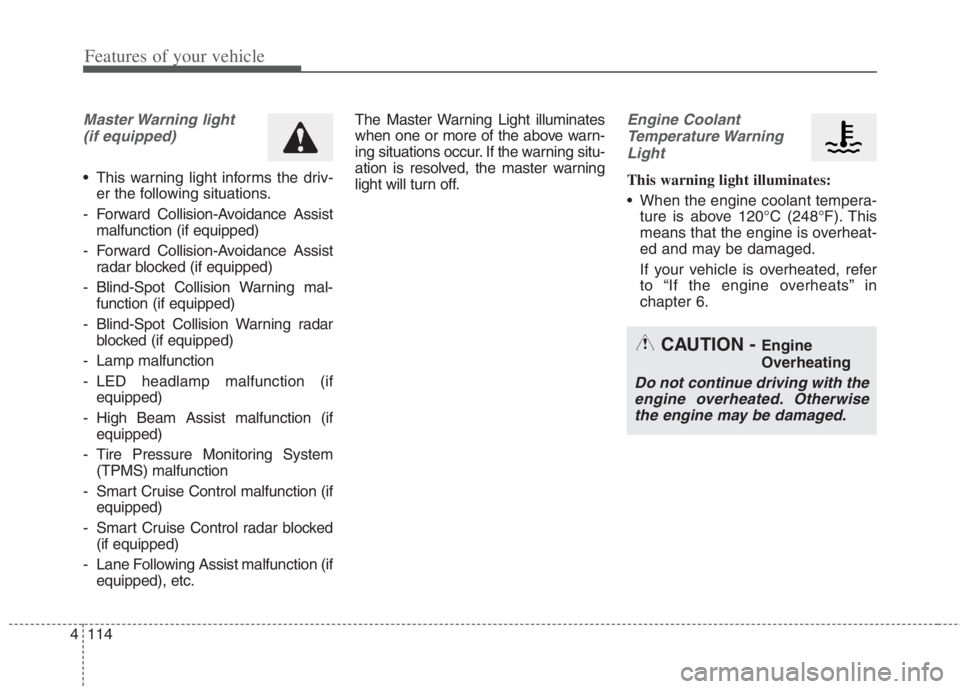
Master Warning light
(if equipped)
This warning light informs the driv-
er the following situations.
- Forward Collision-Avoidance Assist
malfunction (if equipped)
- Forward Collision-Avoidance Assist
radar blocked (if equipped)
- Blind-Spot Collision Warning mal-
function (if equipped)
- Blind-Spot Collision Warning radar
blocked (if equipped)
- Lamp malfunction
- LED headlamp malfunction (if
equipped)
- High Beam Assist malfunction (if
equipped)
- Tire Pressure Monitoring System
(TPMS) malfunction
- Smart Cruise Control malfunction (if
equipped)
- Smart Cruise Control radar blocked
(if equipped)
- Lane Following Assist malfunction (if
equipped), etc.The Master Warning Light illuminates
when one or more of the above warn-
ing situations occur. If the warning situ-
ation is resolved, the master warning
light will turn off.
Engine Coolant
Temperature Warning
Light
This warning light illuminates:
When the engine coolant tempera-
ture is above 120°C (248°F). This
means that the engine is overheat-
ed and may be damaged.
If your vehicle is overheated, refer
to “If the engine overheats” in
chapter 6.
CAUTION - Engine
Overheating
Do not continue driving with the
engine overheated. Otherwise
the engine may be damaged.
Page 258 of 684
Features of your vehicle
120 4
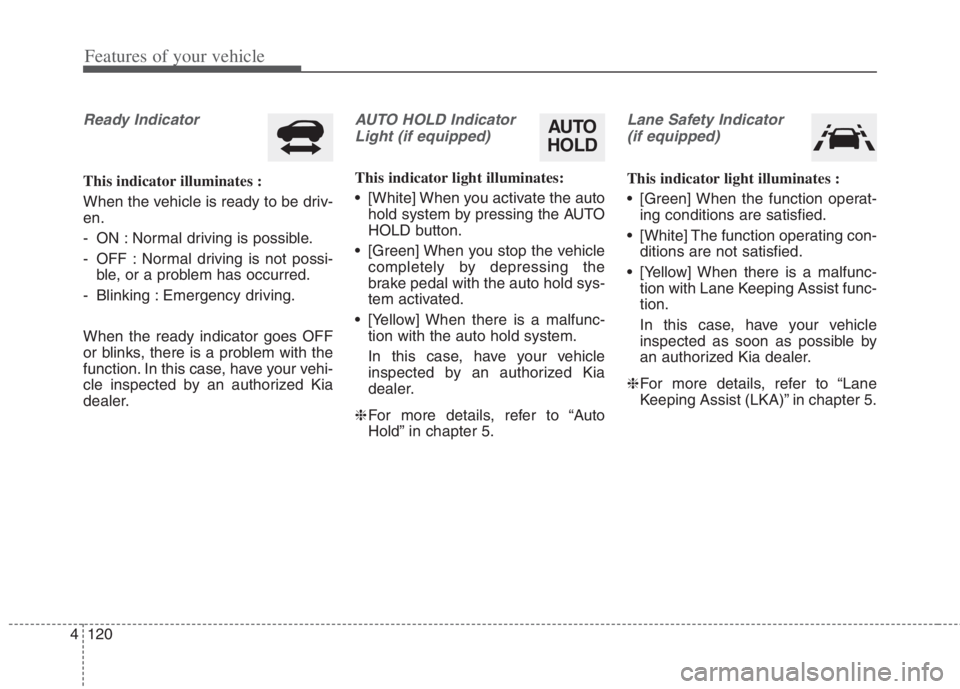
Ready Indicator
This indicator illuminates :
When the vehicle is ready to be driv-
en.
- ON : Normal driving is possible.
- OFF : Normal driving is not possi-
ble, or a problem has occurred.
- Blinking : Emergency driving.
When the ready indicator goes OFF
or blinks, there is a problem with the
function. In this case, have your vehi-
cle inspected by an authorized Kia
dealer.
AUTO HOLD Indicator
Light (if equipped)
This indicator light illuminates:
[White] When you activate the auto
hold system by pressing the AUTO
HOLD button.
[Green] When you stop the vehicle
completely by depressing the
brake pedal with the auto hold sys-
tem activated.
[Yellow] When there is a malfunc-
tion with the auto hold system.
In this case, have your vehicle
inspected by an authorized Kia
dealer.
❈For more details, refer to “Auto
Hold” in chapter 5.
Lane Safety Indicator
(if equipped)
This indicator light illuminates :
[Green] When the function operat-
ing conditions are satisfied.
[White] The function operating con-
ditions are not satisfied.
[Yellow] When there is a malfunc-
tion with Lane Keeping Assist func-
tion.
In this case, have your vehicle
inspected as soon as possible by
an authorized Kia dealer.
❈For more details, refer to “Lane
Keeping Assist (LKA)” in chapter 5.
AUTO
HOLD
Page 274 of 684
Features of your vehicle
136 4
The system may not operate normal-
ly in the below conditions.
When the light from the on-coming
or front vehicle is not detected
because of lamp damage, hidden
from sight, etc.
When the lamp of the on-coming or
front vehicle is covered with dust,
snow or water.
When the light from the on-coming
or front vehicle is not detected
because of exhaust fume, smoke,
fog, snow, etc.
When the front window is covered
with foreign matters such as ice,
dust, fog, or is damaged.
When there is a similar shape lamp
with the front vehicle’s lamps.
When it is hard to see because of
fog, heavy rain or snow.
When the headlamp is not repaired
or replaced at an authorized deal-
er.
When headlamp aiming is not
properly adjusted.
When driving on a narrow curved
road or rough road. When driving downhill or uphill.
When only part of the vehicle in
front is visible on a crossroad or
curved road.
When there is a traffic light, reflect-
ing sign, flashing sign or mirror.
When the road conditions are bad
such as being wet or covered with
snow.
When the front vehicle’s head-
lamps are off but the fog lamps on.
When a vehicle suddenly appears
from a curve.
When the vehicle is tilted from a
flat tire or being towed.
When the Lane Keeping Assist
system warning light illuminates. (if
equipped)✽ ✽
NOTICE
• Do not place any accessories,
stickers or tint the windshield.
• Have the windshield glass replaced
from an authorized dealer.
• Do not remove or damage related
parts of High Beam Assist.
• Be careful that water doesn’t get
into the High Beam Assist unit.
• Do not place objects on the dash-
board that reflect light such as
mirrors, white paper, etc. The
function may malfunction if sun-
light is reflected.
• At times, High Beam Assist may
not work properly, always check
the road conditions for your safe-
ty. When the function does not
operate normally, manually
change between the high beam
and low beam.
Page 328 of 684
Driving your vehicle
Before driving . . . . . . . . . . . . . . . . . . . . . . . . . . . . . . 5-5
• Before entering vehicle . . . . . . . . . . . . . . . . . . . . . . . . . 5-5
. . . . . . . . . . . . . . . . . . . . . . . . . . 5-5
. . . . . . . . . . . . . . . . . . . . . . . . . . . . . . . 5-5
Key positions . . . . . . . . . . . . . . . . . . . . . . . . . . . . . . . 5-7
. . . . . . . . . . . . . . . . . . . . . . 5-7
. . . . . . . . . . . . . . . . . . . . . . . . . 5-7
. . . . . . . . . . . . . . . . . . . . . . 5-9
ENGINE START/STOP button . . . . . . . . . . . . . . 5-11
. . . . . . 5-11
. . . . . . . . . . 5-11
. . . . . . . . . . . . . . . . . . . . . 5-13
Dual Clutch Transmission (DCT) . . . . . . . . . . . . . 5-16
. . . . . . . . . . . . . 5-16
. . . . . . . . . . . . . . . . . . . . . . . . 5-26
Regenerative braking system . . . . . . . . . . . . . . . . 5-28
. . . . . . . . . . . 5-28
Brake system . . . . . . . . . . . . . . . . . . . . . . . . . . . . . . 5-31
. . . . . . . . . . . . . . . . . . . . . . . . . . . . . . . . 5-31
. . . . . . . . . . . . . . . . . . . . . 5-33
. . . . . . . . . . . . . . . . 5-35
. . . . . . . . . . . . . . . . . . . . . . . . . . . . . . . . 5-41
. . . . . . . . . . . . . . . . . . . . . . . . . . . . 5-43
. . . . . . . . . . . . . . . . . . 5-45
. . . . . . . . . . . . . . 5-47 . . . . . . . . . . . . 5-51
. . . . . . . . . . . . . . . . . 5-52
Forward Collision-Avoidance Assist (FCA)
(Sensor fusion) . . . . . . . . . . . . . . . . . . . . . . . . . . . 5-54
activation . . . . . . . . . . . . . . . . . . . . . . . . . . . . . . . . . . 5-54\
and function control . . . . . . . . . . . . . . . . . . . . . . . . . 5-57
. . . . . . . . . . . . . . . . . . . . . . . . . . . . . . 5-59
a/Front radar) . 5-59
. . 5-61
. 5-63
Lane Keeping Assist (LKA). . . . . . . . . . . . . . . . . . 5-71
. . . . . . . . . . . . . . . . . . . . 5-73
. . . . . . . . . . . . . . . . . 5-74
. . . . . . . . . . . . . . . 5-77
Blind-Spot Collision Warning (BCW) . . . . . . . . . 5-80
. 5-81
. . . . . . . . . . . 5-83
Driver Attention Warning (DAW). . . . . . . . . . . . . 5-91
. . . . . . . 5-91
. . . . . . . . . . . . . . . . 5-96
5
Page 329 of 684
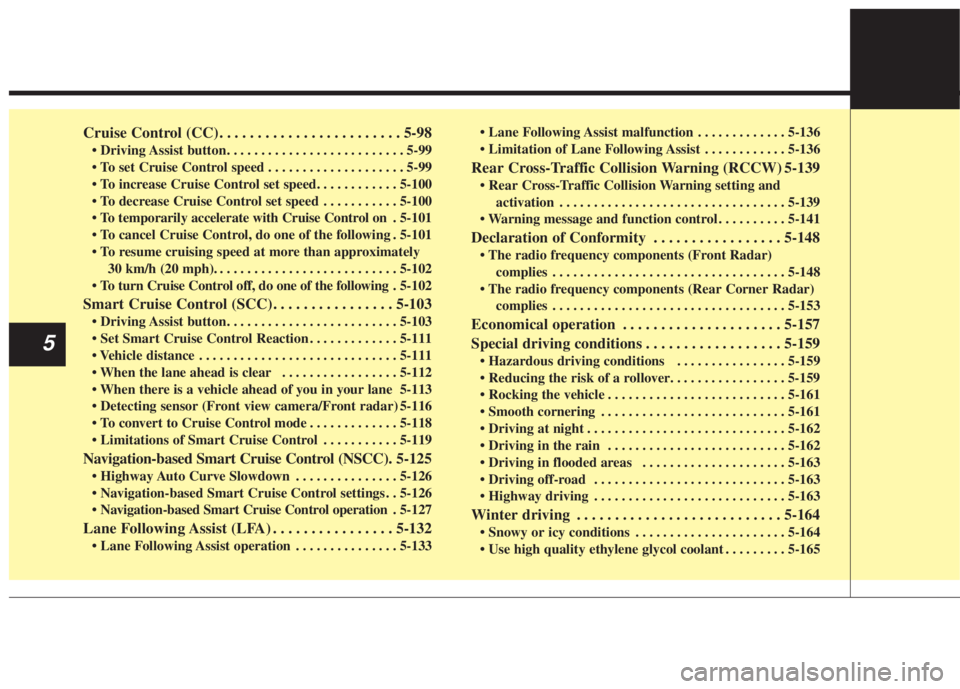
Cruise Control (CC). . . . . . . . . . . . . . . . . . . . . . . . 5-98
. . . . . . . . . . . . . . . . . . . . 5-99
. . . . . . . . . . . 5-100
. 5-101
do one of the following . 5-101
30 km/h (20 mph). . . . . . . . . . . . . . . . . . . . . . . . . . . 5-102
do one of the following . 5-102
Smart Cruise Control (SCC). . . . . . . . . . . . . . . . 5-103
. . . . . . . . . . . . . 5-111
. . . . . . . . . . . . . . . . . . . . . . . . . . . . . 5-111
. . . . . . . . . . . . . . . . . 5-112
5-113
5-116
. . . . . . . . . . . . . 5-118
. . . . . . . . . . . 5-119
Navigation-based Smart Cruise Control (NSCC). 5-125
. . . . . . . . . . . . . . . 5-126
. . 5-126
. 5-127
Lane Following Assist (LFA) . . . . . . . . . . . . . . . . 5-132
. . . . . . . . . . . . . . . 5-133 . . . . . . . . . . . . . 5-136
. . . . . . . . . . . . 5-136
Rear Cross-Traffic Collision Warning (RCCW) 5-139
activation . . . . . . . . . . . . . . . . . . . . . . . . . . . . . . . . . 5-139
. . . . . . . . . . 5-141
Declaration of Conformity . . . . . . . . . . . . . . . . . 5-148
complies . . . . . . . . . . . . . . . . . . . . . . . . . . . . . . . . . . 5-14\
8
complies . . . . . . . . . . . . . . . . . . . . . . . . . . . . . . . . . . 5-15\
3
Economical operation . . . . . . . . . . . . . . . . . . . . . 5-157
Special driving conditions . . . . . . . . . . . . . . . . . . 5-159
. . . . . . . . . . . . . . . . 5-159
. . . . . . . . . . . . . . . . . . . . . . . . . . 5-161
. . . . . . . . . . . . . . . . . . . . . . . . . . . 5-161
. . . . . . . . . . . . . . . . . . . . . . . . . . . . . 5-162
. . . . . . . . . . . . . . . . . . . . . . . . . . 5-162
. . . . . . . . . . . . . . . . . . . . . 5-163
. . . . . . . . . . . . . . . . . . . . . . . . . . . . 5-163
. . . . . . . . . . . . . . . . . . . . . . . . . . . . 5-163
Winter driving . . . . . . . . . . . . . . . . . . . . . . . . . . . 5-164
. . . . . . . . . . . . . . . . . . . . . . 5-164
. . . . . . . . . 5-165
5
Page 387 of 684
Driving your vehicle
60 5
In bad weather conditions such as
heavy rain, heavy snow, and fog, or
when sensor is covered by foreign
material, dust, tec., the sensors will
be degraded and the function will be
temporarily disabled.
Always keep the sensor clean.✽ ✽
NOTICE
• Do not install any accessories,
such as license plate molding or
sticker, on the sensor area. Nor
arbitrarily replace the bumper.
Those may adversely affect the
sensing performance.
• Always keep the sensor/bumper
area clean.
• Use only soft cloths to wash the
vehicle. Also, do not spray highly-
pressurized water on the sensor
installed on the bumper.
• Be careful not to apply unneces-
sary force on the frontal sensor
area. When the sensor moves out
of the correct position due to
external force, the function may
not normally operate even without
the warning light or message. In
this case, have your vehicle
inspected by an authorized Kia
dealer.
• Use only the genuine Kia sensor
cover. Do not arbitrarily apply
paint on the sensor cover.
(Continued)(Continued)
• Do not tint the window or install
stickers, accessories around the
inside mirror where the camera is
installed.
• Make sure the front view camera
installation point does not get wet.
• Do not impact or arbitrarily
remove any front radar compo-
nents.
• Do not place reflective
objects(white paper or mirror etc.)
on the crash pad.
The function may activate unnec-
essarily due to reflect of the sun-
light.
• Excessive audio volume may dis-
turb the sound of the function
warning alarm.
• For more cautions for the front
view camera sensor, refer to the
“Lane Keeping Assist (LKA)” in
this chapter.