ad blue KIA NIRO PHEV 2020 Quick Start Guide Base Audio
[x] Cancel search | Manufacturer: KIA, Model Year: 2020, Model line: NIRO PHEV, Model: KIA NIRO PHEV 2020Pages: 134, PDF Size: 4.4 MB
Page 119 of 134
9-7
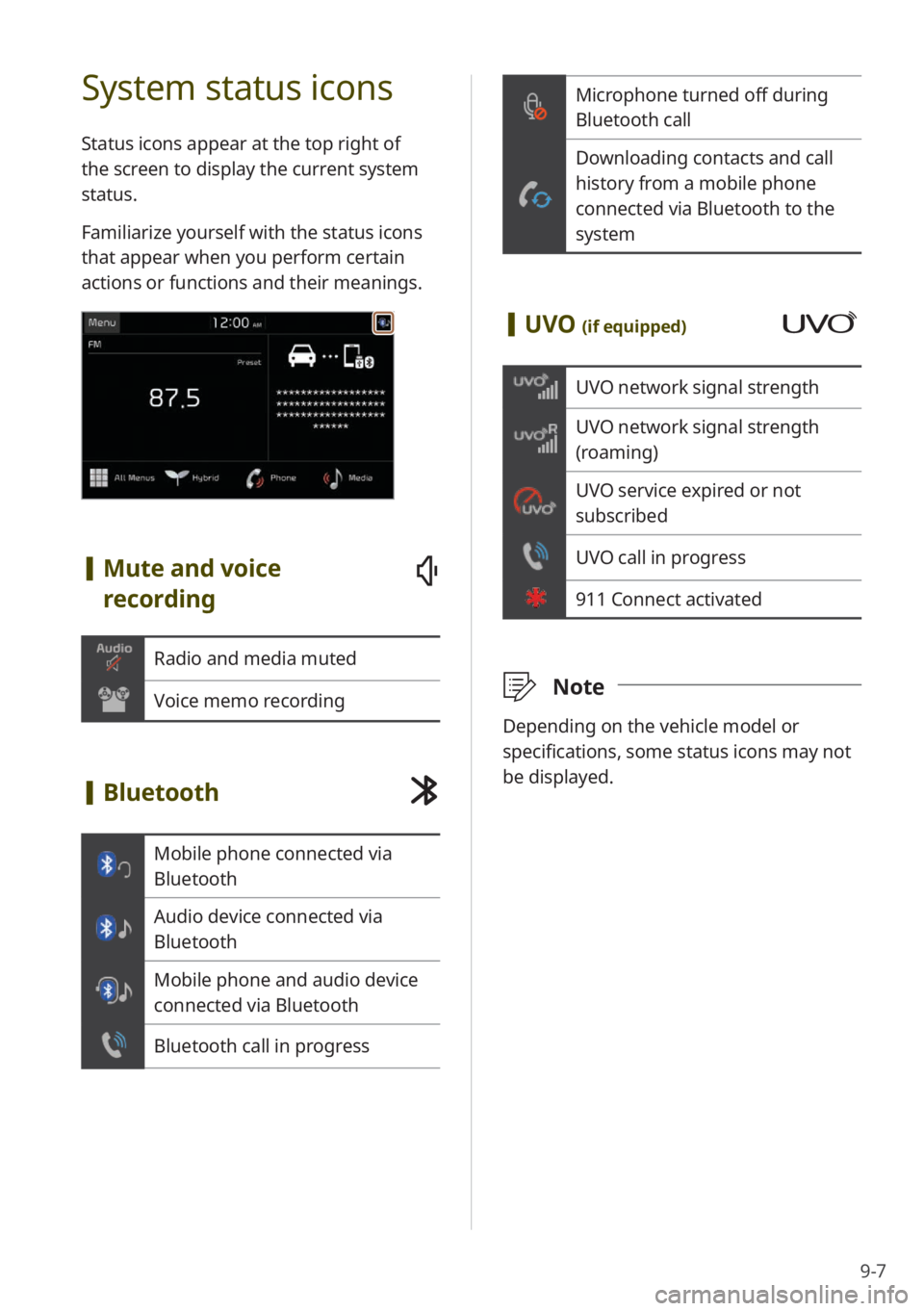
Microphone turned off during
Bluetooth call
Downloading contacts and call
history from a mobile phone
connected via Bluetooth to the
system
[UVO (if equipped)
UVO network signal strength
UVO network signal strength
(roaming)
UVO service expired or not
subscribed
UVO call in progress
911 Connect activated
\333 Note
Depending on the vehicle model or
specifications, some status icons may not
be displayed.
System status icons
Status icons appear at the top right of
the screen to display the current system
status.
Familiarize yourself with the status icons
that appear when you perform certain
actions or functions and their meanings.
[Mute and voice
recording
Radio and media muted
Voice memo recording
[Bluetooth
Mobile phone connected via
Bluetooth
Audio device connected via
Bluetooth
Mobile phone and audio device
connected via Bluetooth
Bluetooth call in progress
Page 120 of 134
9-8
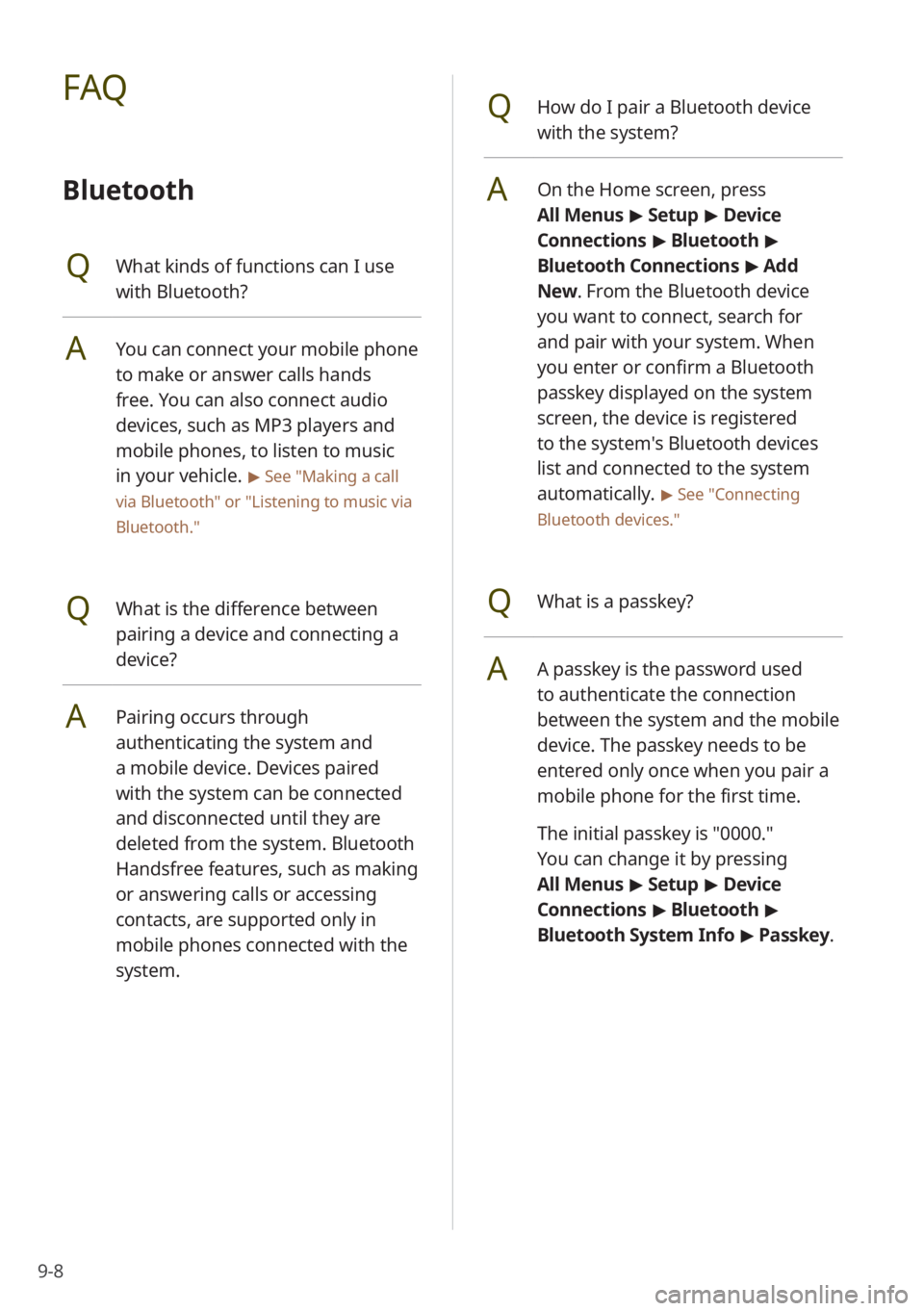
QHow do I pair a Bluetooth device
with the system?
AOn the Home screen, press
All Menus > Setup > Device
Connections > Bluetooth >
Bluetooth Connections > Add
New . From the Bluetooth device
you want to connect, search for
and pair with your system. When
you enter or confirm a Bluetooth
passkey displayed on the system
screen, the device is registered
to the system's Bluetooth devices
list and connected to the system
automatically.
> See ″Connecting
Bluetooth devices .″
QWhat is a passkey?
AA passkey is the password used
to authenticate the connection
between the system and the mobile
device. The passkey needs to be
entered only once when you pair a
mobile phone for the first time.
The initial passkey is ″0000.″
You can change it by pressing
All Menus > Setup > Device
Connections > Bluetooth >
Bluetooth System Info > Passkey.
FAQ
Bluetooth
QWhat kinds of functions can I use
with Bluetooth?
AYou can connect your mobile phone
to make or answer calls hands
free. You can also connect audio
devices, such as MP3 players and
mobile phones, to listen to music
in your vehicle.
> See "Making a call
via Bluetooth " or
"Listening to music via
Bluetooth."
QWhat is the difference between
pairing a device and connecting a
device?
APairing occurs through
authenticating the system and
a mobile device. Devices paired
with the system can be connected
and disconnected until they are
deleted from the system. Bluetooth
Handsfree features, such as making
or answering calls or accessing
contacts, are supported only in
mobile phones connected with the
system.
Page 121 of 134
9-9
QWhat should I do if I want to switch
the call to my mobile phone while
on a call via the system?
APress and hold the Call/Answer
button on the steering wheel or
press Use Private on the screen
to switch the call to your mobile
phone.
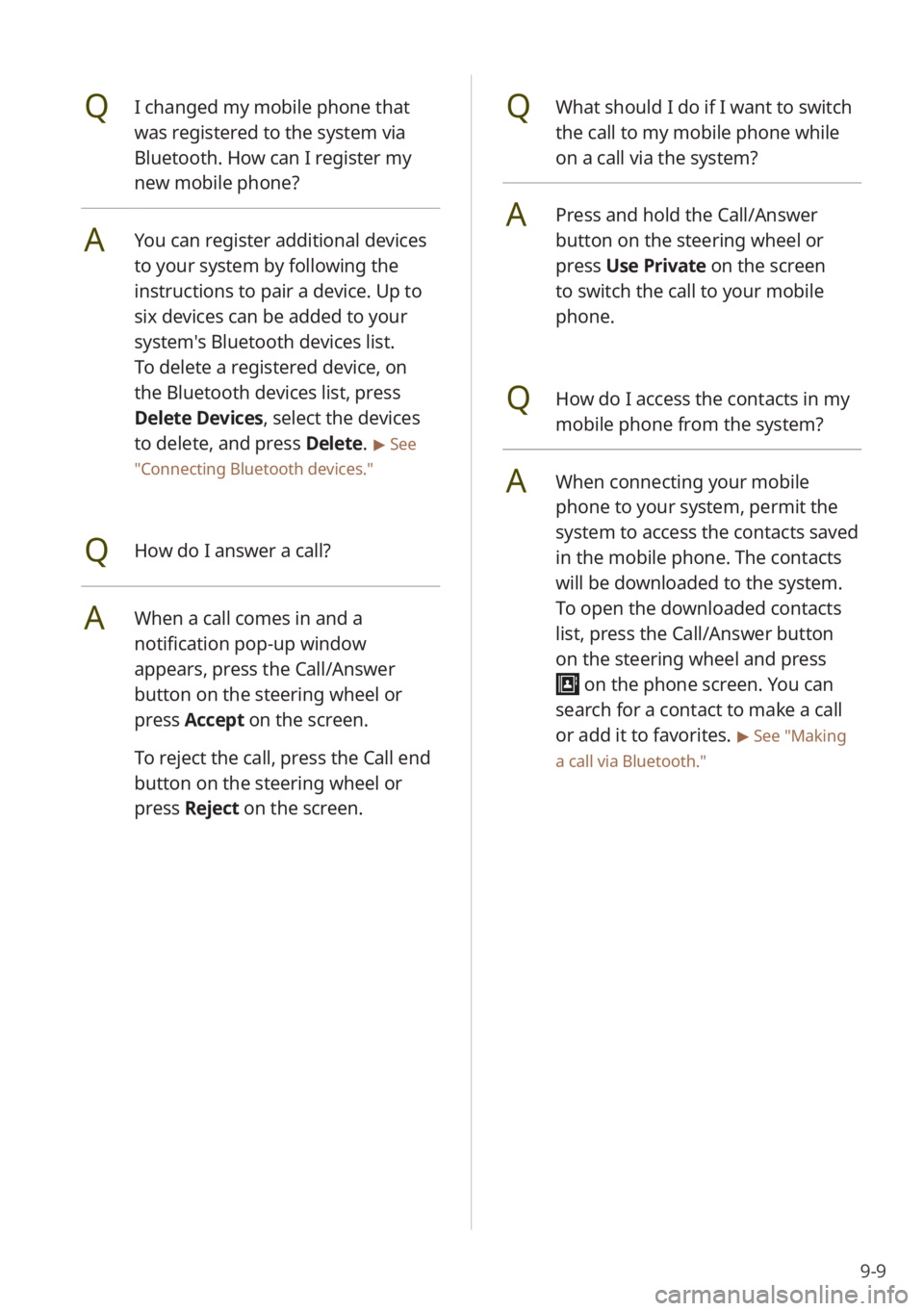
QHow do I access the contacts in my
mobile phone from the system?
AWhen connecting your mobile
phone to your system, permit the
system to access the contacts saved
in the mobile phone. The contacts
will be downloaded to the system.
To open the downloaded contacts
list, press the Call/Answer button
on the steering wheel and press
on the phone screen. You can
search for a contact to make a call
or add it to favorites.
> See ″Making
a call via Bluetooth .″
QI changed my mobile phone that
was registered to the system via
Bluetooth. How can I register my
new mobile phone?
AYou can register additional devices
to your system by following the
instructions to pair a device. Up to
six devices can be added to your
system's Bluetooth devices list.
To delete a registered device, on
the Bluetooth devices list, press
Delete Devices, select the devices
to delete, and press Delete.
> See
″ Connecting Bluetooth devices .″
QHow do I answer a call?
AWhen a call comes in and a
notification pop-up window
appears, press the Call/Answer
button on the steering wheel or
press Accept on the screen.
To reject the call, press the Call end
button on the steering wheel or
press Reject on the screen.
Page 122 of 134
9-10
Radio/media
QWhat kinds of media and radio
functions does my system have?
AYour system is enabled to play
various radio services and audio
through various types of media
(USB, etc.). For more information,
see the corresponding chapters.
QI want to move to the previous or
next song without controlling the
screen while driving.
AUse the Search lever/button on
the steering wheel to move to the
previous or next song.
Broadcast reception
QNo sound is heard or a distorted
noise is heard when listening to the
radio while driving.
ADepending on the location, the
reception may deteriorate due to
obstacles.
Attaching a window film including
metal components to the rear
window equipped with a glass
antenna may lower radio reception.
QWhat is the range of my wireless
connection?
AA wireless connection can be used
within about 10 m (about 33 ft). The
maximum Bluetooth range may be
affected by the usage environment,
such as the vehicle type, the system
platform, or the connected mobile
phone.
QHow many mobile devices can be
paired?
AUp to six devices can be paired with
your system.
QWhy is call quality sometimes poor?
ACheck your mobile phone′s
reception sensitivity when call
quality deteriorates. The call quality
may deteriorate when the signal
strength is low.
Call quality may also become poor
if metal objects, such as beverage
cans, are placed near the mobile
phone. Check to see if any metal
objects are near the mobile phone.
The call sound and quality may
differ depending on the type of
mobile phone.
Page 127 of 134
9-15
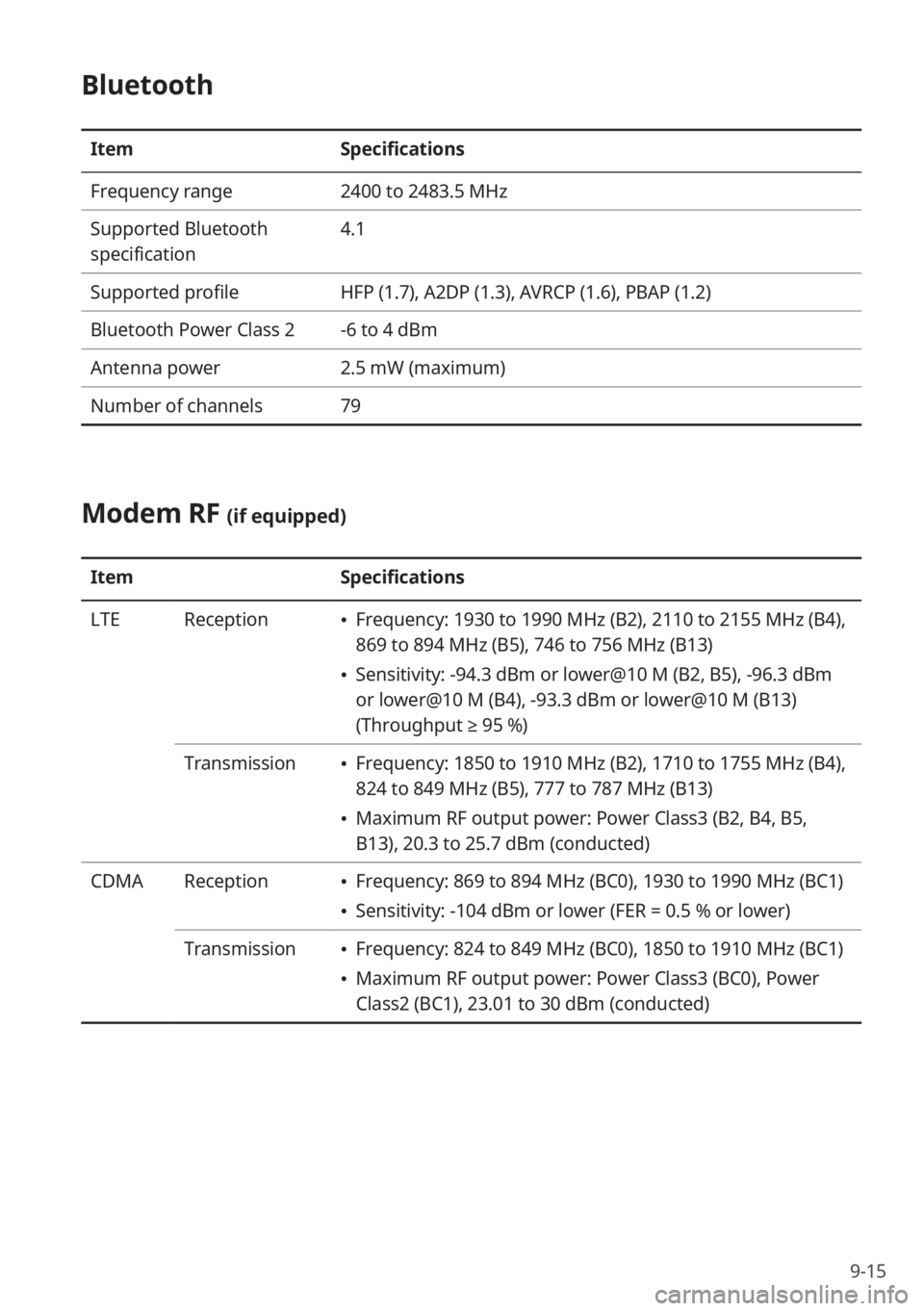
Bluetooth
ItemSpecifications
Frequency range 2400 to 2483.5 MHz
Supported Bluetooth
specification 4.1
Supported profile HFP (1.7), A2DP (1.3), AVRCP (1.6), PBAP (1.2)
Bluetooth Power Class 2 -6 to 4 dBm
Antenna power 2.5 mW (maximum)
Number of channels 79
Modem RF (if equipped)
ItemSpecifications
LTE Reception
Frequency: 1930 to 1990 MHz (B2), 2110 to 2155 MHz (B4),
869 to 894 MHz (B5), 746 to 756 MHz (B13)
Sensitivity: -94.3 dBm or lower@10 M (B2, B5), -96.3 dBm
or lower@10 M (B4), -93.3 dBm or lower@10 M (B13)
(Throughput ≥ 95 %)
Transmission
Frequency: 1850 to 1910 MHz (B2), 1710 to 1755 MHz (B4),
824 to 849 MHz (B5), 777 to 787 MHz (B13)
Maximum RF output power: Power Class3 (B2, B4, B5,
B13), 20.3 to 25.7 dBm (conducted)
CDMA Reception
Frequency: 869 to 894 MHz (BC0), 1930 to 1990 MHz (BC1)
Sensitivity: -104 dBm or lower (FER = 0.5 % or lower)
Transmission
Frequency: 824 to 849 MHz (BC0), 1850 to 1910 MHz (BC1)
Maximum RF output power: Power Class3 (BC0), Power
Class2 (BC1), 23.01 to 30 dBm (conducted)
Page 129 of 134
9-17
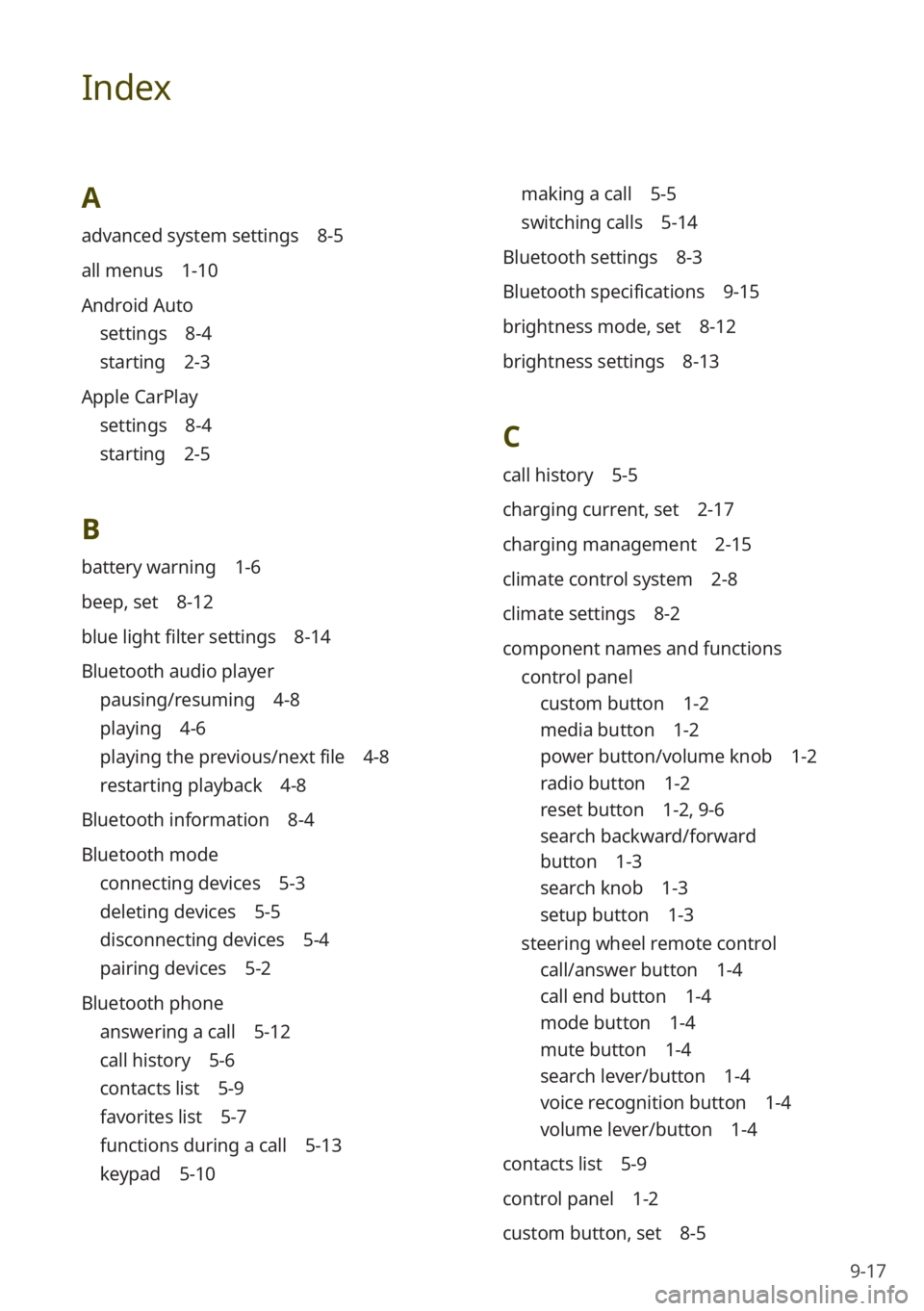
Index
A
advanced system settings 8-5
all menus 1-10
Android Auto
settings 8-4
starting 2-3
Apple CarPlay
settings 8-4
starting 2-5
B
battery warning 1-6
beep, set 8-12
blue light filter settings 8-14
Bluetooth audio player
pausing/resuming 4-8
playing 4-6
playing the previous/next file 4-8
restarting playback 4-8
Bluetooth information 8-4
Bluetooth mode
connecting devices 5-3
deleting devices 5-5
disconnecting devices 5-4
pairing devices 5-2
Bluetooth phone
answering a call 5-12
call history 5-6
contacts list 5-9
favorites list 5-7
functions during a call 5-13
keypad 5-10
making a call 5-5
switching calls 5-14
Bluetooth settings 8-3
Bluetooth specifications 9-15
brightness mode, set 8-12
brightness settings 8-13
C
call history 5-5
charging current, set 2-17
charging management 2-15
climate control system 2-8
climate settings 8-2
component names and functions control panel
custom button 1-2
media button 1-2
power button/volume knob 1-2
radio button 1-2
reset button 1-2 , 9-6
search backward/forward
button 1-3
search knob 1-3
setup button 1-3
steering wheel remote control
call/answer button 1-4
call end button 1-4
mode button 1-4
mute button 1-4
search lever/button 1-4
voice recognition button 1-4
volume lever/button 1-4
contacts list 5-9
control panel 1-2
custom button, set 8-5
Page 130 of 134
9-18
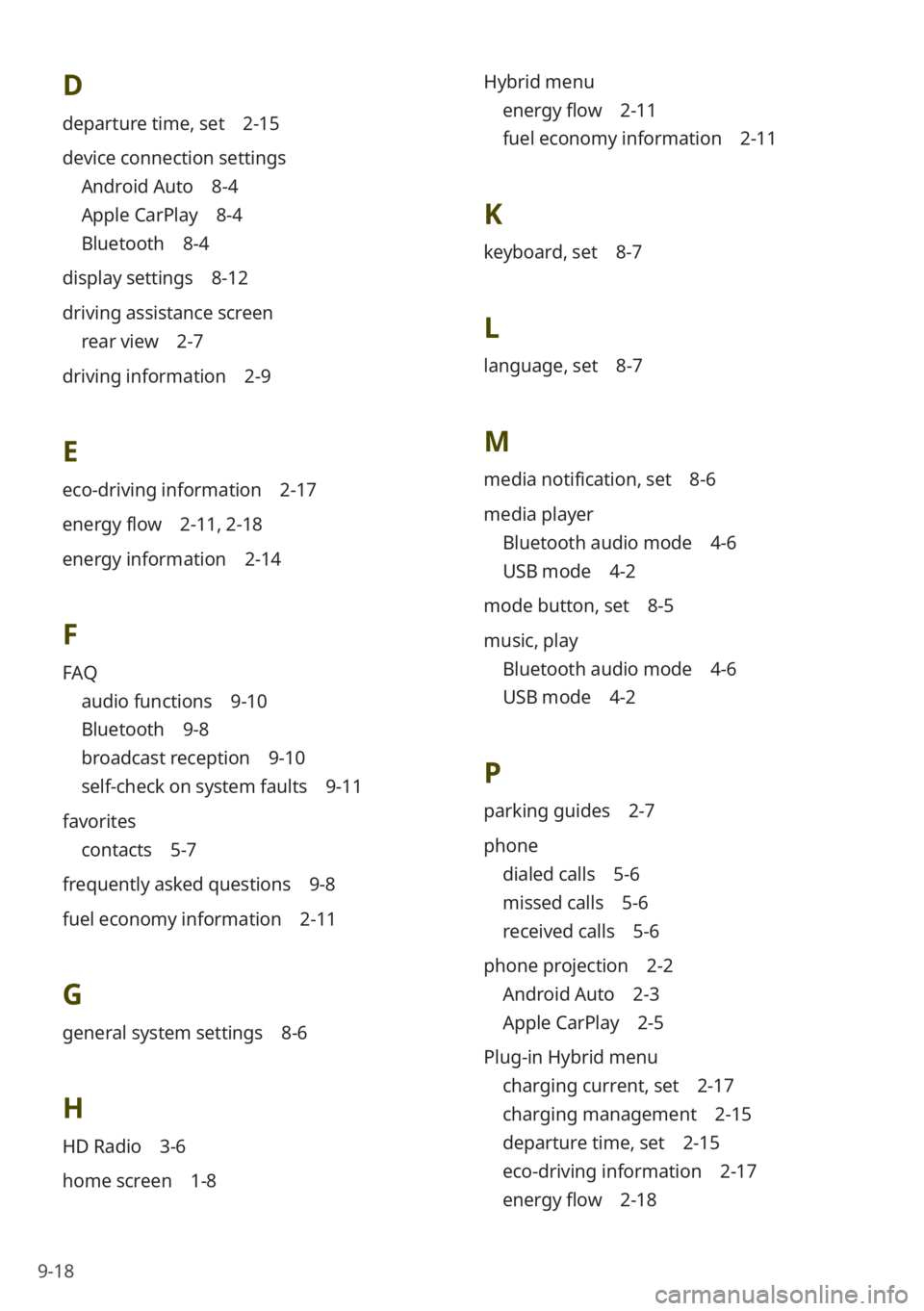
D
departure time, set 2-15
device connection settings
Android Auto 8-4
Apple CarPlay 8-4
Bluetooth 8-4
display settings 8-12
driving assistance screen
rear view 2-7
driving information 2-9
E
eco-driving information 2-17
energy flow 2-11 , 2-18
energy information 2-14
F
FAQ
audio functions 9-10
Bluetooth 9-8
broadcast reception 9-10
self-check on system faults 9-11
favorites
contacts 5-7
frequently asked questions 9-8
fuel economy information 2-11
G
general system settings 8-6
H
HD Radio 3-6
home screen 1-8 Hybrid menu
energy flow 2-11
fuel economy information 2-11
K
keyboard, set 8-7
L
language, set 8-7
M
media notification, set 8-6
media player
Bluetooth audio mode 4-6
USB mode 4-2
mode button, set 8-5
music, play
Bluetooth audio mode 4-6
USB mode 4-2
P
parking guides 2-7
phone
dialed calls 5-6
missed calls 5-6
received calls 5-6
phone projection 2-2
Android Auto 2-3
Apple CarPlay 2-5
Plug-in Hybrid menu
charging current, set 2-17
charging management 2-15
departure time, set 2-15
eco-driving information 2-17
energy flow 2-18
Page 131 of 134
9-19
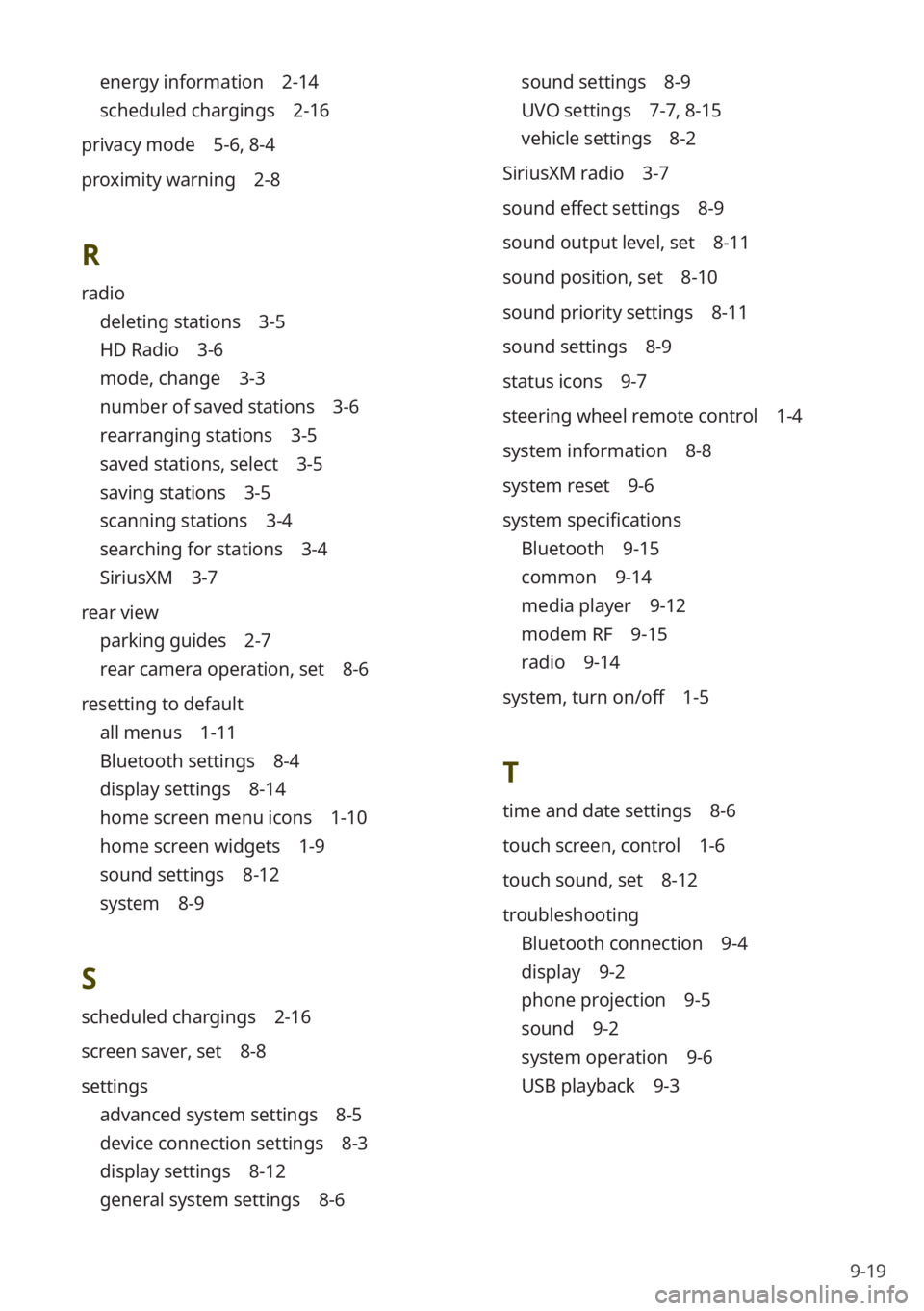
energy information 2-14
scheduled chargings 2-16
privacy mode 5-6, 8-4
proximity warning 2-8
R
radio
deleting stations 3-5
HD Radio 3-6
mode, change 3-3
number of saved stations 3-6
rearranging stations 3-5
saved stations, select 3-5
saving stations 3-5
scanning stations 3-4
searching for stations 3-4
SiriusXM 3-7
rear view
parking guides 2-7
rear camera operation, set 8-6
resetting to default
all menus 1-11
Bluetooth settings 8-4
display settings 8-14
home screen menu icons 1-10
home screen widgets 1-9
sound settings 8-12
system 8-9
S
scheduled chargings 2-16
screen saver, set 8-8
settings
advanced system settings 8-5
device connection settings 8-3
display settings 8-12
general system settings 8-6
sound settings 8-9
UVO settings 7-7 , 8-15
vehicle settings 8-2
SiriusXM radio 3-7
sound effect settings 8-9
sound output level, set 8-11
sound position, set 8-10
sound priority settings 8-11
sound settings 8-9
status icons 9-7
steering wheel remote control 1-4
system information 8-8
system reset 9-6
system specifications
Bluetooth 9-15
common 9-14
media player 9-12
modem RF 9-15
radio 9-14
system, turn on/off 1-5
T
time and date settings 8-6
touch screen, control 1-6
touch sound, set 8-12
troubleshooting
Bluetooth connection 9-4
display 9-2
phone projection 9-5
sound 9-2
system operation 9-6
USB playback 9-3
Page 133 of 134
9-21
Trademarks
Bluetooth® Wireless Technology
A compatible Bluetooth
® Wireless
Technology-enabled cell phone is
required to use Bluetooth
® Wireless
Technology. The Bluetooth® word
mark and logos are registered
trademarks owned by Bluetooth SIG,
Inc. and any use of such marks by Kia
is under license. Other trademarks
and trade names are those of their
respective owners. A Bluetooth
®
enabled cell phone is required to use
Bluetooth
® Wireless Technology.
Bluetooth® Wireless Technology phone
compatibility can be checked by visiting
https://www.kia.com.
Google, Android, Android Auto, and
Google Play are registered trademarks
of Google LLC. Distracted driving
can result in a loss of vehicle control.
Never use a handheld device or vehicle
system that takes your focus away from
safe vehicle operation.
Apple®, Apple CarPlay™, iPad®, iPad
mini™, iPhone®, iPod®, iPod classic®,
iPod nano®, iPod touch®, iTunes®,
and Siri® are trademarks of Apple Inc.
Distracted driving can result in a loss of
vehicle control. Never use a handheld
device or vehicle system that takes your
focus away from safe vehicle operation.
HD Radio™ Technology is manufactured
under license from iBiquity Digital
Corporation. U.S. and Foreign Patents.
For patents, see http://patents.dts.
com/. HD Radio and the HD, HD
Radio™, and ″ARC″ logos are registered
trademarks or trademarks of iBiquity
Digital Corporation in the United States
and/or other countries.
Sirius, XM, SiriusXM and all related
marks and logos are trademarks of
SiriusXM Radio Inc.
Other trademarks and trade names are
those of their respective owners.
Open Source
Information
This system contains open source
software. To download the open source
codes installed on this product developed
under GPL, LGPL, Apache, and other
open source licenses, please visit http://
en.mobis.co.kr/opensource/list.do . All
notified license content, including the
source code, is available for download.
If you request the open source code of
a software mounted on this product by
sending an email to MOBIS_OSSrequest@
mobis.co.kr within 3 years of purchasing
this product, you will receive it on a
CD-ROM or another storage media at
a minimal cost, such as the costs of the
medium and delivery.