lock KIA Optima 2008 2.G Repair Manual
[x] Cancel search | Manufacturer: KIA, Model Year: 2008, Model line: Optima, Model: KIA Optima 2008 2.GPages: 289, PDF Size: 4.78 MB
Page 152 of 289
Driving your vehicle16 4Power steering (if equipped)Power steering uses energy from the
engine to assist you in steering the vehi-
cle. If the engine is off or if the power
steering system becomes inoperative,
the vehicle may still be steered, but it will
require increased steering effort.
Should you notice any change in the
effort required to steer during normal
vehicle operation, have the power steer-
ing checked by an authorized Kia dealer.✽ ✽
NOTICE• Never hold the steering wheel against
a stop (extreme right or left turn) for
more than 5 seconds with the engine
running. Holding the steering wheel
for more than 5 seconds in either posi-
tion may cause damage to the power
steering pump.
• If the power steering drive belt breaks
or if the power steering pump mal-
functions, the steering effort will
greatly increase.
✽ ✽
NOTICEIf the vehicle is parked for extended
periods outside in cold weather (below -
10 °C/14 °F), the power steering may
require increased effort when the engine
is first started. This is caused by
increased fluid viscosity due to the cold
weather and does not indicate a mal-
function.
When this happens, increase the engine
RPM by depressing the accelerator until
the RPM reaches 1,500 rpm then release
or let the engine idle for two or three
minutes to warm up the fluid.
Tilt and telescopic steering
(if equipped)A tilt and telescopic steering wheel
allows you to adjust the steering wheel
before you drive. You can also raise it to
the highest level to give your legs more
room when you exit and enter the vehi-
cle.
The steering wheel should be positioned
so that it is comfortable for you to drive,
while permitting you to see the instru-
ment panel warning lights and gauges.
STEERING WHEEL
WARNING -
Steering wheel
Never adjust the angle of steering
wheel while driving. You may lose
your steering control and cause
severe personal injury or acci-
dents.
After adjusting, push the steering
wheel both up and down to be
certain it is locked in position.
Page 153 of 289
417
Driving your vehicle
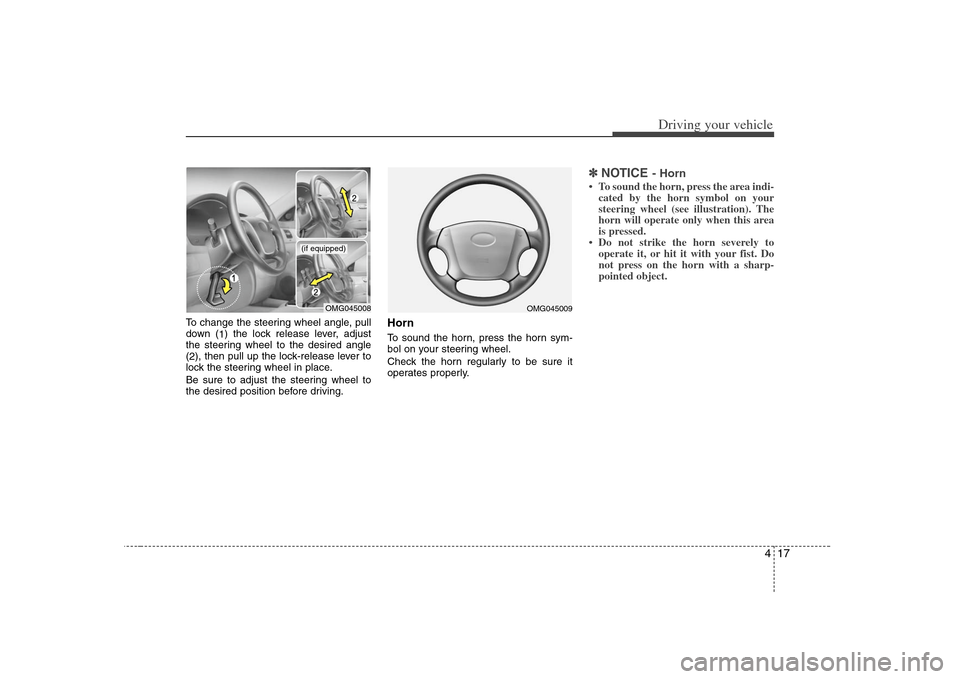
To change the steering wheel angle, pull
down (
1) the lock release lever, adjust
the steering wheel to the desired angle
(
2), then pull up the lock-release lever to
lock the steering wheel in place.
Be sure to adjust the steering wheel to
the desired position before driving.
HornTo sound the horn, press the horn sym-
bol on your steering wheel.
Check the horn regularly to be sure it
operates properly.
✽ ✽
NOTICE
- Horn
• To sound the horn, press the area indi-
cated by the horn symbol on your
steering wheel (see illustration). The
horn will operate only when this area
is pressed.
• Do not strike the horn severely to
operate it, or hit it with your fist. Do
not press on the horn with a sharp-
pointed object.
OMG045008
(if equipped)
OMG045009
Page 158 of 289
Driving your vehicle22 4ESC operation offESC OFF state
press the ESC OFF button
(ESC OFF indicator light illu-
minates).
to LOCK position when ESC is
off, ESC remains off. Upon
restarting the engine, the ESC
will automatically turn on
again.
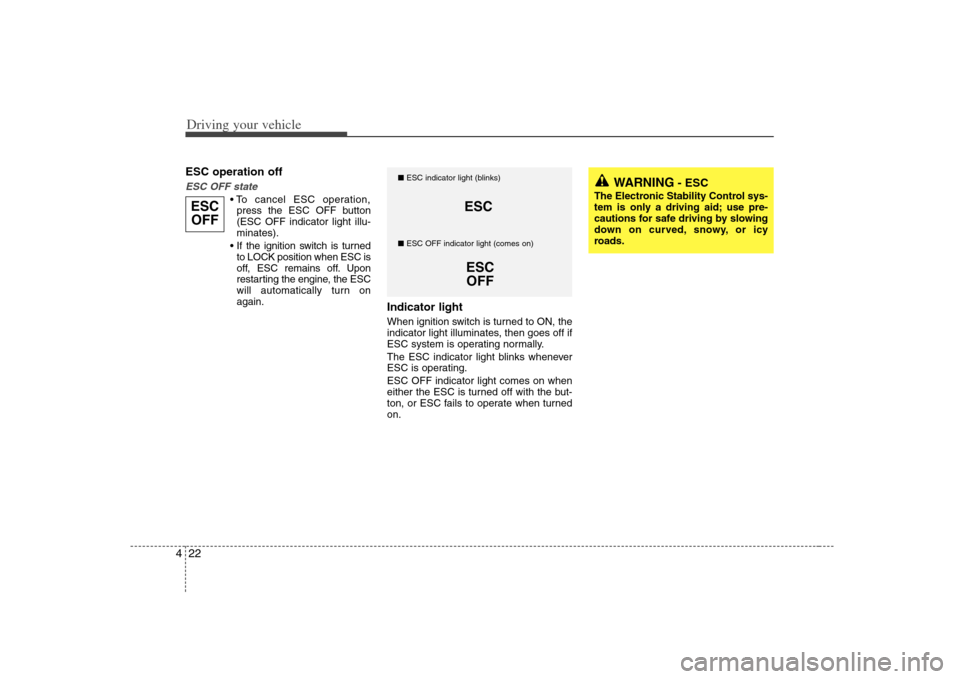
Indicator lightWhen ignition switch is turned to ON, the
indicator light illuminates, then goes off if
ESC system is operating normally.
The ESC indicator light blinks whenever
ESC is operating.
ESC OFF indicator light comes on when
either the ESC is turned off with the but-
ton, or ESC fails to operate when turned
on.
ESC
ESC
OFF
■ESC indicator light (blinks)
■ ESC OFF indicator light (comes on)
WARNING
- ESC
The Electronic Stability Control sys-
tem is only a driving aid; use pre-
cautions for safe driving by slowing
down on curved, snowy, or icy
roads.
ESC
OFF
Page 166 of 289
Driving your vehicle30 4Warning lights / audible indicators Checking operation All warning lights are checked by turning
the ignition switch ON (do not start the
engine). Any light that does not illuminate
should be checked by an authorized Kia
dealer.
After starting the engine, check to make
sure that all warning lights are off. If any
are still on, this indicates a situation that
needs attention. When releasing the
parking brake, the brake system warning
light should go off. The fuel warning light
will stay on if the fuel level is low.Anti-lock brake system
(ABS) warning light (if
equipped) This light illuminates if the key is turned
to ON and goes off in approximately 3
seconds if the system is operating nor-
mally.
If the light stays on, you may have a
problem with your ABS. Contact an
authorized Kia dealer as soon as possi-
ble.
Electronic brake force
distribution (EBD) sys-
tem warning
(if equipped)If ABS and BRAKE warning lights illumi-
nate at the same time while driving, your
vehicle has a problem with the ABS and
EBD system.
In this case, your ABS and regular brake
system may not work normally. Have the
vehicle checked by an authorized Kia
dealer as soon as possible.
Engine oil pressure
warning This warning light indicates the engine oil
pressure is low.
If the warning light illuminates while driv-
ing:
1. Drive safely to the side of the road and
stop.
2. With the engine off, check the engine
oil level. If the level is low, add oil as
required.
If the warning light remains on after
adding oil or if oil is not available, call an
authorized Kia dealer.✽ ✽
NOTICEIf the engine is not stopped immediately,
severe damage could result.
WARNINGS AND INDICATORS
ABS
ABS
WARNING
- Brake indica-
tors
If the both ABS and Brake warning
lights are ON and stay ON, your
vehicle’s brake system will not work
normally. You may experience an
unexpected and dangerous situa-
tion during sudden braking. In this
case, avoid high speed driving and
abrupt braking. Have your vehicle
checked by Authorized Kia Dealer
as soon as possible.
Page 168 of 289
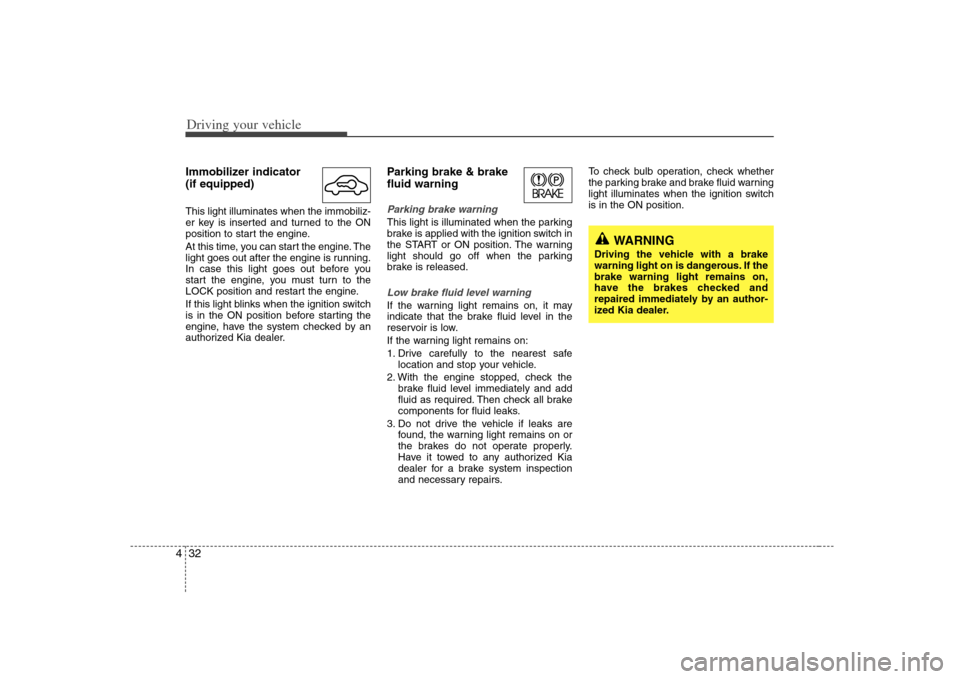
Driving your vehicle32 4Immobilizer indicator
(if equipped)This light illuminates when the immobiliz-
er key is inserted and turned to the ON
position to start the engine.
At this time, you can start the engine. The
light goes out after the engine is running.
In case this light goes out before you
start the engine, you must turn to the
LOCK position and restart the engine.
If this light blinks when the ignition switch
is in the ON position before starting the
engine, have the system checked by an
authorized Kia dealer.
Parking brake & brake
fluid warning Parking brake warning This light is illuminated when the parking
brake is applied with the ignition switch in
the START or ON position. The warning
light should go off when the parking
brake is released.Low brake fluid level warningIf the warning light remains on, it may
indicate that the brake fluid level in the
reservoir is low.
If the warning light remains on:
1. Drive carefully to the nearest safe
location and stop your vehicle.
2. With the engine stopped, check the
brake fluid level immediately and add
fluid as required. Then check all brake
components for fluid leaks.
3. Do not drive the vehicle if leaks are
found, the warning light remains on or
the brakes do not operate properly.
Have it towed to any authorized Kia
dealer for a brake system inspection
and necessary repairs.To check bulb operation, check whether
the parking brake and brake fluid warning
light illuminates when the ignition switch
is in the ON position.
WARNING
Driving the vehicle with a brake
warning light on is dangerous. If the
brake warning light remains on,
have the brakes checked and
repaired immediately by an author-
ized Kia dealer.
Page 171 of 289
435
Driving your vehicle
Safety belt warning chime
(if equipped)If the driver's seat belt is not fastened
when the ignition key is turned “ON” or if
it is disconnected after the key is turn
ON, the safety belt warning chime will
sound for approximately 6 seconds.
If the driver’s lap/shoulder belt is not fas-
tened when you drive over 10 km/h, the
safety belt warning chime will sound for 6
seconds. This cycle will repeat 11 times
with an interval of 24 seconds between
cycles.Key reminder warning chime
(if equipped)If the driver’s door is opened and the igni-
tion key is left in the ignition switch, the
key reminder warning chime will sound.
This is to help prevent you from locking
your keys in the vehicle.
Page 174 of 289
Driving your vehicle38 4Operation of the rear parking
assist systemOperating condition This system will activate when backing
up with the ignition key ON.
If the vehicle is moved at speed over
5 km/h (3 mph), the system may not
activated correctly.
The sensing distance while the rear
parking assist system is in operation is
approximately 120 cm (47 in.).
When more than two objects are
sensed at the same time, the closest
one will be recognized first.Types of warning sound When an object is 120 cm to 81 cm (47
in. to 32 in.) from the rear bumper :
Buzzer beeps intermittently
When an object is 80 cm to 41 cm (31
in. to 16 in.) from the rear bumper :
Buzzer beeps more frequently
When an object is within 40 cm (15 in.)
of the rear bumper : Buzzer sounds
continuously.
Non-operational conditions of
rear parking assist systemRear parking assist system may not
operate normally when:1. Moisture is frozen to the sensor. (It will
operate normally when moisture
melts.)
2. Sensor is covered with foreign matter,
such as snow or water, or the sensor
cover is blocked. (It will operate nor-
mally when the material is removed or
the sensor is no longer blocked.)
3. Driving on uneven road surfaces
(unpaved roads, gravel, bumps, gradi-
ent).
4. Objects generating excessive noise
(vehicle horns, loud motorcycle
engines, or truck air brakes) are within
range of the sensor.
5. Heavy rain or water spray exists.
6. Wireless transmitters or mobile phones
are within range of the sensor.
7. Sensor is covered with snow.
8. Trailer towing
Detecting range may decrease when:1. Sensor is stained with foreign matter
such as snow or water. (Sensing range
will return to normal when removed.)
2. Outside air temperature is extremely
hot or cold.Following objects may not be recog-
nized by the sensor:1. Sharp or slim objects such as ropes,
chains or small poles.
2. Objects which tend to absorb sensor
frequency such as clothes, spongy
material or snow.
3. Undetectable objects smaller than 1 m
(40 in.) and narrower than 14 cm (6 in.)
in diameter.
Page 187 of 289
451
Driving your vehicle
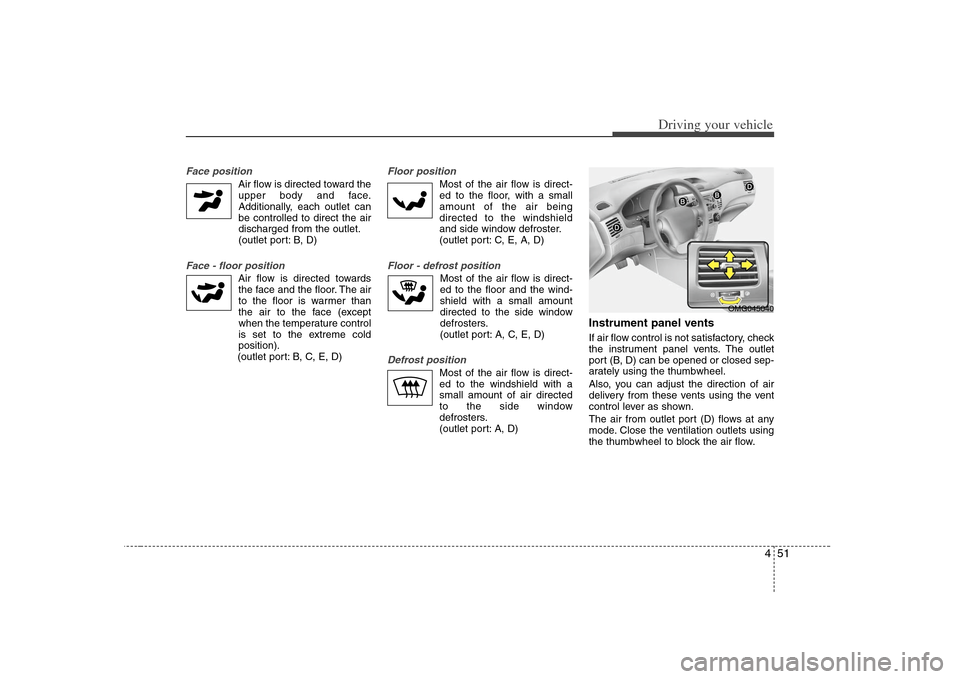
Face position
Air flow is directed toward the
upper body and face.
Additionally, each outlet can
be controlled to direct the air
discharged from the outlet.
(outlet port: B, D)
Face - floor position
Air flow is directed towards
the face and the floor. The air
to the floor is warmer than
the air to the face (except
when the temperature control
is set to the extreme cold
position).
(outlet port: B, C, E, D)
Floor position
Most of the air flow is direct-
ed to the floor, with a small
amount of the air being
directed to the windshield
and side window defroster.
(outlet port: C, E, A, D)
Floor - defrost position
Most of the air flow is direct-
ed to the floor and the wind-
shield with a small amount
directed to the side window
defrosters.
(outlet port: A, C, E, D)
Defrost position
Most of the air flow is direct-
ed to the windshield with a
small amount of air directed
to the side window
defrosters.
(outlet port: A, D)
Instrument panel ventsIf air flow control is not satisfactory, check
the instrument panel vents. The outlet
port (B, D) can be opened or closed sep-
arately using the thumbwheel.
Also, you can adjust the direction of air
delivery from these vents using the vent
control lever as shown.
The air from outlet port (D) flows at any
mode. Close the ventilation outlets using
the thumbwheel to block the air flow.
OMG045040
Page 197 of 289
461
Driving your vehicle
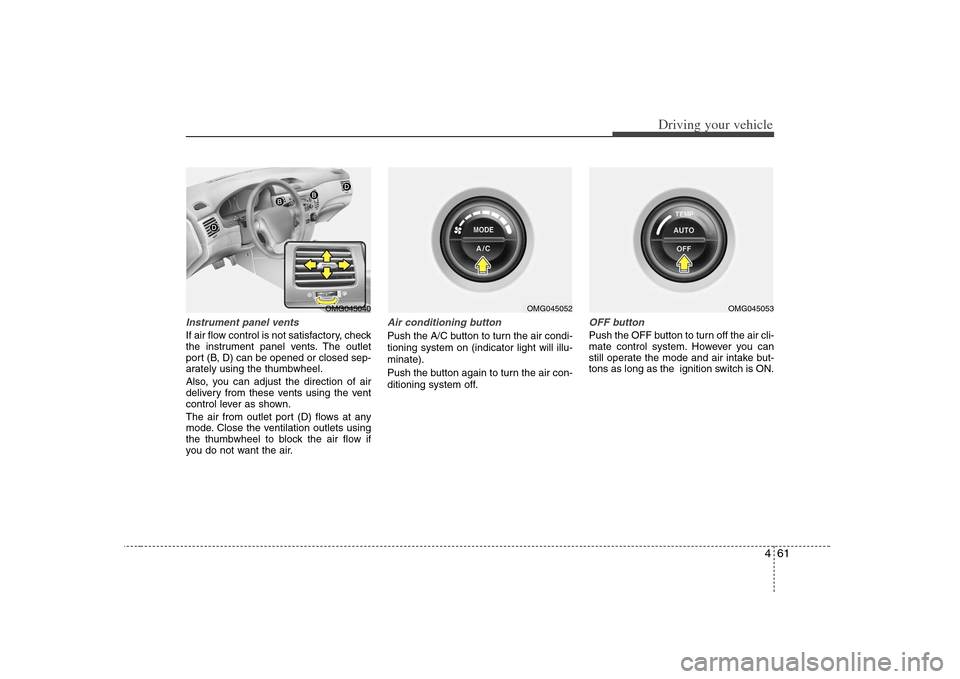
Instrument panel ventsIf air flow control is not satisfactory, check
the instrument panel vents. The outlet
port (B, D) can be opened or closed sep-
arately using the thumbwheel.
Also, you can adjust the direction of air
delivery from these vents using the vent
control lever as shown.
The air from outlet port (D) flows at any
mode. Close the ventilation outlets using
the thumbwheel to block the air flow if
you do not want the air.
Air conditioning button Push the A/C button to turn the air condi-
tioning system on (indicator light will illu-
minate).
Push the button again to turn the air con-
ditioning system off.
OFF buttonPush the OFF button to turn off the air cli-
mate control system. However you can
still operate the mode and air intake but-
tons as long as the ignition switch is ON.
OMG045052
OMG045040
OMG045053
Page 206 of 289
Driving tips4 5BEFORE DRIVING Before entering vehicle: Be sure that all windows, outside mir-
ror(s), and outside lights are clean.
Check the condition of the tires.
Check under the vehicle for any sign of
leaks.
Be sure there are no obstacles behind
you if you intend to back up.Necessary inspections Fluid levels, such as engine oil, engine
coolant, brake fluid, and washer fluid
should be checked on a regular basis,
with the exact interval depending on the
fluid. Further details are provided in
Section 7, Maintenance.
Before starting Close and lock all doors.
Position the seat so that all controls are
easily reached.
Adjust the inside and outside rearview
mirrors.
Be sure that all lights work.
Check all gauges.
Check the operation of warning lights
when the ignition switch is turned to
the ON position.
Release the parking brake and make
sure the brake warning light goes out.
For safe operation, be sure you are famil-
iar with your vehicle and its equipment.
WARNING
- Driving under
the influence of alcohol or
drugs
Drinking and driving is dangerous.
Drunk driving is the number one
contributor to the highway death
toll each year. Even a small amount
of alcohol will affect your reflexes,
perceptions and judgement. Driving
while under the influence of drugs
is as dangerous or more dangerous
than driving drunk.
You are much more likely to have a
serious accident if you drink or take
drugs and drive.
If you are drinking or taking drugs,
don’t drive. Do not ride with a driv-
er who has been drinking or taking
drugs. Choose a designated driver
or call a cab.