cruise control KIA OPTIMA 2020 Owner's Manual
[x] Cancel search | Manufacturer: KIA, Model Year: 2020, Model line: OPTIMA, Model: KIA OPTIMA 2020Pages: 589, PDF Size: 11.37 MB
Page 377 of 589
Driving your vehicle
84
5
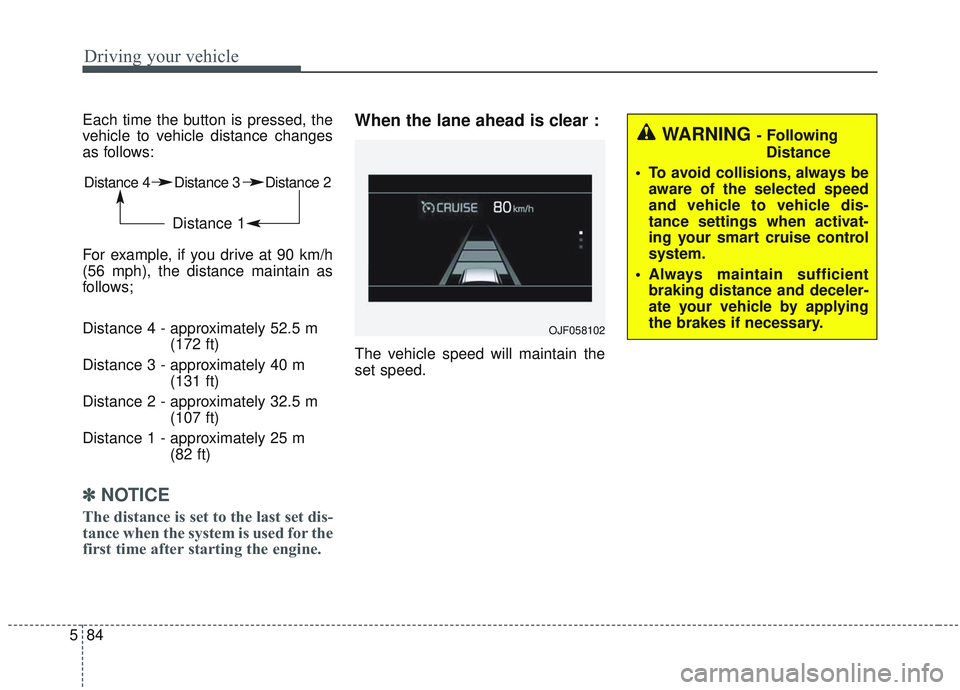
Each time the button is pressed, the
vehicle to vehicle distance changes
as follows:
For example, if you drive at 90 km/h
(56 mph), the distance maintain as
follows;
Distance 4 - approximately 52.5 m
(172 ft)
Distance 3 - approximately 40 m (131 ft)
Distance 2 - approximately 32.5 m (107 ft)
Distance 1 - approximately 25 m (82 ft)
✽ ✽NOTICE
The distance is set to the last set dis-
tance when the system is used for the
first time after starting the engine.
When the lane ahead is clear :
The vehicle speed will maintain the
set speed.
Distance 4 Distance 3 Distance 2
Distance 1
OJF058102
WARNING - Following
Distance
To avoid collisions, always be aware of the selected speed
and vehicle to vehicle dis-
tance settings when activat-
ing your smart cruise control
system.
Always maintain sufficient braking distance and deceler-
ate your vehicle by applying
the brakes if necessary.
Page 380 of 589

587
Driving your vehicle
If you push the smart cruise controltoggle switch (RES+ or SET-) while
Auto Hold and smart cruise control
is operating, the Auto Hold will be
released regardless of accelerator
pedal operation and the vehicle will
start to move. The AUTO HOLD
indicator changes from green to
white. (if equipped with EPB
(Electronic Parking Brake))Radar to detect distance to the
vehicle ahead
The sensor detects the distance to
the vehicle ahead.
If the sensor is covered with dirt or
other foreign matter, the vehicle to
vehicle distance control may not
operate correctly.
Always keep the area in front of the
sensor clean.
Warning message
When the sensor lens cover is cov-
ered with dirt, snow, or debris, the
Smart Cruise Control System opera-
tion may stop temporarily. If this
occurs, a warning message will
appear on the LCD display. Remove
any dirt, snow, or debris and clean the
radar sensor lens cover before operat-
ing the Smart Cruise Control System.
The Smart Cruise Control system may
not properly activate, if the radar is
totally blocked, or if any substance is
not detected after turning ON the
engine (e.g. in an open terrain).OJFHP058304L
OJF058404L
Page 381 of 589
Driving your vehicle
88
5
SCC (smart cruise control) mal-
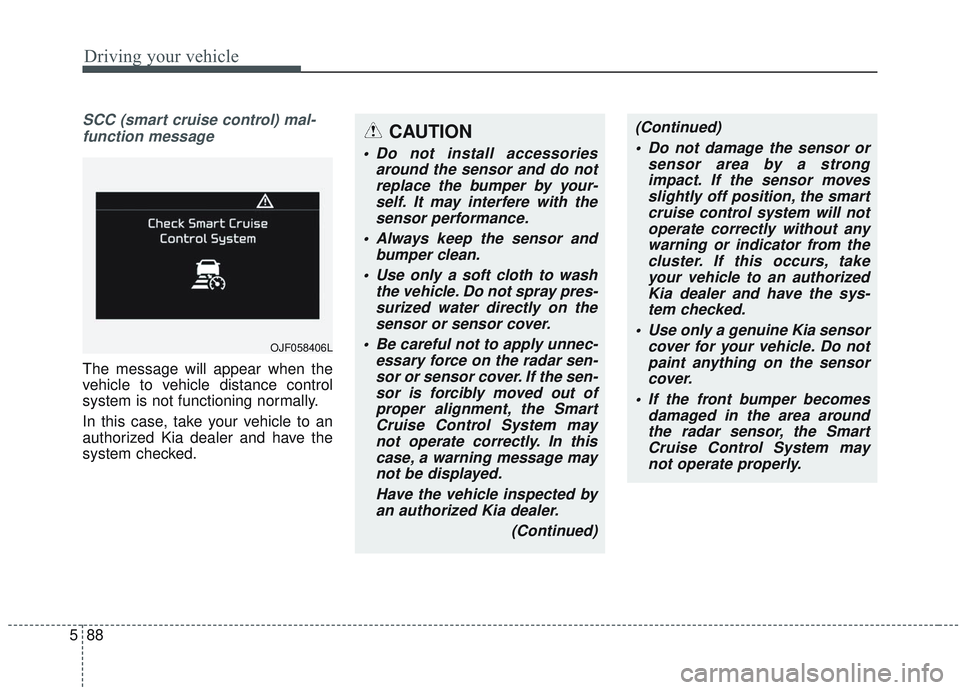
function message
The message will appear when the
vehicle to vehicle distance control
system is not functioning normally.
In this case, take your vehicle to an
authorized Kia dealer and have the
system checked.
CAUTION
Do not install accessories around the sensor and do notreplace the bumper by your-self. It may interfere with thesensor performance.
Always keep the sensor and bumper clean.
Use only a soft cloth to wash the vehicle. Do not spray pres-surized water directly on thesensor or sensor cover.
Be careful not to apply unnec- essary force on the radar sen-sor or sensor cover. If the sen-sor is forcibly moved out ofproper alignment, the SmartCruise Control System maynot operate correctly. In thiscase, a warning message maynot be displayed.
Have the vehicle inspected byan authorized Kia dealer.
(Continued)
OJF058406L
(Continued) Do not damage the sensor or sensor area by a strongimpact. If the sensor movesslightly off position, the smartcruise control system will notoperate correctly without anywarning or indicator from thecluster. If this occurs, takeyour vehicle to an authorizedKia dealer and have the sys-tem checked.
Use only a genuine Kia sensor cover for your vehicle. Do notpaint anything on the sensorcover.
If the front bumper becomes damaged in the area aroundthe radar sensor, the SmartCruise Control System maynot operate properly.
Page 382 of 589
589
Driving your vehicle
To adjust the sensitivity of
smart cruise control
The sensitivity of vehicle speed when
following the front vehicle to maintain
the set distance can be adjusted. Go
to the User Settings Mode (Driver
Assistance) and select (SCC
Reaction). You may select one of the
three stages you prefer.
Slow:Vehicle speed to the vehicle ahead
to maintain the set distance to the
vehicle ahead is slower than nor-
mal speed.
Normal: Vehicle speed to the vehicle ahead
to maintain the set distance to the
vehicle ahead is normal
Fast: Vehicle speed to the vehicle ahead
to maintain the set distance to the
vehicle ahead is faster than normal
speed.
✽ ✽ NOTICE
The last selected mode remains in
the system.
To convert to cruise control
mode:
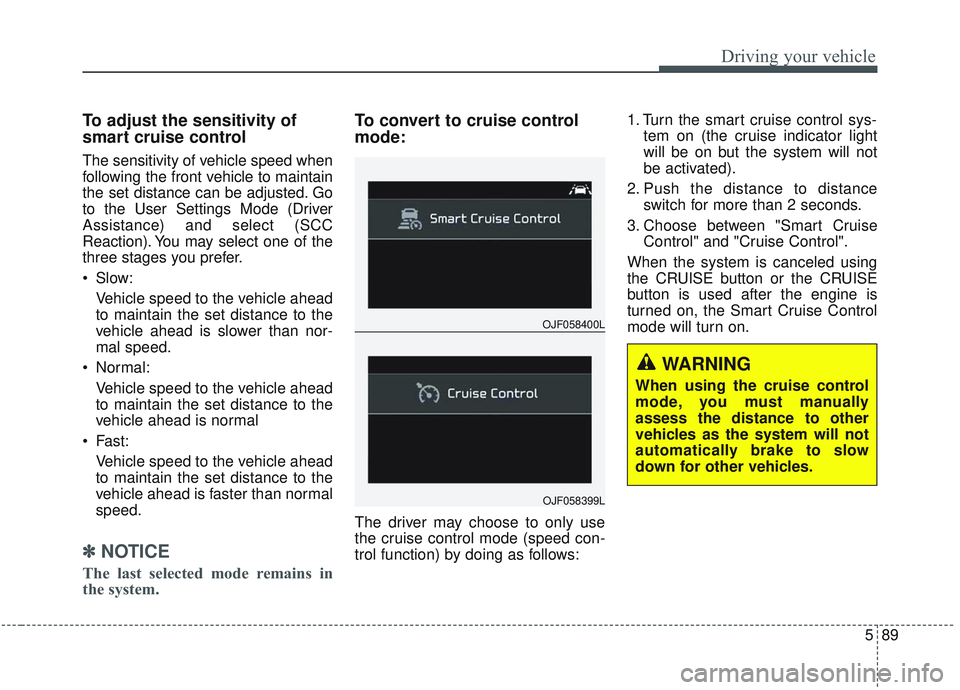
The driver may choose to only use
the cruise control mode (speed con-
trol function) by doing as follows: 1. Turn the smart cruise control sys-
tem on (the cruise indicator light
will be on but the system will not
be activated).
2. Push the distance to distance switch for more than 2 seconds.
3. Choose between "Smart Cruise Control" and "Cruise Control".
When the system is canceled using
the CRUISE button or the CRUISE
button is used after the engine is
turned on, the Smart Cruise Control
mode will turn on.
OJF058400L
OJF058399L
WARNING
When using the cruise control
mode, you must manually
assess the distance to other
vehicles as the system will not
automatically brake to slow
down for other vehicles.
Page 383 of 589
Driving your vehicle
90
5
Limitations of the system
The smart cruise control system may
have limits to its ability to detect dis-
tance to the vehicle ahead due to
road and traffic conditions.
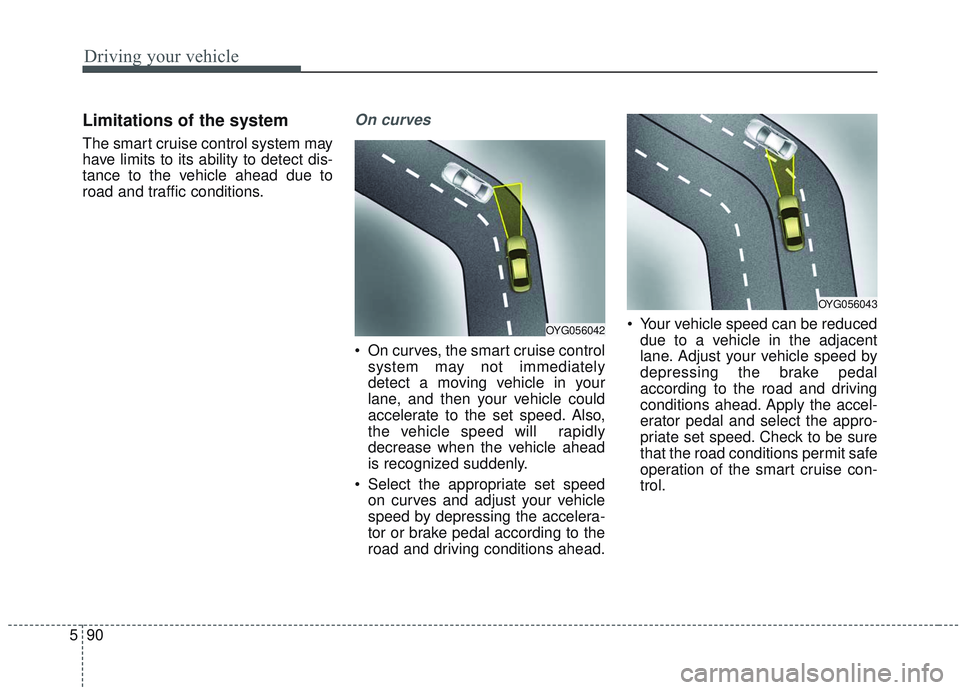
On curves
On curves, the smart cruise control
system may not immediately
detect a moving vehicle in your
lane, and then your vehicle could
accelerate to the set speed. Also,
the vehicle speed will rapidly
decrease when the vehicle ahead
is recognized suddenly.
Select the appropriate set speed on curves and adjust your vehicle
speed by depressing the accelera-
tor or brake pedal according to the
road and driving conditions ahead. Your vehicle speed can be reduced
due to a vehicle in the adjacent
lane. Adjust your vehicle speed by
depressing the brake pedal
according to the road and driving
conditions ahead. Apply the accel-
erator pedal and select the appro-
priate set speed. Check to be sure
that the road conditions permit safe
operation of the smart cruise con-
trol.
OYG056043
OYG056042
Page 384 of 589

591
Driving your vehicle
On inclines
During uphill or downhill driving,the smart cruise control system
may not immediately detect a mov-
ing vehicle in your lane, and may
cause your vehicle to accelerate to
the set speed. Also, the vehicle
speed will rapidly down when the
vehicle ahead is recognized sud-
denly.
Select the appropriate set speed on inclines and adjust your vehicle
speed by depressing the accelera-
tor or brake pedal according to the
road and driving conditions ahead.
Lane changing
A vehicle which moves into yourlane from an adjacent lane cannot
be recognized by the sensor until it
is in the sensor's detection range.
The sensor may not detect imme- diately when a vehicle cuts in sud-
denly. Always pay attention to the
traffic, road and driving conditions.
If a vehicle which moves into your lane is slower than your vehicle,
your speed may decrease to main-
tain the distance to the vehicle
ahead. If a vehicle which moves into your
lane is faster than your vehicle,
your vehicle will accelerate to the
selected speed.
OJF055027OYG056045
Page 387 of 589
Driving your vehicle
94
5
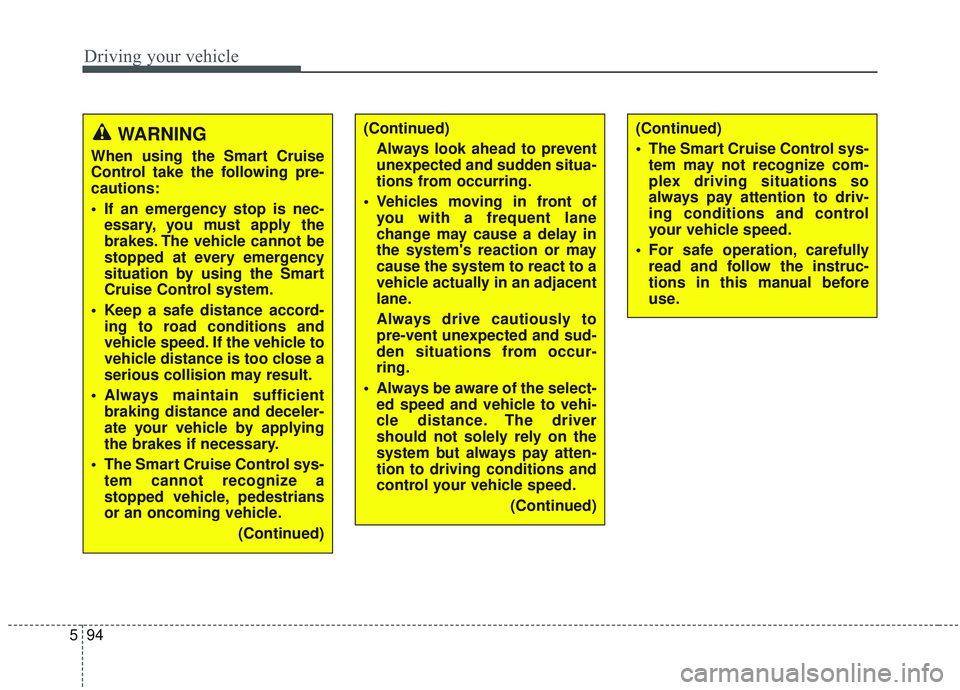
WARNING
When using the Smart Cruise
Control take the following pre-
cautions:
If an emergency stop is nec-
essary, you must apply the
brakes. The vehicle cannot be
stopped at every emergency
situation by using the Smart
Cruise Control system.
Keep a safe distance accord- ing to road conditions and
vehicle speed. If the vehicle to
vehicle distance is too close a
serious collision may result.
Always maintain sufficient braking distance and deceler-
ate your vehicle by applying
the brakes if necessary.
The Smart Cruise Control sys- tem cannot recognize a
stopped vehicle, pedestrians
or an oncoming vehicle.
(Continued)
(Continued)Always look ahead to prevent
unexpected and sudden situa-
tions from occurring.
Vehicles moving in front of you with a frequent lane
change may cause a delay in
the system's reaction or may
cause the system to react to a
vehicle actually in an adjacent
lane.
Always drive cautiously to
pre-vent unexpected and sud-
den situations from occur-
ring.
Always be aware of the select- ed speed and vehicle to vehi-
cle distance. The driver
should not solely rely on the
system but always pay atten-
tion to driving conditions and
control your vehicle speed.
(Continued)(Continued)
The Smart Cruise Control sys-tem may not recognize com-
plex driving situations so
always pay attention to driv-
ing conditions and control
your vehicle speed.
For safe operation, carefully read and follow the instruc-
tions in this manual before
use.
Page 388 of 589
595
Driving your vehicle
✽ ✽
NOTICE
The Smart Cruise Control System
may not operate temporarily due to:
• Electrical interference.
• A modified the suspension.
• Differences in tire abrasion or tire
pressure.
• Installation of different type of tires.
This device complies with
Industry Canada licence-exempt
RSS standard(s).
Operation is subject to the following
conditions:
(1) This device may not cause inter-
ference, and
(2) This device must accept any
interference, including interfer-
ence that may cause undesired
operation of the device.
(3) Changes or modifications not
expressly approved by the party
responsible for compliance could
void the user's authority to oper-
ate the device.
Page 422 of 589
5129
Driving your vehicle
CAUTION
The Driver Attention Warningsystem may not provide alertsin the following situations:
The lane detection perform- ance is limited. (For moreinformation, refer to “LaneKeeping Assist (LKA) system”in this chapter.)
The vehicle is erratically driv- en or is abruptly turned forobstacle avoidance (e.g. con-struction area, other vehicles,fallen objects, bumpy road).
Forward drivability of the vehi- cle is severely undermined(possibly due to wide varia-tion in tire pressures, uneventire wear-out, toe-in/toe-outalignment).
(Continued)
(Continued) The vehicle drives on a curvy road.
The vehicle drives on a bumpy road.
The vehicle drives through a windy area.
The vehicle is controlled by the following driver assistancesystems:
- Lane Keeping Assist (LKA) system
- Forward collision-avoidance assist (FCA) System.
- Smart Cruise Control (SCC) System
Page 526 of 589
Maintenance
60
7
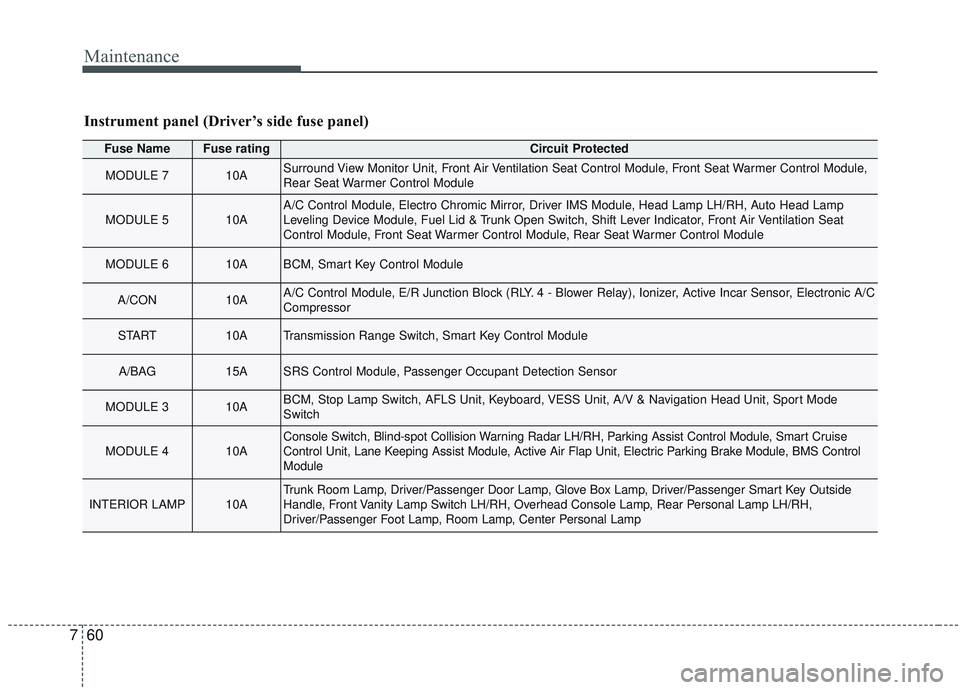
Instrument panel (Driver’s side fuse panel)
Fuse NameFuse ratingCircuit Protected
MODULE 710ASurround View Monitor Unit, Front Air Ventilation Seat Control Module, Front Seat Warmer Control Module,
Rear Seat Warmer Control Module
MODULE 510AA/C Control Module, Electro Chromic Mirror, Driver IMS Module, Head Lamp LH/RH, Auto Head Lamp
Leveling Device Module, Fuel Lid & Trunk Open Switch, Shift Lever Indicator, Front Air Ventilation Seat
Control Module, Front Seat Warmer Control Module, Rear Seat Warmer Control Module
MODULE 610ABCM, Smart Key Control Module
A/CON10AA/C Control Module, E/R Junction Block (RLY. 4 - Blower Relay), Ionizer, Active Incar Sensor, Electronic A/C
Compressor
START10ATransmission Range Switch, Smart Key Control Module
A/BAG15ASRS Control Module, Passenger Occupant Detection Sensor
MODULE 310ABCM, Stop Lamp Switch, AFLS Unit, Keyboard, VESS Unit, A/V & Navigation Head Unit, Sport Mode
Switch
MODULE 410AConsole Switch, Blind-spot Collision Warning Radar LH/RH, Parking Assist Control Module, Smart Cruise
Control Unit, Lane Keeping Assist Module, Active Air Flap Unit, Electric Parking Brake Module, BMS Control
Module
INTERIOR LAMP10ATrunk Room Lamp, Driver/Passenger Door Lamp, Glove Box Lamp, Driver/Passenger Smart Key Outside
Handle, Front Vanity Lamp Switch LH/RH, Overhead Console Lamp, Rear Personal Lamp LH/RH,
Driver/Passenger Foot Lamp, Room Lamp, Center Personal Lamp