ESP KIA OPTIMA 2020 Service Manual
[x] Cancel search | Manufacturer: KIA, Model Year: 2020, Model line: OPTIMA, Model: KIA OPTIMA 2020Pages: 589, PDF Size: 11.37 MB
Page 364 of 589
571
Driving your vehicle
✽ ✽NOTICE
In some instances, the FCA system
may be cancelled when subjected to
electromagnetic interference.
This device complies with
Industry Canada licence-exempt
RSS standard(s).
Operation is subject to the following
conditions:
1. This device may not cause inter-
ference, and
2. This device must accept any inter- ference, including interference that
may cause undesired operation of
the device.
3. Changes or modifications not expressly approved by the party
responsible for compliance could
void the user's authority to operate
the device.(Continued)
wheeled objects such as lug-
gage bags, shopping carts, or
strollers.
• Never try to test the operation of the FCA system. Doing so
may cause severe injury or
death.
When front bumper or wind- shield glass is replaced or
repaired, have the vehicle
inspected by an authorized
Kia dealer.
Page 369 of 589
Driving your vehicle
76
5
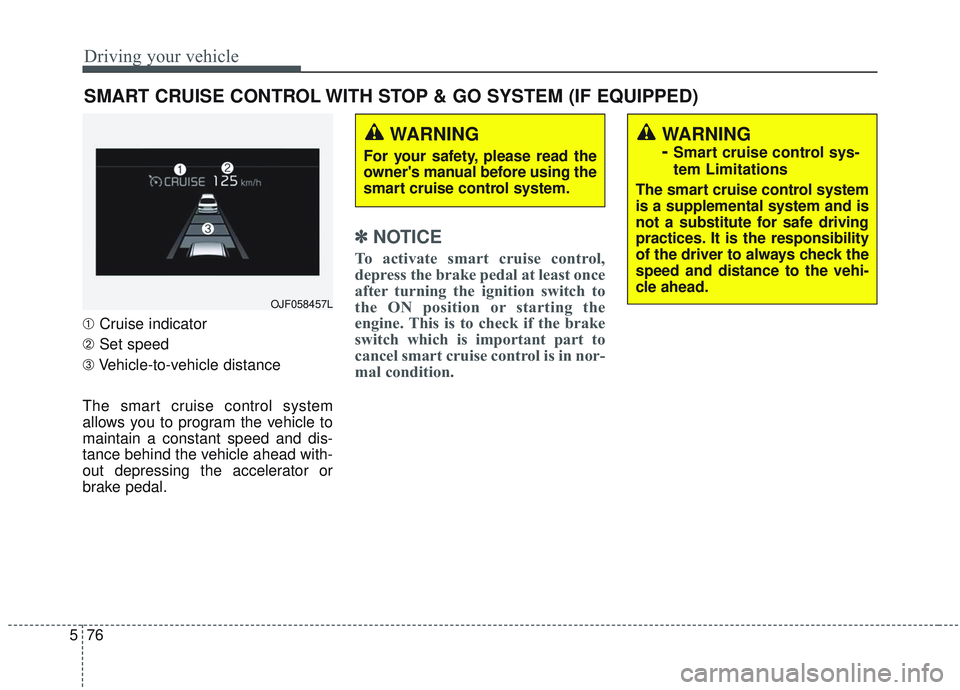
➀ Cruise indicator
➁ Set speed
➂ Vehicle-to-vehicle distance
The smart cruise control system
allows you to program the vehicle to
maintain a constant speed and dis-
tance behind the vehicle ahead with-
out depressing the accelerator or
brake pedal.
✽ ✽ NOTICE
To activate smart cruise control,
depress the brake pedal at least once
after turning the ignition switch to
the ON position or starting the
engine. This is to check if the brake
switch which is important part to
cancel smart cruise control is in nor-
mal condition.
SMART CRUISE CONTROL WITH STOP & GO SYSTEM (IF EQUIPPED)
WARNING
For your safety, please read the
owner's manual before using the
smart cruise control system.
WARNING
-
Smart cruise control sys-
tem Limitations
The smart cruise control system
is a supplemental system and is
not a substitute for safe driving
practices. It is the responsibility
of the driver to always check the
speed and distance to the vehi-
cle ahead.
OJF058457L
Page 375 of 589
Driving your vehicle
82
5
Each of these actions will cancel the
smart cruise control operation. (the
set speed and vehicle to vehicle dis-
tance on the LCD display will go off.)
If the smart cruise control is can-
celled automatically, the smart cruise
control will not resume even though
the RES+ or SET-lever is moved.
✽ ✽
NOTICE
If the smart cruise control is cancelled
by other than the reasons mentioned,
take your vehicle to an authorized
Kia dealer and have the system
checked.
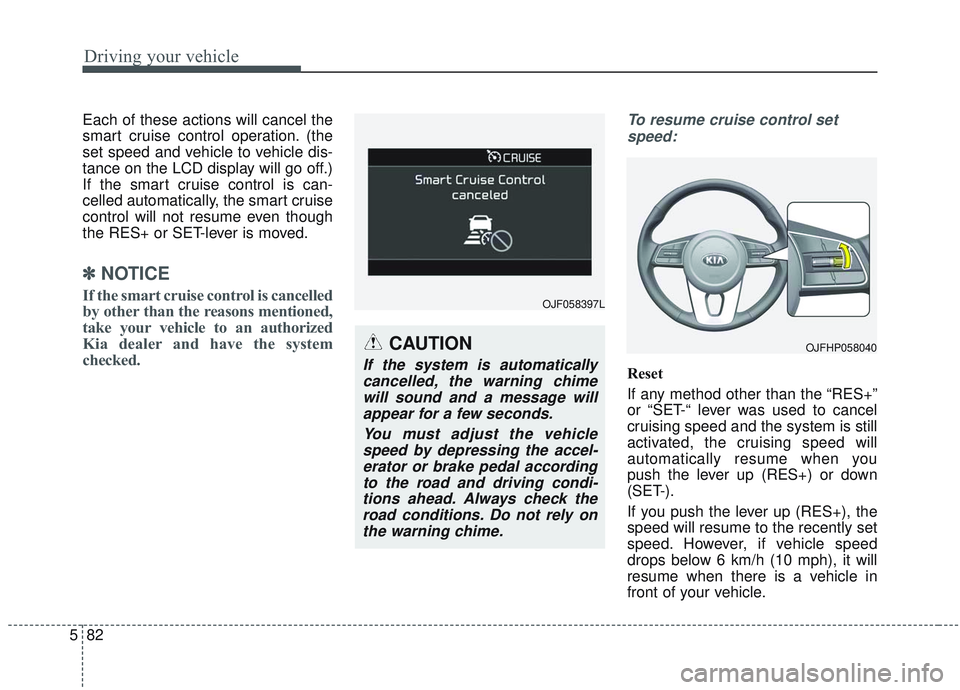
To resume cruise control set
speed:
Reset
If any method other than the “RES+”
or “SET-“ lever was used to cancel
cruising speed and the system is still
activated, the cruising speed will
automatically resume when you
push the lever up (RES+) or down
(SET-).
If you push the lever up (RES+), the
speed will resume to the recently set
speed. However, if vehicle speed
drops below 6 km/h (10 mph), it will
resume when there is a vehicle in
front of your vehicle.
OJF058397L
OJFHP058040CAUTION
If the system is automaticallycancelled, the warning chimewill sound and a message willappear for a few seconds.
You must adjust the vehiclespeed by depressing the accel-erator or brake pedal accordingto the road and driving condi-tions ahead. Always check theroad conditions. Do not rely onthe warning chime.
Page 379 of 589
Driving your vehicle
86
5
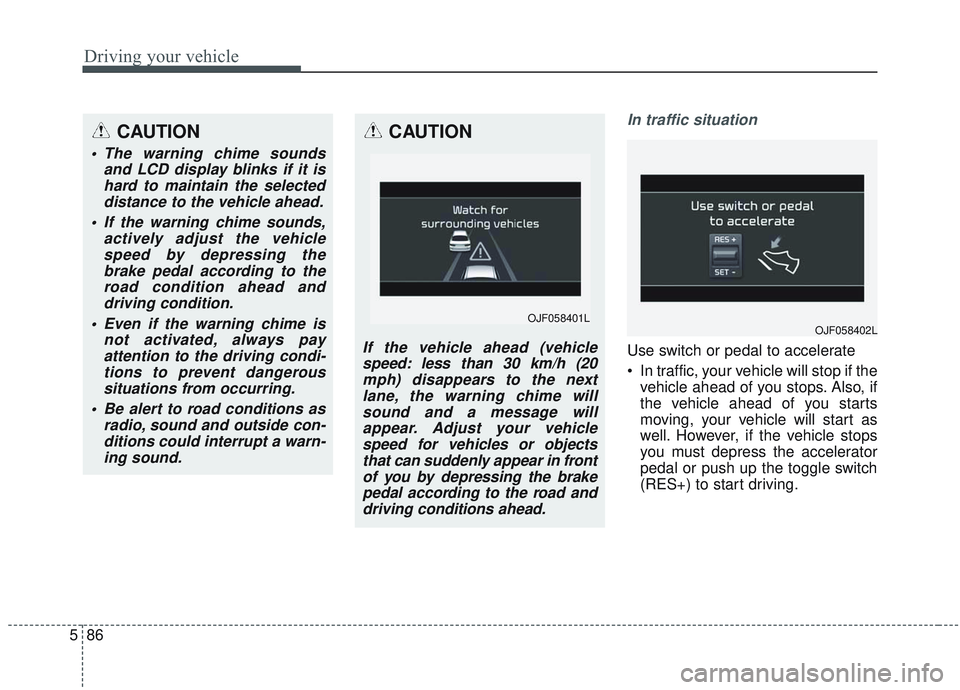
In traffic situation
Use switch or pedal to accelerate
In traffic, your vehicle will stop if the
vehicle ahead of you stops. Also, if
the vehicle ahead of you starts
moving, your vehicle will start as
well. However, if the vehicle stops
you must depress the accelerator
pedal or push up the toggle switch
(RES+) to start driving.
CAUTION
The warning chime sounds and LCD display blinks if it ishard to maintain the selecteddistance to the vehicle ahead.
If the warning chime sounds, actively adjust the vehiclespeed by depressing thebrake pedal according to theroad condition ahead anddriving condition.
Even if the warning chime is not activated, always payattention to the driving condi-tions to prevent dangeroussituations from occurring.
Be alert to road conditions as radio, sound and outside con-ditions could interrupt a warn-ing sound.
CAUTION
If the vehicle ahead (vehiclespeed: less than 30 km/h (20mph) disappears to the nextlane, the warning chime willsound and a message willappear. Adjust your vehiclespeed for vehicles or objectsthat can suddenly appear in frontof you by depressing the brakepedal according to the road anddriving conditions ahead.
OJF058402LOJF058401L
Page 388 of 589
595
Driving your vehicle
✽ ✽
NOTICE
The Smart Cruise Control System
may not operate temporarily due to:
• Electrical interference.
• A modified the suspension.
• Differences in tire abrasion or tire
pressure.
• Installation of different type of tires.
This device complies with
Industry Canada licence-exempt
RSS standard(s).
Operation is subject to the following
conditions:
(1) This device may not cause inter-
ference, and
(2) This device must accept any
interference, including interfer-
ence that may cause undesired
operation of the device.
(3) Changes or modifications not
expressly approved by the party
responsible for compliance could
void the user's authority to oper-
ate the device.
Page 394 of 589
5101
Driving your vehicle
System setting and activation
System setting
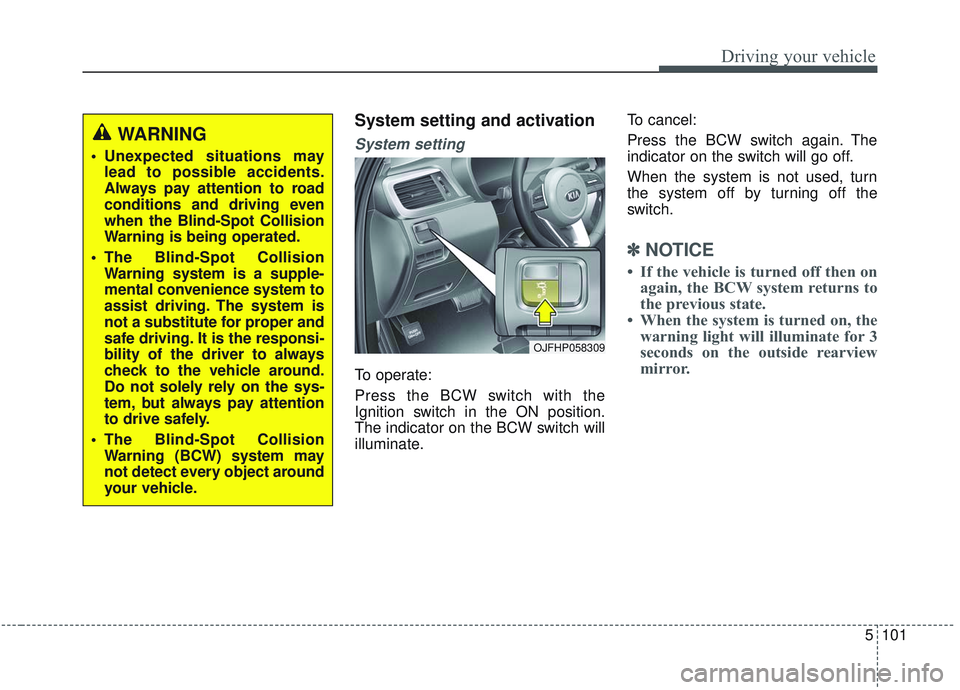
To operate:
Press the BCW switch with the
Ignition switch in the ON position.
The indicator on the BCW switch will
illuminate.To cancel:
Press the BCW switch again. The
indicator on the switch will go off.
When the system is not used, turn
the system off by turning off the
switch.
✽ ✽
NOTICE
• If the vehicle is turned off then on
again, the BCW system returns to
the previous state.
• When the system is turned on, the warning light will illuminate for 3
seconds on the outside rearview
mirror.
OJFHP058309
WARNING
Unexpected situations may
lead to possible accidents.
Always pay attention to road
conditions and driving even
when the Blind-Spot Collision
Warning is being operated.
The Blind-Spot Collision Warning system is a supple-
mental convenience system to
assist driving. The system is
not a substitute for proper and
safe driving. It is the responsi-
bility of the driver to always
check to the vehicle around.
Do not solely rely on the sys-
tem, but always pay attention
to drive safely.
The Blind-Spot Collision Warning (BCW) system may
not detect every object around
your vehicle.
Page 399 of 589

Driving your vehicle
106
5
If the vehicle detected by the sensors
approaches from the rear left/right
side of your vehicle, the warning
chime will sound, the warning light
on the outside rearview mirror will
blink and a message will appear on
the LCD display.
The warning will stop when:
- The vehicle moving at the rear
left/right side of your vehicle is not
in the detection range.
- The vehicle is right behind your vehicle.
- The vehicle is not driving towards your vehicle.
- The vehicle’s approaching speed is decreased.
WARNING
Drive safely even though thevehicle is equipped with a
Rear Cross-Traffic Collision
Warning (RCCW) System. Do
not solely rely on the system
but check your surrounding
when backing the vehicle up.
The RCCW system may not
detect every object alongside
the vehicle.
The driver is responsible for accurate brake control.
Always pay extreme caution while driving. The Rear Cross-
Traffic Collision Warning
System may not operate prop-
erly or unnecessarily operate
in accordance with your driv-
ing situations.
CAUTION
If the operating conditions of RCCW are satisfied, a warningis issued every time a vehiclecomes to the rear side, even ifyour vehicle is stopped (vehi-cle speed 0 km/h (0 mph)).
The system's warning may not operate properly if theleft/right of your vehicle's rearbumper is blocked by a vehi-cle or obstacle.
The driver should always use extreme caution while operat-ing the vehicle, whether or notthe warning light on the out-side rearview mirror illumi-nates or there is a warningalarm.
Playing the vehicle audio sys- tem at high volume may pre-vent occupants from hearingthe system's warning sounds.
The warning of the Rear Cross- Traffic Collision WarningSystem may not sound if warn-ing sounds from other systemsare activated.
Page 409 of 589
Driving your vehicle
116
5
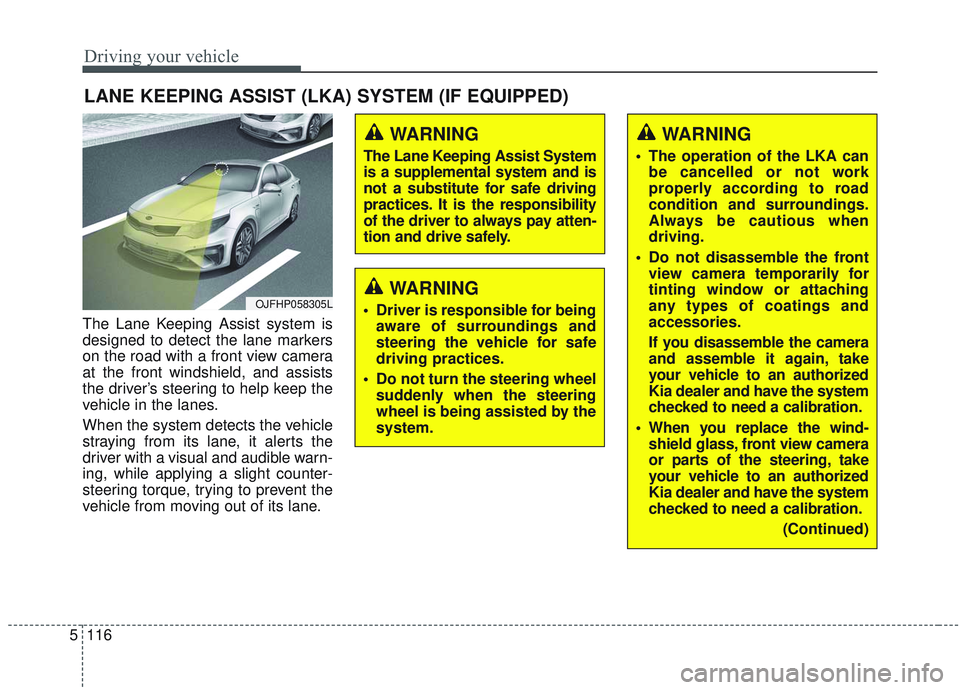
The Lane Keeping Assist system is
designed to detect the lane markers
on the road with a front view camera
at the front windshield, and assists
the driver’s steering to help keep the
vehicle in the lanes.
When the system detects the vehicle
straying from its lane, it alerts the
driver with a visual and audible warn-
ing, while applying a slight counter-
steering torque, trying to prevent the
vehicle from moving out of its lane.
LANE KEEPING ASSIST (LKA) SYSTEM (IF EQUIPPED)
WARNING
Driver is responsible for being
aware of surroundings and
steering the vehicle for safe
driving practices.
Do not turn the steering wheel suddenly when the steering
wheel is being assisted by the
system.
WARNING
The Lane Keeping Assist System
is a supplemental system and is
not a substitute for safe driving
practices. It is the responsibility
of the driver to always pay atten-
tion and drive safely.
OJFHP058305L
WARNING
The operation of the LKA canbe cancelled or not work
properly according to road
condition and surroundings.
Always be cautious when
driving.
Do not disassemble the front view camera temporarily for
tinting window or attaching
any types of coatings and
accessories.
If you disassemble the camera
and assemble it again, take
your vehicle to an authorized
Kia dealer and have the system
checked to need a calibration.
When you replace the wind- shield glass, front view camera
or parts of the steering, take
your vehicle to an authorized
Kia dealer and have the system
checked to need a calibration.
(Continued)
Page 413 of 589
Driving your vehicle
120
5
If the driver still does not have their
hands on the steering wheel after
several seconds, the system will not
control the steering wheel and warn
the driver only when the driver cross-
es the lane markers.
However, if the driver has their hands
on the steering wheel again, the sys-
tem will start providing steering
inputs.
✽ ✽
NOTICE
• Even though the steering is assist-
ed by the system, the driver may
control the steering.
• The steering wheel may feel heav- ier when the steering wheel is
assisted by the system than when it
is not. WARNING
Always have your hands on the
steering wheel while driving
If you hold the steering wheel with a light grip, the system
may generate a hands off
warning.
WARNING
It is the responsibility of thedriver to safely steer the vehi-
cle and to maintain it in its lane.
Even though the steering is assisted by the system, the
driver may control the steer-
ing wheel.
Turn off the LKA system and drive without using the sys-
tem in the following situa-
tions:
- In bad weather
- In bad road conditions
- When the steering wheelneeds to be controlled by the
driver frequently.
The steering wheel may feel heavier when the steering
wheel is assisted by the sys-
tem than when it is not.
Page 421 of 589

Driving your vehicle
128
5
System malfunction
When the “Check Driver Attention
Warning (DAW) system” warning mes-
sage appears, the system is not work-
ing properly. In this case, take your
vehicle to an authorized Kia dealer
and have the system checked.
✽ ✽
NOTICE
It may suggest a break according to
the driver’s driving pattern or
habits even if the driver doesn’t feel
fatigued.
✽ ✽NOTICE
The Driver Attention Warning sys-
tem utilizes the camera sensor on the
front windshield for its operation.
To keep the camera sensor in the
best condition, you should observe
the followings:
- Do not place any reflective objects
(i.e. white paper, mirror) over the
dashboard. Any light reflection
may prevent the Driver Attention
Warning (DAW) system from
functioning properly.
- Pay extreme caution to keep the camera sensor out of water.
- Do not disassemble the camera assembly, or apply any impact on
the camera assembly.
• Playing the vehicle audio system at high volume may offset the
Driver Attention Warning system
warning sounds.WARNING
The Driver Attention Warning
system is not a substitute for
safe driving practices. It is the
responsibility of the driver to
always drive cautiously to
prevent unexpected and sud-
den situations from occur-
ring. Pay attention to the road
conditions at all times.
The driver, who feels fatigued, should take a break, even
though there is no break sug-
gestion by the Driver
Attention Warning system.
OJF058429L