Size 12 KIA PICANTO 2016 Owners Manual
[x] Cancel search | Manufacturer: KIA, Model Year: 2016, Model line: PICANTO, Model: KIA PICANTO 2016Pages: 488, PDF Size: 31.22 MB
Page 44 of 488
Safety features of your vehicle
32
3
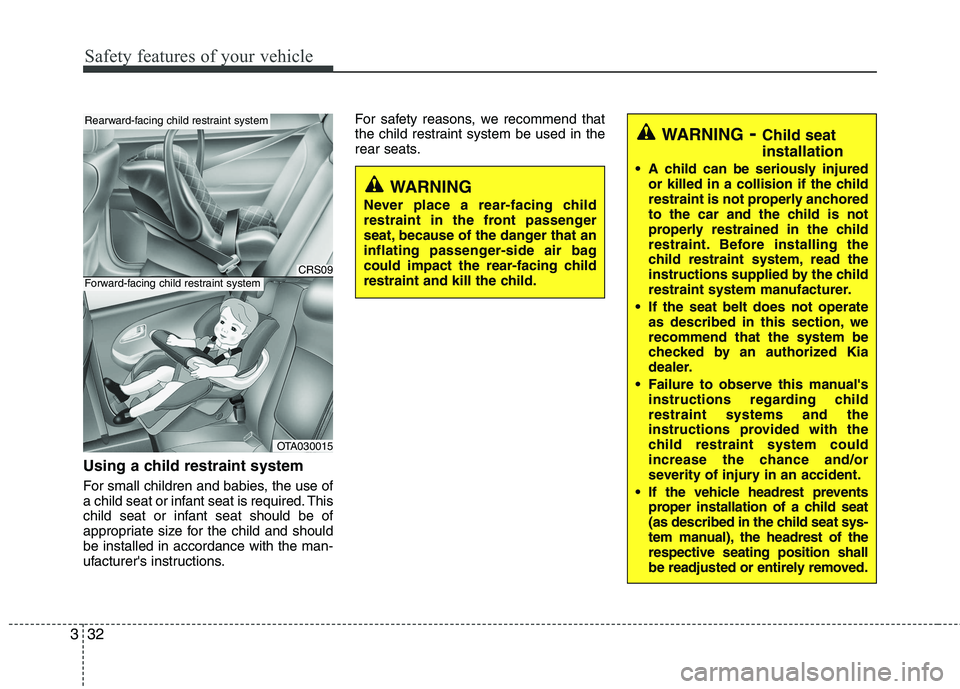
Using a child restraint system
For small children and babies, the use of
a child seat or infant seat is required. This
child seat or infant seat should be of
appropriate size for the child and shouldbe installed in accordance with the man-
ufacturer's instructions. For safety reasons, we recommend that
the child restraint system be used in the
rear seats.
WARNING
Never place a rear-facing child
restraint in the front passenger
seat, because of the danger that an
inflating passenger-side air bag
could impact the rear-facing child
restraint and kill the child.
WARNING - Child seat installation
A child can be seriously injured or killed in a collision if the child
restraint is not properly anchored
to the car and the child is not
properly restrained in the child
restraint. Before installing the
child restraint system, read the
instructions supplied by the child
restraint system manufacturer.
If the seat belt does not operate as described in this section, werecommend that the system be
checked by an authorized Kia
dealer.
Failure to observe this manual's instructions regarding childrestraint systems and the
instructions provided with the
child restraint system could
increase the chance and/or
severity of injury in an accident.
If the vehicle headrest prevents proper installation of a child seat
(as described in the child seat sys-
tem manual), the headrest of therespective seating position shall
be readjusted or entirely removed.
CRS09
OTA030015
Rearward-facing child restraint system
Forward-facing child restraint system
Page 51 of 488
339
Safety features of your vehicle
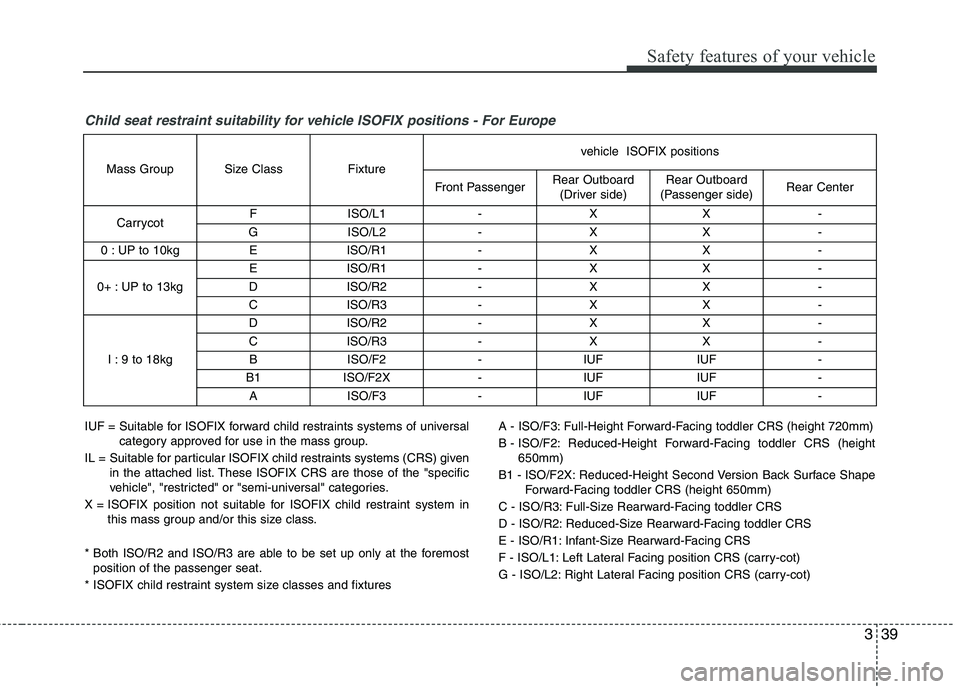
Child seat restraint suitability for vehicle ISOFIX positions - For Europe
IUF = Suitable for ISOFIX forward child restraints systems of universalcategory approved for use in the mass group.
IL = Suitable for particular ISOFIX child restraints systems (CRS) given in the attached list. These ISOFIX CRS are those of the "specific
vehicle", "restricted" or "semi-universal" categories.
X = ISOFIX position not suitable for ISOFIX child restraint system in this mass group and/or this size class.
* Both ISO/R2 and ISO/R3 are able to be set up only at the foremost position of the passenger seat.
* ISOFIX child restraint system size classes and fixtures A - ISO/F3: Full-Height Forward-Facing toddler CRS (height 720mm)
B - ISO/F2: Reduced-Height Forward-Facing toddler CRS (height
650mm)
B1 - ISO/F2X: Reduced-Height Second Version Back Surface Shape Forward-Facing toddler CRS (height 650mm)
C - ISO/R3: Full-Size Rearward-Facing toddler CRS
D - ISO/R2: Reduced-Size Rearward-Facing toddler CRS
E - ISO/R1: Infant-Size Rearward-Facing CRS
F - ISO/L1: Left Lateral Facing position CRS (carry-cot)
G - ISO/L2: Right Lateral Facing position CRS (carry-cot)
Mass Group Size Class Fixture
vehicle ISOFIX positions
Front Passenger Rear Outboard
(Driver side) Rear Outboard
(Passenger side) Rear Center
Carrycot F ISO/L1 - X X -
G ISO/L2 - X X -
0 : UP to 10kg E ISO/R1 - X X -
0+ : UP to 13kg E ISO/R1 - X X -
D ISO/R2 - X X -
C ISO/R3 - X X -
I : 9 to 18kg D ISO/R2 - X X -
C ISO/R3 - X X -
B ISO/F2 - IUF IUF -
B1 ISO/F2X - IUF IUF -
A ISO/F3 - IUF IUF -
Page 97 of 488
Features of your vehicle
22
4
Power windows (if equipped)
The ignition switch must be in the ON
position for power windows to operate.
Each door has a power window switch
that controls the door's window. The driver
has a power window lock switch which
can block the operation of passenger win-
dows. The power windows can be operat-
ed for approximately 30 seconds after the
ignition key is removed or turned to the
ACC or LOCK position. However, if the
front doors open, the power windows can-
not be operated within the 30 second peri-
od after ignition key removal (if equipped).
✽✽
NOTICE
While driving with the rear windows
down or with the sunroof (if equipped) in
an open (or partially open position), your
vehicle may demonstrate a wind buffet-
ing or pulsation noise. This noise is a
normal occurrence and can be reduced
or eliminated by taking the following
actions. If the noise occurs with one or
both of the rear windows down, partially
lower both front windows approximate-
ly one inch. If you experience the noise
with the sunroof open, slightly reduce the
size of the sunroof opening.
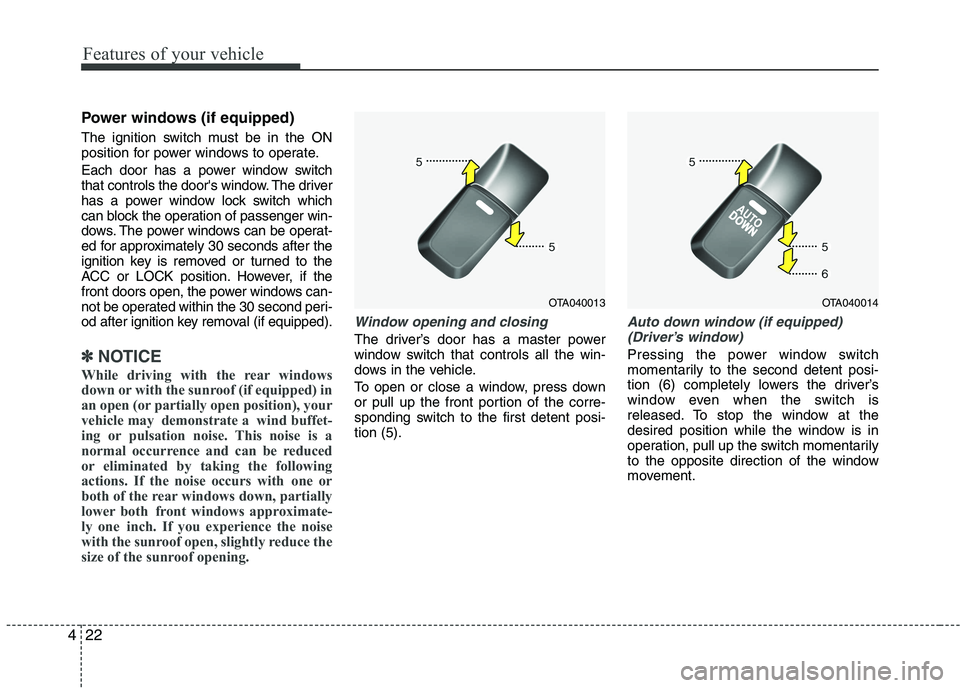
Window opening and closing
The driver’s door has a master power
window switch that controls all the win-
dows in the vehicle.
To open or close a window, press down
or pull up the front portion of the corre-
sponding switch to the first detent posi-tion (5).
Auto down window (if equipped) (Driver’s window)
Pressing the power window switch
momentarily to the second detent posi-
tion (6) completely lowers the driver’s
window even when the switch is
released. To stop the window at the
desired position while the window is in
operation, pull up the switch momentarily
to the opposite direction of the window
movement.
OTA040013OTA040014
Page 107 of 488
Features of your vehicle
32
4
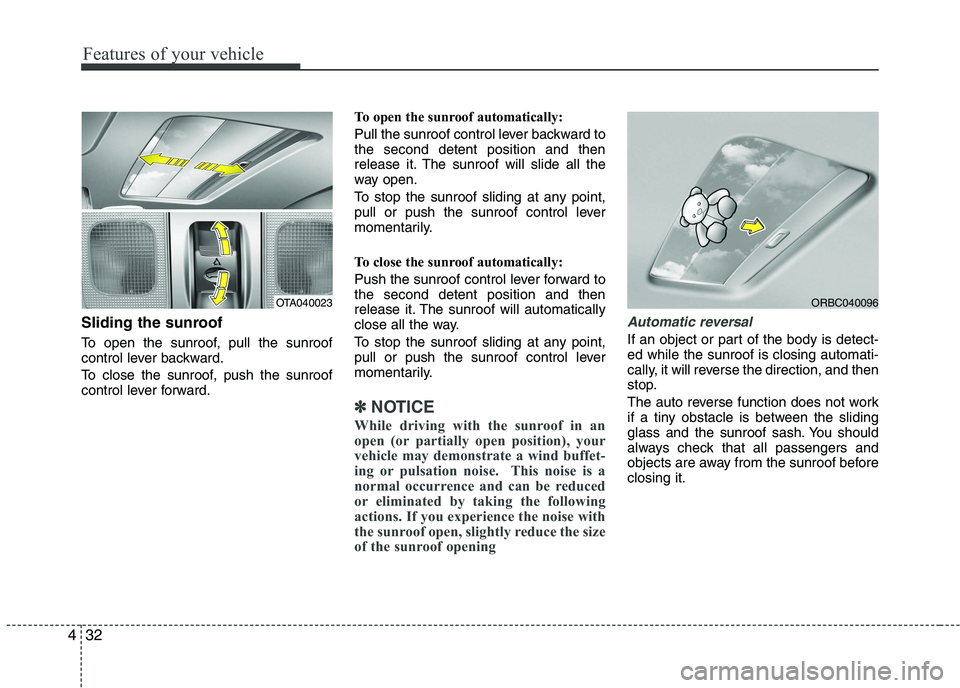
Sliding the sunroof
To open the sunroof, pull the sunroof
control lever backward.
To close the sunroof, push the sunroof
control lever forward. To open the sunroof automatically:
Pull the sunroof control lever backward to the second detent position and then
release it. The sunroof will slide all the
way open.
To stop the sunroof sliding at any point,
pull or push the sunroof control lever
momentarily.
To close the sunroof automatically:
Push the sunroof control lever forward to the second detent position and then
release it. The sunroof will automatically
close all the way.
To stop the sunroof sliding at any point,
pull or push the sunroof control lever
momentarily.
✽✽
NOTICE
While driving with the sunroof in an
open (or partially open position), your
vehicle may demonstrate a wind buffet-
ing or pulsation noise. This noise is a
normal occurrence and can be reduced
or eliminated by taking the following
actions. If you experience the noise with
the sunroof open, slightly reduce the size
of the sunroof opening
Automatic reversal
If an object or part of the body is detect- ed while the sunroof is closing automati-
cally, it will reverse the direction, and then
stop.
The auto reverse function does not work
if a tiny obstacle is between the sliding
glass and the sunroof sash. You should
always check that all passengers and
objects are away from the sunroof beforeclosing it.
OTA040023ORBC040096
Page 148 of 488
473
Features of your vehicle
✽✽NOTICE
This system can only sense objects with-
in the range and location of the sensors;
It can not detect objects in other areas
where sensors are not installed. Also,
small or slim objects, such as poles or
objects located between sensors may not
be detected by the sensors.
Always visually check behind the vehi-
cle when backing up.
Be sure to inform any drivers of the
vehicle that may be unfamiliar with the
system regarding the systems capabili-
ties and limitations.Self-diagnosis
If you don’t hear an audible warning
sound or if the buzzer sounds intermit-tently when shifting the gear to the R
(Reverse) position, this may indicate a
malfunction in the rear parking assist sys-
tem. If this occurs, we recommend that
the system be checked by an authorized
Kia dealer.
WARNING
Pay close attention when the vehi-
cle is driven close to objects on the
road, particularly pedestrians, and
especially children. Be aware that
some objects may not be detected
by the sensors, due to the object’s
distance, size or material, all of
which can limit the effectiveness of
the sensor. Always perform a visual
inspection to make sure the vehicle
is clear of all obstructions before
moving the vehicle in any direction.
WARNING
Your new vehicle warranty does not
cover any accidents or damage to
the vehicle or injuries to its occu-pants due to a rear parking assist
system malfunction. Always drive
safely and cautiously.
Page 208 of 488
133
Features of your vehicle
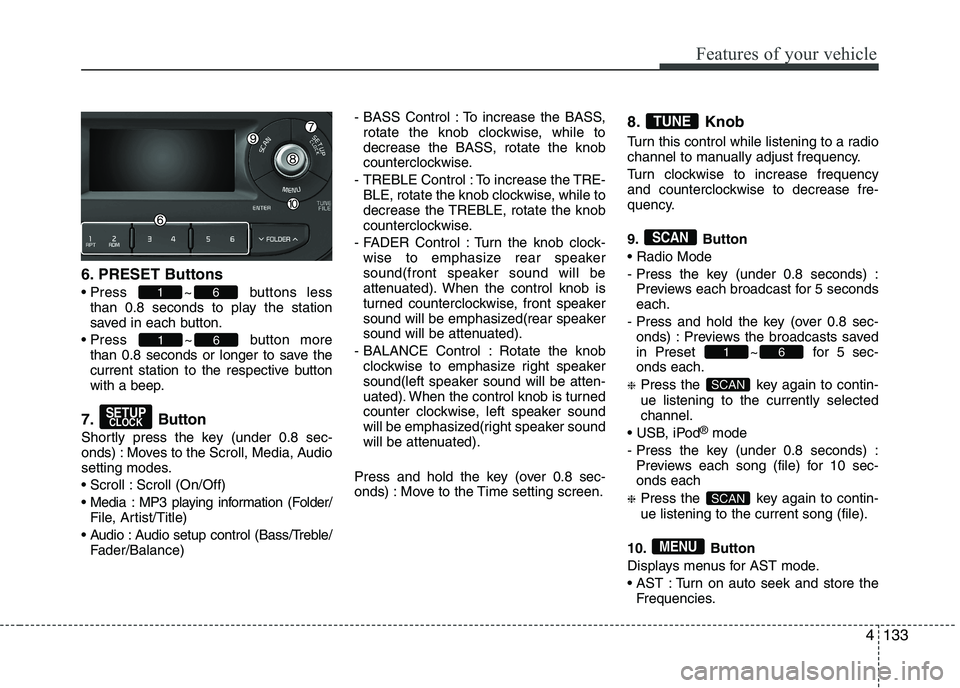
6. PRESET Buttons
Press ~ buttons less
than 0.8 seconds to play the station
saved in each button.
Press ~ button more than 0.8 seconds or longer to save the
current station to the respective button
with a beep.
7. Button
Shortly press the key (under 0.8 sec-
onds) : Moves to the Scroll, Media, Audio
setting modes.
Scroll : Scroll (On/Off)
Media : MP3 playing information (Folder/ File, Artist/Title)
Audio : Audio setup control (Bass/Treble/ Fader/Balance) - BASS Control : To increase the BASS,
rotate the knob clockwise, while to
decrease the BASS, rotate the knob
counterclockwise.
- TREBLE Control : To increase the TRE- BLE, rotate the knob clockwise, while to
decrease the TREBLE, rotate the knob
counterclockwise.
- FADER Control : Turn the knob clock- wise to emphasize rear speaker
sound(front speaker sound will be
attenuated). When the control knob is
turned counterclockwise, front speaker
sound will be emphasized(rear speaker
sound will be attenuated).
- BALANCE Control : Rotate the knob clockwise to emphasize right speaker
sound(left speaker sound will be atten-
uated). When the control knob is turned
counter clockwise, left speaker sound
will be emphasized(right speaker sound
will be attenuated).
Press and hold the key (over 0.8 sec-
onds) : Move to the Time setting screen. 8. Knob
Turn this control while listening to a radio
channel to manually adjust frequency.
Turn clockwise to increase frequency
and counterclockwise to decrease fre-
quency.
9. Button
- Press the key (under 0.8 seconds) :
Previews each broadcast for 5 seconds each.
- Press and hold the key (over 0.8 sec- onds) : Previews the broadcasts saved
in Preset ~ for 5 sec-onds each.
❈ Press the key again to contin- ue listening to the currently selectedchannel.
®
mode
- Press the key (under 0.8 seconds) : Previews each song (file) for 10 sec- onds each
❈ Press the key again to contin- ue listening to the current song (file).
10. Button
Displays menus for AST mode.
AST : Turn on auto seek and store the Frequencies.
MENU
SCAN
SCAN
61
SCAN
TUNE
SETUPCLOCK
61
61
4
Page 317 of 488
535
Driving your vehicle
Indicator light
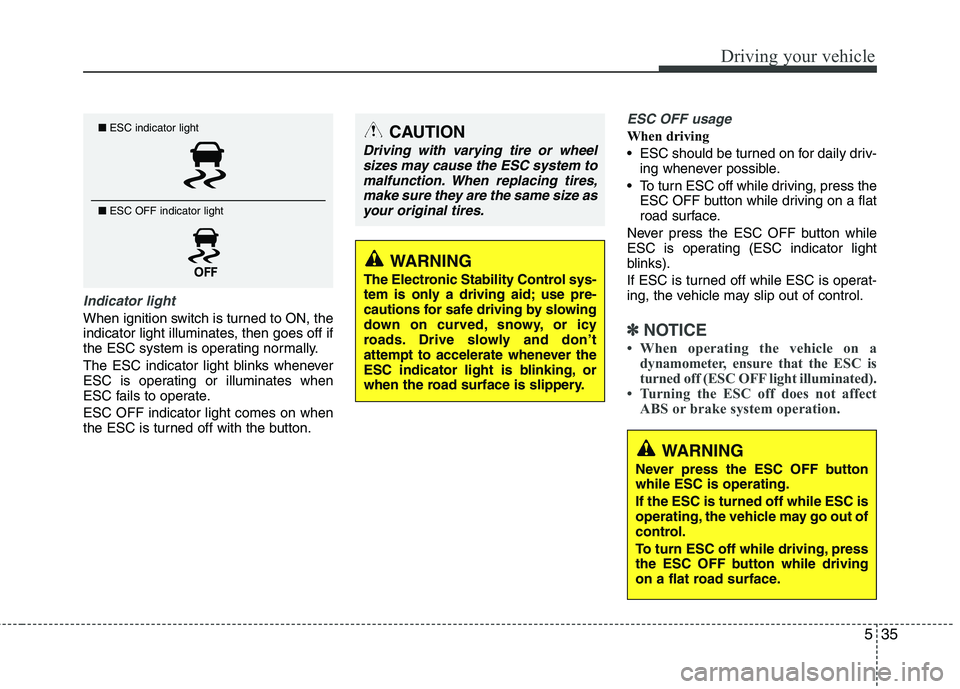
When ignition switch is turned to ON, the
indicator light illuminates, then goes off if
the ESC system is operating normally.
The ESC indicator light blinks whenever
ESC is operating or illuminates when
ESC fails to operate. ESC OFF indicator light comes on when
the ESC is turned off with the button.
ESC OFF usage
When driving
ESC should be turned on for daily driv-ing whenever possible.
To turn ESC off while driving, press the ESC OFF button while driving on a flat
road surface.
Never press the ESC OFF button while
ESC is operating (ESC indicator light
blinks).
If ESC is turned off while ESC is operat-
ing, the vehicle may slip out of control.
✽✽ NOTICE
When operating the vehicle on a dynamometer, ensure that the ESC is
turned off (ESC OFF light illuminated).
Turning the ESC off does not affect ABS or brake system operation.
■ESC indicator light
■ ESC OFF indicator light CAUTION
Driving with varying tire or wheel
sizes may cause the ESC system to
malfunction. When replacing tires,make sure they are the same size asyour original tires.
WARNING
The Electronic Stability Control sys-
tem is only a driving aid; use pre-
cautions for safe driving by slowing
down on curved, snowy, or icy
roads. Drive slowly and don’t
attempt to accelerate whenever the
ESC indicator light is blinking, or
when the road surface is slippery.
WARNING
Never press the ESC OFF button while ESC is operating. If the ESC is turned off while ESC is
operating, the vehicle may go out of
control.
To turn ESC off while driving, press
the ESC OFF button while driving
on a flat road surface.
Page 319 of 488
537
Driving your vehicle
VSM operation off
If you press the ESC OFF button to turn off
the ESC, the VSM will also cancel and the
ESC OFF indicator light ( ) illuminates.
To turn on the VSM, press the button
again. The ESC OFF indicator light goesout.
Malfunction indicator
The VSM can be deactivated even if you
don’t cancel the VSM operation by press-
ing the ESC OFF button. It indicates thata malfunction has been detected some-
where in the Electric Power Steering sys-
tem or VSM system. If the ESC indicator
light ( ) or EPS warning light remains
on, we recommend that you contact an
authorized Kia dealer.
✽✽NOTICE
The VSM is designed to function above approximately 15 km/h (9 mph)
on curves.
The VSM is designed to function above approximately 30 km/h (18
mph) when a vehicle is braking on a
split-mu road. The split-mu road is
made of surfaces which have different
friction forces.
ESS : Emergency Stop Signal (if equipped) The Emergency Stop Signal system
alerts the driver behind by blinking the
stop light when the vehicle suddenly
stops or when the ABS activates in a
stop. (The system activates when the
vehicle speed is over 55km/h and the
vehicle deceleration is over 7m/s² or the
ABS activates when the vehicle emer-
gency braking.)
When the vehicle speed is under 40 km/h
and the ABS deactivates or the sudden
stop situation is over, the stop light blink-
ing will stop.
WARNING
The Vehicle Stability Management system is not a substitute for
safe driving practices but a sup-
plementary function only. It is theresponsibility of the driver to
always check the speed and the
distance to the vehicle ahead.
Always hold the steering wheel
firmly while driving.
Your vehicle is designed to acti- vate according to the driver’s
intention, even with installed
VSM. Always follow all the normal
precautions for driving at safe
speeds for the conditions –
including driving inclement
weather and on a slippery road.
Driving with varying tire or wheel sizes may cause the VSM system
to malfunction. When replacing
tires, make sure they are the
same size as your original tires.
CAUTION
The Emergency Stop Signal system
will not work if the hazard warningflasher is already on.
Page 340 of 488
Driving your vehicle
58
5
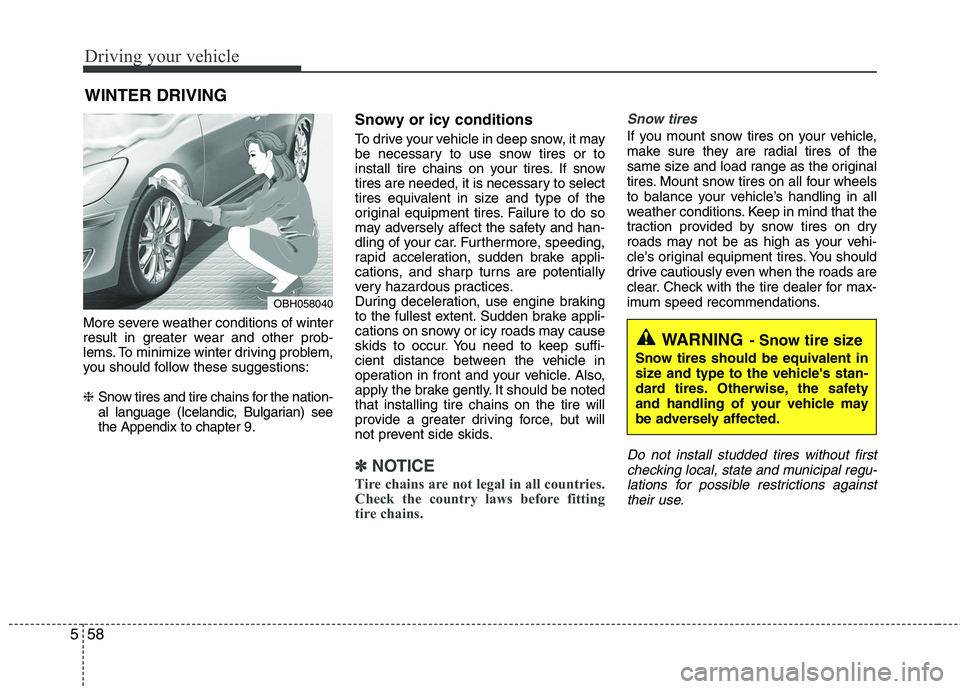
More severe weather conditions of winter
result in greater wear and other prob-
lems. To minimize winter driving problem,
you should follow these suggestions: ❈ Snow tires and tire chains for the nation-
al language (Icelandic, Bulgarian) seethe Appendix to chapter 9. Snowy or icy conditions
To drive your vehicle in deep snow, it may
be necessary to use snow tires or to
install tire chains on your tires. If snow
tires are needed, it is necessary to select
tires equivalent in size and type of the
original equipment tires. Failure to do so
may adversely affect the safety and han-
dling of your car. Furthermore, speeding,
rapid acceleration, sudden brake appli-
cations, and sharp turns are potentially
very hazardous practices.
During deceleration, use engine braking
to the fullest extent. Sudden brake appli-
cations on snowy or icy roads may cause
skids to occur. You need to keep suffi-
cient distance between the vehicle in
operation in front and your vehicle. Also,
apply the brake gently. It should be notedthat installing tire chains on the tire will
provide a greater driving force, but will
not prevent side skids.
✽✽
NOTICE
Tire chains are not legal in all countries.
Check the country laws before fitting
tire chains.
Snow tires
If you mount snow tires on your vehicle,
make sure they are radial tires of the
same size and load range as the original
tires. Mount snow tires on all four wheels
to balance your vehicle’s handling in all
weather conditions. Keep in mind that the
traction provided by snow tires on dry
roads may not be as high as your vehi-
cle's original equipment tires. You should
drive cautiously even when the roads are
clear. Check with the tire dealer for max-
imum speed recommendations.
Do not install studded tires without first checking local, state and municipal regu- lations for possible restrictions againsttheir use.
WINTER DRIVING
WARNING - Snow tire size
Snow tires should be equivalent in
size and type to the vehicle's stan-
dard tires. Otherwise, the safety
and handling of your vehicle may
be adversely affected.
OBH058040
Page 341 of 488
559
Driving your vehicle
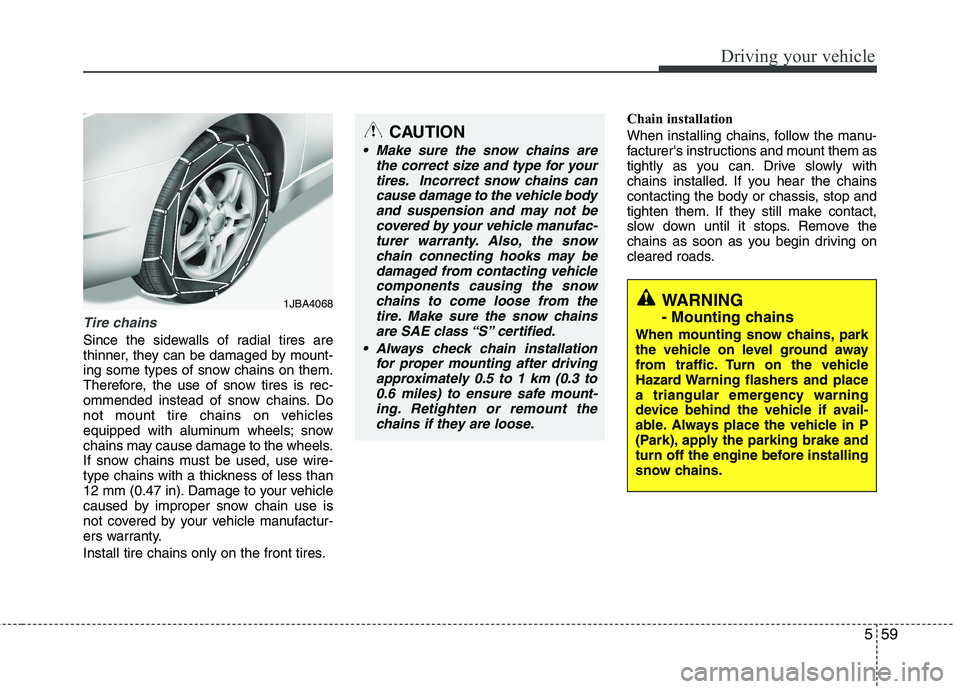
Tire chains
Since the sidewalls of radial tires are
thinner, they can be damaged by mount-
ing some types of snow chains on them.
Therefore, the use of snow tires is rec-
ommended instead of snow chains. Do
not mount tire chains on vehicles
equipped with aluminum wheels; snow
chains may cause damage to the wheels.
If snow chains must be used, use wire-
type chains with a thickness of less than
12 mm (0.47 in). Damage to your vehicle
caused by improper snow chain use is
not covered by your vehicle manufactur-
ers warranty.
Install tire chains only on the front tires.Chain installation
When installing chains, follow the manu-
facturer's instructions and mount them as
tightly as you can. Drive slowly with
chains installed. If you hear the chains
contacting the body or chassis, stop and
tighten them. If they still make contact,
slow down until it stops. Remove the
chains as soon as you begin driving on
cleared roads.
CAUTION
Make sure the snow chains are
the correct size and type for your
tires. Incorrect snow chains cancause damage to the vehicle bodyand suspension and may not be covered by your vehicle manufac-
turer warranty. Also, the snowchain connecting hooks may bedamaged from contacting vehicle
components causing the snow chains to come loose from thetire. Make sure the snow chainsare SAE class “S” certified.
Always check chain installation for proper mounting after drivingapproximately 0.5 to 1 km (0.3 to0.6 miles) to ensure safe mount-ing. Retighten or remount the
chains if they are loose.
WARNING
- Mounting chains
When mounting snow chains, park
the vehicle on level ground away
from traffic. Turn on the vehicle
Hazard Warning flashers and place
a triangular emergency warning
device behind the vehicle if avail-
able. Always place the vehicle in P
(Park), apply the parking brake and
turn off the engine before installing
snow chains.1JBA4068