mirror KIA RIO 2022 User Guide
[x] Cancel search | Manufacturer: KIA, Model Year: 2022, Model line: RIO, Model: KIA RIO 2022Pages: 528, PDF Size: 11.8 MB
Page 188 of 528
4109
Features of your vehicle
If you want to defrost and defog the
front windshield, refer to “Windshield
Defrosting and Defogging” in this
section.
Rear window defroster
The defroster heats the window to
remove frost, fog and thin ice from
the interior and exterior of the rear
window, while the engine is running.To activate the rear window
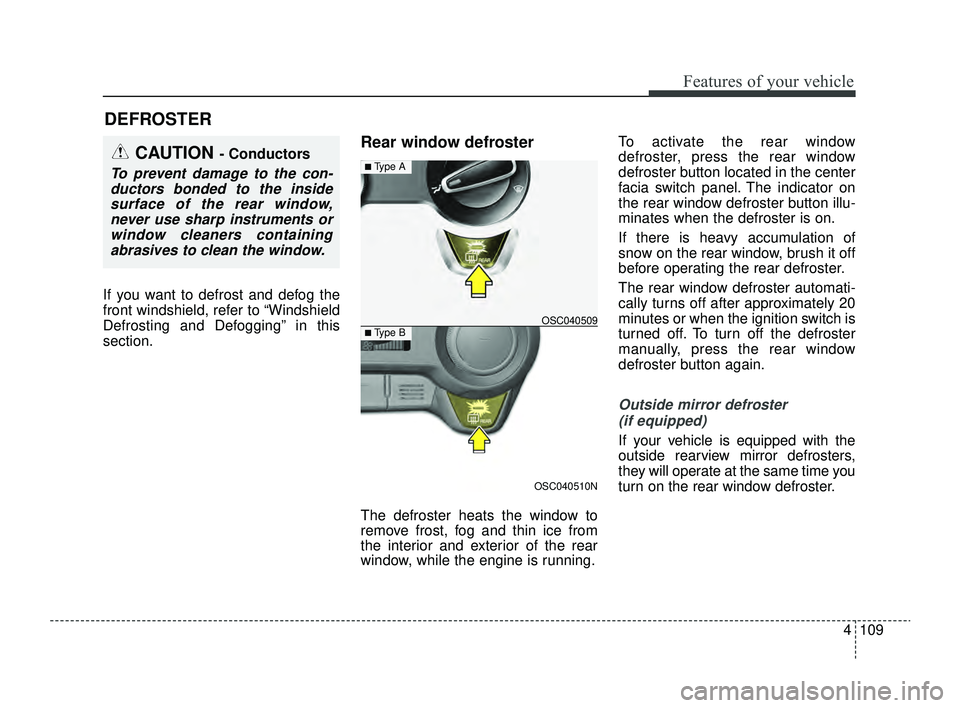
defroster, press the rear window
defroster button located in the center
facia switch panel. The indicator on
the rear window defroster button illu-
minates when the defroster is on.
If there is heavy accumulation of
snow on the rear window, brush it off
before operating the rear defroster.
The rear window defroster automati-
cally turns off after approximately 20
minutes or when the ignition switch is
turned off. To turn off the defroster
manually, press the rear window
defroster button again.
Outside mirror defroster
(if equipped)
If your vehicle is equipped with the
outside rearview mirror defrosters,
they will operate at the same time you
turn on the rear window defroster.
DEFROSTER
CAUTION - Conductors
To prevent damage to the con-ductors bonded to the insidesurface of the rear window,never use sharp instruments orwindow cleaners containingabrasives to clean the window.
OSC040510N
OSC040509
■ Type A
■ Type B
SC PE USA 4.QXP 9/9/2021 6:06 PM Page 109
Page 214 of 528
4135
Features of your vehicle
WINDSHIELD DEFROSTING AND DEFOGGING
For maximum defrosting, set thetemperature control all the way to
the right/hot position and the fan
speed control to the highest speed.
If warm air to the floor is desired while defrosting or defogging, set the
mode to the floor-defrost position.
Before driving, clear all snow and ice from the windshield, rear win-
dow, outside rear view mirrors, and
all side windows.
Clear all snow and ice from the hood and air inlet in the cowl grill to
improve heater and defroster effi-
ciency and to reduce the probabili-
ty of fogging up the inside of the
windshield.Manual climate control system
To defog inside windshield
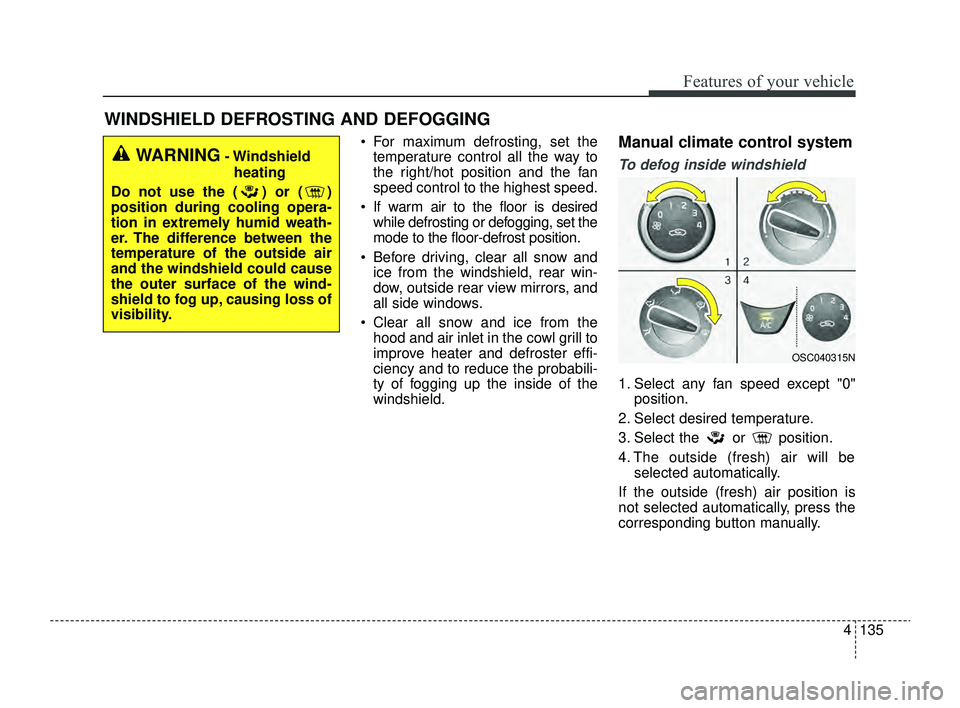
1. Select any fan speed except "0" position.
2. Select desired temperature.
3. Select the or position.
4. The outside (fresh) air will be selected automatically.
If the outside (fresh) air position is
not selected automatically, press the
corresponding button manually.
WARNING- Windshield heating
Do not use the ( ) or ( )
position during cooling opera-
tion in extremely humid weath-
er. The difference between the
temperature of the outside air
and the windshield could cause
the outer surface of the wind-
shield to fog up, causing loss of
visibility.
OSC040315N
SC PE USA 4.QXP 9/9/2021 6:08 PM Page 135
Page 220 of 528
4141
Features of your vehicle
Sunglass holder (if equipped)
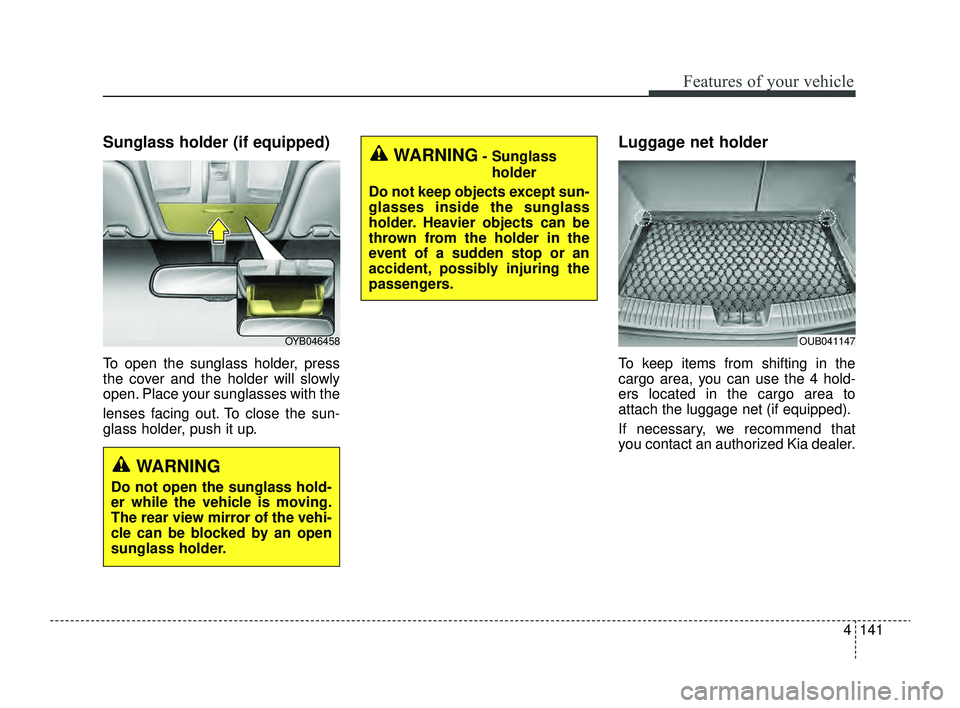
To open the sunglass holder, press
the cover and the holder will slowly
open. Place your sunglasses with the
lenses facing out. To close the sun-
glass holder, push it up.
Luggage net holder
To keep items from shifting in the
cargo area, you can use the 4 hold-
ers located in the cargo area to
attach the luggage net (if equipped).
If necessary, we recommend that
you contact an authorized Kia dealer.
OYB046458OUB041147
WARNING
Do not open the sunglass hold-
er while the vehicle is moving.
The rear view mirror of the vehi-
cle can be blocked by an open
sunglass holder.
WARNING- Sunglassholder
Do not keep objects except sun-
glasses inside the sunglass
holder. Heavier objects can be
thrown from the holder in the
event of a sudden stop or an
accident, possibly injuring the
passengers.
SC PE USA 4.QXP 9/9/2021 6:08 PM Page 141
Page 222 of 528
4143
Features of your vehicle
Cup holder
✽ ✽NOTICE
When cleaning spilled liquids, do
not dry the cup holder at high tem-
perature. This may damage the cup
holder.
Cups or small beverage cans may be
placed in the cup holders.
Sunvisor
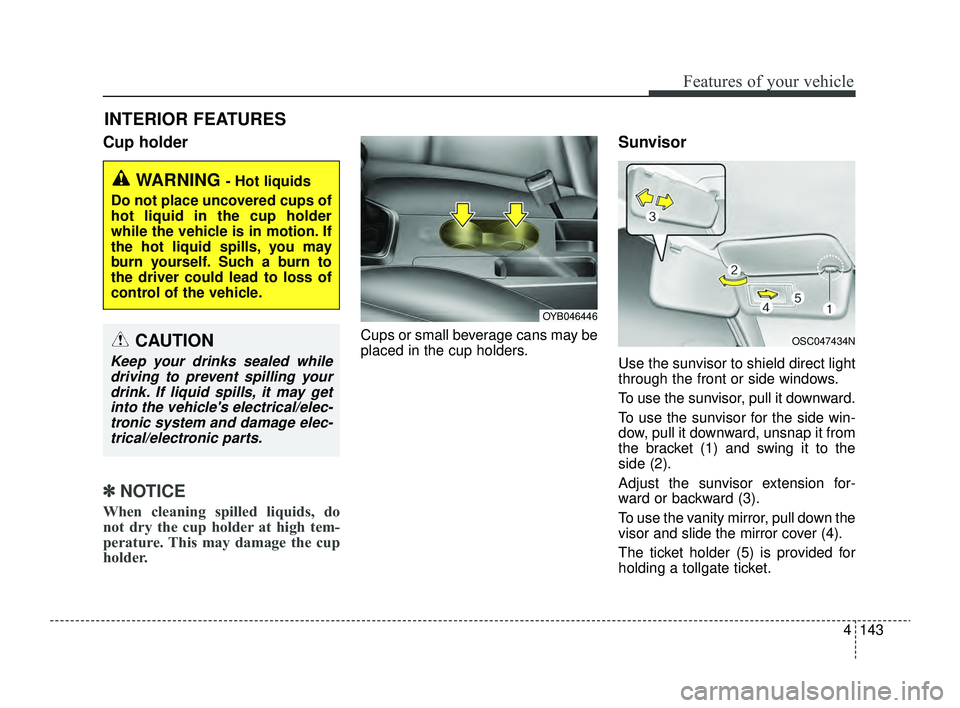
Use the sunvisor to shield direct light
through the front or side windows.
To use the sunvisor, pull it downward.
To use the sunvisor for the side win-
dow, pull it downward, unsnap it from
the bracket (1) and swing it to the
side (2).
Adjust the sunvisor extension for-
ward or backward (3).
To use the vanity mirror, pull down the
visor and slide the mirror cover (4).
The ticket holder (5) is provided for
holding a tollgate ticket.
INTERIOR FEATURES
WARNING - Hot liquids
Do not place uncovered cups of
hot liquid in the cup holder
while the vehicle is in motion. If
the hot liquid spills, you may
burn yourself. Such a burn to
the driver could lead to loss of
control of the vehicle.
OYB046446
OSC047434NCAUTION
Keep your drinks sealed while driving to prevent spilling yourdrink. If liquid spills, it may getinto the vehicle's electrical/elec-tronic system and damage elec-trical/electronic parts.
SC PE USA 4.QXP 9/9/2021 6:08 PM Page 143
Page 223 of 528
Features of your vehicle
144
4
Power outlet
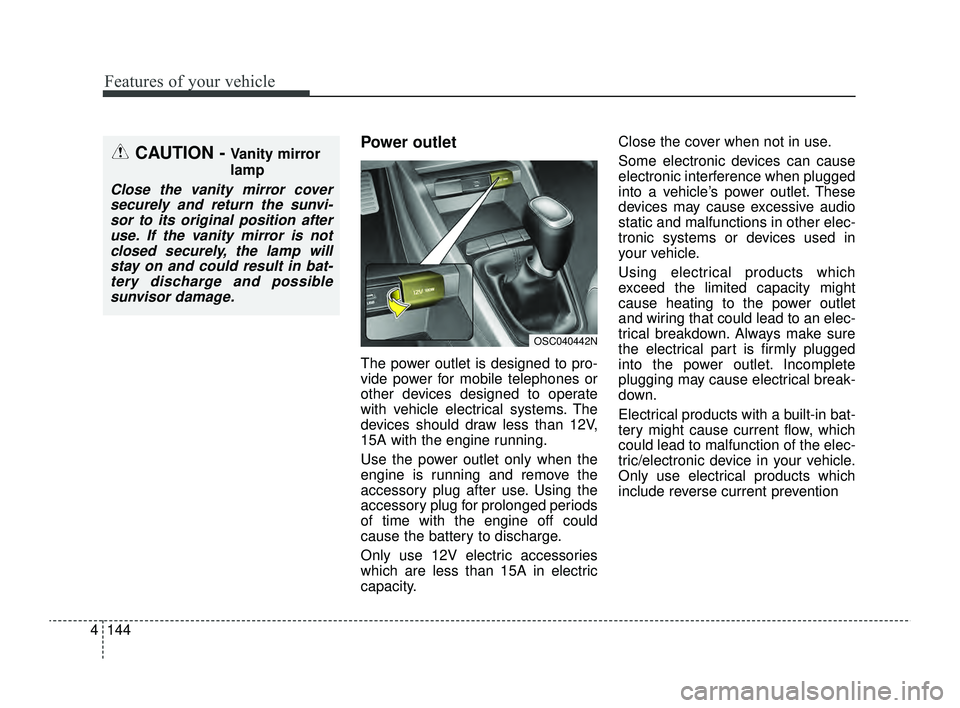
The power outlet is designed to pro-
vide power for mobile telephones or
other devices designed to operate
with vehicle electrical systems. The
devices should draw less than 12V,
15A with the engine running.
Use the power outlet only when the
engine is running and remove the
accessory plug after use. Using the
accessory plug for prolonged periods
of time with the engine off could
cause the battery to discharge.
Only use 12V electric accessories
which are less than 15A in electric
capacity. Close the cover when not in use.
Some electronic devices can cause
electronic interference when plugged
into a vehicle’s power outlet. These
devices may cause excessive audio
static and malfunctions in other elec-
tronic systems or devices used in
your vehicle.
Using electrical products which
exceed the limited capacity might
cause heating to the power outlet
and wiring that could lead to an elec-
trical breakdown. Always make sure
the electrical part is firmly plugged
into the power outlet. Incomplete
plugging may cause electrical break-
down.
Electrical products with a built-in bat-
tery might cause current flow, which
could lead to malfunction of the elec-
tric/electronic device in your vehicle.
Only use electrical products which
include reverse current prevention
CAUTION - Vanity mirror
lamp
Close the vanity mirror cover
securely and return the sunvi-sor to its original position afteruse. If the vanity mirror is notclosed securely, the lamp willstay on and could result in bat-tery discharge and possiblesunvisor damage.
OSC040442N
SC PE USA 4.QXP 9/9/2021 6:09 PM Page 144
Page 239 of 528
55
Driving your vehicle
Before entering vehicle
• Be sure that all windows, outsidemirror(s), and outside lights are
clean.
Check the condition of the tires.
Check under the vehicle for any sign of leaks.
Be sure there are no obstacles behind you if you intend to back up.
Necessary inspections
Fluid levels, such as engine oil,
engine coolant, brake fluid, and
washer fluid should be checked on a
regular basis, with the exact interval
depending on the fluid. Further
details are provided in chapter 7,
“Maintenance”.
Before starting
Close and lock all doors.
Position the seat so that all con-trols are easily reached.
Buckle your seat belt.
Adjust the inside and outside rearview mirrors.
Be sure that all lights work.
Check all gauges.
Check the operation of warning lights when the ignition switch or
ENGINE START/STOP button is
turned to the ON position.
Release the parking brake and make sure the brake warning light
goes off.
For safe operation, be sure you are
familiar with your vehicle and its
equipment.
BEFORE DRIVING
WARNING- Distracted driving
Focus on the road while driving.
The driver's primary responsi-
bility is in the safe and legal
operation of the vehicle. Use of
any hand held devices, other
equipment or vehicle systems
that distract the driver should
not be used during vehicle
operation.
SC PE USA 5.QXP 9/9/2021 6:17 PM Page 5
Page 281 of 528
547
Driving your vehicle
✽ ✽NOTICE
Forward Collision-Avoidance Assist
assesses the risk of a collision by
monitoring several variables such as
the distance to the vehicle/pedestri-
an ahead, the speed of the
vehicle/pedestrian ahead, and the
driver's operation of the vehicle.
Certain conditions such as
inclement weather and road condi-
tions may affect the operation of
Forward Collision-Avoidance Assist.
For the function operation, do not
attempt risky driving.
✽ ✽NOTICE
• Use only soft clothes to wash the
vehicle. Do not spray pressurized
water directly on the sensor or
sensor cover.
• Use only genuine parts to repair or replace a damaged sensor or sen-
sor cover. Do not apply paint to
the sensor cover.
• Do not tint the window or install stickers or accessories around the
inside mirror where the camera is
installed.
• Make sure the front view camera installation point does not get wet.
• Do not impact or remove any front view camera components.
• Do not place reflective objects (white paper or mirror etc.) on the
dashboard. The function may acti-
vate unnecessarily due to reflec-
tion of the sunlight.
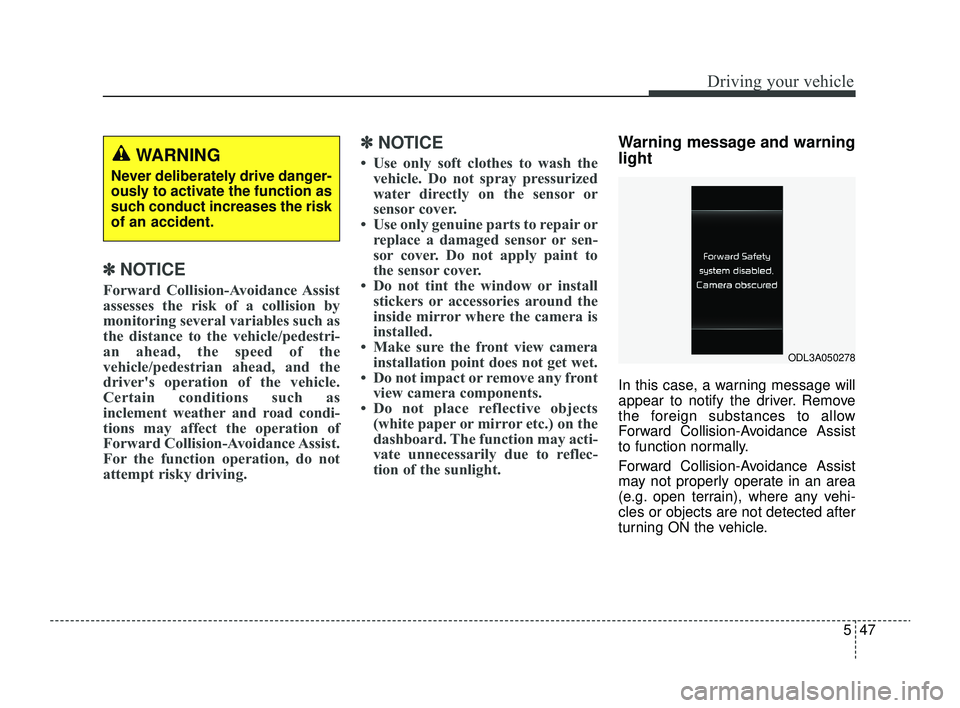
Warning message and warning
light
In this case, a warning message will
appear to notify the driver. Remove
the foreign substances to allow
Forward Collision-Avoidance Assist
to function normally.
Forward Collision-Avoidance Assist
may not properly operate in an area
(e.g. open terrain), where any vehi-
cles or objects are not detected after
turning ON the vehicle.
WARNING
Never deliberately drive danger-
ously to activate the function as
such conduct increases the risk
of an accident.
ODL3A050278
SC PE USA 5.QXP 9/9/2021 6:18 PM Page 47
Page 301 of 528
567
Driving your vehicle
Blind-Spot Collision Warning
settings
Setting features
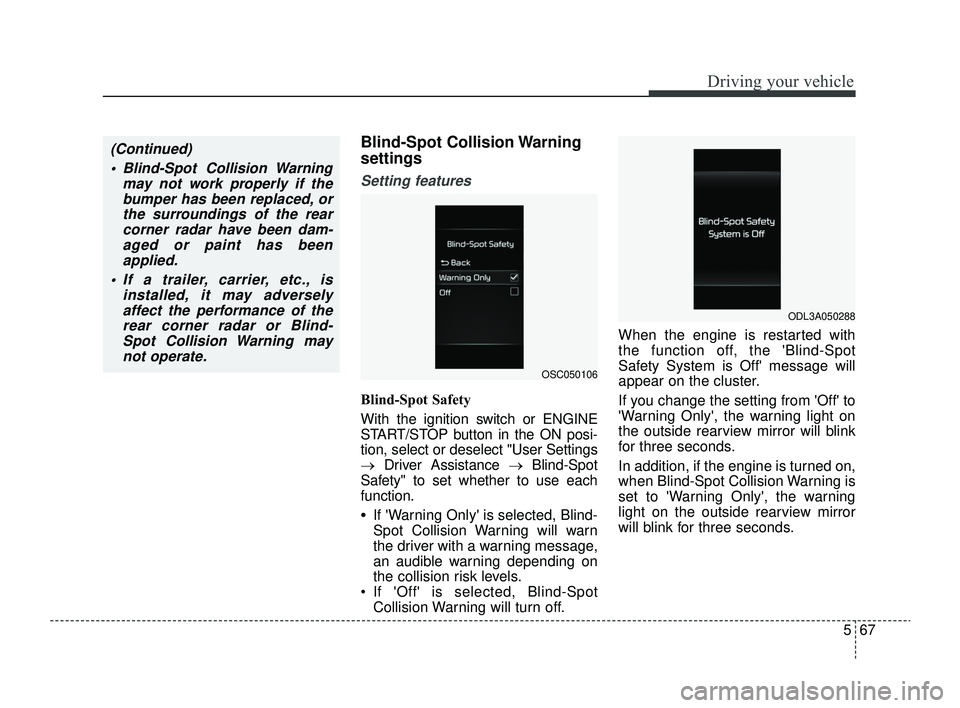
Blind-Spot Safety
With the ignition switch or ENGINE
START/STOP button in the ON posi-
tion, select or deselect "User Settings
→Driver Assistance → Blind-Spot
Safety" to set whether to use each
function.
•If 'Warning Only' is selected, Blind-
Spot Collision Warning will warn
the driver with a warning message,
an audible warning depending on
the collision risk levels.
If 'Off' is selected, Blind-Spot Collision Warning will turn off. When the engine is restarted with
the function off, the 'Blind-Spot
Safety System is Off' message will
appear on the cluster.
If you change the setting from 'Off' to
'Warning Only', the warning light on
the outside rearview mirror will blink
for three seconds.
In addition, if the engine is turned on,
when Blind-Spot Collision Warning is
set to 'Warning Only', the warning
light on the outside rearview mirror
will blink for three seconds.
(Continued)
Blind-Spot Collision Warning may not work properly if thebumper has been replaced, orthe surroundings of the rearcorner radar have been dam-aged or paint has beenapplied.
If a trailer, carrier, etc., is installed, it may adverselyaffect the performance of therear corner radar or Blind-Spot Collision Warning maynot operate.
OSC050106
ODL3A050288
SC PE USA 5.QXP 9/9/2021 6:19 PM Page 67
Page 303 of 528
569
Driving your vehicle
Blind-Spot Collision Warning
operation
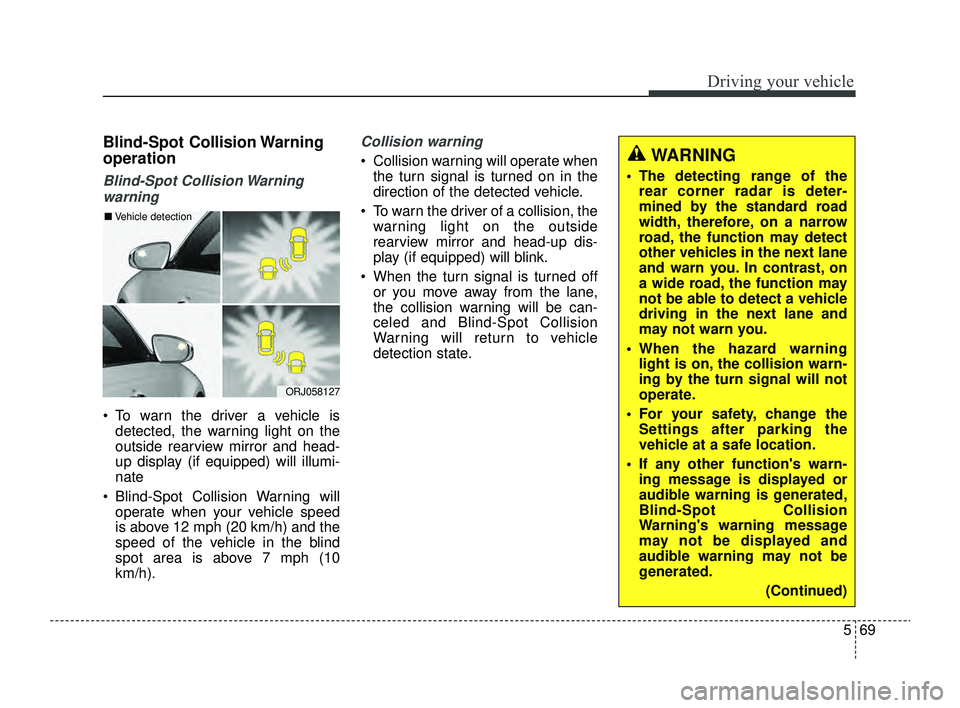
Blind-Spot Collision Warningwarning
To warn the driver a vehicle is detected, the warning light on the
outside rearview mirror and head-
up display (if equipped) will illumi-
nate
Blind-Spot Collision Warning will operate when your vehicle speed
is above 12 mph (20 km/h) and the
speed of the vehicle in the blind
spot area is above 7 mph (10
km/h).
Collision warning
Collision warning will operate whenthe turn signal is turned on in the
direction of the detected vehicle.
To warn the driver of a collision, the warning light on the outside
rearview mirror and head-up dis-
play (if equipped) will blink.
When the turn signal is turned off or you move away from the lane,
the collision warning will be can-
celed and Blind-Spot Collision
Warning will return to vehicle
detection state.
ORJ058127
■ Vehicle detection
WARNING
The detecting range of the
rear corner radar is deter-
mined by the standard road
width, therefore, on a narrow
road, the function may detect
other vehicles in the next lane
and warn you. In contrast, on
a wide road, the function may
not be able to detect a vehicle
driving in the next lane and
may not warn you.
When the hazard warning light is on, the collision warn-
ing by the turn signal will not
operate.
For your safety, change the Settings after parking the
vehicle at a safe location.
If any other function's warn- ing message is displayed or
audible warning is generated,
Blind-Spot Collision
Warning's warning message
may not be displayed and
audible warning may not be
generated.
(Continued)
SC PE USA 5.QXP 9/9/2021 6:20 PM Page 69
Page 304 of 528
Driving your vehicle
70
5
Blind-Spot Collision Warning
malfunction and limitations
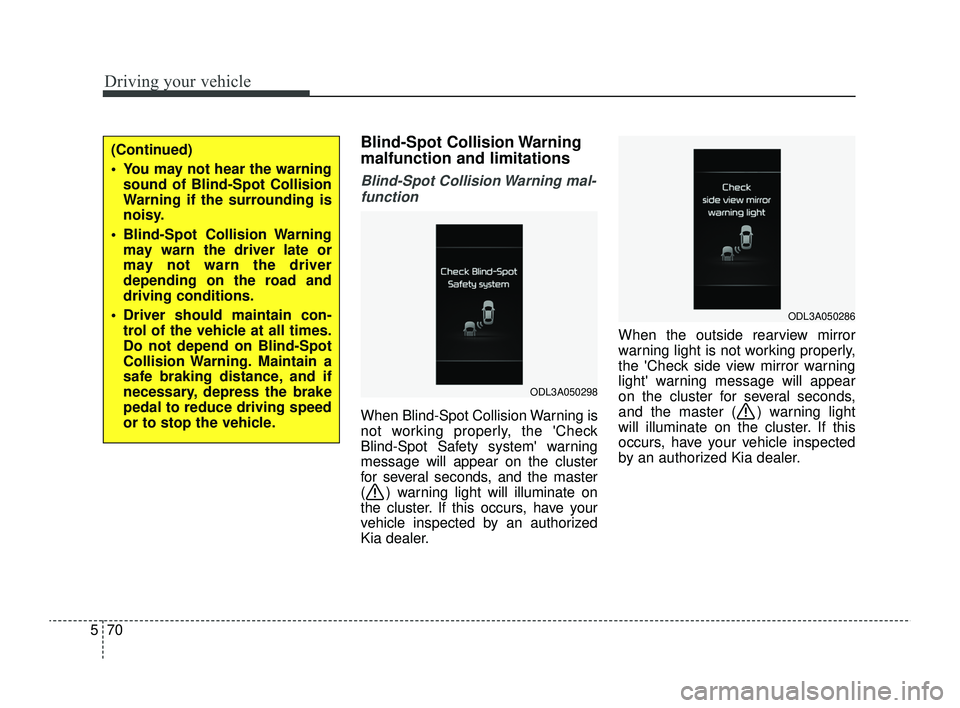
Blind-Spot Collision Warning mal-
function
When Blind-Spot Collision Warning is
not working properly, the 'Check
Blind-Spot Safety system' warning
message will appear on the cluster
for several seconds, and the master
( ) warning light will illuminate on
the cluster. If this occurs, have your
vehicle inspected by an authorized
Kia dealer. When the outside rearview mirror
warning light is not working properly,
the 'Check side view mirror warning
light' warning message will appear
on the cluster for several seconds,
and the master ( ) warning light
will illuminate on the cluster. If this
occurs, have your vehicle inspected
by an authorized Kia dealer.
ODL3A050298
ODL3A050286
(Continued)
You may not hear the warning
sound of Blind-Spot Collision
Warning if the surrounding is
noisy.
Blind-Spot Collision Warning may warn the driver late or
may not warn the driver
depending on the road and
driving conditions.
Driver should maintain con- trol of the vehicle at all times.
Do not depend on Blind-Spot
Collision Warning. Maintain a
safe braking distance, and if
necessary, depress the brake
pedal to reduce driving speed
or to stop the vehicle.
SC PE USA 5.QXP 9/9/2021 6:20 PM Page 70