instrument panel KIA RIO HATCHBACK 2016 User Guide
[x] Cancel search | Manufacturer: KIA, Model Year: 2016, Model line: RIO HATCHBACK, Model: KIA RIO HATCHBACK 2016Pages: 477, PDF Size: 13.46 MB
Page 111 of 477
441
Features of your vehicle
Tilt and telescoping
(if equipped) steering
Tilt steering allows you to adjust the
steering wheel before you drive. You
can also raise it to give your legs
more room when you exit and enter
the vehicle.
The steering wheel should be posi-
tioned so that it is comfortable for
you to drive, while permitting you to
see the instrument panel warning
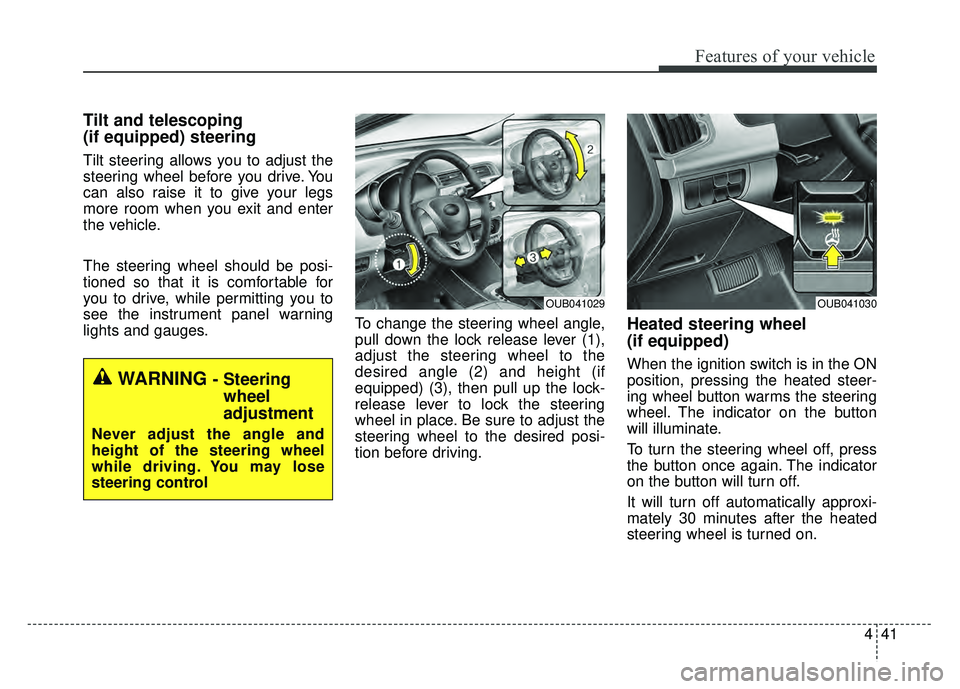
lights and gauges.To change the steering wheel angle,
pull down the lock release lever (1),
adjust the steering wheel to the
desired angle (2) and height (if
equipped) (3), then pull up the lock-
release lever to lock the steering
wheel in place. Be sure to adjust the
steering wheel to the desired posi-
tion before driving.
Heated steering wheel
(if equipped)
When the ignition switch is in the ON
position, pressing the heated steer-
ing wheel button warms the steering
wheel. The indicator on the button
will illuminate.
To turn the steering wheel off, press
the button once again. The indicator
on the button will turn off.
It will turn off automatically approxi-
mately 30 minutes after the heated
steering wheel is turned on.
WARNING - Steering
wheel
adjustment
Never adjust the angle and
height of the steering wheel
while driving. You may lose
steering control
OUB041029OUB041030
Page 117 of 477
447
Features of your vehicle
Instrument panel illumination
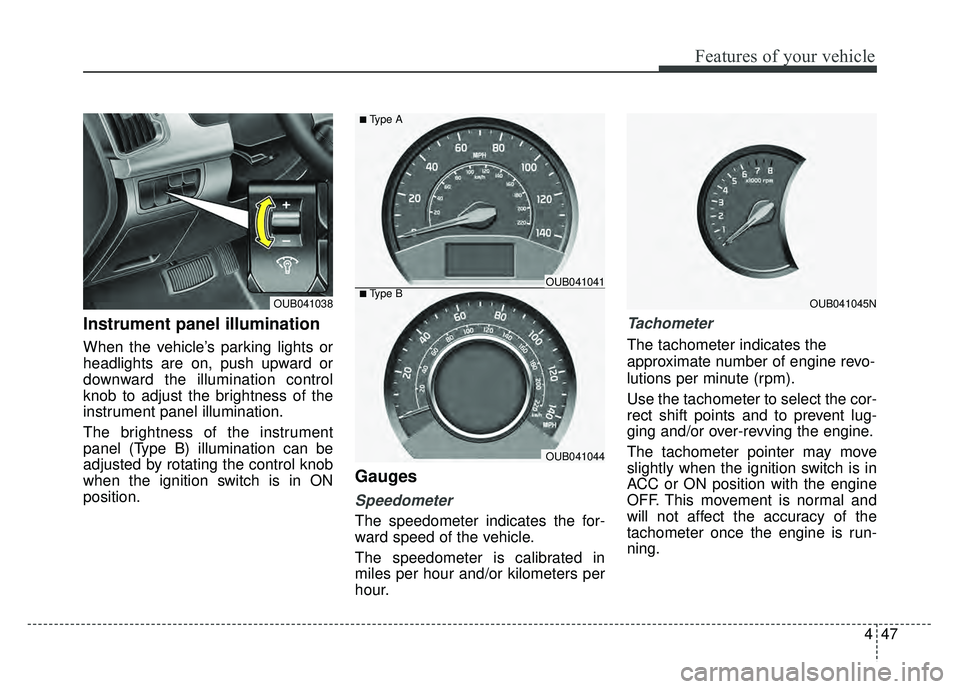
When the vehicle’s parking lights or
headlights are on, push upward or
downward the illumination control
knob to adjust the brightness of the
instrument panel illumination.
The brightness of the instrument
panel (Type B) illumination can be
adjusted by rotating the control knob
when the ignition switch is in ON
position.
Gauges
Speedometer
The speedometer indicates the for-
ward speed of the vehicle.
The speedometer is calibrated in
miles per hour and/or kilometers per
hour.
Tachometer
The tachometer indicates the
approximate number of engine revo-
lutions per minute (rpm).
Use the tachometer to select the cor-
rect shift points and to prevent lug-
ging and/or over-revving the engine.
The tachometer pointer may move
slightly when the ignition switch is in
ACC or ON position with the engine
OFF. This movement is normal and
will not affect the accuracy of the
tachometer once the engine is run-
ning.
OUB041045NOUB041038■Type BOUB041041
OUB041044
■Type A
Page 125 of 477
455
Features of your vehicle
Automatic transaxle shift posi-
tion indicator (if equipped)
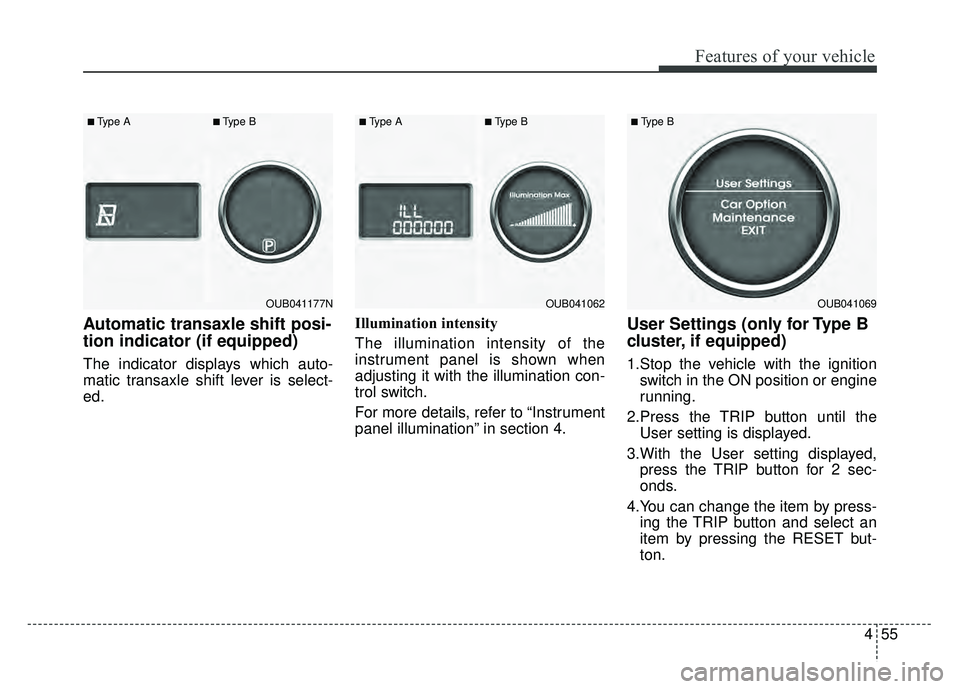
The indicator displays which auto-
matic transaxle shift lever is select-
ed.Illumination intensity
The illumination intensity of the
instrument panel is shown when
adjusting it with the illumination con-
trol switch.
For more details, refer to “Instrument
panel illumination” in section 4.
User Settings (only for Type B
cluster, if equipped)
1.Stop the vehicle with the ignition
switch in the ON position or engine
running.
2.Press the TRIP button until the User setting is displayed.
3.With the User setting displayed, press the TRIP button for 2 sec-
onds.
4.You can change the item by press- ing the TRIP button and select an
item by pressing the RESET but-
ton.
OUB041177N
■Type A■Type B
OUB041062
■Type A■Type B
OUB041069
■Type B
Page 131 of 477
461
Features of your vehicle
If the driver's seat belt is disconnect-
ed after the ignition switch is turned
to the ON position, the seat belt
warning light will blink for approxi-
mately 6 seconds. But if it is fastened
within the 6 seconds the warning
light will turn off immediately. If the
driver's seat belt is not fastened
when the vehicle speed exceeds 6
mph (10 km/h), the seat belt warning
light and chime will operate approxi-
mately 11 times with a pattern of 6
seconds on and 24 seconds off until
the belt is fastened or the vehicle
speed decreases below 3 mph (5
km/h).Turn signal indicator
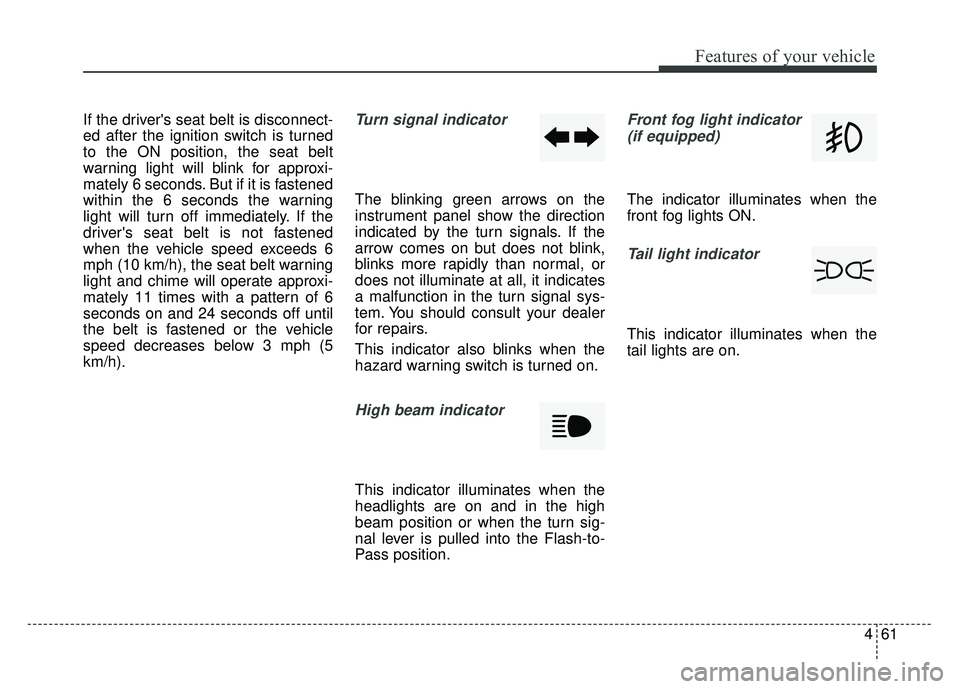
The blinking green arrows on the
instrument panel show the direction
indicated by the turn signals. If the
arrow comes on but does not blink,
blinks more rapidly than normal, or
does not illuminate at all, it indicates
a malfunction in the turn signal sys-
tem. You should consult your dealer
for repairs.
This indicator also blinks when the
hazard warning switch is turned on.
High beam indicator
This indicator illuminates when the
headlights are on and in the high
beam position or when the turn sig-
nal lever is pulled into the Flash-to-
Pass position.
Front fog light indicator (if equipped)
The indicator illuminates when the
front fog lights ON.
Tail light indicator
This indicator illuminates when the
tail lights are on.
Page 138 of 477
Features of your vehicle
68
4
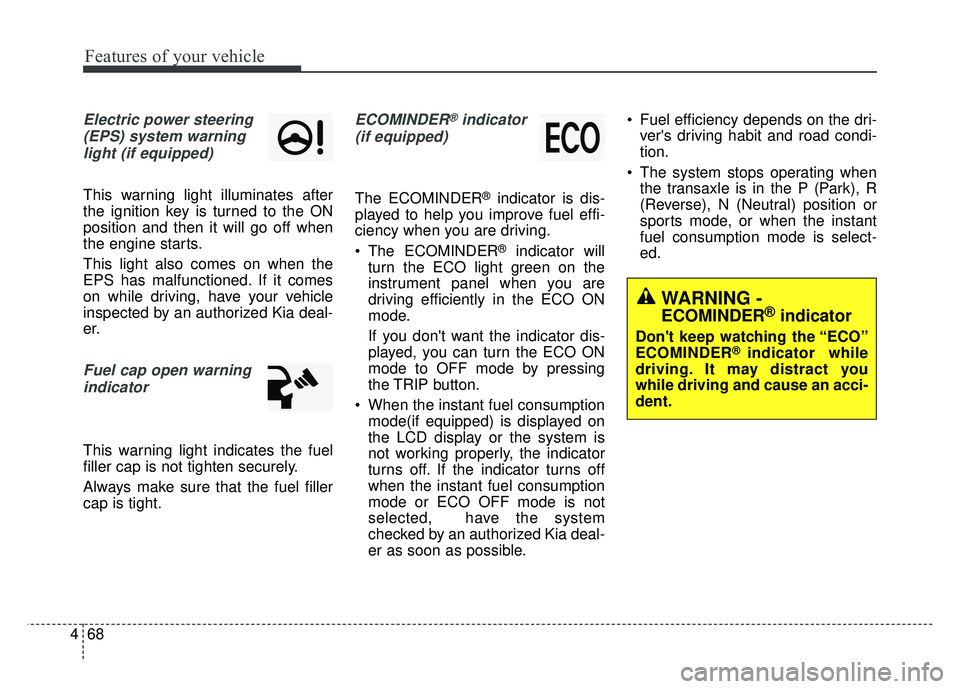
Electric power steering
(EPS) system warninglight (if equipped)
This warning light illuminates after
the ignition key is turned to the ON
position and then it will go off when
the engine starts.
This light also comes on when the
EPS has malfunctioned. If it comes
on while driving, have your vehicle
inspected by an authorized Kia deal-
er.
Fuel cap open warningindicator
This warning light indicates the fuel
filler cap is not tighten securely.
Always make sure that the fuel filler
cap is tight.
ECOMINDER®indicator
(if equipped)
The ECOMINDER®indicator is dis-
played to help you improve fuel effi-
ciency when you are driving.
The ECOMINDER
®indicator will
turn the ECO light green on the
instrument panel when you are
driving efficiently in the ECO ON
mode.
If you don't want the indicator dis-
played, you can turn the ECO ON
mode to OFF mode by pressing
the TRIP button.
When the instant fuel consumption mode(if equipped) is displayed on
the LCD display or the system is
not working properly, the indicator
turns off. If the indicator turns off
when the instant fuel consumption
mode or ECO OFF mode is not
selected, have the system
checked by an authorized Kia deal-
er as soon as possible. Fuel efficiency depends on the dri-
ver's driving habit and road condi-
tion.
The system stops operating when the transaxle is in the P (Park), R
(Reverse), N (Neutral) position or
sports mode, or when the instant
fuel consumption mode is select-
ed.
WARNING -
ECOMINDER®indicator
Don't keep watching the “ECO”
ECOMINDER®indicator while
driving. It may distract you
while driving and cause an acci-
dent.
Page 148 of 477
Features of your vehicle
78
4
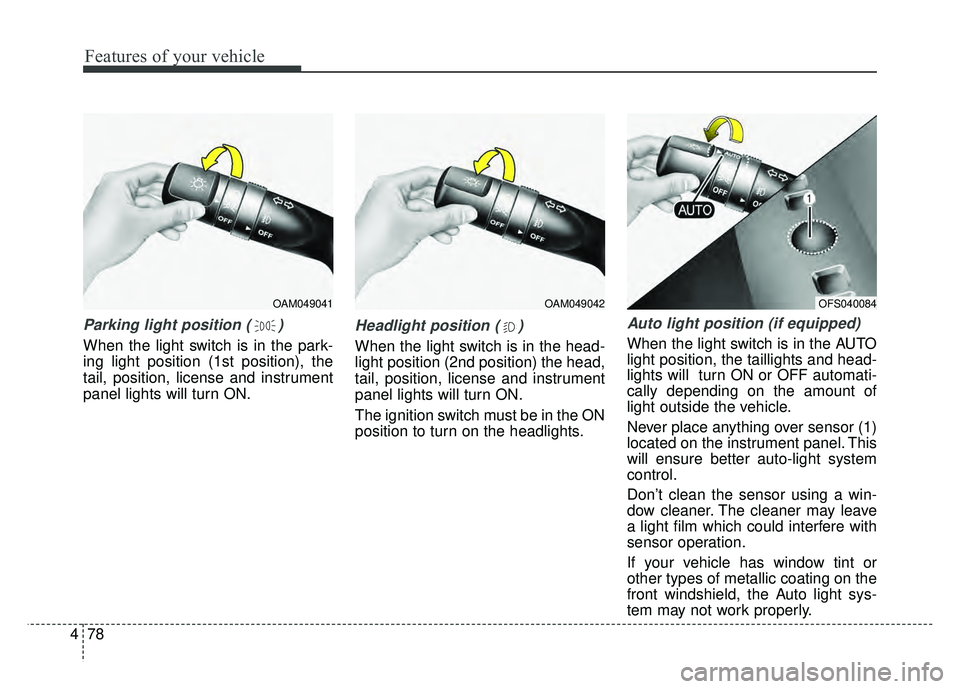
Parking light position ( )
When the light switch is in the park-
ing light position (1st position), the
tail, position, license and instrument
panel lights will turn ON.
Headlight position ( )
When the light switch is in the head-
light position (2nd position) the head,
tail, position, license and instrument
panel lights will turn ON.
The ignition switch must be in the ON
position to turn on the headlights.
Auto light position (if equipped)
When the light switch is in the AUTO
light position, the taillights and head-
lights will turn ON or OFF automati-
cally depending on the amount of
light outside the vehicle.
Never place anything over sensor (1)
located on the instrument panel. This
will ensure better auto-light system
control.
Don’t clean the sensor using a win-
dow cleaner. The cleaner may leave
a light film which could interfere with
sensor operation.
If your vehicle has window tint or
other types of metallic coating on the
front windshield, the Auto light sys-
tem may not work properly.
OAM049041OAM049042OFS040084
Page 150 of 477
Features of your vehicle
80
4
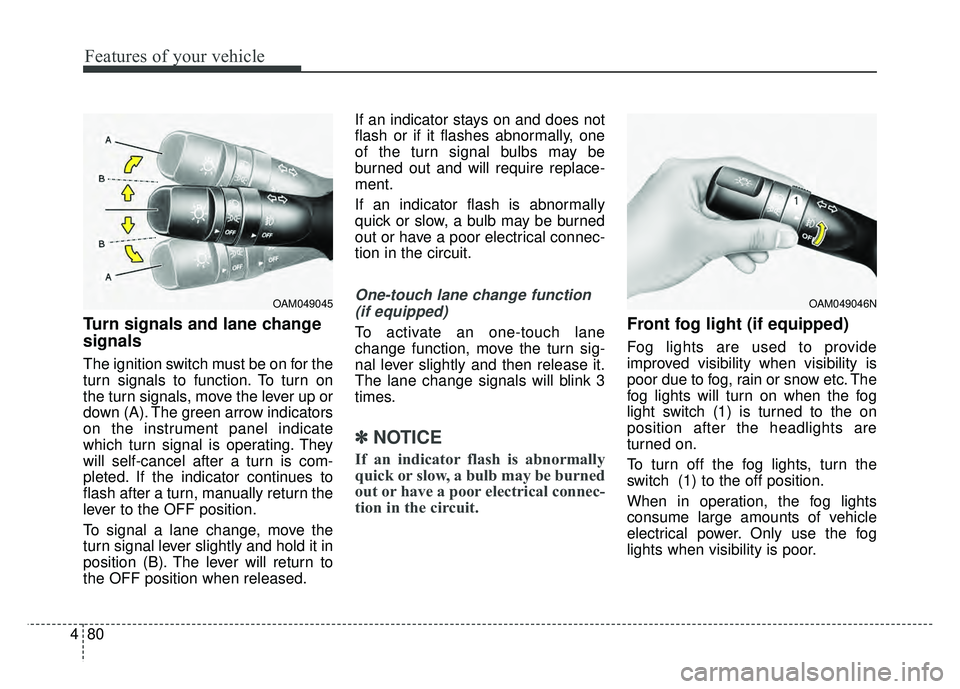
Turn signals and lane change
signals
The ignition switch must be on for the
turn signals to function. To turn on
the turn signals, move the lever up or
down (A). The green arrow indicators
on the instrument panel indicate
which turn signal is operating. They
will self-cancel after a turn is com-
pleted. If the indicator continues to
flash after a turn, manually return the
lever to the OFF position.
To signal a lane change, move the
turn signal lever slightly and hold it in
position (B). The lever will return to
the OFF position when released. If an indicator stays on and does not
flash or if it flashes abnormally, one
of the turn signal bulbs may be
burned out and will require replace-
ment.
If an indicator flash is abnormally
quick or slow, a bulb may be burned
out or have a poor electrical connec-
tion in the circuit.
One-touch lane change function
(if equipped)
To activate an one-touch lane
change function, move the turn sig-
nal lever slightly and then release it.
The lane change signals will blink 3
times.
✽ ✽
NOTICE
If an indicator flash is abnormally
quick or slow, a bulb may be burned
out or have a poor electrical connec-
tion in the circuit.
Front fog light (if equipped)
Fog lights are used to provide
improved visibility when visibility is
poor due to fog, rain or snow etc. The
fog lights will turn on when the fog
light switch (1) is turned to the on
position after the headlights are
turned on.
To turn off the fog lights, turn the
switch (1) to the off position.
When in operation, the fog lights
consume large amounts of vehicle
electrical power. Only use the fog
lights when visibility is poor.
OAM049046NOAM049045
Page 157 of 477
487
Features of your vehicle
If you want to defrost and defog the
front windshield, refer to “Windshield
Defrosting and Defogging” in this
section.
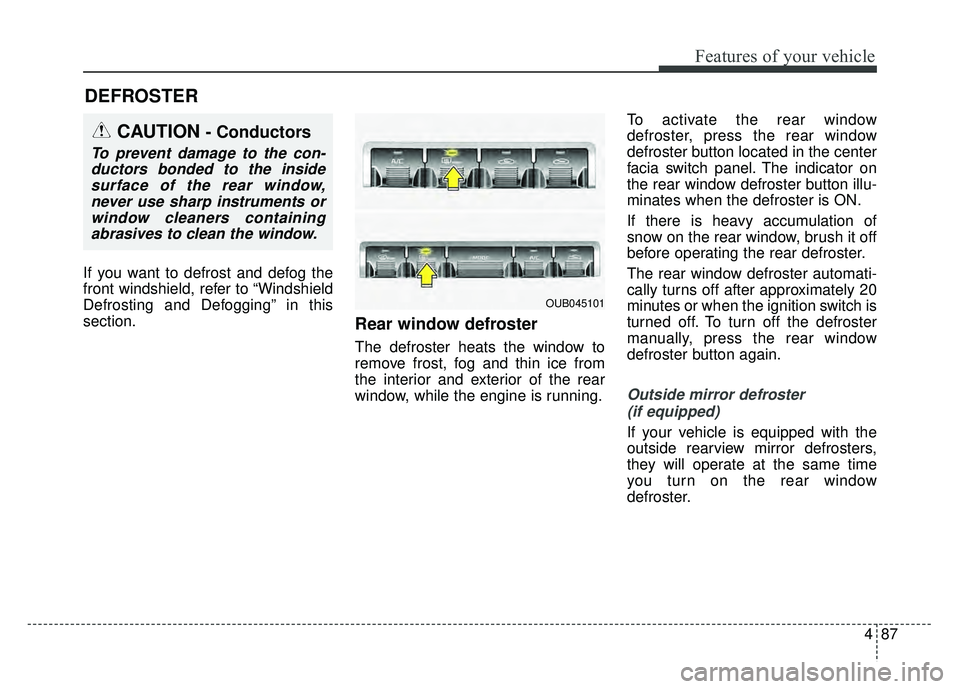
Rear window defroster
The defroster heats the window to
remove frost, fog and thin ice from
the interior and exterior of the rear
window, while the engine is running.To activate the rear window
defroster, press the rear window
defroster button located in the center
facia switch panel. The indicator on
the rear window defroster button illu-
minates when the defroster is ON.
If there is heavy accumulation of
snow on the rear window, brush it off
before operating the rear defroster.
The rear window defroster automati-
cally turns off after approximately 20
minutes or when the ignition switch is
turned off. To turn off the defroster
manually, press the rear window
defroster button again.
Outside mirror defroster
(if equipped)
If your vehicle is equipped with the
outside rearview mirror defrosters,
they will operate at the same time
you turn on the rear window
defroster.
DEFROSTER
CAUTION- Conductors
To prevent damage to the con-ductors bonded to the insidesurface of the rear window,never use sharp instruments orwindow cleaners containingabrasives to clean the window.
OUB045101
Page 161 of 477
491
Features of your vehicle
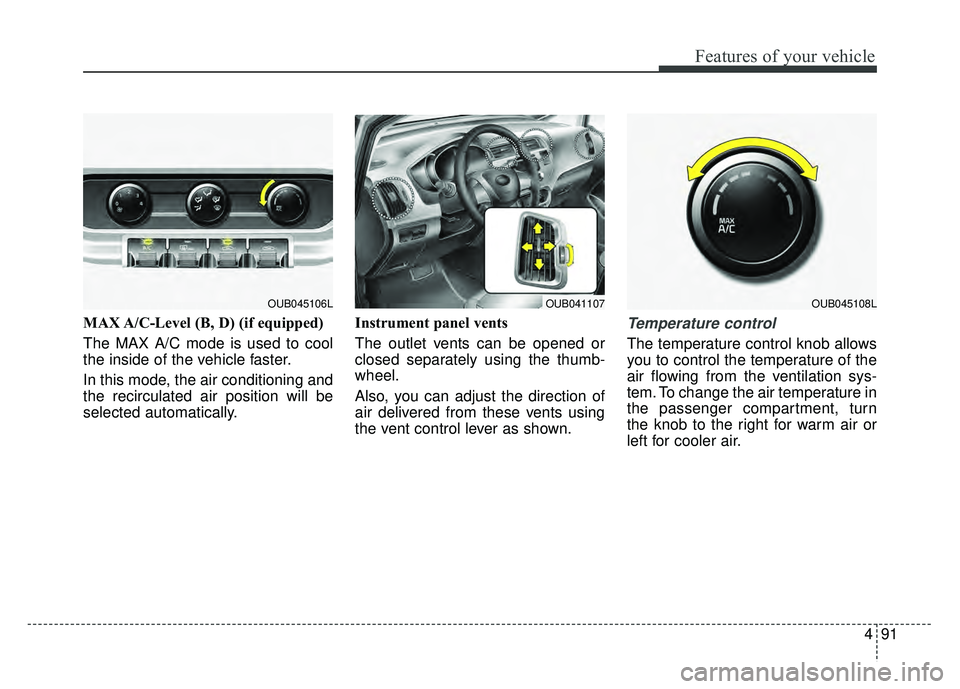
MAX A/C-Level (B, D) (if equipped)
The MAX A/C mode is used to cool
the inside of the vehicle faster.
In this mode, the air conditioning and
the recirculated air position will be
selected automatically.Instrument panel vents
The outlet vents can be opened or
closed separately using the thumb-
wheel.
Also, you can adjust the direction of
air delivered from these vents using
the vent control lever as shown.Temperature control
The temperature control knob allows
you to control the temperature of the
air flowing from the ventilation sys-
tem. To change the air temperature in
the passenger compartment, turn
the knob to the right for warm air or
left for cooler air.
OUB041107OUB045106LOUB045108L
Page 170 of 477
Features of your vehicle
100
4
✽
✽
NOTICE
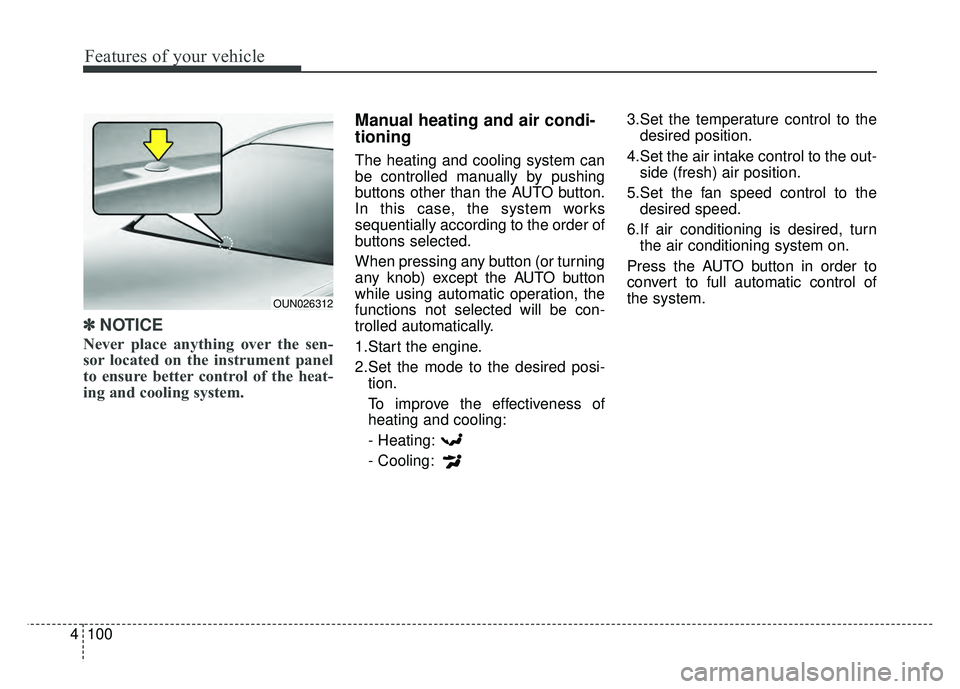
Never place anything over the sen-
sor located on the instrument panel
to ensure better control of the heat-
ing and cooling system.
Manual heating and air condi-
tioning
The heating and cooling system can
be controlled manually by pushing
buttons other than the AUTO button.
In this case, the system works
sequentially according to the order of
buttons selected.
When pressing any button (or turning
any knob) except the AUTO button
while using automatic operation, the
functions not selected will be con-
trolled automatically.
1.Start the engine.
2.Set the mode to the desired posi-
tion.
To improve the effectiveness of
heating and cooling:
- Heating:
- Cooling: 3.Set the temperature control to the
desired position.
4.Set the air intake control to the out- side (fresh) air position.
5.Set the fan speed control to the desired speed.
6.If air conditioning is desired, turn the air conditioning system on.
Press the AUTO button in order to
convert to full automatic control of
the system.
OUN026312