ESP KIA SEDONA 2020 Service Manual
[x] Cancel search | Manufacturer: KIA, Model Year: 2020, Model line: SEDONA, Model: KIA SEDONA 2020Pages: 604, PDF Size: 16.24 MB
Page 426 of 604
597
Driving your vehicle
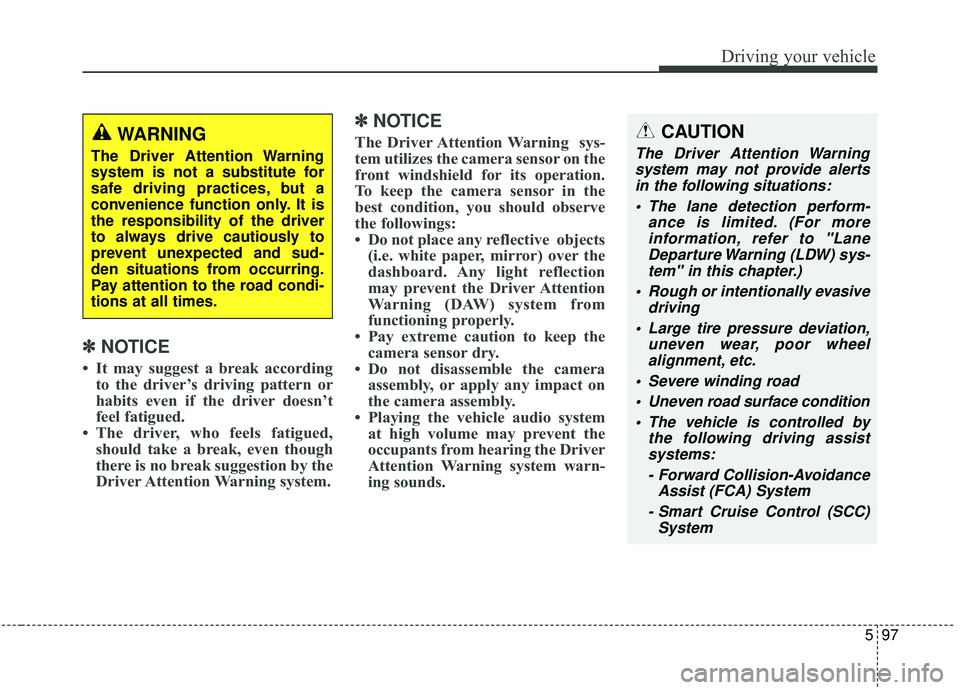
✽ ✽NOTICE
• It may suggest a break according
to the driver’s driving pattern or
habits even if the driver doesn’t
feel fatigued.
• The driver, who feels fatigued, should take a break, even though
there is no break suggestion by the
Driver Attention Warning system.
✽ ✽ NOTICE
The Driver Attention Warning sys-
tem utilizes the camera sensor on the
front windshield for its operation.
To keep the camera sensor in the
best condition, you should observe
the followings:
• Do not place any reflective objects
(i.e. white paper, mirror) over the
dashboard. Any light reflection
may prevent the Driver Attention
Warning (DAW) system from
functioning properly.
• Pay extreme caution to keep the camera sensor dry.
• Do not disassemble the camera assembly, or apply any impact on
the camera assembly.
• Playing the vehicle audio system at high volume may prevent the
occupants from hearing the Driver
Attention Warning system warn-
ing sounds.CAUTION
The Driver Attention Warning
system may not provide alertsin the following situations:
The lane detection perform- ance is limited. (For moreinformation, refer to "LaneDeparture Warning (LDW) sys-tem" in this chapter.)
Rough or intentionally evasive driving
Large tire pressure deviation, uneven wear, poor wheelalignment, etc.
Severe winding road Uneven road surface condition The vehicle is controlled by the following driving assistsystems:
- Forward Collision-Avoidance Assist (FCA) System
- Smart Cruise Control (SCC) System
WARNING
The Driver Attention Warning
system is not a substitute for
safe driving practices, but a
convenience function only. It is
the responsibility of the driver
to always drive cautiously to
prevent unexpected and sud-
den situations from occurring.
Pay attention to the road condi-
tions at all times.
Page 427 of 604
Driving your vehicle
98
5
LANE DEPARTURE WARNING (LDW) SYSTEM (IF EQUIPPED)
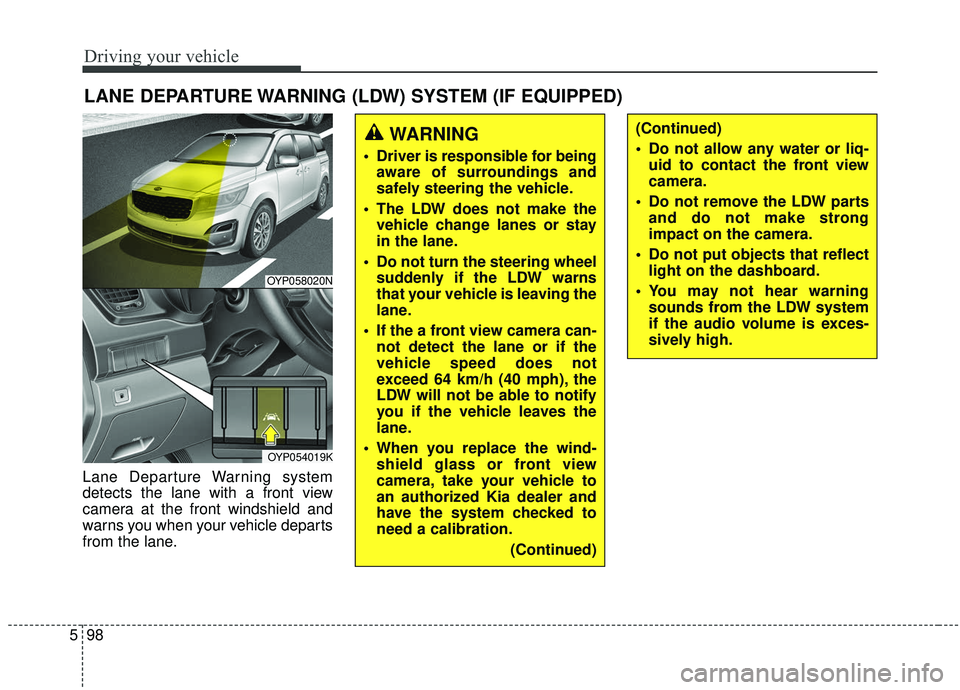
Lane Departure Warning system
detects the lane with a front view
camera at the front windshield and
warns you when your vehicle departs
from the lane.
WARNING
Driver is responsible for being
aware of surroundings and
safely steering the vehicle.
The LDW does not make the vehicle change lanes or stay
in the lane.
Do not turn the steering wheel suddenly if the LDW warns
that your vehicle is leaving the
lane.
If the a front view camera can- not detect the lane or if the
vehicle speed does not
exceed 64 km/h (40 mph), the
LDW will not be able to notify
you if the vehicle leaves the
lane.
When you replace the wind- shield glass or front view
camera, take your vehicle to
an authorized Kia dealer and
have the system checked to
need a calibration.
(Continued)
(Continued)
Do not allow any water or liq-uid to contact the front view
camera.
Do not remove the LDW parts and do not make strong
impact on the camera.
Do not put objects that reflect light on the dashboard.
You may not hear warning sounds from the LDW system
if the audio volume is exces-
sively high.
OYP058020N
OYP054019K
Page 432 of 604
5103
Driving your vehicle
Your vehicle's fuel economy depends
mainly on your style of driving, where
you drive and when you drive.
Each of these factors affects how
many miles (kilometers) you can get
from a gallon (liter) of fuel. To operate
your vehicle as economically as pos-
sible, use the following driving sug-
gestions to help save money in both
fuel and repairs:
Drive smoothly. Accelerate at amoderate rate. Don't make "jack-
rabbit" starts or full-throttle shifts
and maintain a steady cruising
speed. Don't race between stop-
lights. Try to adjust your speed to
the traffic so you don't have to
change speeds unnecessarily.
Avoid heavy traffic whenever pos-
sible. Always maintain a safe dis-
tance from other vehicles so you
can avoid unnecessary braking.
This also reduces brake wear.
Drive at a moderate speed. The faster you drive, the more fuel your
vehicle uses. Driving at a moderate
speed, especially on the highway,
is one of the most effective ways to
reduce fuel consumption. Don't "ride" the brake pedal. This
can increase fuel consumption and
also increase wear on these com-
ponents. In addition, driving with
your foot resting on the brake pedal
may cause the brakes to overheat,
which reduces their effectiveness
and may lead to more serious con-
sequences.
Take care of your tires. Keep them inflated to the recommended pres-
sure. Incorrect inflation, either too
much or too little, results in unnec-
essary tire wear. Check the tire
pressures at least once a month.
Be sure that the wheels are aligned correctly. Improper align-
ment can result from hitting curbs
or driving too fast over irregular
surfaces. Poor alignment causes
faster tire wear and may also result
in other problems as well as
greater fuel consumption. Keep your vehicle in good condi-
tion. For better fuel economy and
reduced maintenance costs, main-
tain your vehicle in accordance
with the maintenance schedule in
section 7. If you drive your vehicle
in severe conditions, more frequent
maintenance is required (see sec-
tion 7 for details).
Keep your vehicle clean. For maxi- mum service, your vehicle should
be kept clean and free of corrosive
materials. It is especially important
that mud, dirt, ice, etc. not be
allowed to accumulate on the
underside of the vehicle. This extra
weight can result in increased fuel
consumption and also contribute to
corrosion.
Travel lightly. Don't carry unneces- sary weight in your vehicle. Weight
reduces fuel economy.
Don't let the engine idle longer than necessary. If you are waiting
(and not in traffic), turn off your
engine and restart only when
you're ready to go.
ECONOMICAL OPERATION
Page 436 of 604
5107
Driving your vehicle
Rocking the vehicle
If it is necessary to rock the vehicle
to free it from snow, sand, or mud,
first turn the steering wheel right and
left to clear the area around your
front wheels. Then, shift back and
forth between R (Reverse) and any
forward gear in vehicles equipped
with an Automatic Transmission. Do
not race the engine, and spin the
wheels as little as possible. If you are
still stuck after a few tries, have the
vehicle pulled out by a tow vehicle to
avoid engine overheating and possi-
ble damage to the transmission.The ESC system should be turned
OFF prior to rocking the vehicle.CAUTION- Spinning tires
Do not spin the wheels, espe-
cially at speeds more than 56km/h (35 mph). Spinning thewheels at high speeds when thevehicle is stationary couldcause a tire to overheat whichcould result in tire damage thatmay injure bystanders.
CAUTION- Vehicle rocking
Prolonged rocking may causeengine overheating, transmis-sion damage or failure, and tiredamage.
WARNING- Sudden
vehicle movement
Do not attempt to rock the vehi-
cle if people or objects are near-
by. The vehicle may suddenly
move forward or backwards as
it becomes unstuck.
Page 437 of 604
Driving your vehicle
108
5
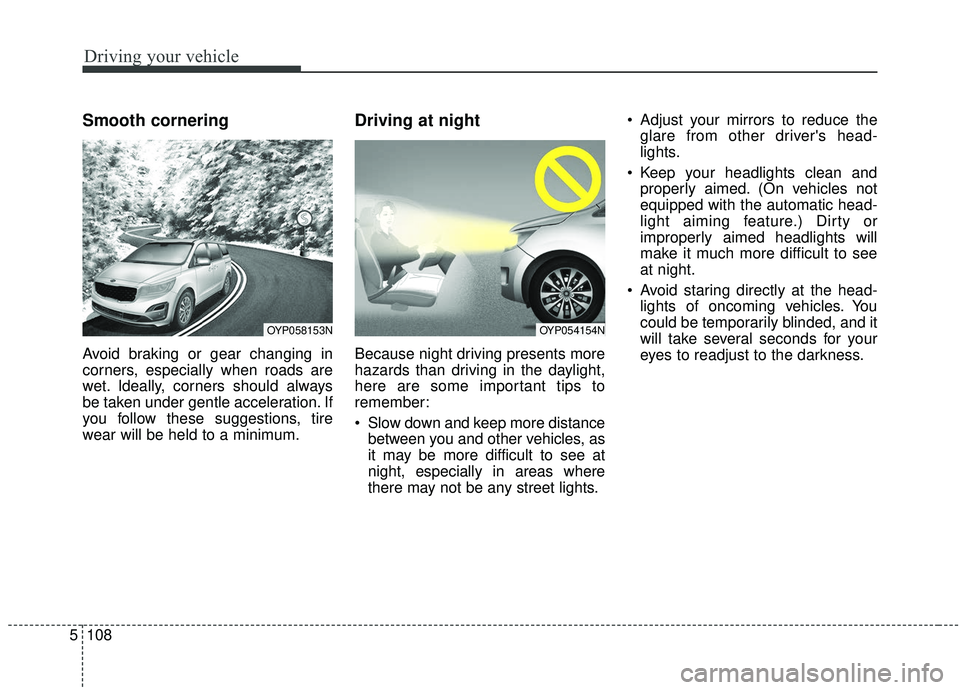
Smooth cornering
Avoid braking or gear changing in
corners, especially when roads are
wet. Ideally, corners should always
be taken under gentle acceleration. If
you follow these suggestions, tire
wear will be held to a minimum.
Driving at night
Because night driving presents more
hazards than driving in the daylight,
here are some important tips to
remember:
Slow down and keep more distance
between you and other vehicles, as
it may be more difficult to see at
night, especially in areas where
there may not be any street lights. Adjust your mirrors to reduce the
glare from other driver's head-
lights.
Keep your headlights clean and properly aimed. (On vehicles not
equipped with the automatic head-
light aiming feature.) Dirty or
improperly aimed headlights will
make it much more difficult to see
at night.
Avoid staring directly at the head- lights of oncoming vehicles. You
could be temporarily blinded, and it
will take several seconds for your
eyes to readjust to the darkness.
OYP058153NOYP054154N
Page 438 of 604
5109
Driving your vehicle
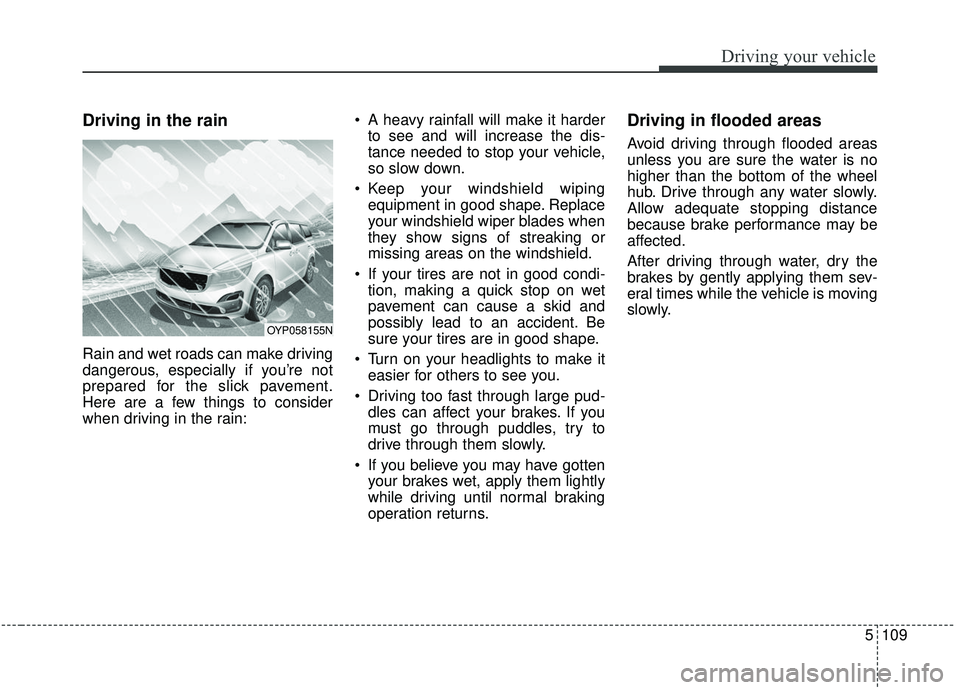
Driving in the rain
Rain and wet roads can make driving
dangerous, especially if you’re not
prepared for the slick pavement.
Here are a few things to consider
when driving in the rain: A heavy rainfall will make it harder
to see and will increase the dis-
tance needed to stop your vehicle,
so slow down.
Keep your windshield wiping equipment in good shape. Replace
your windshield wiper blades when
they show signs of streaking or
missing areas on the windshield.
If your tires are not in good condi- tion, making a quick stop on wet
pavement can cause a skid and
possibly lead to an accident. Be
sure your tires are in good shape.
Turn on your headlights to make it easier for others to see you.
Driving too fast through large pud- dles can affect your brakes. If you
must go through puddles, try to
drive through them slowly.
If you believe you may have gotten your brakes wet, apply them lightly
while driving until normal braking
operation returns.
Driving in flooded areas
Avoid driving through flooded areas
unless you are sure the water is no
higher than the bottom of the wheel
hub. Drive through any water slowly.
Allow adequate stopping distance
because brake performance may be
affected.
After driving through water, dry the
brakes by gently applying them sev-
eral times while the vehicle is moving
slowly.
OYP058155N
Page 445 of 604
Driving your vehicle
116
5
Trailer brakes
If your trailer is equipped with a brak-
ing system, make sure it conforms to
your state’s regulations and that it is
properly installed and operating cor-
rectly.
If your trailer weight exceeds the
maximum allowed weight without
trailer brakes, then the trailer will also
require its own brakes as well. Be
sure to read and follow the instruc-
tions for the trailer brakes so you’ll be
able to install, adjust and maintain
them properly.
Don’t tap into or modify your vehi-
cle's brake system.
Driving with a trailer
Towing a trailer requires a certain
amount of experience. Before setting
out for the open road, you must get to
know your trailer. Acquaint yourself
with the feel of handling and braking
with the added weight of the trailer.
And always keep in mind that the
vehicle you are driving is now a good
deal longer and not nearly so respon-
sive as your vehicle is by itself.
Before you start, check the trailer
hitch and platform, safety chains,
electrical connector(s), lights, tires
and mirror adjustment. If the trailer
has electric brakes, start your vehicle
and trailer moving and then apply the
trailer brake controller by hand to be
sure the brakes are working. This lets
you check your electrical connection
at the same time.
During your trip, check occasionally
to be sure that the load is secure,
and that the lights and any trailer
brakes are still working.WARNING- Trailer brakes
Do not use a trailer with its own
brakes unless you are absolute-
ly certain that you have proper-
ly set up the brake system. This
is not a task for amateurs. Use
an experienced, competent
trailer shop for this work.
Page 477 of 604
619
What to do in an emergency
Do not use the compact spare tireon any other vehicle because this
tire has been designed especially
for your vehicle.
The compact spare tire’s tread life is shorter than a regular tire. Inspect
your compact spare tire regularly
and replace worn compact spare
tires with the same size and design,
mounted on the same wheel.
The compact spare tire should not be used on any other wheels, nor
should standard tires, snow tires,
wheel covers or trim rings be used
with the compact spare wheel. If
such use is attempted, damage to
these items or other vehicle com-
ponents may occur.
Do not use more than one compact spare tire at a time.
Do not tow a trailer while the com- pact spare tire is installed.
Page 484 of 604
Maintenance
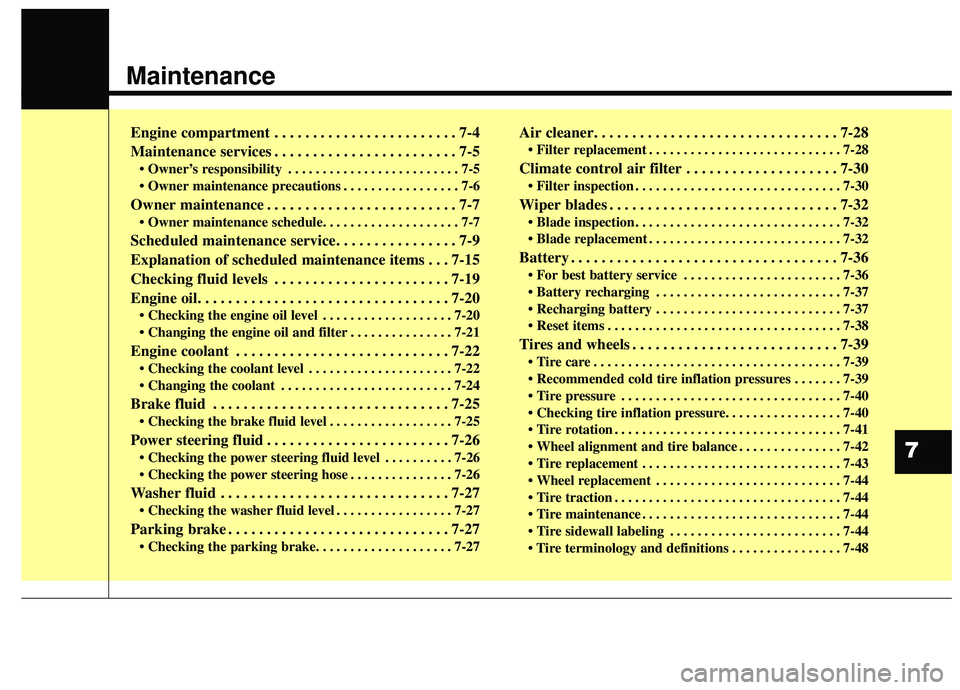
Engine compartment . . . . . . . . . . . . . . . . . . . . . . . . 7-4
Maintenance services . . . . . . . . . . . . . . . . . . . . . . . . 7-5
• Owner’s responsibility . . . . . . . . . . . . . . . . . . . . . . . . . 7-5
. . . . . . . . . . . . . . . . . 7-6
Owner maintenance . . . . . . . . . . . . . . . . . . . . . . . . . 7-7
Scheduled maintenance service. . . . . . . . . . . . . . . . 7-9
Explanation of scheduled maintenance items . . . 7-15
Checking fluid levels . . . . . . . . . . . . . . . . . . . . . . . 7-19
Engine oil. . . . . . . . . . . . . . . . . . . . . . . . . . . . . . . . . 7-20
. . . . . . . . . . . . . . . . . . . 7-20
. . . . . . . . . . . . . . . 7-21
Engine coolant . . . . . . . . . . . . . . . . . . . . . . . . . . . . 7-22
. . . . . . . . . . . . . . . . . . . . . 7-22
. . . . . . . . . . . . . . . . . . . . . . . . . 7-24
Brake fluid . . . . . . . . . . . . . . . . . . . . . . . . . . . . . . . 7-25
. . . . . . . . . . . . . . . . . . 7-25
Power steering fluid . . . . . . . . . . . . . . . . . . . . . . . . 7-26
. . . . . . . . . . 7-26
. . . . . . . . . . . . . . . 7-26
Washer fluid . . . . . . . . . . . . . . . . . . . . . . . . . . . . . . 7-27
. . . . . . . . . . . . . . . . . 7-27
Parking brake . . . . . . . . . . . . . . . . . . . . . . . . . . . . . 7-27
Air cleaner. . . . . . . . . . . . . . . . . . . . . . . . . . . . . . . . 7-28
. . . . . . . . . . . . . . . . . . . . . . . . . . . . 7-28
Climate control air filter . . . . . . . . . . . . . . . . . . . . 7-30
. . . . . . . . . . . . . . . . . . . . . . . . . . . . . . 7-30
Wiper blades . . . . . . . . . . . . . . . . . . . . . . . . . . . . . . 7-32
. . . . . . . . . . . . . . . . . . . . . . . . . . . . . . 7-32
. . . . . . . . . . . . . . . . . . . . . . . . . . . . 7-32
Battery . . . . . . . . . . . . . . . . . . . . . . . . . . . . . . . . . . . 7-\
36
. . . . . . . . . . . . . . . . . . . . . . . 7-36
. . . . . . . . . . . . . . . . . . . . . . . . . . . 7-37
. . . . . . . . . . . . . . . . . . . . . . . . . . . 7-37
. . . . . . . . . . . . . . . . . . . . . . . . . . . . . . . . . . 7-38\
Tires and wheels . . . . . . . . . . . . . . . . . . . . . . . . . . . 7-39
. . . . . . . . . . . . . . . . . . . . . . . . . . . . . . . . . . . . \
7-39
. . . . . . . 7-39
. . . . . . . . . . . . . . . . . . . . . . . . . . . . . . . . 7-40
. . . . . . . . . . . . . . . . . . . . . . . . . . . . . . . . . 7-41
. . . . . . . . . . . . . . . 7-42
. . . . . . . . . . . . . . . . . . . . . . . . . . . . . 7-43
. . . . . . . . . . . . . . . . . . . . . . . . . . . 7-44
. . . . . . . . . . . . . . . . . . . . . . . . . . . . . . . . . 7-44
. . . . . . . . . . . . . . . . . . . . . . . . . . . . . 7-44
. . . . . . . . . . . . . . . . . . . . . . . . . 7-44
. . . . . . . . . . . . . . . . 7-48
7
Page 488 of 604
75
Maintenance
MAINTENANCE SERVICES
You should exercise the utmost care
to prevent damage to your vehicle
and injury to yourself whenever per-
forming any maintenance or inspec-
tion procedures.
Should you have any doubts con-
cerning the inspection or servicing of
your vehicle, we strongly recom-
mend that you have an authorized
Kia dealer perform this work.
An authorized Kia dealer has factory
trained technicians and genuine Kia
parts to service your vehicle proper-
ly. For expert advice and quality serv-
ice, see an authorized Kia dealer.
Inadequate, incomplete or insuffi-
cient servicing may result in opera-
tional problems with your vehicle that
could lead to vehicle damage, an
accident, or bodily injury.Owner’s responsibility
✽ ✽NOTICE
Maintenance Service and Record
Retention are the owner's responsi-
bility.
You should retain documents that
show proper maintenance has been
performed on your vehicle in accor-
dance with the scheduled mainte-
nance service charts shown on the
following pages. You need this infor-
mation to establish your compliance
with the servicing and maintenance
requirements of your vehicle war-
ranties.
Detailed warranty information is
provided in your Warranty &
Consumer Information manual.
Repairs and adjustments required as
a result of improper maintenance or
a lack of required maintenance are
not covered.
We recommend you have your vehi-
cle maintained and repaired by an
authorized Kia dealer. An authorized
Kia dealer meets Kia’s high service
quality standards and receives tech-
nical support from Kia in order to pro-
vide you with a high level of service
satisfaction.