automatic transmission KIA SEDONA 2020 Owners Manual
[x] Cancel search | Manufacturer: KIA, Model Year: 2020, Model line: SEDONA, Model: KIA SEDONA 2020Pages: 604, PDF Size: 16.24 MB
Page 15 of 604
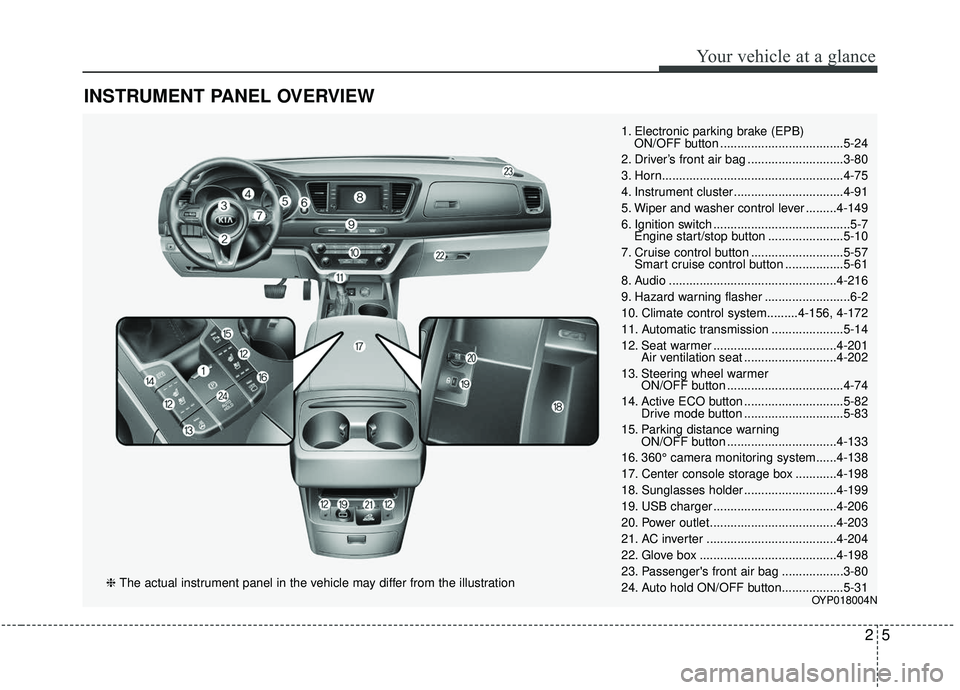
INSTRUMENT PANEL OVERVIEW
25
Your vehicle at a glance
1. Electronic parking brake (EPB) ON/OFF button ....................................5-24
2. Driver’s front air bag ............................3-80
3. Horn.....................................................4-75
4. Instrument cluster ................................4-91
5. Wiper and washer control lever .........4-149
6. Ignition switch ........................................5-7 Engine start/stop button ......................5-10
7. Cruise control button ...........................5-57 Smart cruise control button .................5-61
8. Audio .................................................4-216
9. Hazard warning flasher .........................6-2
10. Climate control system.........4-156, 4-172
11. Automatic transmission .....................5-14
12. Seat warmer ....................................4-201 Air ventilation seat ...........................4-202
13. Steering wheel warmer ON/OFF button ..................................4-74
14. Active ECO button .............................5-82 Drive mode button .............................5-83
15. Parking distance warning ON/OFF button ................................4-133
16. 360° camera monitoring system......4-138
17. Center console storage box ............4-198
18. Sunglasses holder ...........................4-199
19. USB charger ....................................4-206
20. Power outlet.....................................4-203
21. AC inverter ......................................4-204
22. Glove box ........................................4-198
23. Passenger's front air bag ..................3-80
24. Auto hold ON/OFF button..................5-31
OYP018004N
❈ The actual instrument panel in the vehicle may differ from the illustration
Page 45 of 604
329
Safety features of your vehicle
WARNING- Cargo
Do not place heavy objects in
the rear seats, since they can-
not be properly secured and
may hit vehicle occupants in a
frontal collision.
OUN026140
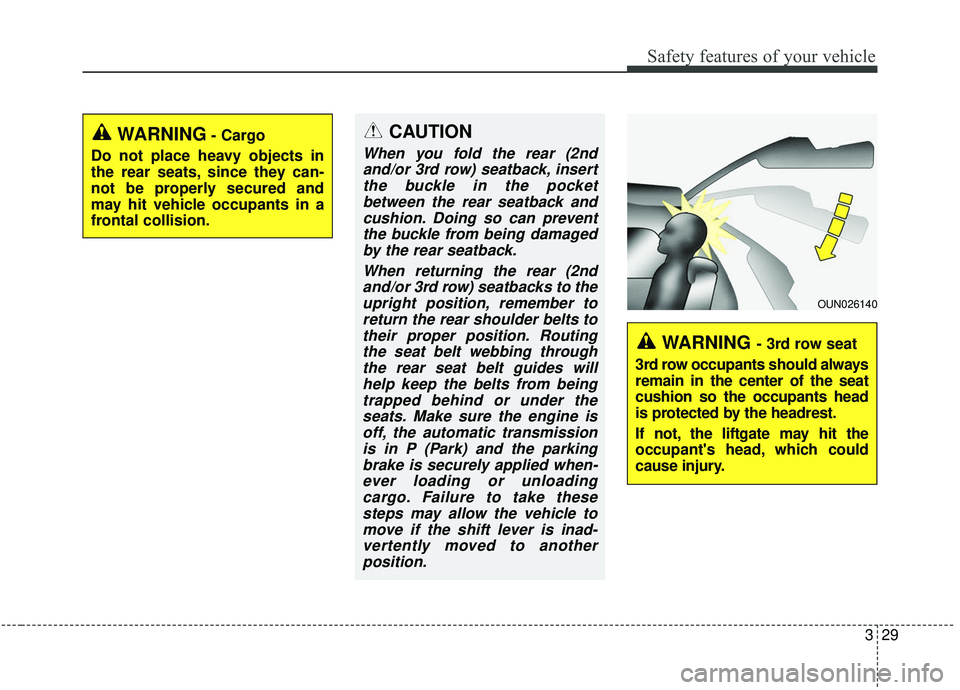
WARNING - 3rd row seat
3rd row occupants should always
remain in the center of the seat
cushion so the occupants head
is protected by the headrest.
If not, the liftgate may hit the
occupant's head, which could
cause injury.
CAUTION
When you fold the rear (2nd and/or 3rd row) seatback, insertthe buckle in the pocketbetween the rear seatback andcushion. Doing so can preventthe buckle from being damagedby the rear seatback.
When returning the rear (2ndand/or 3rd row) seatbacks to theupright position, remember toreturn the rear shoulder belts totheir proper position. Routingthe seat belt webbing throughthe rear seat belt guides willhelp keep the belts from beingtrapped behind or under theseats. Make sure the engine isoff, the automatic transmissionis in P (Park) and the parkingbrake is securely applied when-ever loading or unloadingcargo. Failure to take thesesteps may allow the vehicle tomove if the shift lever is inad-vertently moved to anotherposition.
Page 140 of 604
431
Features of your vehicle
Impact sensing door unlock
system
In the event of air bag deployment
resulting from a vehicle impact, all
doors will automatically unlock.
Automatic door lock system
All doors will be automatically locked
if the automatic transmission shift
lever is shifted from the P (Park)
position to the R (Reverse), N
(Neutral), or D (Drive) position.
Child-protector rear door lock
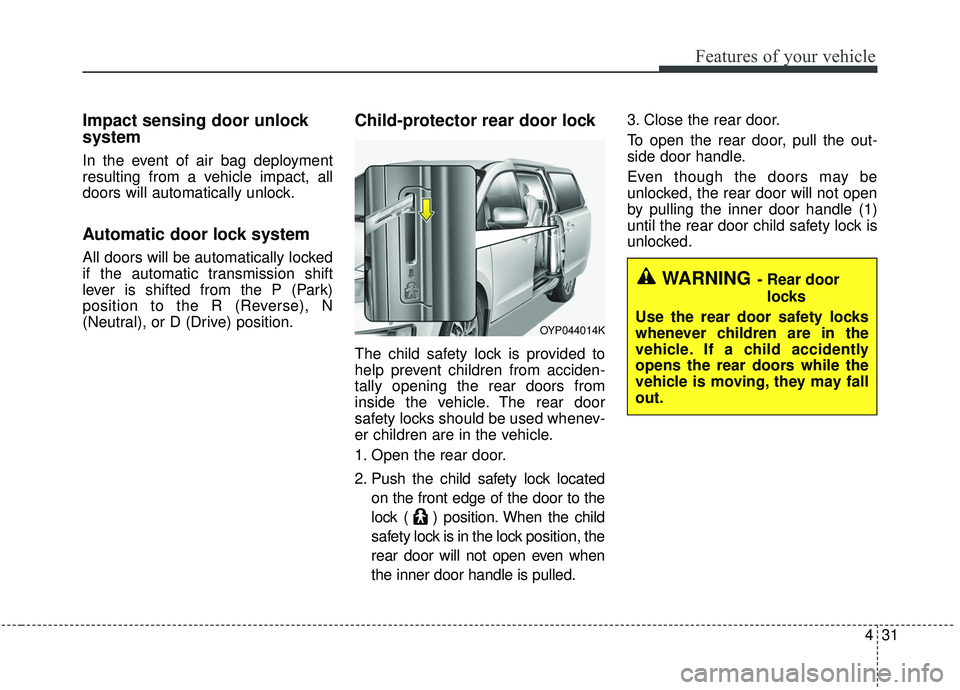
The child safety lock is provided to
help prevent children from acciden-
tally opening the rear doors from
inside the vehicle. The rear door
safety locks should be used whenev-
er children are in the vehicle.
1. Open the rear door.
2. Push the child safety lock locatedon the front edge of the door to the
lock ( ) position. When the child
safety lock is in the lock position, the
rear door will not open even when
the inner door handle is pulled. 3. Close the rear door.
To open the rear door, pull the out-
side door handle.
Even though the doors may be
unlocked, the rear door will not open
by pulling the inner door handle (1)
until the rear door child safety lock is
unlocked.
OYP044014K
WARNING- Rear door
locks
Use the rear door safety locks
whenever children are in the
vehicle. If a child accidently
opens the rear doors while the
vehicle is moving, they may fall
out.
Page 152 of 604
443
Features of your vehicle
The half-opened power sliding dooris automatically opened or closed
fully by pushing the door forward or
backward without pulling the door
handle while the power door
ON/OFF button is in ON (not
depressed). However, when the
door is in partially opened position
(less than 300 mm/12 in.), the door
is not closed automatically.Power sliding door non-opening
conditions
The power sliding door is not auto-
matically opened, but closed under
the following conditions. If the main
or sub control button is pushed for
power opening operation, the chime
sounds once.
When the ignition switch is in the ON
position,
1. Vehicle is moving above 5 km/h (3 mph).
2. The gearshift lever is not in P (Park) for automatic transmission.
Power liftgate operation
(if equipped)
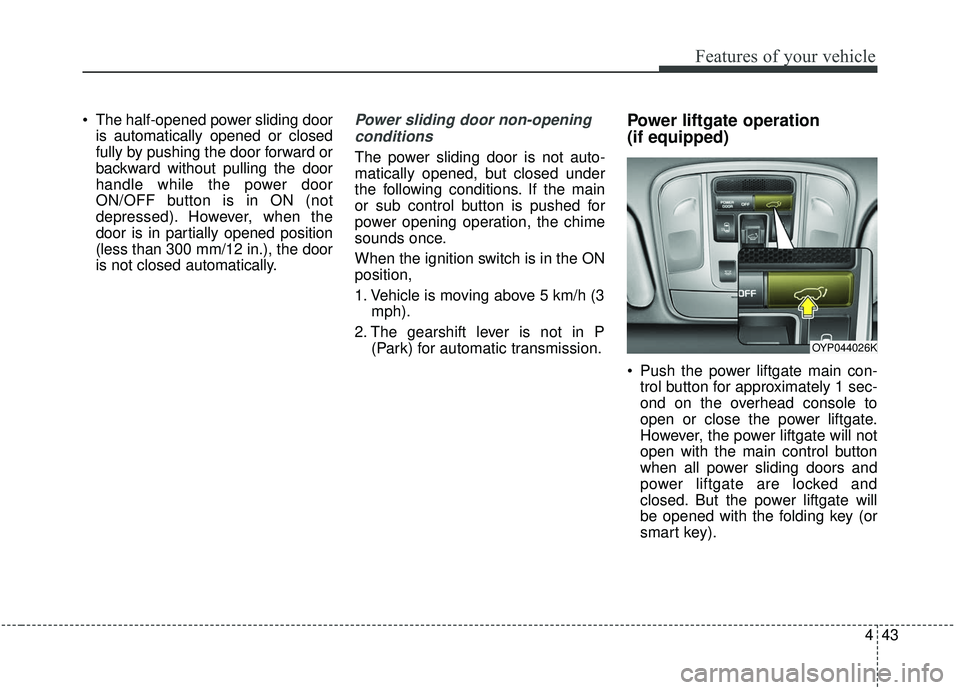
Push the power liftgate main con-trol button for approximately 1 sec-
ond on the overhead console to
open or close the power liftgate.
However, the power liftgate will not
open with the main control button
when all power sliding doors and
power liftgate are locked and
closed. But the power liftgate will
be opened with the folding key (or
smart key).
OYP044026K
Page 155 of 604
Features of your vehicle
46
4
Power liftgate non-opening condi-
tions
The power liftgate will not open auto-
matically, but will close under the fol-
lowing conditions.
When the ignition switch is in the ON
position,
1. Vehicle is moving above 3 km/h (2 mph).
2. The gearshift lever is not in P (Park) for automatic transmission.
The chime will sound continuously if
you drive over 3 km/h (2 mph) with
the liftgate opened. Stop your vehicle
at a safe place as soon as possible
to check if your liftgate is opened.
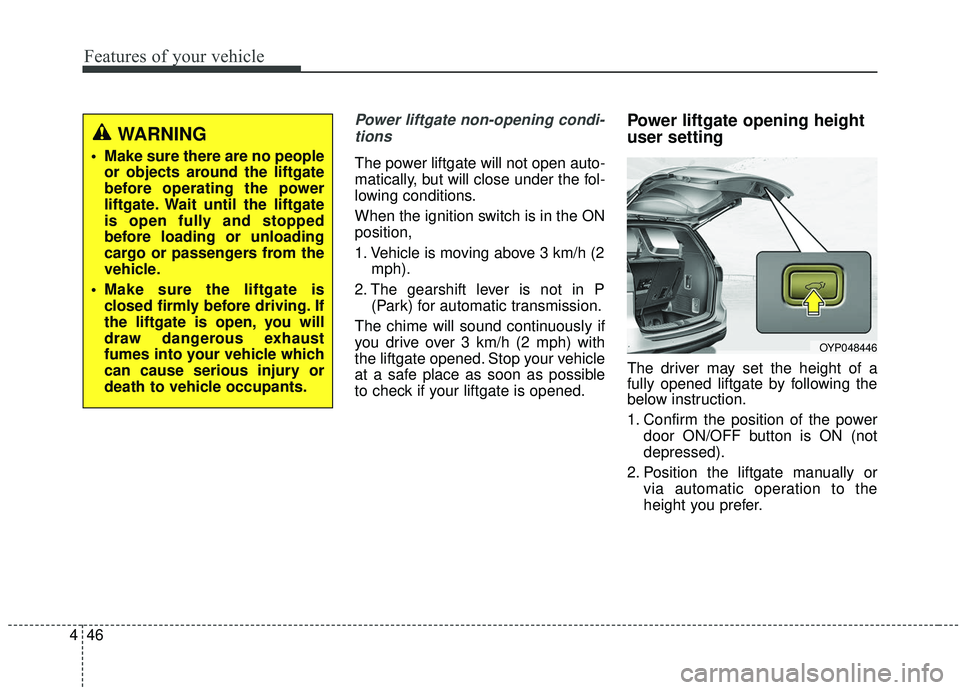
Power liftgate opening height
user setting
The driver may set the height of a
fully opened liftgate by following the
below instruction.
1. Confirm the position of the power door ON/OFF button is ON (not
depressed).
2. Position the liftgate manually or via automatic operation to the
height you prefer.
OYP048446
WARNING
• Make sure there are no peopleor objects around the liftgate
before operating the power
liftgate. Wait until the liftgate
is open fully and stopped
before loading or unloading
cargo or passengers from the
vehicle.
Make sure the liftgate is closed firmly before driving. If
the liftgate is open, you will
draw dangerous exhaust
fumes into your vehicle which
can cause serious injury or
death to vehicle occupants.
Page 205 of 604
Features of your vehicle
96
4
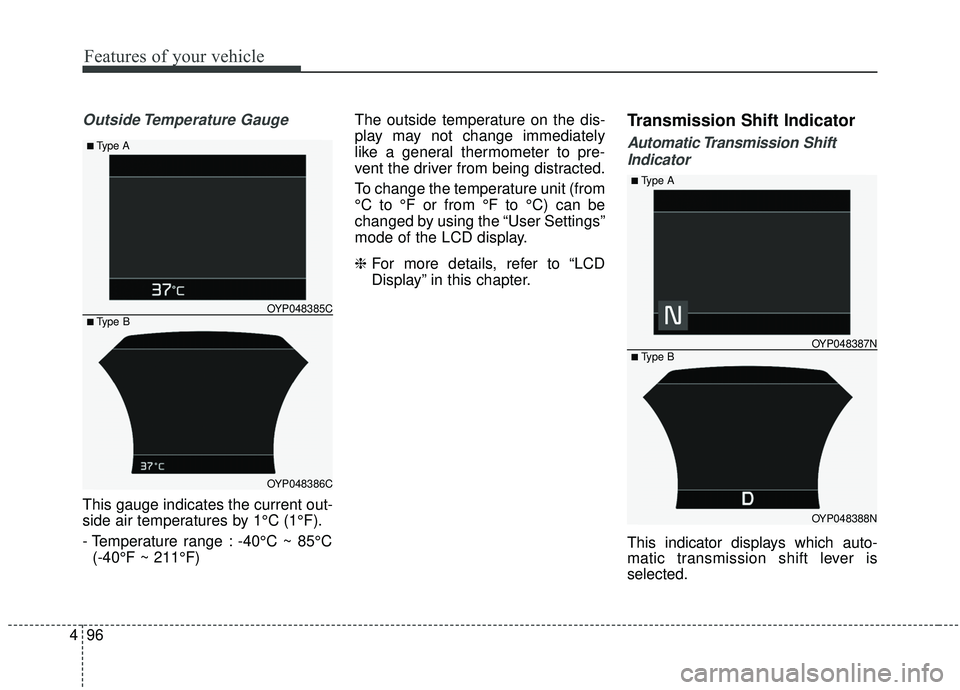
Outside Temperature Gauge
This gauge indicates the current out-
side air temperatures by 1°C (1°F).
- Temperature range : -40°C ~ 85°C
(-40°F ~ 211°F) The outside temperature on the dis-
play may not change immediately
like a general thermometer to pre-
vent the driver from being distracted.
To change the temperature unit (from
°C to °F or from °F to °C) can be
changed by using the “User Settings”
mode of the LCD display.
❈
For more details, refer to “LCD
Display” in this chapter.
Transmission Shift Indicator
Automatic Transmission Shift
Indicator
This indicator displays which auto-
matic transmission shift lever is
selected.
OYP048386C
OYP048385C
■Type A
■ Type B
OYP048388N
OYP048387N
■Type A
■ Type B
Page 217 of 604
Features of your vehicle
108
4
Automatically Unlock :
- Disable : The auto door unlockoperation will be canceled.
- Vehicle Off : All doors will be automatically unlocked when the
Engine Star/Stop Button or igni-
tion switch is set to the OFF posi-
tion.
- On Shift to P : All doors will be automatically unlocked if the
automatic transmission shift lever
is shifted to the P (Park) position.
Two Press Unlock (if equipped) - If this item checked, the two pressunlock function will be activated.
(Only the driver’s door will unlock
when unlock button is pressed
once and all doors will unlock
when the same button is pressed
again within 4 seconds.) Smart Liftgate (if equipped)
- If this item is checked, the smartliftgate function will be activated.
- If the power liftgate function is not activated, you cannot activate
this function.
❈ For more details, refer to “Smart
Liftgate” in this chapter. Lights
One Touch Turn Signal :
- Off : The one touch turn signalfunction will be deactivated.
- 3, 5, 7 Flashes : The lane change signals will blink 3, 5 or 7 times
when the turn signal lever is
moved slightly.
❈ For more details, refer to “Light” in
this chapter.
Headlight Delay : - If this item checked, the headlight delay function will be activat-
ed.
Page 247 of 604
Features of your vehicle
138
4
The 360° camera monitoring system
is not a substitute for proper and safe
parking procedures. The 360° cam-
era monitoring system may not
detect every object surrounding the
vehicle. Always drive safely and use
caution when parking.
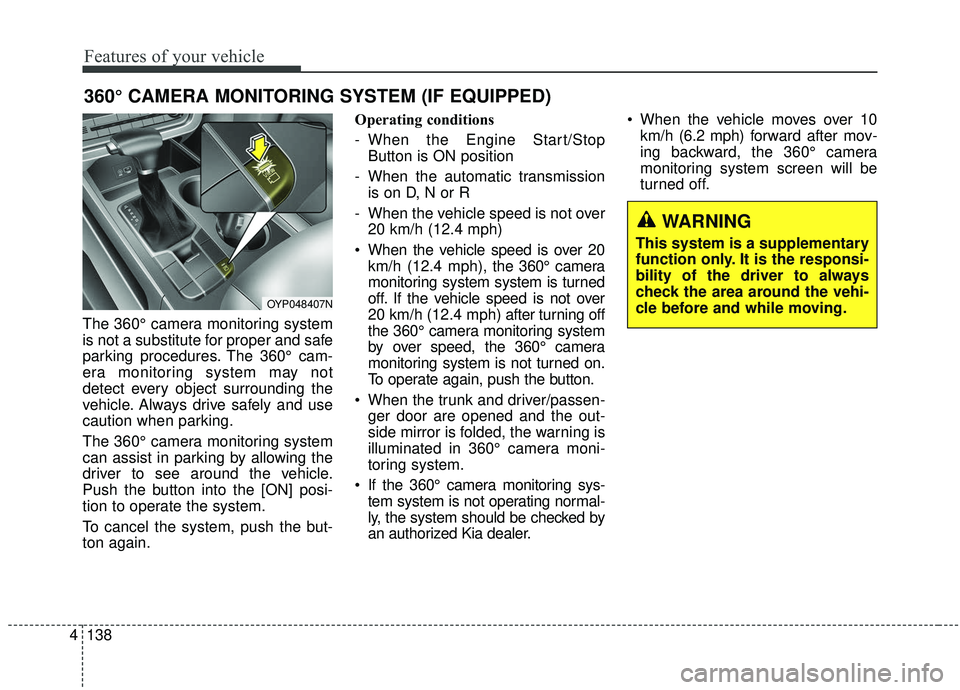
The 360° camera monitoring system
can assist in parking by allowing the
driver to see around the vehicle.
Push the button into the [ON] posi-
tion to operate the system.
To cancel the system, push the but-
ton again. Operating conditions
- When the Engine Start/Stop
Button is ON position
- When the automatic transmission is on D, N or R
- When the vehicle speed is not over 20 km/h (12.4 mph)
When the vehicle speed is over 20 km/h (12.4 mph), the 360° camera
monitoring system system is turned
off. If the vehicle speed is not over
20 km/h (12.4 mph) after turning off
the 360° camera monitoring system
by over speed, the 360° camera
monitoring system is not turned on.
To operate again, push the button.
When the trunk and driver/passen- ger door are opened and the out-
side mirror is folded, the warning is
illuminated in 360° camera moni-
toring system.
If the 360° camera monitoring sys- tem system is not operating normal-
ly, the system should be checked by
an authorized Kia dealer. When the vehicle moves over 10
km/h (6.2 mph) forward after mov-
ing backward, the 360° camera
monitoring system screen will be
turned off.
360° CAMERA MONITORING SYSTEM (IF EQUIPPED)
OYP048407N
WARNING
This system is a supplementary
function only. It is the responsi-
bility of the driver to always
check the area around the vehi-
cle before and while moving.
Page 330 of 604
Driving your vehicle
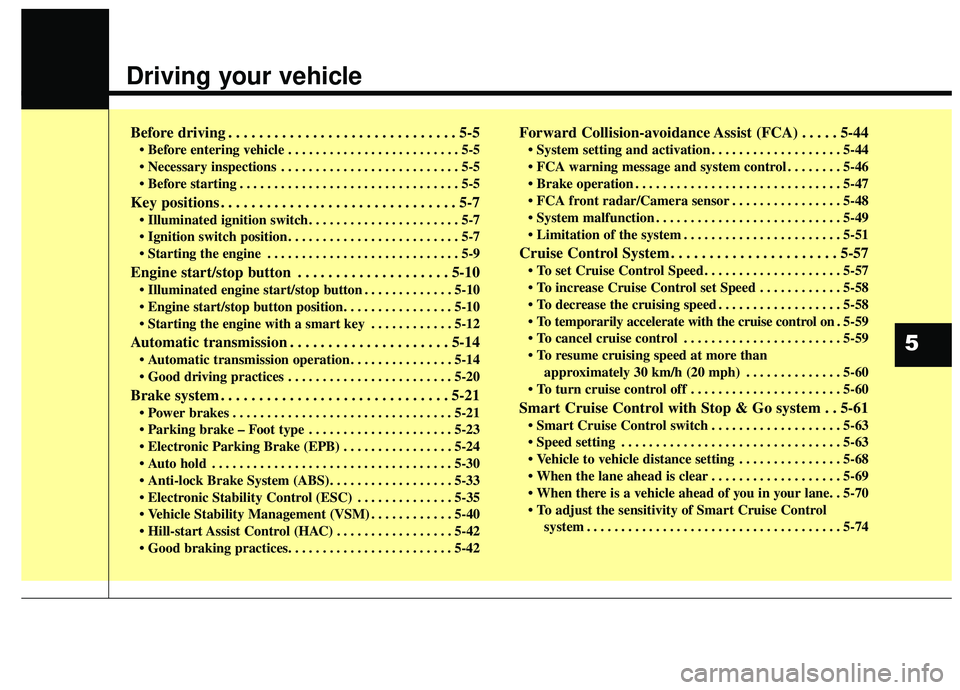
Before driving . . . . . . . . . . . . . . . . . . . . . . . . . . . . . . 5-5
• Before entering vehicle . . . . . . . . . . . . . . . . . . . . . . . . . 5-5
. . . . . . . . . . . . . . . . . . . . . . . . . . 5-5
. . . . . . . . . . . . . . . . . . . . . . . . . . . . . . . . 5-5
Key positions . . . . . . . . . . . . . . . . . . . . . . . . . . . . . . . 5-7
. . . . . . . . . . . . . . . . . . . . . . 5-7
. . . . . . . . . . . . . . . . . . . . . . . . . 5-7
. . . . . . . . . . . . . . . . . . . . . . . . . . . . 5-9
Engine start/stop button . . . . . . . . . . . . . . . . . . . . 5-10
. . . . . . . . . . . . . 5-10
. . . . . . . . . . . . 5-12
Automatic transmission . . . . . . . . . . . . . . . . . . . . . 5-14
. . . . . . . . . . . . . . . 5-14
. . . . . . . . . . . . . . . . . . . . . . . . 5-20
Brake system . . . . . . . . . . . . . . . . . . . . . . . . . . . . . . 5-21
. . . . . . . . . . . . . . . . . . . . . . . . . . . . . . . . 5-21
. . . . . . . . . . . . . . . . . . . . . 5-23
. . . . . . . . . . . . . . . . 5-24
. . . . . . . . . . . . . . . . . . . . . . . . . . . . . . . . . . . 5-\
30
. . . . . . . . . . . . . . 5-35
. . . . . . . . . . . . 5-40
. . . . . . . . . . . . . . . . . 5-42
Forward Collision-avoidance Assist (FCA) . . . . . 5-44
. . . . . . . . . . . . . . . . . . . 5-44
. . . . . . . . 5-46
. . . . . . . . . . . . . . . . . . . . . . . . . . . . . . 5-47
. . . . . . . . . . . . . . . . 5-48
. . . . . . . . . . . . . . . . . . . . . . . . . . . 5-49
. . . . . . . . . . . . . . . . . . . . . . . 5-51
Cruise Control System . . . . . . . . . . . . . . . . . . . . . . 5-57
. . . . . . . . . . . . . . . . . . . . 5-57
. . . . . . . . . . . . 5-58
. . . . . . . . . . . . . . . . . . 5-58
. 5-59
. . . . . . . . . . . . . . . . . . . . . . . 5-59
approximately 30 km/h (20 mph) . . . . . . . . . . . . . . 5-60
. . . . . . . . . . . . . . . . . . . . . . 5-60
Smart Cruise Control with Stop & Go system . . 5-61
. . . . . . . . . . . . . . . . . . . 5-63
. . . . . . . . . . . . . . . . . . . . . . . . . . . . . . . . 5-63
. . . . . . . . . . . . . . . 5-68
. . . . . . . . . . . . . . . . . . . 5-69
system . . . . . . . . . . . . . . . . . . . . . . . . . . . . . . . . . . . . \
. 5-74
5
Page 340 of 604
511
Driving your vehicle
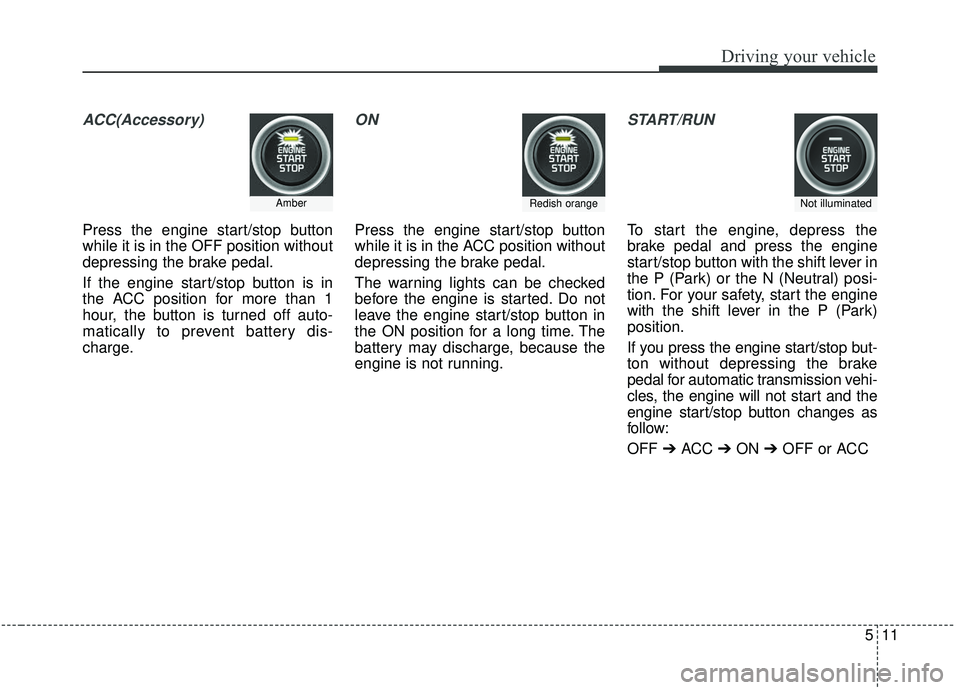
ACC(Accessory)
Press the engine start/stop button
while it is in the OFF position without
depressing the brake pedal.
If the engine start/stop button is in
the ACC position for more than 1
hour, the button is turned off auto-
matically to prevent battery dis-
charge.
ON
Press the engine start/stop button
while it is in the ACC position without
depressing the brake pedal.
The warning lights can be checked
before the engine is started. Do not
leave the engine start/stop button in
the ON position for a long time. The
battery may discharge, because the
engine is not running.
START/RUN
To start the engine, depress the
brake pedal and press the engine
start/stop button with the shift lever in
the P (Park) or the N (Neutral) posi-
tion. For your safety, start the engine
with the shift lever in the P (Park)
position.
If you press the engine start/stop but-
ton without depressing the brake
pedal for automatic transmission vehi-
cles, the engine will not start and the
engine start/stop button changes as
follow:
OFF ➔ACC ➔ON ➔OFF or ACC
AmberRedish orangeNot illuminated