warning KIA Sorento 2014 3.G Owner's Manual
[x] Cancel search | Manufacturer: KIA, Model Year: 2014, Model line: Sorento, Model: KIA Sorento 2014 3.GPages: 508, PDF Size: 7.59 MB
Page 230 of 508
4 139
Features of your vehicle
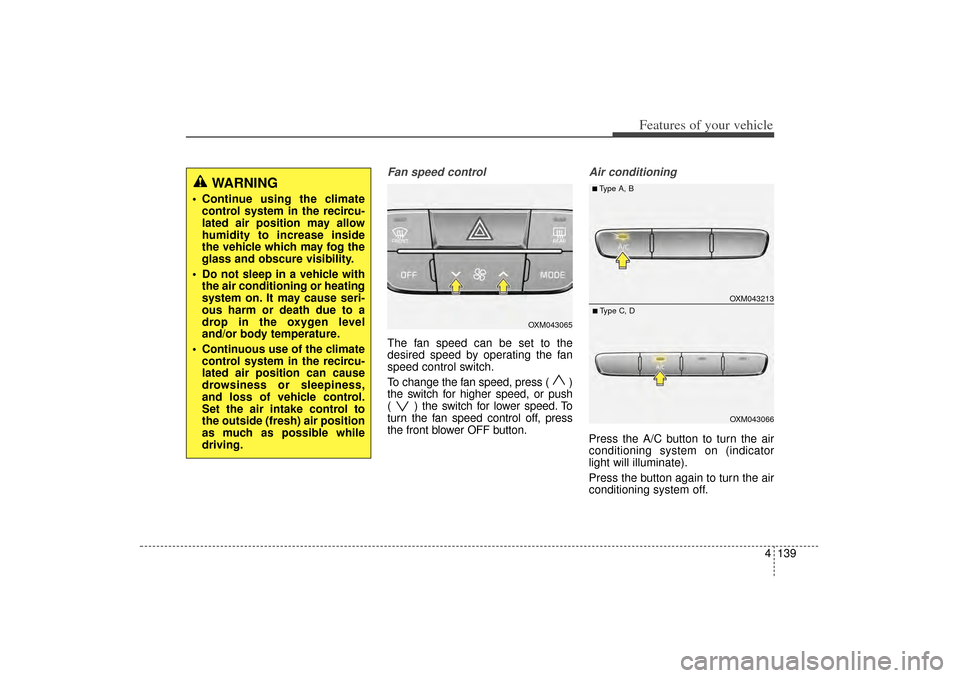
Fan speed controlThe fan speed can be set to the
desired speed by operating the fan
speed control switch.
To change the fan speed, press ( )
the switch for higher speed, or push
( ) the switch for lower speed. To
turn the fan speed control off, press
the front blower OFF button.
Air conditioningPress the A/C button to turn the air
conditioning system on (indicator
light will illuminate).
Press the button again to turn the air
conditioning system off.
WARNING
Continue using the climatecontrol system in the recircu-
lated air position may allow
humidity to increase inside
the vehicle which may fog the
glass and obscure visibility.
Do not sleep in a vehicle with the air conditioning or heating
system on. It may cause seri-
ous harm or death due to a
drop in the oxygen level
and/or body temperature.
Continuous use of the climate control system in the recircu-
lated air position can cause
drowsiness or sleepiness,
and loss of vehicle control.
Set the air intake control to
the outside (fresh) air position
as much as possible while
driving.
OXM043065
OXM043213OXM043066
■Type A, B■Type C, D
XM(FL) CAN(ENG) 4a(~158).QXP 1/23/2013 3:55 PM Page 139
Page 233 of 508
Features of your vehicle142
4
For maximum defrosting, set the
temperature control to the extreme
right/hot position and the fan speed
control to the highest speed.
If warm air to the floor is desired while defrosting or defogging, set
the mode to the floor-defrost posi-
tion.
Before driving, clear all snow and ice from the windshield, rear win-
dow, outside rear view mirrors, and
all side windows.
Clear all snow and ice from the hood and air inlet in the cowl grill to
improve heater and defroster effi-
ciency and to reduce the probabili-
ty of fogging up the inside of the
windshield.
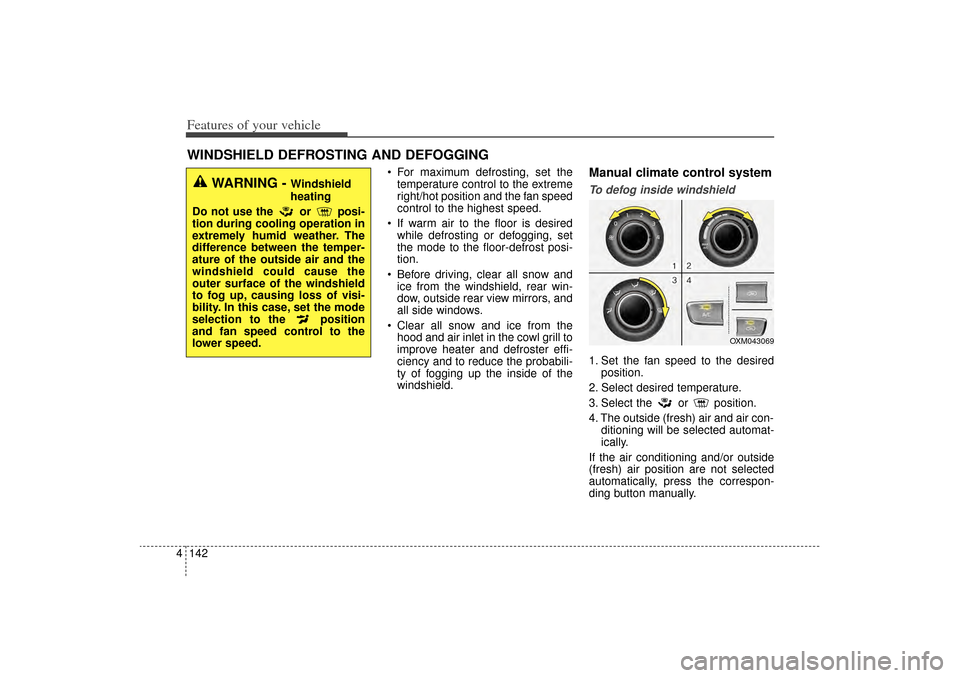
Manual climate control systemTo defog inside windshield 1. Set the fan speed to the desired position.
2. Select desired temperature.
3. Select the or position.
4. The outside (fresh) air and air con- ditioning will be selected automat-
ically.
If the air conditioning and/or outside
(fresh) air position are not selected
automatically, press the correspon-
ding button manually.
WINDSHIELD DEFROSTING AND DEFOGGING
WARNING -
Windshield
heating
Do not use the or posi-
tion during cooling operation in
extremely humid weather. The
difference between the temper-
ature of the outside air and the
windshield could cause the
outer surface of the windshield
to fog up, causing loss of visi-
bility. In this case, set the mode
selection to the position
and fan speed control to the
lower speed.
OXM043069
XM(FL) CAN(ENG) 4a(~158).QXP 1/23/2013 3:55 PM Page 142
Page 237 of 508
Features of your vehicle146
4These compartments can be used to
store small items.
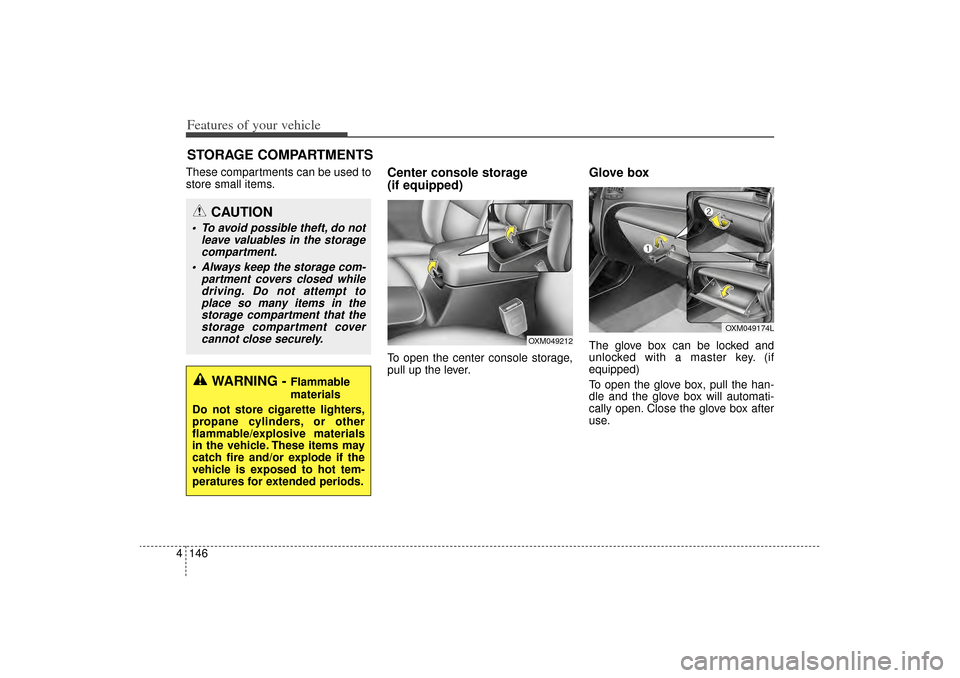
Center console storage
(if equipped)To open the center console storage,
pull up the lever.
Glove boxThe glove box can be locked and
unlocked with a master key. (if
equipped)
To open the glove box, pull the han-
dle and the glove box will automati-
cally open. Close the glove box after
use.
STORAGE COMPARTMENTS
WARNING -
Flammable
materials
Do not store cigarette lighters,
propane cylinders, or other
flammable/explosive materials
in the vehicle. These items may
catch fire and/or explode if the
vehicle is exposed to hot tem-
peratures for extended periods.
CAUTION
To avoid possible theft, do not leave valuables in the storagecompartment.
Always keep the storage com- partment covers closed whiledriving. Do not attempt toplace so many items in thestorage compartment that thestorage compartment covercannot close securely.
OXM049174L
OXM049212
XM(FL) CAN(ENG) 4a(~158).QXP 1/23/2013 3:56 PM Page 146
Page 238 of 508
4 147
Features of your vehicle
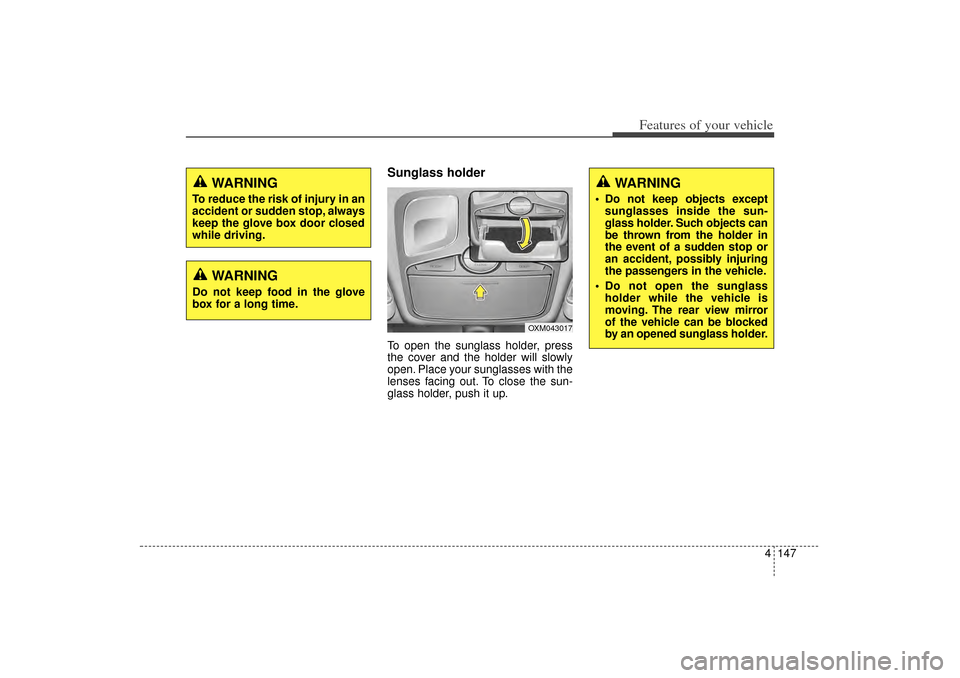
Sunglass holder To open the sunglass holder, press
the cover and the holder will slowly
open. Place your sunglasses with the
lenses facing out. To close the sun-
glass holder, push it up.
WARNING
To reduce the risk of injury in an
accident or sudden stop, always
keep the glove box door closed
while driving.
WARNING
Do not keep food in the glove
box for a long time.
OXM043017
WARNING
Do not keep objects exceptsunglasses inside the sun-
glass holder. Such objects can
be thrown from the holder in
the event of a sudden stop or
an accident, possibly injuring
the passengers in the vehicle.
Do not open the sunglass holder while the vehicle is
moving. The rear view mirror
of the vehicle can be blocked
by an opened sunglass holder.
XM(FL) CAN(ENG) 4a(~158).QXP 1/23/2013 3:56 PM Page 147
Page 240 of 508
4 149
Features of your vehicle
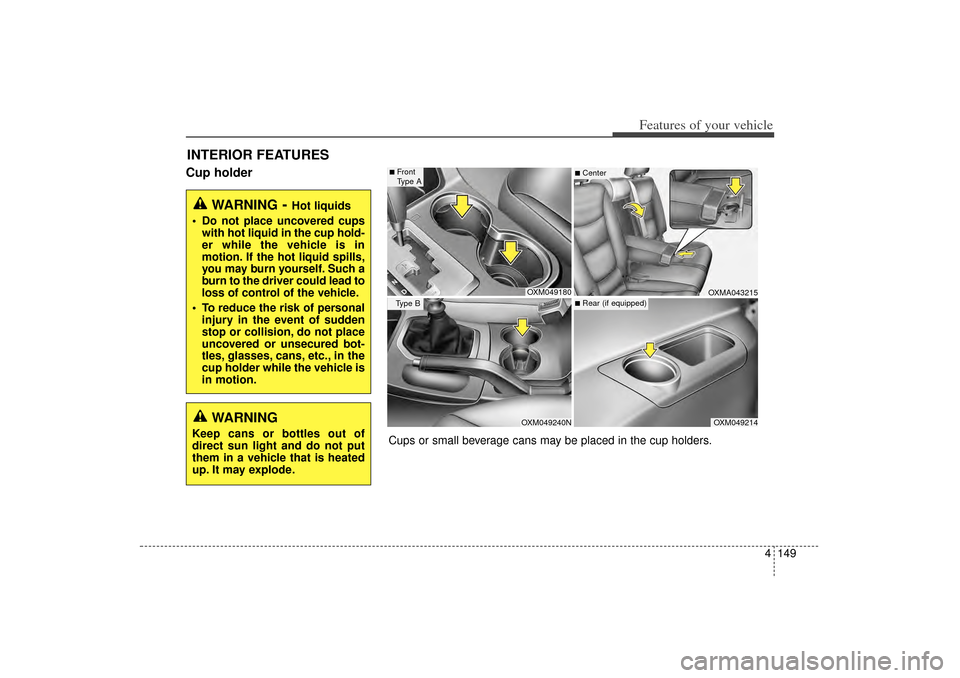
Cup holderINTERIOR FEATURES
WARNING
- Hot liquids
Do not place uncovered cups with hot liquid in the cup hold-
er while the vehicle is in
motion. If the hot liquid spills,
you may burn yourself. Such a
burn to the driver could lead to
loss of control of the vehicle.
To reduce the risk of personal injury in the event of sudden
stop or collision, do not place
uncovered or unsecured bot-
tles, glasses, cans, etc., in the
cup holder while the vehicle is
in motion.
OXM049180OXM049240N
OXM049214OXMA043215
■Front
Type AType B
■Center■Rear (if equipped)
Cups or small beverage cans may be placed in the cup holders.
WARNING
Keep cans or bottles out of
direct sun light and do not put
them in a vehicle that is heated
up. It may explode.
XM(FL) CAN(ENG) 4a(~158).QXP 1/23/2013 3:56 PM Page 149
Page 241 of 508
Features of your vehicle150
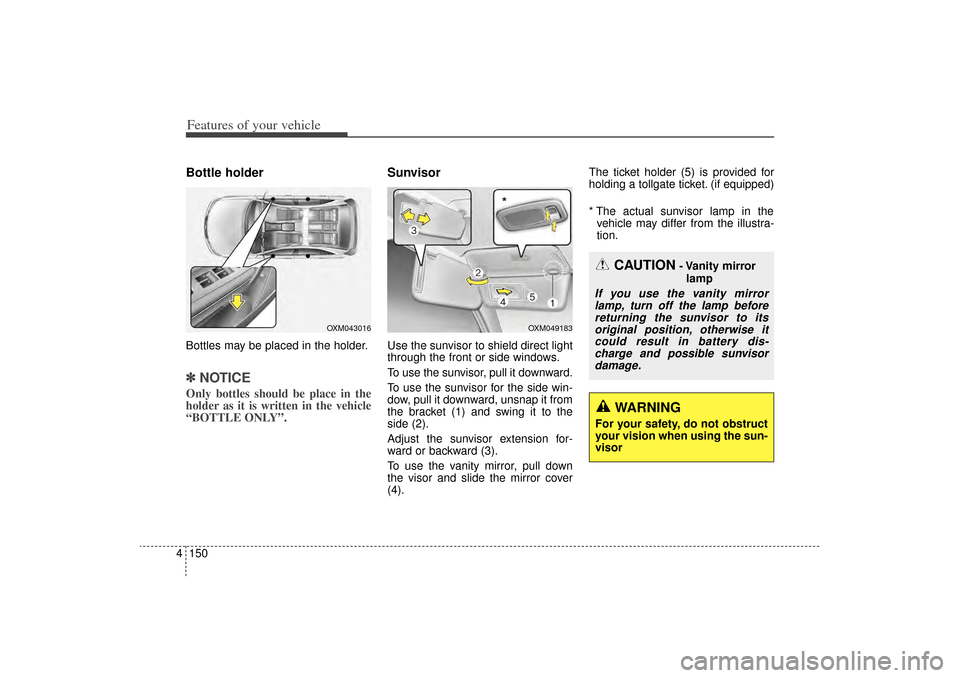
4Bottle holderBottles may be placed in the holder.✽
✽
NOTICEOnly bottles should be place in the
holder as it is written in the vehicle
“BOTTLE ONLY”.
SunvisorUse the sunvisor to shield direct light
through the front or side windows.
To use the sunvisor, pull it downward.
To use the sunvisor for the side win-
dow, pull it downward, unsnap it from
the bracket (1) and swing it to the
side (2).
Adjust the sunvisor extension for-
ward or backward (3).
To use the vanity mirror, pull down
the visor and slide the mirror cover
(4). The ticket holder (5) is provided for
holding a tollgate ticket. (if equipped)
* The actual sunvisor lamp in the
vehicle may differ from the illustra-
tion.
OXM049183
CAUTION
- Vanity mirror
lamp
If you use the vanity mirrorlamp, turn off the lamp beforereturning the sunvisor to itsoriginal position, otherwise itcould result in battery dis-charge and possible sunvisordamage.
*
WARNING
For your safety, do not obstruct
your vision when using the sun-
visor
OXM043016
XM(FL) CAN(ENG) 4a(~158).QXP 1/23/2013 3:56 PM Page 150
Page 242 of 508
4 151
Features of your vehicle
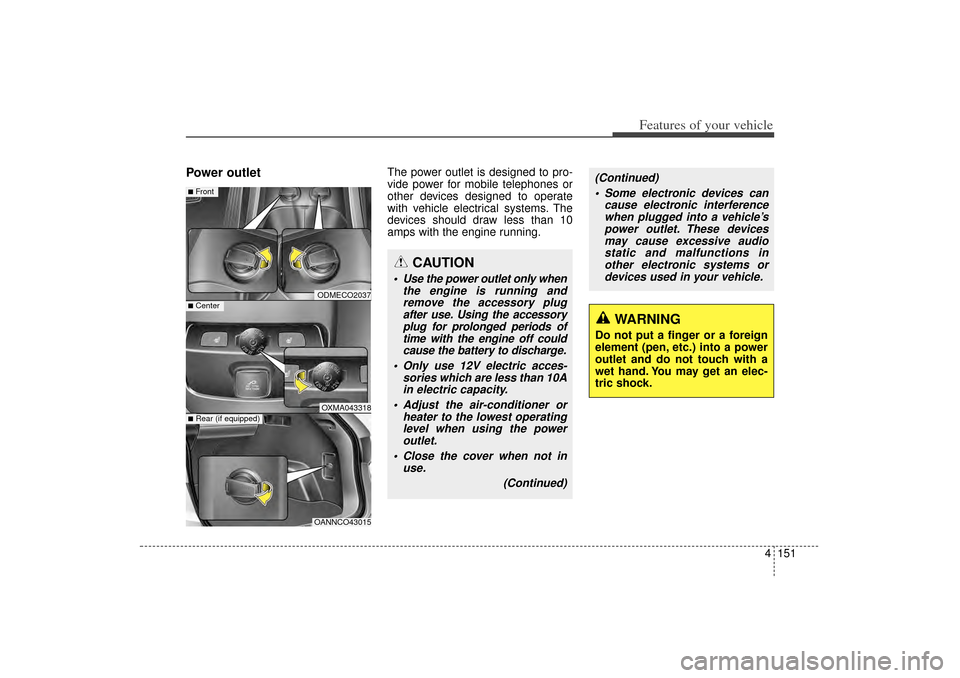
Power outlet
The power outlet is designed to pro-
vide power for mobile telephones or
other devices designed to operate
with vehicle electrical systems. The
devices should draw less than 10
amps with the engine running.
CAUTION
Use the power outlet only whenthe engine is running andremove the accessory plugafter use. Using the accessoryplug for prolonged periods oftime with the engine off couldcause the battery to discharge.
Only use 12V electric acces- sories which are less than 10Ain electric capacity.
Adjust the air-conditioner or heater to the lowest operatinglevel when using the poweroutlet.
Close the cover when not in use.
(Continued)
(Continued) Some electronic devices can cause electronic interferencewhen plugged into a vehicle’spower outlet. These devicesmay cause excessive audiostatic and malfunctions inother electronic systems ordevices used in your vehicle.
WARNING
Do not put a finger or a foreign
element (pen, etc.) into a power
outlet and do not touch with a
wet hand. You may get an elec-
tric shock.
ODMECO2037OXMA043318
■Front■Center
OANNCO43015
■Rear (if equipped)
XM(FL) CAN(ENG) 4a(~158).QXP 1/23/2013 3:56 PM Page 151
Page 244 of 508
4 153
Features of your vehicle
CAUTION
To prevent the battery frombeing discharged, do not usethe AC inverter while theengine is not running.
When not using the AC invert- er, make sure to turn off theAC inverter (the indicator onthe button does not illumi-nate) and close the AC invert-er cover.
After using an electric acces- sory or equipment, pull theplug out. Leaving the accesso-ry or equipment plugged in fora long time may cause batterydischarge.
Do not use an electric acces- sory or equipment the powerconsumption of which isgreater than 150W(115V).
(Continued)
WARNING
To reduce a risk of serious or
fatal injuries:
Do not use a heated electricdevice such as a coffeepot,
toaster, heater, iron, etc.
Do not insert foreign objects into the outlet and do not
touch the outlet as you may
get shocked.
Do not let children touch the AC inverter.
(Continued)
Some electric accessories or equipments can cause elec-tronic interference. It maycause excessive audio noiseand malfunctions in otherelectric systems or devices inthe vehicle.
Do not use broken electric accessories or equipments,which may damage the ACinverter and electrical sys-tems of the vehicle.
Do not use two or more elec- tric accessories or equip-ments at the same time. It maycause damage to the electricalsystems of the vehicle.
When the input voltage is under 11V, the outlet LED willblink and the AC inverter willturn off automatically. If theinput voltage goes up to nor-mal, the AC inverter will turnon again.
XM(FL) CAN(ENG) 4a(~158).QXP 1/23/2013 3:56 PM Page 153
Page 245 of 508
Features of your vehicle154
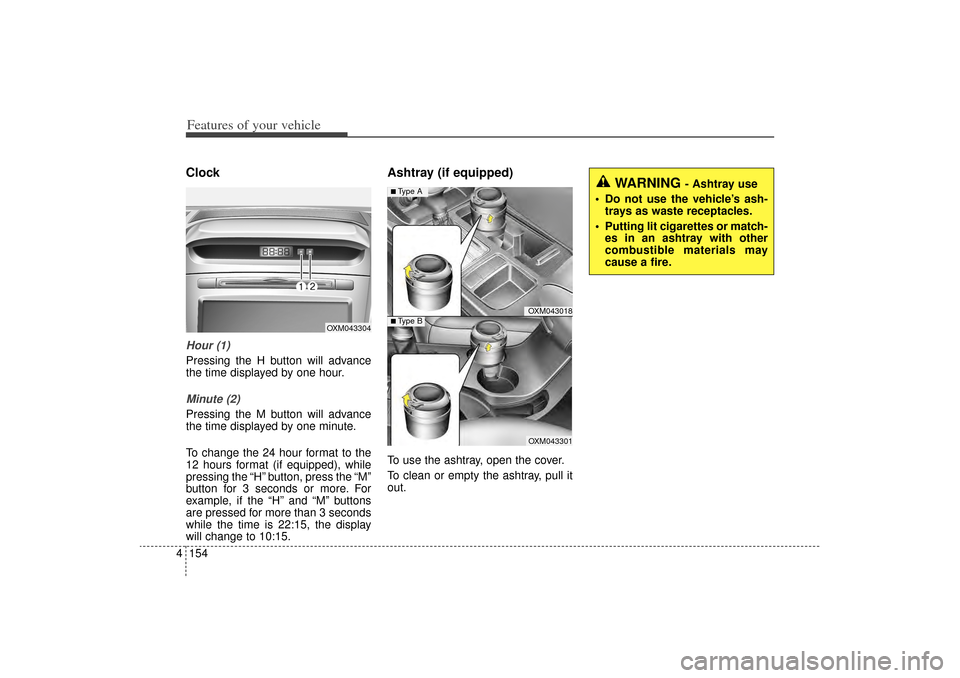
4ClockHour (1)Pressing the H button will advance
the time displayed by one hour.Minute (2)Pressing the M button will advance
the time displayed by one minute.
To change the 24 hour format to the
12 hours format (if equipped), while
pressing the “H” button, press the “M”
button for 3 seconds or more. For
example, if the “H” and “M” buttons
are pressed for more than 3 seconds
while the time is 22:15, the display
will change to 10:15.
Ashtray (if equipped)To use the ashtray, open the cover.
To clean or empty the ashtray, pull it
out.
OXM043304
WARNING
- Ashtray use
Do not use the vehicle’s ash- trays as waste receptacles.
Putting lit cigarettes or match- es in an ashtray with other
combustible materials may
cause a fire.
OXM043018OXM043301
■Type A■ Type B
XM(FL) CAN(ENG) 4a(~158).QXP 1/23/2013 3:56 PM Page 154
Page 246 of 508
4 155
Features of your vehicle
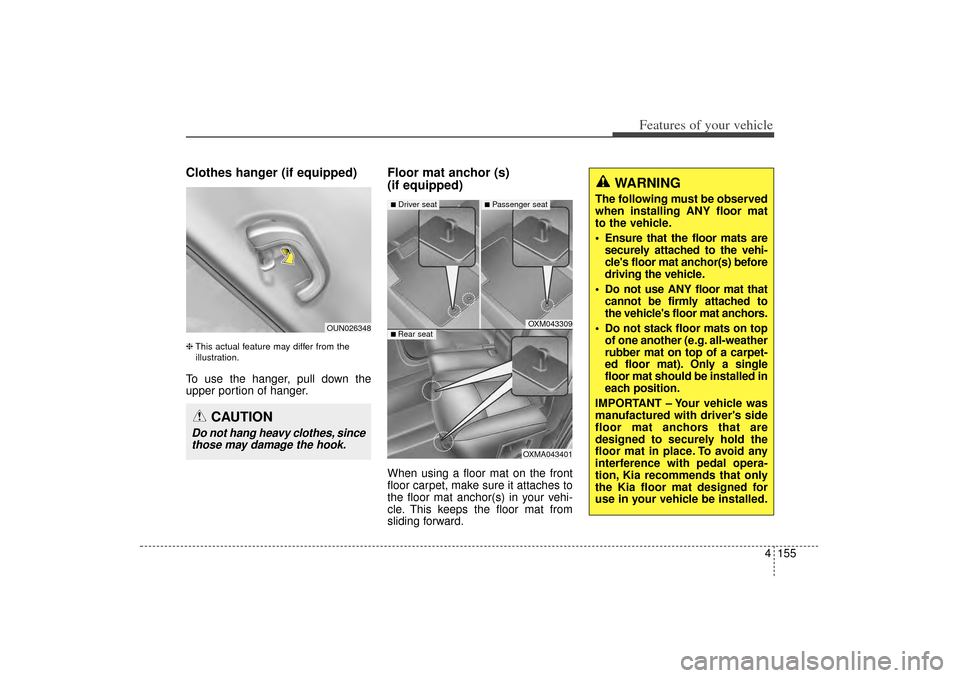
Clothes hanger (if equipped)❈This actual feature may differ from the
illustration.To use the hanger, pull down the
upper portion of hanger.
Floor mat anchor (s)
(if equipped)When using a floor mat on the front
floor carpet, make sure it attaches to
the floor mat anchor(s) in your vehi-
cle. This keeps the floor mat from
sliding forward.
OXM043309OXMA043401
■Driver seat
■Passenger seat
■ Rear seat
WARNING
The following must be observed
when installing ANY floor mat
to the vehicle.
Ensure that the floor mats are securely attached to the vehi-
cle's floor mat anchor(s) before
driving the vehicle.
Do not use ANY floor mat that cannot be firmly attached to
the vehicle's floor mat anchors.
Do not stack floor mats on top of one another (e.g. all-weather
rubber mat on top of a carpet-
ed floor mat). Only a single
floor mat should be installed in
each position.
IMPORTANT – Your vehicle was
manufactured with driver's side
floor mat anchors that are
designed to securely hold the
floor mat in place. To avoid any
interference with pedal opera-
tion, Kia recommends that only
the Kia floor mat designed for
use in your vehicle be installed.
OUN026348
CAUTION
Do not hang heavy clothes, since those may damage the hook.
XM(FL) CAN(ENG) 4a(~158).QXP 1/23/2013 3:56 PM Page 155