ECO KIA SORENTO 2014 Navigation System Quick Reference Guide
[x] Cancel search | Manufacturer: KIA, Model Year: 2014, Model line: SORENTO, Model: KIA SORENTO 2014Pages: 236, PDF Size: 7.61 MB
Page 217 of 236
Appendix l
9-7
Appendix
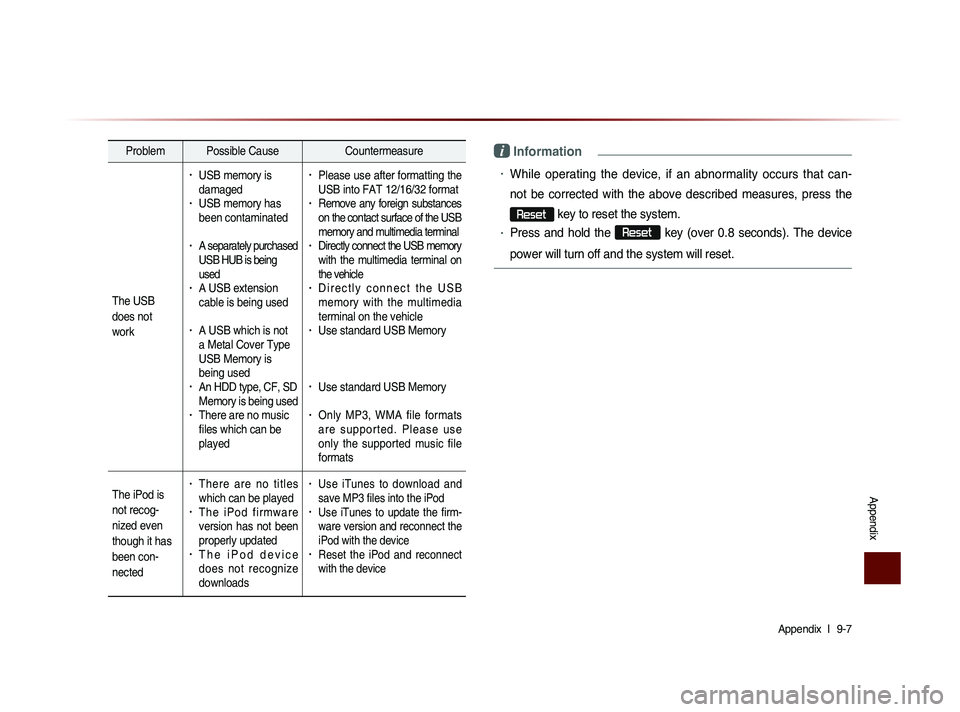
Problem Possible Cause Countermeasure
The USB
does not
work
• USB memory is
damaged
• USB memory has
been contaminated
• A separately purchased
USB HUB is being
used
• A USB extension
cable is being used
• A USB which is not
a Metal Cover Type
USB Memory is
being used
• An HDD type, CF, SD
Memory is being used
• There are no music
files which can be
played
• Please use after formatting the
USB into FAT 12/16/32 format
• Remove any foreign substances
on the contact surface of the USB
memory and multimedia terminal
• Directly connect the USB memory
with the multimedia terminal on
the vehicle
• D i r e c t l y c o n n e c t t h e U S B
memory with the multimedia
terminal on the vehicle
• Use standard USB Memory
• Use standard USB Memory
• Only MP3, WMA file formats
a r e s u p p o r t e d . P l e a s e u s e
only the supported music file
formats
The iPod is
not recog-
nized even
though it has
been con-
nected
• There are no titles
which can be played
• T h e i P o d f i r m w a r e
version has not been
properly updated
• T h e i P o d d e v i c e
does not recognize
downloads
• Use iTunes to download and
save MP3 files into the iPod
• Use iTunes to update the firm-
ware version and reconnect the
iPod with the device
• Reset the iPod and reconnect
with the device
i Information
• While operating the device, if an abnormality occurs that can-
not be corrected with the above described measures, press the
Reset
key to reset the system.
• Press and hold the Reset
key (over 0.8 seconds). The device
power will turn off and the system will reset.
Page 219 of 236
Appendix l
9-9
Appendix
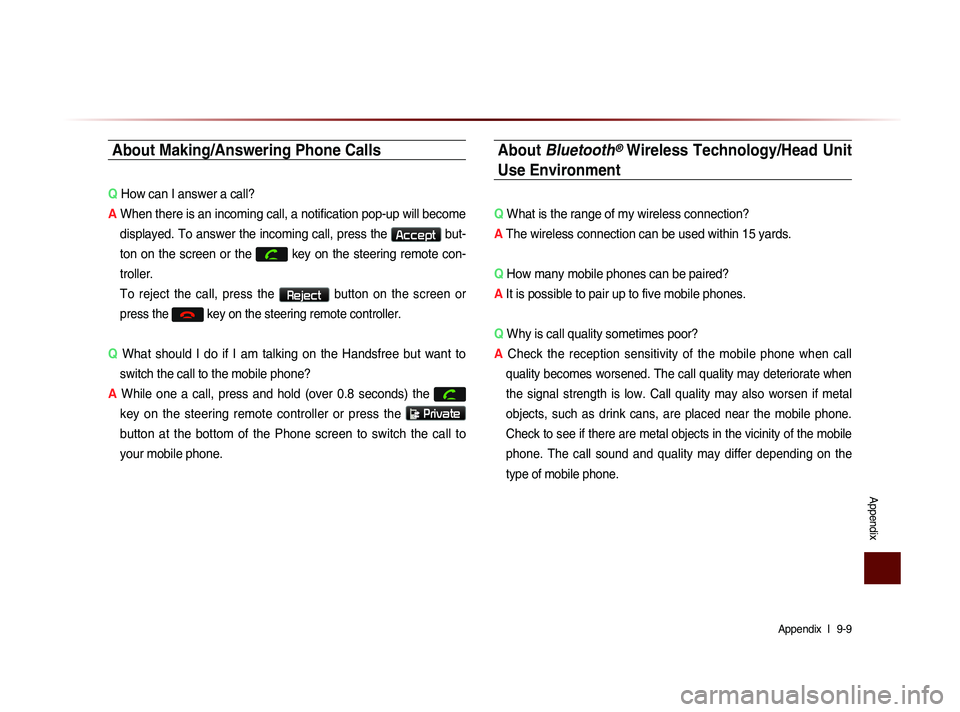
About Making/Answering Phone Calls
Q How can I answer a call?
A When there is an incoming call, a notification pop-up will become
displayed. To answer the incoming call, press the
Accept but-
ton on the screen or the
key on the steering remote con-
troller.
To reject the call, press the Reject button on the screen or
press the
key on the steering remote controller.
Q What should I do if I am talking on the Handsfree but want to
switch the call to the mobile phone?
A While one a call, press and hold (over 0.8 seconds) the
key on the steering remote controller or press the
Private
button at the bottom of the Phone screen to switch the call to
your mobile phone.
About Bluetooth® Wireless Technology/Head Unit
Use Environment
Q What is the range of my wireless connection?
A The wireless connection can be used within 15 yards.
Q How many mobile phones can be paired?
A It is possible to pair up to five mobile phones.
Q Why is call quality sometimes poor?
A
Check the reception sensitivity of the mobile phone when call
quality becomes worsened. The call quality may deteriorate when
the signal strength is low. Call quality may also worsen if metal
objects, such as drink cans, are placed near the mobile phone.
Check to see if there are metal objects in the vicinity of the mobile
phone. The call sound and quality may differ depending on the
type of mobile phone.
Page 220 of 236
9-10
Index
0~9
2D Landmarks....................................................3-32
A
About Bluetooth® Wireless Technology/
Head Unit Use Environment
.......................9-9
About Disc .............................................................2-14
About GPS................................................................3-6
About GPS (Global Positioning System).....6-16
About HD RadioTM Technology.................2-7
About Making/Answering Phone Calls.....9-9
About Map Database........................................3-4
About Map Icons..................................................3-4
About Map Scale.................................................3-4
About Map Updates...........................................3-4
About Rear Detection Camera..................7-7
About sPairing Mobile Phones..................9-8
About the Map........................................................3-4
About USB..............................................................2-31
About UVO eServices ....................................6-2
About Voice Guidance.....................................3-5
Activating UVO eServices............................6-4
Add Waypoint......................................................3-22
Adding a My Place...........................................3-12
Adding as a Favorite.......................................4-19
Address.....................................................................3-16
Adjusting Brightness.........................................8-5
Adjusting Image Size ...................................2-43
Adjusting Navigation Volume...................3-10
Adjusting the Ring/Call Volume.............4-15
Adjusting Voice Recognition Volume...5-5
Advanced...................................................................8-4
Advanced Settings.............................................8-8
Answering a Call................................................4-12
Appendix....................................................................9-2
Audio System Command List....................5-8
AUX Mode..............................................................2-50
Avoid Area..............................................................3-29
Avoid Streets........................................................3-28
B
Basic Mode Screen (Bluetooth® Audio Mode).2-51
Basic Mode Screen (Bluetooth® Handsfree)...4-4
Basic Mode Screen (CD Mode).............2-19
Basic Mode Screen (Climate Mode).....7-3
Basic Mode Screen(HD RadioTM recep- tion OFF)
.....................................................................2-2
Basic Mode Screen (HD RadioTM recep-
tion ON)
........................................................................2-3
Basic Mode Screen (iPod Mode).........2-46
Basic Mode Screen (MP3 CD Mode).....2-23
Basic Mode Screen (My Music Mode)...2-54
Basic Mode Screen (SIRIUS Mode)..2-10
Basic Mode Screen (USB Mode).........2-34
Basic Mode Screen (Using Setup)........8-2
Basic Operation.....................................................7-4
Battery Warning Message..........................1-12
Before Playing a USB MP3.......................2-31
Before Playing an MP3 Disc.....................2-17
Before Thinking the Product Has
Malfunctioned
.........................................................9-5
Before Thinking There is a Product
Defect
............................................................................9-4
Before Use(Bluetooth® Handsfree).......4-2
Before Use(Navigation)..................................3-2
Before Using the Bluetooth® Handsfree..4-2
Before using UVO eServices.....................6-3
Bluetooth....................................................................8-6
Bluetooth® Audio Mode.................................2-51
Page 221 of 236
Index l
9-11
Index
C
Call History............................................................4-22
Call History Screen Configuration.......4-22
Calling by Dialing a Number.....................4-10
Calling Favorites................................................4-20
Calling through Redial...................................4-11
Cancel Route (Destination Search)...3-22
Cancel Route (Route Menu)....................3-26
CAUTIONS upon Connecting Bluetooth®
Phone
...........................................................................4-3
CD Mode..................................................................2-19
CD(Audio Type)..................................................5-10
CD(MP3 Type).....................................................5-10
Changing Map Scale........................................3-9
Changing Registered Phone...................8-20
Checking Mobile Contacts Details.......4-19
Climate Mode..........................................................7-2
Climate System...................................................1-10
Clock Settings......................................................8-21
Component Names and Functions........1-6
Conducting Auto Diagnostics.....................6-9
Conducting Vehicle Diagnostics..............6-6
Connecting a Device......................................4-25
Connecting an External Device.............2-50
Connecting Bluetooth.......................................6-3
Connections..............................................................8-7
Connections Menu..........................................4-25
Contacts....................................................................4-16
Contacts Download Setting.........................8-8
Contacts Sync Setting......................................8-7
Controlling Driver/Passenger
Temperature Independently
.........................7-4
Controlling Driver/Passenger
Temperature Simultaneously
......................7-4
Coordinates............................................................3-18
Copy (MP3 CD Mode)...................................2-28
Copy (USB Music Mode)............................2-39
Crash Notification Assist..............................6-14
Crash Notification Assist Setting...........8-19
Creating a suitable cabin environment.....5-2
Current Position....................................................3-8
D
Default........................................................................8-14
Deleting a Device.............................................4-25
Deleting Files.......................................................2-58
Demo .........................................................................3-21
Destination..............................................................5-14
Destination Search .........................................3-13
Detour........................................................................3-28
Disc...............................................................................2-14
Disc/Content Format Compatibility......2-15
Disconnecting a Device...............................4-27
Display.........................................................................8-5
Display (Setup Navigation)........................8-12
Display Off...............................................................8-24
Downloading Call History...........................4-23
Downloading Mobile Phone Contacts4-18
During a Call............................................................4-9
E
Edit Route...............................................................3-28
Editing POI Icons...............................................3-11
Emergency.............................................................3-18
Ending a Call.........................................................4-14
Ending Voice Recognition............................5-4
Entering Call History Screen...................4-22
Errors Unavoidable Due to System
Characteristics
.....................................................6-16
Page 222 of 236
9-12
Index
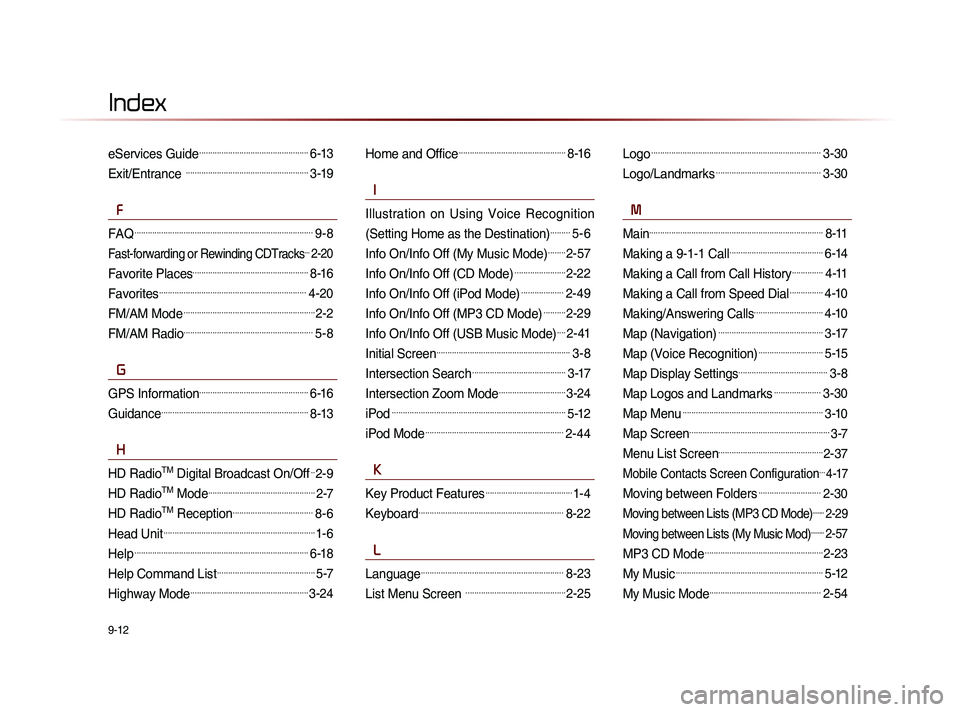
eServices Guide.................................................6-13
Exit/Entrance .......................................................3-19
F
FAQ................................................................................9-8
Fast-forwarding or Rewinding CDTracks...2-20
Favorite Places....................................................8-16
Favorites..................................................................4-20
FM/AM Mode...........................................................2-2
FM/AM Radio..........................................................5-8
G
GPS Information.................................................6-16
Guidance..................................................................8-13
H
HD RadioTM Digital Broadcast On/Off..2-9
HD RadioTM Mode................................................2-7
HD RadioTM Reception....................................8-6
Head Unit....................................................................1-6
Help..............................................................................6-18
Help Command List............................................5-7
Highway Mode.....................................................3-24
Home and Office................................................8-16
I
Illustration on Using Voice Recognition
(Setting Home as the Destination)
.........5-6
Info On/Info Off (My Music Mode)........2-57
Info On/Info Off (CD Mode).......................2-22
Info On/Info Off (iPod Mode)...................2-49
Info On/Info Off (MP3 CD Mode)..........2-29
Info On/Info Off (USB Music Mode)....2-41
Initial Screen............................................................3-8
Intersection Search..........................................3-17
Intersection Zoom Mode..............................3-24
iPod..............................................................................5-12
iPod Mode..............................................................2-44
K
Key Product Features.......................................1-4
Keyboard.................................................................8-22
L
Language................................................................8-23
List Menu Screen .............................................2-25
Logo............................................................................3-30
Logo/Landmarks...............................................3-30
M
Main..............................................................................8-11
Making a 9-1-1 Call..........................................6-14
Making a Call from Call History..............4-11
Making a Call from Speed Dial...............4-10
Making/Answering Calls...............................4-10
Map (Navigation)...............................................3-17
Map (Voice Recognition).............................5-15
Map Display Settings........................................3-8
Map Logos and Landmarks.....................3-30
Map Menu...............................................................3-10
Map Screen...............................................................3-7
Menu List Screen...............................................2-37
Mobile Contacts Screen Configuration...4-17
Moving between Folders............................2-30
Moving between Lists (MP3 CD Mode).......2-29
Moving between Lists (My Music Mod)........2-57
MP3 CD Mode.....................................................2-23
My Music..................................................................5-12
My Music Mode..................................................2-54
Page 223 of 236
Index l
9-13
Index
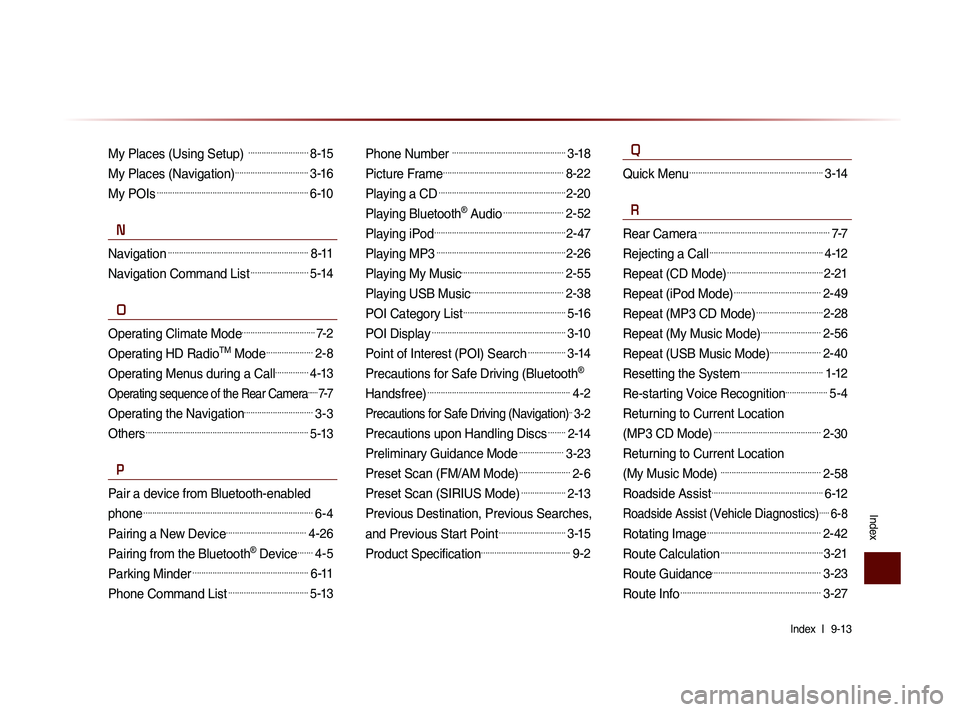
My Places (Using Setup) ...........................8-15
My Places (Navigation).................................3-16
My POIs....................................................................6-10
N
Navigation...............................................................8-11
Navigation Command List..........................5-14
O
Operating Climate Mode.................................7-2
Operating HD RadioTM Mode.....................2-8
Operating Menus during a Call...............4-13
Operating sequence of the Rear Camera......7-7
Operating the Navigation...............................3-3
Others.........................................................................5-13
P
Pair a device from Bluetooth-enabled
phone
............................................................................6-4
Pairing a New Device....................................4-26
Pairing from the Bluetooth® Device.......4-5
Parking Minder....................................................6-11
Phone Command List....................................5-13
Phone Number ...................................................3-18
Picture Frame......................................................8-22
Playing a CD.........................................................2-20
Playing Bluetooth® Audio...........................2-52
Playing iPod...........................................................2-47
Playing MP3..........................................................2-26
Playing My Music..............................................2-55
Playing USB Music..........................................2-38
POI Category List..............................................5-16
POI Display............................................................3-10
Point of Interest (POI) Search.................3-14
Precautions for Safe Driving (Bluetooth®
Handsfree)
................................................................4-2
Precautions for Safe Driving (Navigation)..3-2
Precautions upon Handling Discs........2-14
Preliminary Guidance Mode....................3-23
Preset Scan (FM/AM Mode).......................2-6
Preset Scan (SIRIUS Mode)....................2-13
Previous Destination, Previous Searches,
and Previous Start Point
..............................3-15
Product Specification........................................9-2
Q
Quick Menu............................................................3-14
R
Rear Camera...........................................................7-7
Rejecting a Call...................................................4-12
Repeat (CD Mode)...........................................2-21
Repeat (iPod Mode).......................................2-49
Repeat (MP3 CD Mode)..............................2-28
Repeat (My Music Mode)...........................2-56
Repeat (USB Music Mode).......................2-40
Resetting the System.....................................1-12
Re-starting Voice Recognition...................5-4
Returning to Current Location
(MP3 CD Mode)
................................................2-30
Returning to Current Location
(My Music Mode)
.............................................2-58
Roadside Assist..................................................6-12
Roadside Assist (Vehicle Diagnostics).....6-8
Rotating Image...................................................2-42
Route Calculation..............................................3-21
Route Guidance.................................................3-23
Route Info...............................................................3-27
Page 225 of 236
Index l
9-15
Index
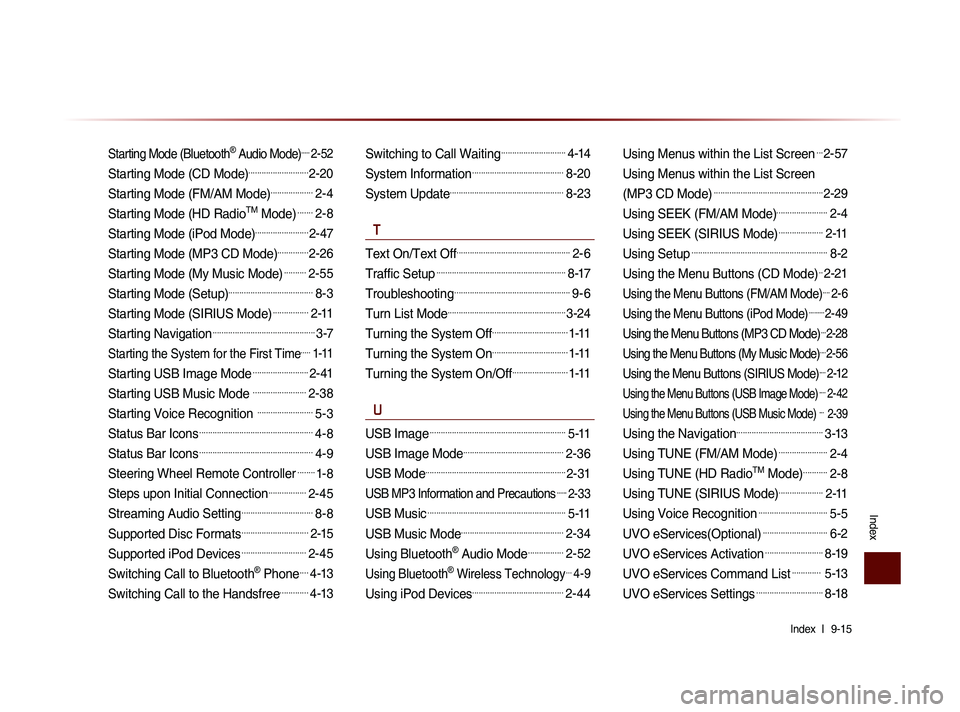
Starting Mode (Bluetooth® Audio Mode).....2-52
Starting Mode (CD Mode)...........................2-20
Starting Mode (FM/AM Mode)...................2-4
Starting Mode (HD RadioTM Mode).......2-8
Starting Mode (iPod Mode)........................2-47
Starting Mode (MP3 CD Mode)..............2-26
Starting Mode (My Music Mode)..........2-55
Starting Mode (Setup)......................................8-3
Starting Mode (SIRIUS Mode)................2-11
Starting Navigation..............................................3-7
Starting the System for the First Time.....1-11
Starting USB Image Mode.........................2-41
Starting USB Music Mode ........................2-38
Starting Voice Recognition .........................5-3
Status Bar Icons...................................................4-8
Status Bar Icons...................................................4-9
Steering Wheel Remote Controller........1-8
Steps upon Initial Connection.................2-45
Streaming Audio Setting................................8-8
Supported Disc Formats..............................2-15
Supported iPod Devices.............................2-45
Switching Call to Bluetooth® Phone....4-13
Switching Call to the Handsfree.............4-13
Switching to Call Waiting.............................4-14
System Information.........................................8-20
System Update...................................................8-23
T
Text On/Text Off...................................................2-6
Traffic Setup..........................................................8-17
Troubleshooting....................................................9-6
Turn List Mode.....................................................3-24
Turning the System Off..................................1-11
Turning the System On..................................1-11
Turning the System On/Off.........................1-11
U
USB Image.............................................................5-11
USB Image Mode.............................................2-36
USB Mode...............................................................2-31
USB MP3 Information and Precautions......2-33
USB Music..............................................................5-11
USB Music Mode..............................................2-34
Using Bluetooth® Audio Mode................2-52
Using Bluetooth® Wireless Technology...4-9
Using iPod Devices.........................................2-44
Using Menus within the List Screen...2-57
Using Menus within the List Screen
(MP3 CD Mode)
.................................................2-29
Using SEEK (FM/AM Mode).......................2-4
Using SEEK (SIRIUS Mode)....................2-11
Using Setup.............................................................8-2
Using the Menu Buttons (CD Mode)..2-21
Using the Menu Buttons (FM/AM Mode)....2-6
Using the Menu Buttons (iPod Mode).........2-49
Using the Menu Buttons (MP3 CD Mode)...2-28
Using the Menu Buttons (My Music Mode)....2-56
Using the Menu Buttons (SIRIUS Mode)....2-12
Using the Menu Buttons (USB Image Mode)....2-42
Using the Menu Buttons (USB Music Mode) ... 2-39
Using the Navigation.......................................3-13
Using TUNE (FM/AM Mode)......................2-4
Using TUNE (HD RadioTM Mode)...........2-8
Using TUNE (SIRIUS Mode)....................2-11
Using Voice Recognition...............................5-5
UVO eServices(Optional).............................6-2
UVO eServices Activation..........................8-19
UVO eServices Command List............. 5-13
UVO eServices Settings..............................8-18
Page 226 of 236
9-16
Index
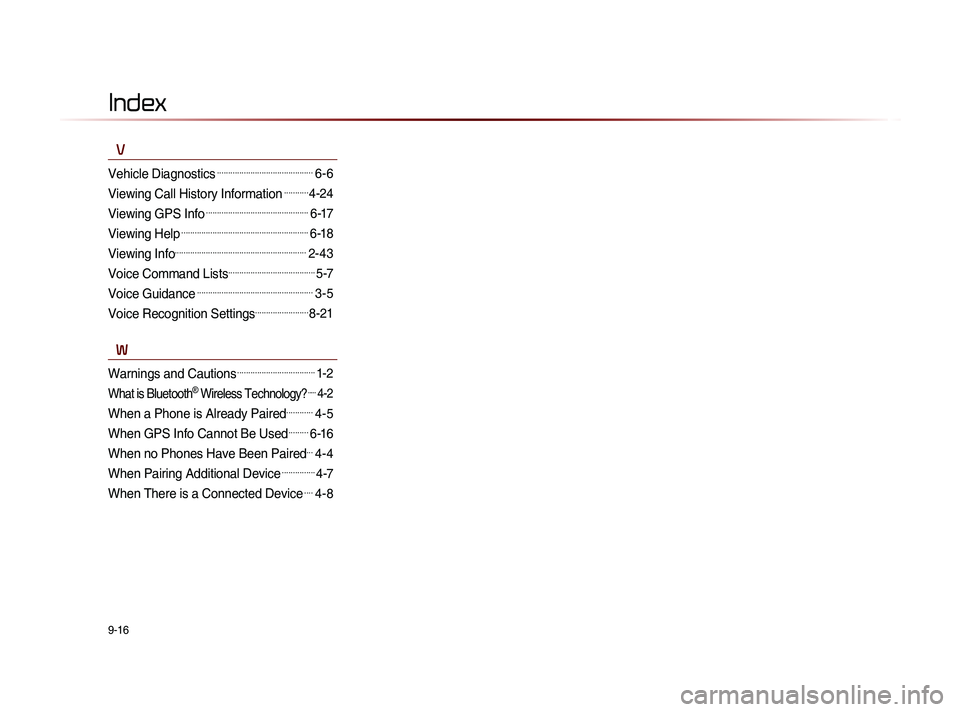
V
Vehicle Diagnostics...........................................6-6
Viewing Call History Information...........4-24
Viewing GPS Info..............................................6-17
Viewing Help.........................................................6-18
Viewing Info...........................................................2-43
Voice Command Lists.......................................5-7
Voice Guidance....................................................3-5
Voice Recognition Settings........................8-21
W
Warnings and Cautions...................................1-2
What is Bluetooth® Wireless Technology?.....4-2
When a Phone is Already Paired............4-5
When GPS Info Cannot Be Used.........6-16
When no Phones Have Been Paired...4-4
When Pairing Additional Device...............4-7
When There is a Connected Device....4-8
Page 229 of 236

MS l
9-19
Route Safety
Do not follow the route suggestions if doing so would result in an unsafe or illegal maneuver, if you would be placed in an unsafe situation, or if
you would be directed into an area that you consider unsafe. The driver is ultimately responsible for the safe operation of the vehicle and there-
fore, must evaluate whether it is safe to follow the suggested directions.
Potential Map Inaccuracy
Maps used by this system may be inaccurate because of changes in roads, traffic controls or driving conditions. Always use good judgment and
common sense when following the suggested routes.
Emergency Services
Do not rely on any navigation features included in the system to route you to emergency services. Ask local authorities or an emergency servic-
es operator for these locations. Not all emergency services such as police, fire stations, hospitals and clinics are contained in the map database
for navigation features.
Use of Speech Recognition Functions
Speech recognition software is inherently a statistical process which is subject to errors. It is your responsibility to monitor any
speech recognition functions included in the system and address any errors.