display KIA Soul 2012 1.G Owner's Manual
[x] Cancel search | Manufacturer: KIA, Model Year: 2012, Model line: Soul, Model: KIA Soul 2012 1.GPages: 393, PDF Size: 8.76 MB
Page 6 of 393
 ··················\
··················\
···4-63
Capacities (Lubricants) ············Â")
I3
Index
Camera(Rearview) ··················\
··················\
··················\
···4-63
Capacities (Lubricants) ··················\
··················\
················8-4
CareExterior care ··················\
··················\
··················\
········7-66
Interior care ··················\
··················\
··················\
·········7-71
Tire care··················\
··················\
··················\
···············7-41
Cargo capacity ··················\
··················\
··················\
·········5-53
Cargo screen ··················\
··················\
··················\
··········4-105
Cargo weight ··················\
··················\
··················\
············5-57
Center console storage ··················\
··················\
···············4-98
Central door lock switch··················\
··················\
············4-18
Certification label ··················\
··················\
··················\
····5-55
Certification label ··················\
··················\
··················\
······8-7
Changing tires ··················\
··················\
··················\
··········6-14
Checking tire inflation pressure··················\
··················\
·7-42
Child restraint system ··················\
··················\
················3-24 Lower anchor ··················\
··················\
··················\
······3-29
Seat belt ··················\
··················\
··················\
···············3-26
Tether anchor system··················\
··················\
·············3-28
Child-protector rear door lock ··················\
··················\
···4-19
Cigarette lighter ··················\
··················\
··················\
·····4-100
Climate control air filter ··················\
··················\
············4-84
Clothes hanger ··················\
··················\
··················\
·······4-103 Combined instrument, see instrument cluster ···············4-40
Compact spare tire ··················\
··················\
··················\
···6-19
Compact spare tire replacement ··················\
··················\
7-45
Coolant ··················\
··················\
··················\
··················\
···7-28
Cooling fluid, see engine coolant ··················\
················7-28
Crankcase emission control system ··················\
·············7-72
Cruise control system ··················\
··················\
················5-37
Cup holder ··················\
··················\
··················\
·············4-101
Curtain air bag ··················\
··················\
··················\
·········3-48
Dashboard illumination, see instrument panel
illumination ··················\
··················\
··················\
·········4-41
Dashboard, see instrument cluster ··················\
···············4-40
Defogging (Windshield) ··················\
··················\
············4-94
Defogging logic (Windshield) ··················\
··················\
···4-96
Defroster (Rear window) ··················\
··················\
···········4-75
Defrosting (Windshield) ··················\
··················\
············4-94
Dimensions ··················\
··················\
··················\
················8-2
Display illumination, see instrument panel illumination ··················\
··················\
··················\
·········4-41
Displays, see instrument cluster ··················\
··················\
4-40
Door locks··················\
··················\
··················\
················4-16 Central door lock switch ··················\
··················\
·······4-18
Child-protector rear door lock ··················\
················4-19
D
C
Page 116 of 393

437
Features of your vehicle
To operate the electric rearview mir-
ror:
The mirror defaults to the ON posi-tion whenever the ignition switch is
turned on.
Press the ON/OFF button (1) to turn the automatic dimming func-
tion off. The mirror indicator light
will turn off.
Press the ON/OFF button (1) to
turn the automatic dimming func-
tion on. The mirror indicator light
will illuminate.
Outside rearview mirror
Be sure to adjust the mirror angles
before driving.
Your vehicle is equipped with both
left-hand and right-hand outside
rearview mirrors. The mirrors can be
adjusted remotely with the remote
switch. The mirror heads can be fold-
ed back to prevent damage during an
automatic car wash or when passing
through a narrow street.
The right outside rearview mirror isconvex. Objects seen in the mirror
are closer than they appear.
Use your interior rearview mirror or direct observation to determine the
actual distance of following vehi-
cles when changing lanes.
OAM042025N
IndicatorSensor
CAUTION - Rearviewmirror
Do not scrape ice off the mirror
face; this may damage the sur-face of the glass. If ice shouldrestrict the movement of themirror, do not force the mirrorfor adjustment. To remove ice,use a deicer spray, or a spongeor soft cloth with warm water.
WARNING - Mirror adjustment
Do not adjust or fold the outside
rearview mirrors while the vehi-
cle is moving. This could result
in loss of control.
Rear view display
(if equipped)
Page 123 of 393
Features of your vehicle
44
4
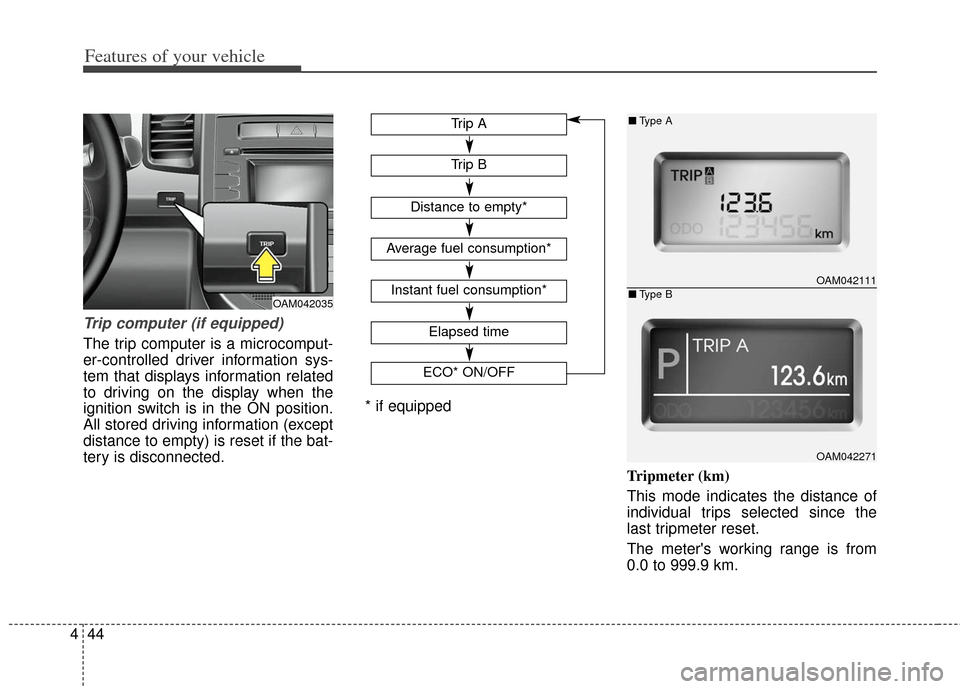
Trip computer (if equipped)
The trip computer is a microcomput-
er-controlled driver information sys-
tem that displays information related
to driving on the display when the
ignition switch is in the ON position.
All stored driving information (except
distance to empty) is reset if the bat-
tery is disconnected.
Tripmeter (km)
This mode indicates the distance of
individual trips selected since the
last tripmeter reset.
The meter's working range is from
0.0 to 999.9 km.
OAM042111
OAM042271
■Type A
■Type BOAM042035
Elapsed time
ECO* ON/OFF
Trip B
Trip A
Distance to empty*
Average fuel consumption*
Instant fuel consumption*
* if equipped
Page 124 of 393
445
Features of your vehicle
Pressing the TRIP button for more
than 1 second, when the tripmeter is
being displayed, clears the tripmeter
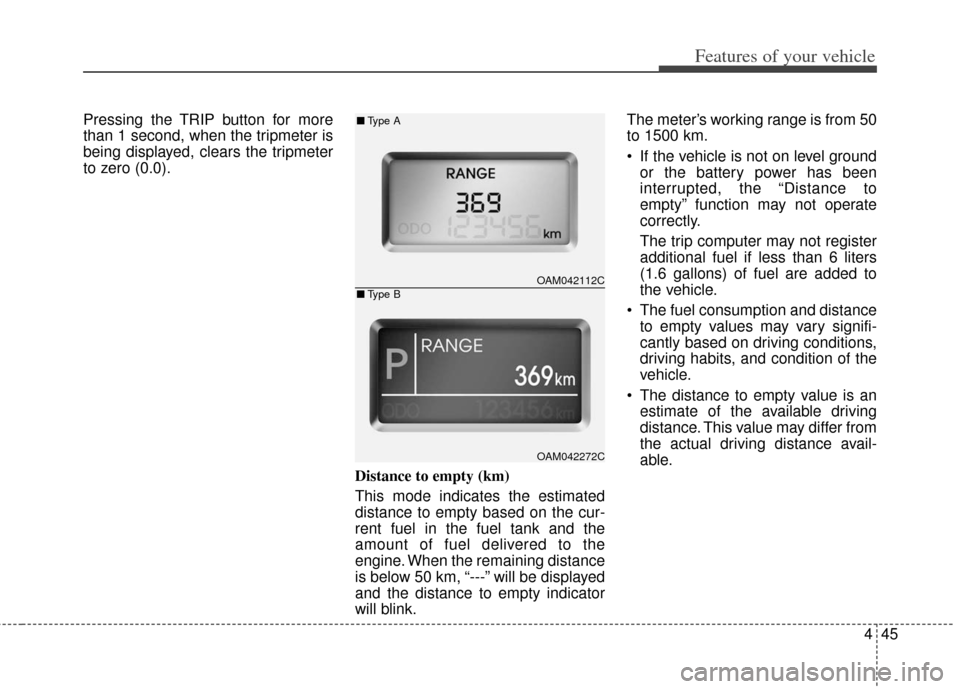
to zero (0.0).Distance to empty (km)
This mode indicates the estimated
distance to empty based on the cur-
rent fuel in the fuel tank and the
amount of fuel delivered to the
engine. When the remaining distance
is below 50 km, “---” will be displayed
and the distance to empty indicator
will blink.The meter’s working range is from 50
to 1500 km.
If the vehicle is not on level ground
or the battery power has been
interrupted, the “Distance to
empty” function may not operate
correctly.
The trip computer may not register
additional fuel if less than 6 liters
(1.6 gallons) of fuel are added to
the vehicle.
The fuel consumption and distance to empty values may vary signifi-
cantly based on driving conditions,
driving habits, and condition of the
vehicle.
The distance to empty value is an estimate of the available driving
distance. This value may differ from
the actual driving distance avail-
able.
OAM042112C
OAM042272C
■ Type A
■Type B
Page 125 of 393
Features of your vehicle
46
4
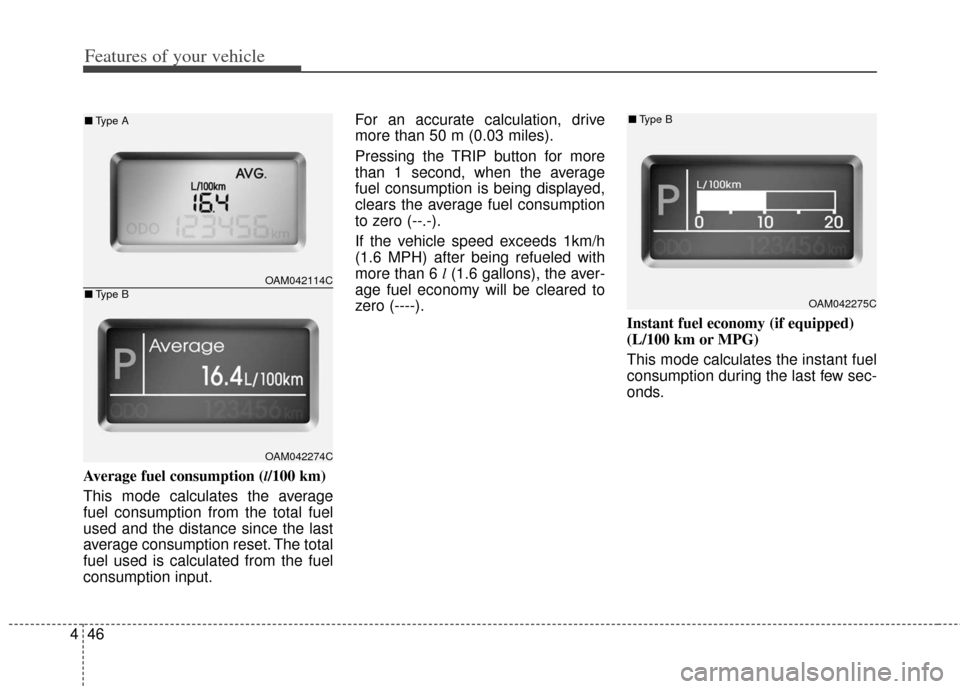
Average fuel consumption (l/100 km)
This mode calculates the average
fuel consumption from the total fuel
used and the distance since the last
average consumption reset. The total
fuel used is calculated from the fuel
consumption input. For an accurate calculation, drive
more than 50 m (0.03 miles).
Pressing the TRIP button for more
than 1 second, when the average
fuel consumption is being displayed,
clears the average fuel consumption
to zero (--.-).
If the vehicle speed exceeds 1km/h
(1.6 MPH) after being refueled with
more than 6 l
(1.6 gallons), the aver-
age fuel economy will be cleared to
zero (----).
Instant fuel economy (if equipped)
(L/100 km or MPG)
This mode calculates the instant fuel
consumption during the last few sec-
onds.
OAM042275C
■Type B
OAM042114C
OAM042274C
■Type A
■Type B
Page 126 of 393
447
Features of your vehicle
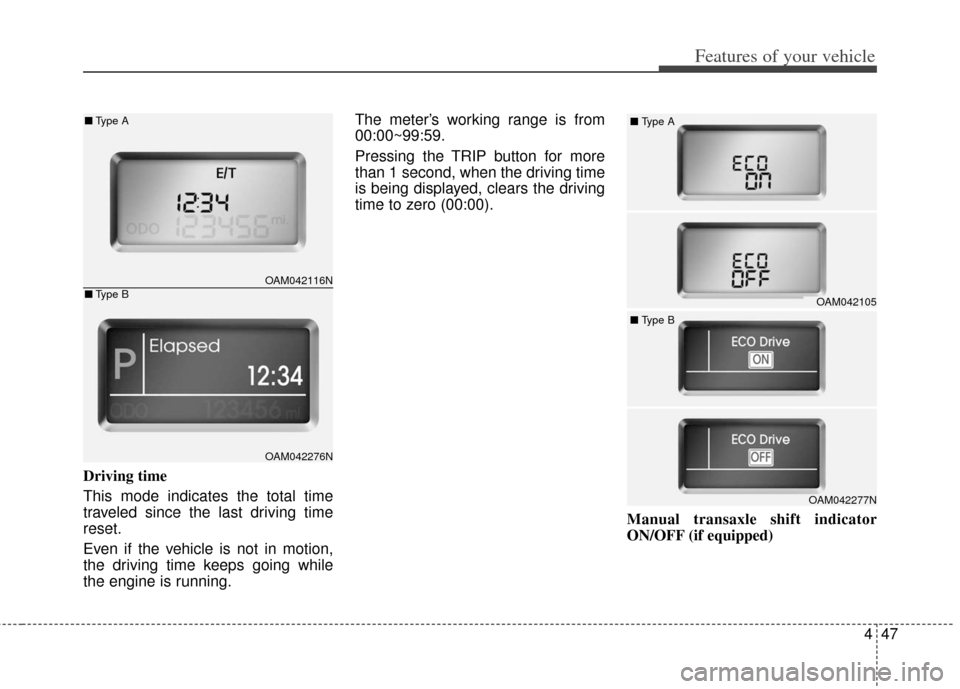
Driving time
This mode indicates the total time
traveled since the last driving time
reset.
Even if the vehicle is not in motion,
the driving time keeps going while
the engine is running.The meter’s working range is from
00:00~99:59.
Pressing the TRIP button for more
than 1 second, when the driving time
is being displayed, clears the driving
time to zero (00:00).
Manual transaxle shift indicator
ON/OFF (if equipped)
OAM042105
■
Type A
OAM042277N
■
Type B
OAM042116N
OAM042276N
■Type A
■Type B
Page 127 of 393
Features of your vehicle
48
4
You can turn the shift indicator on/off
on the instrument cluster in this
mode.
If you push the TRIP button for more
than 1 second in the ECO ON mode,
ECO OFF is displayed in the screen
and the shift indicator turns off.
If you want to display the shift indica-
tor again, press the TRIP button for
more than 1 second in the ECO OFF
mode and then ECO ON mode is
displayed in the screen.
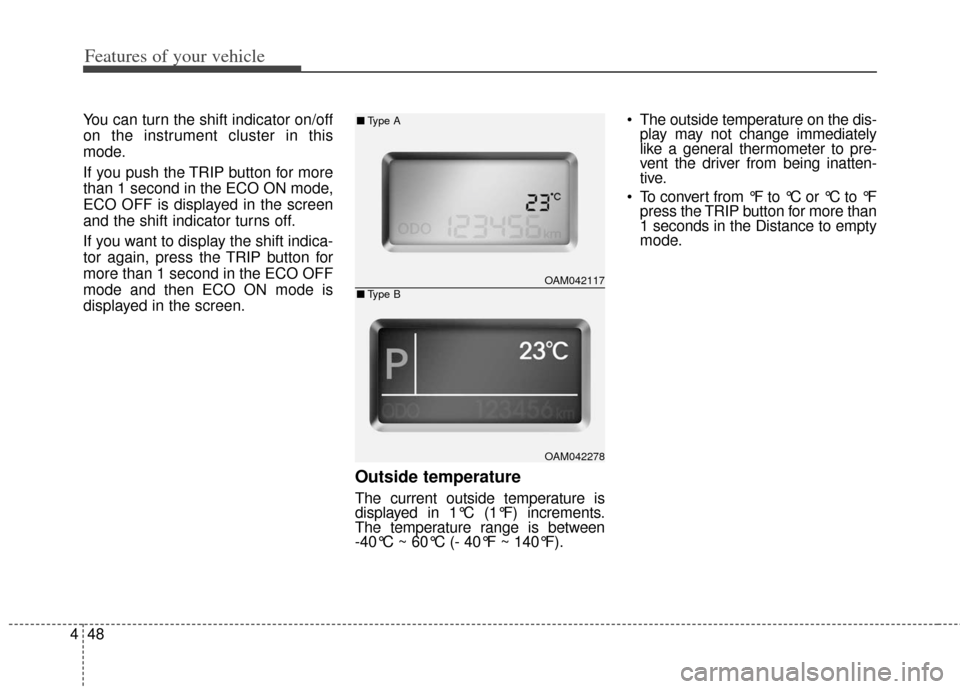
Outside temperature
The current outside temperature is
displayed in 1°C (1°F) increments.
The temperature range is between
-40°C ~ 60°C (- 40°F ~ 140°F). The outside temperature on the dis-
play may not change immediately
like a general thermometer to pre-
vent the driver from being inatten-
tive.
To convert from °F to °C or °C to °F press the TRIP button for more than
1 seconds in the Distance to empty
mode.
OAM042117
OAM042278
■ Type A
■Type B
Page 128 of 393
449
Features of your vehicle
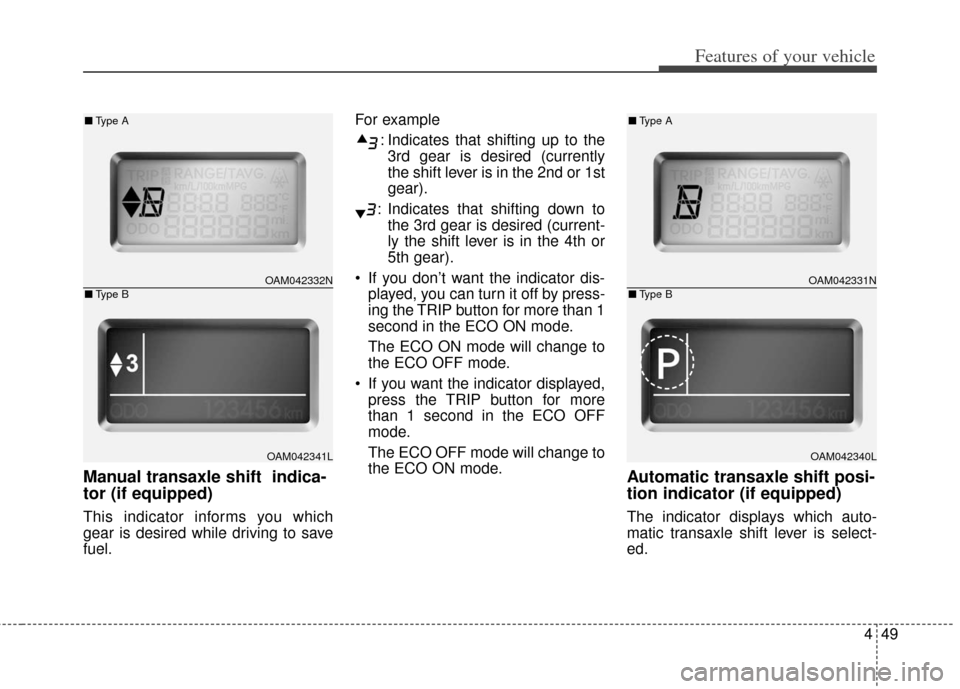
Manual transaxle shift indica-
tor (if equipped)
This indicator informs you which
gear is desired while driving to save
fuel.For example
: Indicates that shifting up to the3rd gear is desired (currently
the shift lever is in the 2nd or 1st
gear).
: Indicates that shifting down to the 3rd gear is desired (current-
ly the shift lever is in the 4th or
5th gear).
If you don’t want the indicator dis- played, you can turn it off by press-
ing the TRIP button for more than 1
second in the ECO ON mode.
The ECO ON mode will change to
the ECO OFF mode.
If you want the indicator displayed, press the TRIP button for more
than 1 second in the ECO OFF
mode.
The ECO OFF mode will change to
the ECO ON mode.
Automatic transaxle shift posi-
tion indicator (if equipped)
The indicator displays which auto-
matic transaxle shift lever is select-
ed.
OAM042331N
OAM042340L
■ Type A
■Type BOAM042332N
OAM042341L
■Type A
■Type B
Page 139 of 393
Features of your vehicle
60
4
KEY OUT indicator
(if equipped)
When the ENGINE START/STOP
button is in the ACC or ON position,
if any door is open, the system
checks for the smart key. If the smart
key is not in the vehicle, the indicator
will blink, and if all doors are closed,
the chime will also sound for about 5
seconds. The indicator will go off
while the vehicle is moving. Keep the
smart key in the vehicle or insert it in
the smart key holder.
EPS (Electronic PowerSteering) system warn-ing light
This indicator light comes on after
the ignition key is turned to the ON
position and then it will go out.
This light also comes on when the
EPS has some problems. If it comes
on while driving, have your vehicle
checked by an authorized Kia dealer.
Key reminder warning chime (if equipped)
If the driver’s door is opened while
the ignition key is left in the ignition
switch (ACC or LOCK position), the
key reminder warning chime will
sound. This is to prevent you from
locking your keys in the vehicle. The
chime sounds until the key is
removed from the ignition switch or
the driver’s door is closed.
LCD display warning (if equipped)
Key is not in vehicle
If the smart key is not in the vehicle
and if any door is opened or closed
with the ENGINE START/STOP but-
ton in the ACC, ON, or START posi-
tion, the warning illuminates on the
LCD display. Also, the chime sounds
for 5 seconds when the smart key is
not in the vehicle and the door is
closed.
Always have the smart key with you.
Key is not detected
If the smart key is not in the vehicle
or is not detected and you press the
ENGINE START/STOP button, the
warning illuminates on the LCD dis-
play for 10 seconds. Also, the immo-
bilizer indicator and the key holder
light blinks for 10 seconds.
KEY
OUT
Page 140 of 393
461
Features of your vehicle
Low key battery
If the ENGINE START/STOP button
turns to the OFF position when the
smart key in the vehicle discharges,
the warning illuminates on the LCD
display for about 10 seconds. Also,
the warning chime sounds once.
Replace the battery with a new one.
Press brake pedal to start engine
If the ENGINE START/STOP button
turns to the ACC position twice by
pressing the button repeatedly with-
out depressing the brake pedal, the
warning illuminates on the LCD dis-
play for about 10 seconds to indicate
that you should depress the brake
pedal to start the engine.Press clutch pedal to start engine
(if equipped)
If the ENGINE START/STOP button
turns to the ACC position twice by
pressing the button repeatedly with-
out depressing the clutch pedal, the
warning illuminates on the LCD dis-
play for about 10 seconds to indicate
that you should depress the clutch
pedal to start the engine.
Shift to "P" position
If you try to turn off the engine with-
out the shift lever in the P (Park)
position, the ENGINE START/STOP
button will turn to the ACC position. If
the button is pressed once more it
will turn to the ON position. The
warning illuminates on the LCD dis-
play for about 10 seconds to indicate
that you should press the ENGINE
START/STOP button with the shift
lever in the P (Park) position to turn
off the engine.
Also, the warning chime sounds for
about 10 seconds. (if equipped)Remove key
When you turn off the engine with
the smart key in the smart key hold-
er, the warning illuminates on the
LCD display for about 10 seconds.
Also, the smart key holder light blinks
for about 10 seconds.
To remove the smart key push the
smart key once and pull it out from
the smart key holder.
Insert key
If you press the ENGINE
START/STOP button while "Key is
not detected" illuminates on the LCD
display, the warning “Insert key” illu-
minates for about 10 seconds. Also,
the immobilizer indicator and the key
holder light blinks for about 10 sec-
onds.