cruise control KIA SOUL 2019 User Guide
[x] Cancel search | Manufacturer: KIA, Model Year: 2019, Model line: SOUL, Model: KIA SOUL 2019Pages: 564, PDF Size: 14.2 MB
Page 359 of 564
669
Driving your vehicle
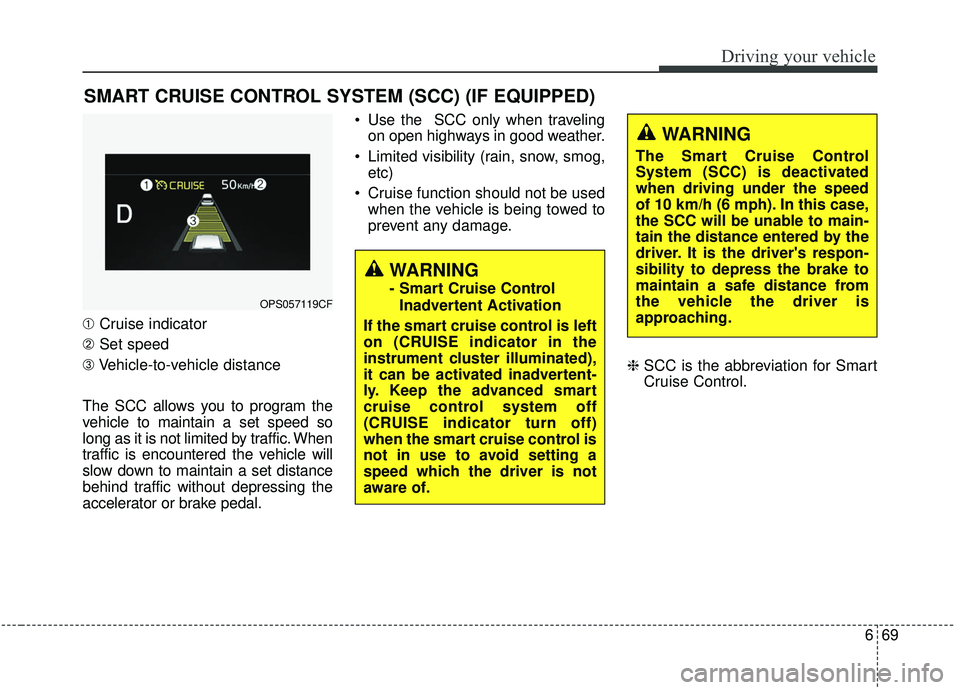
➀Cruise indicator
➁ Set speed
\b Vehicle-to-vehicle distance
The SCC allows you to program the
vehicle to maintain a set speed so
long as it is not limited by traffic. When
traffic is encountered the vehicle will
slow down to maintain a set distance
behind traffic without depressing the
accelerator or brake pedal. Use the SCC only when traveling
on open highways in good weather.
Limited visibility (rain, snow, smog, etc)
Cruise function should not be used when the vehicle is being towed to
prevent any damage.
❈SCC is the abbreviation for Smart
Cruise Control.
SMART CRUISE CONTROL SYSTEM (SCC) (IF EQUIPPED)
WARNING
- Smart Cruise Control
Inadvertent Activation
If the smart cruise control is left
on (CRUISE indicator in the
instrument cluster illuminated),
it can be activated inadvertent-
ly. Keep the advanced smart
cruise control system off
(CRUISE indicator turn off)
when the smart cruise control is
not in use to avoid setting a
speed which the driver is not
aware of.OPS057119CF
WARNING
The Smart Cruise Control
System (SCC) is deactivated
when driving under the speed
of 10 km/h (6 mph). In this case,
the SCC will be unable to main-
tain the distance entered by the
driver. It is the driver's respon-
sibility to depress the brake to
maintain a safe distance from
the vehicle the driver is
approaching.
Page 360 of 564
Driving your vehicle
70
6
(Continued)
- Slippery road with rain, ice,or snow
- Abrupt curved road
- Steep hills
- Windy roads
- Off roads
- Roads under construction
- Rumble strip
- The sensing ability decreas- es if the level of front and rear
vehicle is changed from the
factory.
- When driving near crash bar- riers
- When driving on a sharp curve
- When driving with limited view (possibly due to bad
weather, such as fog, snow,
rain or sandstorm)
(Continued)WARNING
- Smart Cruise ControlLimitations
The smart cruise control is a supplemental system and is
not a substitute for safe driv-
ing practices. It is the respon-
sibility of the driver to always
check the speed and distance
to the vehicle ahead.
Do not use the smart cruise control when it may not be
safe to keep the car at a con-
stant speed. For instance.
- Highway interchange andtollgate
- Road surrounded by multi- ple steel con-structions
(subway con-struction, steel
tunnel, etc)
- Parking lot
- Lanes beside guard rail on a road
(Continued)
(Continued)
Always pay attention to theroad and driving conditions to
prevent unexpected situa-
tions from occurring even
while the SCC is operating.
The smart cruise control sys- tem cannot recognize a
stopped vehicle, pedestrians
or an oncoming vehicle.
Always look ahead cautiously
to prevent unexpected and
sudden situations from occur-
ring.
Use the smart cruise control system only when traveling
on open highways in good
weather conditions.
Page 361 of 564
671
Driving your vehicle
Speed setting (SCC)
To set cruise control speed:
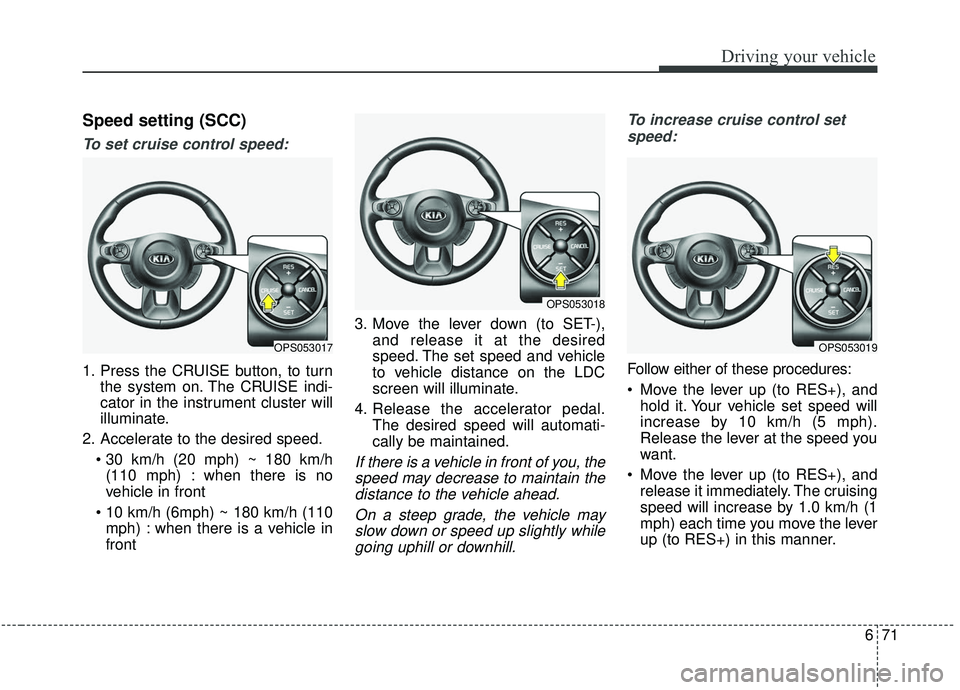
1. Press the CRUISE button, to turnthe system on. The CRUISE indi-
cator in the instrument cluster will
illuminate.
2. Accelerate to the desired speed. (110 mph) : when there is no
vehicle in front
mph) : when there is a vehicle in
front 3. Move the lever down (to SET-),
and release it at the desired
speed. The set speed and vehicle
to vehicle distance on the LDC
screen will illuminate.
4. Release the accelerator pedal. The desired speed will automati-
cally be maintained.
If there is a vehicle in front of you, thespeed may decrease to maintain thedistance to the vehicle ahead.
On a steep grade, the vehicle mayslow down or speed up slightly whilegoing uphill or downhill. To increase cruise control set
speed:
Follow either of these procedures:
Move the lever up (to RES+), and hold it. Your vehicle set speed will
increase by 10 km/h (5 mph).
Release the lever at the speed you
want.
Move the lever up (to RES+), and release it immediately. The cruising
speed will increase by 1.0 km/h (1
mph) each time you move the lever
up (to RES+) in this manner.
OPS053017
OPS053018
OPS053019
Page 362 of 564
Driving your vehicle
72
6
SCC will operate to a maximum
setting of 180 km/h (110 mph).
However all local speed limit laws
must be followed.
✽ ✽ NOTICE
When vehicle speed is under 10
km/h (6 mph), the Smart Cruise
Control is canceled.
The driver must adjust the vehicle
speed by depressing the accelerator
or brake pedal according to the road
condition ahead and driving condi-
tion.
To decrease the cruise control
set speed:
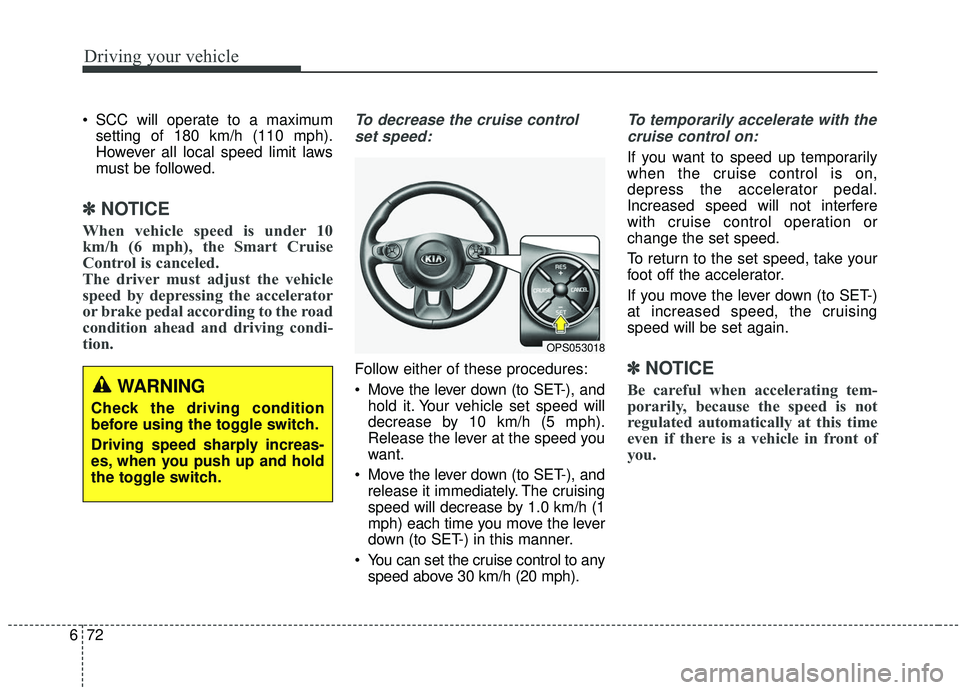
Follow either of these procedures:
Move the lever down (to SET-), and hold it. Your vehicle set speed will
decrease by 10 km/h (5 mph).
Release the lever at the speed you
want.
Move the lever down (to SET-), and release it immediately. The cruising
speed will decrease by 1.0 km/h (1
mph) each time you move the lever
down (to SET-) in this manner.
You can set the cruise control to any speed above 30 km/h (20 mph).
To temporarily accelerate with the
cruise control on:
If you want to speed up temporarily
when the cruise control is on,
depress the accelerator pedal.
Increased speed will not interfere
with cruise control operation or
change the set speed.
To return to the set speed, take your
foot off the accelerator.
If you move the lever down (to SET-)
at increased speed, the cruising
speed will be set again.
✽ ✽ NOTICE
Be careful when accelerating tem-
porarily, because the speed is not
regulated automatically at this time
even if there is a vehicle in front of
you.
OPS053018
WARNING
Check the driving condition
before using the toggle switch.
Driving speed sharply increas-
es, when you push up and hold
the toggle switch.
Page 363 of 564
673
Driving your vehicle
SCC will be temporarily canceledwhen:
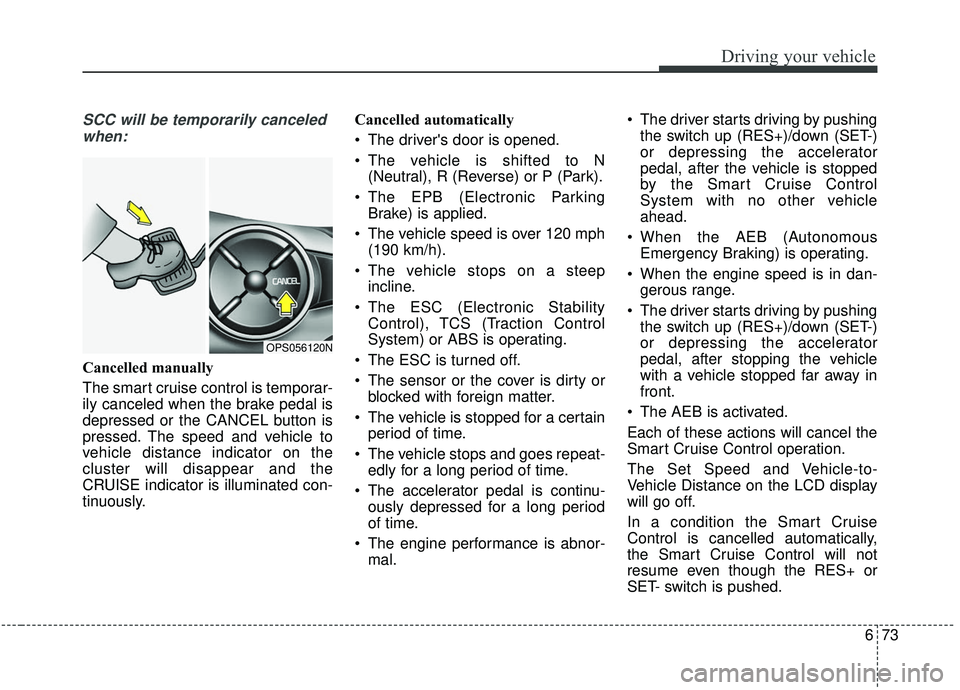
Cancelled manually
The smart cruise control is temporar-
ily canceled when the brake pedal is
depressed or the CANCEL button is
pressed. The speed and vehicle to
vehicle distance indicator on the
cluster will disappear and the
CRUISE indicator is illuminated con-
tinuously. Cancelled automatically
The driver's door is opened.
The vehicle is shifted to N
(Neutral), R (Reverse) or P (Park).
The EPB (Electronic Parking Brake) is applied.
The vehicle speed is over 120 mph (190 km/h).
The vehicle stops on a steep incline.
The ESC (Electronic Stability Control), TCS (Traction Control
System) or ABS is operating.
The ESC is turned off.
The sensor or the cover is dirty or blocked with foreign matter.
The vehicle is stopped for a certain period of time.
The vehicle stops and goes repeat- edly for a long period of time.
The accelerator pedal is continu- ously depressed for a long period
of time.
The engine performance is abnor- mal. The driver starts driving by pushing
the switch up (RES+)/down (SET-)
or depressing the accelerator
pedal, after the vehicle is stopped
by the Smart Cruise Control
System with no other vehicle
ahead.
When the AEB (Autonomous Emergency Braking) is operating.
When the engine speed is in dan- gerous range.
The driver starts driving by pushing the switch up (RES+)/down (SET-)
or depressing the accelerator
pedal, after stopping the vehicle
with a vehicle stopped far away in
front.
The AEB is activated.
Each of these actions will cancel the
Smart Cruise Control operation.
The Set Speed and Vehicle-to-
Vehicle Distance on the LCD display
will go off.
In a condition the Smart Cruise
Control is cancelled automatically,
the Smart Cruise Control will not
resume even though the RES+ or
SET- switch is pushed.
OPS056120N
Page 364 of 564
Driving your vehicle
74
6
✽ ✽
NOTICE
If the system is automatically can-
celled, the warning chime will sound
and a message (“Smart Cruise
Control canceled”) will appear for a
few seconds.
You must adjust the vehicle speed by
depressing the accelerator or brake
pedal according to the road condi-
tions ahead and driving condition.
Always check the road conditions.
Do not rely on the warning chime.
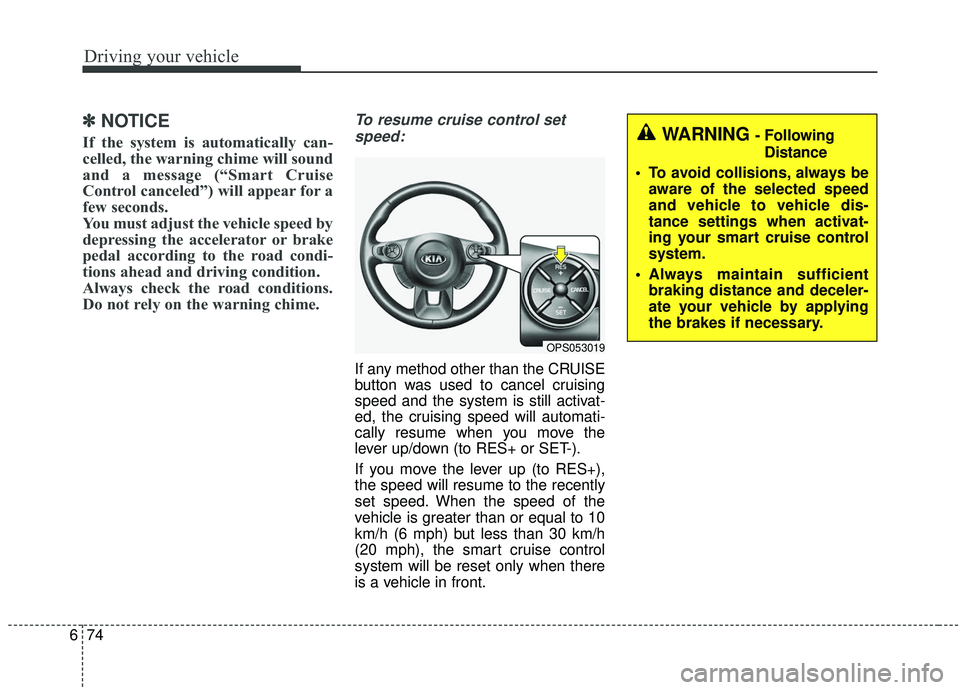
To resume cruise control set
speed:
If any method other than the CRUISE
button was used to cancel cruising
speed and the system is still activat-
ed, the cruising speed will automati-
cally resume when you move the
lever up/down (to RES+ or SET-).
If you move the lever up (to RES+),
the speed will resume to the recently
set speed. When the speed of the
vehicle is greater than or equal to 10
km/h (6 mph) but less than 30 km/h
(20 mph), the smart cruise control
system will be reset only when there
is a vehicle in front.
OPS053019
WARNING - Following Distance
To avoid collisions, always be aware of the selected speed
and vehicle to vehicle dis-
tance settings when activat-
ing your smart cruise control
system.
Always maintain sufficient braking distance and deceler-
ate your vehicle by applying
the brakes if necessary.
Page 365 of 564
675
Driving your vehicle
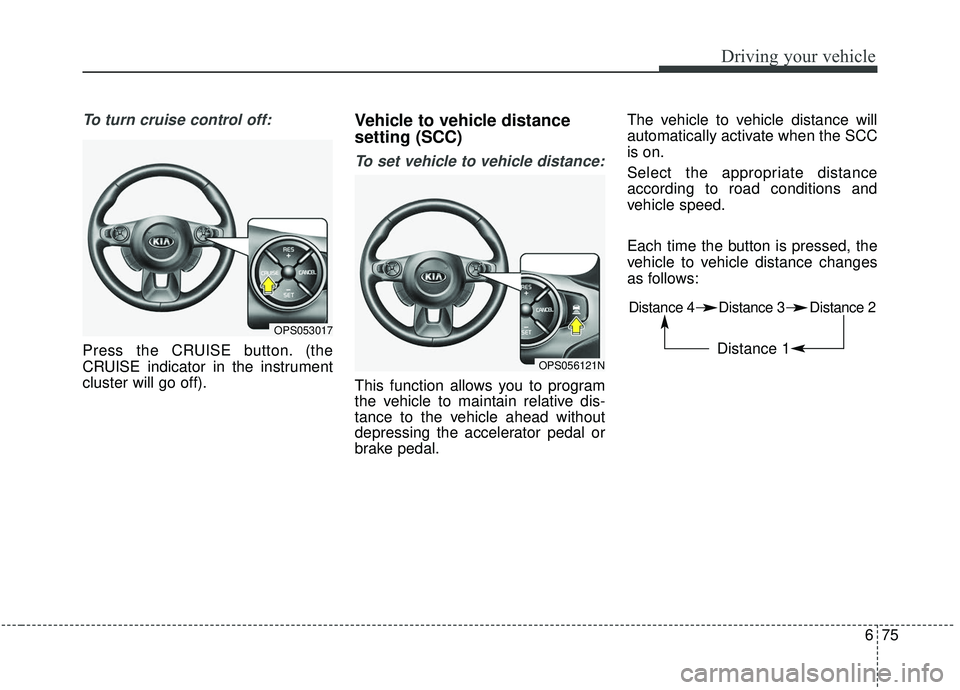
To turn cruise control off:
Press the CRUISE button. (the
CRUISE indicator in the instrument
cluster will go off).
Vehicle to vehicle distance
setting (SCC)
To set vehicle to vehicle distance:
This function allows you to program
the vehicle to maintain relative dis-
tance to the vehicle ahead without
depressing the accelerator pedal or
brake pedal.The vehicle to vehicle distance will
automatically activate when the SCC
is on.
Select the appropriate distance
according to road conditions and
vehicle speed.
Each time the button is pressed, the
vehicle to vehicle distance changes
as follows:
OPS053017
OPS056121N
Distance 4 Distance 3 Distance 2
Distance 1
Page 366 of 564
Driving your vehicle
76
6
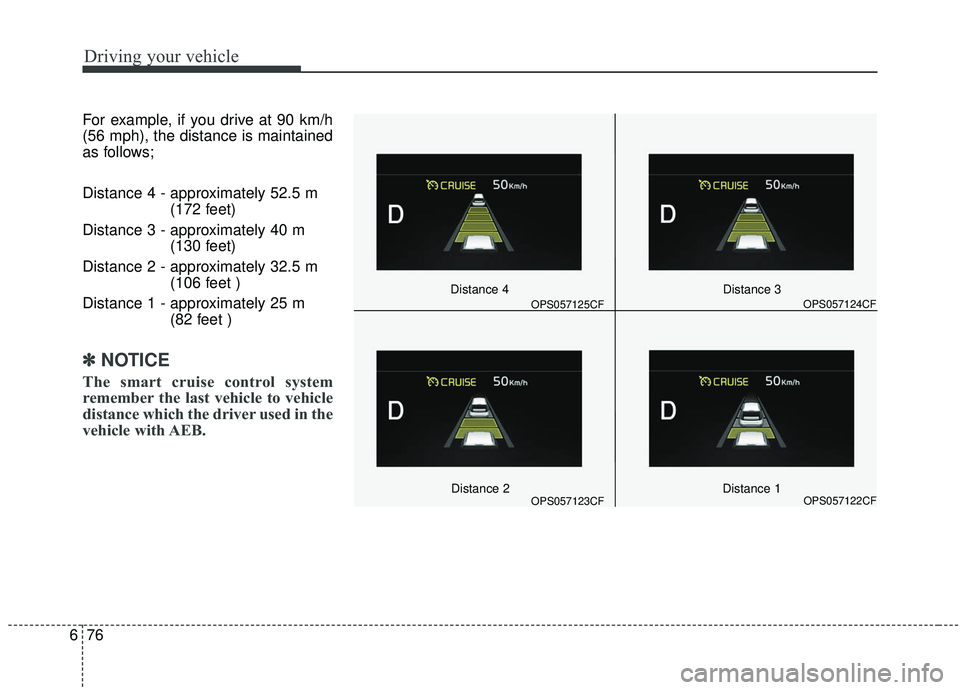
For example, if you drive at 90 km/h
(56 mph), the distance is maintained
as follows;
Distance 4 - approximately 52.5 m
(172 feet)
Distance 3 - approximately 40 m (130 feet)
Distance 2 - approximately 32.5 m (106 feet )
Distance 1 - approximately 25 m (82 feet )
✽ ✽NOTICE
The smart cruise control system
remember the last vehicle to vehicle
distance which the driver used in the
vehicle with AEB.
OPS057123CF
OPS057125CFDistance 4
Distance 2
OPS057124CFDistance 3
OPS057122CFDistance 1
Page 368 of 564
Driving your vehicle
78
6
Radar check message
If the radar or cover is dirty or
obscured with foreign matter such as
snow, this message (“Smart Cruise
Control disabled temporarily”) will
appear and it will disappear after for
a while. In this case, the system may
not function temporarily, but it does
not indicate a malfunction of the
Smart Cruise Control System. Clean
the radar or cover by using a soft
cloth and it will operate normally.
SCC (Smart Cruise Control)
malfunction message
The message (“Check Smart Cruise
Control System”) will appear when
the vehicle to vehicle distance control
system is not functioning normally.
Take your vehicle to an authorized
Kia dealer and have the system
checked. Always keep the sensor and
bumper clean.
Use only a genuine Kia sensor cover for your vehicle.
Do not install accessories around the sensor and do not replace the
bumper by yourself. It may interfere
with the sensor performance.
Impact damage to the sensor or sensor area may cause the sensor
to move slightly off position and
result in the SCC not operating
correctly without any warning or
indicator from the cluster. If this
occurs, have your vehicle checked
by an authorized Kia dealer as
soon as possible. Do not apply license plate frame or
foreign objects such as a bumper
sticker or a bumper guard near the
radar sensor. Doing so may
adversely affect the sensing per-
formance of the radar.
Always keep the radar sensor and lens cover clean and free of dirt
and debris.
Use only a soft cloth to wash the vehicle. Do not spray pressurized
water directly on the sensor or sen-
sor cover.
Be careful not to apply unneces- sary force on the radar sensor or
sensor cover. If the sensor is
forcibly moved out of proper align-
ment, the Smart Cruise Control
System may not operate correctly.
In this case, a warning message
may not be displayed. Have the
vehicle inspected by an authorized
Kia dealer.
If the front bumper becomes dam- aged in the area around the radar
sensor, the Smart Cruise Control
System may not operate properly.
Have the vehicle inspected by an
authorized Kia dealer.
CAUTION - Sensor
Damage
To prevent sensor cover dam-age from occurring, wash thecar with a soft cloth.
Page 369 of 564
679
Driving your vehicle
Use only genuine Kia parts torepair or replace a damaged sen-
sor or sensor cover. Do not apply
paint to the sensor cover.To adjust the sensitivity of
Smart Cruise Control
The sensitivity of vehicle speed when
following the front vehicle to maintain
the set distance can be adjusted. Go
to the User Settings Mode (Driving
Assist) and select SCC (Smart
Cruise Control). You may select one
of the three stages you prefer.
Slow:
Vehicle speed following the front
vehicle to maintain the set distance
is slower than normal speed.
Normal: Vehicle speed following the front
vehicle to maintain the set distance
is normal
Fast: Vehicle speed following the front
vehicle to maintain the set distance
is faster than normal speed.
✽ ✽ NOTICE
The system remembers the last
selected mode.
To convert to cruise control
mode:
The driver may choose to only use
the cruise control mode (speed con-
trol function) by doing as follows:
1.Turn the SCC on (the cruise indi-
cator light will be on but the system
will not be activated).
2.Push the distance to distance switch for more than 2 seconds.
3.Choose between “Smart cruise control (SCC) mode” and “Cruise
control (CC) mode”.
WARNING
When using the cruise control
mode, ensure it is safe to use
the feature by assessing the
distance to other vehicles since
the system will not automatical-
ly slow down to avoid an acci-
dent.