warning KIA SPORTAGE 2021 Owners Manual
[x] Cancel search | Manufacturer: KIA, Model Year: 2021, Model line: SPORTAGE, Model: KIA SPORTAGE 2021Pages: 631, PDF Size: 10.56 MB
Page 170 of 631
Features of your vehicle
804
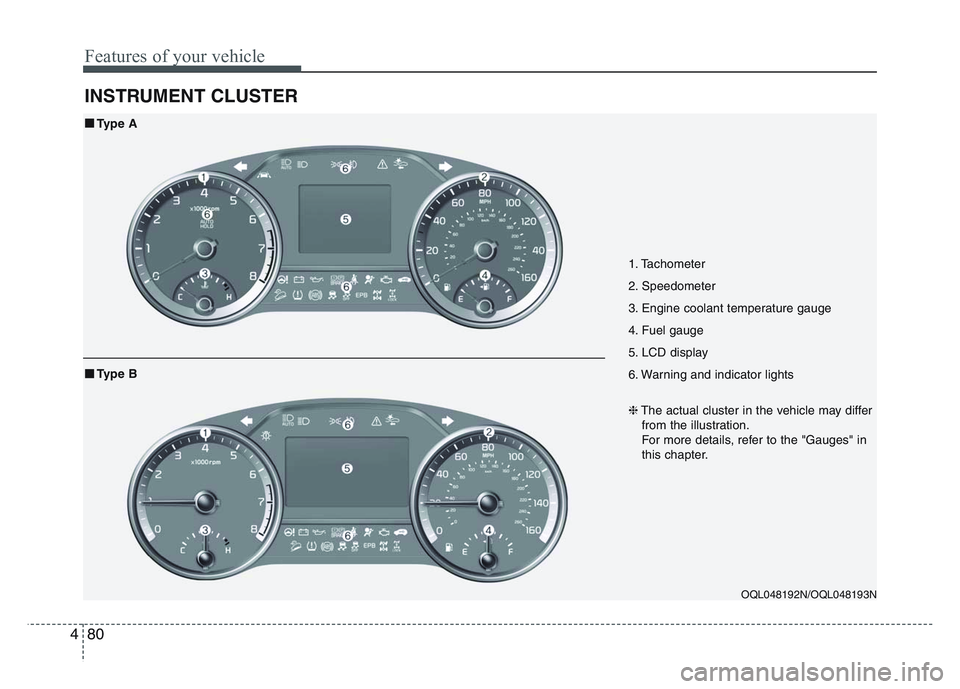
INSTRUMENT CLUSTER
1. Tachometer
2. Speedometer
3. Engine coolant temperature gauge
4. Fuel gauge
5. LCD display
6. Warning and indicator lights
OQL048192N/OQL048193N
■Type A❈The actual cluster in the vehicle may differ
from the illustration.
For more details, refer to the "Gauges" in
this chapter.
■Type B
Page 173 of 631
4 83
Features of your vehicle
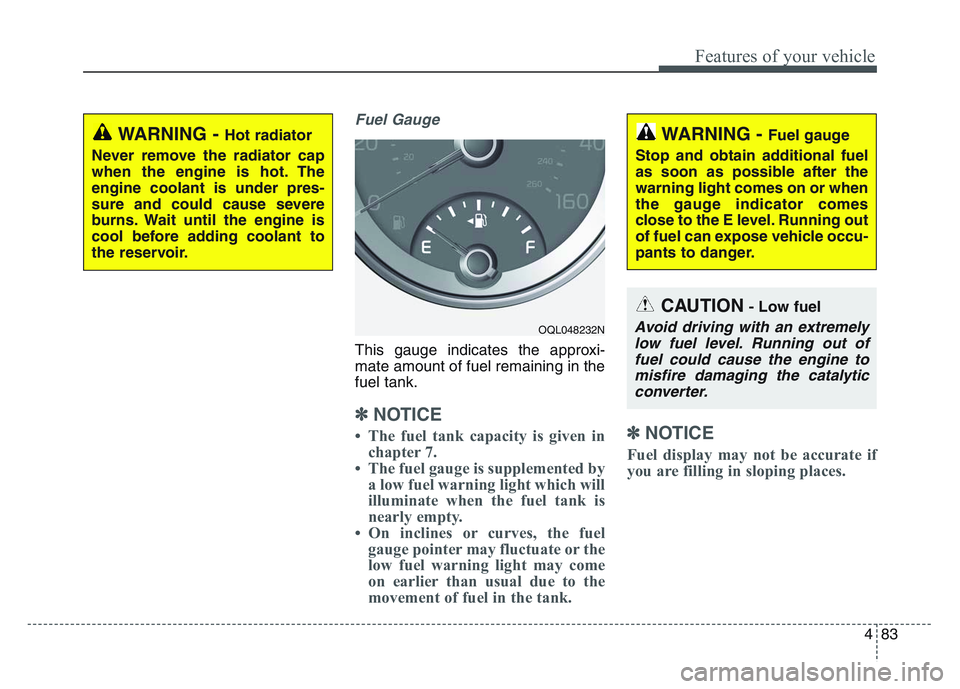
Fuel Gauge
This gauge indicates the approxi-
mate amount of fuel remaining in the
fuel tank.
✽NOTICE
• The fuel tank capacity is given inchapter 7.
• The fuel gauge is supplemented by a low fuel warning light which will
illuminate when the fuel tank is
nearly empty.
• On inclines or curves, the fuel gauge pointer may fluctuate or the
low fuel warning light may come
on earlier than usual due to the
movement of fuel in the tank.✽NOTICE
Fuel display may not be accurate if
you are filling in sloping places.
WARNING - Hot radiator
Never remove the radiator cap
when the engine is hot. The
engine coolant is under pres-
sure and could cause severe
burns. Wait until the engine is
cool before adding coolant to
the reservoir.
OQL048232N
WARNING - Fuel gauge
Stop and obtain additional fuel
as soon as possible after the
warning light comes on or when
the gauge indicator comes
close to the E level. Running out
of fuel can expose vehicle occu-
pants to danger.
CAUTION- Low fuel
Avoid driving with an extremely low fuel level. Running out offuel could cause the engine tomisfire damaging the catalyticconverter.
Page 176 of 631
Features of your vehicle
864
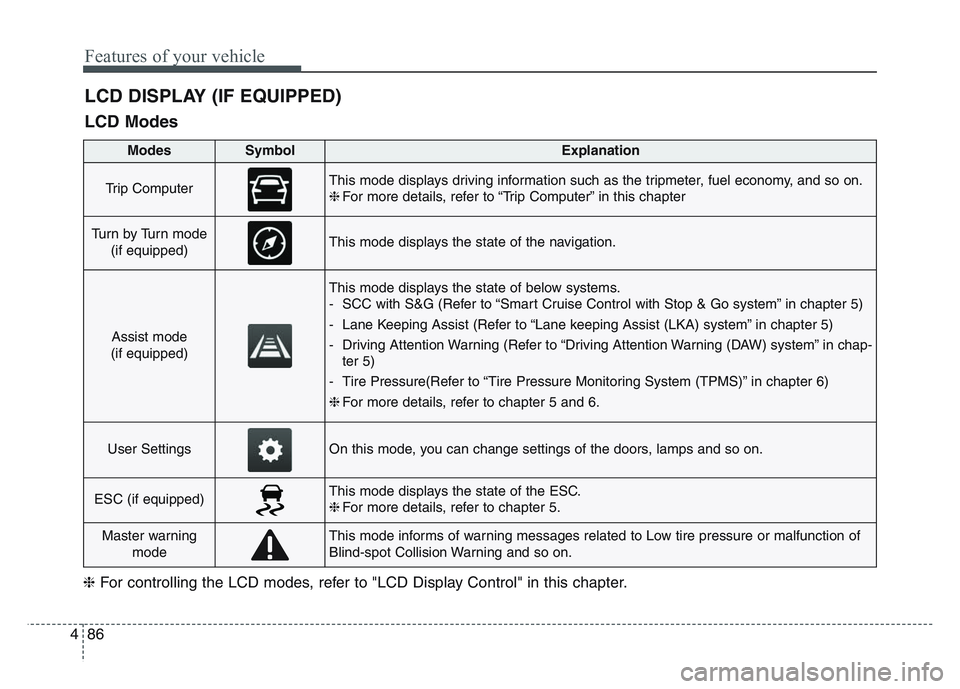
LCD DISPLAY (IF EQUIPPED)
LCD Modes
❈For controlling the LCD modes, refer to "LCD Display Control" in this chapter.
ModesSymbolExplanation
Trip ComputerThis mode displays driving information such as the tripmeter, fuel economy, and so on.
❈For more details, refer to “Trip Computer” in this chapter
Turn by Turn mode
(if equipped)This mode displays the state of the navigation.
Assist mode
(if equipped)
This mode displays the state of below systems.
- SCC with S&G (Refer to “Smart Cruise Control with Stop & Go system” in chapter 5)
- Lane Keeping Assist (Refer to “Lane keeping Assist (LKA) system” in chapter 5)
- Driving Attention Warning (Refer to “Driving Attention Warning (DAW) system” in chap- ter 5)
- Tire Pressure(Refer to “Tire Pressure Monitoring System (TPMS)” in chapter 6)
❈ For more details, refer to chapter 5 and 6.
User SettingsOn this mode, you can change settings of the doors, lamps and so on.
ESC (if equipped)This mode displays the state of the ESC.
❈For more details, refer to chapter 5.
Master warning
modeThis mode informs of warning messages related to Low tire pressure or malfunction of
Blind-spot Collision Warning and so on.
Page 178 of 631
Features of your vehicle
884
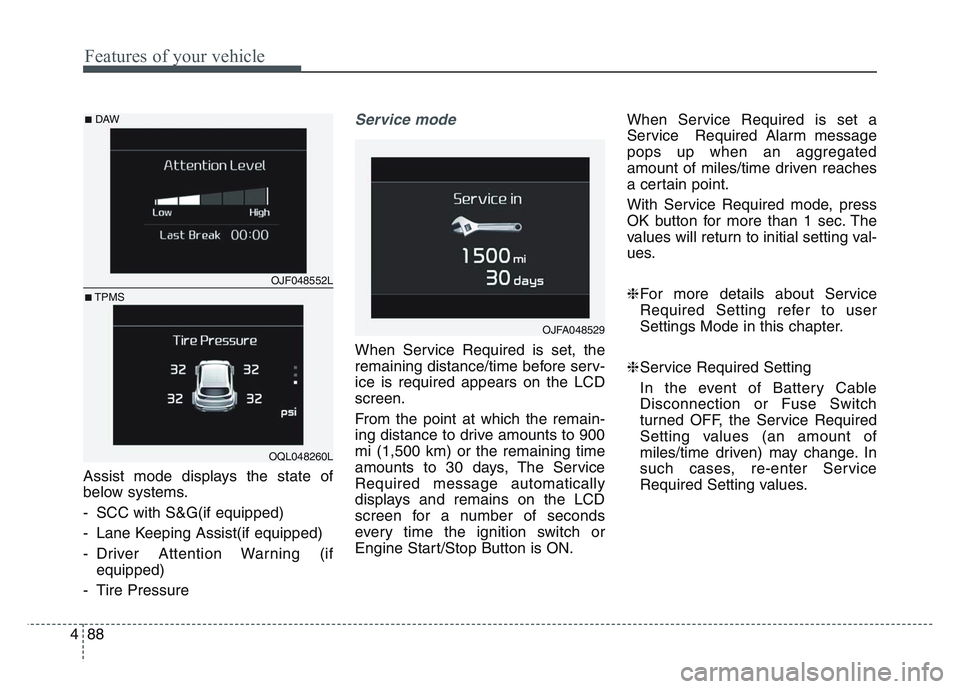
Assist mode displays the state of
below systems.
- SCC with S&G(if equipped)
- Lane Keeping Assist(if equipped)
- Driver Attention Warning (ifequipped)
- Tire Pressure
Service mode
When Service Required is set, the
remaining distance/time before serv-
ice is required appears on the LCD
screen.
From the point at which the remain-
ing distance to drive amounts to 900
mi (1,500 km) or the remaining time
amounts to 30 days, The Service
Required message automatically
displays and remains on the LCD
screen for a number of seconds
every time the ignition switch or
Engine Start/Stop Button is ON. When Service Required is set a
Service Required Alarm message
pops up when an aggregated
amount of miles/time driven reaches
a certain point.
With Service Required mode, press
OK button for more than 1 sec. The
values will return to initial setting val-
ues.
❈
For more details about Service
Required Setting refer to user
Settings Mode in this chapter.
❈ Service Required Setting
In the event of Battery Cable
Disconnection or Fuse Switch
turned OFF, the Service Required
Setting values (an amount of
miles/time driven) may change. In
such cases, re-enter Service
Required Setting values.
OJFA048529
OJF048552L
OQL048260L
■DAW
■TPMS
Page 179 of 631
4 89
Features of your vehicle
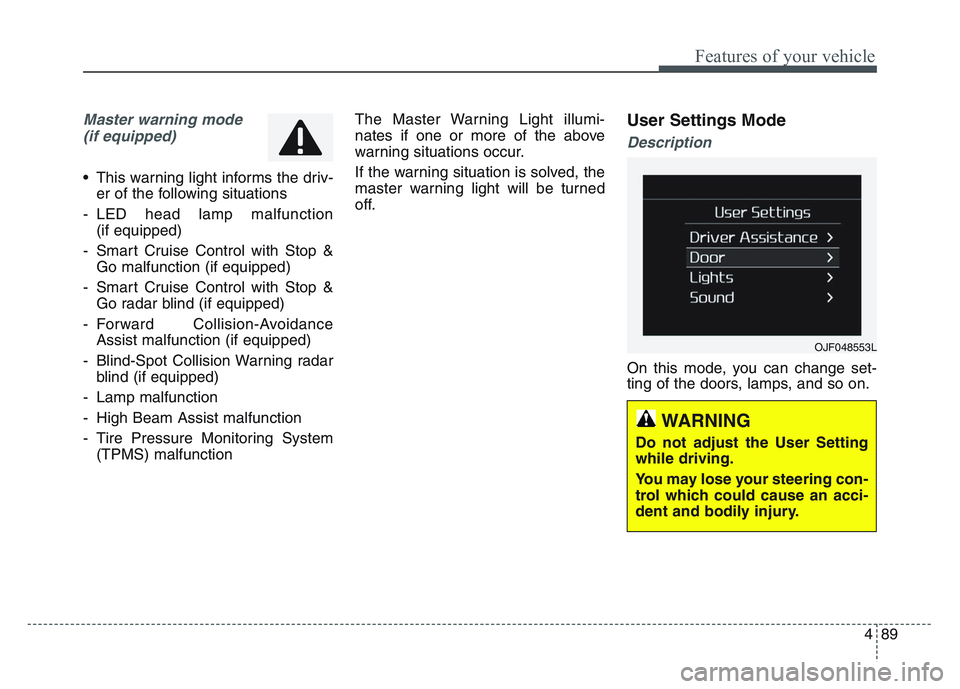
Master warning mode(if equipped)
• This warning light informs the driv- er of the following situations
- LED head lamp malfunction (if equipped)
- Smart Cruise Control with Stop & Go malfunction (if equipped)
- Smart Cruise Control with Stop & Go radar blind (if equipped)
- Forward Collision-Avoidance Assist malfunction (if equipped)
- Blind-Spot Collision Warning radar blind (if equipped)
- Lamp malfunction
- High Beam Assist malfunction
- Tire Pressure Monitoring System (TPMS) malfunction The Master Warning Light illumi-
nates if one or more of the above
warning situations occur.
If the warning situation is solved, the
master warning light will be turned
off.
User Settings Mode
Description
On this mode, you can change set-
ting of the doors, lamps, and so on.
OJF048553L
WARNING
Do not adjust the User Setting
while driving.
You may lose your steering con-
trol which could cause an acci-
dent and bodily injury.
Page 180 of 631
Features of your vehicle
904
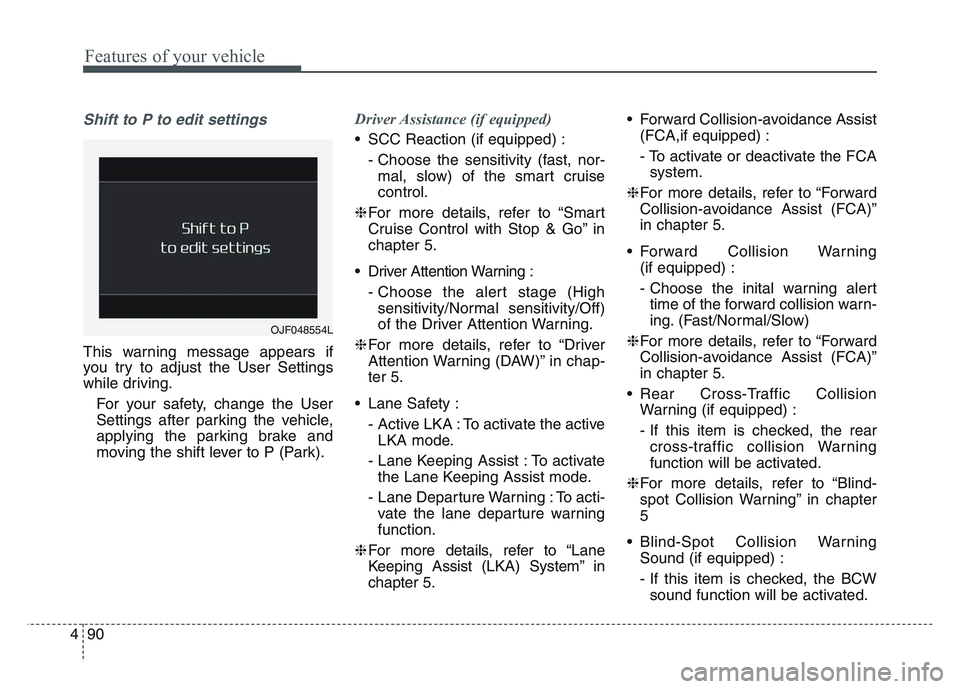
Shift to P to edit settings
This warning message appears if
you try to adjust the User Settings
while driving.For your safety, change the User
Settings after parking the vehicle,
applying the parking brake and
moving the shift lever to P (Park). Driver Assistance (if equipped)
• SCC Reaction (if equipped) :
- Choose the sensitivity (fast, nor-mal, slow) of the smart cruise
control.
❈ For more details, refer to “Smart
Cruise Control with Stop & Go” in
chapter 5.
• Driver Attention Warning : - Choose the alert stage (Highsensitivity/Normal sensitivity/Off)
of the Driver Attention Warning.
❈ For more details, refer to “Driver
Attention Warning (DAW)” in chap-
ter 5.
• Lane Safety : - Active LKA : To activate the activeLKA mode.
- Lane Keeping Assist : To activate the Lane Keeping Assist mode.
- Lane Departure Warning : To acti- vate the lane departure warning
function.
❈ For more details, refer to “Lane
Keeping Assist (LKA) System” in
chapter 5. • Forward Collision-avoidance Assist
(FCA,if equipped) :
- To activate or deactivate the FCAsystem.
❈ For more details, refer to “Forward
Collision-avoidance Assist (FCA)”
in chapter 5.
• Forward Collision Warning (if equipped) :
- Choose the inital warning alerttime of the forward collision warn-
ing. (Fast/Normal/Slow)
❈ For more details, refer to “Forward
Collision-avoidance Assist (FCA)”
in chapter 5.
• Rear Cross-Traffic Collision Warning (if equipped) :
- If this item is checked, the rearcross-traffic collision Warning
function will be activated.
❈ For more details, refer to “Blind-
spot Collision Warning” in chapter
5
• Blind-Spot Collision Warning Sound (if equipped) :
- If this item is checked, the BCWsound function will be activated.
OJF048554L
Page 182 of 631
Features of your vehicle
924
Sound
• Cluster Voice Guidance Volume (ifequipped) :
- This used to set/adjust the voiceguidance volume.
• Parking Distance Warning Volume (if equipped) :
- Adjust the Park Assist Systemvolume. (Level 1 ~ 3)
• Welcome Sound (if equipped) : - If this item is checked, the wel-come sound function will be acti-
vated. Convenience
• Welcome Mirror/Light (if equipped) :
- If this item is checked, the wel-come mirror/light function will be
activated.
• Wireless Charging System (if equipped) :
- If this is checked, the wirelesscharging system function will be
activated.
• Wiper/Light Display (if equipped) : - If this item is checked, thewiper/light display will be activated.
• Auto rear wiper (in R) (if equipped) : - If this is checked, the rear wiper willautomatically activated when the
front wiper is in ON position and
shift lever is in R (reverse) position.
• Gear Position Pop-up (if equipped) : - If this item is checked, the gearposition pop-up display will be
activated.
• Icy Road Warning (if equipped) : - If this item is checked, the icyroad warning display will be acti-
vated. Service interval
• Enable Service Interval :
- To activate or deactivate the serv-ice interval function.
• Adjust Interval : - To adjust the interval by mileageand period.
• Reset : - To reset the service interval func-tion.
✽NOTICE
To use the service interval menu,
consult an authorized Kia dealer.
Page 187 of 631
4 97
Features of your vehicle
- If you press “OK” button for morethan 1 second after the Driving
Information is displayed, the infor-
mation will be reset.
- If the engine is running, even when the vehicle is not in motion, the infor-
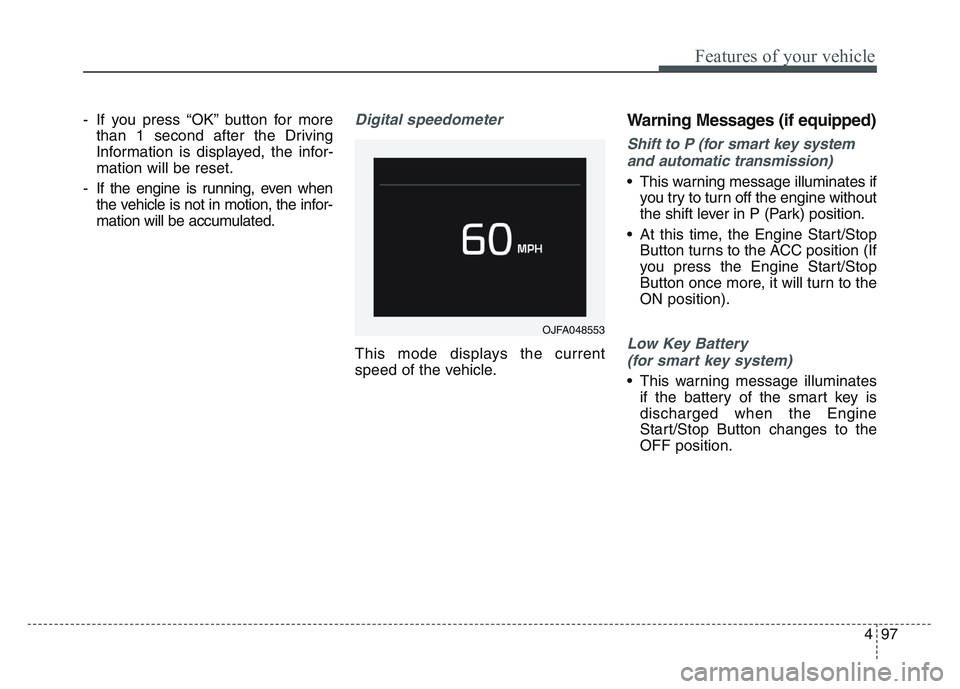
mation will be accumulated.Digital speedometer
This mode displays the current
speed of the vehicle.
Warning Messages (if equipped)
Shift to P (for smart key system
and automatic transmission)
• This warning message illuminates if you try to turn off the engine without
the shift lever in P (Park) position.
• At this time, the Engine Start/Stop Button turns to the ACC position (If
you press the Engine Start/Stop
Button once more, it will turn to the
ON position).
Low Key Battery
(for smart key system)
• This warning message illuminates if the battery of the smart key is
discharged when the Engine
Start/Stop Button changes to the
OFF position.
OJFA048553
Page 188 of 631
Features of your vehicle
984
Press START button while turningwheel (for smart key system)
• This warning message illuminates if the steering wheel does not
unlock normally when the Engine
Start/Stop Button is pressed.
• It means that you should press the Engine Start/Stop Button while
turning the steering wheel right
and left.
Steering wheel not locked
(for smart key system)
• This warning message illuminates if the steering wheel does not lock
when the Engine Start/Stop Button
changes to the OFF position.
Check Steering Wheel Lock
System (for smart key system)
• This warning message illuminates if the steering wheel does not lock
normally when the Engine
Start/Stop Button changes to the
OFF position.
Press brake pedal to start engine
(for smart key system and auto-
matic transmission)
• This warning message illuminates if the Engine Start/Stop Button
changes to the ACC position twice
by pressing the button repeatedly
without depressing the brake pedal.
• It means that you should depress the brake pedal to start the engine.
Key not detected
(for smart key system)
• This warning message illuminates if the smart key is not detected
when you press the Engine
Start/Stop Button.
Remove key (for smart key sys-
tem)
• This warning message illuminates if the smart key is remove the hold-
er.
Key not in vehicle
(for smart key system)
• If the smart key is not in the vehicle and if any door is opened or closed
with the engine start/stop button in
ACC, ON, or START, the warning
illuminates on the LCD display.
Page 189 of 631
4 99
Features of your vehicle
Press start button again (for smart key system)
• This warning message illuminates if you can not operate the Engine
Start/Stop Button when there is a
problem with the Engine Start/Stop
Button system.
• It means that you could start the engine by pressing the Engine
Start/ Stop Button once more.
• If the warning illuminates each time you press the Engine Start/Stop
Button, have the vehicle inspected
by a professional workshop. Kia
recommends to visit an authorized
Kia dealer/service partner.
Press start button with key
(for smart key system)
• This warning message illuminates if you press the Engine Start/Stop
Button while the warning message
“Key not detected” is illuminating.
• At this time, the immobilizer indica- tor light blinks.
Check BRAKE SWITCH fuse
(for smart key system and auto-matic transmission)
• This warning message illuminates if the brake switch fuse is discon-
nected.
• It means that you should replace the fuse with a new one. If that is
not possible, you can start the
engine by pressing the Engine
Start/Stop Button for 10 seconds in
the ACC position.
Shift to P or N to start engine
(for smart key system and auto-matic transmission)
• This warning message illuminates if you try to start the engine with
the shift lever not in the P (Park) or
N (Neutral) position.
✽NOTICE
You can start the engine with the
shift lever in the N (Neutral) position.
However, for your safety, we strongly
recommend that you start the engine
with the shift lever in the P (Park)
position.