automatic KIA VENGA 2015 Manual Online
[x] Cancel search | Manufacturer: KIA, Model Year: 2015, Model line: VENGA, Model: KIA VENGA 2015Pages: 480, PDF Size: 23.15 MB
Page 303 of 480
Driving your vehicle
26
5
Disc brakes wear indicator
When your brake pads are worn and new
pads are required, you will hear a high-
pitched warning sound from your front
brakes or rear brakes (if equipped). You
may hear this sound come and go or it
may occur whenever you depress the
brake pedal.
Please remember that some driving con-
ditions or climates may cause a brake
squeal when you first apply (or lightly
apply) the brakes. This is normal and does
not indicate a problem with your brakes.
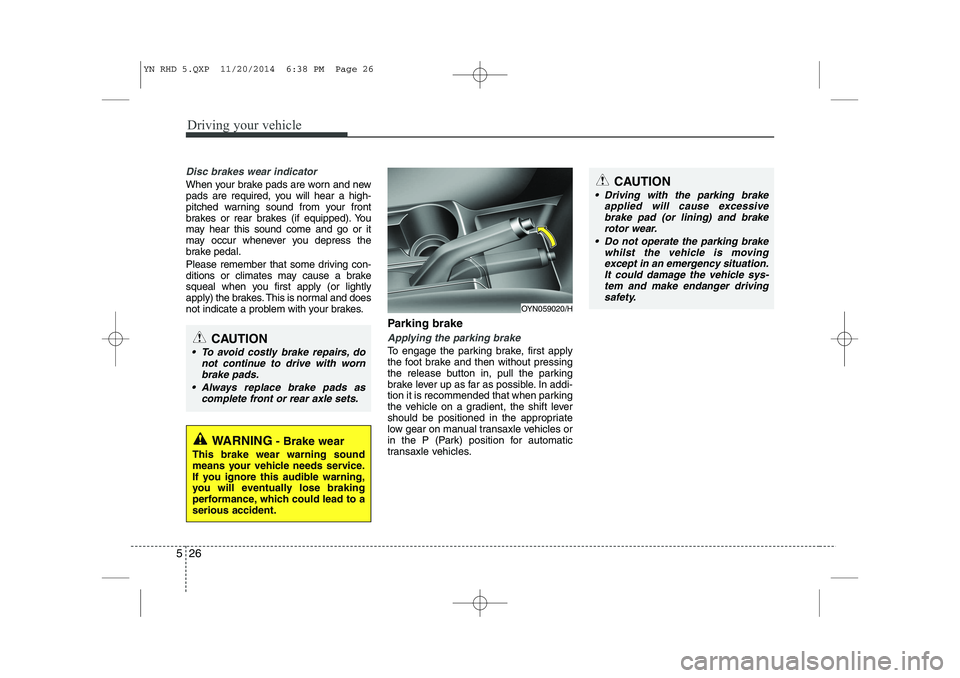
Parking brake
Applying the parking brake
To engage the parking brake, first apply
the foot brake and then without pressing
the release button in, pull the parking
brake lever up as far as possible. In addi-
tion it is recommended that when parking
the vehicle on a gradient, the shift lever
should be positioned in the appropriate
low gear on manual transaxle vehicles or
in the P (Park) position for automatic
transaxle vehicles.
WARNING- Brake wear
This brake wear warning sound
means your vehicle needs service.
If you ignore this audible warning,
you will eventually lose braking
performance, which could lead to aserious accident.
CAUTION
To avoid costly brake repairs, do not continue to drive with wornbrake pads.
Always replace brake pads as complete front or rear axle sets.
CAUTION
Driving with the parking brake applied will cause excessive
brake pad (or lining) and brake rotor wear.
Do not operate the parking brake whilst the vehicle is moving
except in an emergency situation. It could damage the vehicle sys-tem and make endanger driving safety.
OYN059020/H
YN RHD 5.QXP 11/20/2014 6:38 PM Page 26
Page 304 of 480
527
Driving your vehicle
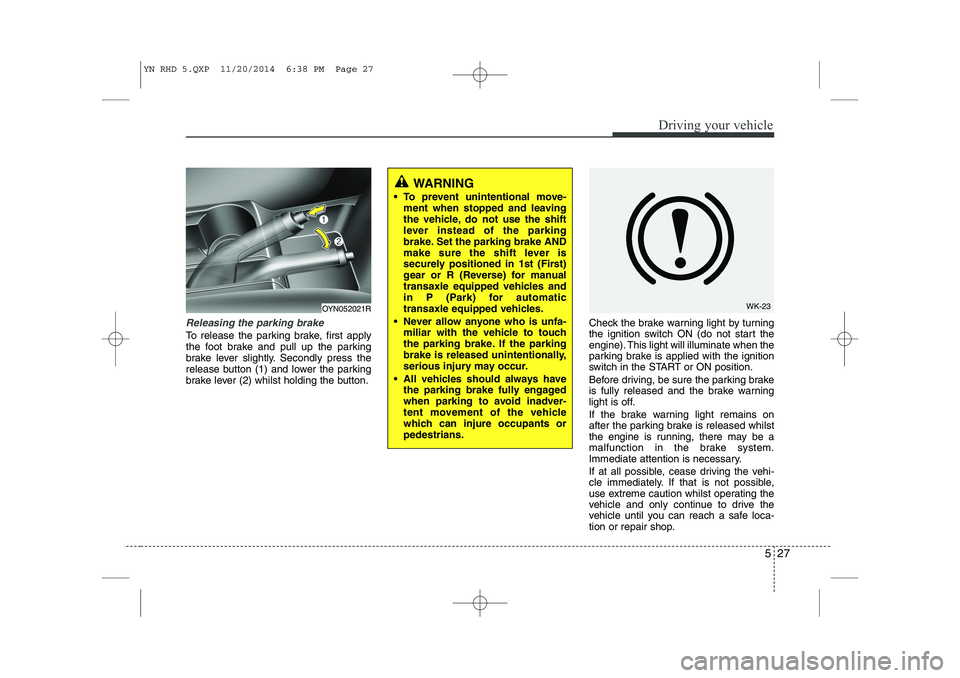
Releasing the parking brake
To release the parking brake, first apply
the foot brake and pull up the parking
brake lever slightly. Secondly press the
release button (1) and lower the parking
brake lever (2) whilst holding the button.Check the brake warning light by turning
the ignition switch ON (do not start the
engine). This light will illuminate when the
parking brake is applied with the ignition
switch in the START or ON position.
Before driving, be sure the parking brake
is fully released and the brake warning
light is off.
If the brake warning light remains on
after the parking brake is released whilst
the engine is running, there may be a
malfunction in the brake system.
Immediate attention is necessary.
If at all possible, cease driving the vehi-
cle immediately. If that is not possible,
use extreme caution whilst operating the
vehicle and only continue to drive the
vehicle until you can reach a safe loca-
tion or repair shop.
WARNING
To prevent unintentional move- ment when stopped and leaving
the vehicle, do not use the shift
lever instead of the parking
brake. Set the parking brake AND
make sure the shift lever is
securely positioned in 1st (First)
gear or R (Reverse) for manual
transaxle equipped vehicles and
in P (Park) for automatic
transaxle equipped vehicles.
Never allow anyone who is unfa- miliar with the vehicle to touch
the parking brake. If the parking
brake is released unintentionally,
serious injury may occur.
All vehicles should always have the parking brake fully engaged
when parking to avoid inadver-
tent movement of the vehicle
which can injure occupants orpedestrians.
OYN052021RWK-23
YN RHD 5.QXP 11/20/2014 6:38 PM Page 27
Page 308 of 480
531
Driving your vehicle
ESP operation
ESP ON condition When the ignition is turnedON, ESP and ESP OFF indi-
cator lights illuminate for
approximately 3 seconds,
then ESP is turned on.
Press the ESP OFF button for at least half a second after
turning the ignition ON to turn
ESP off. (ESP OFF indicator
will illuminate). To turn theESP on, press the ESP OFF
button (ESP OFF indicatorlight will go off).
When starting the engine, you may hear a slight ticking
sound. This is the ESP per-
forming an automatic system
self-check and does not indi-
cate a problem. When operating
When the ESP is in operation,
ESP indicator light blinks.
When the Electronic StabilityProgram is operating proper-
ly, you can feel a slight pulsa-
tion in the vehicle. This is only
the effect of brake control and
indicates nothing unusual.
When moving out of the mud or slippery road, pressing the
accelerator pedal may not
cause the engine rpm (revo-
lutions per minute) to
increase.
ESP operation off
ESP OFF state
To cancel ESP operation,press the ESP OFF button (ESP OFF indicator light illu-minates).
If the ignition switch is turned to the LOCK position when
ESP is off, ESP remains off.
Upon restarting the engine,the ESP will automatically
turn on again.
-
YN RHD 5.QXP 11/20/2014 6:38 PM Page 31
Page 312 of 480
535
Driving your vehicle
Good braking practices
Check to be sure the parking brake isnot engaged and that the parking
brake indicator light is out before driv-
ing away.
Driving through water may get the brakes wet. They can also get wet
when the vehicle is washed. Wet
brakes can be dangerous! Your vehicle
will not stop as quickly if the brakes are
wet. Wet brakes may cause the vehicle
to pull to one side.
To dry the brakes, apply the brakes
lightly until the braking action returns to
normal, taking care to keep the vehicle
under control at all times. If the braking
action does not return to normal, stop
as soon as it is safe to do so and we
recommend call an authorised Kia
dealer.
Don't coast down hills with the vehicle out of gear. This is extremely haz-
ardous. Keep the vehicle in gear at all
times, use the brakes to slow down,
then shift to a lower gear so that
engine braking will help you maintain a
safe speed. Don't "ride" the brake pedal. Resting
your foot on the brake pedal whilst driv-ing can be dangerous because the
brakes might overheat and lose their
effectiveness. It also increases the
wear of the brake components.
If a tyre goes flat whilst you are driving, apply the brakes gently and keep the
vehicle pointed straight ahead whilst
you slow down. When you are moving
slowly enough for it to be safe to do so,
pull off the road and stop in a safe
place.
If your vehicle is equipped with an automatic transaxle, don't let your vehi-
cle creep forward. To avoid creeping
forward, keep your foot firmly on the
brake pedal when the vehicle isstopped.
Be cautious when parking on a hill. Firmly engage the parking brake and
place the shift lever in P (automatic
transaxle) or in first or reverse gear
(manual transaxle). If your vehicle is
facing downhill, turn the front wheels
into the kerb to help keep the vehicle
from rolling. If your vehicle is facing
uphill, turn the front wheels away from
the kerb to help keep the vehicle from
rolling. If there is no kerb or if it is
required by other conditions to keep the
vehicle from rolling, block the wheels. Under some conditions your parking
brake can freeze in the engaged posi-
tion. This is most likely to happen when
there is an accumulation of snow or ice
around or near the rear brakes or if the
brakes are wet. If there is a risk that the
parking brake may freeze, apply it only
temporarily whilst you put the shift
lever in P (automatic transaxle) or in
first or reverse gear (manual transaxle)
and block the rear wheels so the vehi-
cle cannot roll. Then release the park-
ing brake.
Do not hold the vehicle on the upgrade with the accelerator pedal. This can
cause the transaxle to overheat.
Always use the brake pedal or parking
brake.
YN RHD 5.QXP 11/20/2014 6:38 PM Page 35
Page 315 of 480
Driving your vehicle
38
5
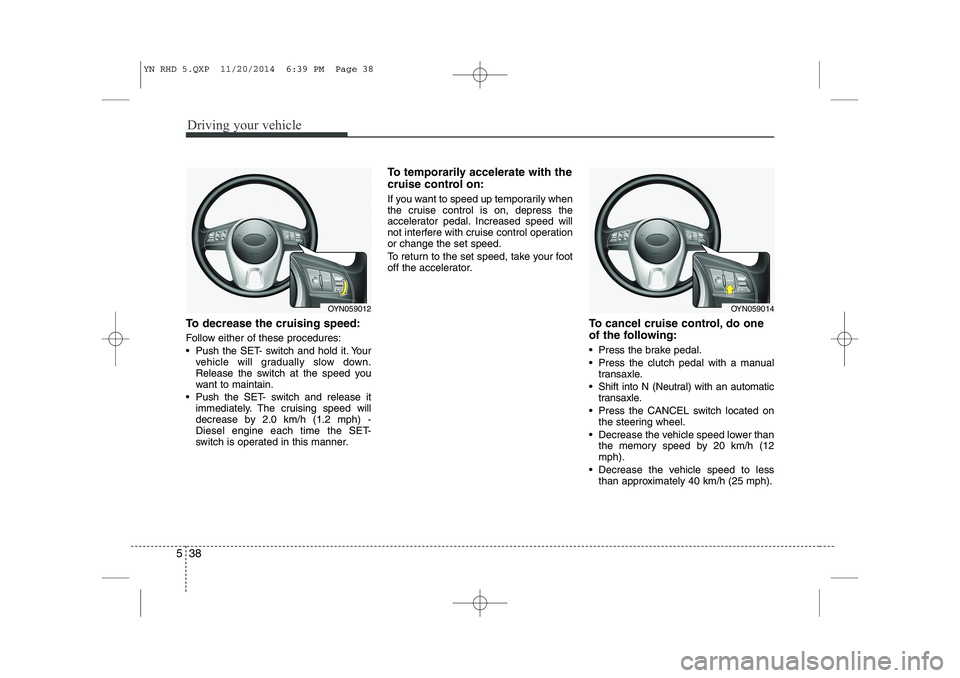
To decrease the cruising speed:
Follow either of these procedures:
Push the SET- switch and hold it. Your
vehicle will gradually slow down.
Release the switch at the speed you
want to maintain.
Push the SET- switch and release it immediately. The cruising speed will
decrease by 2.0 km/h (1.2 mph) -
Diesel engine each time the SET-
switch is operated in this manner. To temporarily accelerate with the
cruise control on:
If you want to speed up temporarily when
the cruise control is on, depress the
accelerator pedal. Increased speed will
not interfere with cruise control operationor change the set speed.
To return to the set speed, take your foot
off the accelerator.
To cancel cruise control, do one
of the following:
Press the brake pedal.
Press the clutch pedal with a manualtransaxle.
Shift into N (Neutral) with an automatic transaxle.
Press the CANCEL switch located on the steering wheel.
Decrease the vehicle speed lower than the memory speed by 20 km/h (12 mph).
Decrease the vehicle speed to less than approximately 40 km/h (25 mph).
OYN059014OYN059012
YN RHD 5.QXP 11/20/2014 6:39 PM Page 38
Page 316 of 480
539
Driving your vehicle
Each of these actions will cancel cruisecontrol operation (the SET indicator lightin the instrument cluster will go off), but itwill not turn the system off. If you wish to
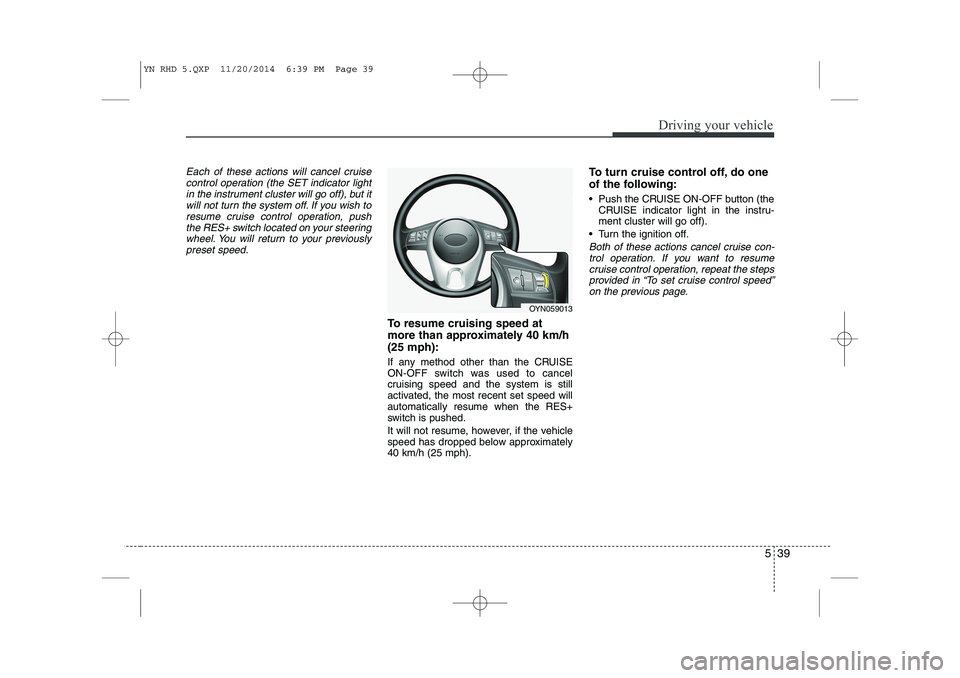
resume cruise control operation, pushthe RES+ switch located on your steeringwheel. You will return to your previously
preset speed.
To resume cruising speed at
more than approximately 40 km/h(25 mph):
If any method other than the CRUISE
ON-OFF switch was used to cancel
cruising speed and the system is still
activated, the most recent set speed willautomatically resume when the RES+
switch is pushed.
It will not resume, however, if the vehicle
speed has dropped below approximately40 km/h (25 mph). To turn cruise control off, do one
of the following:
Push the CRUISE ON-OFF button (the
CRUISE indicator light in the instru- ment cluster will go off).
Turn the ignition off.
Both of these actions cancel cruise con- trol operation. If you want to resume cruise control operation, repeat the stepsprovided in “To set cruise control speed” on the previous page.
OYN059013
YN RHD 5.QXP 11/20/2014 6:39 PM Page 39
Page 321 of 480
Driving your vehicle
44
5
Hazardous driving conditions
When hazardous driving conditions are
encountered such as water, snow, ice,
mud, sand, or similar hazards, followthese suggestions:
Drive cautiously and allow extra dis-
tance for braking.
Avoid sudden braking or steering.
When braking with non-ABS brakes pump the brake pedal with a light up-
and-down motion until the vehicle isstopped. If stalled in snow, mud, or sand, use
second gear. Accelerate slowly to
avoid spinning the drive wheels.
Use sand, rock salt, tyre chains, or other non-slip material under the drive
wheels to provide traction when stalled
in ice, snow, or mud. Reducing the risk of a rollover
This multi-purpose passenger vehicle is
defined as a Multi Purpose Vehicle
(MPV). MPV’s have higher ground clear-
ance and a narrower track to make them
capable of performing in a wide variety of
road applications. Specific design char-
acteristics give them a higher centre of
gravity than ordinary vehicles. An advan-
tage of the higher ground clearance is a
better view of the road, which allows you
to anticipate problems. They are not
designed for cornering at the same
speeds as conventional passenger vehi-
cles. Due to this risk, driver and passen-
gers are strongly recommended to buck-
le their seat belts. In a rollover crash, an
unbelted person is more likely to die than
a person wearing a seat belt. There are
steps that a driver can make to reduce
the risk of a rollover. If at all possible,
avoid sharp turns or abrupt manoeuvres,
do not load your roof rack with heavy
cargo, and never modify your vehicle in
any way.
SPECIAL DRIVING CONDITIONS
WARNING -
ABS
Do not pump the brake pedal on a
vehicle equipped with ABS.
WARNING - Downshifting
Downshifting with an automatic
transaxle, whilst driving on slipperysurfaces can cause an accident.
The sudden change in tyre speed
could cause the tyres to skid. Be
careful when downshifting on slip-
pery surfaces.
YN RHD 5.QXP 11/20/2014 6:39 PM Page 44
Page 322 of 480
545
Driving your vehicle
Rocking the vehicle
If it is necessary to rock the vehicle to free
it from snow, sand, or mud, first turn the
steering wheel right and left to clear the
area around your front wheels. Then, shift
back and forth between 1st (First) and R
(Reverse) in vehicles equipped with a
manual transaxle or R (Reverse) and any
forward gear in vehicles equipped with an
automatic transaxle. Do not race the
engine, and spin the wheels as little as
possible. If you are still stuck after a few
tries, have the vehicle pulled out by a tow
vehicle to avoid engine overheating and
possible damage to the transaxle.
CAUTION
Prolonged rocking may causeengine over-heating, transaxle dam- age or failure, and tyre damage.
WARNING
Your vehicle is equipped with tyres
designed to provide safe ride and
handling capability. Do not use a
size and type of tyre and wheel that
is different from the one that is
originally installed on your vehicle.
It can affect the safety and perform-
ance of your vehicle, which could
lead to steering failure or rollover
and serious injury. When replacing
the tyres, be sure to equip all fourtyres with the tyre and wheel of the
same size, type, tread, brand and
load-carrying capacity. If you never-
theless decide to equip your vehi-
cle with any tyre/wheel combina-
tion not recommended by Kia for
off road driving, it is recommended
not use these tyres for highwaydriving.WARNING - Rollover
As with other Multi Purpose Vehicle
(MPV), failure to operate this vehi-
cle correctly may result in loss of
control, an accident or vehicle
rollover.
Utility vehicles have a significant- ly higher rollover rate than other
types of vehicles.
Specific design characteristics (higher ground clearance, nar-
rower track, etc.) give this vehicle
a higher centre of gravity than
ordinary vehicles.
A MPV is not designed for cor- nering at the same speeds as
conventional vehicles.
Avoid sharp turns or abrupt manoeuvres.
In a rollover crash, an unbelted person is significantly more like-
ly to die than a person wearing a
seat belt. Make sure everyone in
the vehicle is properly buckledup.
YN RHD 5.QXP 11/20/2014 6:39 PM Page 45
Page 324 of 480
547
Driving your vehicle
Adjust your mirrors to reduce the glarefrom other driver's headlights.
Keep your headlights clean and prop- erly aimed on vehicles not equipped with the automatic headlight aiming
feature. Dirty or improperly aimed
headlights will make it much more diffi-cult to see at night.
Avoid staring directly at the headlights of oncoming vehicles. You could be
temporarily blinded, and it will take
several seconds for your eyes to read-
just to the darkness.
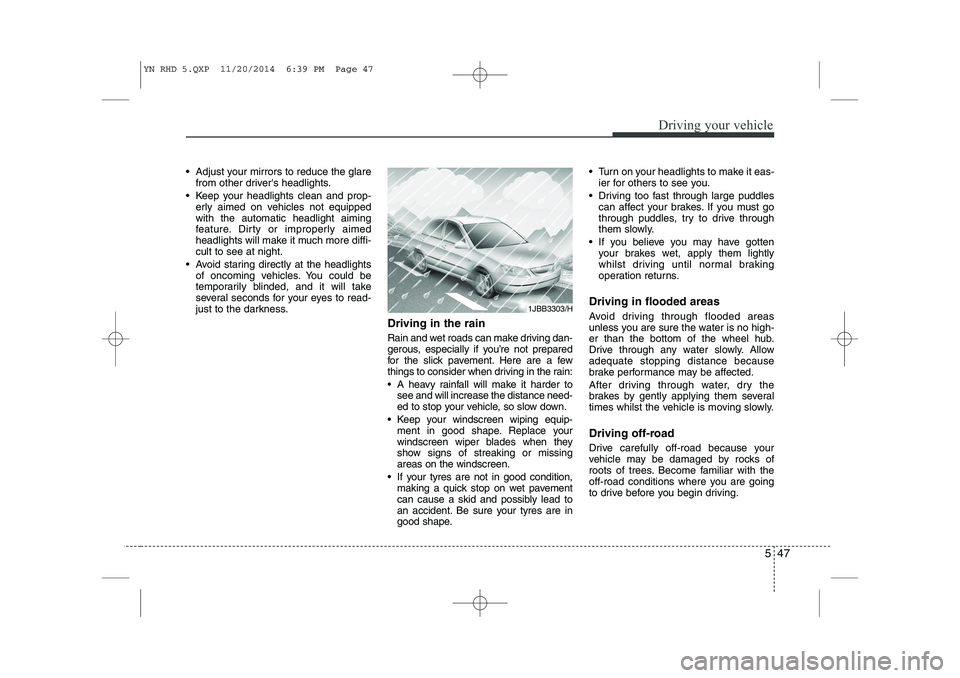
Driving in the rain
Rain and wet roads can make driving dan-
gerous, especially if you’re not prepared
for the slick pavement. Here are a few
things to consider when driving in the rain:
A heavy rainfall will make it harder tosee and will increase the distance need-
ed to stop your vehicle, so slow down.
Keep your windscreen wiping equip- ment in good shape. Replace your
windscreen wiper blades when they
show signs of streaking or missingareas on the windscreen.
If your tyres are not in good condition, making a quick stop on wet pavement
can cause a skid and possibly lead to
an accident. Be sure your tyres are in
good shape. Turn on your headlights to make it eas-
ier for others to see you.
Driving too fast through large puddles can affect your brakes. If you must go
through puddles, try to drive through
them slowly.
If you believe you may have gotten your brakes wet, apply them lightly
whilst driving until normal braking
operation returns.
Driving in flooded areas
Avoid driving through flooded areas
unless you are sure the water is no high-
er than the bottom of the wheel hub.
Drive through any water slowly. Allowadequate stopping distance because
brake performance may be affected.
After driving through water, dry the
brakes by gently applying them several
times whilst the vehicle is moving slowly.
Driving off-road
Drive carefully off-road because your
vehicle may be damaged by rocks of
roots of trees. Become familiar with the
off-road conditions where you are going
to drive before you begin driving.
1JBB3303/H
YN RHD 5.QXP 11/20/2014 6:39 PM Page 47
Page 333 of 480
Driving your vehicle
56
5
Following distance
Stay at least twice as far behind the vehi-
cle ahead as you would when driving
your vehicle without a trailer. This can
help you avoid situations that require
heavy braking and sudden turns.
Passing
You’ll need more passing distance up
ahead when you’re towing a trailer. And,
because of the increased vehicle length,
you’ll need to go much farther beyond the
passed vehicle before you can return to
your lane.
Backing up
Hold the bottom of the steering wheel
with one hand. Then, to move the trailer
to the left, just move your hand to the left.
To move the trailer to the right, move your
hand to the right. Always back up slowly
and, if possible, have someone guide
you.
Making turns
When you’re turning with a trailer, make
wider turns than normal. Do this so your
trailer won’t strike soft shoulders, kerbs,
road signs, trees, or other objects. Avoid
jerky or sudden manoeuvres. Signal well
in advance.
Turn signals when towing a trailer
When you tow a trailer, your vehicle has
to have a different turn signal flasher and
extra wiring. The green arrows on your
instrument panel will flash whenever you
signal a turn or lane change. Properly
connected, the trailer lights will also flash
to alert other drivers you’re about to turn,
change lanes, or stop.
When towing a trailer, the green arrows
on your instrument panel will flash for
turns even if the bulbs on the trailer are
burned out. Thus, you may think drivers
behind you are seeing your signals
when, in fact, they are not. It’s important
to check occasionally to be sure the trail-
er bulbs are still working. You must also
check the lights every time you discon-
nect and then reconnect the wires.
Do not connect a trailer lighting system
directly to your vehicle’s lighting system.
Use only an approved trailer wiring har-
ness. We recommend that you contact an
authorised Kia dealer to assist you in
installing the wiring harness.
Driving on grades
Reduce speed and shift to a lower gear
before you start down a long or steep
downgrade. If you don’t shift down, you
might have to use your brakes so much
that they would get hot and no longer
operate efficiently.
On a long uphill grade, shift down and
reduce your speed to around 70 km/h (45mph) to reduce the possibility of engine
and transaxle overheating.
If your trailer weighs more than the max-
imum trailer weight without trailer brakes
and you have an automatic transaxle,
you should drive in D (Drive) when tow-
ing a trailer.
Operating your vehicle in D (Drive) when
towing a trailer will minimise heat build up
and extend the life of your transaxle.
WARNING
Failure to use an approved trailer wiring harness could result in dam-
age to the vehicle electrical system
and/or personal injury.
YN RHD 5.QXP 11/20/2014 6:39 PM Page 56