radio Lexus CT200h 2017 (in English) Owner's Guide
[x] Cancel search | Manufacturer: LEXUS, Model Year: 2017, Model line: CT200h, Model: Lexus CT200h 2017Pages: 640, PDF Size: 17.94 MB
Page 268 of 640
2685-3. Using the radio
CT200h_OM_OM76215U_(U)
■Certifications for the radio tuner
This equipment has been tested and found to comply with the limits for a class B digital
device, pursuant to Part 15 of the FCC Rules. These limits are designed to provide rea-
sonable protection against harmful interference in a residential installation. This equip-
ment generates, uses and can radiate radio frequency energy and, if not installed and
used in accordance with the instructions, may cause harmful interference to radio com-
munications. However, there is no guarantee that interference will not occur in a particu-
lar installation.
If this equipment does cause harmful interferen ce to radio or television reception, which
can be determined by turning the equipment off and on, the user is encouraged to try to
correct the interference by trying one or more of the following:
●Reorienting or relocate the receiving antenna.
●Increasing the separation between the equipment and receiver.
●Connecting the equipment into an outlet on a circuit different from that to which the
receiver is connected.
●Consulting the dealer or an experienced radio/TV technician for help.
Page 323 of 640

CT200h_OM_OM76215U_(U)
3235-10. Bluetooth®
5
Audio system
WA R N I N G
■While driving
Do not operate the portable audio player, cellular phone or connect a device to the
Bluetooth
® system.
■Caution regarding interference with electronic devices
●Your audio unit is fitted with Bluetooth® antennas. People with implantable cardiac
pacemakers, cardiac resynchronization ther apy-pacemakers or implantable cardio-
verter defibrillators should maintain a re asonable distance between themselves and
the Bluetooth
® antennas. The radio waves may affect the operation of such devices.
●Before using Bluetooth® devices, users of any electrical medical device other than
implantable cardiac pacemakers, cardiac resynchronization therapy-pacemakers or
implantable cardioverter defibrillators shou ld consult the manufacturer of the device
for information about its operation under the influence of radio waves. Radio waves
could have unexpected effects on the operation of such medical devices.
NOTICE
■When leaving the vehicle
Do not leave your portable audio player or cellular phone in the vehicle. The inside of
the vehicle may become hot, causing damage to the portable audio player or cellular
phone.
Page 324 of 640
324
CT200h_OM_OM76215U_(U)5-11. Basic Operations (Lexus Display Audio System)
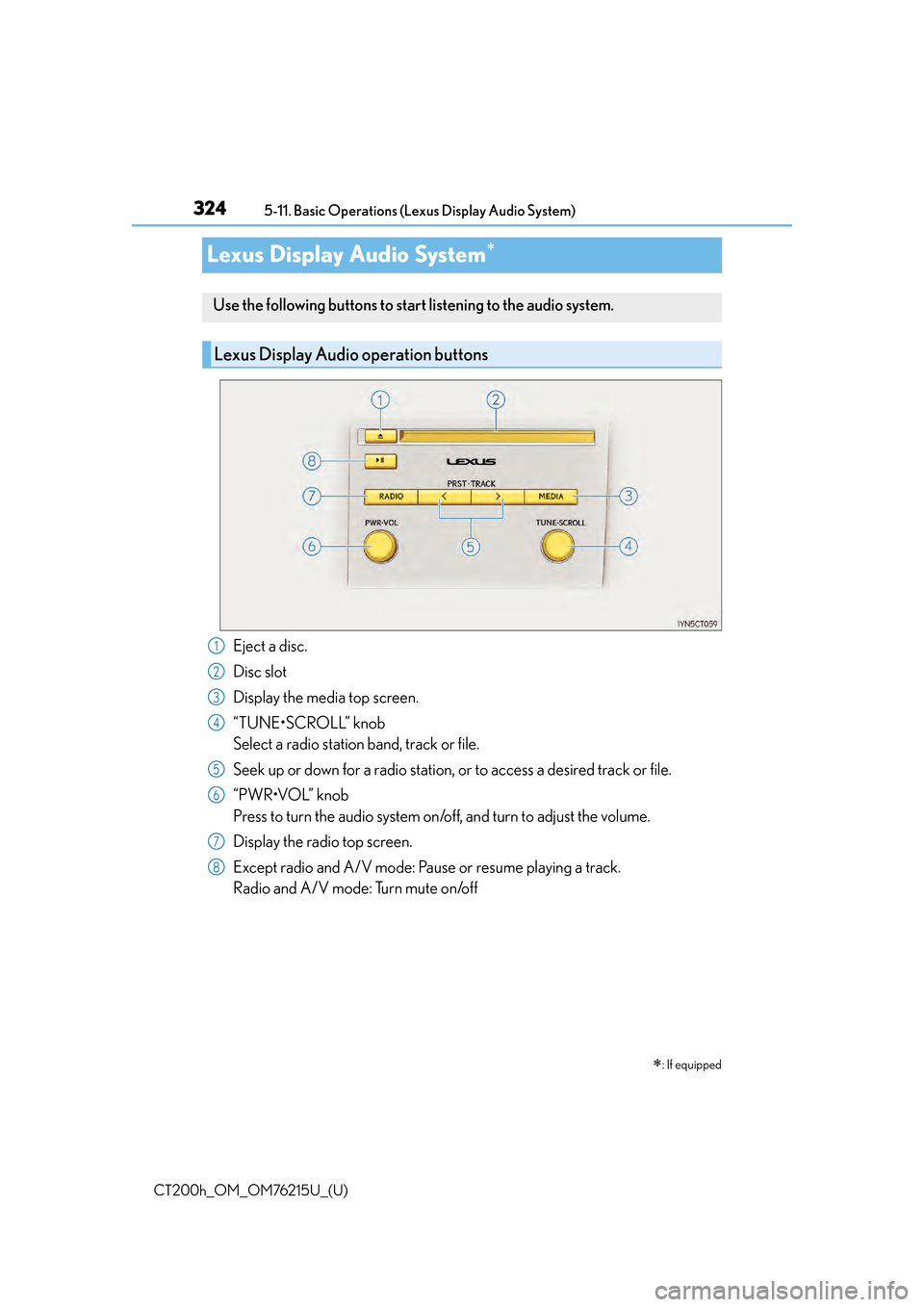
Lexus Display Audio System
Eject a disc.
Disc slot
Display the media top screen.
“TUNE•SCROLL” knob
Select a radio station band, track or file.
Seek up or down for a radio station,
or to access a desired track or file.
“PWR•VOL” knob
Press to turn the audio system on/o ff, and turn to adjust the volume.
Display the radio top screen.
Except radio and A/V mode: Pause or resume playing a track.
Radio and A/V mode: Turn mute on/off
: If equipped
Use the following buttons to start listening to the audio system.
Lexus Display Audio operation buttons
1
2
3
4
5
6
7
8
Page 325 of 640

CT200h_OM_OM76215U_(U)
3255-11. Basic Operations (Lexus Display Audio System)
5
Audio system
■“Menu” screen
To display the “Menu” screen, press the “MENU” button on the controller unit.
ButtonFunction
“Radio”Display the radio top screen (P. 3 4 5 )
“Media”Display the media top screen ( P. 351, 357, 360, 364, 373)
“Climate”Automatic air conditioning system ( P. 4 1 4 )
“Phone”Display the phone top screen ( P. 3 7 5 )
“Info”Display the “Information” screen ( P. 3 9 9 )
“Setup”Setup menu ( P. 3 3 2 )
“Display”Display settings ( P. 3 3 7 )
Page 329 of 640

329
CT200h_OM_OM76215U_(U)5-11. Basic Operations (Lexus Display Audio System)
5
Audio system
Steering wheel audio switches
Volume switch
• Increases/decreases volume
• Press and hold: Continuously increases/decreases volume
Radio mode: • Press: Select a radio station
• Press and hold: Seek up/down
CD, MP3/WMA/AAC disc,
Bluetooth
®, iPod or USB mode:
• Press: Select a track/file/video
• Press and hold: Fast up/down tracks/files/videos (MP3/WMA/AAC disc, iPod or USB)
“MODE” switch • Turns the power on, selects audio source
• Press and hold this switch to mute or pause the current operation. To can- cel the mute or pause, press and hold.
Some audio features can be controlled using the switches on the steering
wheel.
Operation may differ depending on th e type of audio system or navigation
system. For details, refer to the manual provided with the audio system or nav-
igation system.
Operating the audio system us ing the steering wheel switches
1
2
WA R N I N G
■To reduce the risk of an accident
Exercise care when operating the audio switches on the steering wheel.
3
Page 332 of 640
332
CT200h_OM_OM76215U_(U)5-12. Setup (Lexus Display Audio System)
Setup menu
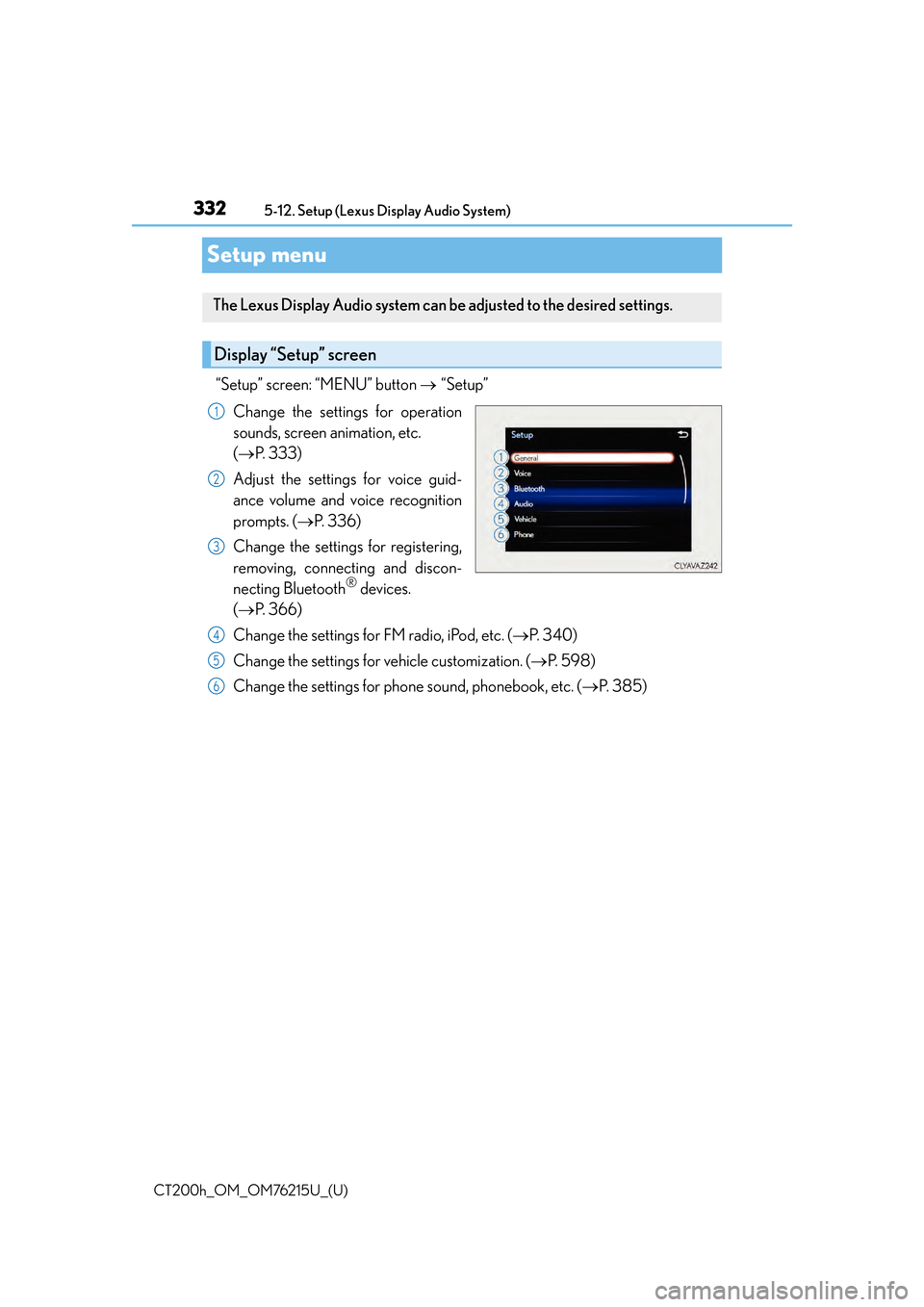
“Setup” screen: “MENU” button
“Setup”
Change the settings for operation
sounds, screen animation, etc.
( P. 333)
Adjust the settings for voice guid-
ance volume and voice recognition
prompts. ( P. 3 3 6 )
Change the settings for registering,
removing, connecting and discon-
necting Bluetooth
® devices.
( P. 366)
Change the settings for FM radio, iPod, etc. ( P. 3 4 0 )
Change the settings for vehicle customization. ( P. 5 9 8 )
Change the settings for phone sound, phonebook, etc. ( P. 3 8 5 )
The Lexus Display Audio system can be adjusted to the desired settings.
Display “Setup” screen
1
2
3
4
5
6
Page 335 of 640
CT200h_OM_OM76215U_(U)
3355-12. Setup (Lexus Display Audio System)
5
Audio system
“MENU” button “Setup” “General” “Delete Personal Data”
Select “Delete”.
Check carefully beforehand, as data cannot be retrieved once deleted.
The following personal data will be deleted or changed to its default settings.
• Phonebook data
• Call history data
•Favorite data
•Bluetooth
® devices data
• Phone sound settings
• Detailed Bluetooth
® settings
• Audio/video setting
• Preset switch data
•Last used radio station
• Customized image data
•FM info setting
• iPod tagging information
• Software update history
• Software update detail information
•Phone disp lay setting
• Contact/call history setting
• Messaging setting
• Traffic information map
• Weather information
• Phonebook data for voice recognition
• Music data for voice recognition
NOTICE
■To prevent damage to the USB memory device or its terminals
P. 3 6 3
Deleting personal data
1
2
Page 338 of 640
338
CT200h_OM_OM76215U_(U)5-13. Using the audio system (Lexus Display Audio System)
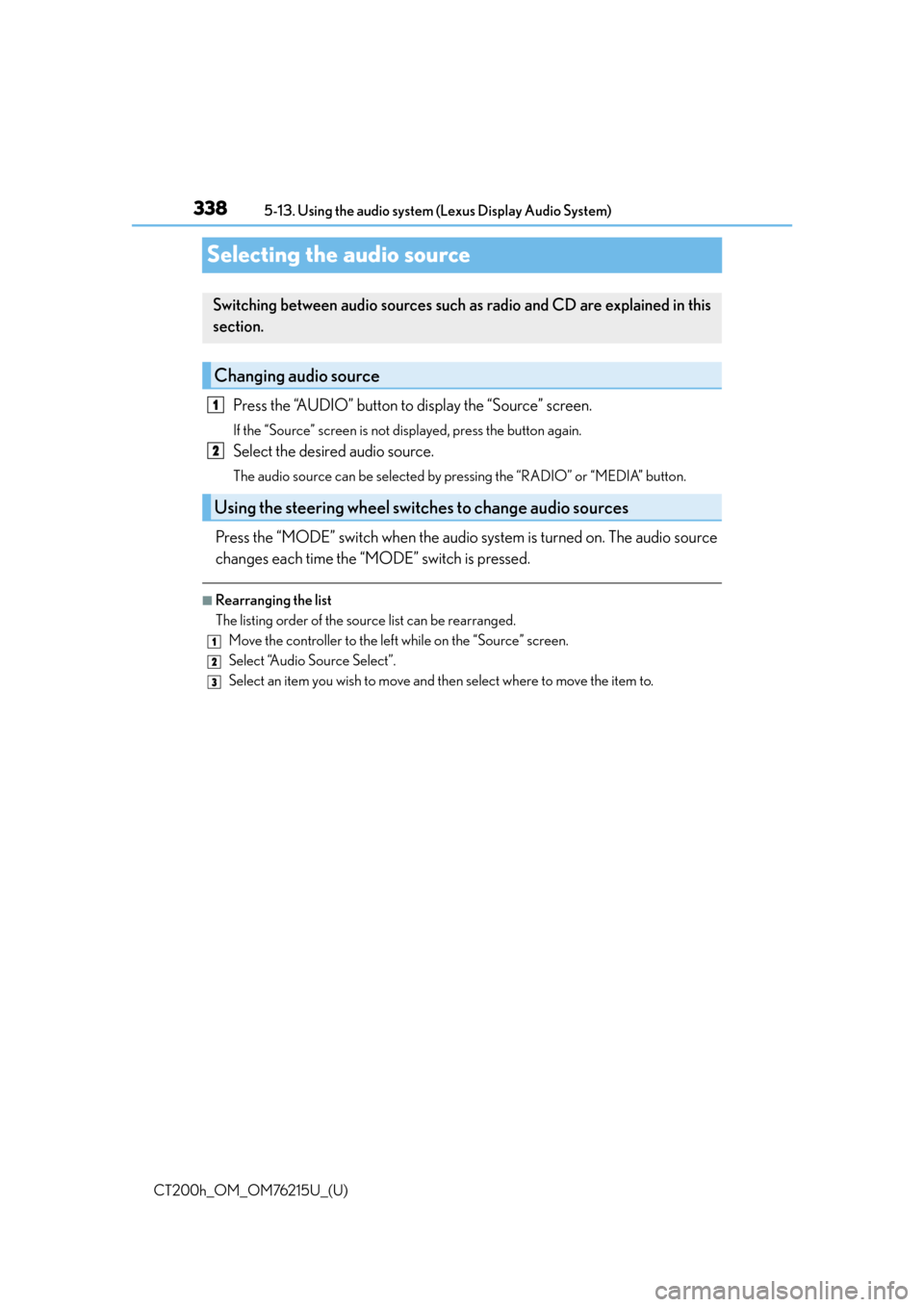
Selecting the audio source
Press the “AUDIO” button to display the “Source” screen.
If the “Source” screen is not displayed, press the button again.
Select the desired audio source.
The audio source can be selected by pressing the “RADIO” or “MEDIA” button.
Press the “MODE” switch when the audio
system is turned on. The audio source
changes each time the “MODE” switch is pressed.
■Rearranging the list
The listing order of the sour ce list can be rearranged.
Move the controller to the left while on the “Source” screen.
Select “Audio Source Select”.
Select an item you wish to move and th en select where to move the item to.
Switching between audio sources such as radio and CD are explained in this
section.
Changing audio source
Using the steering wheel switches to change audio sources
1
2
1
2
3
Page 340 of 640
340
CT200h_OM_OM76215U_(U)5-13. Using the audio system (Lexus Display Audio System)
Audio settings
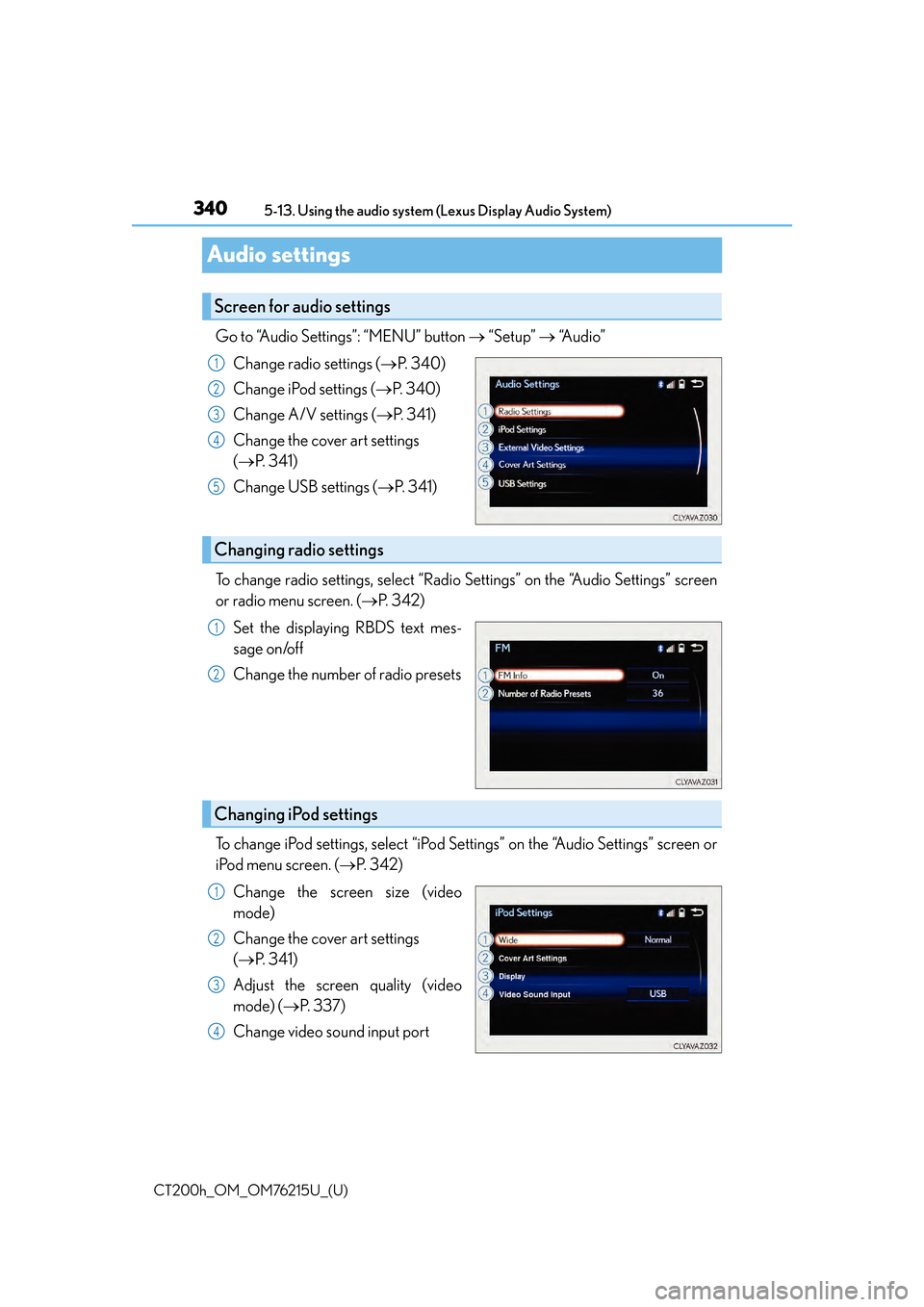
Go to “Audio Settings”: “MENU” button
“Setup” “Audio”
Change radio settings ( P. 3 4 0 )
Change iPod settings ( P. 3 4 0 )
Change A/V settings ( P. 3 4 1 )
Change the cover art settings
( P. 3 4 1 )
Change USB settings ( P. 3 4 1 )
To change radio settings, select “Radio Settings” on the “Audio Settings” screen
or radio menu screen. ( P. 3 4 2 )
Set the displaying RBDS text mes-
sage on/off
Change the number of radio presets
To change iPod settings, select “iPod Se ttings” on the “Audio Settings” screen or
iPod menu screen. ( P. 3 4 2 )
Change the screen size (video
mode)
Change the cover art settings
( P. 3 4 1 )
Adjust the screen quality (video
mode) ( P. 3 3 7 )
Change video sound input port
Screen for audio settings
1
2
3
4
5
Changing radio settings
1
2
Changing iPod settings
1
2
3
4
Page 342 of 640
342
CT200h_OM_OM76215U_(U)5-13. Using the audio system (Lexus Display Audio System)
Audio menu screen operation
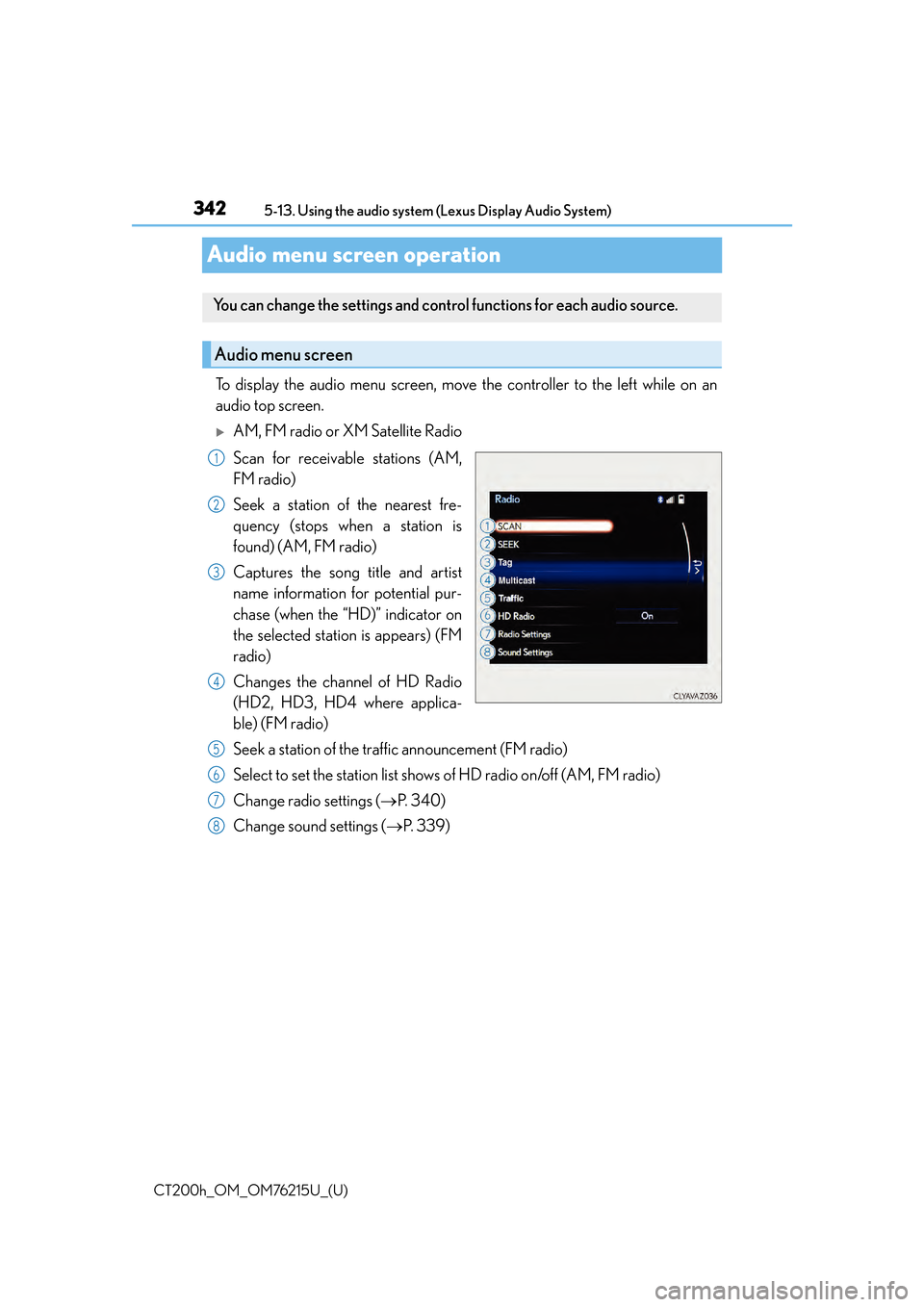
To display the audio menu screen, move the controller to the left while on an
audio top screen.
AM, FM radio or XM Satellite Radio
Scan for receivable stations (AM,
FM radio)
Seek a station of the nearest fre-
quency (stops when a station is
found) (AM, FM radio)
Captures the song title and artist
name information for potential pur-
chase (when the “HD)” indicator on
the selected station is appears) (FM
radio)
Changes the channel of HD Radio
(HD2, HD3, HD4 where applica-
ble) (FM radio)
Seek a station of the traffic announcement (FM radio)
Select to set the station list shows
of HD radio on/off (AM, FM radio)
Change radio settings ( P. 3 4 0 )
Change sound settings ( P. 3 3 9 )
You can change the settings and contro l functions for each audio source.
Audio menu screen
1
2
3
4
5
6
7
8