USB port Lexus CT200h 2017 Owner's Manual (in English)
[x] Cancel search | Manufacturer: LEXUS, Model Year: 2017, Model line: CT200h, Model: Lexus CT200h 2017Pages: 640, PDF Size: 17.94 MB
Page 4 of 640
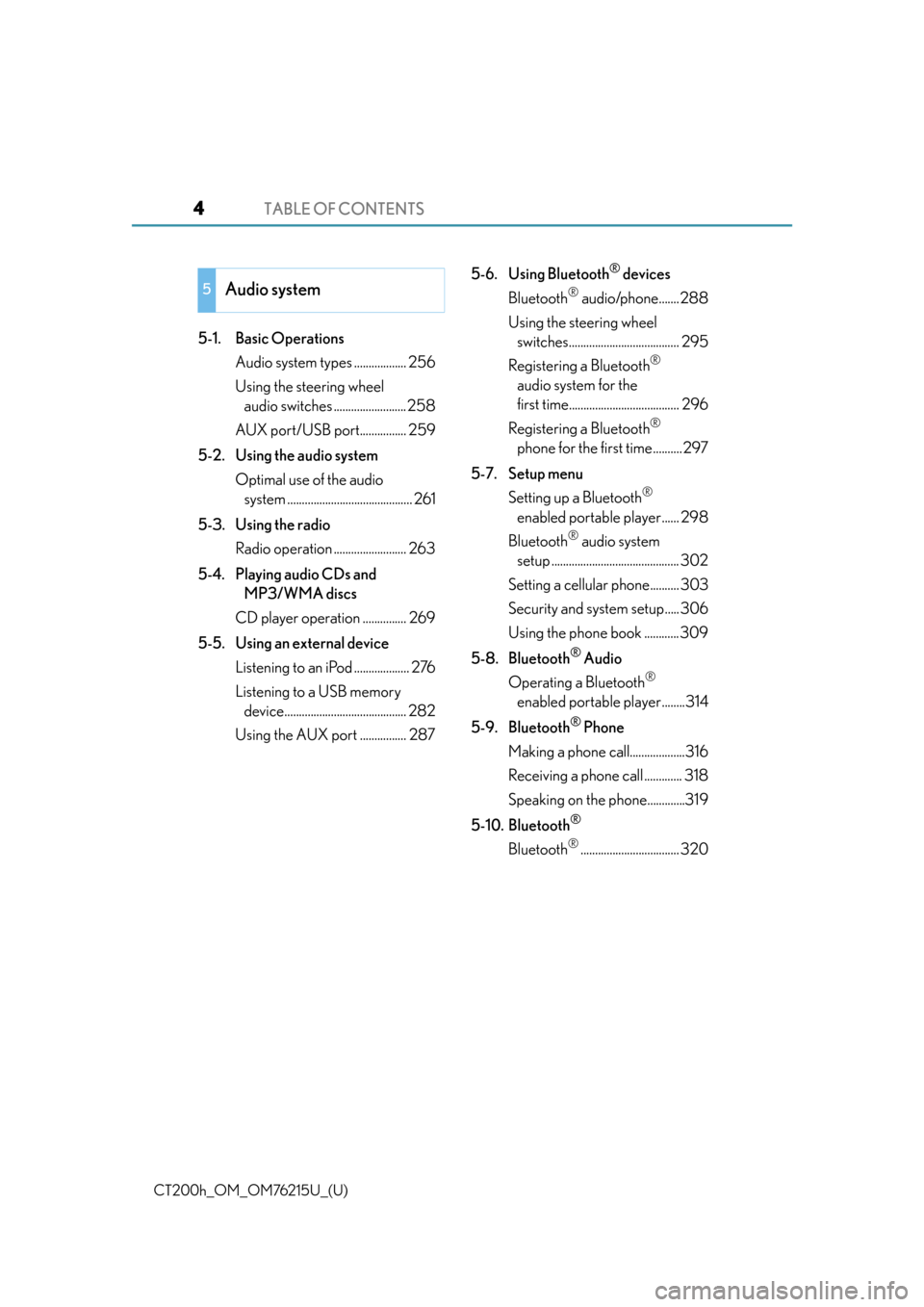
TABLE OF CONTENTS4
CT200h_OM_OM76215U_(U)
5-1. Basic OperationsAudio system types .................. 256
Using the steering wheel audio switches ......................... 258
AUX port/USB port................ 259
5-2. Using the audio system Optimal use of the audio system ........................................... 261
5-3. Using the radio Radio operation ......................... 263
5-4. Playing audio CDs and MP3/WMA discs
CD player operation ............... 269
5-5. Using an external device Listening to an iPod ................... 276
Listening to a USB memory device.......................................... 282
Using the AUX port ................ 287 5-6. Using Bluetooth
® devices
Bluetooth
® audio/phone....... 288
Using the steering wheel switches...................................... 295
Registering a Bluetooth
®
audio system for the
first time...................................... 296
Registering a Bluetooth
®
phone for the first time.......... 297
5-7. Setup menu Setting up a Bluetooth
®
enabled portable player...... 298
Bluetooth
® audio system
setup ............................................ 302
Setting a cellular phone.......... 303
Security and system setup..... 306
Using the phone book ............ 309
5-8. Bluetooth
® Audio
Operating a Bluetooth
®
enabled portable player........314
5-9. Bluetooth
® Phone
Making a phone call...................316
Receiving a phone call ............. 318
Speaking on th e phone.............319
5-10. Bluetooth
®
Bluetooth®.................................. 320
5Audio system
Page 5 of 640
5
1
9 8
7
6 4 3
2
CT200h_OM_OM76215U_(U)
10
5
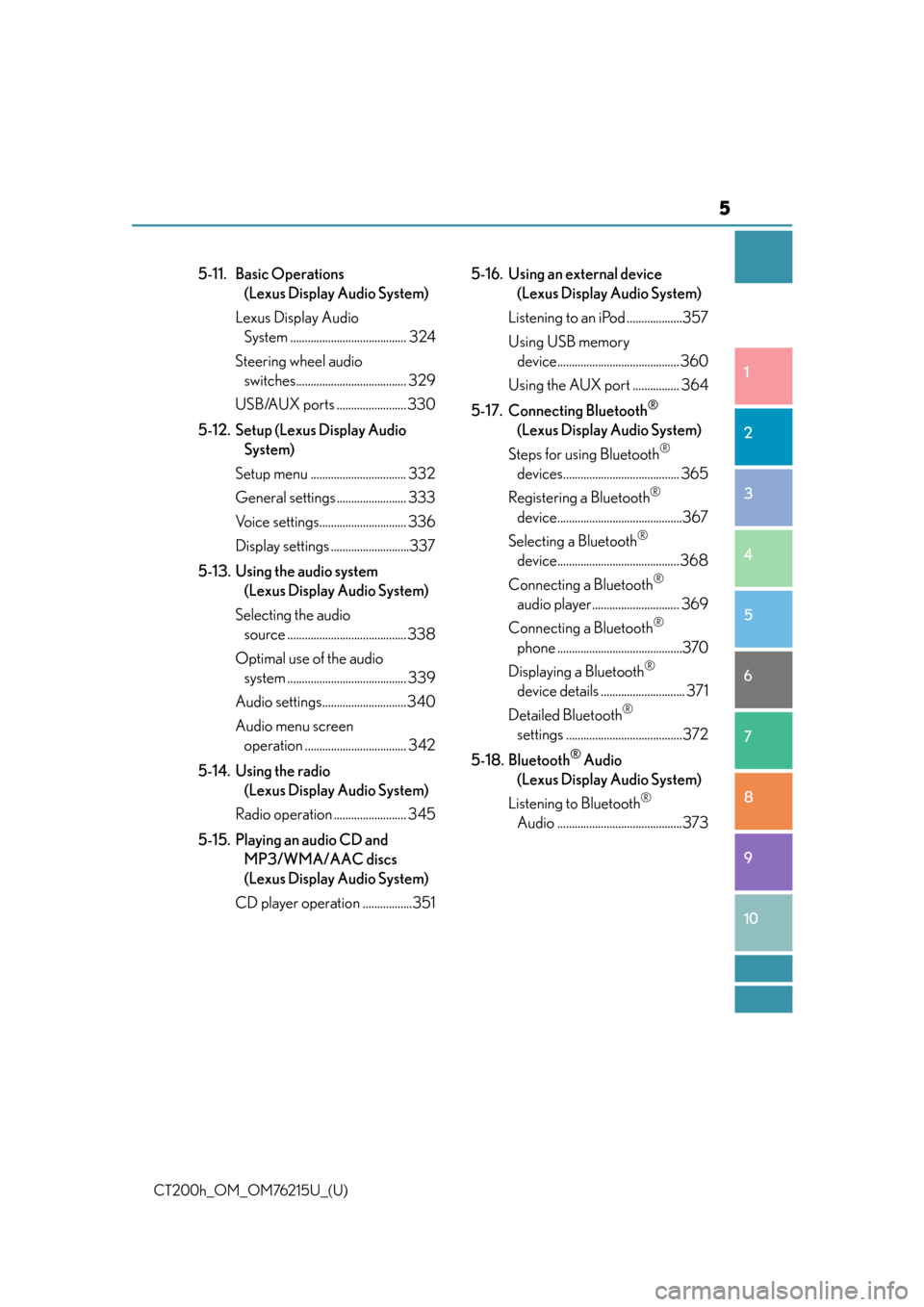
5-11. Basic Operations (Lexus Display Audio System)
Lexus Display Audio System ........................................ 324
Steering wheel audio switches...................................... 329
USB/AUX ports ........................ 330
5-12. Setup (Lexus Display Audio System)
Setup menu ................................. 332
General settings ........................ 333
Voice settings.............................. 336
Display settings ...........................337
5-13. Using the audio system (Lexus Display Audio System)
Selecting the audio source ......................................... 338
Optimal use of the audio system ......................................... 339
Audio settings.............................340
Audio menu screen operation ................................... 342
5-14. Using the radio (Lexus Display Audio System)
Radio operation ......................... 345
5-15. Playing an audio CD and MP3/WMA/AAC discs
(Lexus Display Audio System)
CD player operation .................351 5-16. Using an external device
(Lexus Display Audio System)
Listening to an iPod ...................357
Using USB memory device.......................................... 360
Using the AUX port ................ 364
5-17. Connecting Bluetooth
®
(Lexus Display Audio System)
Steps for using Bluetooth
®
devices........................................ 365
Registering a Bluetooth
®
device...........................................367
Selecting a Bluetooth
®
device.......................................... 368
Connecting a Bluetooth
®
audio player.............................. 369
Connecting a Bluetooth
®
phone ...........................................370
Displaying a Bluetooth
®
device details ............................. 371
Detailed Bluetooth
®
settings ........................................372
5-18. Bluetooth
® Audio
(Lexus Display Audio System)
Listening to Bluetooth
®
Audio ...........................................373
Page 253 of 640

253
CT200h_OM_OM76215U_(U)
5Audio system
5-1. Basic OperationsAudio system types .................. 256
Using the steering wheel audio switches .........................258
AUX port/USB port................ 259
5-2. Using the audio system Optimal use of the audio system ........................................... 261
5-3. Using the radio Radio operation ......................... 263
5-4. Playing audio CDs and MP3/WMA discs
CD player operation................ 269
5-5. Using an external device Listening to an iPod ................... 276
Listening to a USB memory device .......................................... 282
Using the AUX port................. 287
Page 254 of 640

254
CT200h_OM_OM76215U_(U)
5-6. Using Bluetooth® devices
Bluetooth
® audio/phone ...... 288
Using the steering wheel switches ......................................295
Registering a Bluetooth
®
audio system for the
first time ...................................... 296
Registering a Bluetooth
®
phone for the first time ......... 297
5-7. Setup menu Setting up a Bluetooth
®
enabled portable player ..... 298
Bluetooth
® audio system
setup ........................................... 302
Setting a cellular phone ......... 303
Security and system setup .... 306
Using the phone book ............ 309
5-8. Bluetooth
® Audio
Operating a Bluetooth
®
enabled portable player ....... 314
5-9. Bluetooth
® Phone
Making a phone call .................. 316
Receiving a phone call ............. 318
Speaking on the phone ............ 319
5-10. Bluetooth
®
Bluetooth®.................................. 320 5-11. Basic Operations
(Lexus Display Audio System)
Lexus Display Audio System......................................... 324
Steering wheel audio switches ...................................... 329
USB/AUX ports ........................330
5-12. Setup (Lexus Display Audio System)
Setup menu.................................. 332
General settings ........................ 333
Voice settings.............................. 336
Display settings .......................... 337
5-13. Using the audio system (Lexus Display Audio System)
Selecting the audio source .........................................338
Optimal use of the audio system ......................................... 339
Audio settings .............................340
Audio menu screen operation ................................... 342
5-14. Using the radio (Lexus Display Audio System)
Radio operation ......................... 345
5-15. Playing an audio CD and MP3/WMA/AAC discs
(Lexus Display Audio System)
CD player operation................. 351
Page 255 of 640

255
CT200h_OM_OM76215U_(U)
Audio system5
5-16. Using an external device (Lexus Display Audio System)
Listening to an iPod................... 357
Using USB memory device ......................................... 360
Using the AUX port .................364
5-17. Connecting Bluetooth
®
(Lexus Display Audio System)
Steps for using Bluetooth
®
devices ........................................365
Registering a Bluetooth
®
device .......................................... 367
Selecting a Bluetooth
®
device ......................................... 368
Connecting a Bluetooth
®
audio player ..............................369
Connecting a Bluetooth
®
phone........................................... 370
Displaying a Bluetooth
®
device details..............................371
Detailed Bluetooth
®
settings ........................................ 372
5-18. Bluetooth
® Audio
(Lexus Display Audio System)
Listening to Bluetooth
®
Audio ........................................... 373 5-19. Bluetooth
® Phone (Lexus
Display Audio System)
Using a Bluetooth
®
Phone .......................................... 375
Making a call ................................377
Receiving a call .......................... 379
Speaking on the phone .......... 380
Using a Bluetooth
®
phone message ....................... 382
Using the steering wheel switches ......................................384
Bluetooth
® phone settings ...385
5-20.Phonebook (Lexus Display Audio System)
Contact settings ........................ 387
Messaging setting .....................390
5-21. Bluetooth
® (Lexus
Display Audio System)
What to do if... (Troubleshooting) .................... 391
Bluetooth
®.................................. 394
5-22.Other function (Lexus Display Audio System)
“Information” sc reen ................ 399
USB photo .................................... 401
Weather information................ 403
Voice command system ......... 404
Mobile Assistant ....................... 408
LEXUS Enform Remote.......... 410
Page 259 of 640

259
CT200h_OM_OM76215U_(U)5-1. Basic Operations
5
Audio system
AUX port/USB port
■iPod
Press down and release the lid.
Open the cover and connect an
iPod using an iPod cable.
Turn on the power of the iPod if it is
not turned on.
■USB memoryPress down and release the lid.
Open the cover and connect the USB memory device.
Turn on the power of the USB memory device if it is not turned on.
■Portable audio playerPress down and release the lid.
Open the cover and connect the portable audio player.
Turn on the power of the portable audio player if it is not turned on.
Connect an iPod, USB memory device or portable audio player to the AUX
port/USB port as indicated below. Press the “CD•AUX” button to select
“iPod”, “USB” or “AUX”.
Connecting using the AUX port/USB port
1
2
1
2
1
2
Page 286 of 640

2865-5. Using an external device
CT200h_OM_OM76215U_(U)
●Extensions
If the file extensions .mp3 and .wma are used for files other th an MP3 and WMA files,
they will be mistakenly recognized and played as MP3 an d WMA files. This may result
in large amounts of interference and damage to the speakers.
●Playback
• To play MP3 files with steady sound quality, we recommend a fixed bit rate of at least
128 kbps and a sampling frequency of 44.1 kHz.
• There is a wide variety of freeware an d other encoding software for MP3 and WMA
files on the market, and depending on the st atus of the encoding and the file format,
poor sound quality or noise at the start of playback may result. In some cases, play-
back may not be possible at all.
• Microsoft, Windows, and Windows Media are registered trademarks of Microsoft
Corporation in the U.S.A. and other countries.
WA R N I N G
■Caution while driving
Do not connect USB memory or operate the controls.
NOTICE
■To prevent damage to USB memory
●Do not leave USB memory in the vehicle. The temperature inside the vehicle may
become high, resulting in damage to the player.
●Do not push down on or apply unnecessary pressure to the USB memory while it is
connected as this may damage the USB memory or its terminal.
●Do not insert foreign objects into the port as this may damage the USB memory or its
terminal.
Page 330 of 640

330
CT200h_OM_OM76215U_(U)5-11. Basic Operations (Lexus Display Audio System)
USB/AUX ports
Press down and release the lid.
Open the cover.
Connect an iPod, USB memory device or portable audio player to the USB/
AUX port as indicated below. Select “iPod”, “USB”, “AUX” or “A/V” on the
audio source selection screen and the device can be operated via Lexus Dis-
play Audio system.
Connecting using the USB/AUX port
1
2
Page 331 of 640
CT200h_OM_OM76215U_(U)
3315-11. Basic Operations (Lexus Display Audio System)
5
Audio system
■iPod
Open the cover and connect an iPod using an iPod cable.
Turn on the power of the iPod if it is not turned on.
■USB memory
Open the cover and connect the USB memory device.
Turn on the power of the USB memory device if it is not turned on.
■Portable audio player
Open the cover and connect the portable audio player.
Turn on the power of the portable audio player if it is not turned on.
WA R N I N G
■While driving
Do not connect a device or operate the device controls.
Page 340 of 640
340
CT200h_OM_OM76215U_(U)5-13. Using the audio system (Lexus Display Audio System)
Audio settings
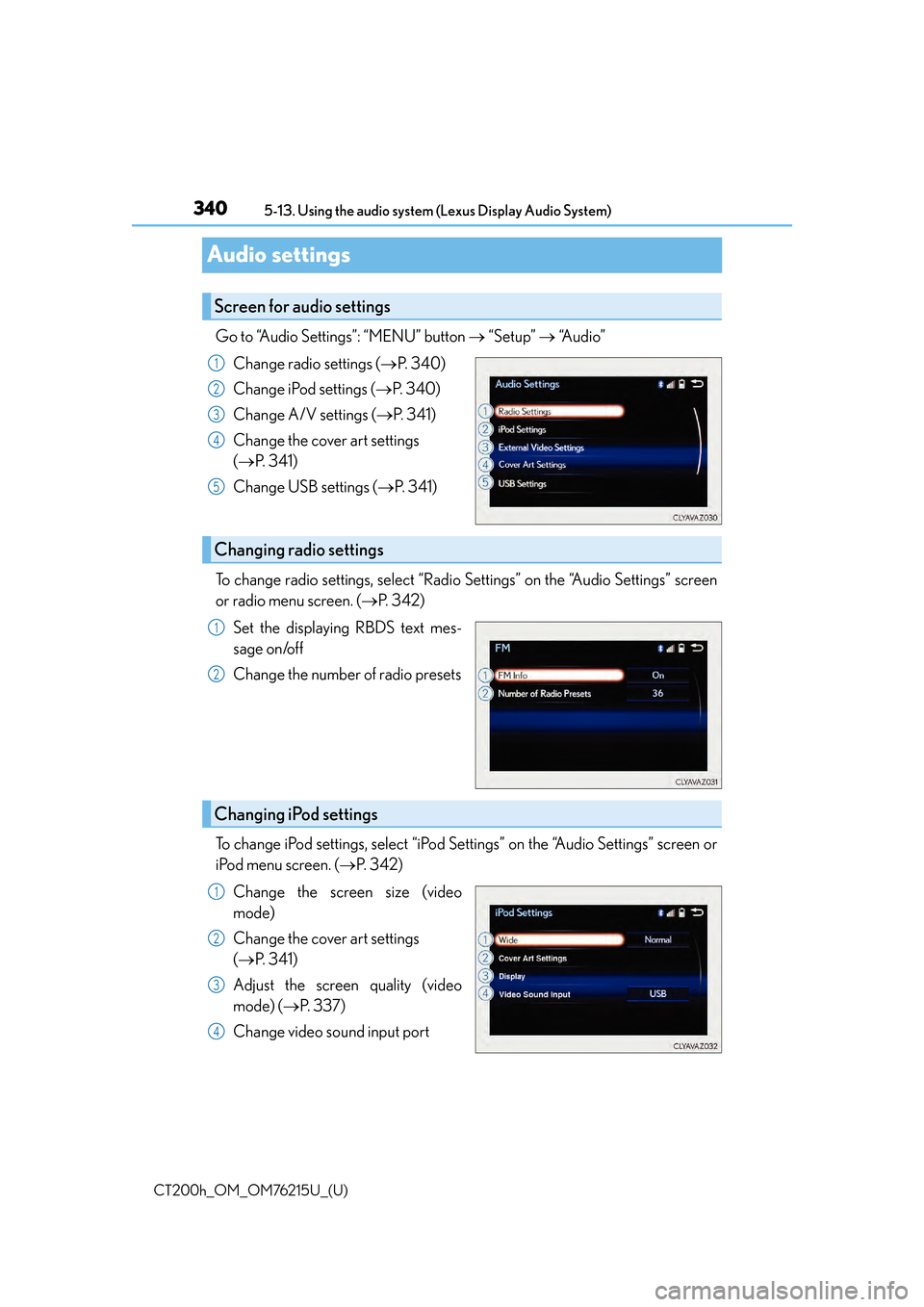
Go to “Audio Settings”: “MENU” button
“Setup” “Audio”
Change radio settings ( P. 3 4 0 )
Change iPod settings ( P. 3 4 0 )
Change A/V settings ( P. 3 4 1 )
Change the cover art settings
( P. 3 4 1 )
Change USB settings ( P. 3 4 1 )
To change radio settings, select “Radio Settings” on the “Audio Settings” screen
or radio menu screen. ( P. 3 4 2 )
Set the displaying RBDS text mes-
sage on/off
Change the number of radio presets
To change iPod settings, select “iPod Se ttings” on the “Audio Settings” screen or
iPod menu screen. ( P. 3 4 2 )
Change the screen size (video
mode)
Change the cover art settings
( P. 3 4 1 )
Adjust the screen quality (video
mode) ( P. 3 3 7 )
Change video sound input port
Screen for audio settings
1
2
3
4
5
Changing radio settings
1
2
Changing iPod settings
1
2
3
4