mode Lexus ES350 2010 s Workshop Manual
[x] Cancel search | Manufacturer: LEXUS, Model Year: 2010, Model line: ES350, Model: Lexus ES350 2010Pages: 543, PDF Size: 6.54 MB
Page 238 of 543
236
3-2. Using the audio system
ES350_U■
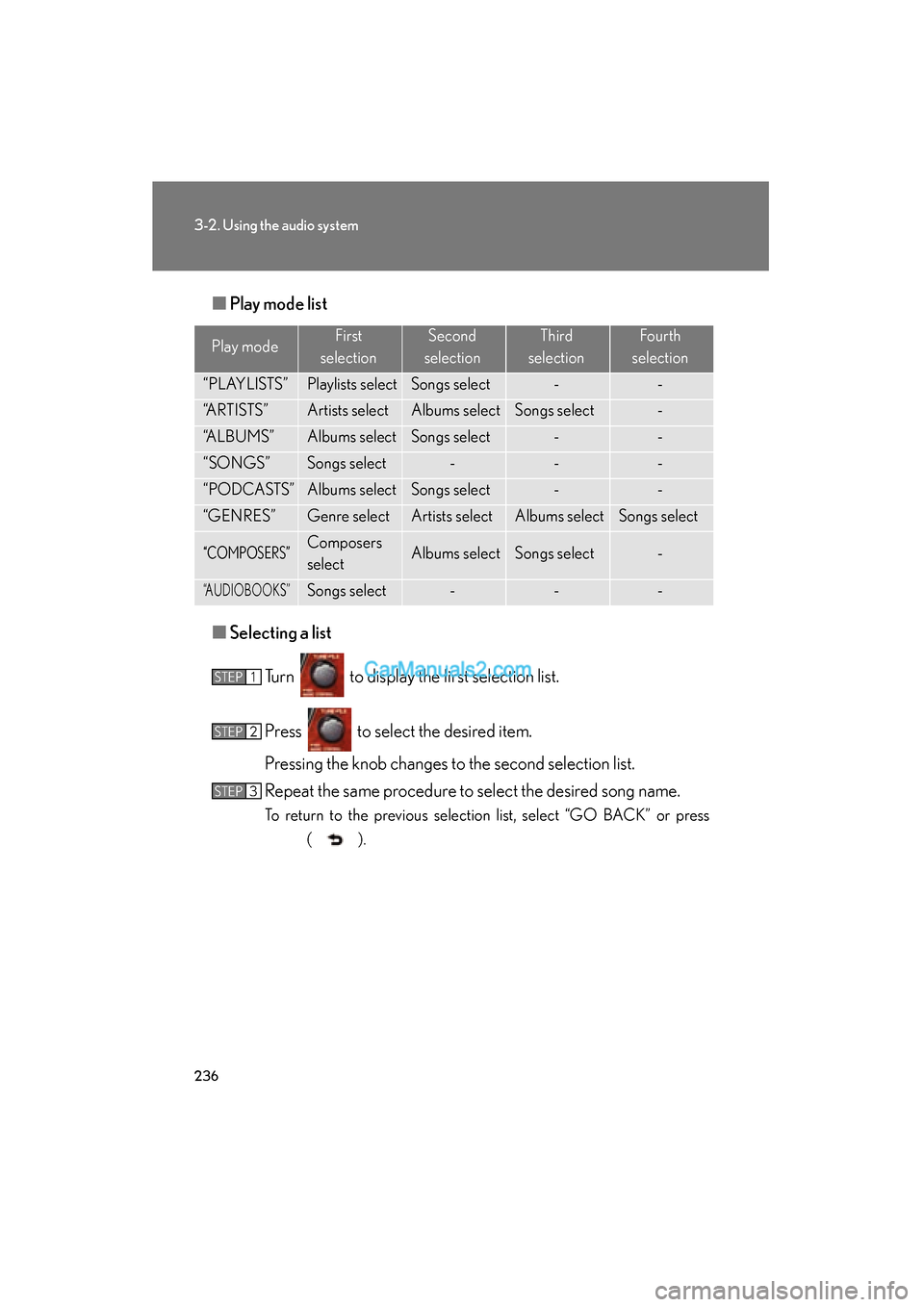
Play mode list
■ Selecting a list
Turn to display the first selection list.
Press to select the desired item.
Pressing the knob changes to the second selection list.
Repeat the same procedure to select the desired song name.
To return to the previous selection list, select “GO BACK” or press ( ).
Play modeFirst
selectionSecond
selectionThird
selectionFourth
selection
“PLAYLISTS”Playlists selectSongs select--
“ARTISTS”Artists selectAlbums selectSongs select-
“ALBUMS”Albums selectSongs select--
“SONGS”Songs select---
“PODCASTS”Albums selectSongs select--
“GENRES”Genre selectArtists selectAlbums selectSongs select
“COMPOSERS”Composers
selectAlbums selectSongs select-
“AUDIOBOOKS”Songs select---
STEP1
STEP2
STEP3
Page 240 of 543
238
3-2. Using the audio system
ES350_U
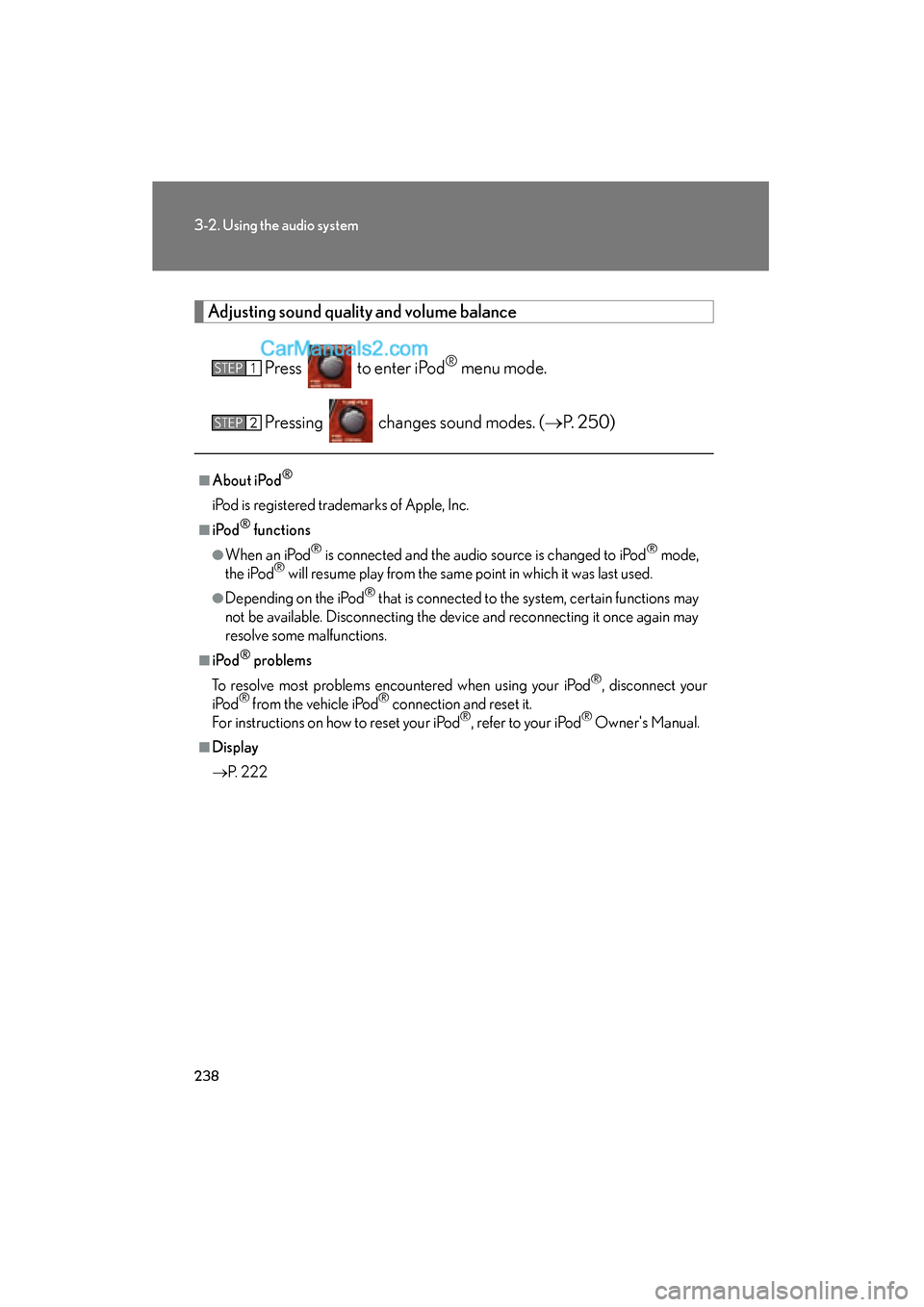
Adjusting sound quality and volume balancePress to enter iPod
® menu mode.
Pressing changes sound modes. ( oP. 2 5 0 )
■About iPod®
iPod is registered trademarks of Apple, Inc.
■i Po d® functions
●When an iPod® is connected and the audio source is changed to iPod® mode,
the iPod® will resume play from the same point in which it was last used.
●Depending on the iPod® that is connected to the system, certain functions may
not be available. Disconnecting the device and reconnecting it once again may
resolve some malfunctions.
■i Po d® problems
To resolve most problems encountered when using your iPod
®, disconnect your
iPod® from the vehicle iPod® connection and reset it.
For instructions on how to reset your iPod®, refer to your iPod® Owner's Manual.
■Display
o P. 222
STEP1
STEP2
Page 241 of 543
239
3-2. Using the audio system
3
Interior features
ES350_U
■Error messages
“ERROR”: This indicates a problem in the iPod
® or its connection.
“NO MUSIC”: This indicates that there is no music data in the iPod
®.
“EMPTY”: This indicates that some available songs are not found in a selected play-
list.
“UPDATE”: This indicates that the version of the iPod
® is not compatible. Upgrade
your iPod® software to the latest version.
■Compatible models
●iPod® 5th generation Ver. 1.2 or later
●iPod® nano 3rd generation Ver. 1.0 or later
●iPod® nano 2nd generation Ver. 1.1.2 or later
●iPod® nano Ver. 1.3 or later
●iPod® touch Ver. 1.1 or later
●iPod® classic Ver. 1.0 or later
iPhone
®, iPod® mini, iPod® shuffle, iPod® photo and 4th generation and earlier
models of iPod® are not compatible with this system.
Items related to standards and limitations are as follows:
●Maximum number of lists in device: 9999
●Maximum number of songs in device: 65535
●Maximum number of songs per list: 65535
Page 249 of 543
247
3-2. Using the audio system
3
Interior features
ES350_U
●MP3 file compatibility
• Compatible standardsMP3 (MPEG1 AUDIO LAYERII, III, MPEG2 AUDIO LAYERII, III,
MPEG2.5)
• Compatible sampling frequencies MPEG1 AUDIO LAYERII, III: 32, 44.1, 48 (kHz)
MPEG2 AUDIO LAYERII, III: 16, 22.05, 24 (kHz)
MPEG2.5: 8, 11.025, 12 (kHz)
• Compatible bit rates (compatible with VBR) MPEG1 AUDIO LAYERII, III: 32-320 (kbps)
MPEG2 AUDIO LAYERII, III: 32-160 (kbps)
MPEG2.5: 32-160 (kbps)
• Compatible channel modes: stereo, joint stereo, dual channel and monaural
●WMA file compatibility
• Compatible standards
WMA Ver. 9
• Compatible sampling frequencies HIGH PROFILE 32, 44.1, 48 (kHz)
• Compatible bit rates HIGH PROFILE 32-320 (kbps, VBR)
●File names
The only files that can be recognized as MP3/WMA and played are those with
the extension .mp3 or .wma.
●ID3 and WMA tags
ID3 tags can be added to MP3 files, making it possible to record the track title,
artist name, etc.
The system is compatible with ID3 Ver. 1.0, 1.1, and Ver. 2.2, 2.3, 2.4 ID3 tags.
(The number of characters is based on ID3 Ver. 1.0 and 1.1.)
WMA tags can be added to WMA files, making it possible to record the track
title and artist name in the same way as with ID3 tags.
Page 250 of 543
248
3-2. Using the audio system
ES350_U
●MP3 and WMA playback
• When a USB memory containing MP3 or WMA files is connected, all files in the USB memory are checked. Once the file check is finished, the first
MP3 or WMA file is played. To make the file check finish more quickly, we
recommend that you do not include any files other than MP3 or WMA files
or create any unnecessary folders.
• When the USB memory is connected and the audio source is changed to USB memory mode, the USB memory will start playing the first file in the
first folder. If the same USB memory is removed and reinserted (and the
contents have not been changed), the USB memory will resume play from
the same point in which it was last used.
●Extensions
If the file extensions .mp3 and .wma are used for files other than MP3 and WMA
files, they will be skipped (not played).
●Playback
• To play MP3 files with steady sound quality, we recommend a fixed bit rate of at least 128 kbps and a sampling frequency of 44.1 kHz.
• There is a wide variety of freeware and other encoding software for MP3 and WMA files on the market, and depending on the status of the encoding
and the file format, poor sound quality or noise at the start of playback may
result. In some cases, playback may not be possible at all.
• Microsoft, Windows, and Windows Media are registered trademarks of Microsoft Corporation in the U.S.A. and other countries.
CAUTION
■Caution while driving
Do not connect
USB memory or operate the controls.
Page 252 of 543
250
3-2. Using the audio system
ES350_U
Optimal use of the audio system
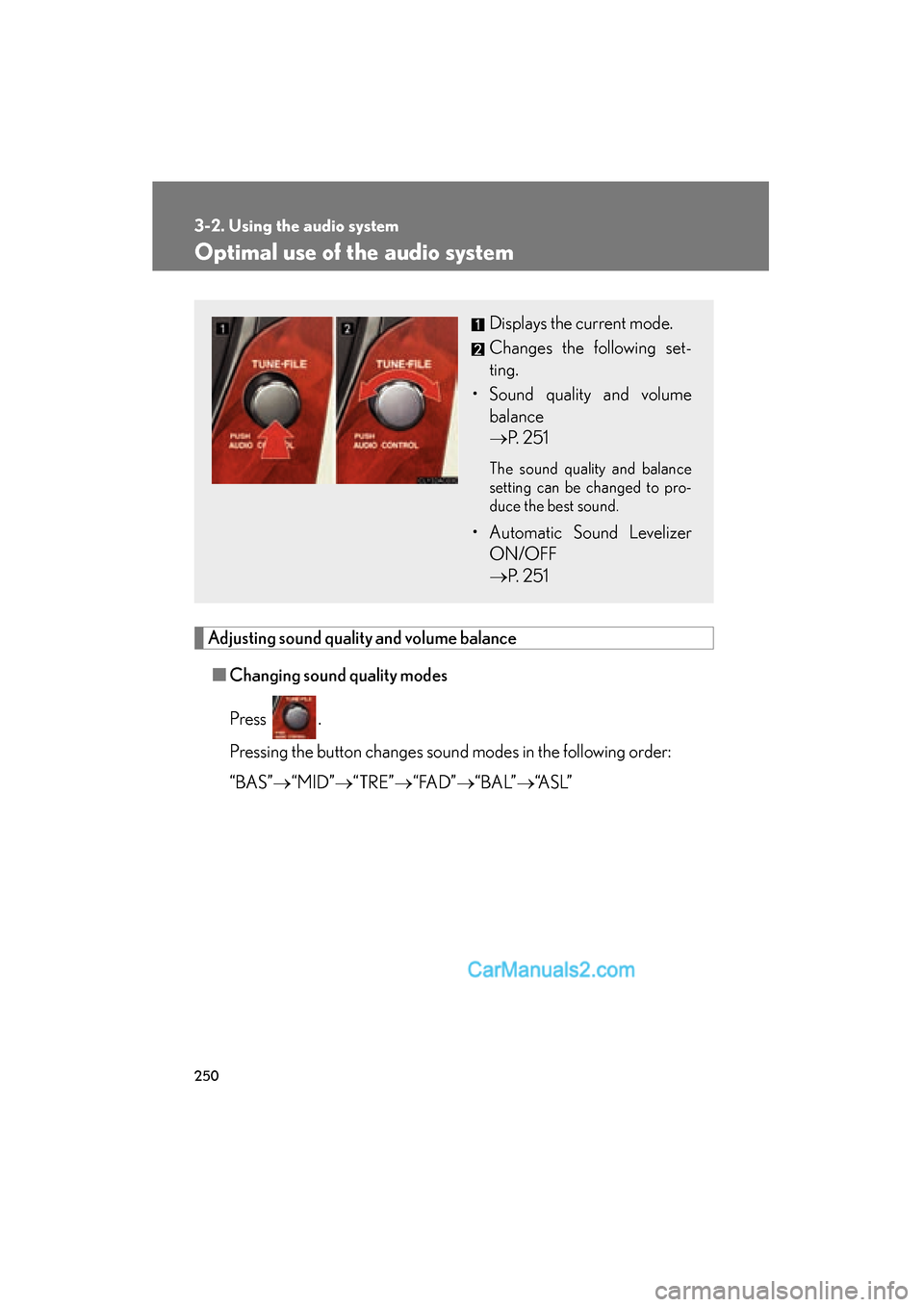
Adjusting sound quality and volume balance■ Changing sound quality modes
Press .
Pressing the button changes sound modes in the following order:
“BAS” o“MID” o“TRE” o“ FA D ” o“ B A L” o“A S L ”
Displays the current mode.
Changes the following set-
ting.
• Sound quality and volume balance
o P. 2 5 1
The sound quality and balance
setting can be changed to pro-
duce the best sound.
• Automatic Sound Levelizer
ON/OFF
o P. 2 5 1
Page 253 of 543
251
3-2. Using the audio system
3
Interior features
ES350_U■
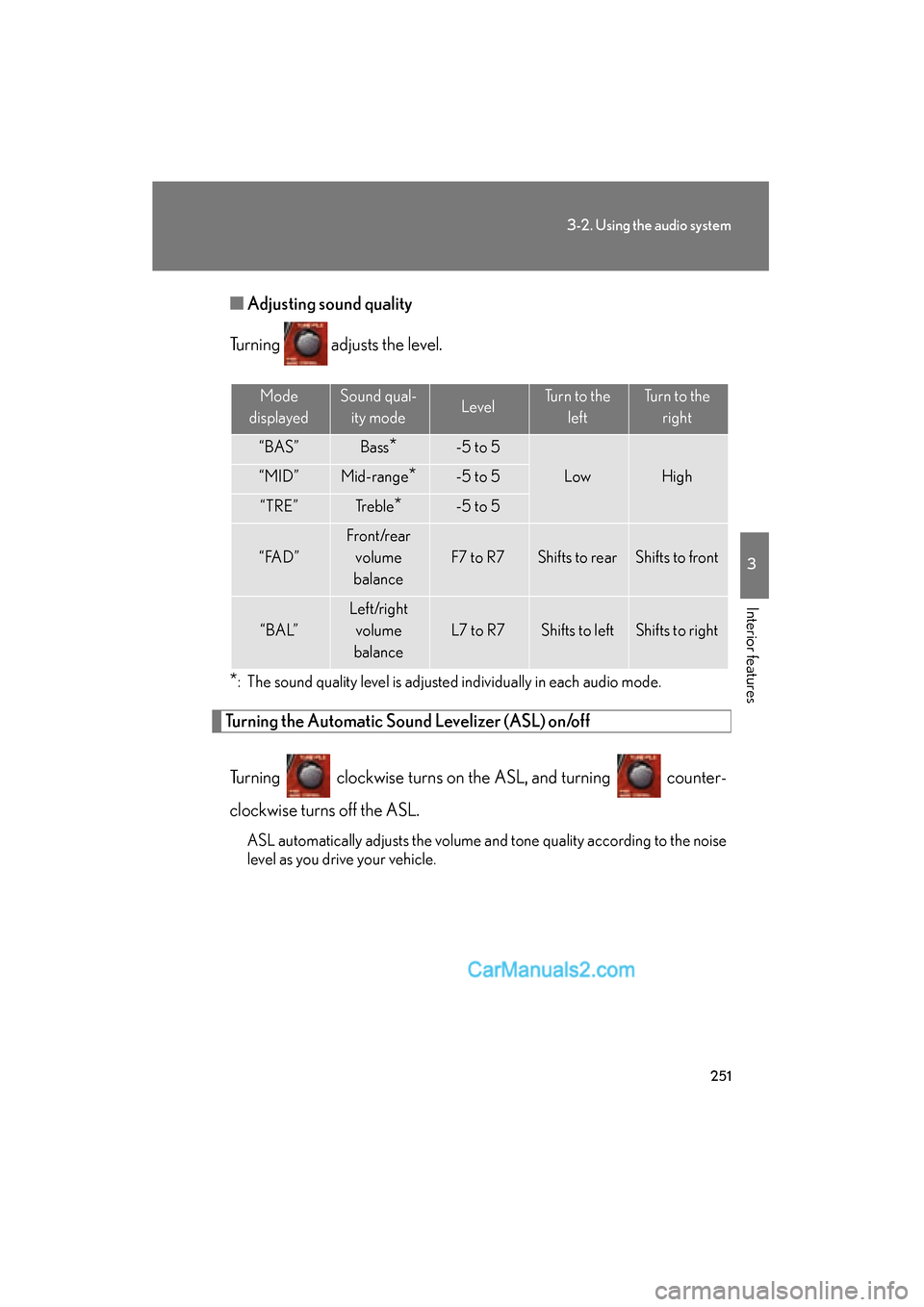
Adjusting sound quality
Turning adjusts the level.
*: The sound quality level is adjusted individually in each audio mode.
Turning the Automatic Sound Levelizer (ASL) on/off
Turning clockwise turns on the ASL, and turning counter-
clockwise turns off the ASL.
ASL automatically adjusts the volume and tone quality according to the noise
level as you drive your vehicle.
Mode
displayedSound qual- ity modeLevelTurn to the leftTurn to the right
“BAS”Bass*-5 to 5
LowHigh“MID”Mid-range*-5 to 5
“TRE”Tr e b l e*-5 to 5
“ FA D ”
Front/rear volume
balance
F7 to R7Shifts to rearShifts to front
“ B A L”
Left/right volume
balance
L7 to R7Shifts to leftShifts to right
Page 255 of 543
253
3-2. Using the audio system
3
Interior features
ES350_U
Using the steering wheel audio switches
Turning on the powerPress when the audio system is turned OFF.
The audio system can be turned off by holding the button down for 1 second
or more.
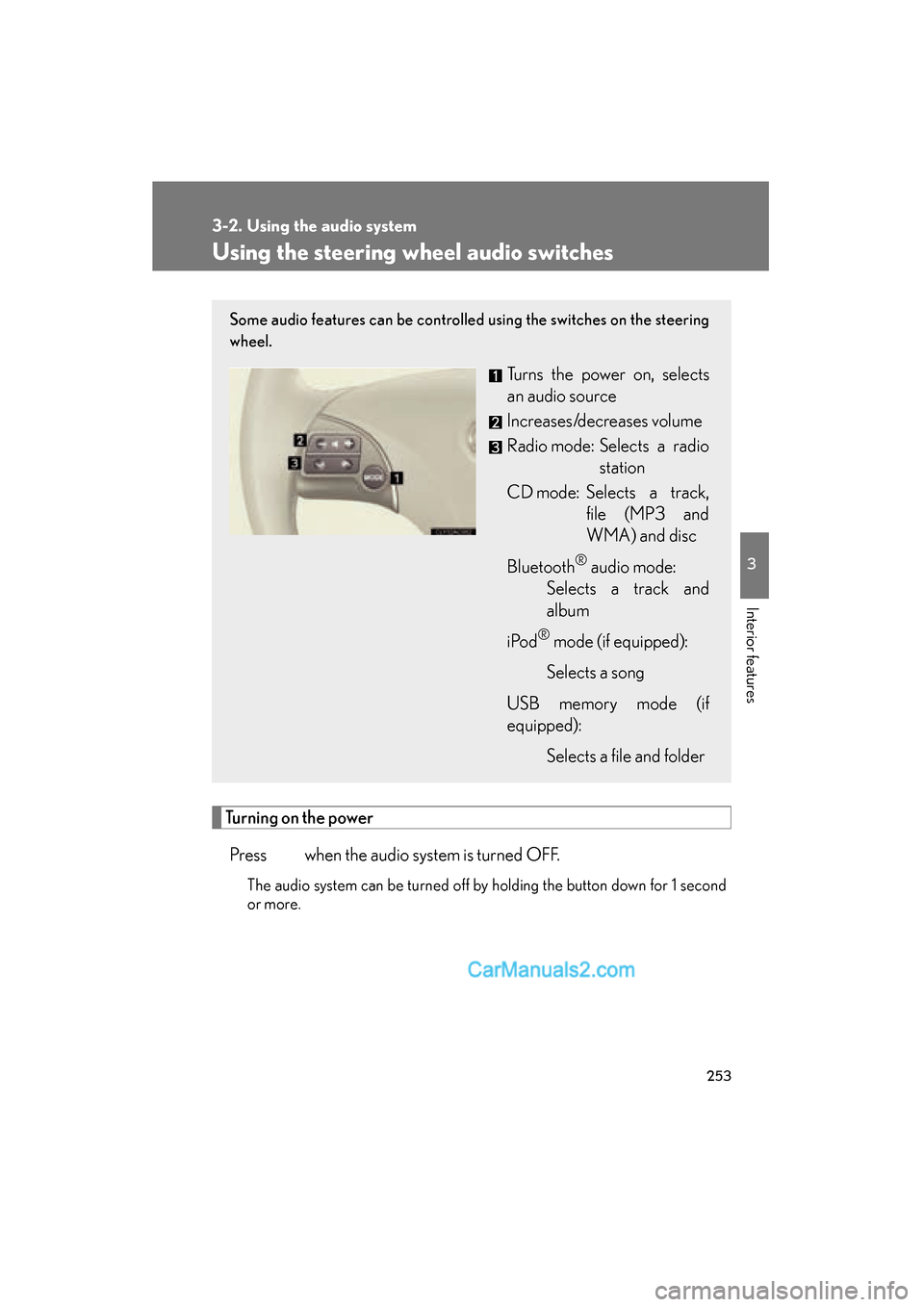
Some audio features can be controlled using the switches on the steering
wheel.
Turns the power on, selects
an audio source
Increases/decreases volume
Radio mode: Selects a radio station
CD mode: Selects a track, file (MP3 and
WMA) and disc
Bluetooth
® audio mode:
Selects a track and
album
i Po d
® mode (if equipped):
Selects a song
USB memory mode (if
equipped): Selects a file and folder
Page 256 of 543
254
3-2. Using the audio system
ES350_U
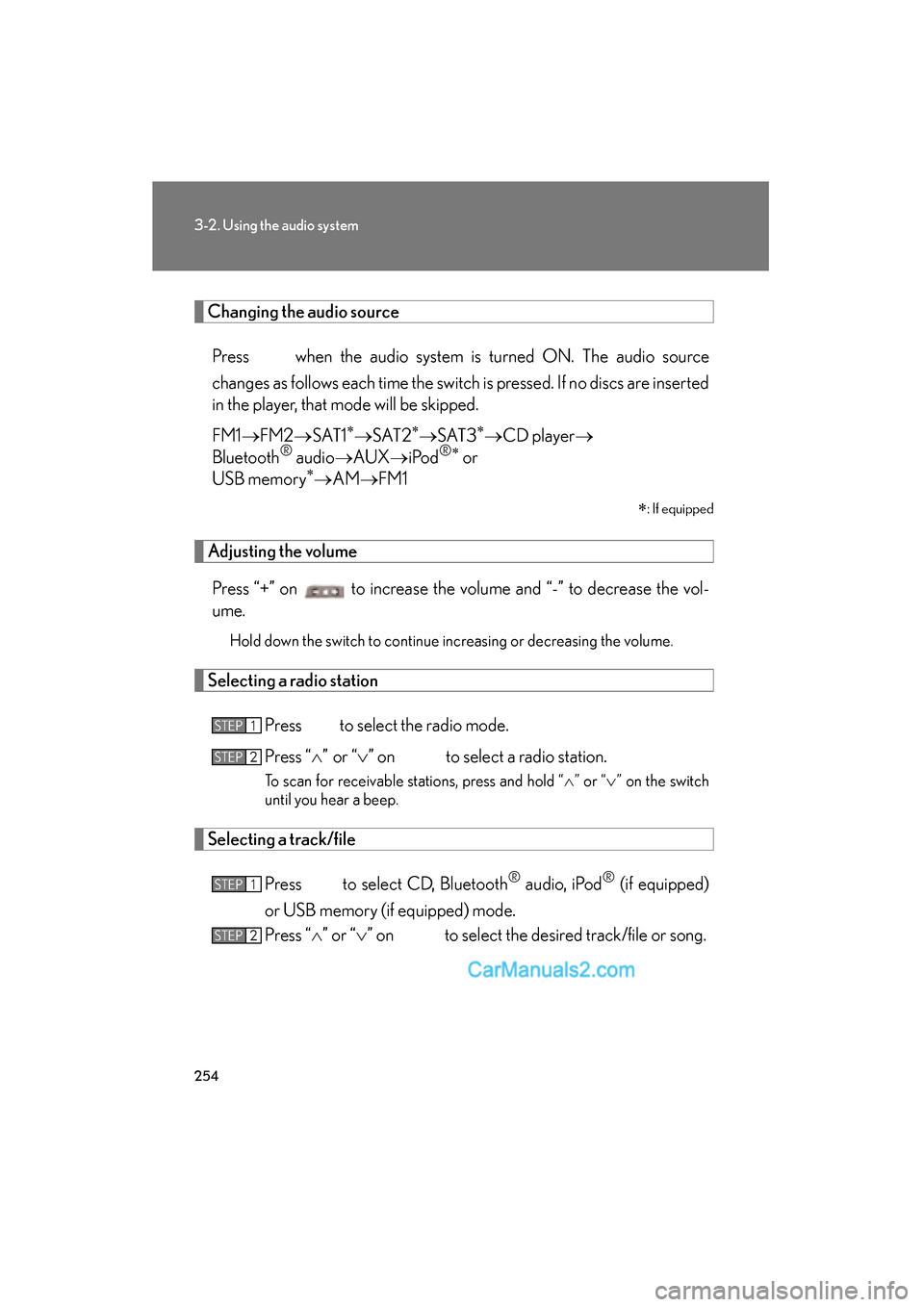
Changing the audio sourcePress when the audio system is turned ON. The audio source
changes as follows each time the switch is pressed. If no discs are inserted
in the player, that mode will be skipped.
FM1 oFM2 oSAT1
∗oS AT 2∗oS AT 3∗oCD player o
Bluetooth® audio oAUX oiPod®∗ or
USB memory∗o AM oFM1
∗
: If equipped
Adjusting the volume
Press “+” on to increase the volume and “-” to decrease the vol-
ume.
Hold down the switch to continue increasing or decreasing the volume.
Selecting a radio station
Press to select the radio mode.
Press “
Page 257 of 543
255
3-2. Using the audio system
3
Interior features
ES350_U
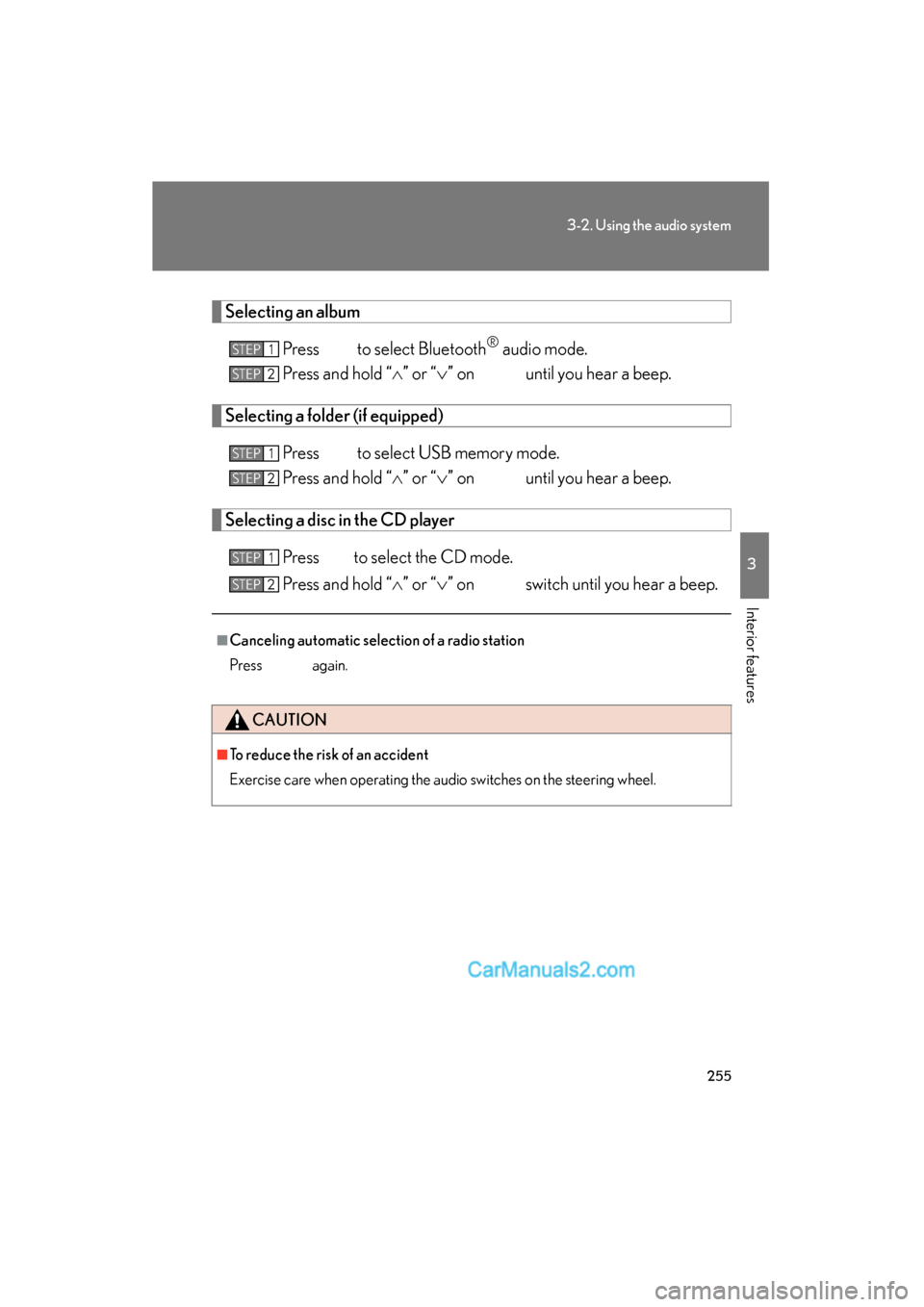
Selecting an albumPress to select Bluetooth
® audio mode.
Press and hold “