audio Lexus ES350 2016 Owner's Manuals /
[x] Cancel search | Manufacturer: LEXUS, Model Year: 2016, Model line: ES350, Model: Lexus ES350 2016Pages: 576, PDF Size: 8.3 MB
Page 479 of 576
4798-2. Steps to take in an emergency
ES350_OM_OM33B64U_(U)
8
When trouble arises
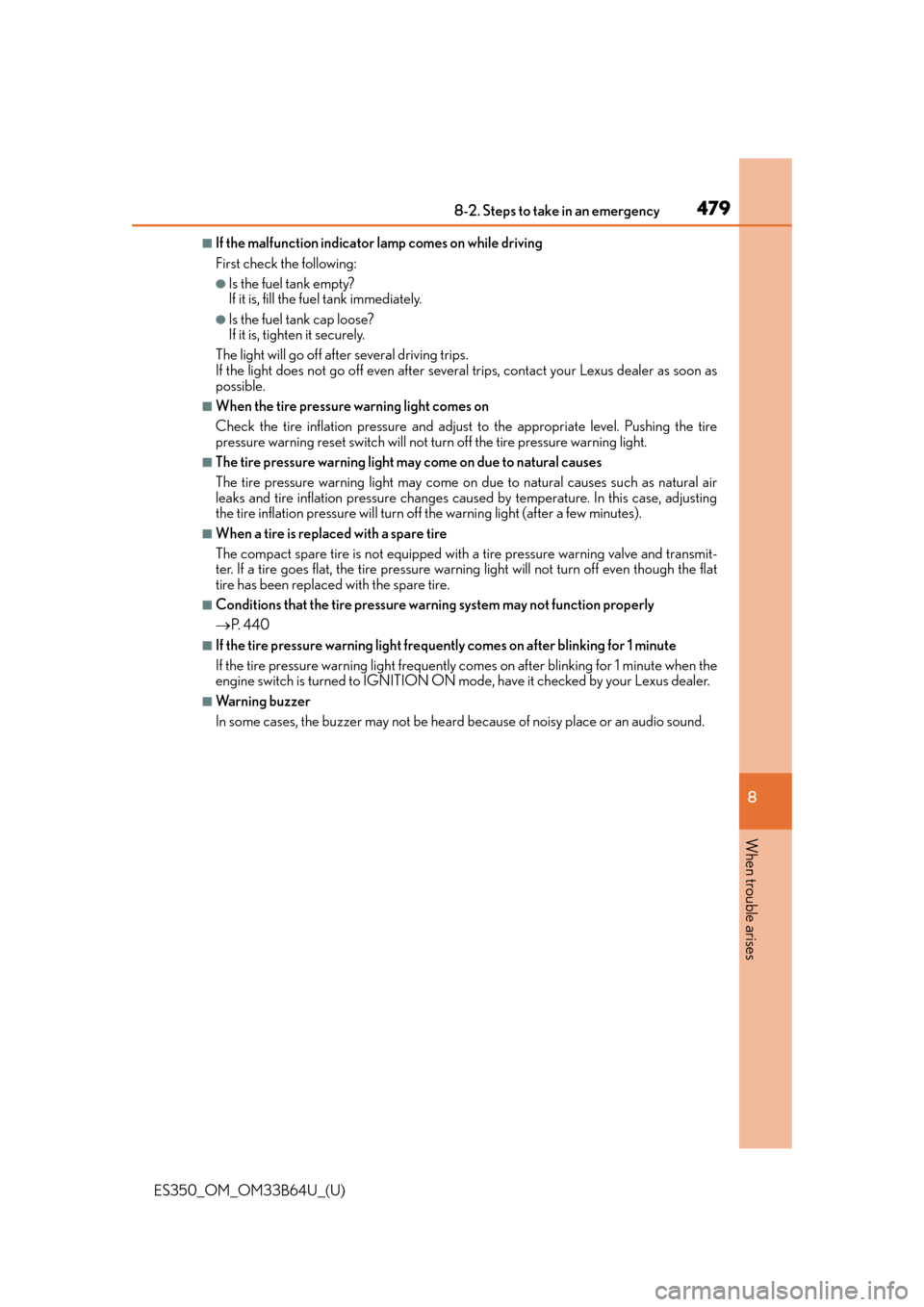
■If the malfunction indicator lamp comes on while driving
First check the following:
●Is the fuel tank empty?
If it is, fill the fuel tank immediately.
●Is the fuel tank cap loose?
If it is, tighten it securely.
The light will go off after several driving trips.
If the light does not go off even after severa l trips, contact your Lexus dealer as soon as
possible.
■When the tire pressure warning light comes on
Check the tire inflation pressure and adjust to the appropriate level. Pushing the tire
pressure warning reset switch will not tu rn off the tire pressure warning light.
■The tire pressure warning light may come on due to natural causes
The tire pressure warning light may come on due to natural causes such as natural air
leaks and tire inflation pressure changes caused by temperature. In this case, adjusting
the tire inflation pressure will turn off the warning light (after a few minutes).
■When a tire is replaced with a spare tire
The compact spare tire is not equipped with a tire pressure warning valve and transmit-
ter. If a tire goes flat, the tire pressure warning light will not turn off even though the flat
tire has been replaced with the spare tire.
■Conditions that the tire pressure warning system may not function properly
P. 440
■If the tire pressure warning light frequently comes on after blinking for 1 minute
If the tire pressure warning light frequently comes on after blinking for 1 minute when the
engine switch is turned to IGNITION ON mo de, have it checked by your Lexus dealer.
■Warning buzzer
In some cases, the buzzer may not be heard because of noisy place or an audio sound.
Page 484 of 576

4848-2. Steps to take in an emergency
ES350_OM_OM33B64U_(U)
■If “Power Turned Off to Save Battery” is shown
Power was turned off due to the automatic power off function.
Next time when starting the engine, increase the engine speed slightly and maintain that
level for approximately 5 minutes to recharge the battery.
■When a message that indicates the need for the shift lever operation is shown
To prevent the shift lever from being operated incorrectly or the vehicle from moving
unexpectedly, a message that requires shifting the shift lever may be shown on the multi-
information display. In that case, follow the instruction of the message and shift the shift
lever.
■If “Visit Your Dealer” is shown
The system or part shown on the multi-info rmation display is malfunctioning. Have the
vehicle inspected by your Lexus dealer immediately.
■If “See Owner’s Manual” is shown
●If the following message is shown, fo llowing the instructions, accordingly.
• “Engine Coolant Temp High” ( P. 5 0 5 )
●If the following message is show n, there may be a malfunction.
Immediately have the vehicle inspected by your Lexus dealer.
• “Check Access System with Elec. Key”
●If the following messages are sh own, there may be a malfunction.
Immediately stop the vehicle in a safe place and contact your Lexus dealer. Continuing
to drive the vehicle may be dangerous.
• “Braking Power Low Stop in a Safe Place”
• “Charging System Malfunction”
• “Oil Pressure Low Stop in a Safe Place”
■Warning buzzer
In some cases, the buzzer may not be heard because of noisy place or an audio sound.
Page 503 of 576
5038-2. Steps to take in an emergency
ES350_OM_OM33B64U_(U)
8
When trouble arises
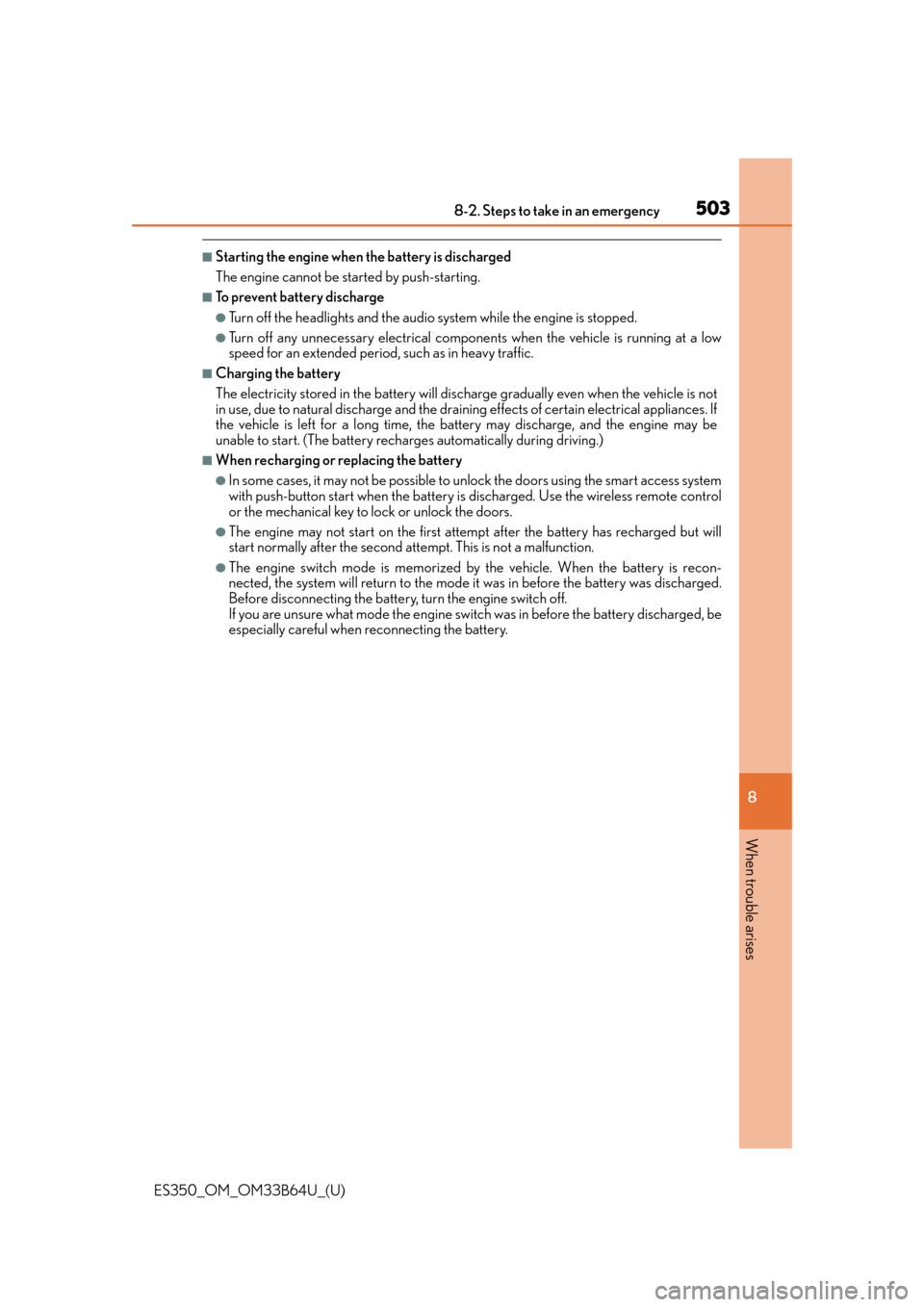
■Starting the engine when the battery is discharged
The engine cannot be started by push-starting.
■To prevent battery discharge
●Turn off the headlights and the audio system while the engine is stopped.
●Turn off any unnecessary electrical components when the vehicle is running at a low
speed for an extended period, such as in heavy traffic.
■Charging the battery
The electricity stored in the battery will discharge gradually even when the vehicle is not
in use, due to natural discharg e and the draining effects of certain electrical appliances. If
the vehicle is left for a long time, the battery may discharge, and the engine may be
unable to start. (The battery recharges automatically during driving.)
■When recharging or replacing the battery
●In some cases, it may not be possible to unlock the doors using the smart access system
with push-button start when the battery is discharged. Use the wireless remote control
or the mechanical key to lock or unlock the doors.
●The engine may not start on the first attempt after the battery has recharged but will
start normally after the second attempt. This is not a malfunction.
●The engine switch mode is memorized by the vehicle. When the battery is recon-
nected, the system will return to the mode it was in before the battery was discharged.
Before disconnecting the battery, turn the engine switch off.
If you are unsure what mode the engine switch was in before the battery discharged, be
especially careful when reconnecting the battery.
Page 533 of 576
533
ES350_OM_OM33B64U_(U)9-2. Customization
9
Vehicle specifications
Customizable features
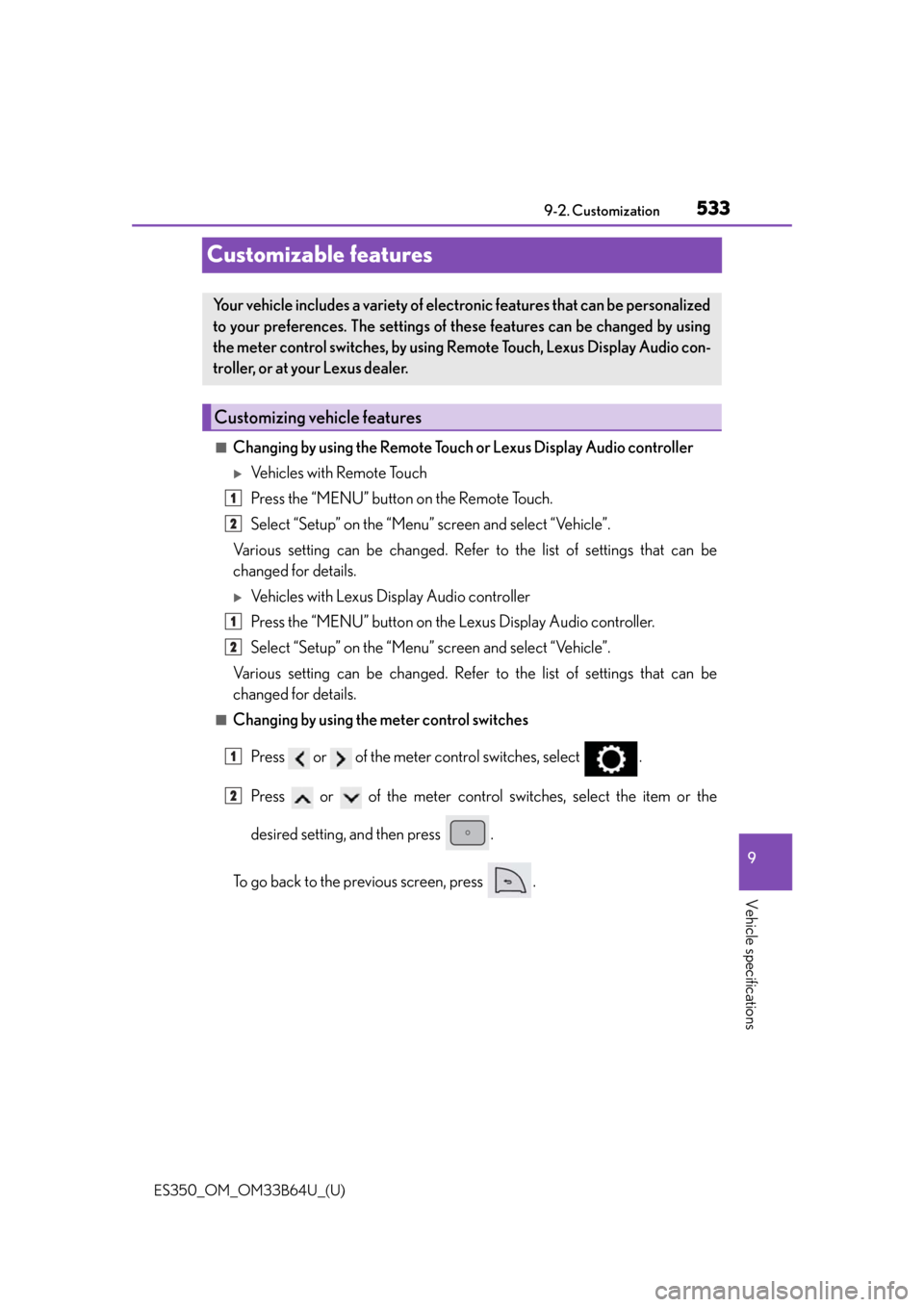
■Changing by using the Remote Touch or Lexus Display Audio controller
Vehicles with Remote Touch
Press the “MENU” button on the Remote Touch.
Select “Setup” on the “Menu” screen and select “Vehicle”.
Various setting can be changed. Refer to the list of settings that can be
changed for details.
Vehicles with Lexus Display Audio controller
Press the “MENU” button on the Lexus Display Audio controller.
Select “Setup” on the “Menu” screen and select “Vehicle”.
Various setting can be changed. Refer to the list of settings that can be
changed for details.
■Changing by using the meter control switches
Press or of the meter control switches, select .
Press or of the meter control switches, select the item or the
desired setting, and then press .
To go back to the previous screen, press .
Your vehicle includes a variety of electronic features that can be personalized
to your preferences. The settings of these features can be changed by using
the meter control switches, by using Remote Touch, Lexus Display Audio con-
troller, or at your Lexus dealer.
Customizing vehicle features
1
2
1
2
1
2
Page 534 of 576
534
ES350_OM_OM33B64U_(U)9-2. Customization
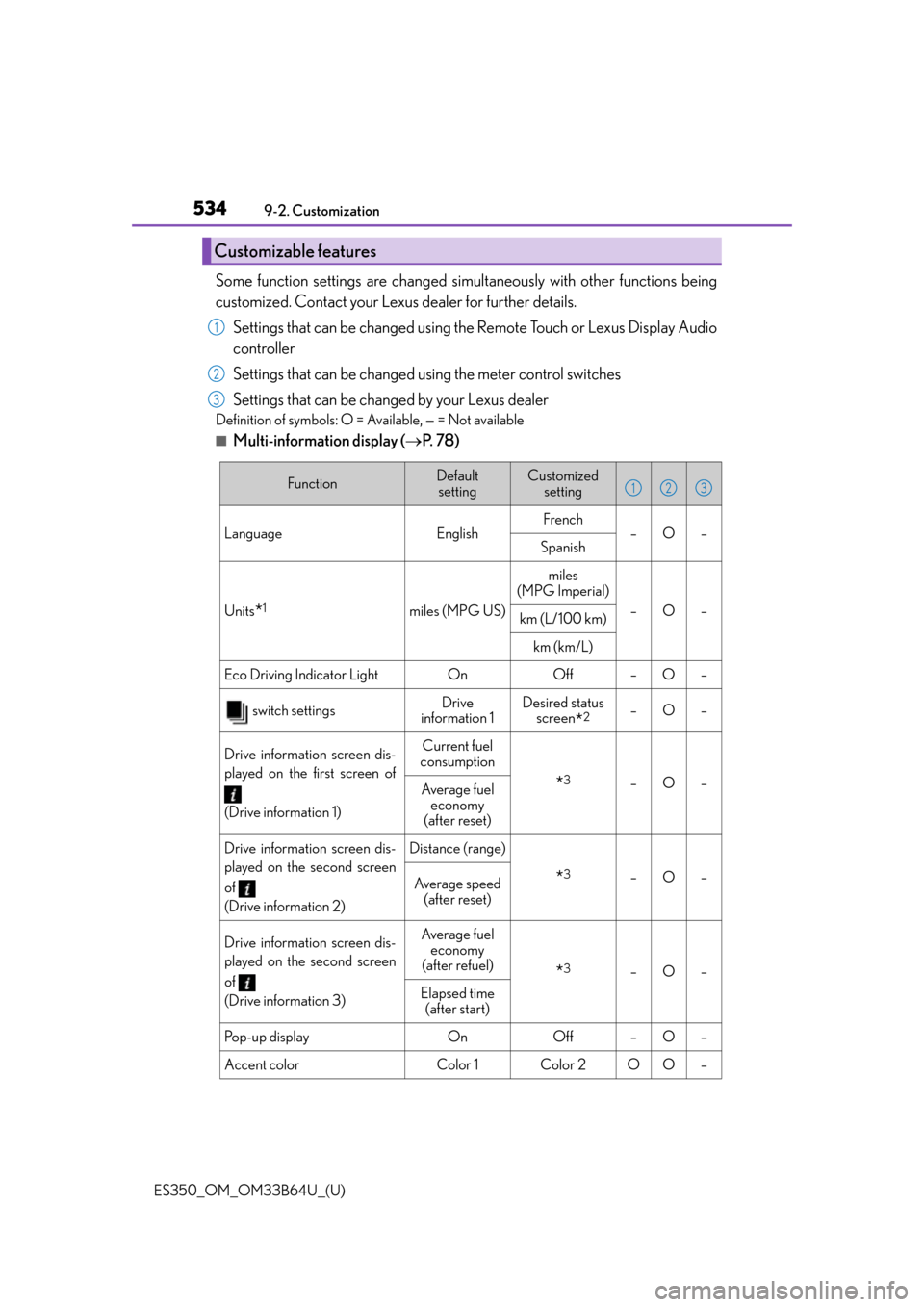
Some function settings are changed simultaneously with other functions being
customized. Contact your Lexus dealer for further details.
Settings that can be changed using the Remote Touch or Lexus Display Audio
controller
Settings that can be changed using the meter control switches
Settings that can be changed by your Lexus dealer
Definition of symbols: O = Available, — = Not available
■Multi-information display ( P. 7 8 )
Customizable features
1
2
3
FunctionDefault
settingCustomized setting
LanguageEnglishFrench–O–Spanish
Units*1miles (MPG US)
miles
(MPG Imperial)
–O–km (L/100 km)
km (km/L)
Eco Driving Indicator Light On Off – O –
switch settingsDrive
information 1Desired status screen
*2–O–
Drive information screen dis-
played on the first screen of
(Drive information 1)Current fuel
consumption
*3–O–Average fuel economy
(after reset)
Drive information screen dis-
played on the second screen
of
(Drive information 2)Distance (range)
*3–O–Average speed (after reset)
Drive information screen dis-
played on the second screen
of
(Drive information 3)Average fuel economy
(after refuel)
*3–O–
Elapsed time (after start)
Po p - u p d i s p l a yOnOff–O–
Accent colorColor 1Color 2OO–
123
Page 542 of 576
542
ES350_OM_OM33B64U_(U)9-2. Customization
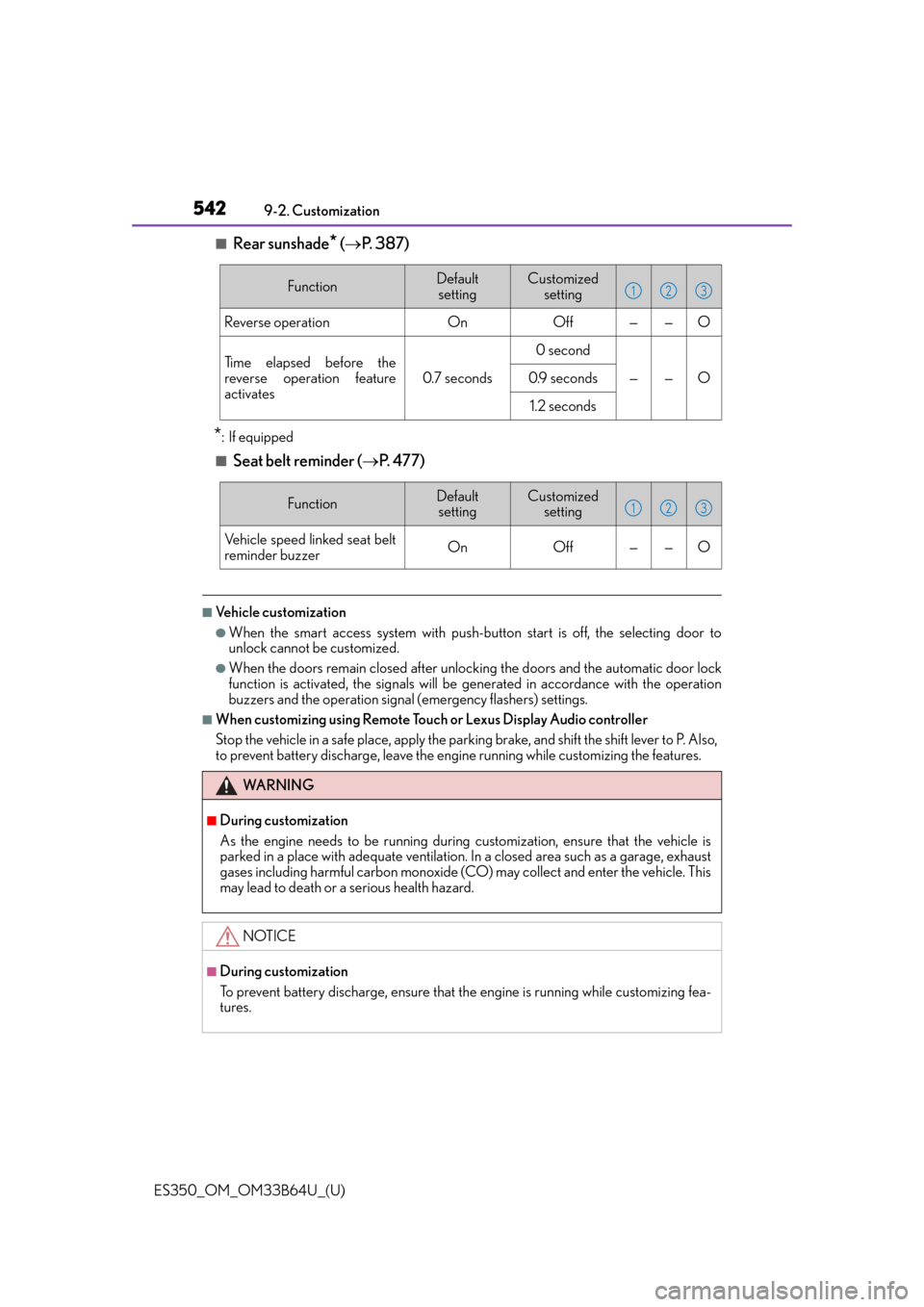
■Rear sunshade* (
P. 3 8 7 )
*: If equipped
■Seat belt reminder ( P. 477)
■Vehicle customization
●When the smart access system with push-but ton start is off, the selecting door to
unlock cannot be customized.
●When the doors remain closed after unloc king the doors and the automatic door lock
function is activated, the signals will be generated in accordance with the operation
buzzers and the operation signal (emergency flashers) settings.
■When customizing using Remote Touch or Lexus Display Audio controller
Stop the vehicle in a safe place, apply the parking brake, and shift the shift lever to P. Also,
to prevent battery discharge, leave the engi ne running while customizing the features.
FunctionDefault
settingCustomized setting
Reverse operationOnOff——O
Ti m e e l a p s e d b e f o r e t h e
reverse operation feature
activates
0.7 seconds
0 second
——O0.9 seconds
1.2 seconds
123
FunctionDefaultsettingCustomized setting
Vehicle speed linked seat belt
reminder buzzerOnOff——O
123
WA R N I N G
■During customization
As the engine needs to be running during customization, ensure that the vehicle is
parked in a place with adequate ventilation. In a closed area such as a garage, exhaust
gases including harmful carbon monoxide (CO) may collect and enter the vehicle. This
may lead to death or a serious health hazard.
NOTICE
■During customization
To prevent battery discharge, ensure that the engine is running while customizing fea-
tures.
Page 555 of 576

555
ES350_OM_OM33B64U_(U)
Index
What to do if... (Troubleshooting)................................ 556
Alphabetical index.................................560
For vehicles with navigation sy stem, refer to the “NAVIGATION
SYSTEM OWNER’S MANUAL” for information regarding the
equipment listed below.
• Navigation system
• Lexus parking assist monitor
• Audio/video system
•Lexus Enform
Page 561 of 576
561Alphabetical index
ES350_OM_OM33B64U_(U)
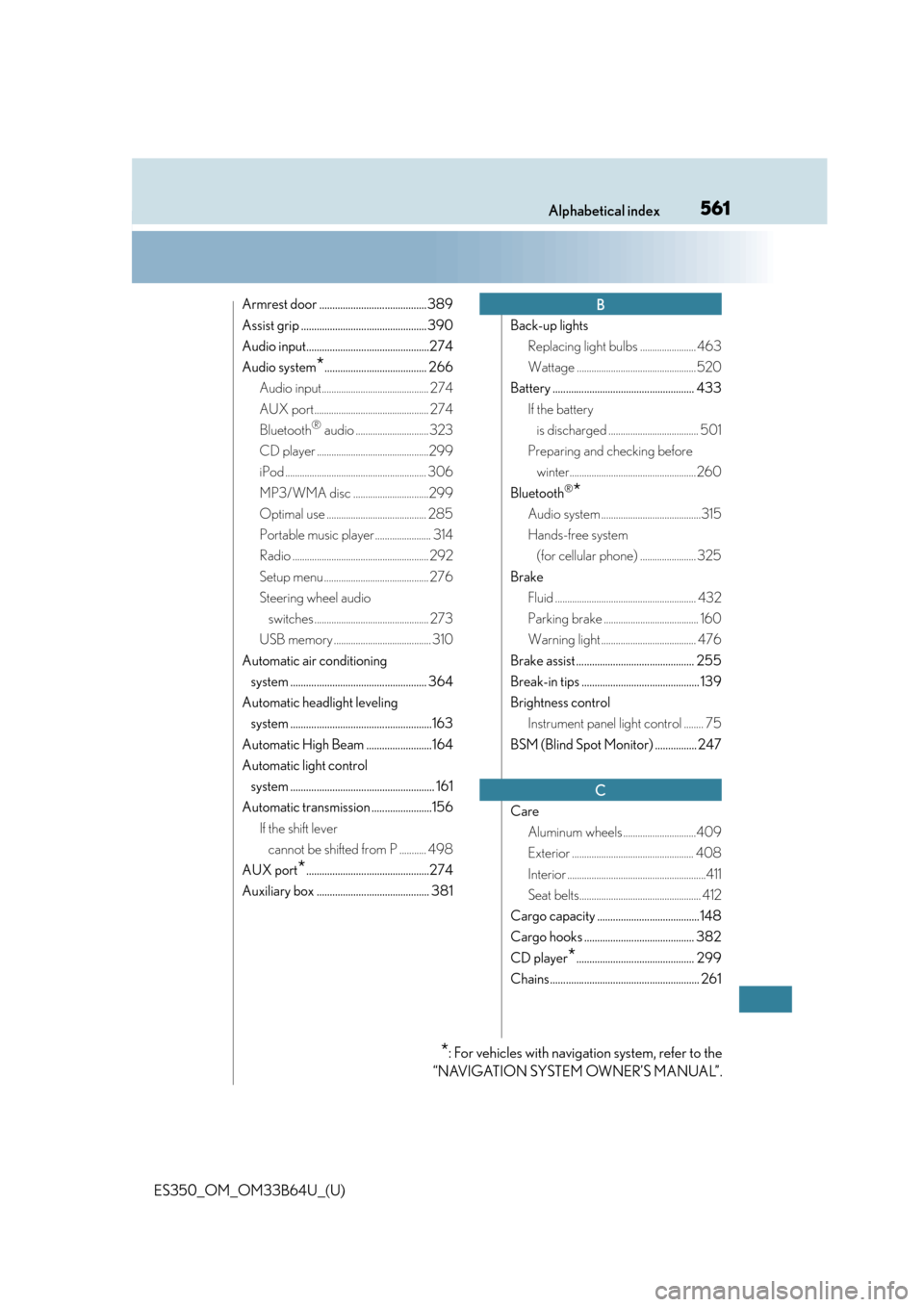
Armrest door ......................................... 389
Assist grip ................................................ 390
Audio input...............................................274
Audio system
*....................................... 266
Audio input............................................ 274
AUX port............................................... 274
Bluetooth
® audio .............................. 323
CD player ..............................................299
iPod .......................................................... 306
MP3/WMA disc ...............................299
Optimal use ......................................... 285
Portable music player ....................... 314
Radio ........................................................ 292
Setup menu ........................................... 276
Steering wheel audio switches ............................................... 273
USB memory ........................................ 310
Automatic air conditioning system .................................................... 364
Automatic headlight leveling system ......................................................163
Automatic High Beam .........................164
Automatic light control system ....................................................... 161
Automatic transmission .......................156 If the shift lever cannot be shifted from P ........... 498
AUX port
*...............................................274
Auxiliary box ........................................... 381 Back-up lights
Replacing light bulbs ....................... 463
Wattage .................................................520
Battery ...................................................... 433 If the battery is discharged ..................................... 501
Preparing and checking before winter.................................................... 260
Bluetooth
®*
Audio system .........................................315
Hands-free system (for cellular phone) ....................... 325
Brake Fluid .......................................................... 432
Parking brake ....................................... 160
Warning light ....................................... 476
Brake assist ............................................. 255
Break-in tips ............................................. 139
Brightness control Instrument panel light control ........ 75
BSM (Blind Spot Monitor) ................ 247
Care Aluminum wheels ..............................409
Exterior .................................................. 408
Interior .........................................................411
Seat belts.................................................. 412
Cargo capacity ....................................... 148
Cargo hooks .......................................... 382
CD player
*............................................. 299
Chains ......................................................... 261
B
C
*: For vehicles with navigation system, refer to the
“NAVIGATION SYSTEM OWNER’S MANUAL”.
Page 563 of 576
563Alphabetical index
ES350_OM_OM33B64U_(U)
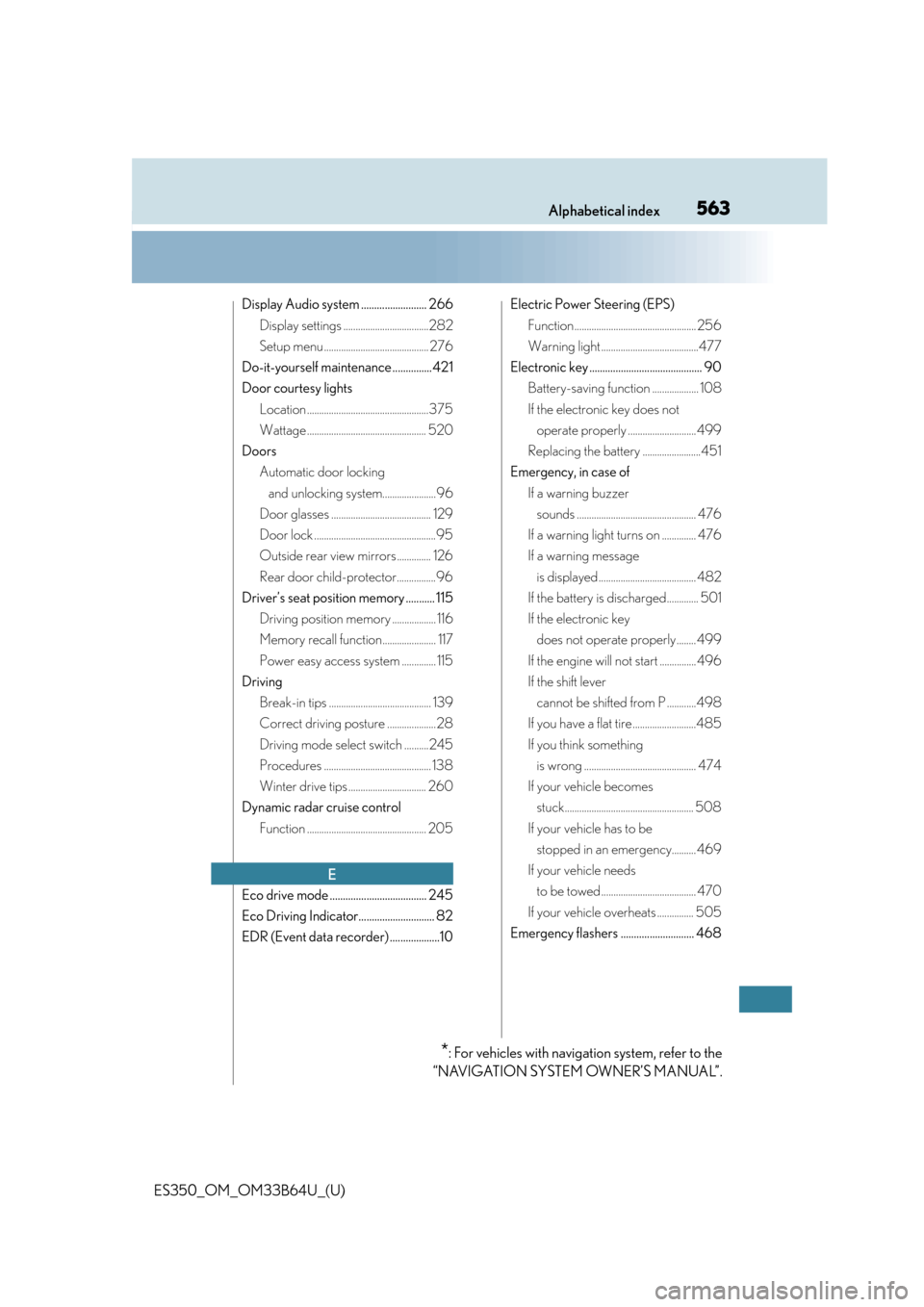
Display Audio system ......................... 266Display settings ...................................282
Setup menu ........................................... 276
Do-it-yourself maintenance ...............421
Door courtesy lights Location ..................................................375
Wattage ................................................. 520
Doors Automatic door locking and unlocking system......................96
Door glasses ......................................... 129
Door lock ..................................................95
Outside rear view mirrors .............. 126
Rear door child-protector................96
Driver’s seat position memory ........... 115 Driving position memory .................. 116
Memory recall function...................... 117
Power easy access system .............. 115
Driving Break-in tips .......................................... 139
Correct driving posture .................... 28
Driving mode select switch ..........245
Procedures ............................................ 138
Winter drive tips ................................ 260
Dynamic radar cruise control Function ................................................. 205
Eco drive mode ..................................... 245
Eco Driving Indicator............................. 82
EDR (Event data recorder) ...................10 Electric Power Steering (EPS)
Function .................................................. 256
Warning light ........................................477
Electronic key ........................................... 90 Battery-saving function ................... 108
If the electronic key does not operate properly ............................ 499
Replacing the battery ........................451
Emergency, in case of If a warning buzzer sounds ................................................. 476
If a warning light turns on .............. 476
If a warning message is displayed ........................................ 482
If the battery is discharged............. 501
If the electronic key does not operate properly ........ 499
If the engine will not start ............... 496
If the shift lever cannot be shifted from P ............498
If you have a flat tire ..........................485
If you think something is wrong .............................................. 474
If your vehicle becomes stuck..................................................... 508
If your vehicle has to be stopped in an emergency.......... 469
If your vehicle needs to be towed ....................................... 470
If your vehicle overheats ............... 505
Emergency flashers ............................ 468
E
*: For vehicles with navigation system, refer to the
“NAVIGATION SYSTEM OWNER’S MANUAL”.
Page 566 of 576

566Alphabetical index
ES350_OM_OM33B64U_(U)
Inside rear view mirror ......................... 124
Instrument panel light control ............ 75
Interior light............................................. 375
Intuitive parking assistFunction ..................................................220
Jack Positioning a floor jack .................... 424
Vehicle-equipped jack .................. 486
Jack handle ................................................. 486
Jam protection function Moon roof .............................................. 133
Power trunk opener and closer.............................................. 101
Power windows ................................... 129
Keyless entry Smart access system with push-button start ..................... 93
Wireless remote control ................... 93
Keys Battery-saving function ....................108
Electronic key .........................................90
Engine switch .......................................... 151
If the electronic key does not operate properly ....... 499
Key number plate .................................90
Keyless entry ........................................... 93
Mechanical key ......................................90
Replacing the battery ........................ 451
Warning buzzer .................................. 107
Wireless remote control key .......... 93
Knee airbags ............................................. 35 Language
(multi-information display)............ 534
LATCH anchors .......................................56
LDA (Lane Departure Alert with steering control).................................. 196
Lever Auxiliary catch lever ......................... 423
Hood lock release lever................. 423
Internal trunk release lever .............. 101
Shift lever .................................................156
Turn signal lever ...................................159
Wiper lever.............................................169
Lexus Display Audio system ............266 Display settings ................................... 282
Setup menu .......................................... 276
Lexus Enform
*
Lexus Enform Remote*.....................362
Lexus Enform Safety Connect ....... 402
Lexus Safety System+ .......................... 176
License plate lights Light switch.............................................. 161
Replacing light bulbs ....................... 464
Light bulbs Replacing ............................................... 456
Wattage .................................................520
J
K
L