turn Lexus ES350 2017 Quick Guide
[x] Cancel search | Manufacturer: LEXUS, Model Year: 2017, Model line: ES350, Model: Lexus ES350 2017Pages: 104, PDF Size: 3.83 MB
Page 71 of 104

70
ES350_QG_OM33C84U_(U)
Air Conditioning System
■Adjusting the temperature setting
Press to increase the temperature and to decrease the temperature.
■Adjusting the fan speed setting
Press to increase the fan speed and to decrease the fan speed.
Press the “OFF” button to turn the fan off.
■Change the airflow mode
To change the air outlets, press .
Lexus Display Audio screenNavigation system screen
The air outlets used are switched each time the button is pressed. Air flows to the upper body.
Air flows to the upper body and feet.
Air flows to the feet.
Air flows to the feet and the windshield defogger operates.
1
2
3
4
Page 73 of 104
72
ES350_QG_OM33C84U_(U)
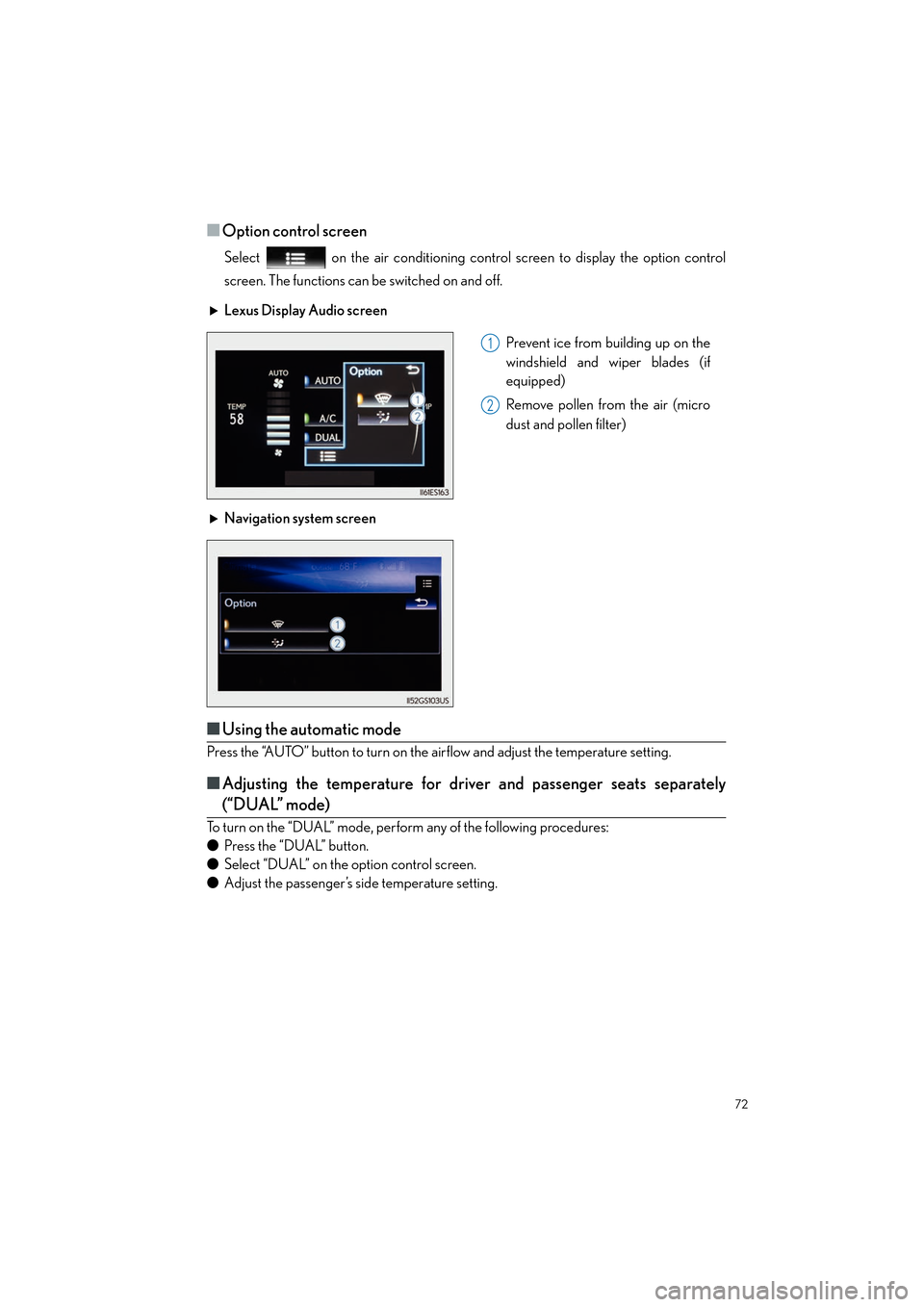
■Option control screen
Select on the air conditioning control screen to display the option control
screen. The functions can be switched on and off.
■Using the automatic mode
Press the “AUTO” button to turn on the airflow and adjust the temperature setting.
■Adjusting the temperature for driver and passenger seats separately
(“DUAL” mode)
To turn on the “DUAL” mode, perform any of the following procedures:
● Press the “DUAL” button.
● Select “DUAL” on the option control screen.
● Adjust the passenger’s side temperature setting. Lexus Display Audio screen
Prevent ice from building up on the
windshield and wiper blades (if
equipped)
Remove pollen from the air (micro
dust and pollen filter)
Navigation system screen
1
2
Page 74 of 104
73
ES350_QG_OM33C84U_(U)
Voice Command System
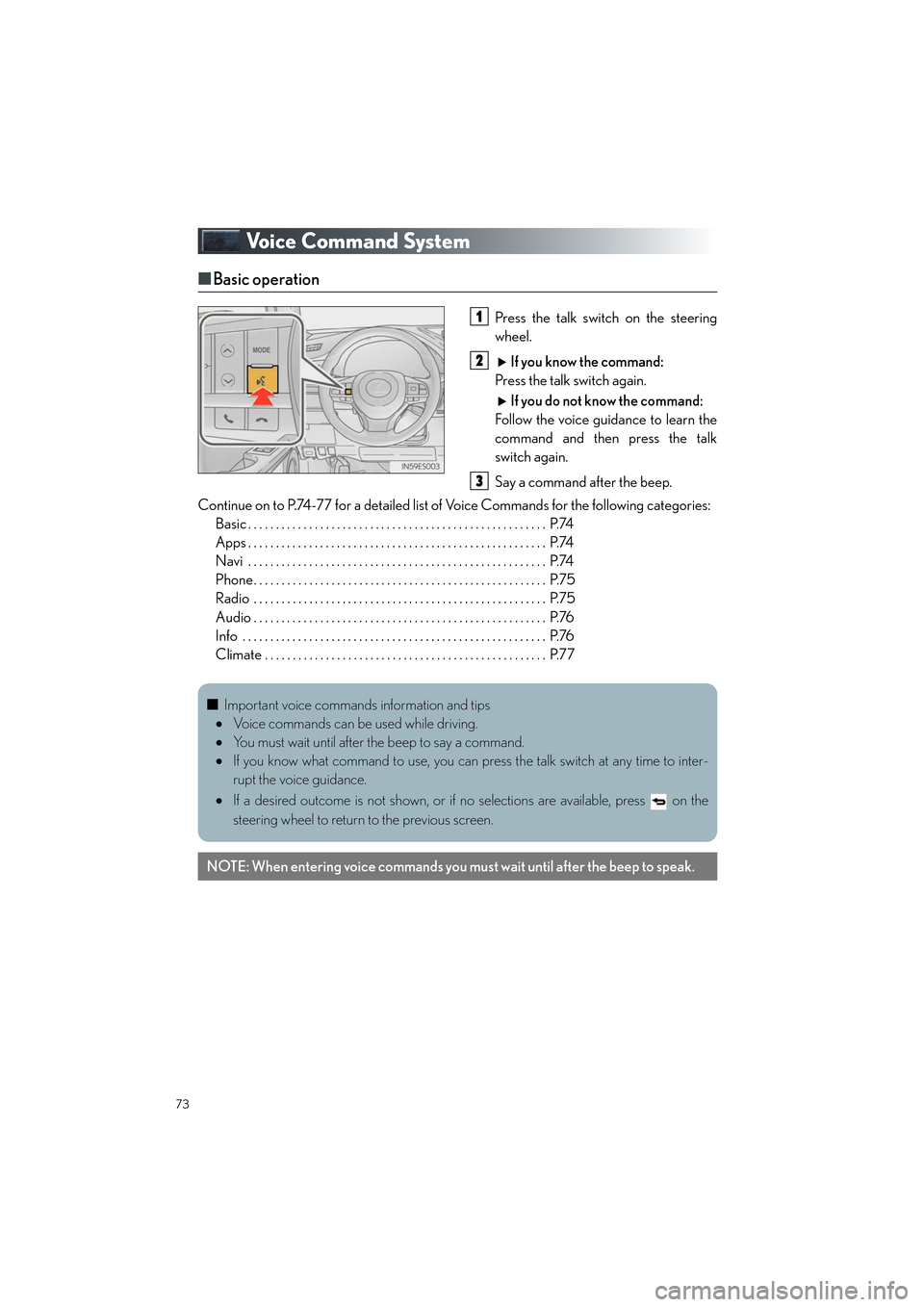
■Basic operation
Press the talk switch on the steering
wheel.
If you know the command:
Press the talk switch again.
If you do not know the command:
Follow the voice guidance to learn the
command and then press the talk
switch again.
Say a command after the beep.
Continue on to P.74-77 for a detailed list of Voice Commands for the following categories: Basic . . . . . . . . . . . . . . . . . . . . . . . . . . . . . . . . . . . . . . . . . . . . . . . . . . . . . . P.74
Apps . . . . . . . . . . . . . . . . . . . . . . . . . . . . . . . . . . . . . . . . . . . . . . . . . . . . . . P.74
Navi . . . . . . . . . . . . . . . . . . . . . . . . . . . . . . . . . . . . . . . . . . . . . . . . . . . . . . P.74
Phone. . . . . . . . . . . . . . . . . . . . . . . . . . . . . . . . . . . . . . . . . . . . . . . . . . . . . P.75
Radio . . . . . . . . . . . . . . . . . . . . . . . . . . . . . . . . . . . . . . . . . . . . . . . . . . . . . P.75
Audio . . . . . . . . . . . . . . . . . . . . . . . . . . . . . . . . . . . . . . . . . . . . . . . . . . . . . P.76
Info . . . . . . . . . . . . . . . . . . . . . . . . . . . . . . . . . . . . . . . . . . . . . . . . . . . . . . . P.76
Climate . . . . . . . . . . . . . . . . . . . . . . . . . . . . . . . . . . . . . . . . . . . . . . . . . . . P.771
2
3
■Important voice commands information and tips
• Voice commands can be used while driving.
• You must wait until after the beep to say a command.
• If you know what command to use, you can press the talk switch at any time to inter-
rupt the voice guidance.
• If a desired outcome is not shown, or if no selections are available, press on the
steering wheel to return to the previous screen.
NOTE: When entering voice commands you mu st wait until after the beep to speak.
Page 75 of 104

74
ES350_QG_OM33C84U_(U)
■Command list
Basic
Apps (vehicles with navigation system)
Navi (vehicles with navigation system)
*: For example; “Gas stations”, “Restaurants”, etc.
CommandAction
“Help”Prompts voice guidance to offer examples of com-
mands or operation methods
“Go Back”Returns to the previous screen
“Go to
“More Hints”Displays more commonly used commands
“Cancel”Cancels the voice command system
CommandAction
“Launch
CommandAction
“Find
position
“Enter an Address”Enables setting a destination by saying the address
“Go Home”Displays the route to home
“Pause Guidance”Stops the route guidance
“Resume Guidance”Resumes the route guidance
“Show
“Delete Destination”Deletes the destination
“Previous Destination”Displays previous destinations
“Destination Assist”Connects the system to the LEXUS response center
Page 77 of 104

76
ES350_QG_OM33C84U_(U)
Audio
*: Bluetooth is a registered trademark of Bluetooth SIG, Inc.
Info (vehicles with navigation system)
CommandAction
“Play Playlist
“Play Artist
“Play Song
“Play Album
“Turn Music On”Turns the audio system on
“Turn Music Off”Turns the audio system off
“Disc”Selects the selected disc mode
“USB”Selects USB audio mode
“iPod”Selects iPod audio mode
“Bluetooth* Audio”Selects Bluetooth® audio mode
“External”Selects VTR mode
“Auxiliary”Selects AUX audio mode
CommandAction
“Destination Assist”Connects the system to the Lexus response center
“Show Forecast”Displays weather information
“Show Traffic”Displays traffic information
“Lexus Insider”Displays the Lexus insider list
Page 78 of 104

77
ES350_QG_OM33C84U_(U)
Climate
*: Only within the possible temperature range of the air conditioning system
CommandAction
“Turn Climate Control On”Turns air conditioning system on
“Turn Climate Control Off”Turns air conditioning system off
“Warmer”Increases the temperature of the air conditioning sys-
tem
“Cooler”Decreases the temperature of the air conditioning
system
“<#> degrees”Changes the set temperature of the air conditioning
system to <#> degrees
*
Commands relating to operation of the audio/visual and air conditioning systems can only
be performed when the audio and air conditioning systems are turned on. Refer to the
“OWNER’S MANUAL” and “NAVIGATION SYSTEM OWNER’S MANUAL”.
Page 83 of 104

82
ES350_QG_OM33C84U_(U)
Press and release the remote control transmitter button at 2 second intervals, repeat-
edly, until the HomeLink
® indicator light changes from slowly flashing (orange) to rap-
idly flashing (green) (rolling code) or continuously lit (green) (fixed code).
Test the HomeLink
® operation by pressing the newly programmed button and observ-
ing the indi cator light:
● Device with fixed code: If the indicator light is solid/continuous, programming has
been completed and your garage door or other device should operate when the
HomeLink
® button is pressed and released.
● Device with rolling code: If the indicator light flashes rapidly, your garage door
opener motor (or other device) is equipped with a rolling code. Complete the pro-
gramming process by firmly pressing and holding the programmed HomeLink
®
button for 2 seconds and then release the button.
● If the garage door or other device does not operate, proceed to “Programming a
rolling code system”.
Repeat the steps above to program another device for any of the remaining
HomeLink
® buttons.
■ Programming other devices
For U.S.A. owners:
To program an entry gate, see the OWNER’S MANUAL.
To program other devices, contact your Lexus dealer.
For Canadian owners: To program all other devices, follow the same procedure as for garage door programming.
■Operating HomeLink®
Press the appropriate HomeLink® button. The HomeLink® indicator light should turn on.
3
4
5
Page 93 of 104

92
ES350_QG_OM33C84U_(U)
Fuel Tank Cap
■Before refueling the vehicle
● Turn the engine switch off and ensure that all the doors and windows are closed.
● Confirm the type of fuel.
■Opening the fuel tank cap
Press the opener switch to open the
fuel filler door.
Turn the fuel tank cap slowly to open
and hang it on the back of the fuel filler
door.1
2
Page 94 of 104

93
ES350_QG_OM33C84U_(U)
Trunk
■Opening the trunk
● From inside the vehicle
Press the opener switch.If the vehicle is equipped with a power
trunk opener and closer, the trunk lid
automatically opens fully
Turn the main switch in the glove box off to
disable the trunk opener. On
Off
The trunk lid cannot be opened even with
the wireless remote control or the trunk
release button.
● From outside the vehicle
• Smart access system with push-button start
While carrying the electronic key, press the
button on the trunk lid.When all the doors are unlocked with
the power door lock system, the trunk
can be opened without carrying the
electronic key.
If the vehicle is equipped with power
trunk opener and closer, the trunk lid
automatically opens fully.
• Wireless remote control Press and hold the switchIf the vehicle is equipped with a power
trunk opener and closer, the trunk lid
automatically opens fully.
1
2
Page 97 of 104

96
What to do if...
ES350_QG_OM33C84U_(U)
*1: If equipped
*2: It also comes on due to natural causes such as natural air leaks and tire inflation pressure changes caused by temperature. Adjust the tire inflation pressure to the specified level.
The light will turn off after a few minutes. In case the light does not turn off even if the tire
inflation pressure is adjusted, have the system checked by your Lexus dealer.
See the OWNER’S MANUAL
Turn signal indicatorIntuitive parking assist
indicator
*1
Headlight indicator (U.S.A.)
(Flashes)
Slip indicator light
Tail light indicator (Canada)VSC OFF indicator
Headlight high beam indicatorPCS warning light*1
Automatic High Beam
indicator
*1BSM outside rear view mirror
indicators
*1
Fog light indicator“A I R B A G O N / O F F ”
indicator
Eco Driving Indicator Light
Cruise control indicator(U.S.A.)Parking brake
indicator
Radar cruise control
indicator
*1(Canada)
Cruise control “SET” indicatorLow outside temperature
indicator
LDA indicator*1
For further information, refer to the OWNER’S MANUAL.