Lexus GS250 2012 Owner's Guide
GS250 2012
Lexus
Lexus
https://www.carmanualsonline.info/img/36/13052/w960_13052-0.png
Lexus GS250 2012 Owner's Guide
Page 566 of 914
5515-4. Using the hands-free phone system (for cellular phone)
5
Interior features
GS350/250_EE (OM30C36E)
Hereby, Pioneer, declares that this NXH-9218 is in compliance with the
essential requirements and other relevant provisions of Directive 1995/5/EC.
Page 567 of 914
5525-4. Using the hands-free phone system (for cellular phone)
GS350/250_EE (OM30C36E)
Hereby, Pioneer, declares that this NXH-9318 is in compliance with the
essential requirements and other relevant provisions of Directive 1995/5/EC.
Page 568 of 914
5535-4. Using the hands-free phone system (for cellular phone)
5
Interior features
GS350/250_EE (OM30C36E)
Hereby, Pioneer, declares that this NXH-9818 is in compliance with the
essential requirements and other relevant provisions of Directive 1995/5/EC.
Page 569 of 914
5545-4. Using the hands-free phone system (for cellular phone)
GS350/250_EE (OM30C36E)
Hereby, Pioneer, declares that this NXH-9918 is in compliance with the
essential requirements and other relevant provisions of Directive 1995/5/EC.
Page 570 of 914
5555-4. Using the hands-free phone system (for cellular phone)
5
Interior features
GS350/250_EE (OM30C36E)
CAUTION
Caution while driving
Vehicles without navigation system
Do not use the cellular phone or connect the Bluetooth
® system.
Vehicles with navigation system
Use a cellular phone or connect the Bluetooth
® phone only when safe and
legal to do so.
NOTICE
When leaving the vehicle
Do not leave your cellular phone in the vehicle. The inside of the vehicle
may become hot, causing damage to the phone.
Page 571 of 914
5565-4. Using the hands-free phone system (for cellular phone)
GS350/250_EE (OM30C36E)
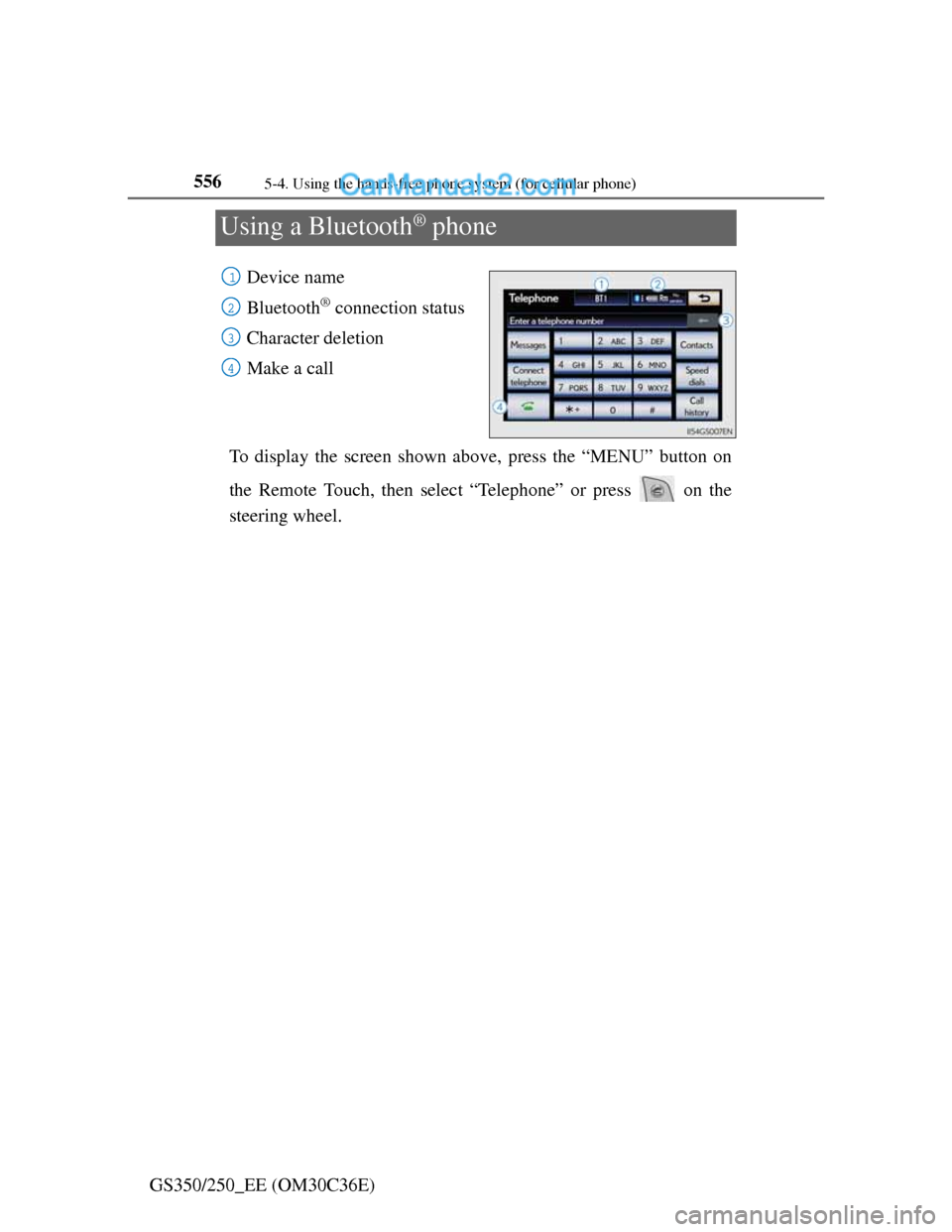
Using a Bluetooth® phone
Device name
Bluetooth
® connection status
Character deletion
Make a call
To display the screen shown above, press the “MENU” button on
the Remote Touch, then select “Telephone” or press on the
steering wheel.
1
2
3
4
Page 572 of 914
5575-4. Using the hands-free phone system (for cellular phone)
5
Interior features
GS350/250_EE (OM30C36E)You can register up to 5 phones in the system.
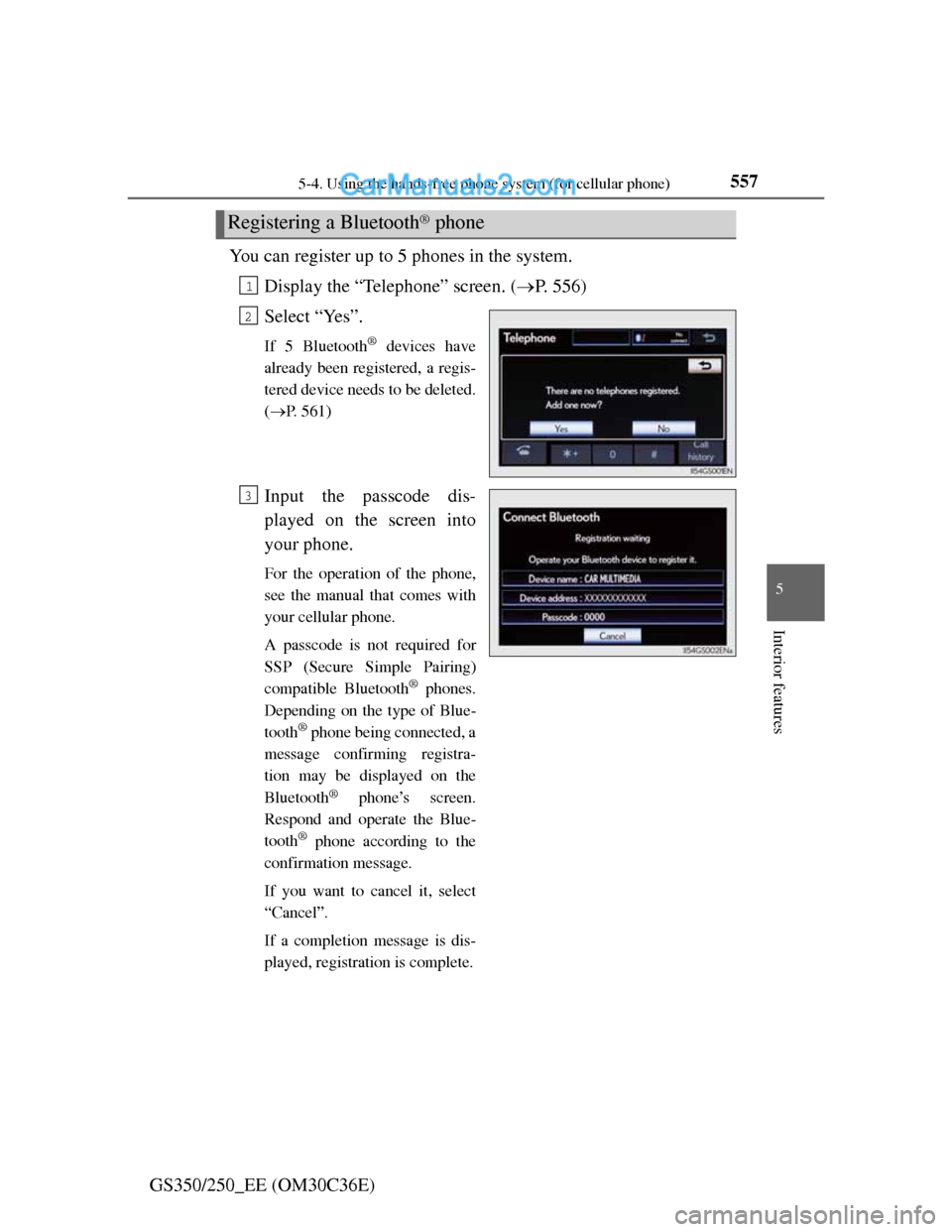
Display the “Telephone” screen. (P. 556)
Select “Yes”.
If 5 Bluetooth® devices have
already been registered, a regis-
tered device needs to be deleted.
(P. 561)
Input the passcode dis-
played on the screen into
your phone.
For the operation of the phone,
see the manual that comes with
your cellular phone.
A passcode is not required for
SSP (Secure Simple Pairing)
compatible Bluetooth
® phones.
Depending on the type of Blue-
tooth
® phone being connected, a
message confirming registra-
tion may be displayed on the
Bluetooth
® phone’s screen.
Respond and operate the Blue-
tooth
® phone according to the
confirmation message.
If you want to cancel it, select
“Cancel”.
If a completion message is dis-
played, registration is complete.
Registering a Bluetooth® phone
1
2
3
Page 573 of 914
5585-4. Using the hands-free phone system (for cellular phone)
GS350/250_EE (OM30C36E)
If an error message is displayed,
follow the guidance on the
screen to try again.
Page 574 of 914
5595-4. Using the hands-free phone system (for cellular phone)
5
Interior features
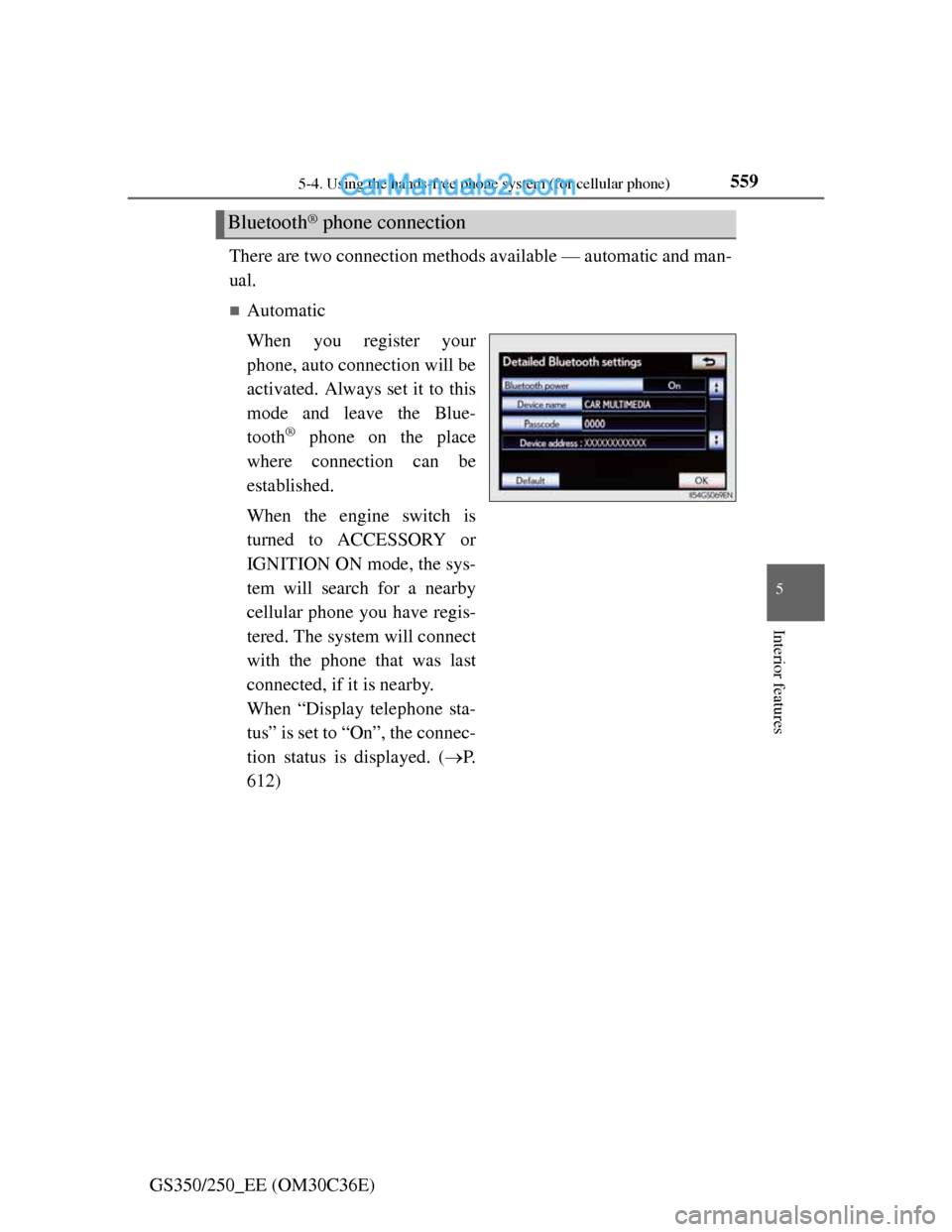
GS350/250_EE (OM30C36E)There are two connection methods available — automatic and man-
ual.
Automatic
When you register your
phone, auto connection will be
activated. Always set it to this
mode and leave the Blue-
tooth
® phone on the place
where connection can be
established.
When the engine switch is
turned to ACCESSORY or
IGNITION ON mode, the sys-
tem will search for a nearby
cellular phone you have regis-
tered. The system will connect
with the phone that was last
connected, if it is nearby.
When “Display telephone sta-
tus” is set to “On”, the connec-
tion status is displayed. (P.
612)
Bluetooth® phone connection
Page 575 of 914
5605-4. Using the hands-free phone system (for cellular phone)
GS350/250_EE (OM30C36E)
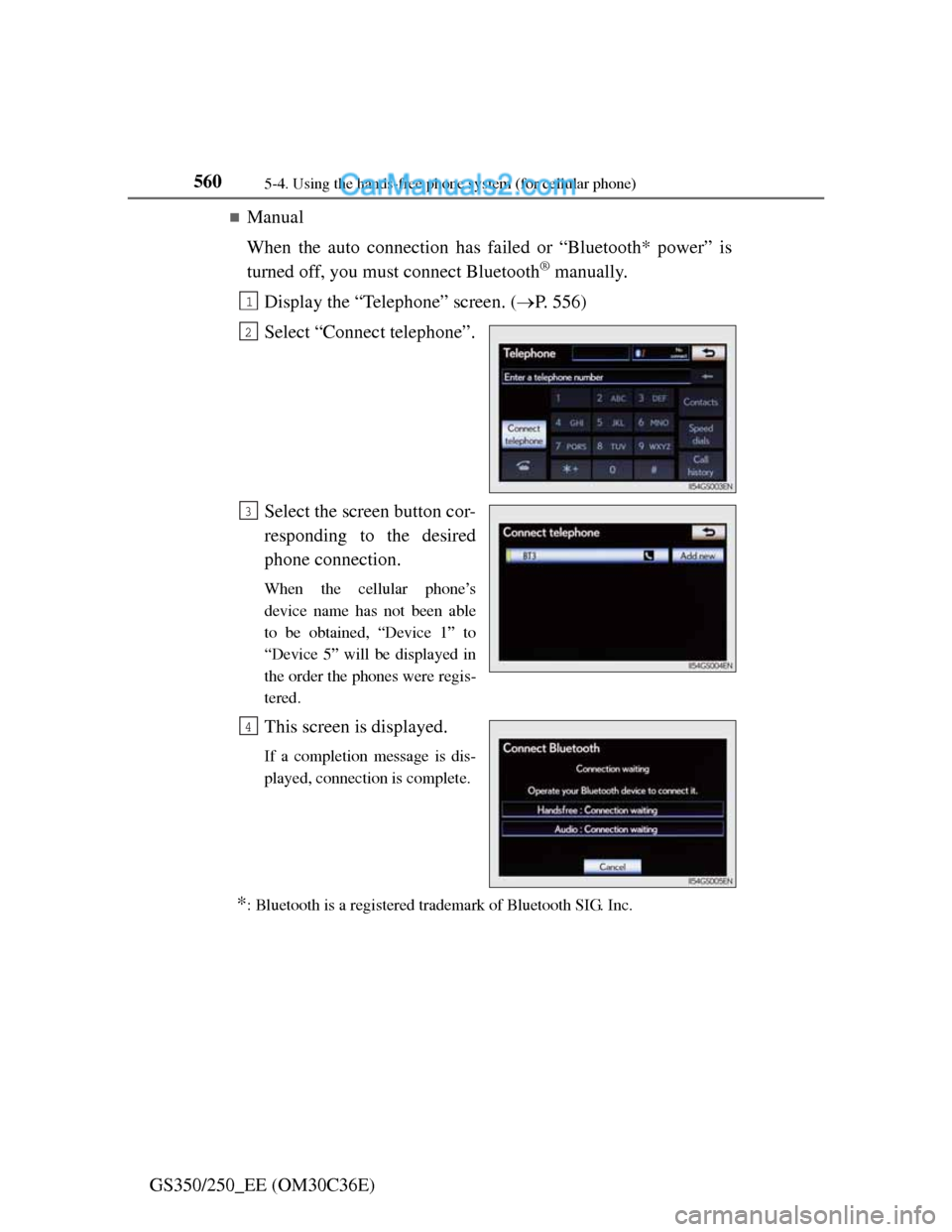
Manual
When the auto connection has failed or “Bluetooth* power” is
turned off, you must connect Bluetooth
® manually.
Display the “Telephone” screen. (P. 556)
Select “Connect telephone”.
Select the screen button cor-
responding to the desired
phone connection.
When the cellular phone’s
device name has not been able
to be obtained, “Device 1” to
“Device 5” will be displayed in
the order the phones were regis-
tered.
This screen is displayed.
If a completion message is dis-
played, connection is complete.
*: Bluetooth is a registered trademark of Bluetooth SIG. Inc.
1
2
3
4