Park Lexus GS250 2012 Repair Manual
[x] Cancel search | Manufacturer: LEXUS, Model Year: 2012, Model line: GS250, Model: Lexus GS250 2012Pages: 914, PDF Size: 53.04 MB
Page 320 of 914
3134-5. Using the driving support
4
Driving
GS350/250_EE (OM30C36E)
If the message “Steering wheel turned too far, please return.” is
displayed
The steering wheel has been turned too far, and the system can-
not function. Return the steering wheel to its original position.
If the message is displayed before the outline is positioned over
the desired parking space, it is likely that the vehicle is too far
away from the shoulder. Check that there is a gap of approxi-
mately 1 m (3 ft.) between your vehicle and the parked vehicle.
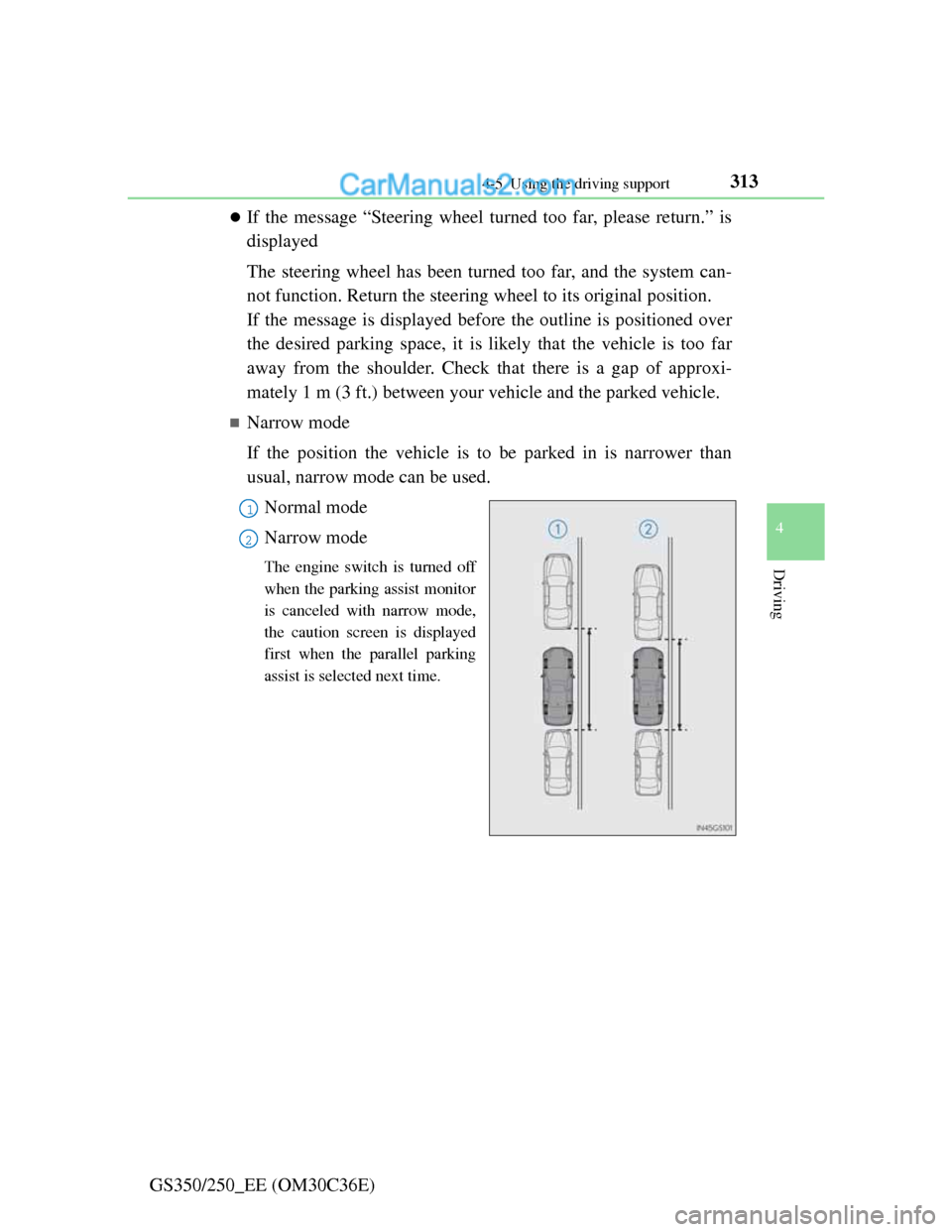
Narrow mode
If the position the vehicle is to be parked in is narrower than
usual, narrow mode can be used.
Normal mode
Narrow mode
The engine switch is turned off
when the parking assist monitor
is canceled with narrow mode,
the caution screen is displayed
first when the parallel parking
assist is selected next time.
1
2
Page 321 of 914
3144-5. Using the driving support
GS350/250_EE (OM30C36E)
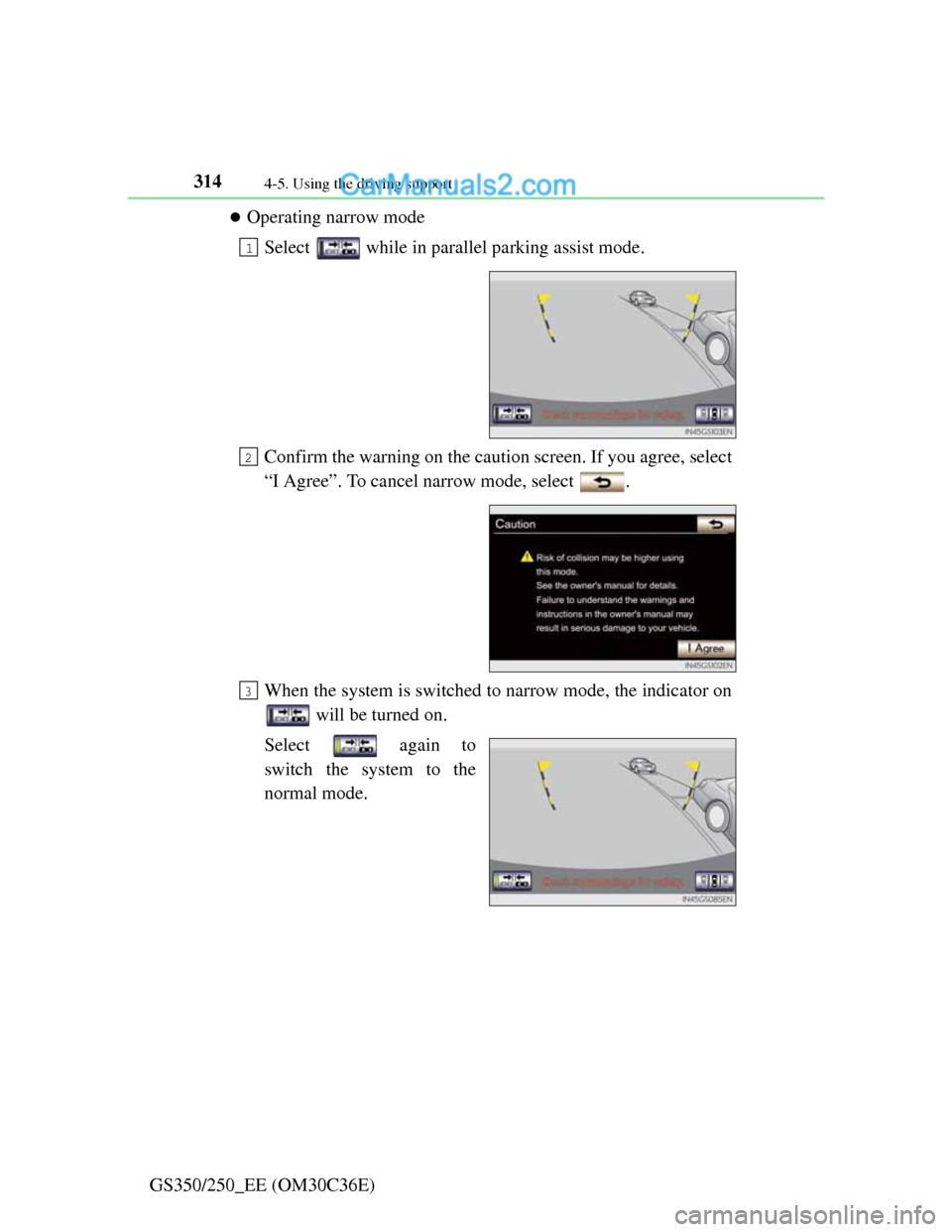
Operating narrow mode
Select while in parallel parking assist mode.
Confirm the warning on the caution screen. If you agree, select
“I Agree”. To cancel narrow mode, select .
When the system is switched to narrow mode, the indicator on
will be turned on.
Select again to
switch the system to the
normal mode.
1
2
3
Page 322 of 914
3154-5. Using the driving support
4
Driving
GS350/250_EE (OM30C36E)
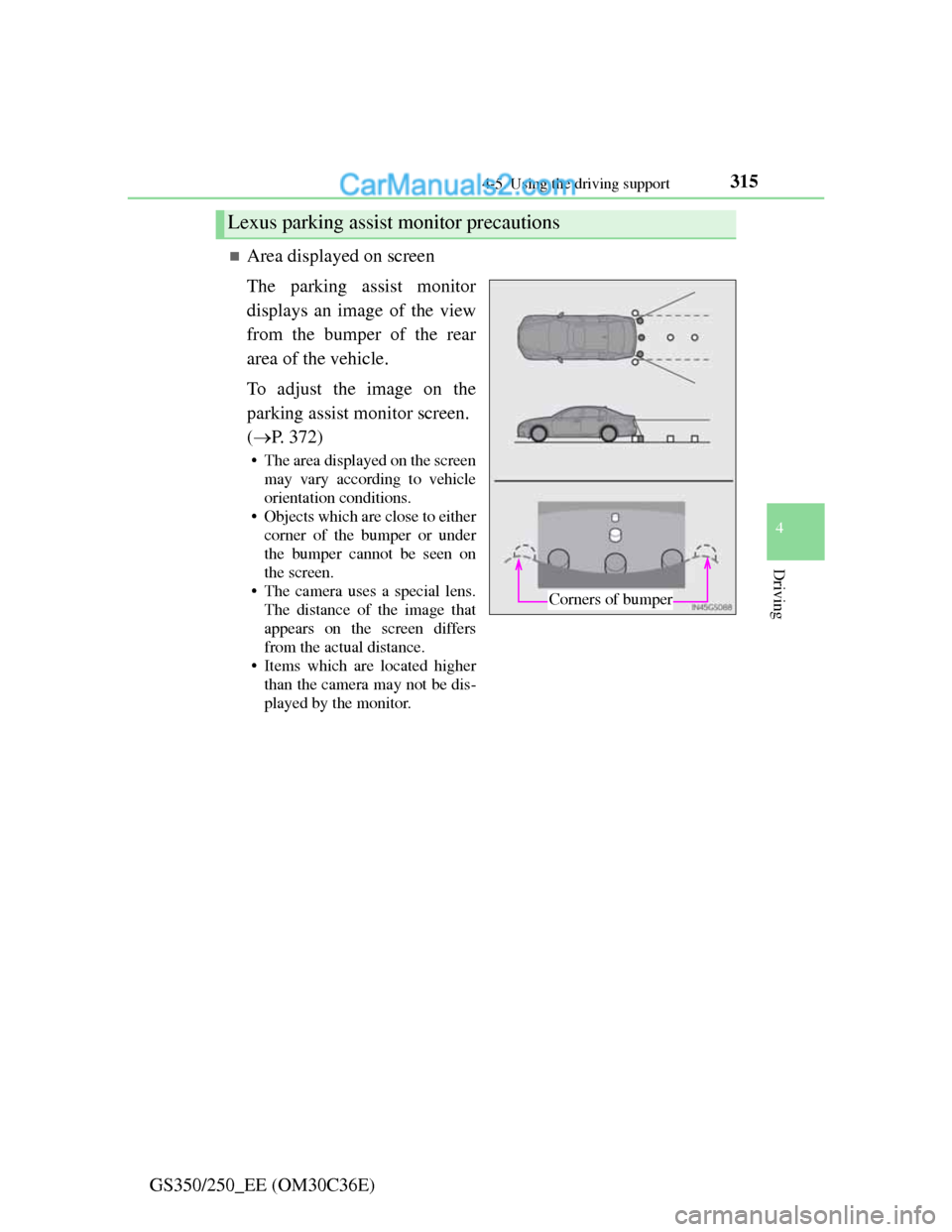
Area displayed on screen
The parking assist monitor
displays an image of the view
from the bumper of the rear
area of the vehicle.
To adjust the image on the
parking assist monitor screen.
(P. 372)
• The area displayed on the screen
may vary according to vehicle
orientation conditions.
• Objects which are close to either
corner of the bumper or under
the bumper cannot be seen on
the screen.
• The camera uses a special lens.
The distance of the image that
appears on the screen differs
from the actual distance.
• Items which are located higher
than the camera may not be dis-
played by the monitor.
Lexus parking assist monitor precautions
Corners of bumper
Page 323 of 914
3164-5. Using the driving support
GS350/250_EE (OM30C36E)
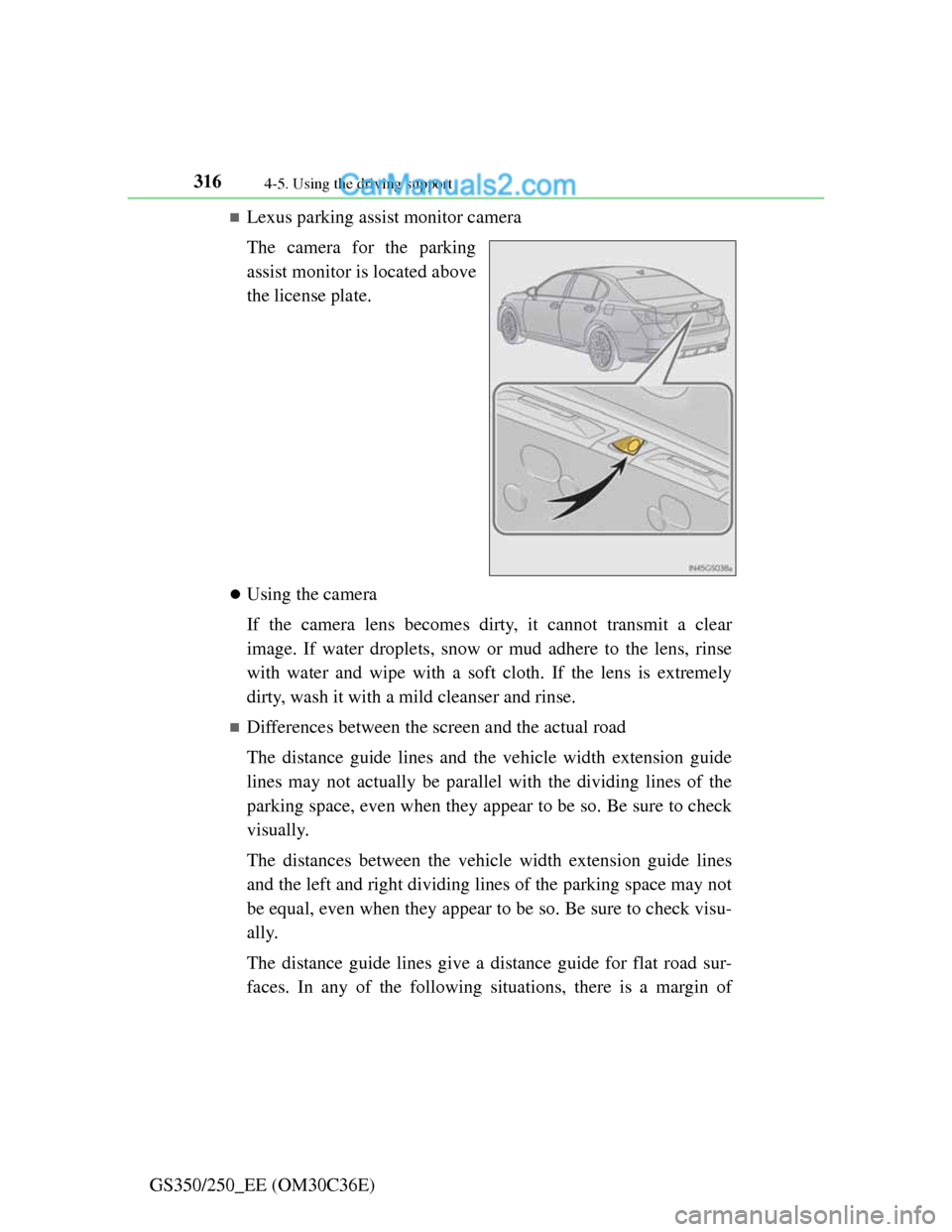
Lexus parking assist monitor camera
The camera for the parking
assist monitor is located above
the license plate.
Using the camera
If the camera lens becomes dirty, it cannot transmit a clear
image. If water droplets, snow or mud adhere to the lens, rinse
with water and wipe with a soft cloth. If the lens is extremely
dirty, wash it with a mild cleanser and rinse.
Differences between the screen and the actual road
The distance guide lines and the vehicle width extension guide
lines may not actually be parallel with the dividing lines of the
parking space, even when they appear to be so. Be sure to check
visually.
The distances between the vehicle width extension guide lines
and the left and right dividing lines of the parking space may not
be equal, even when they appear to be so. Be sure to check visu-
ally.
The distance guide lines give a distance guide for flat road sur-
faces. In any of the following situations, there is a margin of
Page 327 of 914
3204-5. Using the driving support
GS350/250_EE (OM30C36E)
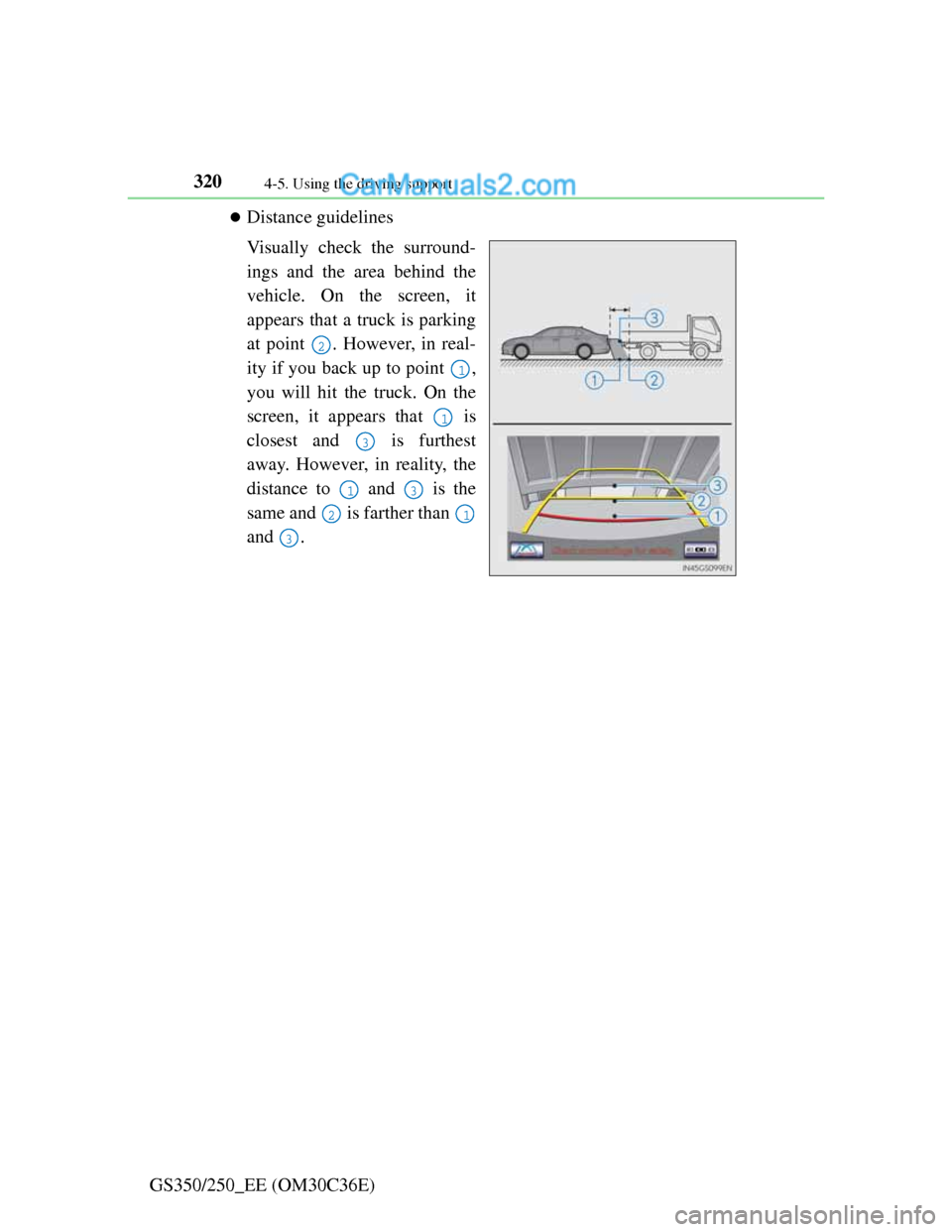
Distance guidelines
Visually check the surround-
ings and the area behind the
vehicle. On the screen, it
appears that a truck is parking
at point . However, in real-
ity if you back up to point ,
you will hit the truck. On the
screen, it appears that is
closest and is furthest
away. However, in reality, the
distance to and is the
same and is farther than
and .
2
1
1
3
13
21
3
Page 328 of 914
3214-5. Using the driving support
4
Driving
GS350/250_EE (OM30C36E)
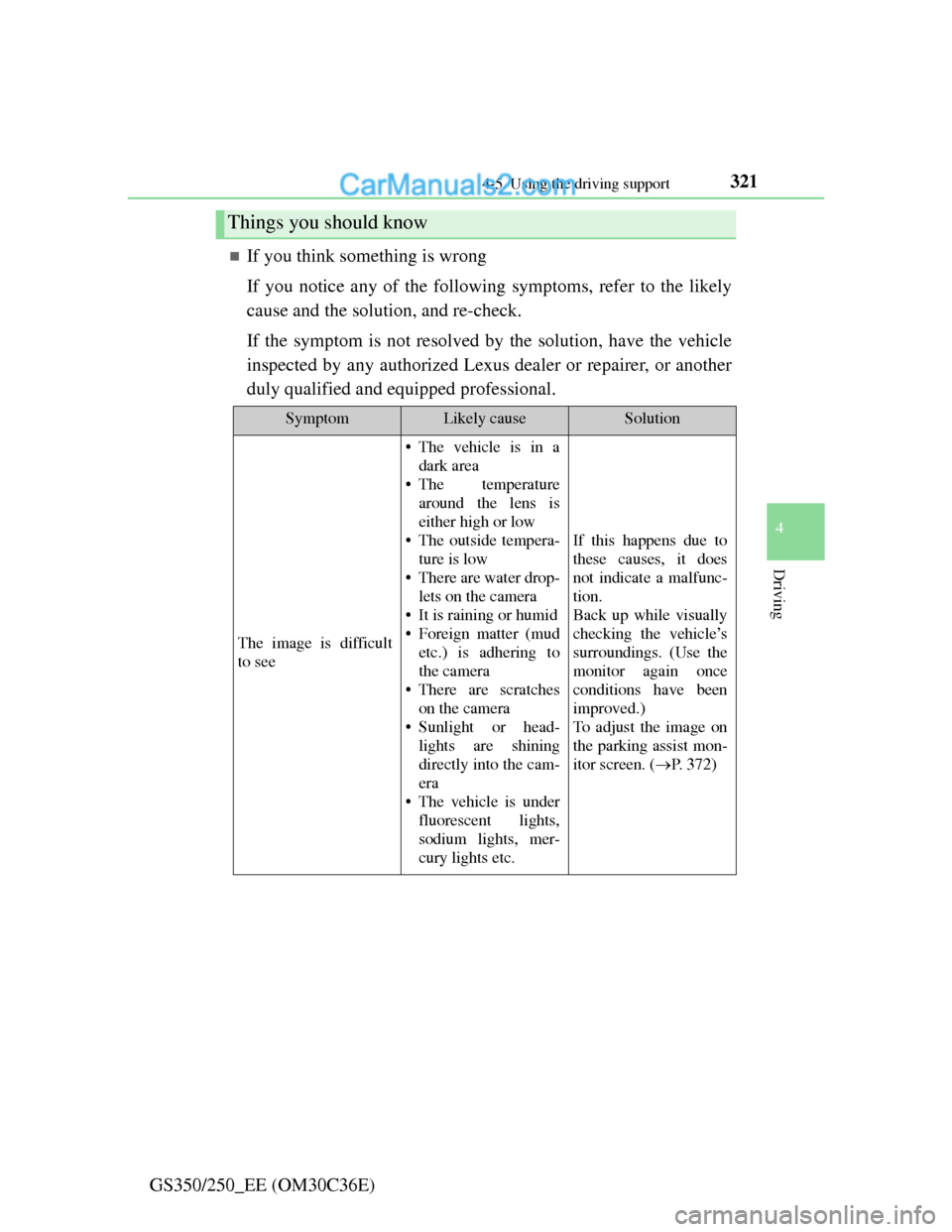
If you think something is wrong
If you notice any of the following symptoms, refer to the likely
cause and the solution, and re-check.
If the symptom is not resolved by the solution, have the vehicle
inspected by any authorized Lexus dealer or repairer, or another
duly qualified and equipped professional.
Things you should know
SymptomLikely causeSolution
The image is difficult
to see
• The vehicle is in a
dark area
• The temperature
around the lens is
either high or low
• The outside tempera-
ture is low
• There are water drop-
lets on the camera
• It is raining or humid
• Foreign matter (mud
etc.) is adhering to
the camera
• There are scratches
on the camera
• Sunlight or head-
lights are shining
directly into the cam-
era
• The vehicle is under
fluorescent lights,
sodium lights, mer-
cury lights etc.
If this happens due to
these causes, it does
not indicate a malfunc-
tion.
Back up while visually
checking the vehicle’s
surroundings. (Use the
monitor again once
conditions have been
improved.)
To adjust the image on
the parking assist mon-
itor screen. (P. 3 7 2 )
Page 331 of 914
3244-5. Using the driving support
GS350/250_EE (OM30C36E)
CAUTION
When using the Lexus parking assist monitor system
When backing up, be sure to check visually behind and all around the vehi-
cle before proceeding.
Observe the following precautions to avoid an accident that could result in
death or serious injuries.
The parking assist monitor is a supplemental device intended to assist the
driver when backing up. Never depend on the parking assist monitor
entirely when backing up. Always make sure your intended path is clear.
Use caution, just as you would when backing up any vehicle.
Never back up while looking only at the screen.
The image shown on the screen may differ from the actual state, and you
could collide with another vehicle or obstacles if backing up looking only
at the screen, possibly causing an accident. When backing up, be sure to
check in front of and behind the vehicle, both directly and with mirrors.
Be sure to back up slowly, depressing the brake pedal to control vehicle
speed.
If you seem likely to hit nearby vehicles, obstacles, people or mount the
shoulder, depress the brake pedal to stop the vehicle, then disable the
assist system by select on the screen to cancel the system.
The instructions given are only guidelines.
When and how much to turn the steering wheel will vary according to
traffic conditions, road surface conditions, vehicle condition, etc. when
parking. It is necessary to be fully aware of this before using the parking
assist system.
When parking, be sure to check that the parking space will accommodate
your vehicle before maneuvering into it.
Do not use system in the following cases:
• On icy or slick road surfaces, or in snow
• When using tire chains or emergency tires
• When the trunk lid is not closed completely
• On roads that are not flat or straight, such as curves or slopes.
Page 332 of 914
3254-5. Using the driving support
4
Driving
GS350/250_EE (OM30C36E)
CAUTION
In low temperatures, the screen may darken or the image may become
faint. The image could distort when the vehicle is moving, or you may
become unable to see the image on the screen. Be sure to check direct
visually and with mirror all around the vehicle before proceeding.
If the tire sizes are changed, the position of the guide lines displayed on
the screen may change.
The camera uses a special lens. The distances between objects and pedes-
trians that appear in the image displayed on the screen will differ from the
actual distances. (P. 316)
When using the perpendicular parking assist screen
The position of the guide lines displayed on the screen may change in
accordance with the number of passengers, the amount of cargo etc. Be
sure to check behind and all around the vehicle direct visually and with
mirror before proceeding.
Estimated course line display mode: If the steering wheel is straight and
the vehicle width extension guide lines and the estimated course lines are
not in alignment, have the vehicle inspected by any authorized Lexus
dealer or repairer, or another duly qualified and equipped professional.
The vehicle width extension guide lines are wider than the actual width of
the vehicle. When backing up, be sure to check behind and all around the
vehicle direct visually and with mirror before proceeding.
When using the parallel parking assist screen
Do not use the system if the display is incorrect due to an uneven (curvy/
hilly) road or a non-straight road.
Make sure to operate the steering wheel only when the vehicle is stopped.
Be sure to check that there are no obstacles inside the blue outline.
If there are any obstacles inside the blue outline, do not use the parallel
parking assist.
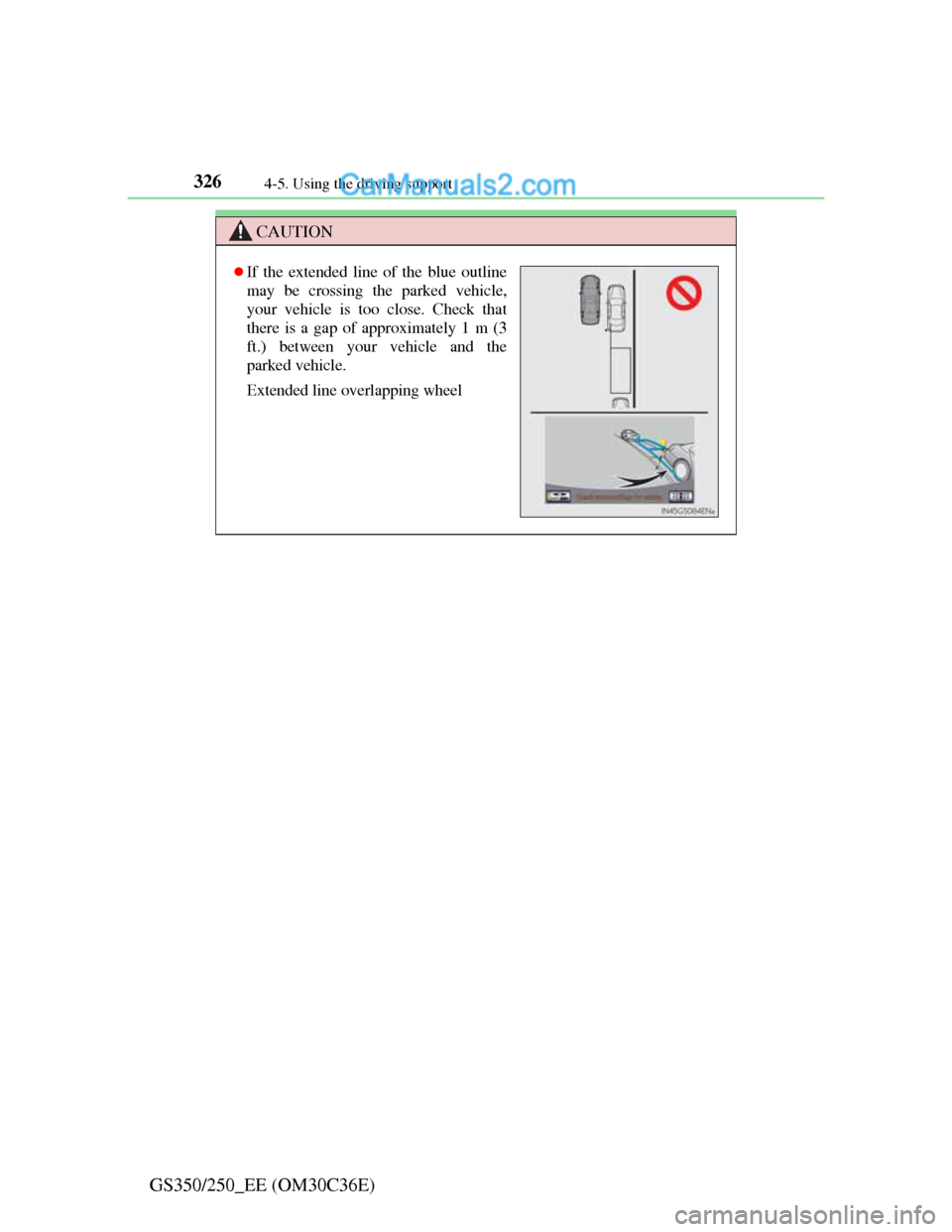
When positioning the blue outline over the parking space, be sure to posi-
tion it so that the extended blue line may not cross the tire of the vehicle
parked in front of the empty space.
Page 333 of 914
3264-5. Using the driving support
GS350/250_EE (OM30C36E)
CAUTION
If the extended line of the blue outline
may be crossing the parked vehicle,
your vehicle is too close. Check that
there is a gap of approximately 1 m (3
ft.) between your vehicle and the
parked vehicle.
Extended line overlapping wheel
Page 334 of 914
3274-5. Using the driving support
4
Driving
GS350/250_EE (OM30C36E)
NOTICE
How to use the camera
The parking assist monitor may not operate properly in the following
cases, or if the precautions described below are not followed.
• If the back of the vehicle is hit, the position and mounting angle of the
camera may change.
• As the camera has a water proof construction, do not detach, disassem-
ble or modify it. This may cause incorrect operation.
• Do not strongly rub the camera lens. If the camera lens is scratched, it
cannot transmit a clear image.
• Do not allow organic solvent, car wax, window cleaner or glass coat to
adhere to the camera. If this happens, wipe it off as soon as possible.
• If the temperature changes rapidly, such as when hot water is poured on
the vehicle in cold weather, the system may not operate normally.
• When washing the vehicle, do not apply intensive bursts of water to the
camera or camera area. Doing so may result in the camera malfunction-
ing.
• When the camera is used under fluorescent lights, sodium light or mer-
cury light etc., the lights and the illuminated areas may appear to
flicker.
Do not expose the camera to strong impact as this could cause a malfunc-
tion. If this happens, have the vehicle inspected by any authorized Lexus
dealer or repairer, or another duly qualified and equipped professional as
soon as possible.