wheel Lexus GS250 2014 Owner's Guide
[x] Cancel search | Manufacturer: LEXUS, Model Year: 2014, Model line: GS250, Model: Lexus GS250 2014Pages: 688, PDF Size: 152.64 MB
Page 223 of 688
2234-1. Before driving
4
Driving
GS350_250_OM_OM30E16E_(EE)
NOTICE
■When driving the vehicle
●Do not depress the accelerator and brake pedals at the same time during driving,
as this may restrain driving torque.
●Do not use the accelerator pedal or depress the accelerator and brake pedals at
the same time to hold the vehicle on a hill.
■When parking the vehicle
Always shift the shift lever to P. Failure to do so may cause the vehicle to move or
the vehicle may accelerate suddenly if the accelerator pedal is accidentally
depressed.
■Avoiding damage to vehicle parts
●Do not turn the steering wheel fully in either direction and hold it there for an
extended period of time.
Doing so may damage the power steering motor.
●When driving over bumps in the road, drive as slowly as possible to avoid damag-
ing the wheels, underside of the vehicle, etc.
■If you get a flat tire while driving
A flat or damaged tire may cause the following situations. Hold the steering wheel
firmly and gradually depress the brake pedal to slow down the vehicle.
●It may be difficult to control your vehicle.
●The vehicle will make abnormal sounds or vibrations.
●The vehicle will lean abnormally.
Information on what to do in case of a flat tire ( →P. 577, 592)
GS350_250_OM_OM30E16E_(EE).book Page 223 Tuesday, July 8, 201 4 7:11 PM
Page 226 of 688
2264-1. Before driving
GS350_250_OM_OM30E16E_(EE)
Trailer towing (vehicles without towing package)
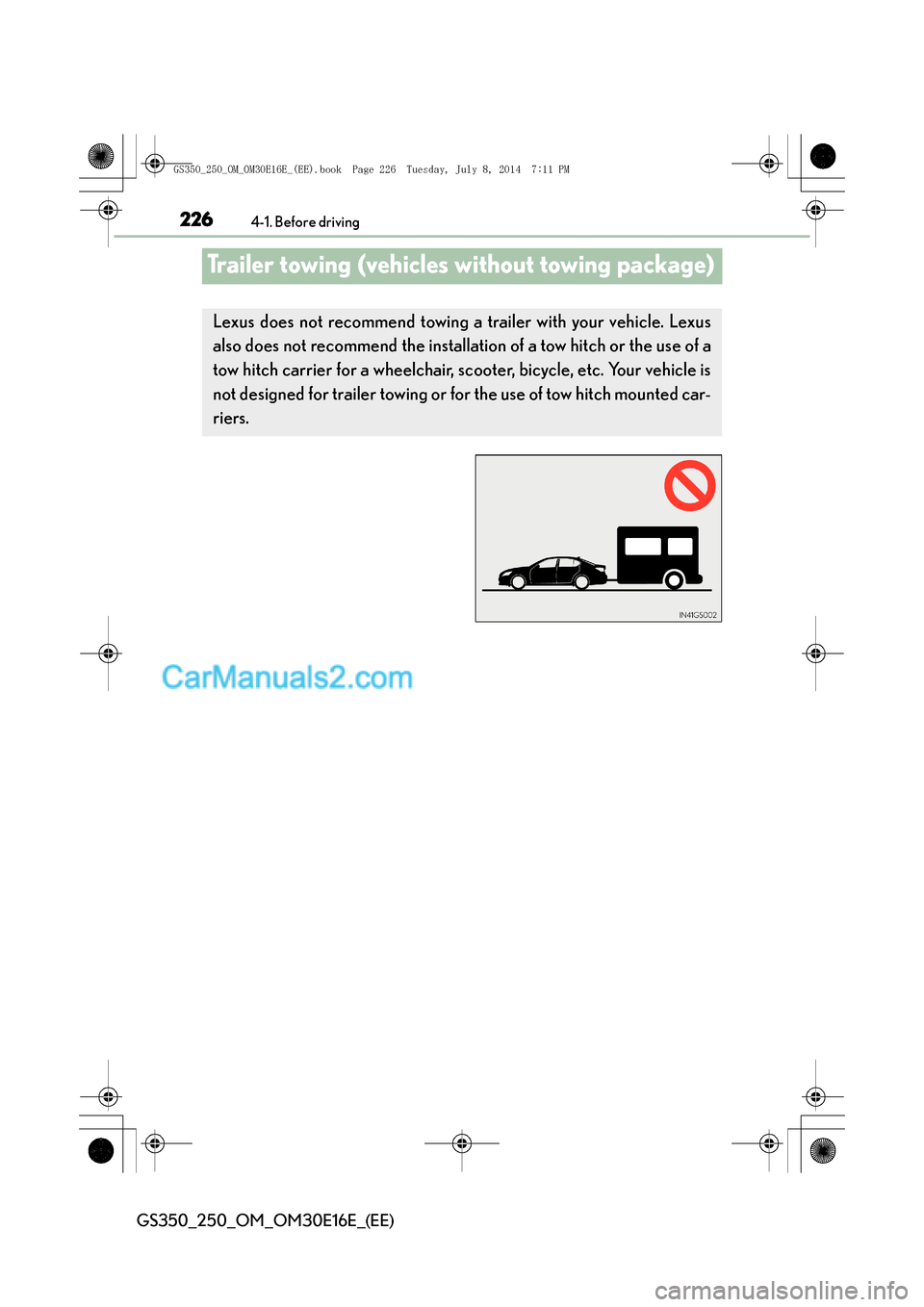
Lexus does not recommend towing a trailer with your vehicle. Lexus
also does not recommend the installation of a tow hitch or the use of a
tow hitch carrier for a wheelchair, sc ooter, bicycle, etc. Your vehicle is
not designed for trailer towing or for the use of tow hitch mounted car-
riers.
GS350_250_OM_OM30E16E_(EE).book Page 226 Tuesday, July 8, 201 4 7:11 PM
Page 233 of 688
2334-1. Before driving
4
Driving
GS350_250_OM_OM30E16E_(EE)
Your vehicle will handle differently when towing a trailer. In order to avoid
accident, death or serious injury, keep the following in mind when towing:
■Checking connections between trailer and lights
Stop the vehicle and check the operation of the connection between
the trailer and lights after driving for a brief period as well as before
starting off.
■Practicing driving with a coupled trailer
●Get the feel for turning, stopping and reversing with the trailer cou-
pled by practicing in an area with no or light traffic.
●When reversing with a coupled trailer, hold the section of the steer-
ing wheel nearest to you and rotate clockwise to turn the trailer left
or counterclockwise to turn it right. Always rotate a little at a time to
prevent steering error. Have someone guide you when reversing to
lessen the risk of an accident.
NOTICE
■When the rear bumper strengthening material is aluminum
Ensure the steel bracket part does not come directly in contact with that area.
When steel and aluminum come into contact, there is a reaction similar to corro-
sion, which will weaken the section concerned and may result in damage. Apply a
rust inhibitor to parts that will come in contact when attaching a steel bracket.
Guidance
GS350_250_OM_OM30E16E_(EE).book Page 233 Tuesday, July 8, 201 4 7:11 PM
Page 234 of 688
2344-1. Before driving
GS350_250_OM_OM30E16E_(EE)
■Increasing vehicle-to-vehicle distance
At a speed of 10 km/h (6 mph), the distance to the vehicle running
ahead of you should be equivalent to or greater than the combined
length of your vehicle and trailer. Avoid sudden braking that may cause
skidding. Otherwise, the vehicle may spin out of control. This is espe-
cially true when driving on wet or slippery road surfaces.
■Sudden acceleration/steering input/cornering
Executing sharp turns when towing may result in the trailer colliding
with your vehicle. Decelerate well in advance when approaching turns
and take them slowly and carefully to avoid sudden braking.
■Important points regarding turning
The wheels of the trailer will travel closer to the inside of the curve than
the wheels of the vehicle. To make allowance for this, take the turns
wider than you would normally do.
■Important points regarding stability
Vehicle movement resulting from uneven road surfaces and strong
crosswinds will affect handling. The vehicle may also be rocked by pass-
ing buses or large trucks. Frequent ly check behind when moving along-
side such vehicles. As soon as such vehicle movement occurs,
immediately start to decelerate smoot hly by slowly applying the brakes.
Always steer the vehicle straight ahead while braking.
■Passing other vehicles
Consider the total combined length of your vehicle and trailer and
ensure that the vehicle-to-vehicle distance is sufficient before execut-
ing lane changes.
■Transmission information
To maintain engine braking efficiency, when using engine braking,
when driving on a long steep downgrade, do not use the transmission in
D. If in the M mode, the transmission shift range position must be in 4 or
lower. ( →P. 2 4 8 )
GS350_250_OM_OM30E16E_(EE).book Page 234 Tuesday, July 8, 201 4 7:11 PM
Page 235 of 688
2354-1. Before driving
4
Driving
GS350_250_OM_OM30E16E_(EE)
■If the engine overheats
Towing a loaded trailer up a long, steep incline in temperatures exceed-
ing 30°C (85 °F) may result in the engine overheating. If the engine
coolant temperature gauge indicates that the engine is overheating,
turn the air conditioning off immediately, leave the road and stop the
vehicle in a safe place. ( →P. 625)
■When parking the vehicle
Always place wheel chocks under the wheels of both the vehicle and
trailer. Firmly set the parking brake and shift the shift lever to P.
CAUTION
Follow all the instructions described in this section. Failure to do so could cause an
accident resulting in death or serious injury.
■Trailer towing precautions
When towing, make sure that none of the weight limits are exceeded. ( →P. 2 2 8 )
■To avoid accident or injury
●Do not tow a trailer when the compact spare tire is installed on your vehicle.
●Do not tow a trailer when the tire installed is repaired with the emergency tire
puncture repair kit.
●Do not use cruise control (if equipped) or dynamic radar cruise control (if
equipped) when trailer towing.
■Vehicle speed in towing
Observe the legal maximum speeds for trailer towing.
■Before descending hills or long declines
Reduce speed and downshift. However, never downshift suddenly while descend-
ing steep or long downhill grades.
■Operation of the brake pedal
Do not hold the brake pedal depressed often or for long periods of time.
Doing so may result in the brake overheating or reduce braking effects.
GS350_250_OM_OM30E16E_(EE).book Page 235 Tuesday, July 8, 201 4 7:11 PM
Page 240 of 688
2404-2. Driving procedures
GS350_250_OM_OM30E16E_(EE)
■Auto power off function
If the vehicle is left in ACCESSORY mode for more than 20 minutes or IGNITION
ON mode (the engine is not running) for more than an hour with the shift lever in P,
the engine switch will automatically turn off. However, this function cannot entirely
prevent battery discharge. Do not leave the vehicle with the engine switch in
ACCESSORY or IGNITION ON mode for long periods of time when the engine is
not running.
■Electronic key battery depletion
→P. 1 3 8
■Conditions affecting operation
→P. 1 3 4
■Notes for the push-start function
→P. 1 3 7
■If the engine does not start
●The engine immobilizer system may not have been deactivated. ( →P. 8 0 )
Contact any authorized Lexus dealer or repairer, or another duly qualified and
equipped professional.
●Check that the shift lever is securely set in P. The engine may not start if the shift
lever is displaced out of P. “Shift to P position to Start” will be displayed on the multi-
information display.
■Steering lock
After turning the engine switch off and opening and closing the doors, the steering
wheel will be locked due to the steering lock function. Operating the engine switch
again automatically cancels the steering lock.
GS350_250_OM_OM30E16E_(EE).book Page 240 Tuesday, July 8, 201 4 7:11 PM
Page 241 of 688
2414-2. Driving procedures
4
Driving
GS350_250_OM_OM30E16E_(EE)
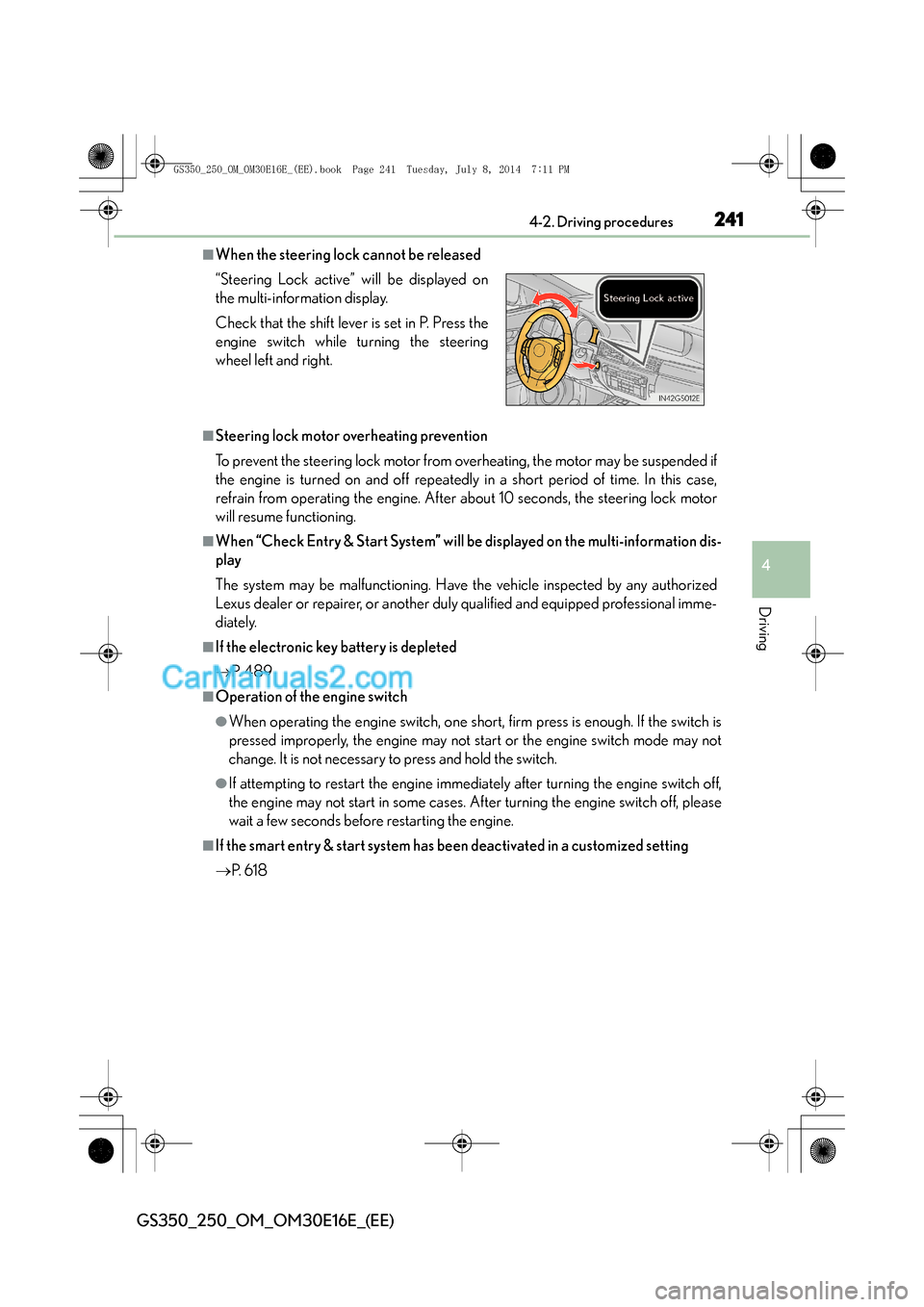
■When the steering lock cannot be released
■Steering lock motor overheating prevention
To prevent the steering lock motor from overheating, the motor may be suspended if
the engine is turned on and off repeatedly in a short period of time. In this case,
refrain from operating the engine. After about 10 seconds, the steering lock motor
will resume functioning.
■When “Check Entry & Start System” will be displayed on the multi-information dis-
play
The system may be malfunctioning. Have the vehicle inspected by any authorized
Lexus dealer or repairer, or another duly qualified and equipped professional imme-
diately.
■If the electronic key battery is depleted
→P. 4 8 9
■Operation of the engine switch
●When operating the engine switch, one short, firm press is enough. If the switch is
pressed improperly, the engine may not start or the engine switch mode may not
change. It is not necessary to press and hold the switch.
●If attempting to restart the engine immediately after turning the engine switch off,
the engine may not start in some cases. After turning the engine switch off, please
wait a few seconds before restarting the engine.
■If the smart entry & start system has been deactivated in a customized setting
→P. 6 1 8
“Steering Lock active” will be displayed on
the multi-information display.
Check that the shift lever is set in P. Press the
engine switch while turning the steering
wheel left and right.
GS350_250_OM_OM30E16E_(EE).book Page 241 Tuesday, July 8, 201
4 7:11 PM
Page 267 of 688
2674-3. Operating the lights and wipers
4
Driving
GS350_250_OM_OM30E16E_(EE)
■The Automatic High Beam can be operated when
The engine switch is in IGNITION ON mode.
■Camera sensor detection information
●High beam may not be automatically turned off in the following situations:
• When oncoming vehicles suddenly appear from a curve
• When the vehicle is cut in front of by another
• When oncoming or preceding vehicles are hidden from sight due to repeatedcurves, road dividers or roadside trees
• When oncoming vehicles appear from the faraway lane on wide road
• When oncoming or preceding vehicles have no lights
●High beam may be turned off if an oncoming vehicle that is using fog lights without
using the headlights is detected.
●House lights, street lights, red traffic signals, and illuminated billboards or signs may
cause the high beam to turn off.
●The following factors may affect the amount of time taken to turn high beam on or
off:
• The brightness of headlights, fog lights, and tail lights of oncoming and preced- ing vehicles
• The movement and direction of oncoming and preceding vehicles
• When a oncoming or preceding vehicle only has operational lights on one side
• When a oncoming or preceding vehicle is a two-wheeled vehicle
• The condition of the road (gradient, curve, condition of the road surface etc.)
• The number of passengers and amount of luggage
●High beam may be turned on or off when unexpected by the driver.
GS350_250_OM_OM30E16E_(EE).book Page 267 Tuesday, July 8, 201 4 7:11 PM
Page 303 of 688
3034-5. Using the driving support systems
4
Driving
GS350_250_OM_OM30E16E_(EE)
CAUTION
■When the sensor may not be correctly detecting the vehicle ahead
Apply the brakes as necessary when any of the following types of vehicles are in
front of you.
As the sensor may not be able to correctly detect these types of vehicles, the
approach warning (→P. 295) will not be activated, and a fatal or serious accident
may result.
●Vehicles that cut in suddenly
●Vehicles traveling at low speeds
●Vehicles that are not moving
●Vehicles with small rear ends (trailers with no load on board etc.)
●Motorcycles traveling in the same lane
■Conditions under which the vehicle-to-vehicle distance control may not function
correctly
Apply the brakes as necessary in the following conditions as the radar sensor may
not be able to correctly detect vehicles ahead, and a fatal or serious accident may
result:
●When water or snow thrown up by the surrounding vehicles hinders the function-
ing of the sensor
●When your vehicle is pointing upwards (caused by a heavy load in the trunk etc.)
●When the road curves or when the lanes are narrow
●When steering wheel operation or your position in the lane is unstable
●When the vehicle ahead of you decelerates suddenly
GS350_250_OM_OM30E16E_(EE).book Page 303 Tuesday, July 8, 201 4 7:11 PM
Page 306 of 688
3064-5. Using the driving support systems
GS350_250_OM_OM30E16E_(EE)
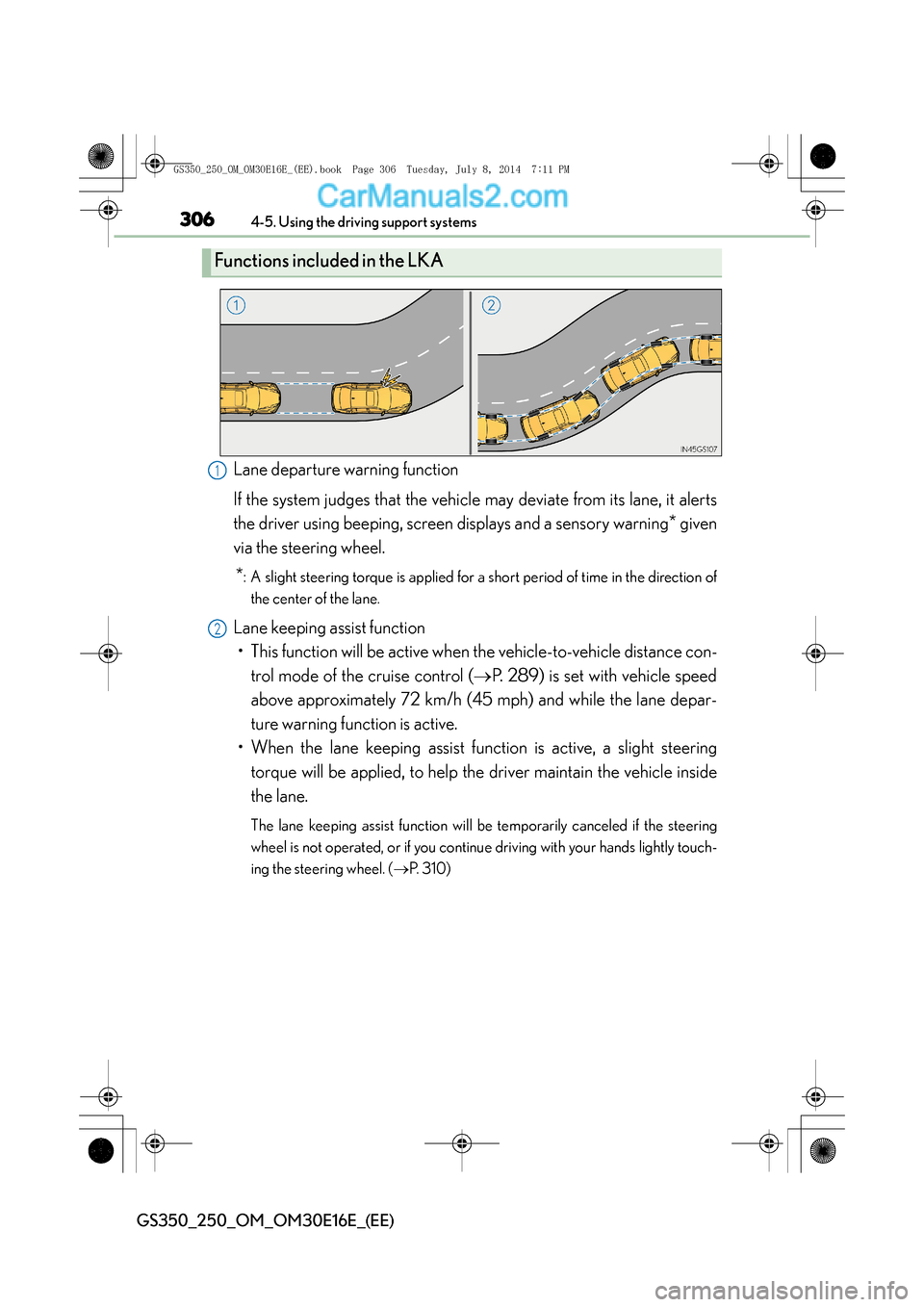
Lane departure warning function
If the system judges that the vehicle may deviate from its lane, it alerts
the driver using beeping, screen displays and a sensory warning
* given
via the steering wheel.
*: A slight steering torque is applied for a short period of time in the direction of
the center of the lane.
Lane keeping assist function• This function will be active when the vehicle-to-vehicle distance con- trol mode of the cruise control ( →P. 289) is set with vehicle speed
above approximately 72 km/h (45 mph) and while the lane depar-
ture warning function is active.
• When the lane keeping assist function is active, a slight steering
torque will be applied, to help the driver maintain the vehicle inside
the lane.
The lane keeping assist function will be temporarily canceled if the steering
wheel is not operated, or if you continue driving with your hands lightly touch-
ing the steering wheel. ( →P. 3 1 0 )
Functions included in the LKA
1
2
GS350_250_OM_OM30E16E_(EE).book Page 306 Tuesday, July 8, 201 4 7:11 PM