display Lexus GS300h 2013 Workshop Manual
[x] Cancel search | Manufacturer: LEXUS, Model Year: 2013, Model line: GS300h, Model: Lexus GS300h 2013Pages: 1014
Page 279 of 1014
2734-2. Driving procedures
4
Driving
GS450h_300h_OM_OM30D53E_(EE)
The brake hold function may not hold the vehicle when the vehicle is on a
steep incline. In this situation, it may be necessary for the driver to apply
the brakes. The multi-information display will inform the driver of this situ-
ation.
Page 311 of 1014
3004-5. Using the driving support system
GS450h_300h_OM_OM30D53E_(EE)
Cruise control can be set when
The shift lever is in D or range 4 or higher of S has been selected.
Range 4 or higher of D has been selected by using the paddle shift.
Vehicle speed is above approximately 40 km/h (25 mph).
Accelerating after setting the vehicle speed
The vehicle can be accelerated normally. After acceleration, the set speed
resumes.
Even without canceling the cruise control, the set speed can be increased by
first accelerating the vehicle to the desired speed and then pushing the lever
down to set the new speed.
Automatic cruise control cancelation
Cruise control will stop maintaining the vehicle speed in any of the following
situations.
Actual vehicle speed falls more than approximately 16 km/h (10 mph)
below the preset vehicle speed.
At this time, the memorized set speed is not retained.
Actual vehicle speed is below approximately 40 km/h (25 mph).
VSC is activated.
TRC is activated for a period of time.
When the VSC or TRC system is turned off by pressing the VSC OFF
switch.
If the warning message for the cruise control is shown on the multi-informa-
tion display
Press the “ON/OFF” button once to deactivate the system, and then press the
button again to reactivate the system.
If the cruise control speed cannot be set or if the cruise control cancels imme-
diately after being activated, there may be a malfunction in the cruise control
system. Have the vehicle inspected by any authorized Lexus dealer or
repairer, or another duly qualified and equipped professional.
Page 313 of 1014
3024-5. Using the driving support system
GS450h_300h_OM_OM30D53E_(EE)
Dynamic radar cruise control
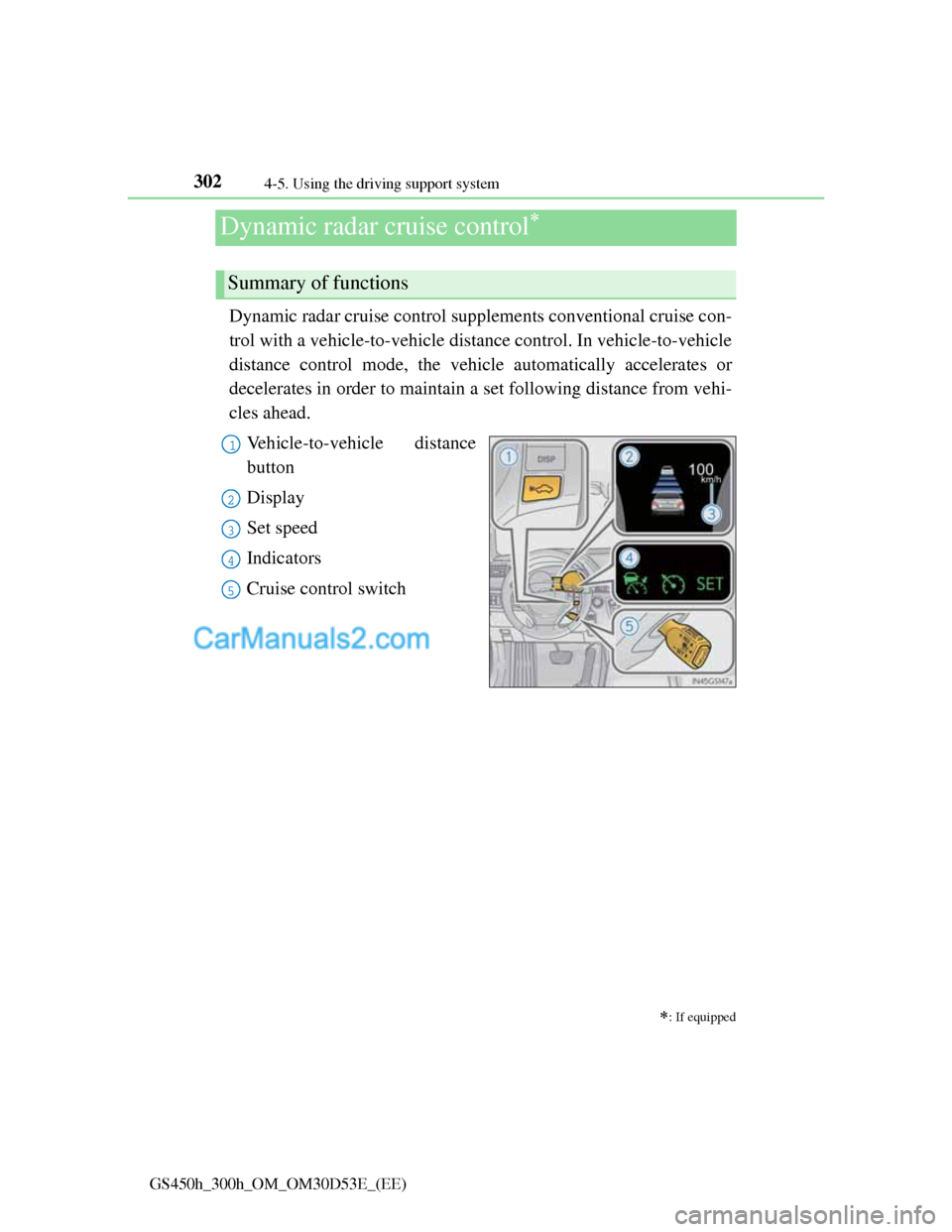
Dynamic radar cruise control supplements conventional cruise con-
trol with a vehicle-to-vehicle distance control. In vehicle-to-vehicle
distance control mode, the vehicle automatically accelerates or
decelerates in order to maintain a set following distance from vehi-
cles ahead.
Vehicle-to-vehicle distance
button
Display
Set speed
Indicators
Cruise control switch
: If equipped
Summary of functions
1
2
3
4
5
Page 314 of 1014
3034-5. Using the driving support system
4
Driving
GS450h_300h_OM_OM30D53E_(EE)
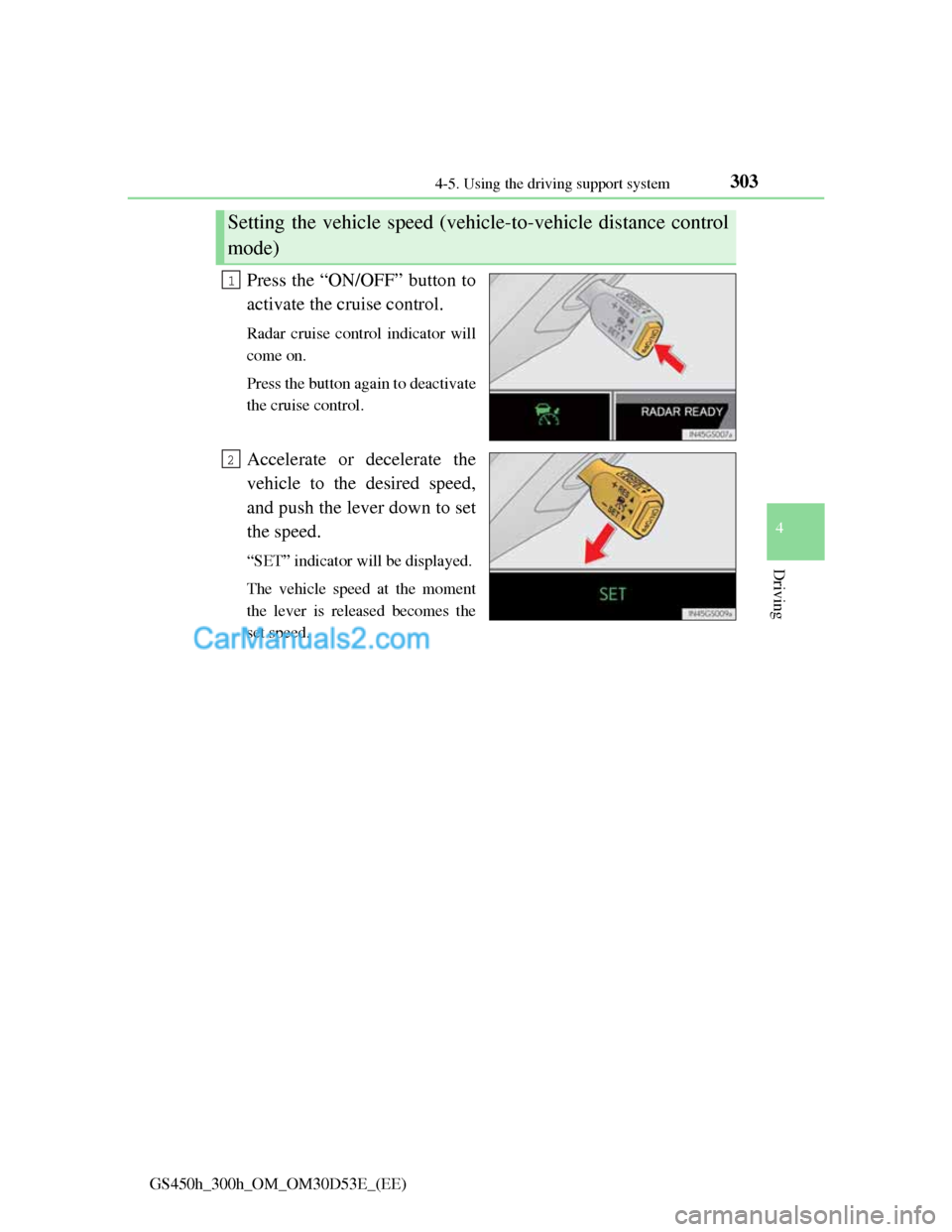
Press the “ON/OFF” button to
activate the cruise control.
Radar cruise control indicator will
come on.
Press the button again to deactivate
the cruise control.
Accelerate or decelerate the
vehicle to the desired speed,
and push the lever down to set
the speed.
“SET” indicator will be displayed.
The vehicle speed at the moment
the lever is released becomes the
set speed.
Setting the vehicle speed (vehicle-to-vehicle distance control
mode)
1
2
Page 315 of 1014
3044-5. Using the driving support system
GS450h_300h_OM_OM30D53E_(EE)
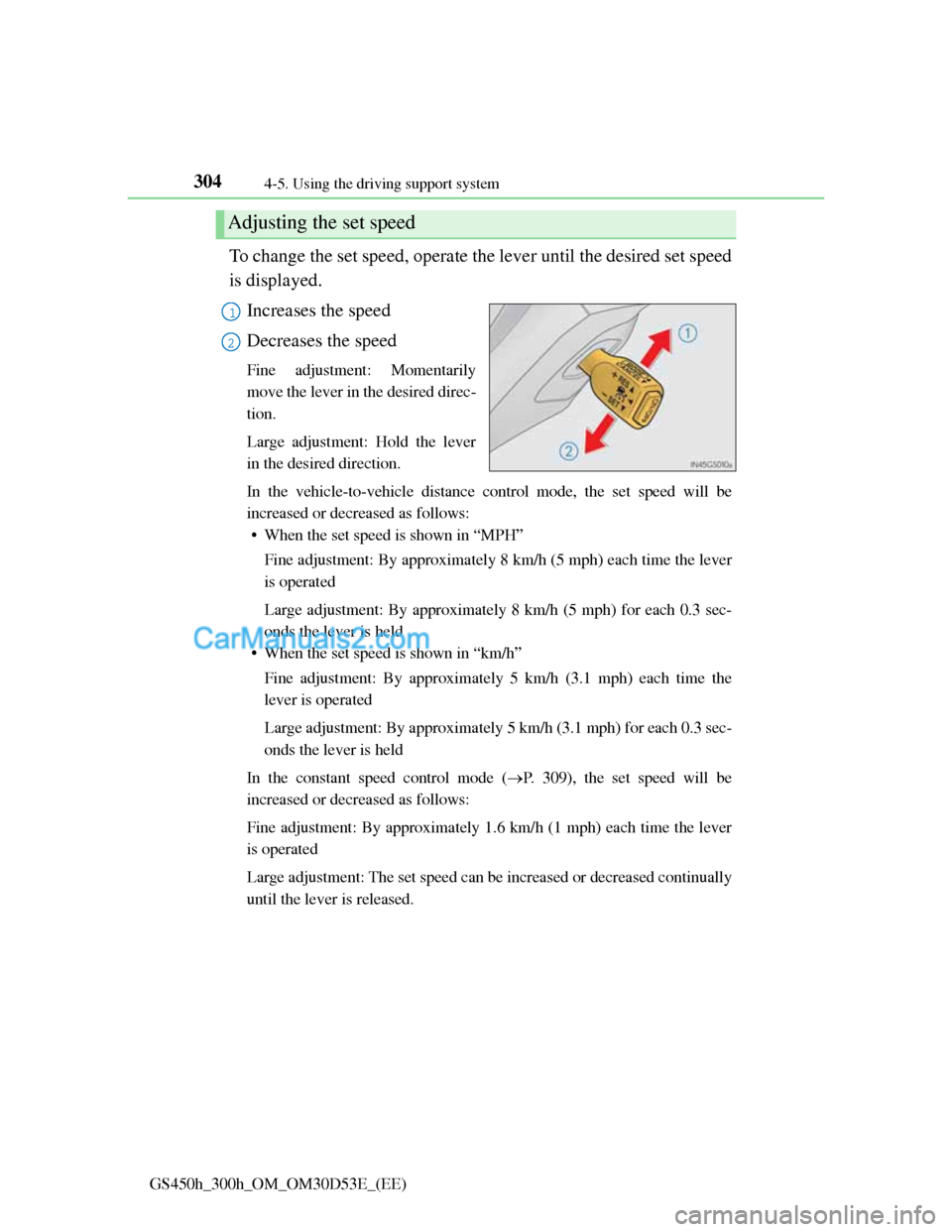
To change the set speed, operate the lever until the desired set speed
is displayed.
Increases the speed
Decreases the speed
Fine adjustment: Momentarily
move the lever in the desired direc-
tion.
Large adjustment: Hold the lever
in the desired direction.
In the vehicle-to-vehicle distance control mode, the set speed will be
increased or decreased as follows:
• When the set speed is shown in “MPH”
Fine adjustment: By approximately 8 km/h (5 mph) each time the lever
is operated
Large adjustment: By approximately 8 km/h (5 mph) for each 0.3 sec-
onds the lever is held
• When the set speed is shown in “km/h”
Fine adjustment: By approximately 5 km/h (3.1 mph) each time the
lever is operated
Large adjustment: By approximately 5 km/h (3.1 mph) for each 0.3 sec-
onds the lever is held
In the constant speed control mode (P. 309), the set speed will be
increased or decreased as follows:
Fine adjustment: By approximately 1.6 km/h (1 mph) each time the lever
is operated
Large adjustment: The set speed can be increased or decreased continually
until the lever is released.
Adjusting the set speed
1
2
Page 316 of 1014

3054-5. Using the driving support system
4
Driving
GS450h_300h_OM_OM30D53E_(EE)
Pressing the button changes the
vehicle-to-vehicle distance as
follows:
Long
Medium
Short
The vehicle-to-vehicle distance is
set automatically to long mode
when the power switch is turned to
ON mode.
If a vehicle is running ahead of
you, the preceding vehicle mark
will also be displayed.
Select a distance from the table below. Note that the distances
shown correspond to a vehicle speed of 80 km/h (50 mph). Vehicle-
to-vehicle distance increases/decreases in accordance with vehicle
speed.
Changing the vehicle-to-vehicle distance
Preceding
vehicle
1
2
3
Vehicle-to-vehicle distance settings
Distance optionsVehicle-to-vehicle distance
LongApproximately 50 m (160 ft.)
MediumApproximately 40 m (130 ft.)
ShortApproximately 30 m (100 ft.)
Page 330 of 1014
3194-5. Using the driving support system
4
Driving
GS450h_300h_OM_OM30D53E_(EE)
Dynamic radar cruise control with full-speed
range
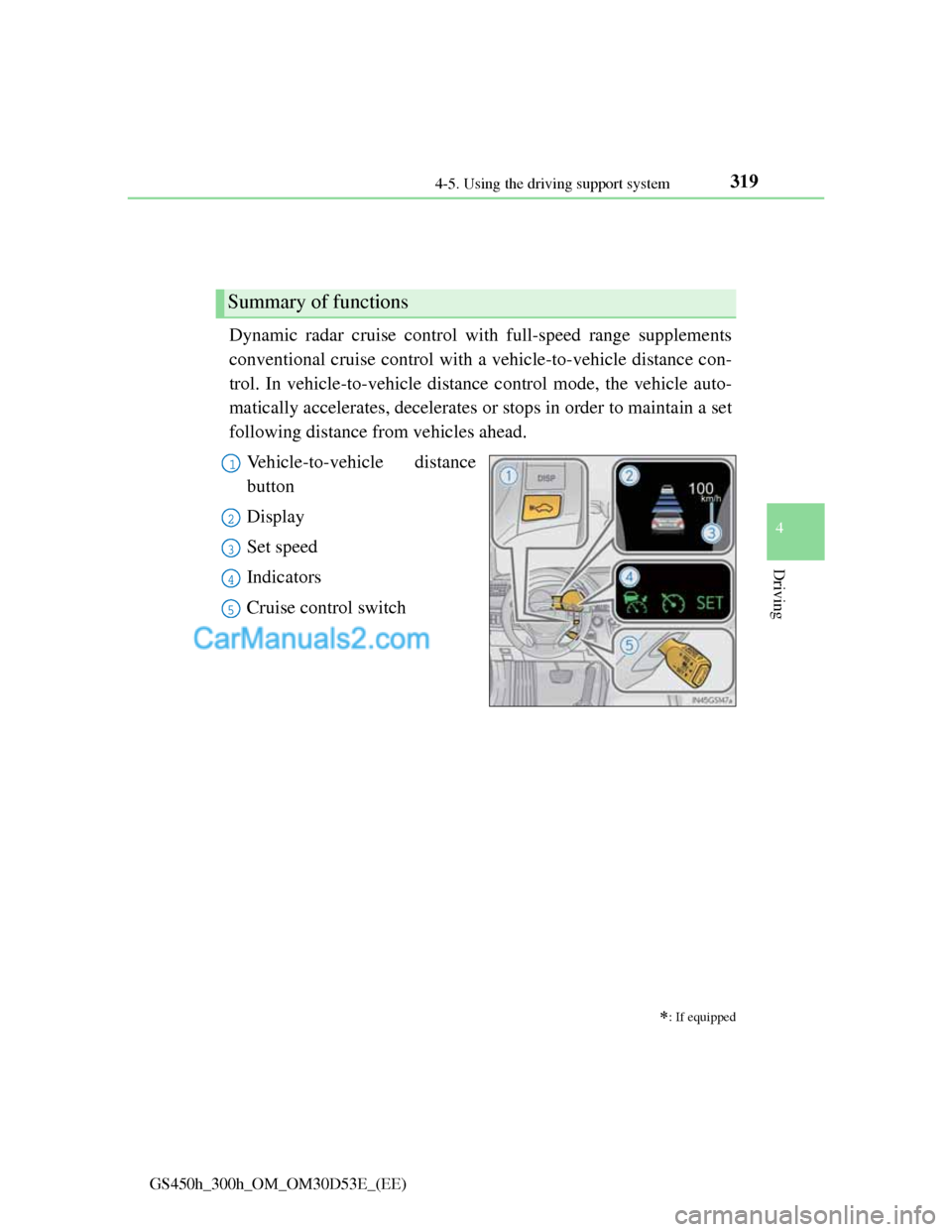
Dynamic radar cruise control with full-speed range supplements
conventional cruise control with a vehicle-to-vehicle distance con-
trol. In vehicle-to-vehicle distance control mode, the vehicle auto-
matically accelerates, decelerates or stops in order to maintain a set
following distance from vehicles ahead.
Vehicle-to-vehicle distance
button
Display
Set speed
Indicators
Cruise control switch
: If equipped
Summary of functions
1
2
3
4
5
Page 331 of 1014
3204-5. Using the driving support system
GS450h_300h_OM_OM30D53E_(EE)
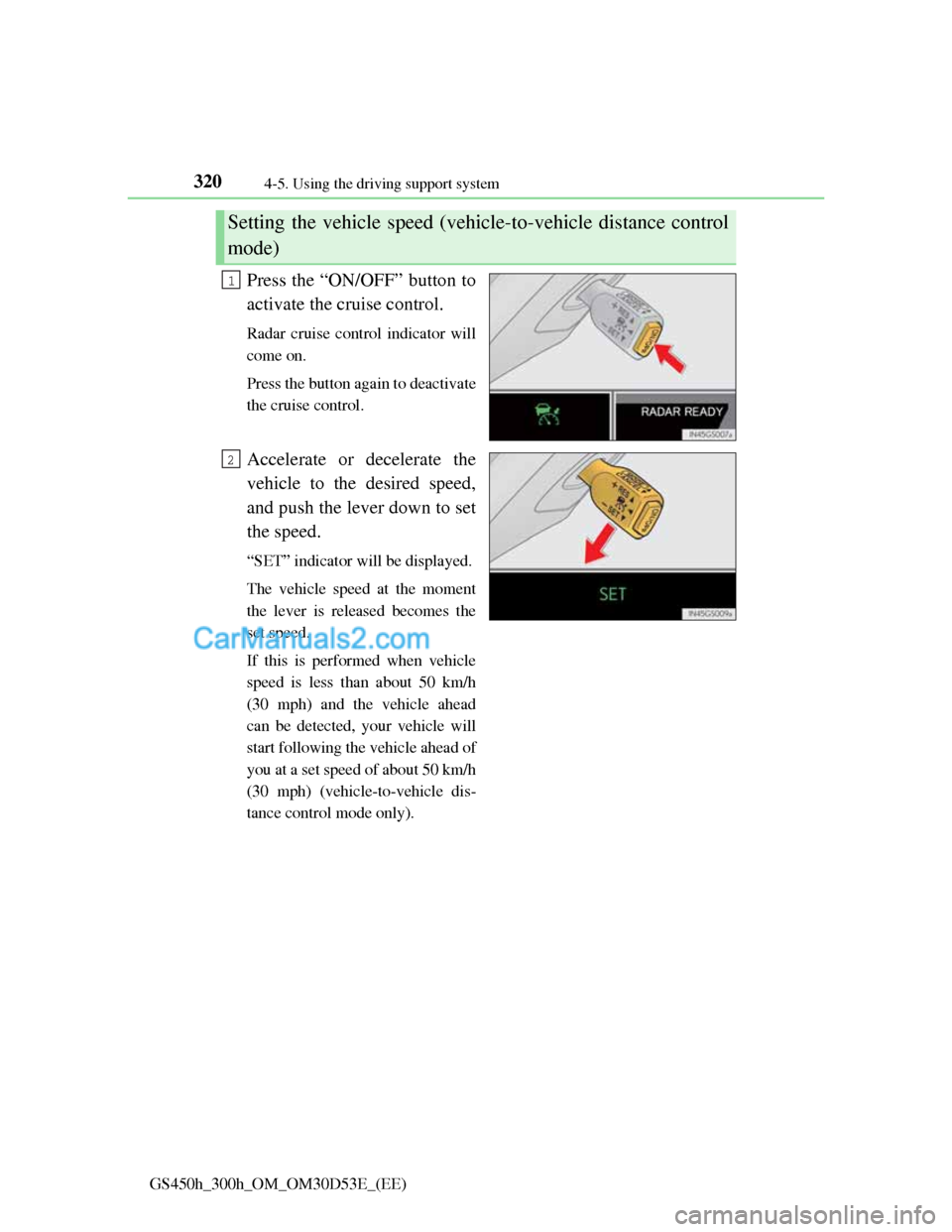
Press the “ON/OFF” button to
activate the cruise control.
Radar cruise control indicator will
come on.
Press the button again to deactivate
the cruise control.
Accelerate or decelerate the
vehicle to the desired speed,
and push the lever down to set
the speed.
“SET” indicator will be displayed.
The vehicle speed at the moment
the lever is released becomes the
set speed.
If this is performed when vehicle
speed is less than about 50 km/h
(30 mph) and the vehicle ahead
can be detected, your vehicle will
start following the vehicle ahead of
you at a set speed of about 50 km/h
(30 mph) (vehicle-to-vehicle dis-
tance control mode only).
Setting the vehicle speed (vehicle-to-vehicle distance control
mode)
1
2
Page 332 of 1014
3214-5. Using the driving support system
4
Driving
GS450h_300h_OM_OM30D53E_(EE)
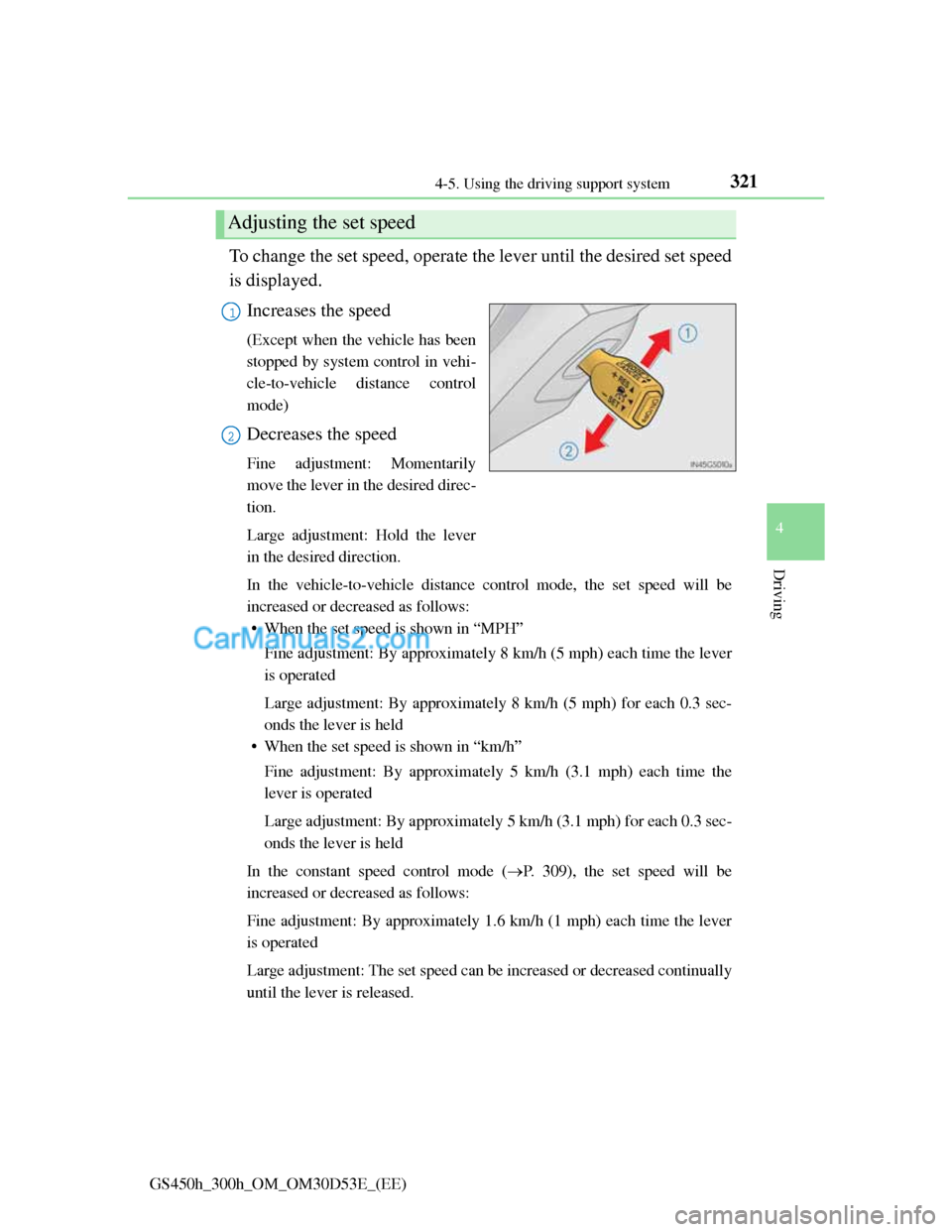
To change the set speed, operate the lever until the desired set speed
is displayed.
Increases the speed
(Except when the vehicle has been
stopped by system control in vehi-
cle-to-vehicle distance control
mode)
Decreases the speed
Fine adjustment: Momentarily
move the lever in the desired direc-
tion.
Large adjustment: Hold the lever
in the desired direction.
In the vehicle-to-vehicle distance control mode, the set speed will be
increased or decreased as follows:
• When the set speed is shown in “MPH”
Fine adjustment: By approximately 8 km/h (5 mph) each time the lever
is operated
Large adjustment: By approximately 8 km/h (5 mph) for each 0.3 sec-
onds the lever is held
• When the set speed is shown in “km/h”
Fine adjustment: By approximately 5 km/h (3.1 mph) each time the
lever is operated
Large adjustment: By approximately 5 km/h (3.1 mph) for each 0.3 sec-
onds the lever is held
In the constant speed control mode (P. 309), the set speed will be
increased or decreased as follows:
Fine adjustment: By approximately 1.6 km/h (1 mph) each time the lever
is operated
Large adjustment: The set speed can be increased or decreased continually
until the lever is released.
Adjusting the set speed
1
2
Page 333 of 1014
3224-5. Using the driving support system
GS450h_300h_OM_OM30D53E_(EE)
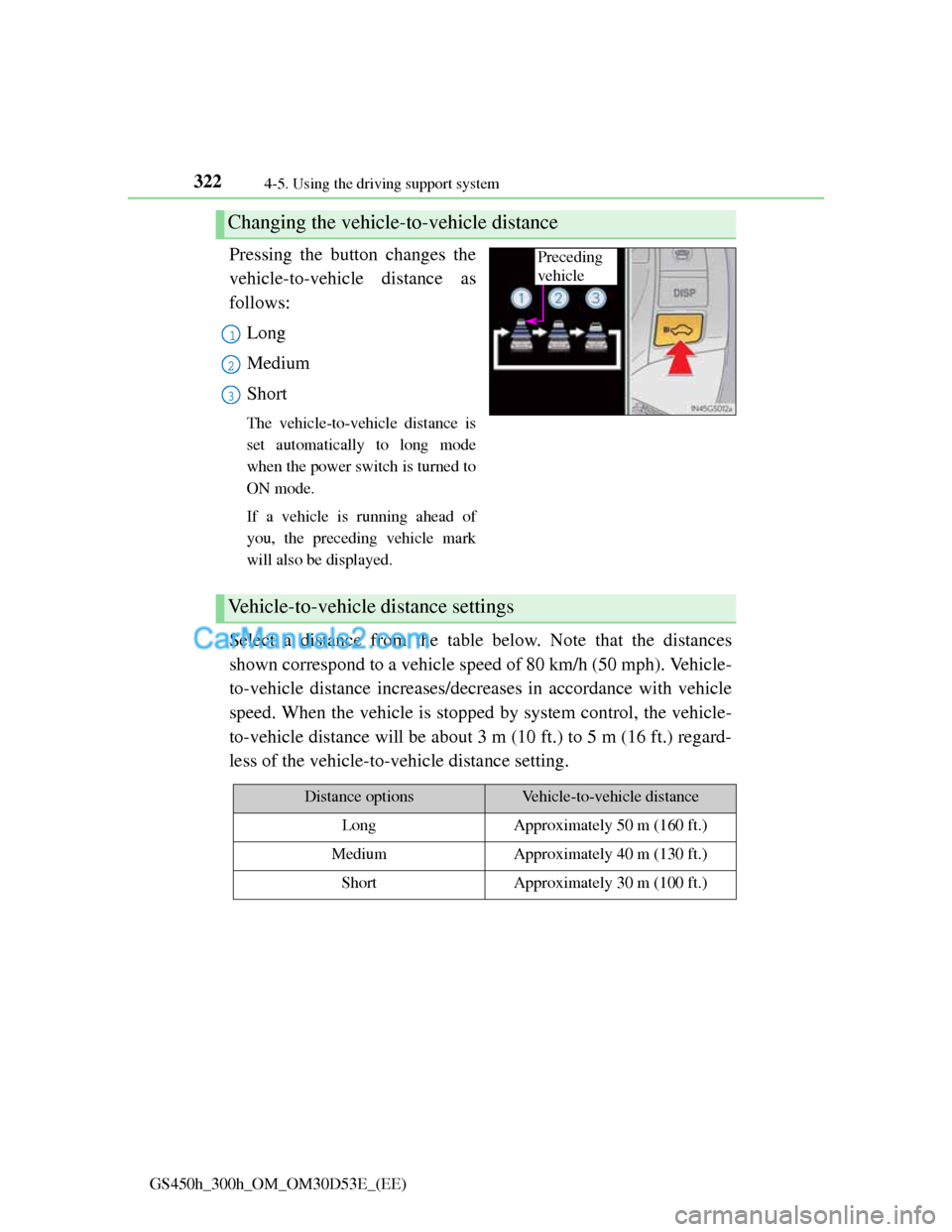
Pressing the button changes the
vehicle-to-vehicle distance as
follows:
Long
Medium
Short
The vehicle-to-vehicle distance is
set automatically to long mode
when the power switch is turned to
ON mode.
If a vehicle is running ahead of
you, the preceding vehicle mark
will also be displayed.
Select a distance from the table below. Note that the distances
shown correspond to a vehicle speed of 80 km/h (50 mph). Vehicle-
to-vehicle distance increases/decreases in accordance with vehicle
speed. When the vehicle is stopped by system control, the vehicle-
to-vehicle distance will be about 3 m (10 ft.) to 5 m (16 ft.) regard-
less of the vehicle-to-vehicle distance setting.
Changing the vehicle-to-vehicle distance
Preceding
vehicle
1
2
3
Vehicle-to-vehicle distance settings
Distance optionsVehicle-to-vehicle distance
LongApproximately 50 m (160 ft.)
MediumApproximately 40 m (130 ft.)
ShortApproximately 30 m (100 ft.)