display Lexus GS300h 2013 Owners Manual
[x] Cancel search | Manufacturer: LEXUS, Model Year: 2013, Model line: GS300h, Model: Lexus GS300h 2013Pages: 1014
Page 400 of 1014
3894-5. Using the driving support system
4
Driving
GS450h_300h_OM_OM30D53E_(EE)
CAUTION
In low temperatures, the screen may darken or the image may become
faint. The image could distort when the vehicle is moving, or you may
become unable to see the image on the screen. Be sure to check direct
visually and with mirror all around the vehicle before proceeding.
If the tire sizes are changed, the position of the guide lines displayed on
the screen may change.
The camera uses a special lens. The distances between objects and pedes-
trians that appear in the image displayed on the screen will differ from the
actual distances. (P. 381)
When using the perpendicular parking assist screen
Estimated course line display mode: If the steering wheel is straight and the
vehicle width extension guide lines and the estimated course lines are not in
alignment, have the vehicle inspected by any authorized Lexus dealer or
repairer, or another duly qualified and equipped professional.
When using the parallel parking assist screen
Do not use the system if the display is incorrect due to an uneven (curvy/
hilly) road or a non-straight road.
Make sure to operate the steering wheel only when the vehicle is stopped.
Be sure to check that there are no obstacles inside the blue outline.
If there are any obstacles inside the blue outline, do not use the parallel
parking assist.
When positioning the blue outline over the parking space, be sure to posi-
tion it so that the extended blue line may not cross the tire of the vehicle
parked in front of the empty space.
Page 404 of 1014
393
4 4-5. Using the driving support system
Driving
GS450h_300h_OM_OM30D53E_(EE)
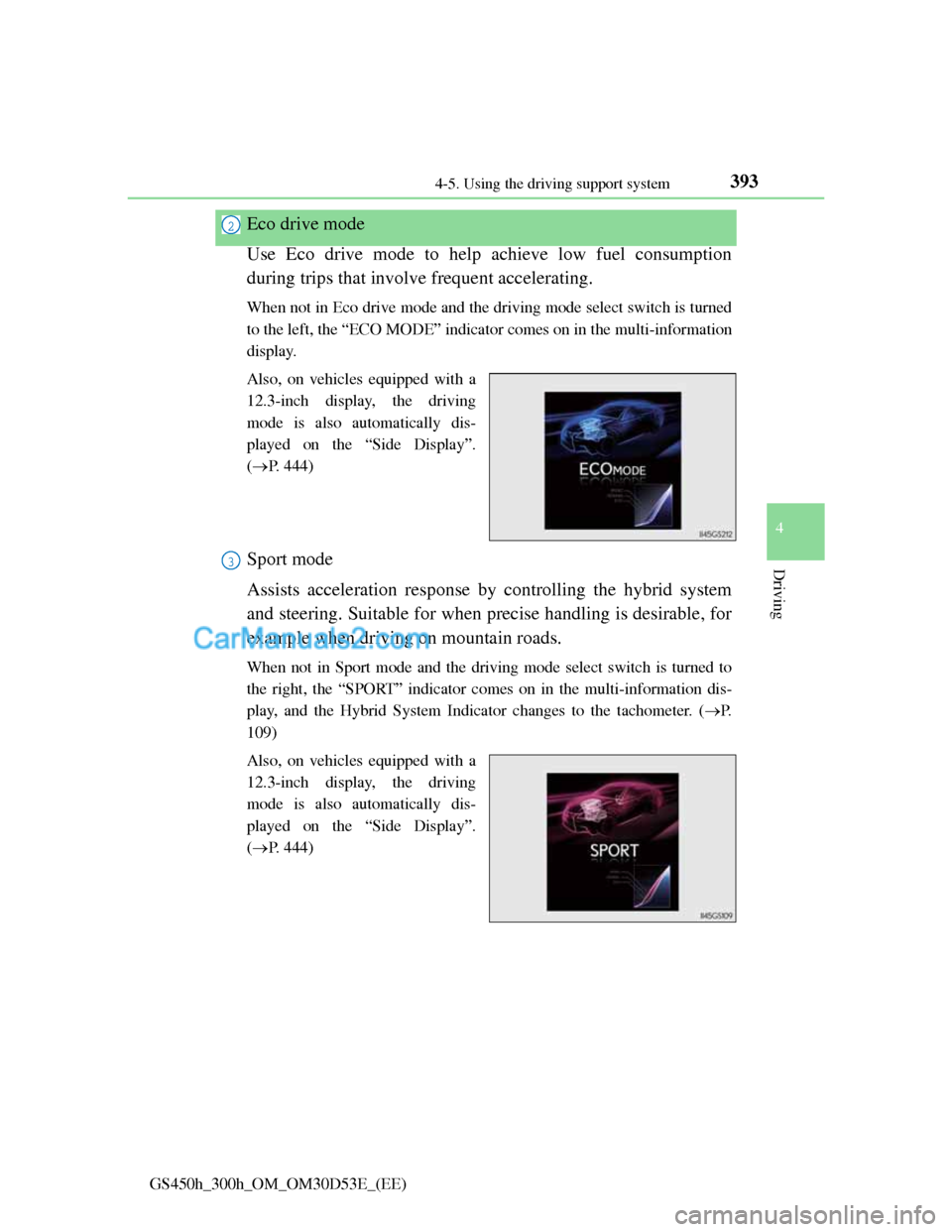
Eco drive mode
Use Eco drive mode to help achieve low fuel consumption
during trips that involve frequent accelerating.
When not in Eco drive mode and the driving mode select switch is turned
to the left, the “ECO MODE” indicator comes on in the multi-information
display.
Also, on vehicles equipped with a
12.3-inch display, the driving
mode is also automatically dis-
played on the “Side Display”.
(P. 444)
Sport mode
Assists acceleration response by controlling the hybrid system
and steering. Suitable for when precise handling is desirable, for
example when driving on mountain roads.
When not in Sport mode and the driving mode select switch is turned to
the right, the “SPORT” indicator comes on in the multi-information dis-
play, and the Hybrid System Indicator changes to the tachometer. (P.
109)
Also, on vehicles equipped with a
12.3-inch display, the driving
mode is also automatically dis-
played on the “Side Display”.
(P. 444)
2
3
Page 405 of 1014
3944-5. Using the driving support system
GS450h_300h_OM_OM30D53E_(EE)
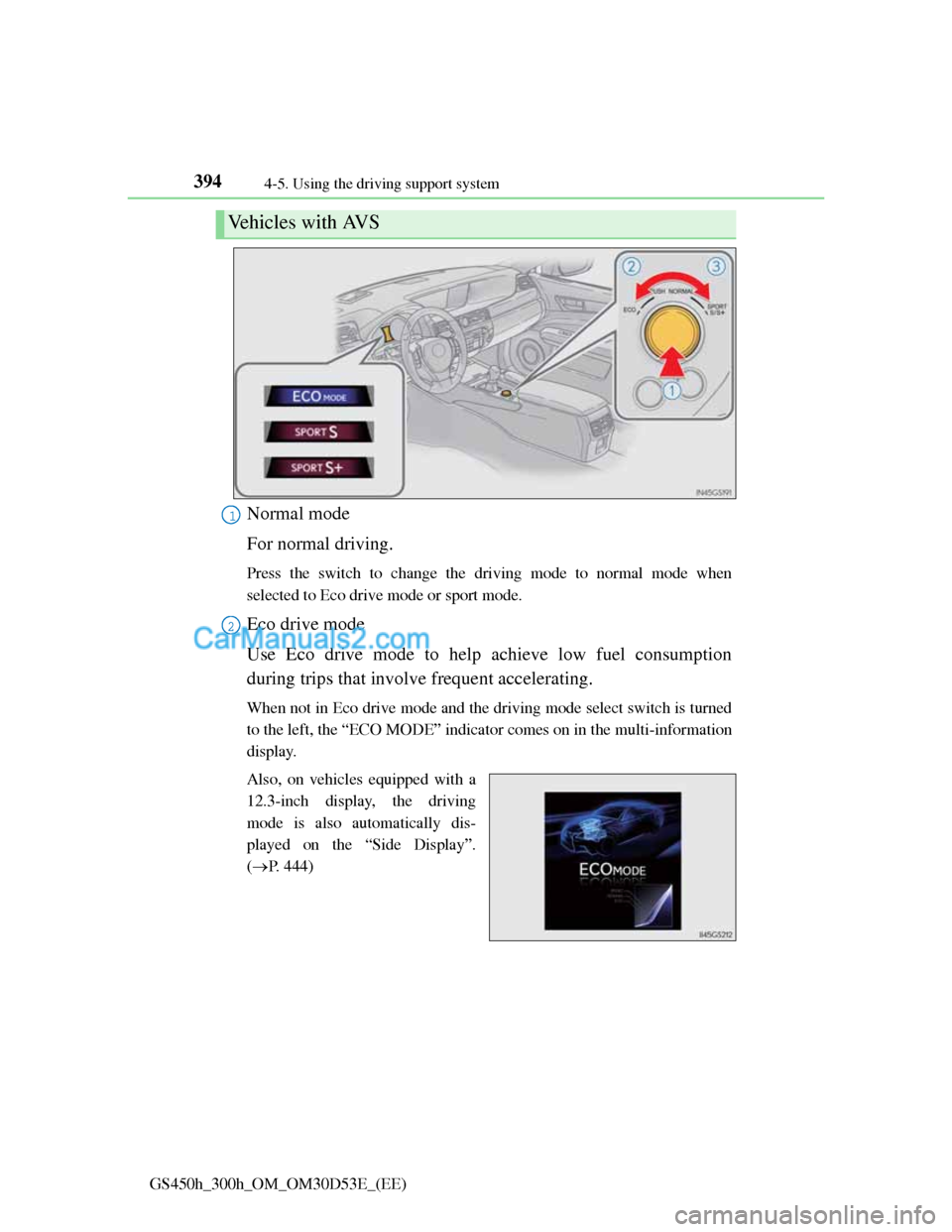
Normal mode
For normal driving.
Press the switch to change the driving mode to normal mode when
selected to Eco drive mode or sport mode.
Eco drive mode
Use Eco drive mode to help achieve low fuel consumption
during trips that involve frequent accelerating.
When not in Eco drive mode and the driving mode select switch is turned
to the left, the “ECO MODE” indicator comes on in the multi-information
display.
Also, on vehicles equipped with a
12.3-inch display, the driving
mode is also automatically dis-
played on the “Side Display”.
(P. 444)
Vehicles with AVS
1
2
Page 406 of 1014
3954-5. Using the driving support system
4
Driving
GS450h_300h_OM_OM30D53E_(EE)
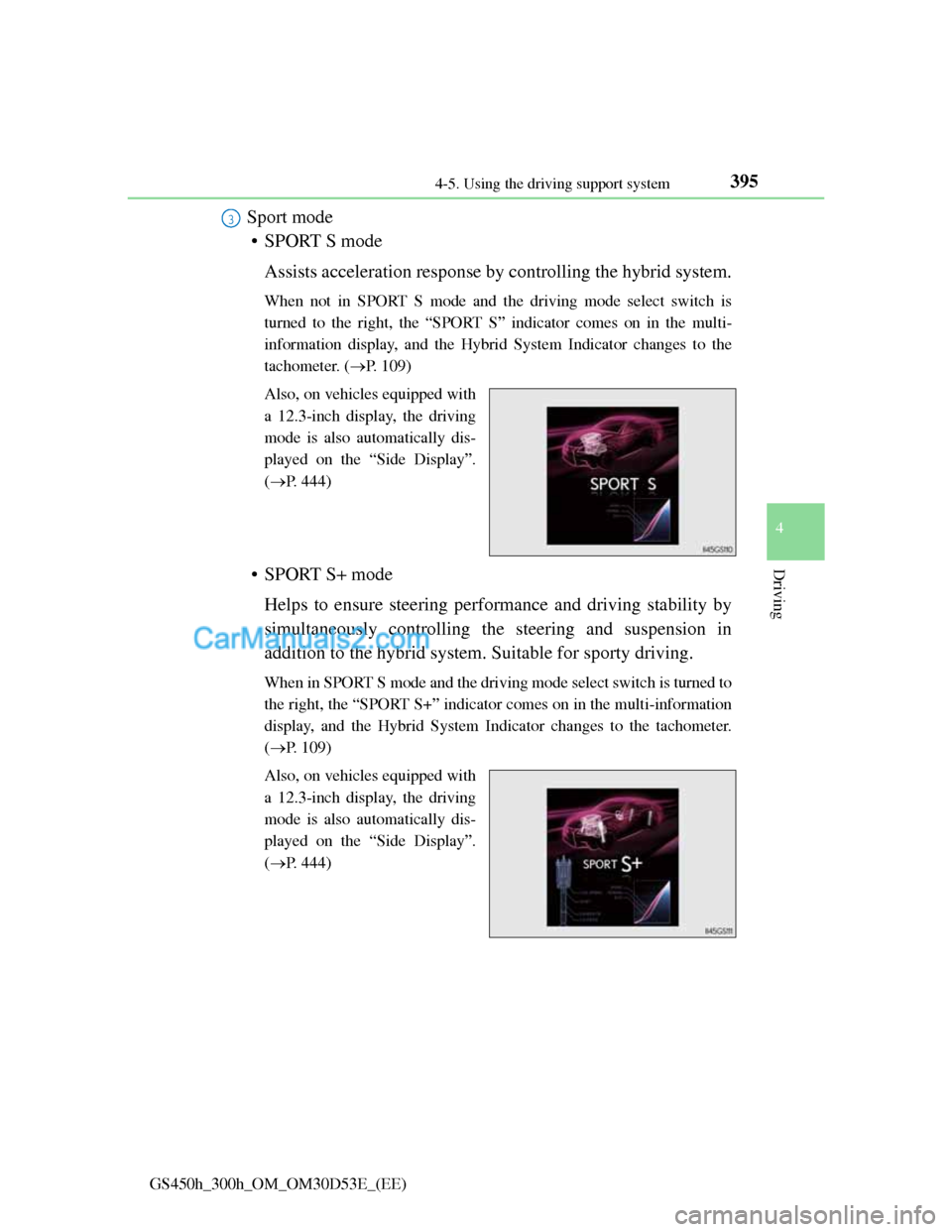
Sport mode
• SPORT S mode
Assists acceleration response by controlling the hybrid system.
When not in SPORT S mode and the driving mode select switch is
turned to the right, the “SPORT S” indicator comes on in the multi-
information display, and the Hybrid System Indicator changes to the
tachometer. (P. 109)
Also, on vehicles equipped with
a 12.3-inch display, the driving
mode is also automatically dis-
played on the “Side Display”.
(P. 444)
• SPORT S+ mode
Helps to ensure steering performance and driving stability by
simultaneously controlling the steering and suspension in
addition to the hybrid system. Suitable for sporty driving.
When in SPORT S mode and the driving mode select switch is turned to
the right, the “SPORT S+” indicator comes on in the multi-information
display, and the Hybrid System Indicator changes to the tachometer.
(P. 109)
Also, on vehicles equipped with
a 12.3-inch display, the driving
mode is also automatically dis-
played on the “Side Display”.
(P. 444)
3
Page 412 of 1014
4014-5. Using the driving support system
4
Driving
GS450h_300h_OM_OM30D53E_(EE)
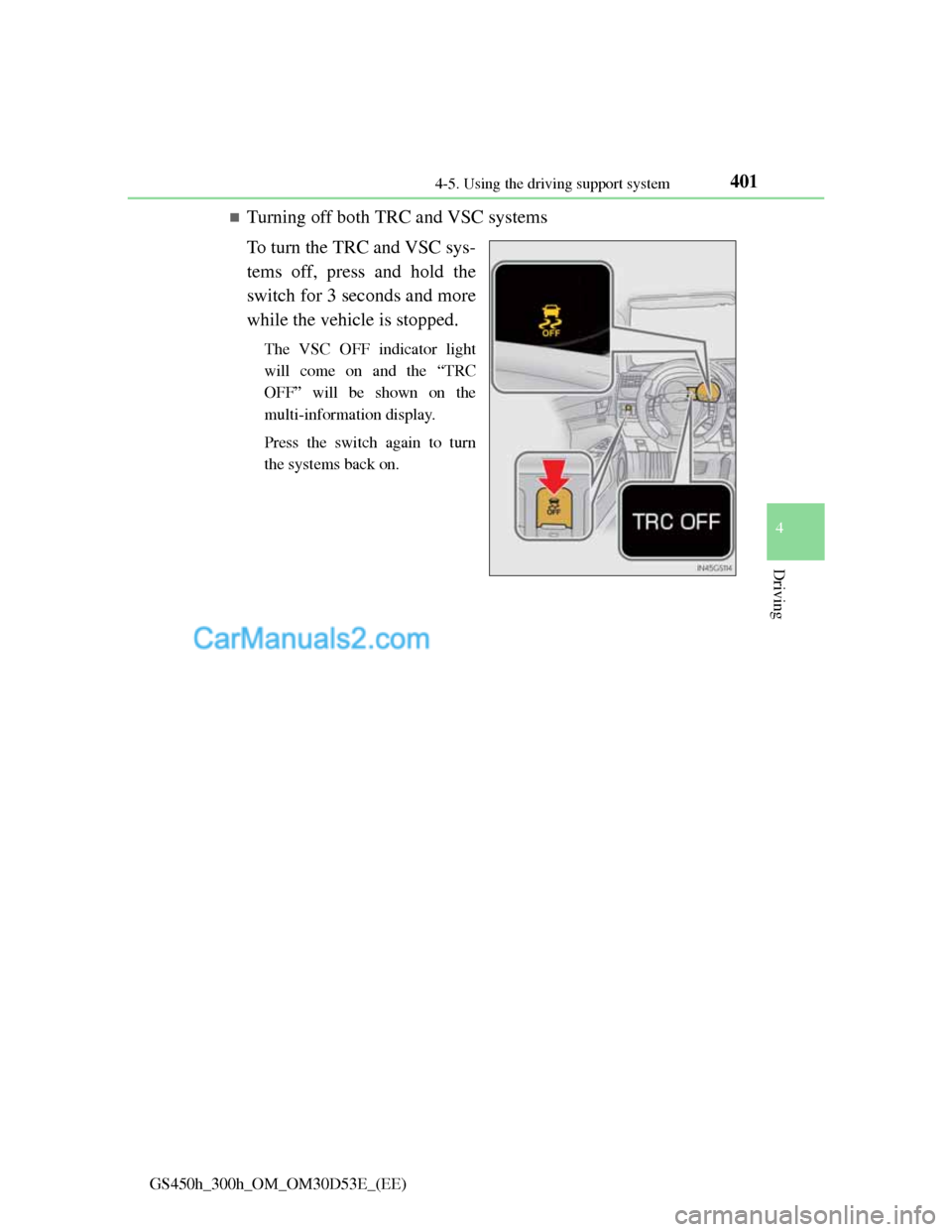
Turning off both TRC and VSC systems
To turn the TRC and VSC sys-
tems off, press and hold the
switch for 3 seconds and more
while the vehicle is stopped.
The VSC OFF indicator light
will come on and the “TRC
OFF” will be shown on the
multi-information display.
Press the switch again to turn
the systems back on.
Page 413 of 1014

4024-5. Using the driving support system
GS450h_300h_OM_OM30D53E_(EE)
When the message is displayed on the multi-information display showing that
TRC has been disabled even if the VSC OFF switch has not been pressed
TRC cannot be operated. Contact any authorized Lexus dealer or repairer, or
another duly qualified and equipped professional.
VGRS is disabled when
VGRS may stop operating in the following situations.
In this event, the steering wheel may move from its straight forward position,
but it will return when the system restarts.
The steering wheel is operated for an extended period of time while the
vehicle is stopped or is moving very slowly.
When force is continuously applied for a long time with the steering wheel
turned as far as it will go.
The center position of the steering wheel may change when VGRS is dis-
abled. However, the position will return to normal after VGRS is reacti-
vated.
When the 12-volt battery is disconnected
The steering wheel may move from its straight forward position, but this will
be corrected automatically when driving.
Sounds and vibrations caused by the ABS, brake assist, VSC, TRC and
VGRS systems
A sound may be heard from the engine compartment when the brake pedal
is depressed repeatedly, when the hybrid system is started or just after the
vehicle begins to move. This sound does not indicate that a malfunction has
occurred in any of these systems.
Any of the following conditions may occur when the above systems are
operating. None of these indicates that a malfunction has occurred.
• Vibrations may be felt through the vehicle body and steering.
• A motor sound may be heard after the vehicle comes to a stop.
EPS, VGRS and DRS operation sound
When the steering wheel is operated, a motor sound (whirring sound) may be
heard. This does not indicate a malfunction.
Reactivation of the TRC/VSC systems
Even after the TRC/VSC systems have been turned off, turning the hybrid
system off and then on again will automatically reactivate the TRC/VSC sys-
tems.
Page 414 of 1014
4034-5. Using the driving support system
4
Driving
GS450h_300h_OM_OM30D53E_(EE)
Reactivation of the TRC system linked to vehicle speed
When only the TRC system is turned off, the TRC system will turn on when
vehicle speed increases. However, when both TRC and VSC systems are
turned off, the systems will not turn on even when vehicle speed increases.
Reduced effectiveness of the EPS system
The effectiveness of the EPS system is reduced to prevent the system from
overheating when there is frequent steering input over an extended period of
time. The steering wheel may feel heavy as a result.
* Should this occur,
refrain from excessive steering input or stop the vehicle and turn the hybrid
system off. The EPS system should return to normal within 10 minutes.
*: If the LKA (Lane-Keeping Assist) system cannot operate in this case, a
warning message will be shown on the multi-information display.
Operating conditions of emergency brake signal
When the following three conditions are met, the emergency brake signal
will operate:
The emergency flashers are off.
Actual vehicle speed is over 55 km/h (35 mph).
The brake pedal is depressed in a manner that cause the system to judge
from the vehicle deceleration that this is a sudden braking operation.
Automatic system cancelation of emergency brake signal
The emergency brake signal will turn off in any of the following situations:
The emergency flashers are turned on.
The brake pedal is released.
The system judges from the vehicle deceleration that is not a sudden brak-
ing operation.
Page 417 of 1014

4064-5. Using the driving support system
GS450h_300h_OM_OM30D53E_(EE)
PCS (Pre-Crash Safety system)
Pre-crash seat belts (front seat only)
If the pre-crash sensor detects that a collision is unavoidable, the
pre-crash safety system will retract the seat belt before the colli-
sion occurs.
The same will happen if the driver makes an emergency braking
or loses control of the vehicle. (P. 40)
Pre-crash brake assist
When there is a high possibility of a frontal collision, the system
applies greater braking force in relation to how strongly the
brake pedal is depressed.
Pre-crash braking
When there is a high possibility of a frontal collision, the system
warns the driver using a warning light, warning display and
buzzer. If the system determines that a collision is unavoidable,
the brakes are automatically applied to reduce the collision
speed.
: If equipped
When the radar sensor detects the possibility of a frontal collision,
the pre-crash safety system such as the brakes and seat belts are
automatically engaged to lessen impact as well as vehicle damage.
The pre-crash safety system can be turned on and off as necessary
by operating the switch. (P. 408)
Page 423 of 1014

4124-5. Using the driving support system
GS450h_300h_OM_OM30D53E_(EE)
Situations in which the pre-crash safety system does not function properly
The system may not function effectively in situations such as the following:
On roads with sharp bends or uneven surfaces
If a vehicle suddenly moves in front of your vehicle, such as at an intersec-
tion
If a vehicle suddenly cuts in front of your vehicle, such as when overtaking
In inclement weather such as heavy rain, fog, snow or sand storms
When your vehicle is skidding
When your vehicle is steeply inclined
When the radar sensor moves off position due to its surrounding area being
subjected to a strong impact
Automatic cancelation of the pre-crash safety system
When a malfunction occurs due to sensor contamination, etc. that results in
the sensors being unable to detect obstacles, the pre-crash safety system will
be automatically disabled. In this case, the system will not activate even if
there is a collision possibility.
When there is a malfunction in the system, or if the system is temporarily
unusable
“PCS” warning light will flash and warning messages will be displayed.
(P. 832, 841)
Page 431 of 1014

4204-5. Using the driving support system
GS450h_300h_OM_OM30D53E_(EE)
The outside rear view mirror indicators visibility
When under strong sunlight, the outside rear view mirror indicator may be
difficult to see.
Rear Crossing Traffic Alert buzzer hearing
Rear Crossing Traffic Alert function may be difficult to hear over loud noises
such as high audio volume.
When there is a malfunction in the Blind Spot Monitor
If a system malfunction is detected due to any of the following reasons,
warning messages will be displayed: (P. 845, 855)
There is a malfunction with the sensors
The sensors have become dirty
The outside temperature is extremely high or low
The sensor voltage has become abnormal
Certification for the Blind Spot Monitor
For vehicles sold in Russia
type approval number: POCC DE.ML05.H01144
For vehicles sold in Ukraine
type approval number: 1O094.000966-13