Sound system Lexus GS350 2012 Owner's Manual
[x] Cancel search | Manufacturer: LEXUS, Model Year: 2012, Model line: GS350, Model: Lexus GS350 2012Pages: 914, PDF Size: 49.39 MB
Page 6 of 914

TABLE OF CONTENTS6
GS350/250_EE (OM30C36E)
7-1. Essential information
Emergency flashers ........... 738
If your vehicle has to be stopped
in an emergency.................7397-2. Steps to take in an emergency
If your vehicle needs to be
towed...............................740
If you think something is
wrong................................747
Fuel pump shut off system 748
If a warning light turns on or a
warning buzzer sounds.....749
If a warning message is dis-
played................................757
If you have a flat tire (vehicles
with a spare tire)...............782
If you have a flat tire (vehicles
without a spare
tire).....................................797
If the engine will not start . 815
If the shift lever cannot be
shifted from P....................817
If the parking brake cannot be
released.............................818
If the electronic key does not
operate properly................821
If the vehicle battery is dis-
charged..............................824
If your vehicle overheats ... 829
If your vehicle becomes
stuck...................................832
7When trouble arises
Page 87 of 914
861-2. Theft deterrent system
GS350/250_EE (OM30C36E)
Alarm
The alarm uses light and sound to give an alert when an intrusion is
detected.
The alarm is triggered in the following situations when the alarm is
set:
A locked door is unlocked or opened in any way other than using
the entry function or wireless remote control. (The door will lock
again automatically.)
A trunk is opened in any way other than using the entry function,
wireless remote control or mechanical key.
The hood is opened.
The tilt sensor detects a change of vehicle inclination. (if
equipped)
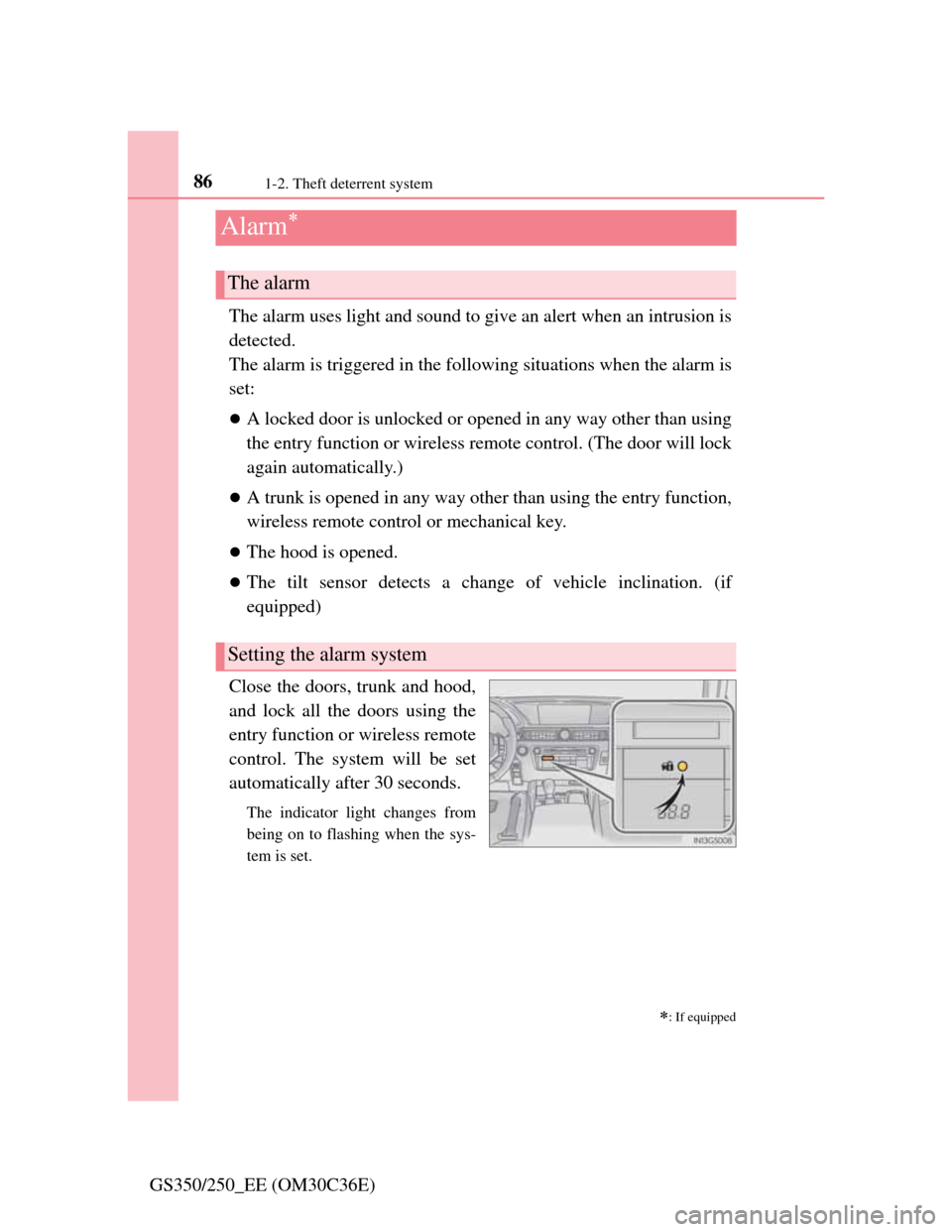
Close the doors, trunk and hood,
and lock all the doors using the
entry function or wireless remote
control. The system will be set
automatically after 30 seconds.
The indicator light changes from
being on to flashing when the sys-
tem is set.
: If equipped
The alarm
Setting the alarm system
Page 135 of 914

1323-2. Opening, closing and locking the doors and trunk
GS350/250_EE (OM30C36E)
Note for locking the doors
Touching the door lock sensor while wearing gloves may delay or prevent
lock operation. Remove the gloves and touch the lock sensor again.
If the door handle becomes wet while the electronic key is within the effec-
tive range, the door may lock and unlock repeatedly. In that case, follow the
following correction procedures to wash the vehicle:
• Place the electronic key in a location 2 m (6 ft.) or more away from the
vehicle. (Take care to ensure that the key is not stolen.)
• Set the electronic key to battery-saving mode to disable the smart entry
& start system. (P. 129)
If the electronic key is inside the vehicle and a door handle becomes wet
during a car wash, a message may be shown on the multi-information dis-
play and a buzzer will sound outside the vehicle. To turn off the alarm, lock
all the doors.
The lock sensor may not work properly if it comes into contact with ice,
snow, mud, etc. Clean the lock sensor and attempt to operate it again, or use
the lock sensor on the lower part of the door handle.
Fingernails may scrape against the door during operation of the door han-
dle. Be careful not to injure fingernails or damage the surface of the door.
Note for the unlocking function
A sudden approach to the effective range or door handle may prevent the
doors from being unlocked. In this case, return the door handle to the origi-
nal position and check that the doors unlock before pulling the door handle
again.
Gripping the door handle when wearing a glove may not unlock the door.
If the door handle becomes wet while the electronic key is within the effec-
tive range, the door may lock and unlock repeatedly. In that case, follow the
following correction procedures to wash the vehicle:
• Place the electronic key in a location 2 m (6 ft.) or more away from the
vehicle. (Take care to ensure that the key is not stolen.)
• Set the electronic key to battery-saving mode to disable the smart entry
& start system. (P. 129)
If there is another electronic key in the detection area, it may take slightly
longer to unlock the doors after the door handle is gripped.
Fingernails may scrape against the door during operation of the door han-
dle. Be careful not to injure fingernails or damage the surface of the door.
Page 137 of 914

1343-2. Opening, closing and locking the doors and trunk
GS350/250_EE (OM30C36E)
Electronic key battery depletion
The standard battery life is 1 to 2 years. (The card key battery life is about a
year and a half.)
If the battery becomes low, an alarm will sound in the cabin when the
engine stops. (P. 779)
As the electronic key always receives radio waves, the battery will become
depleted even if the electronic key is not used. The following symptoms
indicate that the electronic key battery may be depleted. Replace the battery
when necessary. (P. 695)
• The smart entry & start system or the wireless remote control does not
operate.
• The detection area becomes smaller.
• The LED indicator on the key surface does not turn on.
To avoid serious deterioration, do not leave the electronic key within 1 m (3
ft.) of the following electrical appliances that produce a magnetic field:
•TVs
• Personal computers
• Cellular phones, cordless phones and battery chargers
• Recharging cellular phones or cordless phones
•Table lamps
• Glass top ranges
When the electronic key battery is fully depleted
P. 6 9 5
Customization
Settings (e. g. smart entry & start system) can be changed.
(Customizable features: P. 855)
If the smart entry & start system has been deactivated in a customized setting
Locking and unlocking the doors and opening the trunk:
Use the wireless remote control or mechanical key. (P. 141, 821)
Starting the engine and changing engine switch modes:P. 8 2 2
Stopping the engine: P. 2 0 8
Page 145 of 914

1423-2. Opening, closing and locking the doors and trunk
GS350/250_EE (OM30C36E)
Door lock buzzer
If an attempt to lock the doors is made when a door is not fully closed, a
buzzer sounds continuously for 5 seconds. Fully close the door to stop the
buzzer, and lock the vehicle once more.
Security feature
P. 1 2 3
Alarm (if equipped)
Using the wireless remote control to lock the doors will set the alarm system.
(P. 86)
Conditions affecting operation
P. 1 3 0
If the wireless remote control does not operate properly
Locking and unlocking the doors and opening the trunk: Use the mechanical
key.
(P. 821)
Electronic key battery depletion
P. 1 3 4
When the electronic key battery is fully depleted
P. 6 9 5
Confirmation of the registered key number
The number of keys already registered to the vehicle can be confirmed. Ask
any authorized Lexus dealer or repairer, or another duly qualified and
equipped professional for details.
Customization
Settings (e.g. wireless remote control system) can be changed.
(Customizable features: P. 855)
Page 154 of 914
1513-2. Opening, closing and locking the doors and trunk
3
Operation of each component
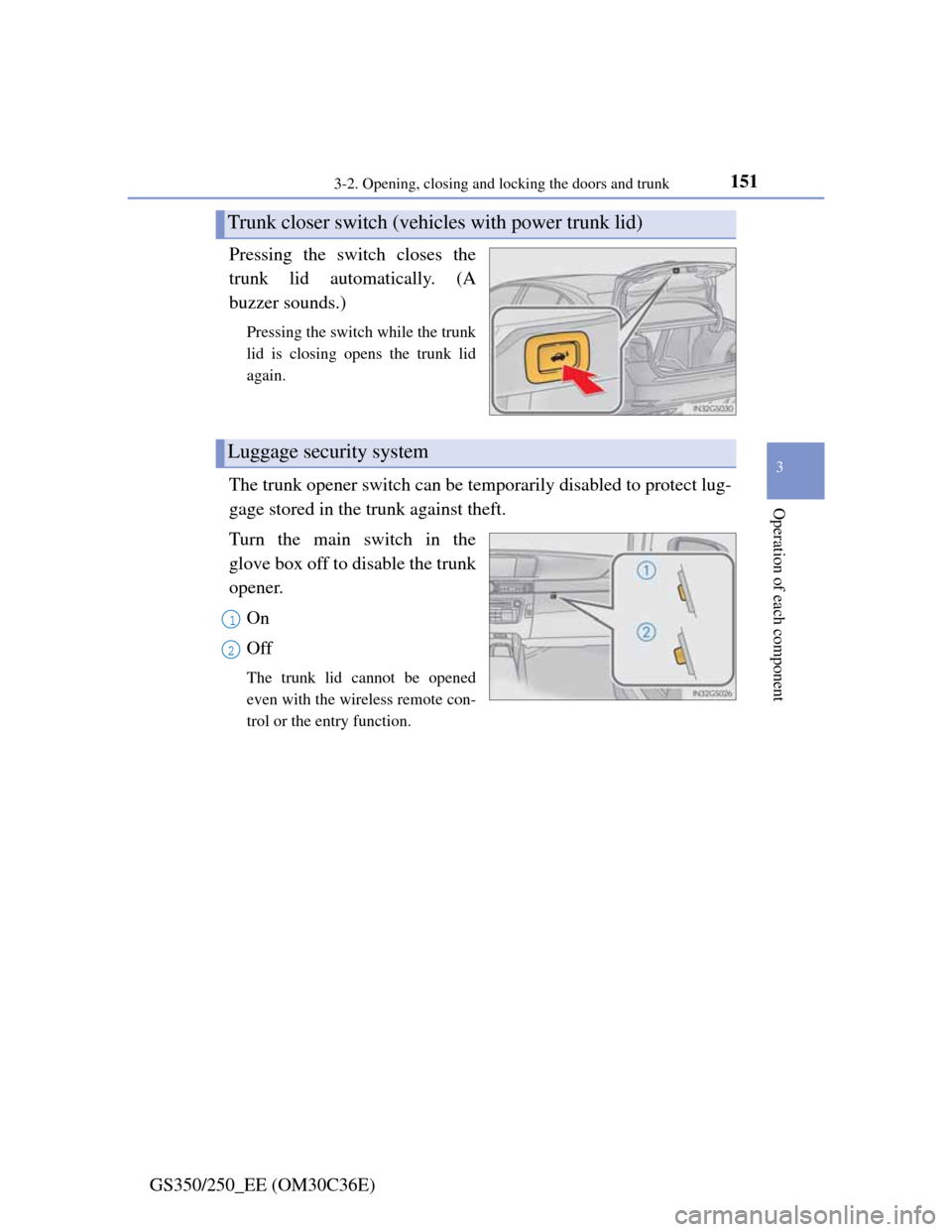
GS350/250_EE (OM30C36E)Pressing the switch closes the
trunk lid automatically. (A
buzzer sounds.)
Pressing the switch while the trunk
lid is closing opens the trunk lid
again.
The trunk opener switch can be temporarily disabled to protect lug-
gage stored in the trunk against theft.
Turn the main switch in the
glove box off to disable the trunk
opener.
On
Off
The trunk lid cannot be opened
even with the wireless remote con-
trol or the entry function.
Trunk closer switch (vehicles with power trunk lid)
Luggage security system
1
2
Page 232 of 914
2264-2. Driving procedures
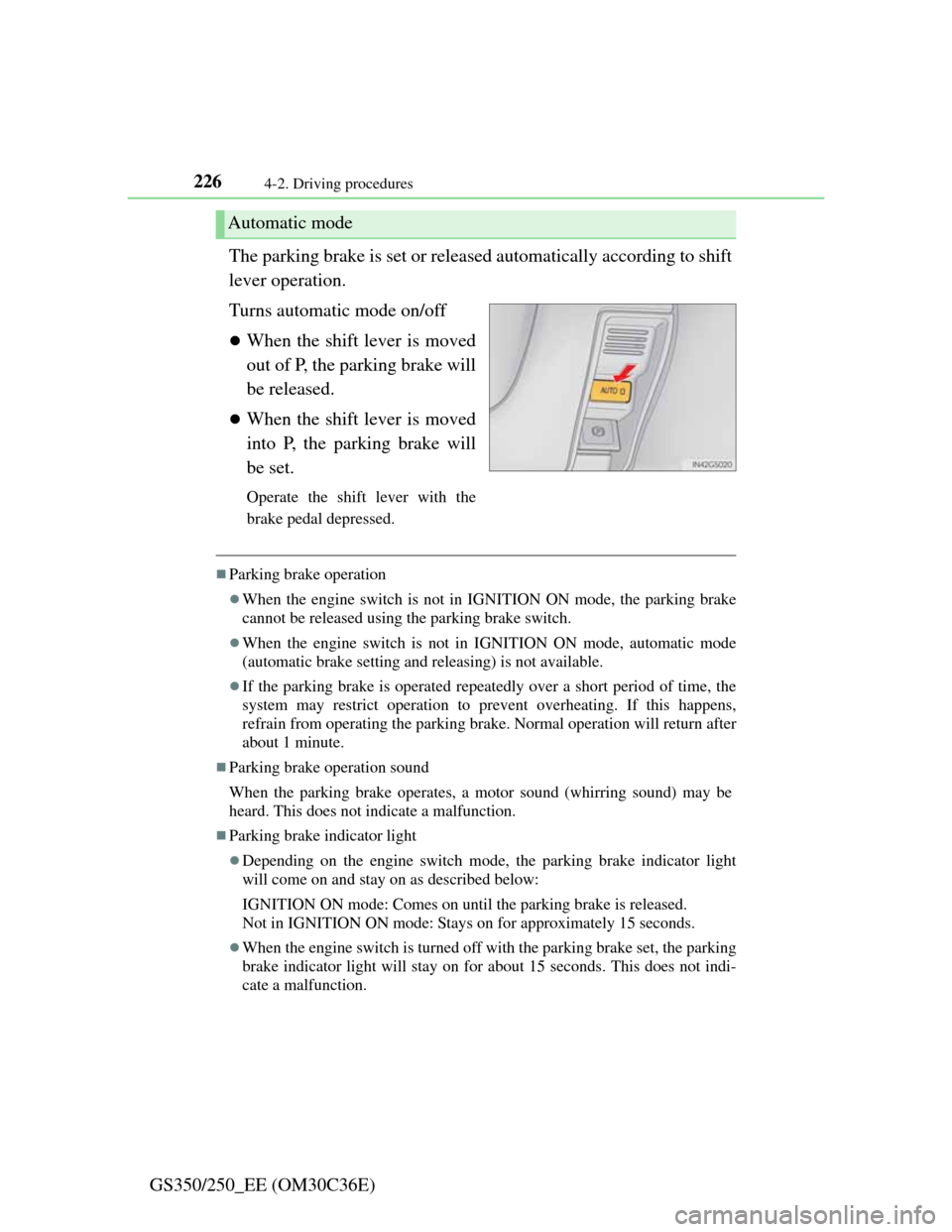
GS350/250_EE (OM30C36E)The parking brake is set or released automatically according to shift
lever operation.
Turns automatic mode on/off
When the shift lever is moved
out of P, the parking brake will
be released.
When the shift lever is moved
into P, the parking brake will
be set.
Operate the shift lever with the
brake pedal depressed.
Parking brake operation
When the engine switch is not in IGNITION ON mode, the parking brake
cannot be released using the parking brake switch.
When the engine switch is not in IGNITION ON mode, automatic mode
(automatic brake setting and releasing) is not available.
If the parking brake is operated repeatedly over a short period of time, the
system may restrict operation to prevent overheating. If this happens,
refrain from operating the parking brake. Normal operation will return after
about 1 minute.
Parking brake operation sound
When the parking brake operates, a motor sound (whirring sound) may be
heard. This does not indicate a malfunction.
Parking brake indicator light
Depending on the engine switch mode, the parking brake indicator light
will come on and stay on as described below:
IGNITION ON mode: Comes on until the parking brake is released.
Not in IGNITION ON mode: Stays on for approximately 15 seconds.
When the engine switch is turned off with the parking brake set, the parking
brake indicator light will stay on for about 15 seconds. This does not indi-
cate a malfunction.
Automatic mode
Page 238 of 914
2314-3. Operating the lights and wipers
4
Driving
GS350/250_EE (OM30C36E)
Daytime running light system
To make your vehicle more visible to other drivers, the front position lights
turn on automatically whenever the engine is started and the parking brake is
released. Daytime running lights are not designed for use at night.
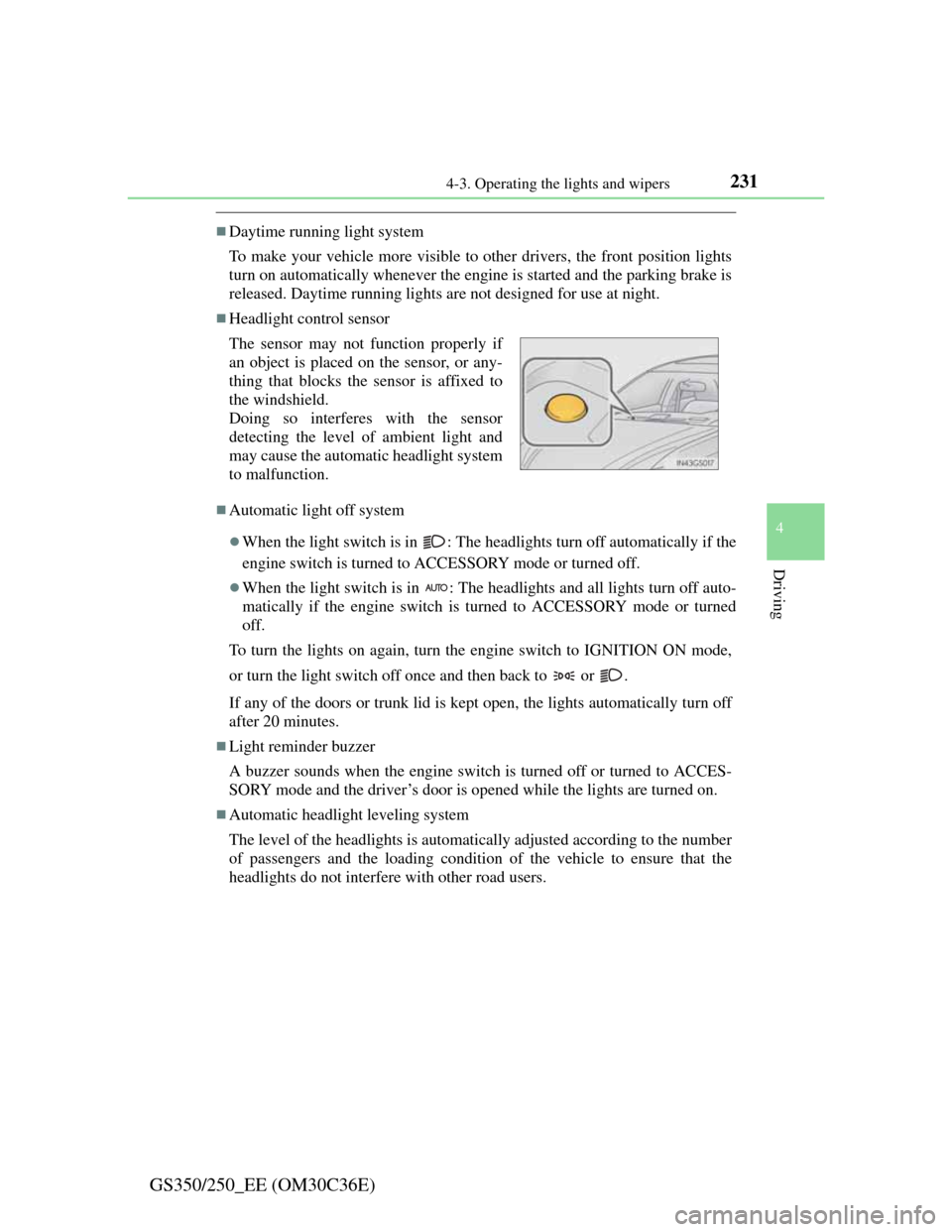
Headlight control sensor
Automatic light off system
When the light switch is in : The headlights turn off automatically if the
engine switch is turned to ACCESSORY mode or turned off.
When the light switch is in : The headlights and all lights turn off auto-
matically if the engine switch is turned to ACCESSORY mode or turned
off.
To turn the lights on again, turn the engine switch to IGNITION ON mode,
or turn the light switch off once and then back to or .
If any of the doors or trunk lid is kept open, the lights automatically turn off
after 20 minutes.
Light reminder buzzer
A buzzer sounds when the engine switch is turned off or turned to ACCES-
SORY mode and the driver’s door is opened while the lights are turned on.
Automatic headlight leveling system
The level of the headlights is automatically adjusted according to the number
of passengers and the loading condition of the vehicle to ensure that the
headlights do not interfere with other road users. The sensor may not function properly if
an object is placed on the sensor, or any-
thing that blocks the sensor is affixed to
the windshield.
Doing so interferes with the sensor
detecting the level of ambient light and
may cause the automatic headlight system
to malfunction.
Page 257 of 914
2504-4. Refueling
GS350/250_EE (OM30C36E)
CAUTION
When refueling the vehicle
Observe the following precautions while refueling the vehicle. Failure to do
so may result in death or serious injury.
After exiting the vehicle and before opening the fuel door, touch an
unpainted metal surface to discharge any static electricity. It is important
to discharge static electricity before refueling because sparks resulting
from static electricity can cause fuel vapors to ignite while refueling.
Always hold the grips on the fuel tank cap and turn it slowly to remove it.
A whooshing sound may be heard when the fuel tank cap is loosened.
Wait until the sound cannot be heard before fully removing the cap. In hot
weather, pressurized fuel may spray out the filler neck and cause injury.
Do not allow anyone that has not discharged static electricity from their
body to come close to an open fuel tank.
Do not inhale vaporized fuel.
Fuel contains substances that are harmful if inhaled.
Do not smoke while refueling the vehicle.
Doing so may cause the fuel to ignite and cause a fire.
Do not return to the vehicle or touch any person or object that is statically
charged.
This may cause static electricity to build up, resulting in a possible igni-
tion hazard.
When refueling
Observe the following precautions to prevent fuel overflowing from the
fuel tank:
Securely insert the fuel nozzle into the fuel filler neck.
Stop filling the tank after the fuel nozzle automatically clicks off.
Do not top off the fuel tank.
NOTICE
Refueling
Do not spill fuel during refueling.
Doing so may damage the vehicle, such as causing the emission control
system to operate abnormally or damaging fuel system components or the
vehicle’s painted surface.
Page 271 of 914

2644-5. Using the driving support
GS350/250_EE (OM30C36E)Example of follow-up cruising
When following a vehicle driving slower than the set speed
The system continues follow-up cruising while adjusting for changes in
the speed of the vehicle ahead in order to maintain the vehicle-to-vehicle
distance set by the driver.
Example of acceleration
When there are no longer any vehicles ahead driving slower than
the set speed
The system accelerates until the set speed is reached. The system then
returns to constant speed cruising.
When your vehicle is too close to a vehicle ahead, and sufficient
automatic deceleration via the cruise control is not possible, the dis-
play will flash and the buzzer will sound to alert the driver. An
example of this would be if another driver cuts in front of you while
you are following a vehicle. Apply the brakes to ensure an appro-
priate vehicle-to-vehicle distance.
Warnings may not occur when
In the following instances, there is a possibility that the warnings
will not occur:
When the speed of the vehicle ahead matches or exceeds your
vehicle speed
When the vehicle ahead is traveling at an extremely slow
speed
Immediately after the cruise control speed was set
At the instant the accelerator is applied
Approach warning
3
4