change Lexus GS350 2020 Workshop Manual
[x] Cancel search | Manufacturer: LEXUS, Model Year: 2020, Model line: GS350, Model: Lexus GS350 2020Pages: 600, PDF Size: 13.38 MB
Page 246 of 600
246
GS350_GS F_OM_OM30J07U_(U)4-5. Using the driving support systems
◆Pre-collision braking
When the system determines that the po
ssibility of a frontal collision is high,
the system warns the driver. If the syst em determines that the possibility of a
frontal collision is extremely high, the br akes are automatically applied to help
avoid the collision or reduce the collision speed.
◆Suspension control (if equipped)
When the system determines that the po ssibility of a frontal collision is high,
the Adaptive Variable Suspension System ( P. 298) will control the damping
force of the shock absorbers to help maintain an appropriate vehicle posture.
◆Steering control (if equipped)
When the system determines that the possibility of a frontal collision i\
s high
and the driver is operating the steering wheel, the LDH system ( P. 298) will
control the turning angle of the front an d rear wheels and effort necessary to
turn the steering wheel to help enhance steering responsiveness.
WARNING
■Limitations of the pre-collision system
●The driver is solely responsible for safe driving. Always drive safely, taking care to
observe your surroundings.
Do not use the pre-collision system instead of normal braking operations under any
circumstances. This system will not prevent collisions or lessen collision damage or
injury in every situation. Do not overly rely on this system. Failure to do so may lead to
an accident, resulting in death or serious injury.
●Although this system is designed to help avoid a collision or help reduce the impact of
the collision, its effectivenes s may change according to various conditions, therefore
the system may not always be able to achieve the same level of performance.
Read the following conditions carefully. Do not overly rely on this system and always
drive carefully.
• Conditions under which the system may oper ate even if there is no possibility of a
collision: P. 250
• Conditions under which the system may not operate properly: P. 253
●Do not attempt to test the operation of the pre-collision system yourself. Depending
on the objects used for testing (dummies, cardboard objects imitating detectable
objects, etc.), the system may not operate properly, possibly leading to an accident.
Page 248 of 600
248
GS350_GS F_OM_OM30J07U_(U)4-5. Using the driving support systems
■Enabling/disabling the pre-collision system
The pre-collision system can be enabled/disabled on (
P. 106, 114)
of the multi-information display.
The system is automatically enabled each time the engine switch is turned to IGNI-
TION ON mode.
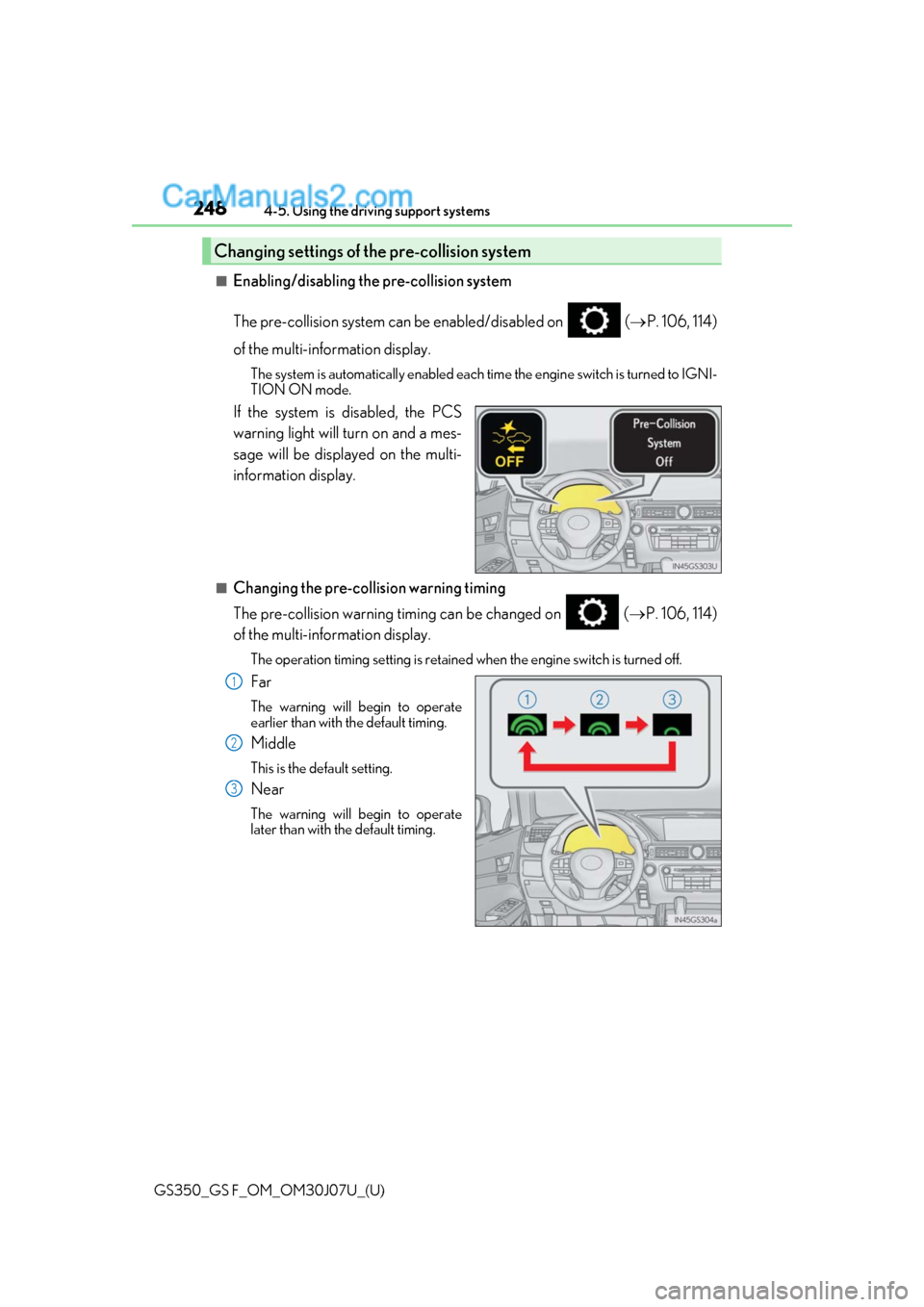
If the system is disabled, the PCS
warning light will turn on and a mes-
sage will be displayed on the multi-
information display.
■Changing the pre-collision warning timing
The pre-collision warning timing can be changed on ( P. 106, 114)
of the multi-information display.
The operation timing setting is retained when the engine switch is turned off.
Far
The warning will begin to operate
earlier than with the default timing.
Middle
This is the default setting.
Near
The warning will begin to operate
later than with the default timing.
Changing settings of the pre-collision system
1
2
3
Page 251 of 600
GS350_GS F_OM_OM30J07U_(U)
2514-5. Using the driving support systems
4
Driving
• When rapidly closing on a vehicle ahead
• If the front of the vehicle is raised or lowered, such as when the road surface isuneven or undulating
• When approaching objects on the roadside, such as guardrails, utility poles, trees, or walls
• When driving on a narrow path surrounded by a structure, such as in a tunnel or on
an iron bridge
• When there is a metal object (manhole cover, steel plate, etc.), steps, or a protrusion
on the road surface or roadside
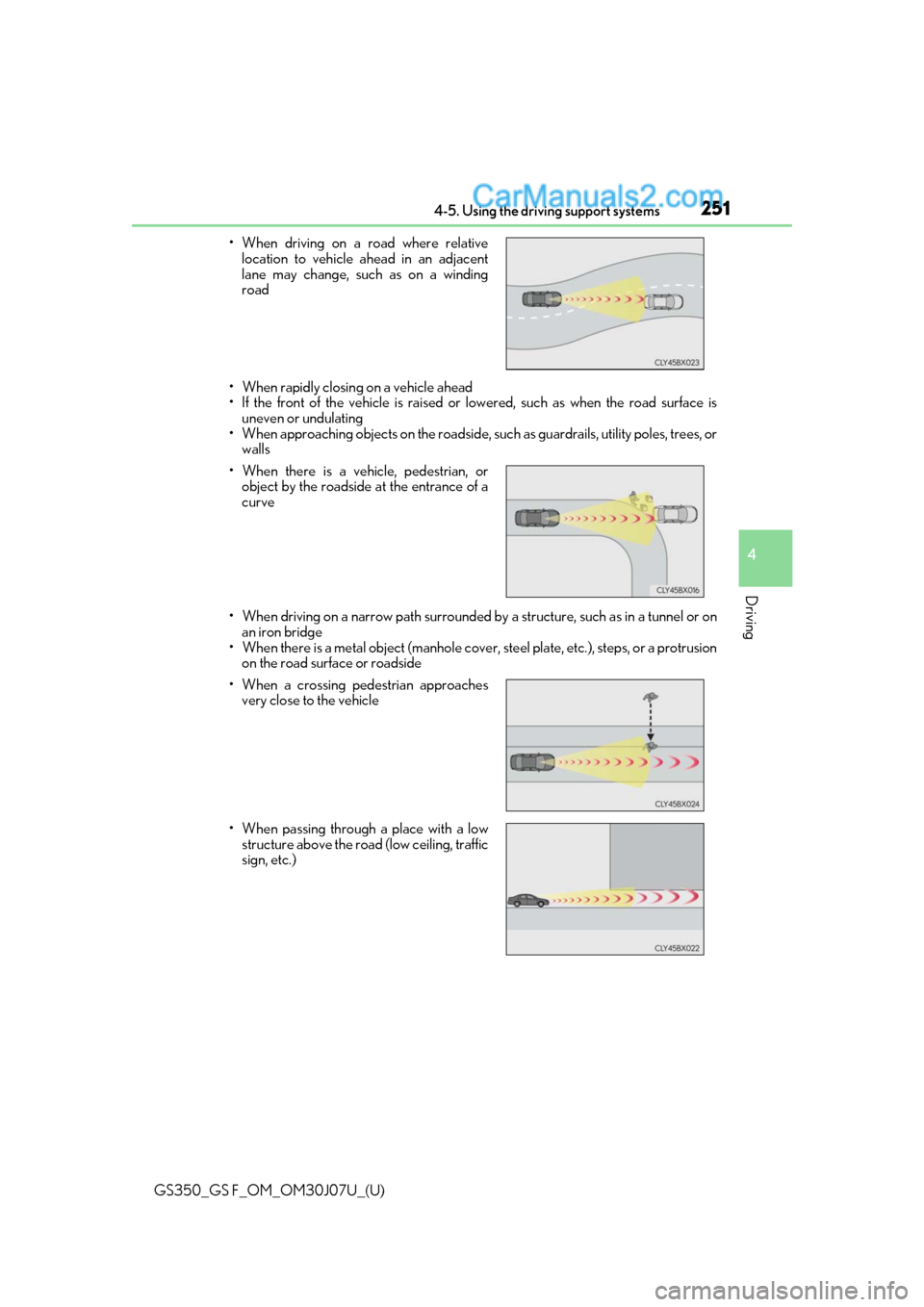
• When driving on a road where relative
location to vehicle ahead in an adjacent
lane may change, such as on a winding
road
• When there is a vehicle, pedestrian, or object by the roadside at the entrance of a
curve
• When a crossing pedestrian approaches very close to the vehicle
• When passing through a place with a low structure above the road (low ceiling, traffic
sign, etc.)
Page 253 of 600
GS350_GS F_OM_OM30J07U_(U)
2534-5. Using the driving support systems
4
Driving
■Situations in which the system may not operate properly
●In some situations such as the following, a vehicle may not be detected by the radar
sensor and camera sensor, preventing the system from operating properly:
• If an oncoming vehicle is approaching your vehicle
• If a vehicle ahead is a motorcycle or bicycle
• When approaching the side or front of a vehicle
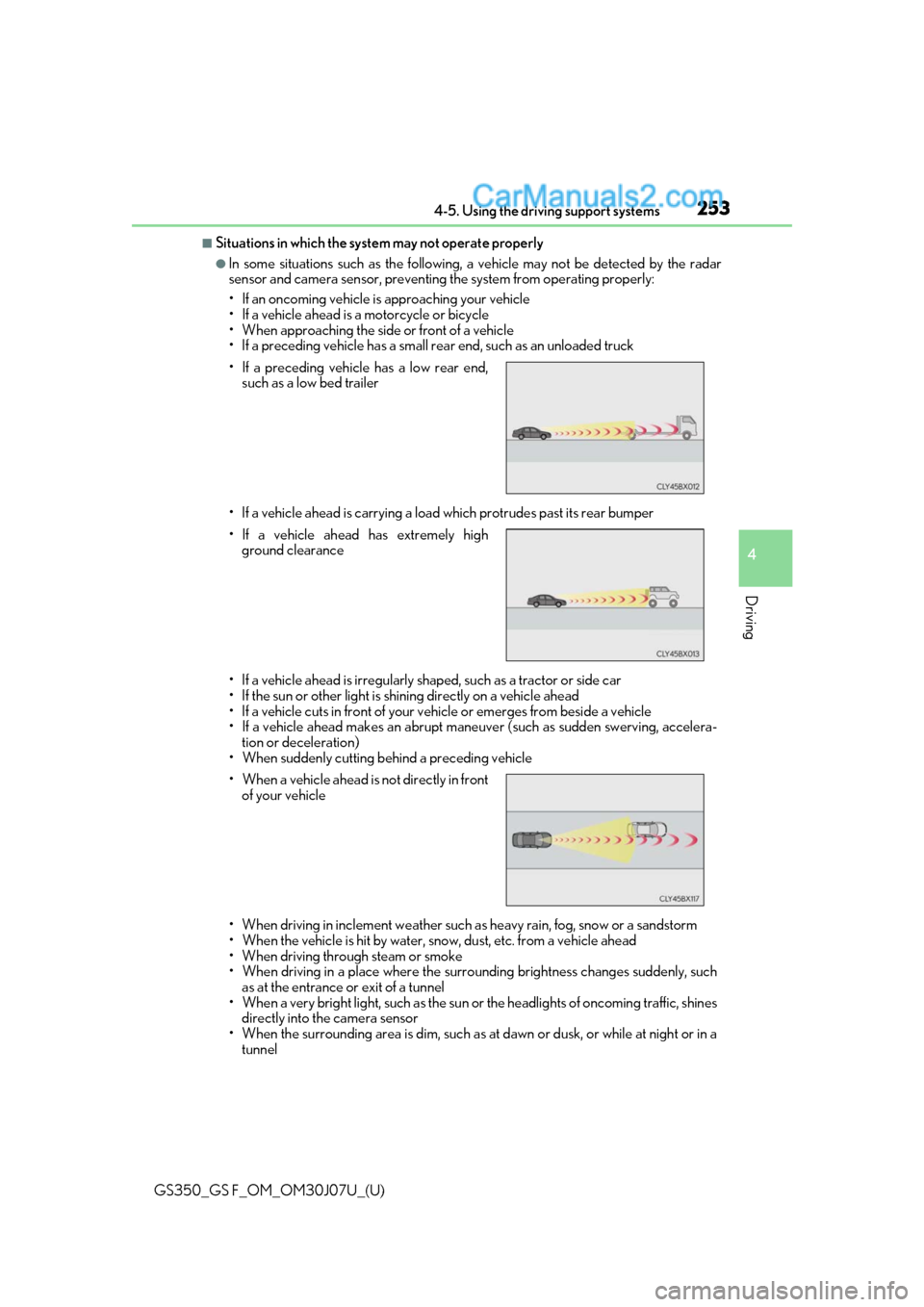
• If a preceding vehicle has a small rear end, such as an unloaded truck
• If a vehicle ahead is carrying a load which protrudes past its rear bumper
• If a vehicle ahead is irregularly shap ed, such as a tractor or side car
• If the sun or other light is shin ing directly on a vehicle ahead
• If a vehicle cuts in front of your ve hicle or emerges from beside a vehicle
• If a vehicle ahead makes an abrupt maneuver (such as sudden swerving, accelera-
tion or deceleration)
• When suddenly cutting behind a preceding vehicle
• When driving in inclement we ather such as heavy rain, fog, snow or a sandstorm
• When the vehicle is hit by water, sn ow, dust, etc. from a vehicle ahead
• When driving through steam or smoke
• When driving in a place where the surrounding brightness changes suddenly, such as at the entrance or exit of a tunnel
• When a very bright light, such as the sun or the headlights of on coming traffic, shines
directly into the camera sensor
• When the surrounding area is dim, such as at dawn or dusk, or while at night or in a tunnel
• If a preceding vehicle has a low rear end,
such as a low bed trailer
• If a vehicle ahead has extremely high ground clearance
• When a vehicle ahead is not directly in front of your vehicle
Page 264 of 600
264
GS350_GS F_OM_OM30J07U_(U)4-5. Using the driving support systems
■White (yellow) lines are only on one side of road
The LKA system will not operate for the side
on which white (yellow) lines could not be
recognized.
■Conditions in which functions may not operate properly
In the following situations, the camera sensor may not detect white (yellow) lines and var-
ious functions may not operate normally.
●There are shadows on the road that run parallel with, or cover, the white (yellow) lines.
●The vehicle is driven in an ar ea without white (yellow) lines, such as in front of a tollgate
or checkpoint, or at an intersection, etc.
●The white (yellow) lines are cracked, “Botts ’ dots”, “Raised pavement marker” or stones
are present.
●The white (yellow) lines cannot be seen or are difficult to see due to sand, etc.
●The vehicle is driven on a road surface that is wet due to rain, puddles, etc.
●The traffic lines are yellow (which may be more difficult to recognize than lines that are
white).
●The white (yellow) lines cross over a curb, etc.
●The vehicle is driven on a bright surface, such as concrete.
●The vehicle is driven on a surface that is bright due to reflected light, etc.
●The vehicle is driven in an area where the brightness changes suddenly, such as at the
entrances and exits of tunnels, etc.
●Light from the headlights of an oncoming vehicle, the sun, etc. enters the camera.
●The vehicle is driven where the road diverges, merges, etc.
●The vehicle is driven on a slope.
●The vehicle is driven on a road which tilts left or right, or a winding road.
●The vehicle is driven on an unpaved or rough road.
●The vehicle is driven around a sharp curve.
●The traffic lane is excessively narrow or wide.
●The vehicle is extremely tilted due to carry ing heavy luggage or having improper tire
pressure.
●The distance to the preceding vehicle is extremely short.
●The vehicle is moving up and down a large am ount due to road conditions during driv-
ing (poor roads or road seams).
●The headlight lenses are dirty and emit a faint amount of light at night, or the beam axis
has deviated.
●The vehicle is struck by a crosswind.
●The vehicle has just changed lane s or crossed an intersection.
●Snow tires, etc. are equipped.
■Warning message
Warning messages are used to indicate a syst em malfunction or to inform the driver of
the need for caution while driving. ( P. 442)
Page 265 of 600
GS350_GS F_OM_OM30J07U_(U)
2654-5. Using the driving support systems
4
Driving
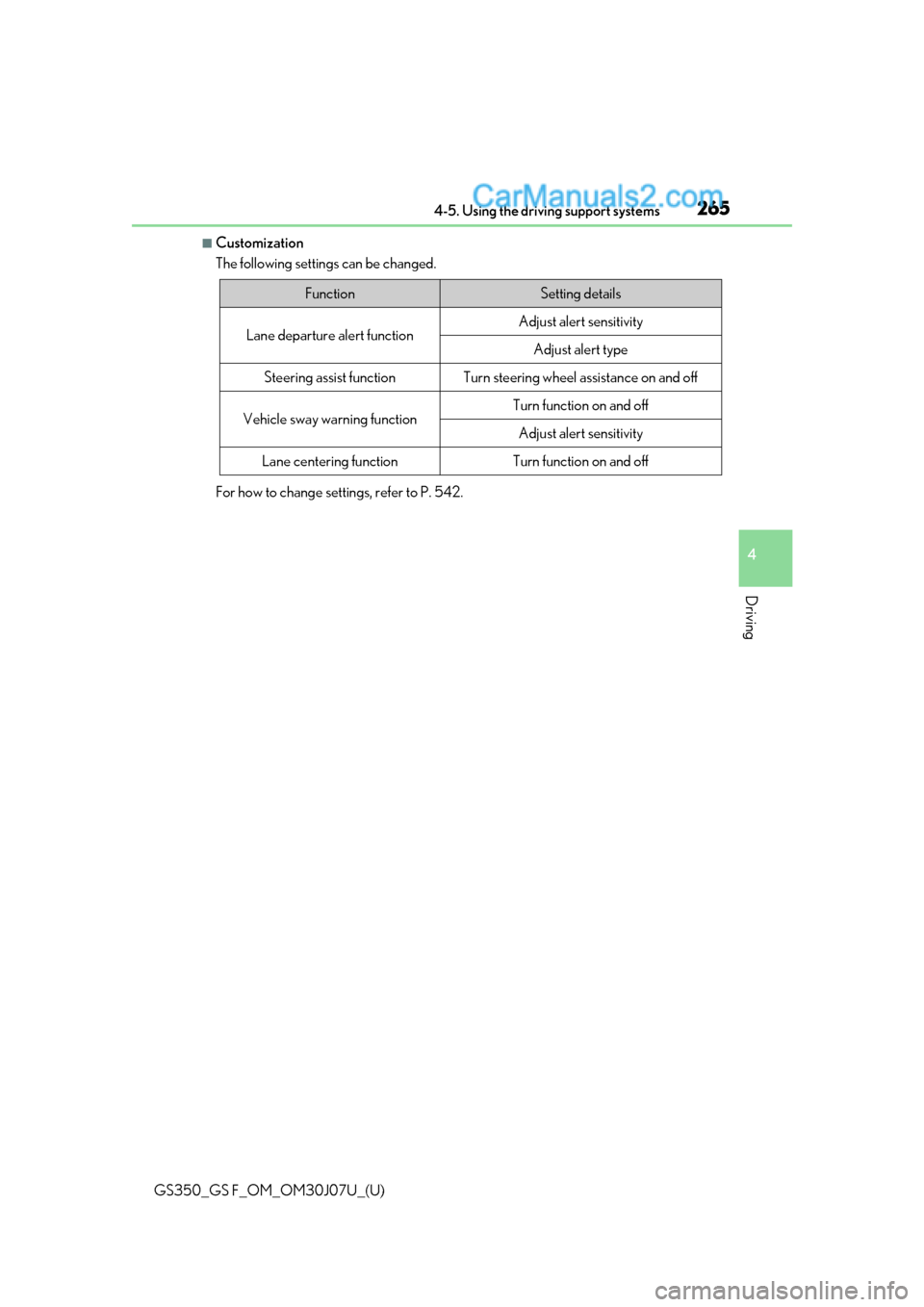
■Customization
The following settings can be changed.
For how to change settings, refer to P. 542.
FunctionSetting details
Lane departure alert functionAdjust alert sensitivity
Adjust alert type
Steering assist functionTurn steering wheel assistance on and off
Vehicle sway warning functionTurn function on and off
Adjust alert sensitivity
Lane centering functionTurn function on and off
Page 266 of 600
266
GS350_GS F_OM_OM30J07U_(U)4-5. Using the driving support systems
Dynamic radar cruise control
with full-speed
range
In vehicle-to-vehicle distance control mode, the vehicle automatically a\
cceler-
ates, decelerates and stops to match the speed changes of the preceding vehicle
even if the accelerator pedal is not depr essed. In constant speed control mode,
the vehicle runs at a fixed speed.
Use the dynamic radar cruise control with full-speed range on freeways and
highways.
●Vehicle-to-vehicle distance control mode ( P. 269)
●Constant speed control mode ( P. 274)
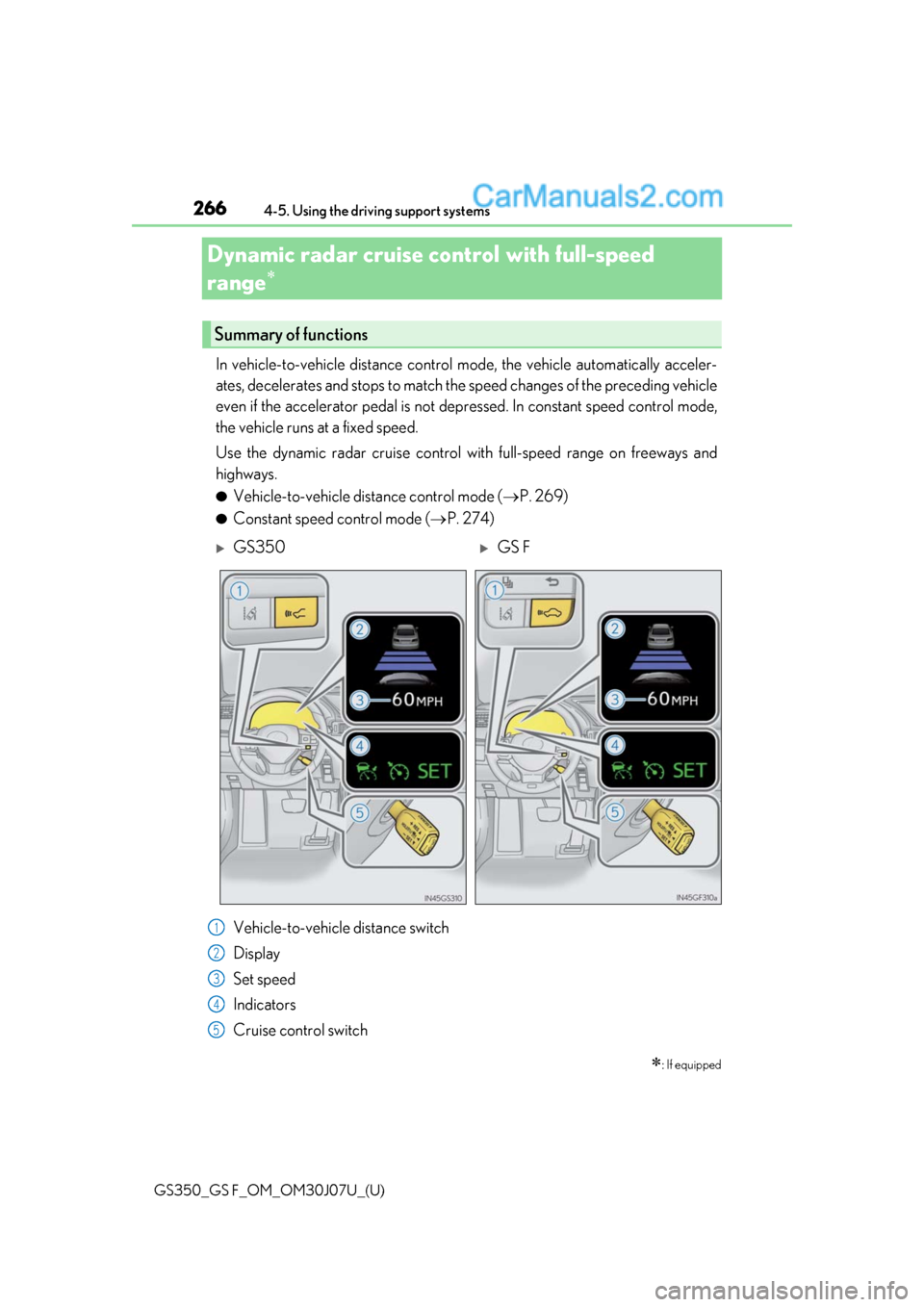
Vehicle-to-vehicle distance switch
Display
Set speed
Indicators
Cruise control switch
: If equipped
Summary of functions
GS350GS F
1
2
3
4
5
Page 268 of 600
268
GS350_GS F_OM_OM30J07U_(U)4-5. Using the driving support systems
WARNING
■Situations unsuitable for dynamic rada
r cruise control with full-speed range
Do not use dynamic radar cruise control with full-speed range in any of the following
situations.
Doing so may result in inappropriate speed control and could cause an accident result-
ing in death or serious injury.
●Roads where there are pedestrians, cyclists, etc.
●In heavy traffic
●On roads with sharp bends
●On winding roads
●On slippery roads, such as those covered with rain, ice or snow
●On steep downhills, or where there are sudden changes between sharp up and down
gradients
Vehicle speed may exceed the set speed when driving down a steep hill.
●At entrances to freeways and highways
●When weather conditions are bad enough that they may prevent the sensors from
detecting correctly (fog, snow, sandstorm, heavy rain, etc.)
●When there is rain, snow, etc. on the fron t surface of the radar sensor or camera sen-
sor
●In traffic conditions that require frequent repeated acceleration and deceleration
●During emergency towing
●When an approach warning buzzer is heard often
Page 269 of 600
GS350_GS F_OM_OM30J07U_(U)
2694-5. Using the driving support systems
4
Driving
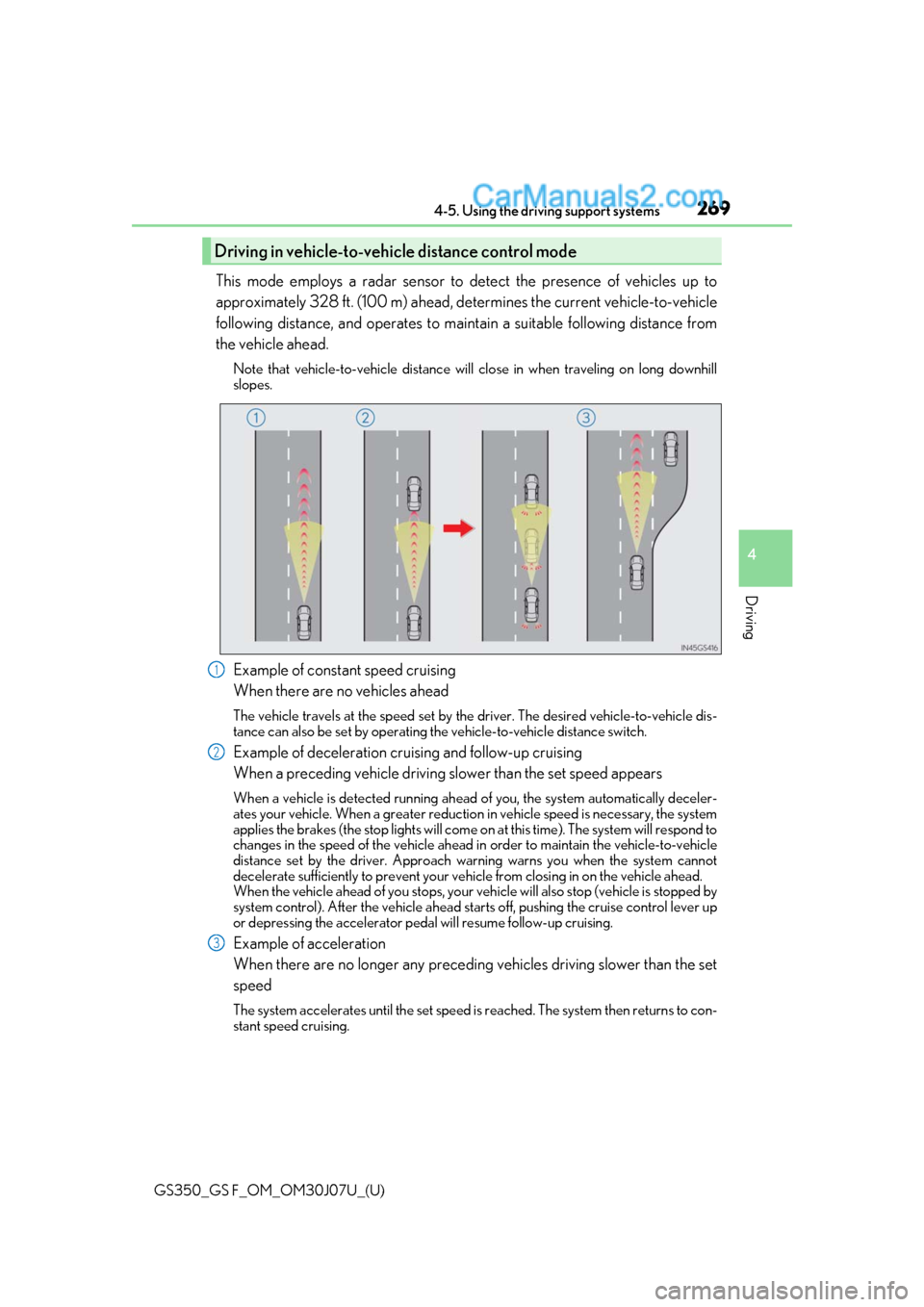
This mode employs a radar sensor to detect the presence of vehicles up to
approximately 328 ft. (100 m) ahead, determines the current vehicle-to-vehicle
following distance, and operates to main tain a suitable following distance from
the vehicle ahead.
Note that vehicle-to-vehicle distance will close in when traveling on long downhill
slopes.
Example of constant speed cruising
When there are no vehicles ahead
The vehicle travels at the speed set by the driver. The desired vehicle-to-vehicle dis-
tance can also be set by operating the vehicle-to-vehicle distance switch.
Example of deceleration cruising and follow-up cruising
When a preceding vehicle driving slower than the set speed appears
When a vehicle is detected running ahead of you, the system automatically deceler-
ates your vehicle. When a greater reduction in vehicle speed is necessary, the system
applies the brakes (the stop lights will come on at this time). The system will respond to
changes in the speed of the vehicle ahead in order to maintain the vehicle-to-vehicle
distance set by the driver. Approach warning warns you when the system cannot
decelerate sufficie ntly to prevent your vehicle from closing in on the vehicle ahead.
When the vehicle ahead of you stops, your vehicle will also stop (vehicle is stopped by
system control). After the vehicle ahead starts off, pushing the cruise control lever up
or depressing the accelerator pedal will resume follow-up cruising.
Example of acceleration
When there are no longer any preceding vehicles driving slower than the set
speed
The system accelerates until the set speed is reached. The system then returns to con-
stant speed cruising.
Driving in vehicle-to-vehicle distance control mode
1
2
3
Page 271 of 600
GS350_GS F_OM_OM30J07U_(U)
2714-5. Using the driving support systems
4
Driving
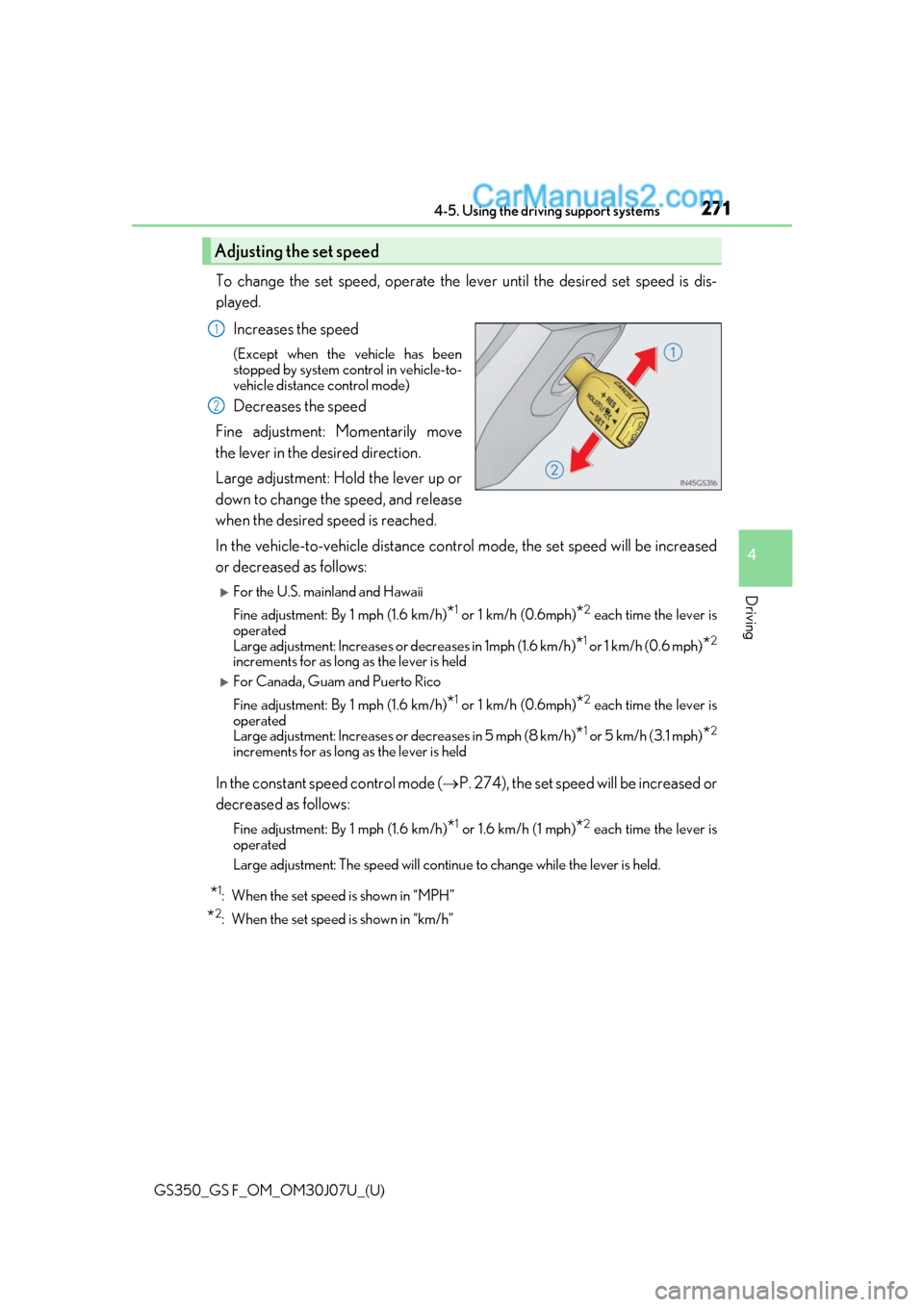
To change the set speed, operate the lever until the desired set speed is dis-
played.Increases the speed
(Except when the vehicle has been
stopped by system control in vehicle-to-
vehicle distance control mode)
Decreases the speed
Fine adjustment: Momentarily move
the lever in the desired direction.
Large adjustment: Hold the lever up or
down to change the speed, and release
when the desired speed is reached.
In the vehicle-to-vehicle distance cont rol mode, the set speed will be increased
or decreased as follows:
For the U.S. mainland and Hawaii
Fine adjustment: By 1 mph (1.6 km/h)
*1 or 1 km/h (0.6mph)*2 each time the lever is
operated
Large adjustment: Increases or decreases in 1mph (1.6 km/h)
*1 or 1 km/h (0.6 mph)*2
increments for as long as the lever is held
For Canada, Guam and Puerto Rico
Fine adjustment: By 1 mph (1.6 km/h)
*1 or 1 km/h (0.6mph)*2 each time the lever is
operated
Large adjustment: Increases or decreases in 5 mph (8 km/h)
*1 or 5 km/h (3.1 mph)*2
increments for as long as the lever is held
In the constant speed control mode ( P. 274), the set speed will be increased or
decreased as follows:
Fine adjustment: By 1 mph (1.6 km/h)*1 or 1.6 km/h (1 mph)*2 each time the lever is
operated
Large adjustment: The speed will continue to change while the lever is held.
*1: When the set speed is shown in “MPH”
*2: When the set speed is shown in “km/h”
Adjusting the set speed
1
2