change Lexus GS450h 2013 Owner's Manual
[x] Cancel search | Manufacturer: LEXUS, Model Year: 2013, Model line: GS450h, Model: Lexus GS450h 2013Pages: 862, PDF Size: 19.06 MB
Page 496 of 862
495
GS450h_U (OM30D01U)5-3. Using the audio system
5
Interior features
Optimal use of the audio/video system
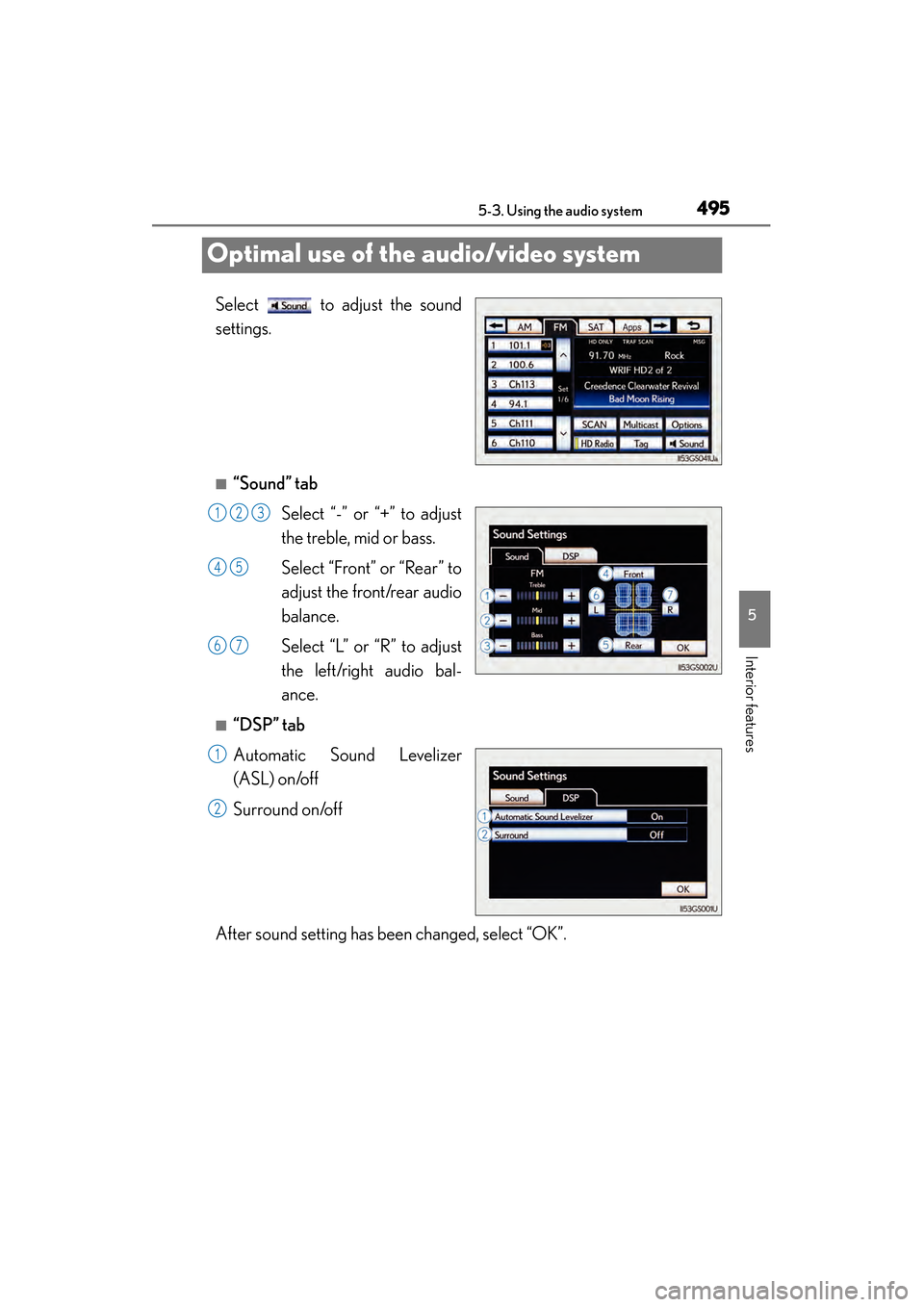
Select to adjust the sound
settings.
■“Sound” tab Select “-” or “+” to adjust
the treble, mid or bass.
Select “Front” or “Rear” to
adjust the front/rear audio
balance.
Select “L” or “R” to adjust
the left/right audio bal-
ance.
■“DSP” tab
Automatic Sound Levelizer
(ASL) on/off
Surround on/off
After sound setting has been changed, select “OK”.
123
45
67
1
2
GS450h_U.book Page 495 Monday, January 23, 2012 10:20 AM
Page 498 of 862
497
GS450h_U (OM30D01U)5-3. Using the audio system
5
Interior features
Using the AUX port
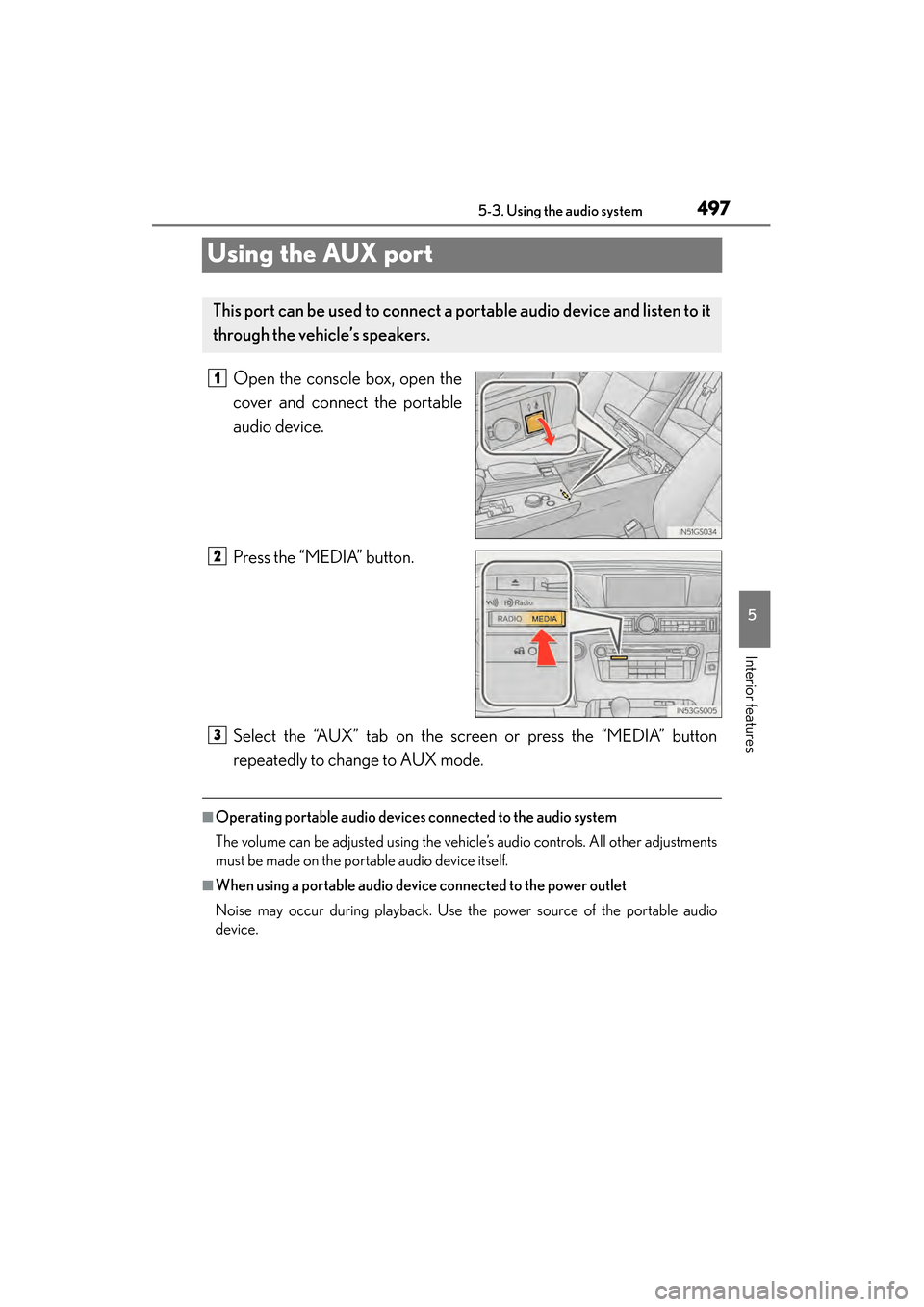
Open the console box, open the
cover and connect the portable
audio device.
Press the “MEDIA” button.
Select the “AUX” tab on the screen or press the “MEDIA” button
repeatedly to change to AUX mode.
■Operating portable audio devices connected to the audio system
The volume can be adjusted using the vehicle’s audio controls. All other adjustments
must be made on the portable audio device itself.
■When using a portable audio device connected to the power outlet
Noise may occur during playback. Use the power source of the portable audio
device.
This port can be used to connect a po rtable audio device and listen to it
through the vehicle’s speakers.
1
2
3
GS450h_U.book Page 497 Monday, January 23, 2012 10:20 AM
Page 500 of 862
GS450h_U (OM30D01U)
4995-3. Using the audio system
5
Interior features
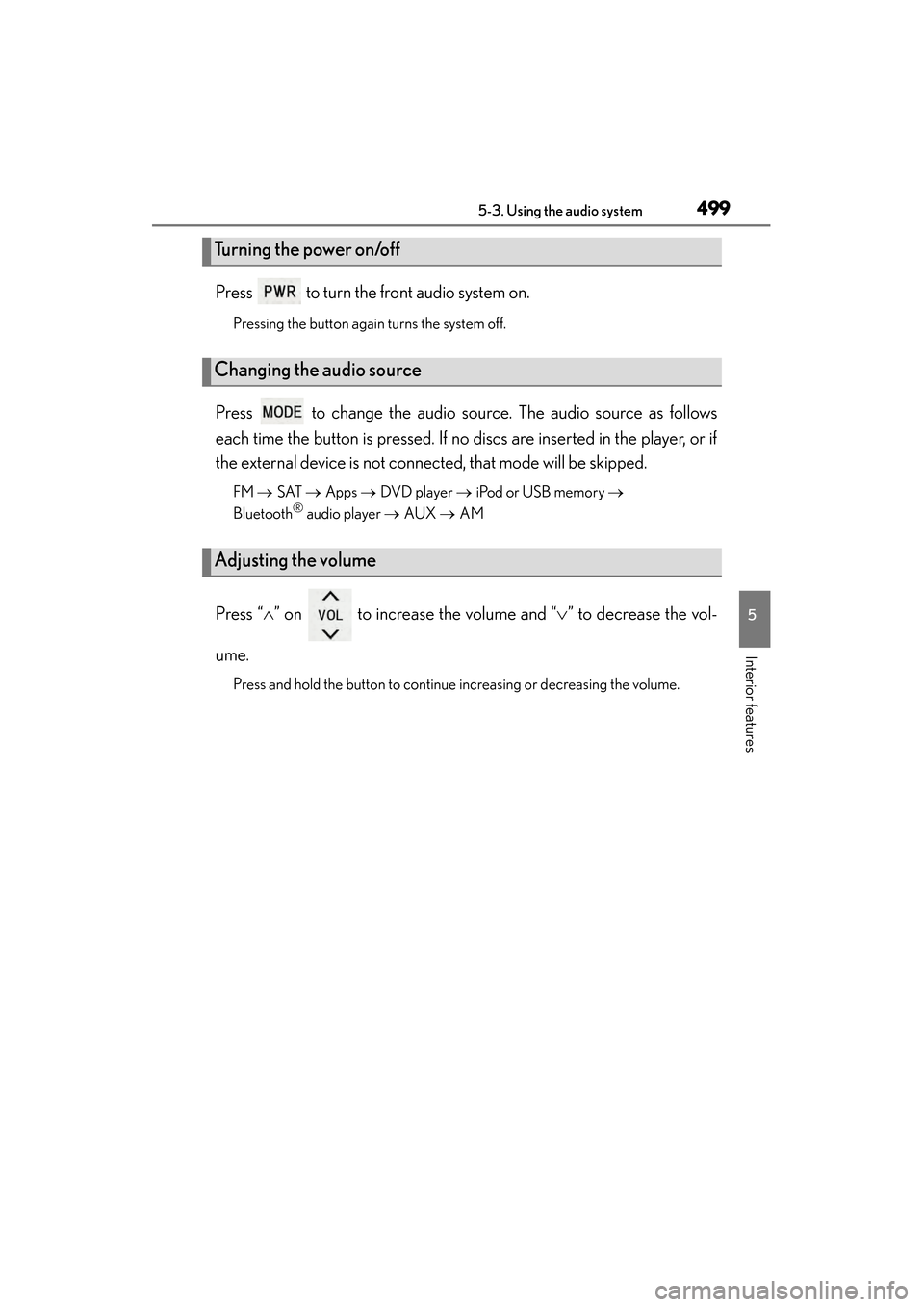
Press to turn the front audio system on.
Pressing the button again turns the system off.
Press to change the audio source. The audio source as follows
each time the button is pressed. If no discs are inserted in the player, or if
the external device is not connected, that mode will be skipped.
FM → SAT → Apps → DVD player → iPod or USB memory →
Bluetooth® audio player → AUX → AM
Press “ ∧” on to increase the volume and “ ∨” to decrease the vol-
ume.
Press and hold the button to continue increasing or decreasing the volume.
Turning the power on/off
Changing the audio source
Adjusting the volume
GS450h_U.book Page 499 Monday, January 23, 2012 10:20 AM
Page 505 of 862
504
GS450h_U (OM30D01U)
5-3. Using the audio system
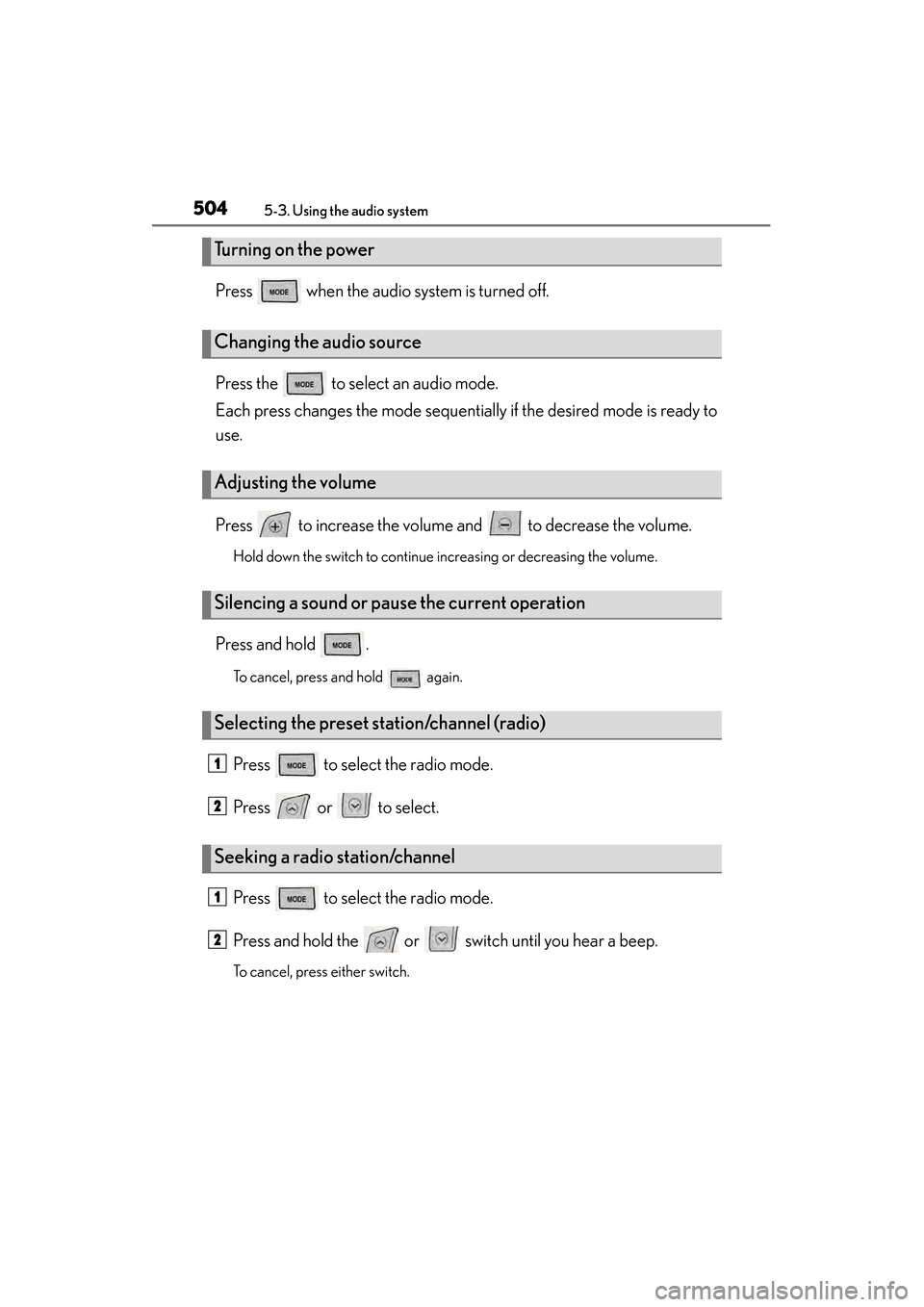
Press when the audio system is turned off.
Press the to select an audio mode.
Each press changes the mode sequentially if the desired mode is ready to
use.
Press to increase the volume and to decrease the volume.
Hold down the switch to continue increasing or decreasing the volume.
Press and hold .
To cancel, press and hold again.
Press to select the radio mode.
Press or to select.
Press to select the radio mode.
Press and hold the or switch until you hear a beep.
To cancel, press either switch.
Turning on the power
Changing the audio source
Adjusting the volume
Silencing a sound or pause the current operation
Selecting the preset station/channel (radio)
Seeking a radio station/channel
1
2
1
2
GS450h_U.book Page 504 Monday, January 23, 2012 10:20 AM
Page 514 of 862
GS450h_U (OM30D01U)
5135-4. Using the hands-free phone system (for cellular phone)
5
Interior features
CAUTION
■FCC WARNING
This equipment complies with FCC/IC radiation exposure limits set forth for an
uncontrolled environment and meets the FCC radio frequency (RF) Exposure
Guidelines in Supplement C to OET65 and RSS-102 of the IC radio frequency
(RF) Exposure rules. This equipment has very low levels of RF energy that it
deemed to comply without maximum permissive exposure evaluation (MPE). But
it is desirable that it should be installed and operated keeping the radiator at least
7.9 in. (20 cm) or more away from person’s body (excluding extremities: hands,
wrists, feet and ankles).
Cet équipement est conforme aux limites d’exposition aux rayonnements énon-
cées pour un environnement non contrôlé et respecte les règles les radioélec-
triques (RF) de la FCC lignes directrices d’exposition dans le Supplément C à
OET65 et d’exposition aux fréquences radioélectriques (RF) CNR-102 de l’IC.
Cet équipement émet une énergie RF très faible qui est considérée conforme sans
évaluation de l’exposition maximale autorisée. Cependant, cet équipement doit
être installé et utilisé en gardant une distance de 20 cm ou plus entre le dispositif
rayonnant et le corps (à l’exception des extrémités: mains, poignets, pieds et chev-
illes).
XFor vehicles sold in the U.S.A.
Changes or modifications not expressly approved by the party responsible for
compliance could void the user’s authority to operate the equipment.
This transmitter must not be co-located or operated in conjunction with any other
antenna or transmitter.
GS450h_U.book Page 513 Monday, January 23, 2012 10:20 AM
Page 515 of 862
514
GS450h_U (OM30D01U)
5-4. Using the hands-free phone system (for cellular phone)
CAUTION
XFor vehicles sold in Canada
Tout changement ou toute modification de la construction non approuvé expres-
sément par l’abonné responsable de la conformité risque d’annuler l’autorité de
l’utilisateur d’exploiter l’équipement.
Cet émetteur ne doit pas être co-implanté ou actionné en même temps qu’aucune
autre antenne ou émetteur.
Under Industry Canada regulations, this radio transmitter may only operate using
an antenna of a type and maximum (or lesser) gain approved for the transmitter by
Industry Canada. To reduce potential radio interference to other users, the
antenna type and its gain should be so chosen that the equivalent isotropically radi-
ated power (e.i.r.p.) is not more than that necessary for successful communication.
Conformément à la réglementation d’Industrie Canada, le présent émetteur radio
peut fonctionner avec une antenne d’un type et d’un gain maximal (ou inférieur)
approuvé pour l’émetteur par Industrie Canada. Dans le but de réduire les risques
de brouillage radioélectrique à l’intention des autres utilisateurs, il faut choisir le
type d’antenne et son gain de sorte que la puissance isotrope rayonnée équiva-
lente (p.i.r.e.) ne dépasse pas l’intensité nécessaire à l’établissement d’une commu-
nication satisfaisante.
■Caution while driving
Do not use the cellular phone or connect the Bluetooth
® system.
NOTICE
■When leaving the vehicle
Do not leave your cellular phone in the vehicle. The inside of the vehicle may
become hot, causing damage to the phone.
GS450h_U.book Page 514 Monday, January 23, 2012 10:20 AM
Page 527 of 862
526
GS450h_U (OM30D01U)
5-4. Using the hands-free phone system (for cellular phone)
■Call history list
●If you make a call to or receive a call from a number registered in the phone book,
the name is displayed in the call history.
●If you make multiple calls to the same number, only the last call made is displayed in
the call history.
●Number-withheld calls are also memorized in the system.
■When driving
The functions “Dialing”, “Dialing from the phonebook”, and “Dialing from history”
(except for call using the 25 most recently called numbers shown by “All” tab) are
unavailable.
■When calling by registered name in the phonebook
●When “Call
book’s voice command recognition cannot be used. Check the Bluetooth® con-
nection and if the contacts have been transferred to the system.
●Short or abbreviated names in the phonebook may not be recognized. Change
names in the phonebook to full names.
●Sometimes a voice recognition result confirmation screen will be displayed. After
confirming the result, say “Yes” or “No”.
●When the system recognizes multiple names from the phonebook, a name candi-
date list will be displayed on the screen. If the desired name is not displayed on the
top of the screen, say the number of the name from the candidate list (number 1 and
number 2) to select a name from the candidate list.
●When a contact has multiple phone numbers registered in the phonebook, a candi-
date list will be displayed. If the desired phone number is not displayed on the top of
the screen, say the number of the desired phone number from the candidate list
(number 1 and number 2) to select a phone number from the candidate list.
GS450h_U.book Page 526 Monday, January 23, 2012 10:20 AM
Page 531 of 862
530
GS450h_U (OM30D01U)
5-4. Using the hands-free phone system (for cellular phone)
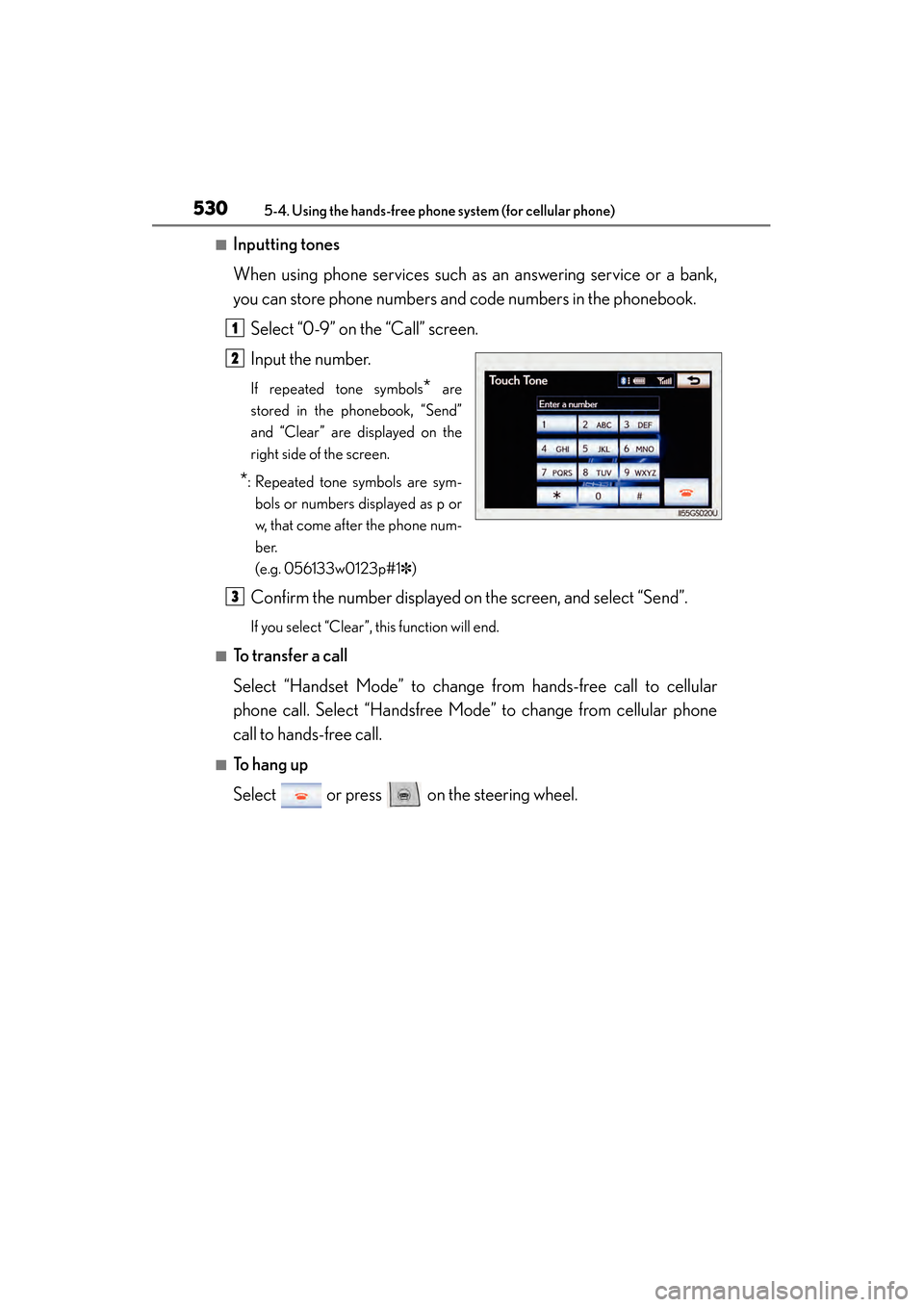
■Inputting tones
When using phone services such as an answering service or a bank,
you can store phone numbers and code numbers in the phonebook.Select “0-9” on the “Call” screen.
Input the number.
If repeated tone symbols* are
stored in the phonebook, “Send”
and “Clear” are displayed on the
right side of the screen.
*: Repeated tone symbols are sym- bols or numbers displayed as p or
w, that come after the phone num-
ber.
(e.g. 056133w0123p#1✽ )
Confirm the number displayed on the screen, and select “Send”.
If you select “Clear”, this function will end.
■To transfer a call
Select “Handset Mode” to change from hands-free call to cellular
phone call. Select “Handsfree Mode” to change from cellular phone
call to hands-free call.
■To h a n g u p
Select or press on the steering wheel.
1
2
3
GS450h_U.book Page 530 Monday, January 23, 2012 10:20 AM
Page 536 of 862
GS450h_U (OM30D01U)
5355-4. Using the hands-free phone system (for cellular phone)
5
Interior features
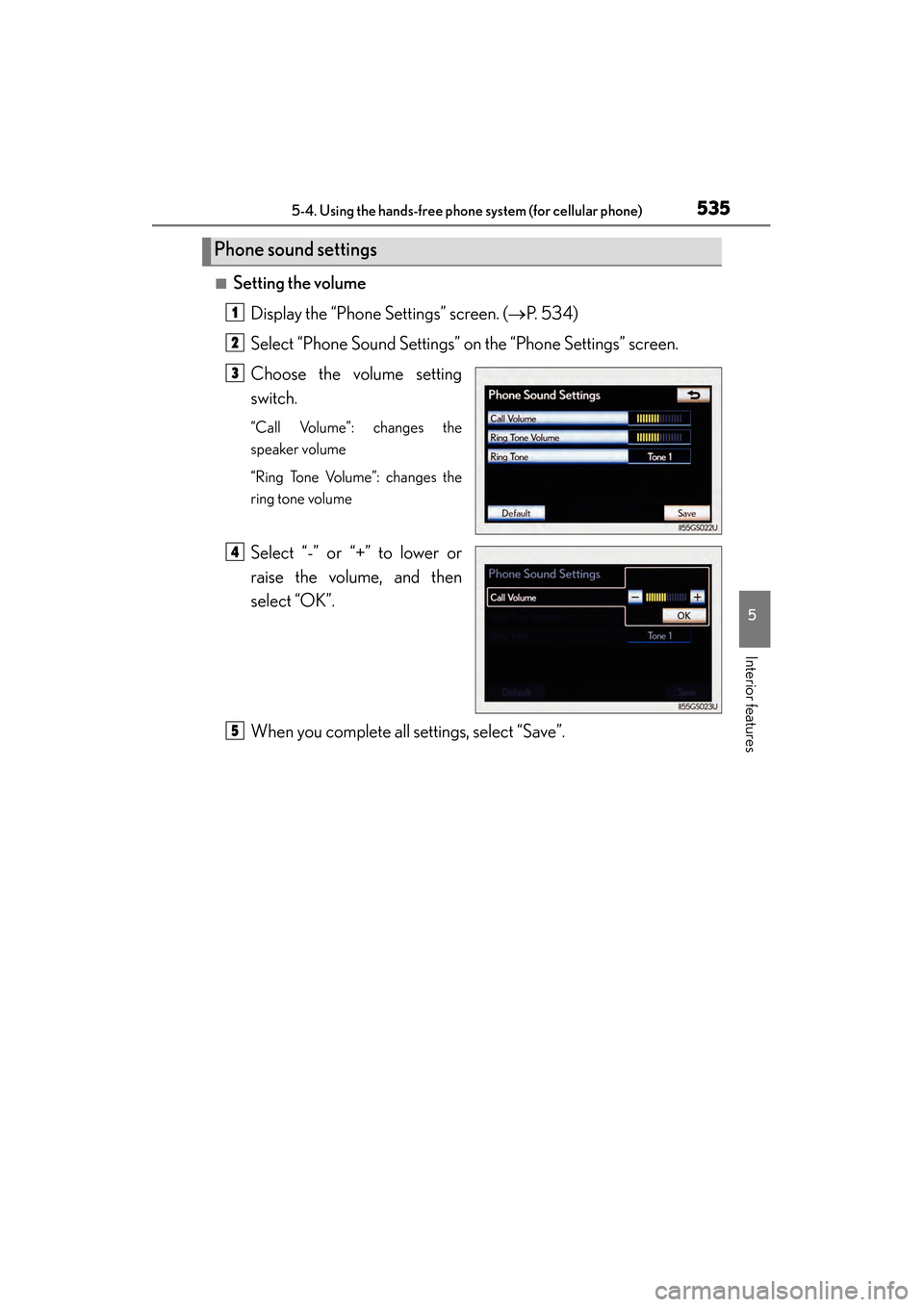
■Setting the volumeDisplay the “Phone Settings” screen. ( →P. 5 3 4 )
Select “Phone Sound Settings” on the “Phone Settings” screen.
Choose the volume setting
switch.
“Call Volume”: changes the
speaker volume
“Ring Tone Volume”: changes the
ring tone volume
Select “-” or “+” to lower or
raise the volume, and then
select “OK”.
When you complete all settings, select “Save”.
Phone sound settings
1
2
3
4
5
GS450h_U.book Page 535 Monday, January 23, 2012 10:20 AM
Page 552 of 862
GS450h_U (OM30D01U)
5515-4. Using the hands-free phone system (for cellular phone)
5
Interior features
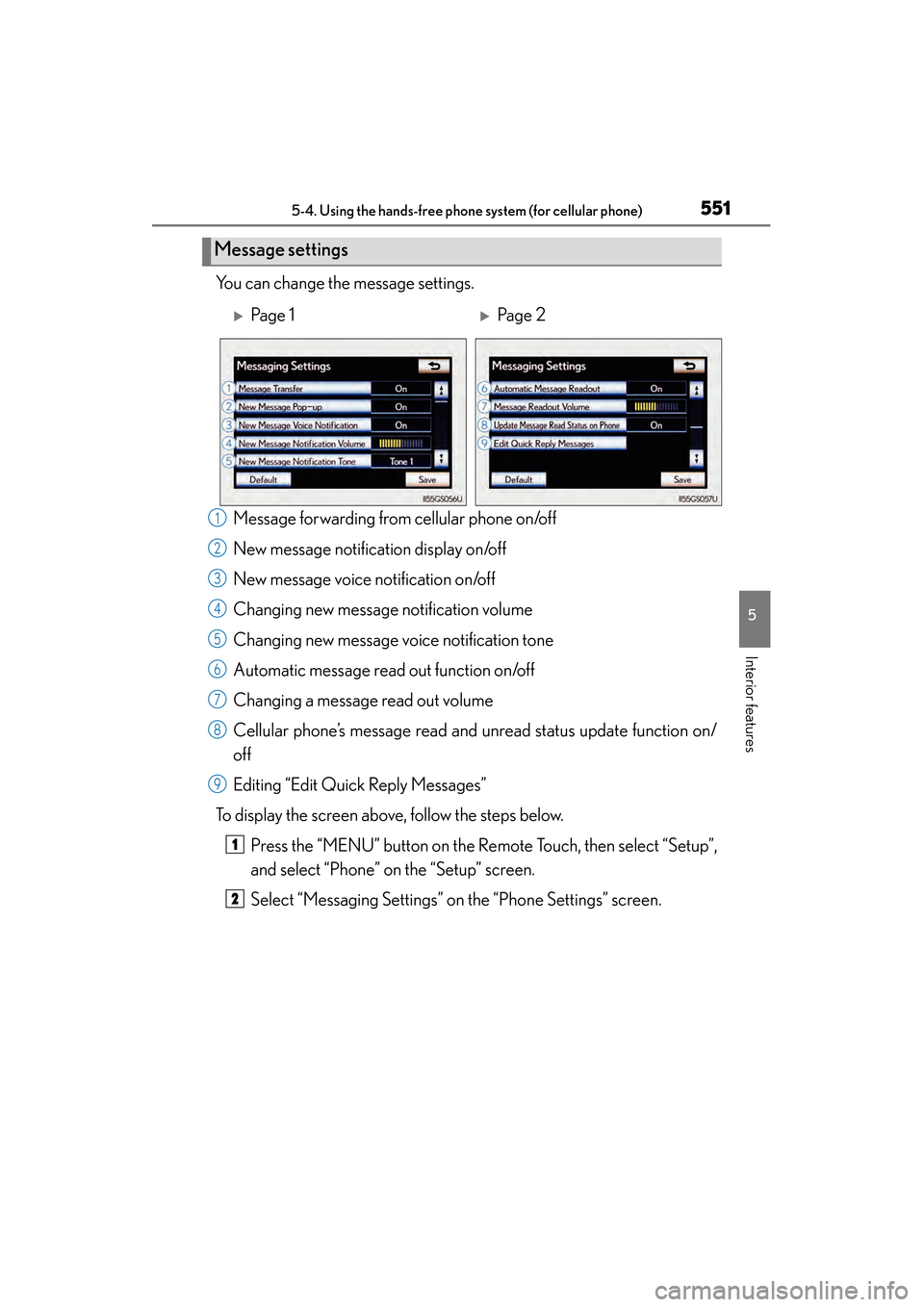
You can change the message settings.Message forwarding from cellular phone on/off
New message notification display on/off
New message voice notification on/off
Changing new message notification volume
Changing new message voice notification tone
Automatic message read out function on/off
Changing a message read out volume
Cellular phone’s message read and unread status update function on/
off
Editing “Edit Quick Reply Messages”
To display the screen above, follow the steps below.
Press the “MENU” button on the Remote Touch, then select “Setup”,
and select “Phone” on the “Setup” screen.
Select “Messaging Settings” on the “Phone Settings” screen.
Message settings
XPa g e 1XPa g e 2
1
2
3
4
5
6
7
8
9
1
2
GS450h_U.book Page 551 Monday, January 23, 2012 10:20 AM