bluetooth Lexus GS450h 2014 Owner's Guide
[x] Cancel search | Manufacturer: LEXUS, Model Year: 2014, Model line: GS450h, Model: Lexus GS450h 2014Pages: 890, PDF Size: 40.62 MB
Page 525 of 890
524
GS450h_OM_OM30D52U_(U)
5-3. Using the audio system
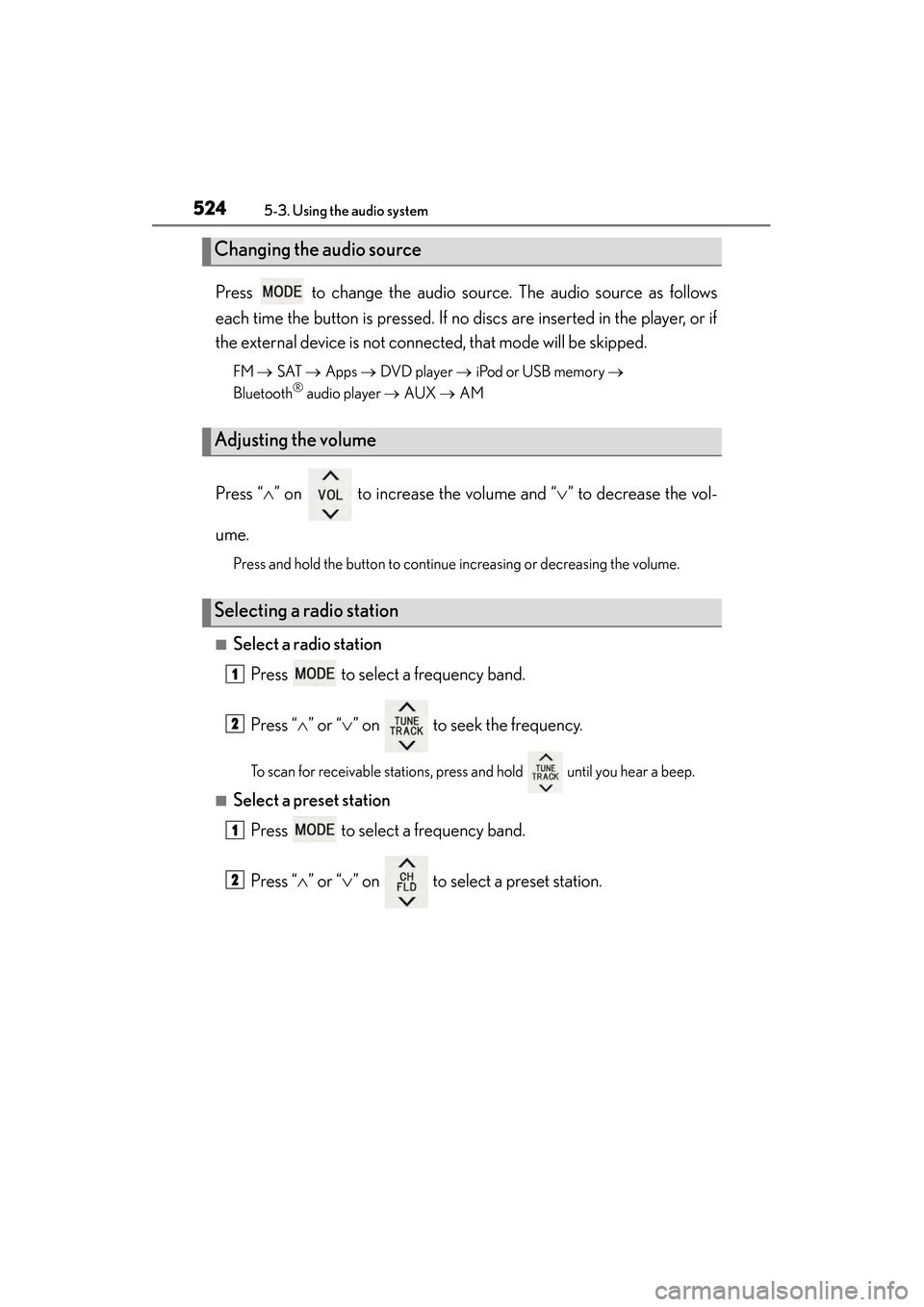
Press to change the audio source. The audio source as follows
each time the button is pressed. If no discs are inserted in the player, or if
the external device is not connected, that mode will be skipped.
FM → SAT → Apps → DVD player → iPod or USB memory →
Bluetooth® audio player → AUX → AM
Press “ ∧” on to increase the volume and “ ∨” to decrease the vol-
ume.
Press and hold the button to continue increasing or decreasing the volume.
■Select a radio station Press to select a frequency band.
Press “ ∧” or “ ∨” on to seek the frequency.
To scan for receivable stations, press and hold until you hear a beep.
■Select a preset station
Press to select a frequency band.
Press “ ∧” or “ ∨” on to select a preset station.
Changing the audio source
Adjusting the volume
Selecting a radio station
1
2
1
2
GS450h_OM_OM30D52U_(U).book Page 524 Monday, July 29, 2013 12:07 PM
Page 526 of 890
GS450h_OM_OM30D52U_(U)
5255-3. Using the audio system
5
Interior features
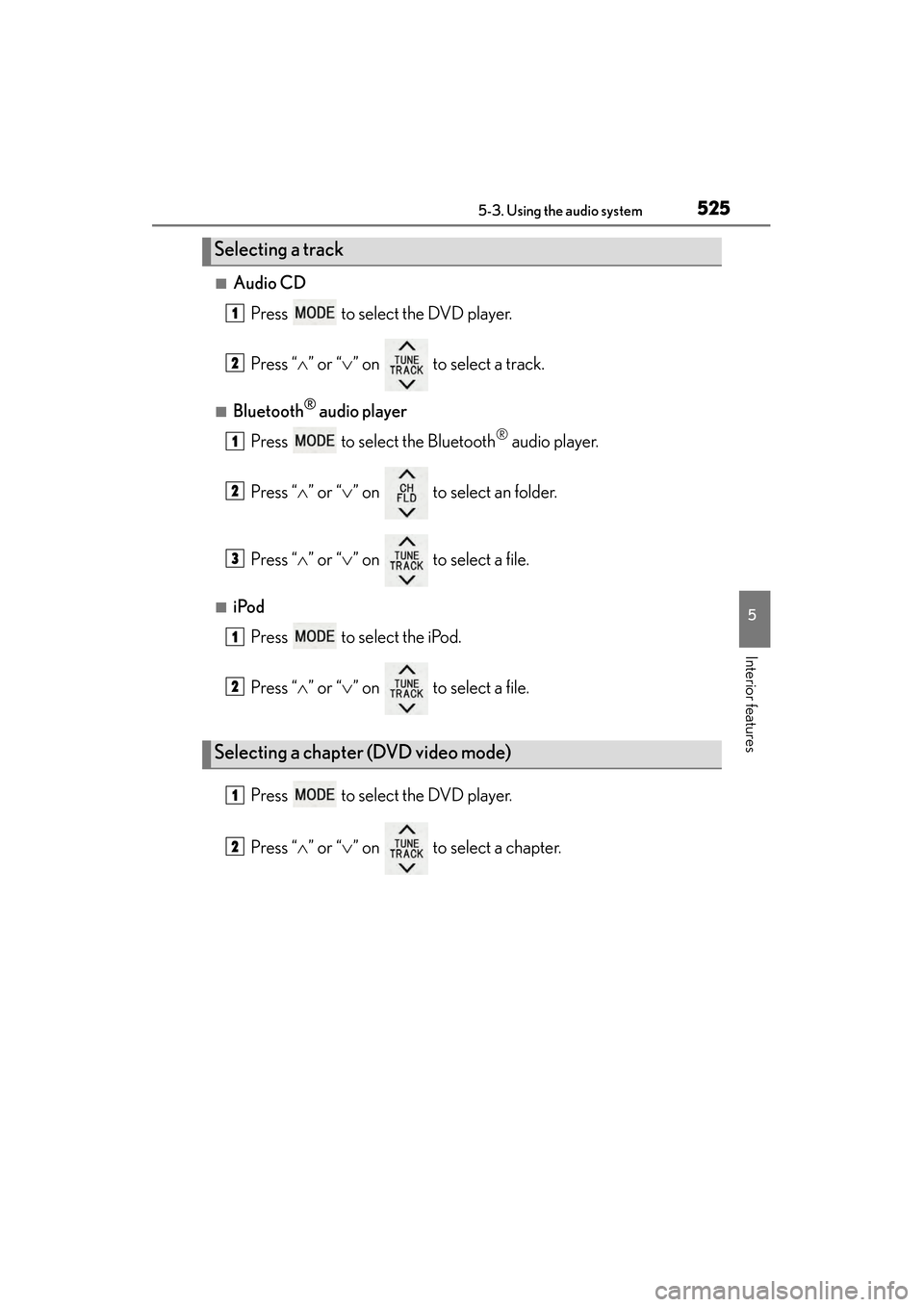
■Audio CDPress to select the DVD player.
Press “ ∧” or “ ∨” on to select a track.
■Bluetooth® audio player
Press to select the Bluetooth
® audio player.
Press “ ∧” or “ ∨” on to select an folder.
Press “ ∧” or “ ∨” on to select a file.
■iPod
Press to select the iPod.
Press “ ∧” or “ ∨” on to select a file.
Press to select the DVD player.
Press “ ∧” or “ ∨” on to select a chapter.
Selecting a track
Selecting a chapter (DVD video mode)
1
2
1
2
3
1
2
1
2
GS450h_OM_OM30D52U_(U).book Page 525 Monday, July 29, 2013 12:07 PM
Page 528 of 890
527
GS450h_OM_OM30D52U_(U)5-3. Using the audio system
5
Interior features
Using the steering wheel audio switches
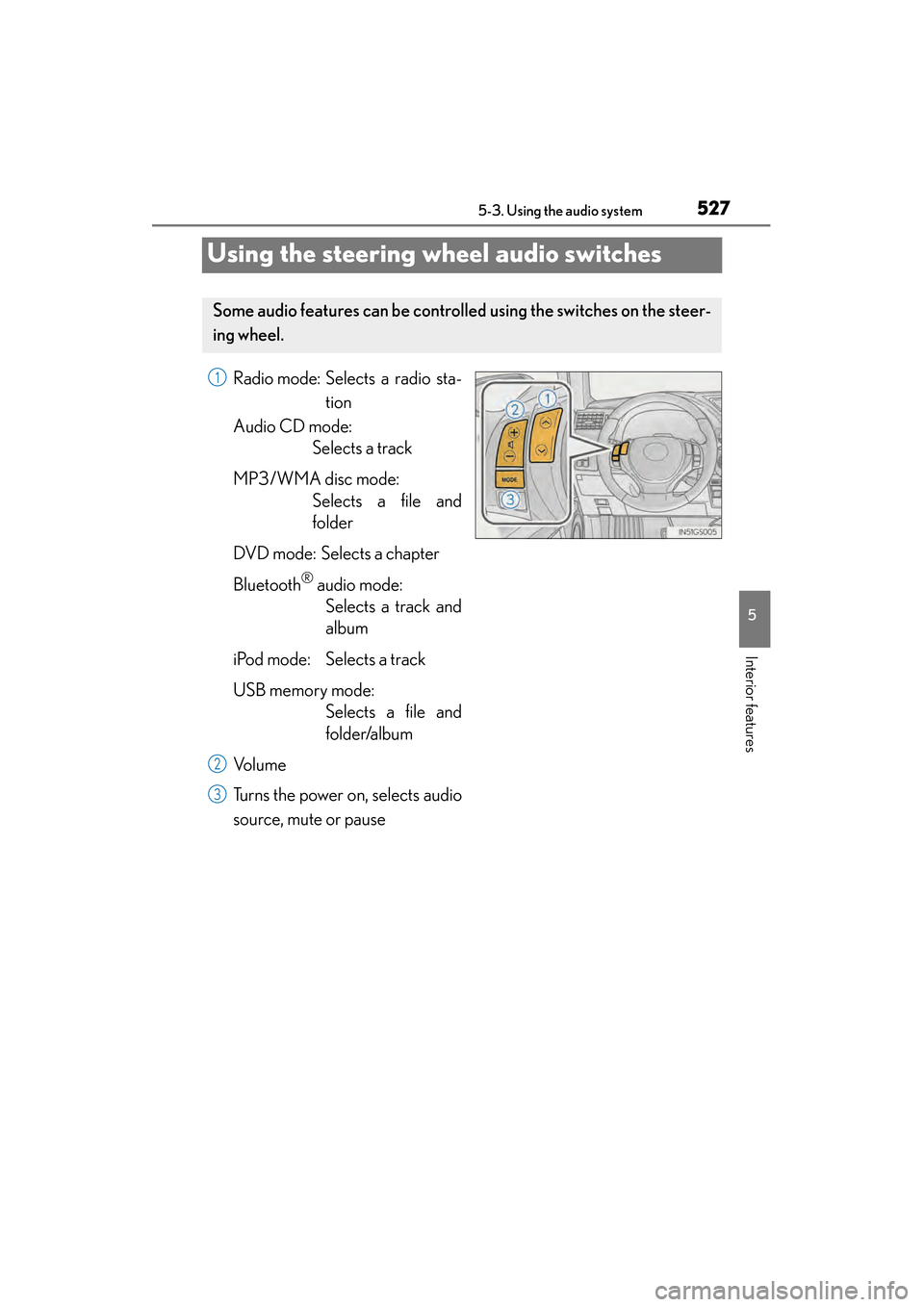
Radio mode: Selects a radio sta- tion
Audio CD mode: Selects a track
MP3/WMA disc mode: Selects a file and
folder
DVD mode: Selects a chapter
Bluetooth
® audio mode: Selects a track and
album
iPod mode: Selects a track
USB memory mode: Selects a file and
folder/album
Vo l u m e
Turns the power on, selects audio
source, mute or pause
Some audio features can be controll ed using the switches on the steer-
ing wheel.
1
2
3
GS450h_OM_OM30D52U_(U).book Page 527 Monday, July 29, 2013 12:07 PM
Page 530 of 890
GS450h_OM_OM30D52U_(U)
5295-3. Using the audio system
5
Interior features
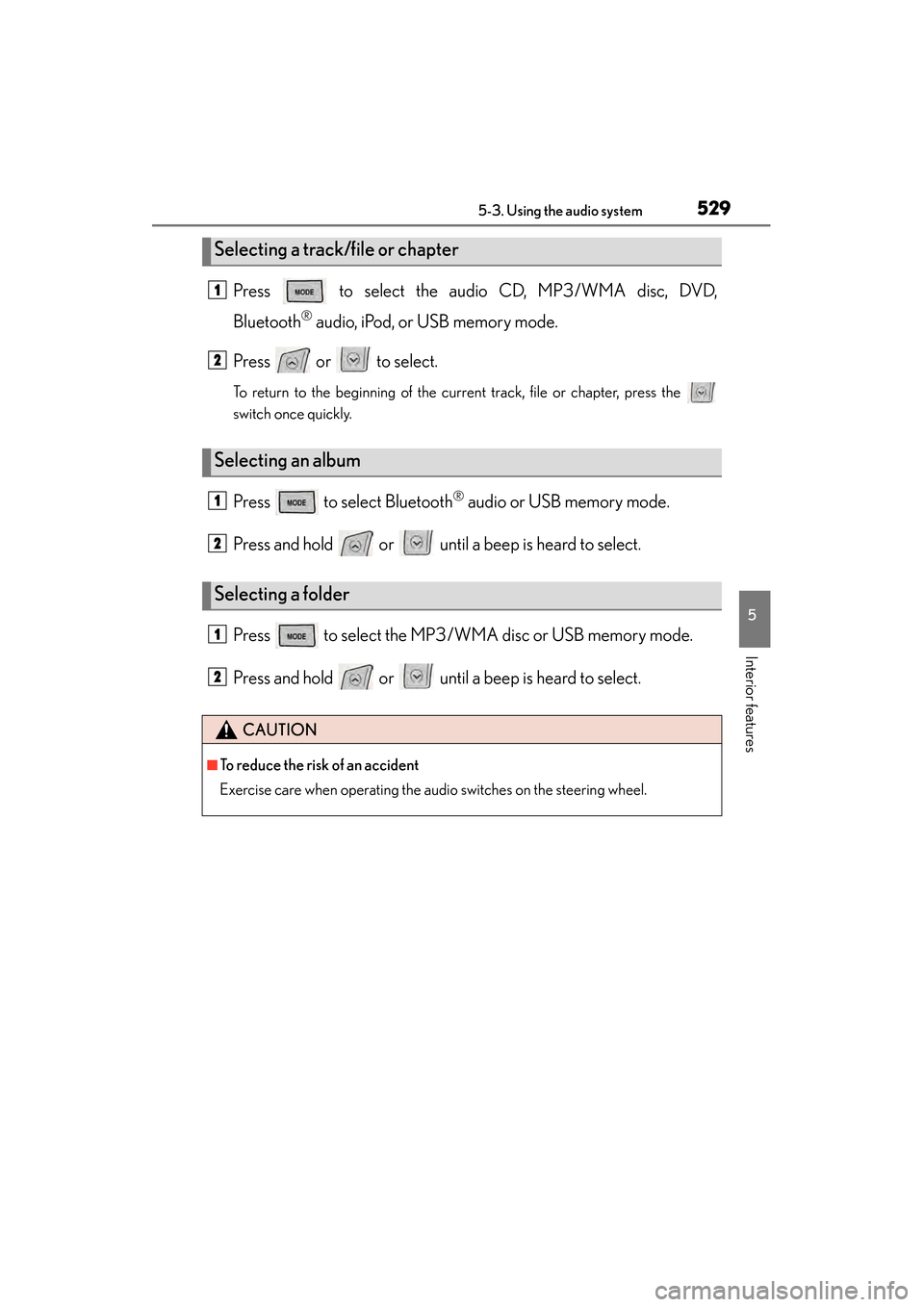
Press to select the audio CD, MP3/WMA disc, DVD,
Bluetooth
® audio, iPod, or USB memory mode.
Press or to select.
To return to the beginning of the current track, file or chapter, press the
switch once quickly.
Press to select Bluetooth® audio or USB memory mode.
Press and hold or until a beep is heard to select.
Press to select the MP3/W MA disc or USB memory mode.
Press and hold or until a beep is heard to select.
Selecting a track/file or chapter
Selecting an album
Selecting a folder
CAUTION
■To reduce the risk of an accident
Exercise care when operating the audio switches on the steering wheel.
1
2
1
2
1
2
GS450h_OM_OM30D52U_(U).book Page 529 Monday, July 29, 2013 12:07 PM
Page 531 of 890
530
GS450h_OM_OM30D52U_(U)
5-4. Using the hands-free phone system (for cellular phone)
Hands-free system (for cellular phone)
The hands-free system is a function that allows you to use your cellular
phone without touching it.
This system supports Bluetooth
® cellular phones. Bluetooth® is a wire-
less data system that allows a cellular phone to wirelessly connect to
the hands-free system and outgoing/incoming calls.
The illustrations of the hands-fr ee system screens shown here may
slightly vary depending on the type of the system.
Vehicles with a navigation system: The hands-free system function can
be displayed and operated on the “S ide Display”. For details, refer to
the “Navigation System Owner’s Manual”.
GS450h_OM_OM30D52U_(U).book Page 530 Monday, July 29, 2013 12:07 PM
Page 532 of 890
GS450h_OM_OM30D52U_(U)
5315-4. Using the hands-free phone system (for cellular phone)
5
Interior features
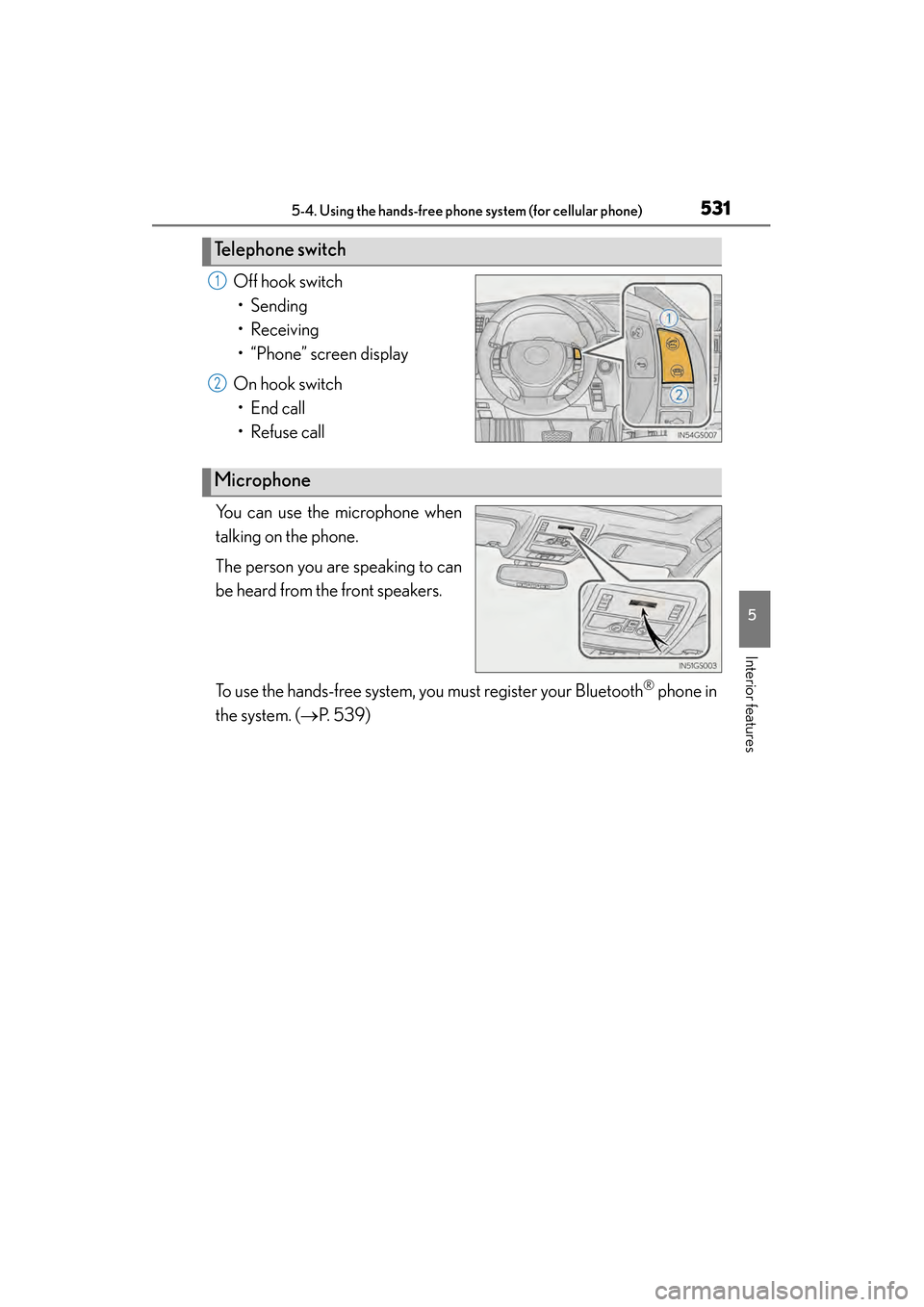
Off hook switch• Sending
• Receiving
• “Phone” screen display
On hook switch • End call
• Refuse call
You can use the microphone when
talking on the phone.
The person you are speaking to can
be heard from the front speakers.
To use the hands-free system, you must register your Bluetooth
® phone in
the system. ( →P. 5 3 9 )
Te l e p h o n e s w i t c h
1
2
Microphone
GS450h_OM_OM30D52U_(U).book Page 531 Monday, July 29, 2013 12:07 PM
Page 535 of 890
534
GS450h_OM_OM30D52U_(U)
5-4. Using the hands-free phone system (for cellular phone)
■When using the hands-free system
●The audio system is muted when making a call.
●If both parties speak at the same time, it may be difficult to hear.
●If the incoming call volume is overly loud, an echo may be heard.
●Try to face toward the microphone as much as possible when speaking.
●In the following circumstances, it may be difficult to hear the other party:
• When driving on unpaved roads
• When driving at high speeds
• If a window is open
• If the air conditioning is blowing directly on the microphone
• If the air conditioning is set to high
• There is an effect from the network of the cellular phone
■Conditions under which the system will not operate
●If using a cellular phone that does not support Bluetooth®
●If the cellular phone is turned off
●If you are outside service range
●If the cellular phone is not connected
●If the cellular phone’s battery is low
■Bluetooth® antenna
The antenna is built into the instrument panel. If the cellular phone is behind the seat
or in the console box, or touching or covered by metal objects, connection status
may deteriorate.
■Battery charge/Signal status
●This display may not correspond exactly with the cellular phone itself.
●When the cellular phone is not connected, “No connect” is displayed.
●When the cellular phone is out of the service area or in a place inaccessible by
radio waves, “No Service” is displayed.
■When using Bluetooth® audio and hands-free system at the same time
The following problems may occur.
●The Bluetooth® connection may be cut.
●Noise may be heard on the Bluetooth® audio playback.
GS450h_OM_OM30D52U_(U).book Page 534 Monday, July 29, 2013 12:07 PM
Page 536 of 890
GS450h_OM_OM30D52U_(U)
5355-4. Using the hands-free phone system (for cellular phone)
5
Interior features
■About the phonebook in this system
The following data is stored for every registered phone. When another phone is con-
necting, you cannot read the registered data.
●Phonebook data
●Call history date
●Speed dial date
●Image data
●Messages
●Quick reply messages
●All phone settings
When you delete the phone, the above-mentioned data is also deleted.
■When you release your car
Be sure to initialize your data. ( →P. 3 6 9 )
■About Bluetooth®
Bluetooth is a registered trademark of
Bluetooth SIG, Inc.
GS450h_OM_OM30D52U_(U).book Page 535 Monday, July 29, 2013 12:07 PM
Page 537 of 890
536
GS450h_OM_OM30D52U_(U)
5-4. Using the hands-free phone system (for cellular phone)
■Compatible models
This system supports the following service.
●Bluetooth® Specification Ver. 1.1 or higher (Recommended: Ver. 2.1+EDR or
higher)
●Profiles
• HFP (Hands Free Profile) Ver. 1.0 or higher (Recommended: Ver. 1.5 or higher)
• OPP (Object Push Profile) Ver. 1.1 or higher
• PBAP (Phone Book Access Profile) Ver. 1.0 or higher
• MAP (Message Access Profile) Ver. 1.0 or higher
• SPP (Serial Port Profile) Ver. 1.1 or higher
*
*
: This profile is necessary when using Apps. For details, refer to the “Navigation
System Owner’s Manual”
If your cellular phone does not support HFP, you cannot enter the Bluetooth
®
phone, and take OPP, PBAP, MAP or SPP service individually.
If the connected Bluetooth
® phone version is older than recommended or incom-
patible, this function may not be used.
Please go to http://www.lexus.com/MobileLink
to find approved Bluetooth®
phones for this system.
■Certification
FCC ID: AJDK041
IC: 775E-K041
This device complies with Part 15 of FCC Rules and Industry Canada licence-
exempt RSS standard(s). Operation is subject to the following two conditions: (1) this
device may not cause interference, and (2) this device must accept any interference,
including interference that may cause undesired operation of this device.
Le présent appareil est conforme aux la partie 15 des règles de la FCC et CNR
d’Industrie Canada applicables aux appareils radio exempts de licence. L’exploita-
tion est autorisée aux deux conditions suivantes: (1) l’appareil ne doit pas produire de
brouillage, et (2) l’utilisateur de l’appareil doit accepter tout brouillage radioélectri-
que subi, même si le brouillage est susceptible d’en compromettre le fonctionne-
ment.
For vehicles sold in Canada:
This device complies with RSS-310 of Industry Canada. Operation is subject to the
condition that this device does not cause harmful interference.
Cet appareil est conforme au CNR-310 d’Industrie Canada. Son exploitation est
autorisée sous réserve que l’appareil ne cause pas de brouillage préjudiciable.
GS450h_OM_OM30D52U_(U).book Page 536 Monday, July 29, 2013 12:07 PM
Page 539 of 890
538
GS450h_OM_OM30D52U_(U)
5-4. Using the hands-free phone system (for cellular phone)
CAUTION
XFor vehicles sold in Canada
Tout changement ou toute modification de la construction non approuvé expres-
sément par l’abonné responsable de la conformité risque d’annuler l’autorité de
l’utilisateur d’exploiter l’équipement.
Cet émetteur ne doit pas être co-implanté ou actionné en même temps qu’aucune
autre antenne ou émetteur.
Under Industry Canada regulations, this radio transmitter may only operate using
an antenna of a type and maximum (or lesser) gain approved for the transmitter by
Industry Canada. To reduce potential radio interference to other users, the
antenna type and its gain should be so chosen that the equivalent isotropically radi-
ated power (e.i.r.p.) is not more than that necessary for successful communication.
Conformément à la réglementation d’Industrie Canada, le présent émetteur radio
peut fonctionner avec une antenne d’un type et d’un gain maximal (ou inférieur)
approuvé pour l’émetteur par Industrie Canada. Dans le but de réduire les risques
de brouillage radioélectrique à l’intention des autres utilisateurs, il faut choisir le
type d’antenne et son gain de sorte que la puissance isotrope rayonnée équiva-
lente (p.i.r.e.) ne dépasse pas l’intensité nécessaire à l’établissement d’une commu-
nication satisfaisante.
■Caution while driving
Do not use the cellular phone or connect the Bluetooth
® system.
■Caution regarding interference with electronic devices
●Your audio unit is fitted with Bluetooth® antennas. People with implantable car-
diac pacemakers, cardiac resynchronization therapy-pacemakers or implantable
cardioverter defibrillators should maintain a reasonable distance between them-
selves and the Bluetooth
® antennas. The radio waves may affect the operation of
such devices.
●Before using Bluetooth® devices, users of any electrical medical device other
than implantable cardiac pacemakers, cardiac resynchronization therapy-pace-
makers or implantable cardioverter defibrillators should consult the manufac-
turer of the device for information about its operation under the influence of radio
waves. Radio waves could have unexpected effects on the operation of such
medical devices.
NOTICE
■When leaving the vehicle
Do not leave your cellular phone in the vehicle. The inside of the vehicle may
become hot, causing damage to the phone.
GS450h_OM_OM30D52U_(U).book Page 538 Monday, July 29, 2013 12:07 PM