change time Lexus GS450h 2014 Owner's Guide
[x] Cancel search | Manufacturer: LEXUS, Model Year: 2014, Model line: GS450h, Model: Lexus GS450h 2014Pages: 890, PDF Size: 40.62 MB
Page 360 of 890
GS450h_OM_OM30D52U_(U)
3595-1. Remote Touch screen
5
Interior features
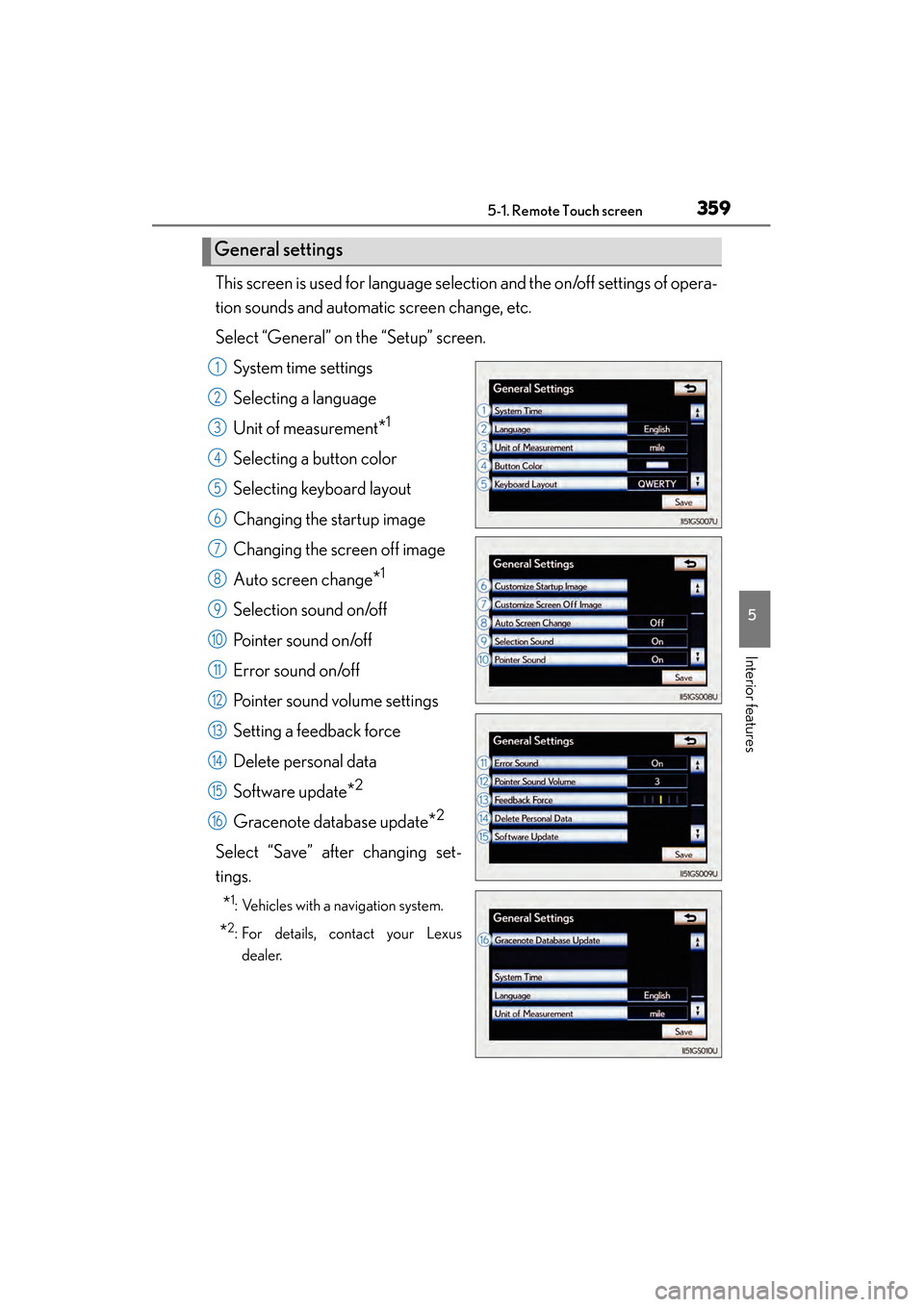
This screen is used for language selection and the on/off settings of opera-
tion sounds and automatic screen change, etc.
Select “General” on the “Setup” screen.System time settings
Selecting a language
Unit of measurement
*1
Selecting a button color
Selecting keyboard layout
Changing the startup image
Changing the screen off image
Auto screen change
*1
Selection sound on/off
Pointer sound on/off
Error sound on/off
Pointer sound volume settings
Setting a feedback force
Delete personal data
Software update
*2
Gracenote database update*2
Select “Save” after changing set-
tings.
*1: Vehicles with a navigation system.
*2: For details, contact your Lexusdealer.
General settings
1
2
3
4
5
6
7
8
9
10
11
12
13
14
15
16
GS450h_OM_OM30D52U_(U).book Page 359 Monday, July 29, 2013 12:07 PM
Page 362 of 890
GS450h_OM_OM30D52U_(U)
3615-1. Remote Touch screen
5
Interior features
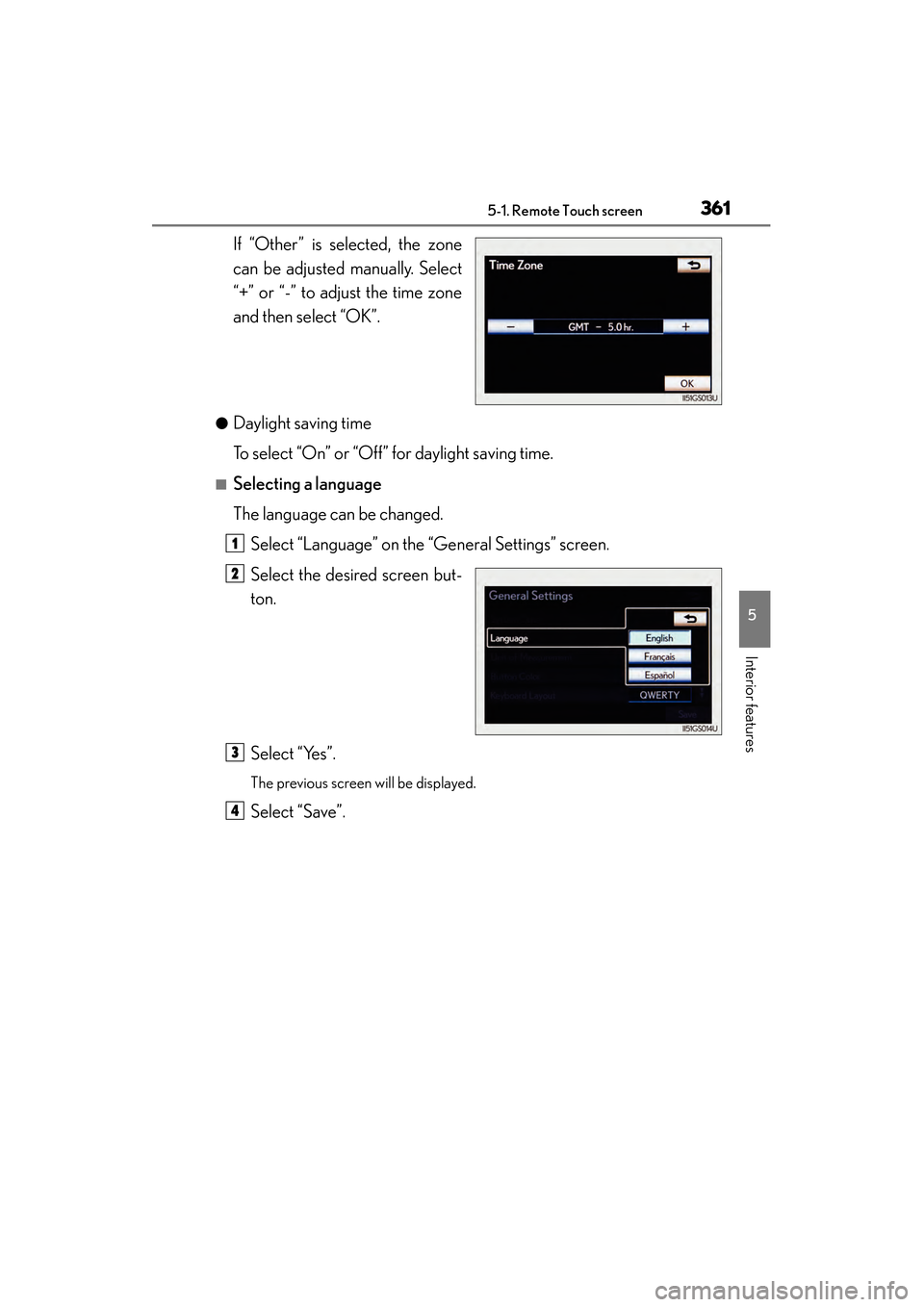
If “Other” is selected, the zone
can be adjusted manually. Select
“+” or “-” to adjust the time zone
and then select “OK”.
●Daylight saving time
To select “On” or “Off” for daylight saving time.
■Selecting a language
The language can be changed.Select “Language” on the “General Settings” screen.
Select the desired screen but-
ton.
Select “Yes”.
The previous screen will be displayed.
Select “Save”.
1
2
3
4
GS450h_OM_OM30D52U_(U).book Page 361 Monday, July 29, 2013 12:07 PM
Page 384 of 890
GS450h_OM_OM30D52U_(U)
3835-1. Remote Touch screen
5
Interior features
■Voice command system
●Commands that are not displayed in the “Shortcut Menu” screen can be operated
from the “Main Menu” screen.
●If the system does not respond or the confirmation screen does not disappear,
press and try again.
●Voice guidance can be canceled by setting voice prompts to off. Use this setting
when it is desirable to say a command immediately after pressing and hearing
a beep.
■If a voice command cannot be recognized
●If a voice command cannot be recognized within 6 seconds, voice guidance will
say “Pardon?” (“Command not recognized.” will be displayed on the screen) and
voice command reception will restart.
●If a voice command cannot be recognized 2 consecutive times, the voice com-
mand guidance system will say “Paused. To restart voice recognition, push the talk
switch. To cancel voice recognition, push and hold the talk switch.” Then voice rec-
ognition will be suspended.
■When selecting “Voice Prompts”
●The voice recognition prompt can be set to on or off. This setting can also be
changed on the “Voice Settings” screen. (→P. 3 7 1 )
●Voice recognition will be temporarily suspended. Press again.
GS450h_OM_OM30D52U_(U).book Page 383 Monday, July 29, 2013 12:07 PM
Page 395 of 890
394
GS450h_OM_OM30D52U_(U)
5-2. Using the air conditioning system and defogger
XWith rear air conditioning systemTo adjust the fan speed, select “ ∧” on to increase the fan speed
and “ ∨” to decrease the fan speed on the operation screen.
Press to turn the fan off.
To adjust the temperature setting, press “ ∧” on to increase the
temperature and “ ∨” to decrease the temperature.
The air conditioning system switches between individual and simultaneous
modes each time is selected.
When is selected (the indicator on is on) or the passenger’s
side temperature control button is pressed, the temperature for the driver’s,
front passenger’s and rear seats ( →P. 404) can be adjusted separately.
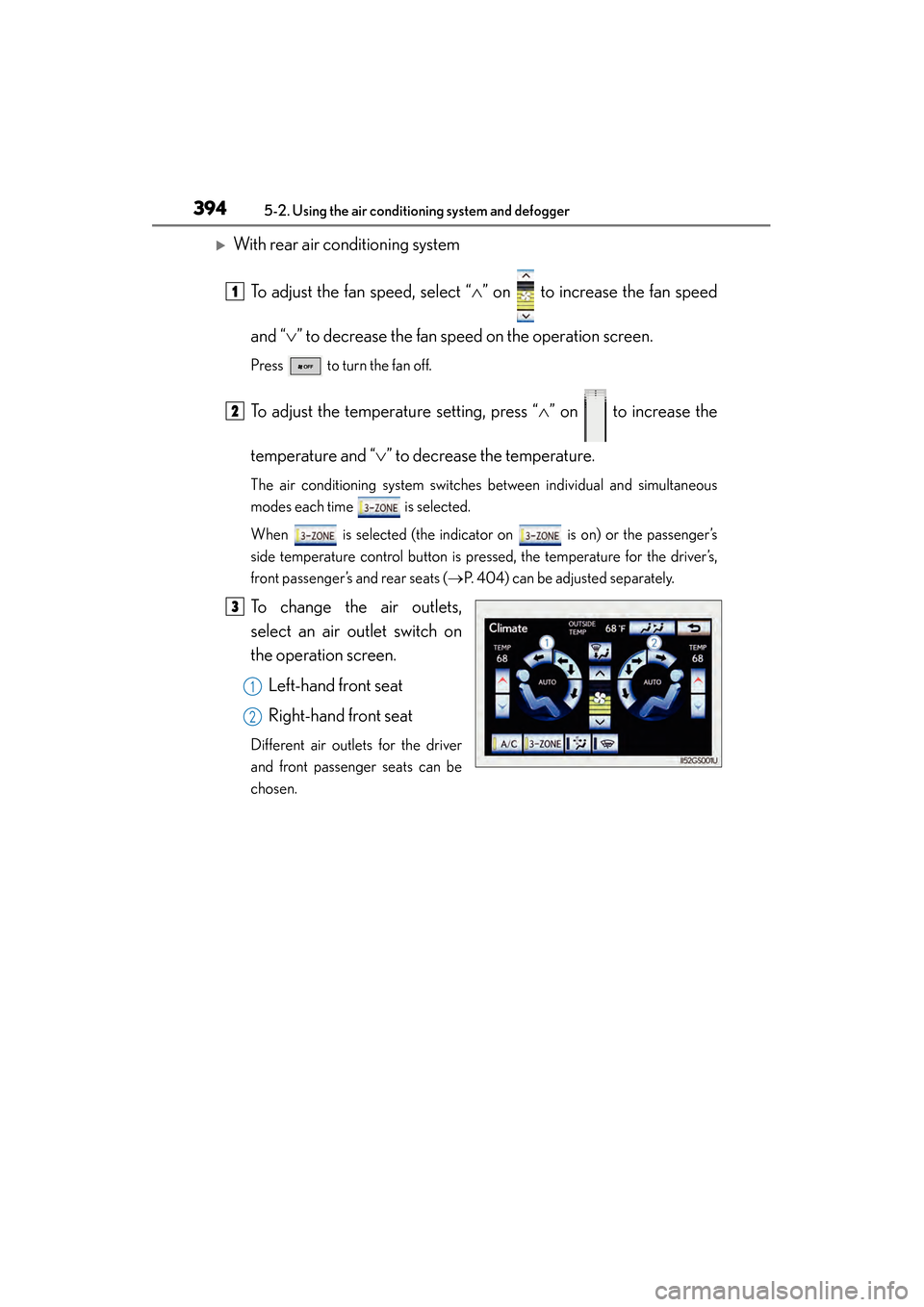
To change the air outlets,
select an air outlet switch on
the operation screen.
Left-hand front seat
Right-hand front seat
Different air outlets for the driver
and front passenger seats can be
chosen.
1
2
3
1
2
GS450h_OM_OM30D52U_(U).book Page 394 Monday, July 29, 2013 12:07 PM
Page 403 of 890
402
GS450h_OM_OM30D52U_(U)
5-2. Using the air conditioning system and defogger
■Operation of the air conditioning system in Eco drive mode
In the Eco drive mode, the air conditioning system is controlled as follows to priori-
tize fuel efficiency:
●Engine speed and compressor operation controlled to restrict heating/cooling
capacity
●Fan speed restricted when automatic mode is selected
To improve air conditioning performance, perform the following operations:
●Adjust the fan speed
●Turn off Eco drive mode
■When the outside temperature falls to nearly 32 °F (0 °C)
The dehumidification function may not operate even when is selected.
■Air conditioning odors
●During use, various odors from inside and outside the vehicle may enter into and
accumulate in the air conditioning system. This may then cause odor to be emitted
from the vents.
●To reduce potential odors from occurring:
• It is recommended that the air conditioning system be set to outside air mode prior to turning the vehicle off.
• The start timing of the blower may be delayed for a short period of time immedi- ately after the air conditioning system is started in automatic mode.
■Air conditioning filter
→ P. 6 9 2
■Customization
Settings (e.g. exhaust gas sensor sensitivity) can be changed.
(Customizable features: → P. 8 3 3 )
GS450h_OM_OM30D52U_(U).book Page 402 Monday, July 29, 2013 12:07 PM
Page 407 of 890
406
GS450h_OM_OM30D52U_(U)
5-2. Using the air conditioning system and defogger
■Adjusting the temperature setting
Press “∧” on to increase the temperature and “ ∨” to decrease
the temperature.
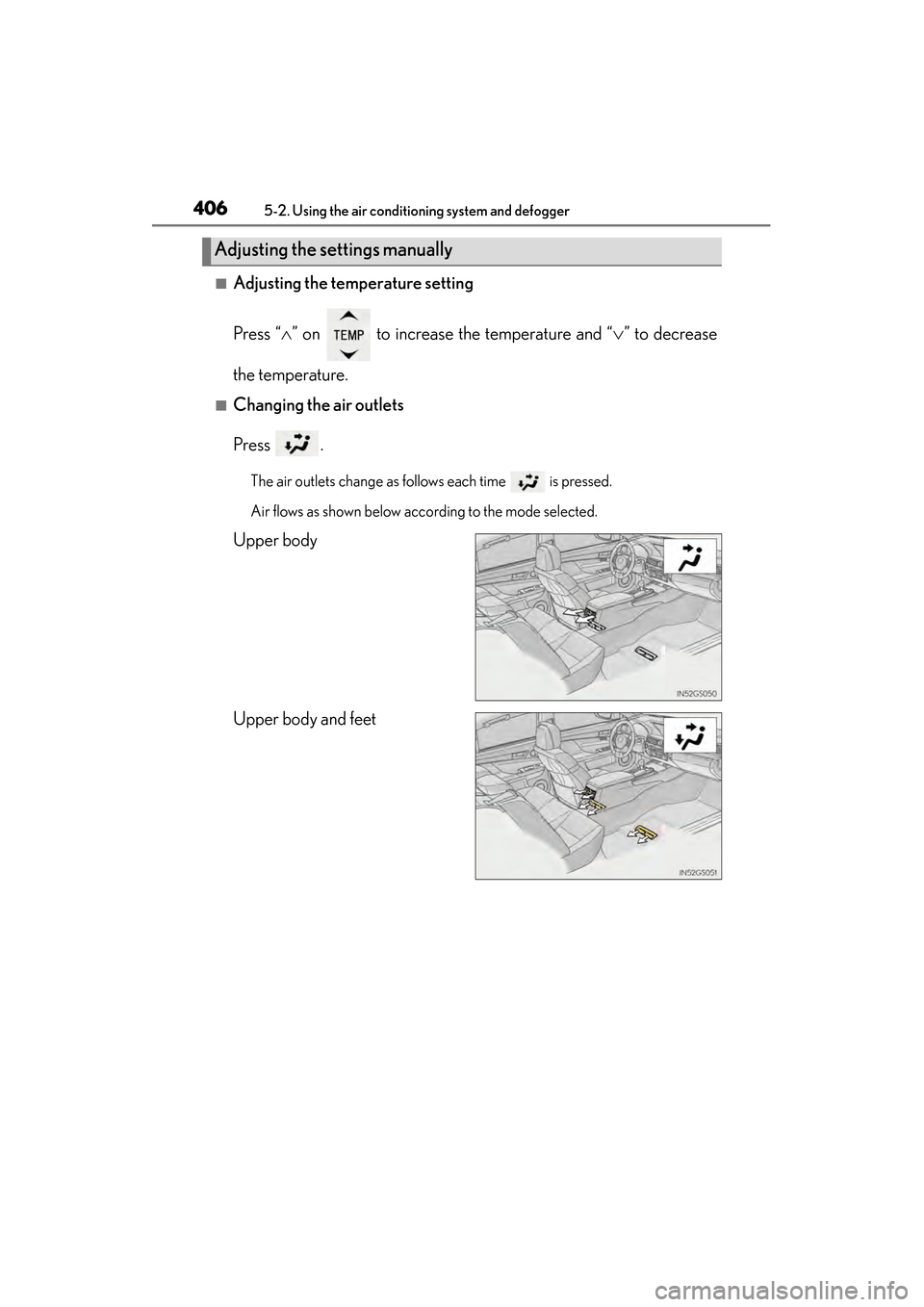
■Changing the air outlets
Press .
The air outlets change as follows each time is pressed.
Air flows as shown below according to the mode selected.
Upper body
Upper body and feet
Adjusting the settings manually
GS450h_OM_OM30D52U_(U).book Page 406 Monday, July 29, 2013 12:07 PM
Page 410 of 890
409
GS450h_OM_OM30D52U_(U)5-2. Using the air conditioning system and defogger
5
Interior features
Rear window and outside rear view mirror
defoggers
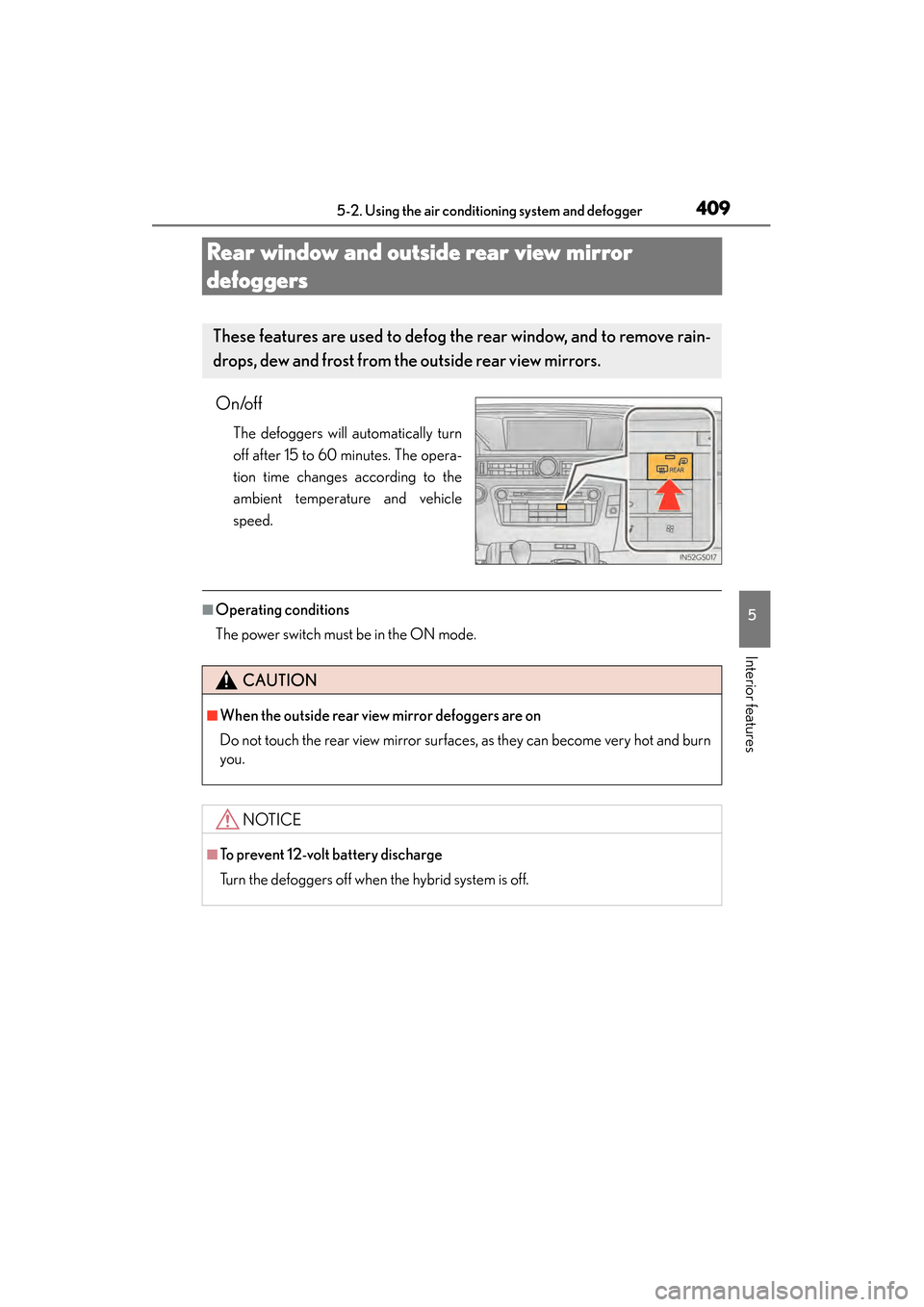
On/off
The defoggers will automatically turn
off after 15 to 60 minutes. The opera-
tion time changes according to the
ambient temperature and vehicle
speed.
■Operating conditions
The power switch must be in the ON mode.
These features are used to defog the rear window, and to remove rain-
drops, dew and frost from th e outside rear view mirrors.
CAUTION
■When the outside rear view mirror defoggers are on
Do not touch the rear view mirror surfaces, as they can become very hot and burn
you.
NOTICE
■To prevent 12-volt battery discharge
Turn the defoggers off when the hybrid system is off.
GS450h_OM_OM30D52U_(U).book Page 409 Monday, July 29, 2013 12:07 PM
Page 439 of 890
438
GS450h_OM_OM30D52U_(U)
5-3. Using the audio system
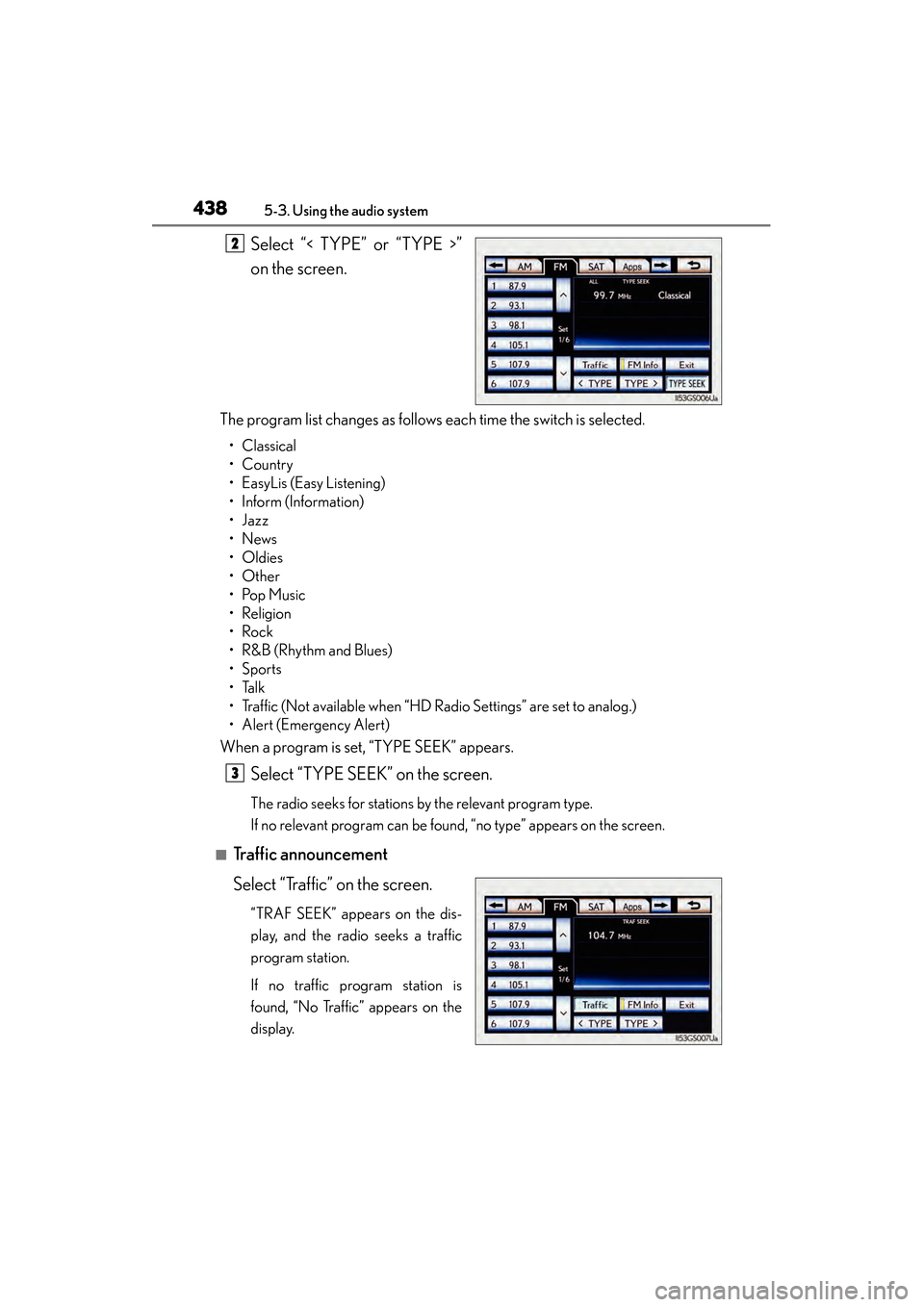
Select “< TYPE” or “TYPE >”
on the screen.
The program list changes as follows each time the switch is selected.
• Classical
•Country
• EasyLis (Easy Listening)
• Inform (Information)
•Jazz
•News
•Oldies
•Other
•Pop Music
•Religion
•Rock
•R&B (Rhythm and Blues)
•Sports
•Talk
• Traffic (Not available when “HD Radio Settings” are set to analog.)
• Alert (Emergency Alert)
When a program is set, “TYPE SEEK” appears.
Select “TYPE SEEK” on the screen.
The radio seeks for stations by the relevant program type.
If no relevant program can be found, “no type” appears on the screen.
■Traffic announcement
Select “Traffic” on the screen.
“TRAF SEEK” appears on the dis-
play, and the radio seeks a traffic
program station.
If no traffic program station is
found, “No Traffic” appears on the
display.
2
3
GS450h_OM_OM30D52U_(U).book Page 438 Monday, July 29, 2013 12:07 PM
Page 443 of 890
442
GS450h_OM_OM30D52U_(U)
5-3. Using the audio system
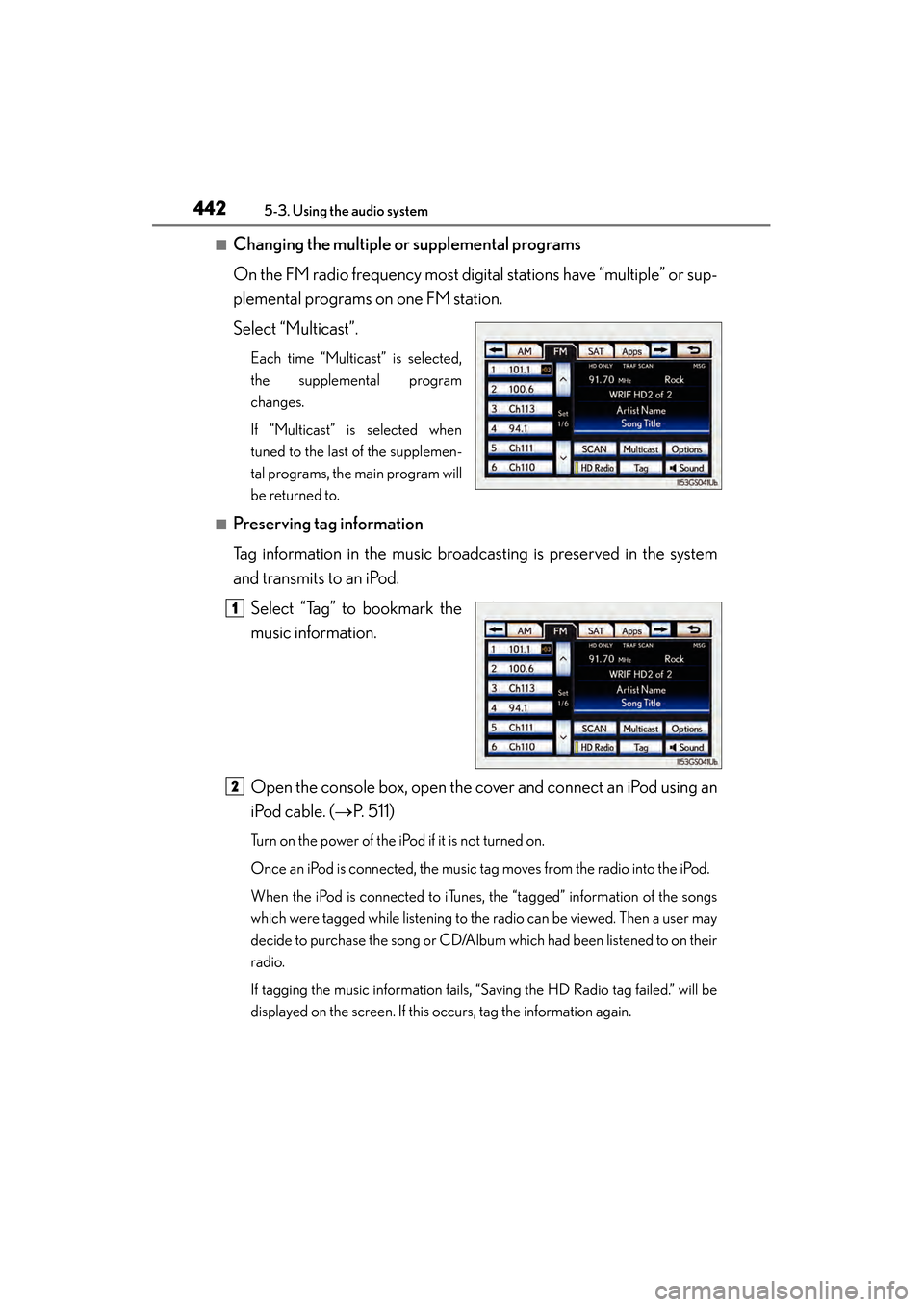
■Changing the multiple or supplemental programs
On the FM radio frequency most digital stations have “multiple” or sup-
plemental programs on one FM station.
Select “Multicast”.
Each time “Multicast” is selected,
the supplemental program
changes.
If “Multicast” is selected when
tuned to the last of the supplemen-
tal programs, the main program will
be returned to.
■Preserving tag information
Tag information in the music broadcasting is preserved in the system
and transmits to an iPod.Select “Tag” to bookmark the
music information.
Open the console box, open the cover and connect an iPod using an
iPod cable. ( →P. 5 1 1 )
Turn on the power of the iPod if it is not turned on.
Once an iPod is connected, the music tag moves from the radio into the iPod.
When the iPod is connected to iTunes, the “tagged” information of the songs
which were tagged while listening to the radio can be viewed. Then a user may
decide to purchase the song or CD/Album which had been listened to on their
radio.
If tagging the music information fails, “Saving the HD Radio tag failed.” will be
displayed on the screen. If this occurs, tag the information again.
11
2
GS450h_OM_OM30D52U_(U).book Page 442 Monday, July 29, 2013 12:07 PM
Page 450 of 890
GS450h_OM_OM30D52U_(U)
4495-3. Using the audio system
5
Interior features
■XM Radio Services — Legal Disclaimers and Warnings (vehicles without a naviga-
tion system for U.S.A.)
●Fees and Taxes — Subscription fee, taxes, one time activation fee, and other fees may
apply. Subscription fee is consumer only. All fees and programming subject to change.
Subscriptions subject to Customer Agreement available at www.siriusxm.com.
XM
service only available in the 48 contiguous United States and Canada.
Explicit Language Notice — Channels with frequent explicit language are indi-
cated with an “XL” preceding the channel name. Channel blocking is available for
XM Satellite Radio receivers by notifying XM at;
U.S.A. Customers:
Visit www.siriusxm.com
or calling 1-877-515-3987
It is prohibited to copy, decompile, disassemble, reverse engineer, hack, manipulate,
or otherwise make available any technology or software incorporated in receivers
compatible with the XM Satellite Radio System or that support the XM website, the
Online Service or any of its content. Furthermore, the AMBE
® voice compression
software included in this product is protected by intellectual property rights includ-
ing patent rights, copyrights, and trade secrets of Digital Voice Systems, Inc.
Note: this applies to XM receivers only and not XM Ready devices.
GS450h_OM_OM30D52U_(U).book Page 449 Monday, July 29, 2013 12:07 PM