display Lexus GX460 2013 Owners Manual
[x] Cancel search | Manufacturer: LEXUS, Model Year: 2013, Model line: GX460, Model: Lexus GX460 2013Pages: 846, PDF Size: 19.76 MB
Page 428 of 846
427
3-2. Using the audio system
3
Interior features
GX460_OM_OM60J63U_(U)
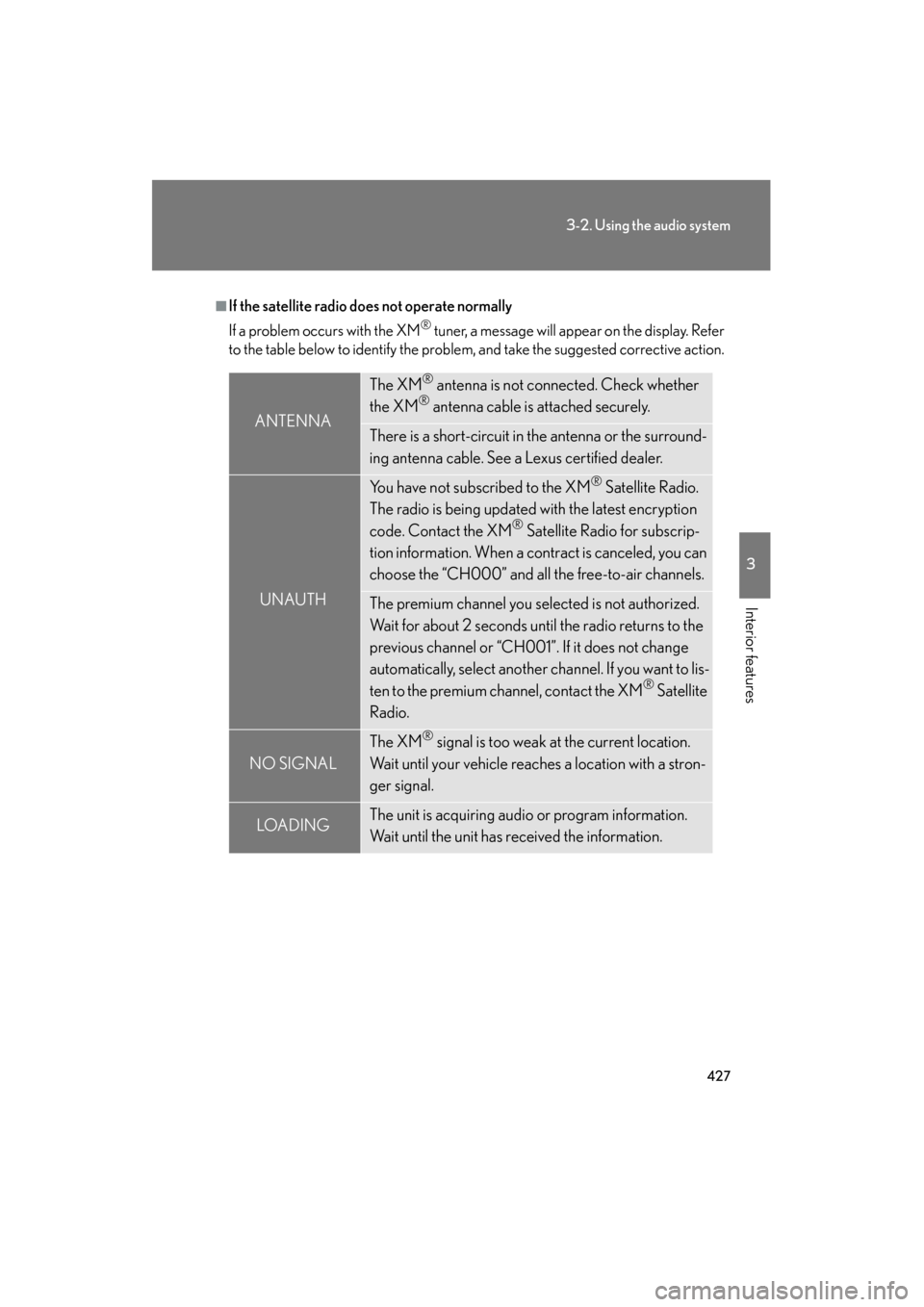
■If the satellite radio does not operate normally
If a problem occurs with the XM
® tuner, a message will appear on the display. Refer
to the table below to identify the problem, and take the suggested corrective action.
ANTENNA
The XM® antenna is not connected. Check whether
the XM® antenna cable is attached securely.
There is a short-circuit in the antenna or the surround-
ing antenna cable. See a Lexus certified dealer.
UNAUTH
You have not subscribed to the XM® Satellite Radio.
The radio is being updated with the latest encryption
code. Contact the XM
® Satellite Radio for subscrip-
tion information. When a contract is canceled, you can
choose the “CH000” and all the free-to-air channels.
The premium channel you selected is not authorized.
Wait for about 2 seconds until the radio returns to the
previous channel or “CH001”. If it does not change
automatically, select another channel. If you want to lis-
ten to the premium channel, contact the XM
® Satellite
Radio.
NO SIGNAL
The XM® signal is too weak at the current location.
Wait until your vehicle reaches a location with a stron-
ger signal.
LOAD INGThe unit is acquiring audio or program information.
Wait until the unit has received the information.
GX460_OM_OM60J63U_(U).book Page 427 Thursday, March 29, 2012 9:10 AM
Page 430 of 846
429
3-2. Using the audio system
3
Interior features
GX460_OM_OM60J63U_(U)
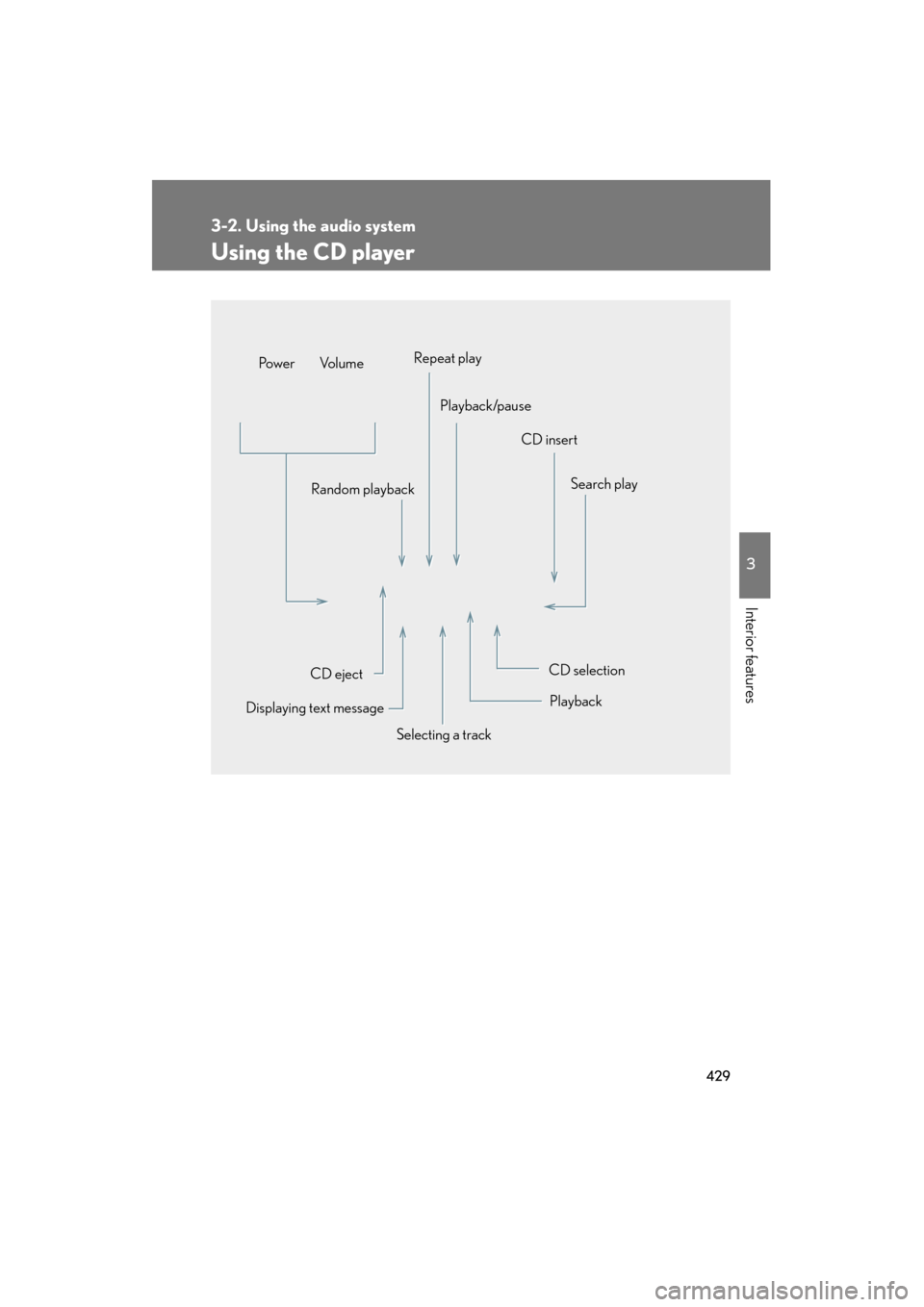
Using the CD player
Selecting a trackSearch play
CD eject
Displaying text message Random playback
CD selection
CD insert
Repeat play
Playback/pause
Po w e r Vo l u m e
Playback
GX460_OM_OM60J63U_(U).book Page 429 Thursday, March 29, 2012 9:10 AM
Page 431 of 846
430
3-2. Using the audio system
GX460_OM_OM60J63U_(U)
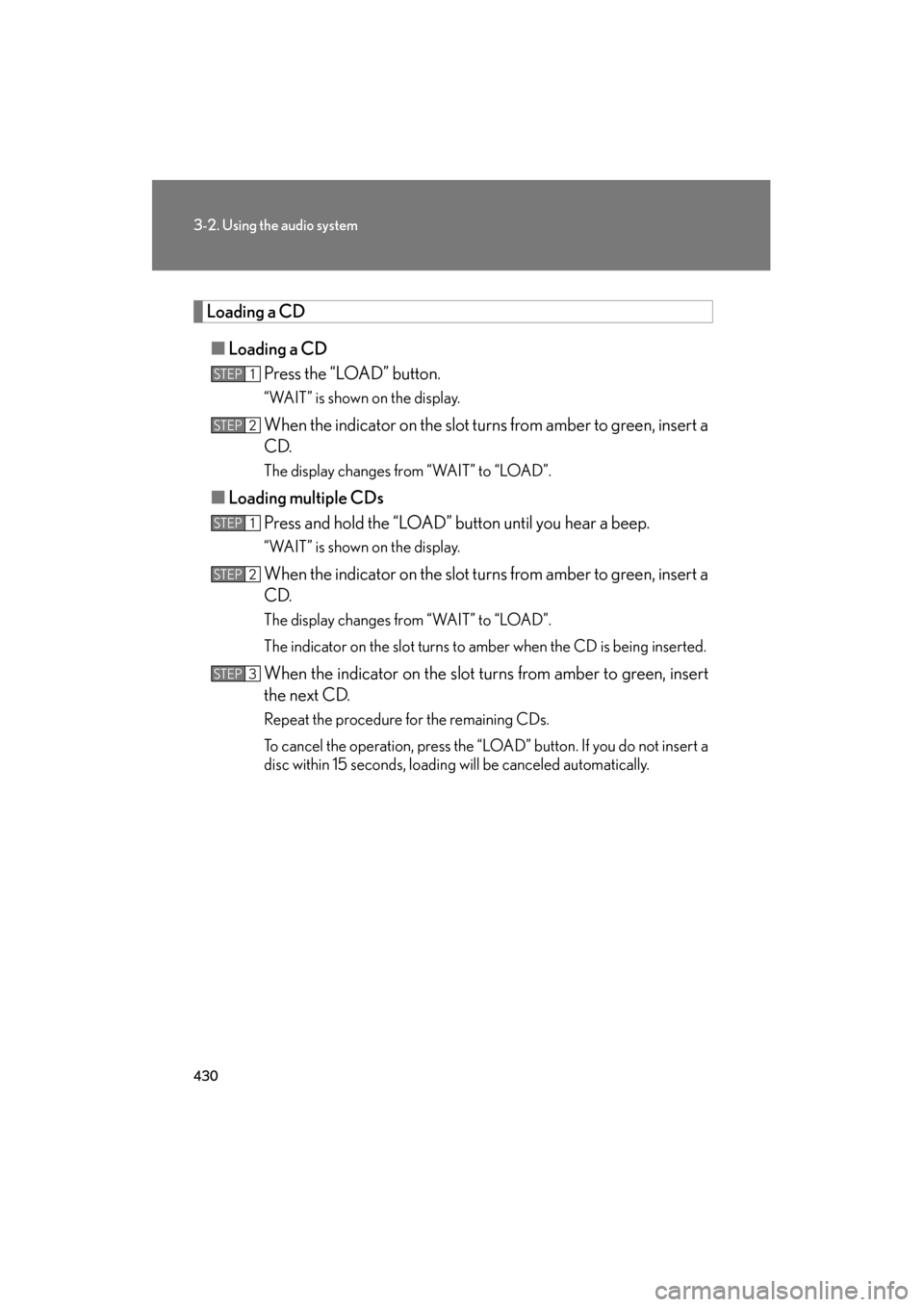
Loading a CD■ Loading a CD
Press the “LOAD” button.
“WAIT” is shown on the display.
When the indicator on the slot turns from amber to green, insert a
CD.
The display changes from “WAIT” to “LOAD”.
■Loading multiple CDs
Press and hold the “LOAD” button until you hear a beep.
“WAIT” is shown on the display.
When the indicator on the slot turns from amber to green, insert a
CD.
The display changes from “WAIT” to “LOAD”.
The indicator on the slot turns to amber when the CD is being inserted.
When the indicator on the slot turns from amber to green, insert
the next CD.
Repeat the procedure for the remaining CDs.
To cancel the operation, press the “LOAD” button. If you do not insert a
disc within 15 seconds, loading will be canceled automatically.
STEP1
STEP2
STEP1
STEP2
STEP3
GX460_OM_OM60J63U_(U).book Page 430 Thursday, March 29, 2012 9:10 AM
Page 432 of 846
431
3-2. Using the audio system
3
Interior features
GX460_OM_OM60J63U_(U)
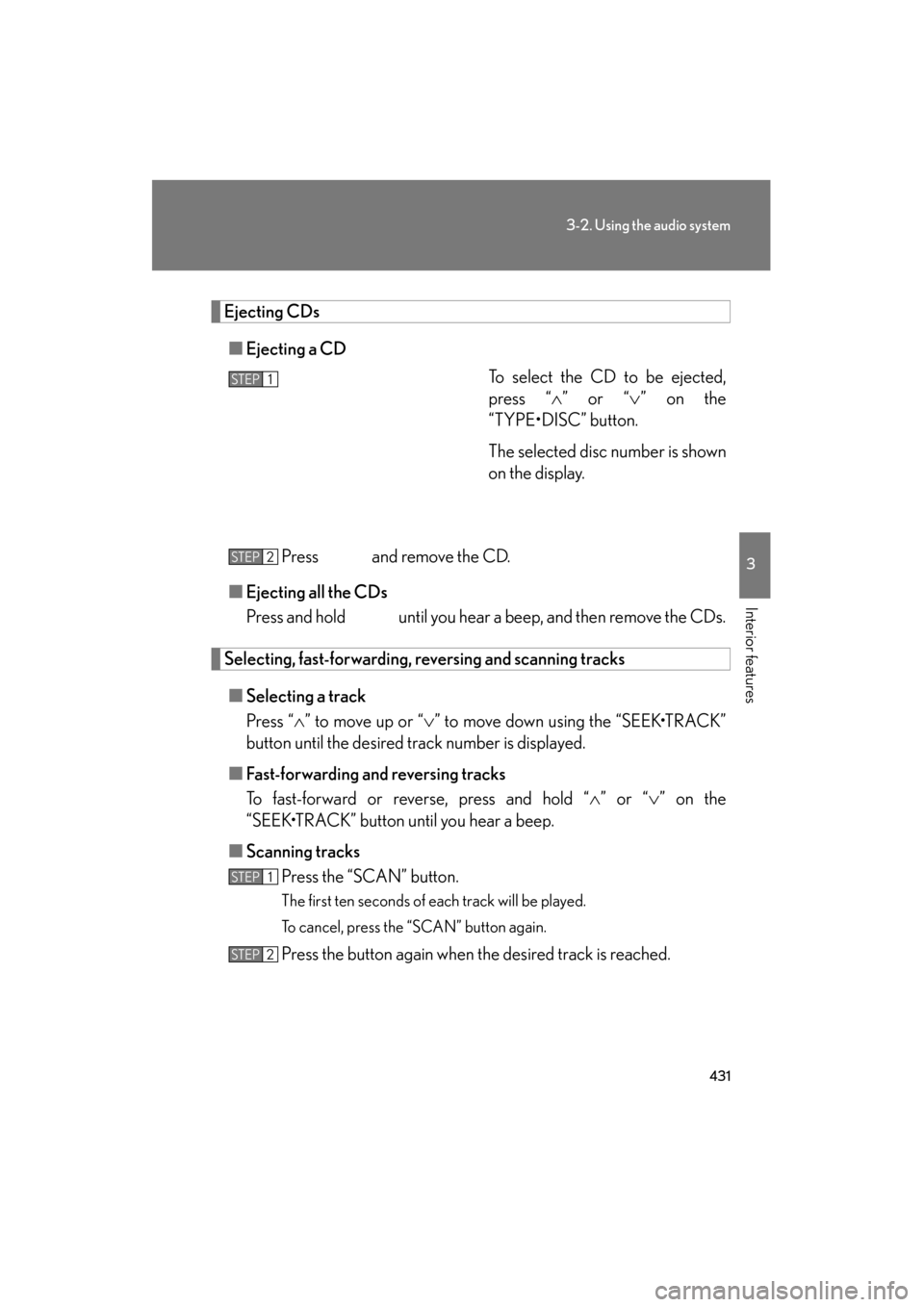
Ejecting CDs■ Ejecting a CD
To select the CD to be ejected,
press “∧” or “ ∨” on the
“TYPE•DISC” button.
The selected disc number is shown
on the display.
Press and remove the CD.
■ Ejecting all the CDs
Press and hold until you hear a beep, and then remove the CDs.
Selecting, fast-forwarding, re versing and scanning tracks
■ Selecting a track
Press “ ∧” to move up or “ ∨” to move down using the “SEEK•TRACK”
button until the desired track number is displayed.
■ Fast-forwarding and reversing tracks
To fast-forward or reverse, press and hold “ ∧” or “ ∨” on the
“SEEK•TRACK” button until you hear a beep.
■ Scanning tracks
Press the “SCAN” button.
The first ten seconds of each track will be played.
To cancel, press the “SCAN” button again.
Press the button again when the desired track is reached.
STEP1
STEP2
STEP1
STEP2
GX460_OM_OM60J63U_(U).book Page 431 Thursday, March 29, 2012 9:10 AM
Page 434 of 846
433
3-2. Using the audio system
3
Interior features
GX460_OM_OM60J63U_(U)
Repeat play■ Repeating a track
Press the 2 (RPT) button.
To cancel, press the 2 (RPT) button again.
■Repeating all of the tracks on a CD
Press and hold the 2 (RPT) button until you hear a beep.
To cancel, press the 2 (RPT) button again.
Switching the display
Press the “TEXT” button.
Each time the button is pressed, the display changes in the following order:
Elapsed time → CD title → Track title
■CD player protection feature
To protect the internal components, playback is automatically stopped when a
problem is detected.
■Display
Up to 12 characters can be displayed at a time.
If there are 13 or more characters, pressing and holding the “TEXT” button for 1
second or more enables to display the remaining characters.
A maximum of 24 characters can be displayed.
If the “TEXT” button is pressed for more than 1 second again or has not been oper-
ated for more than 6 seconds, the display will return to the first 12 characters.
Depending on the contents recorded, the characters may not be displayed prop-
erly or may not be displayed at all.
GX460_OM_OM60J63U_(U).book Page 433 Thursday, March 29, 2012 9:10 AM
Page 435 of 846
434
3-2. Using the audio system
GX460_OM_OM60J63U_(U)
■When “ERROR” or “WAIT” is shown on the display
“ERROR”: This indicates a trouble either in the CD or inside the player. The CDmay be dirty, damaged, or inserted up-side down.
“WAIT”: This indicates that operation is stopped due to a high temperature inside the player. Wait for a while and then press the “CD” button. If the CD still
cannot be played back, contact your Lexus dealer.
■Discs that can be used
Discs with the marks shown below can be used.
Playback may not be possible depending on recording format or disc features, or
due to scratches, dirt or deterioration.
CDs with copy-protection features may not be used.
■Lens cleaners
Do not use lens cleaners. Doing so may damage the CD player.
■If discs are left inside the CD player or in the ejected position for extended peri-
ods of time
The discs may be damaged and may not play properly.
GX460_OM_OM60J63U_(U).book Page 434 Thursday, March 29, 2012 9:10 AM
Page 438 of 846
437
3-2. Using the audio system
3
Interior features
GX460_OM_OM60J63U_(U)
Playing MP3 and WMA discs
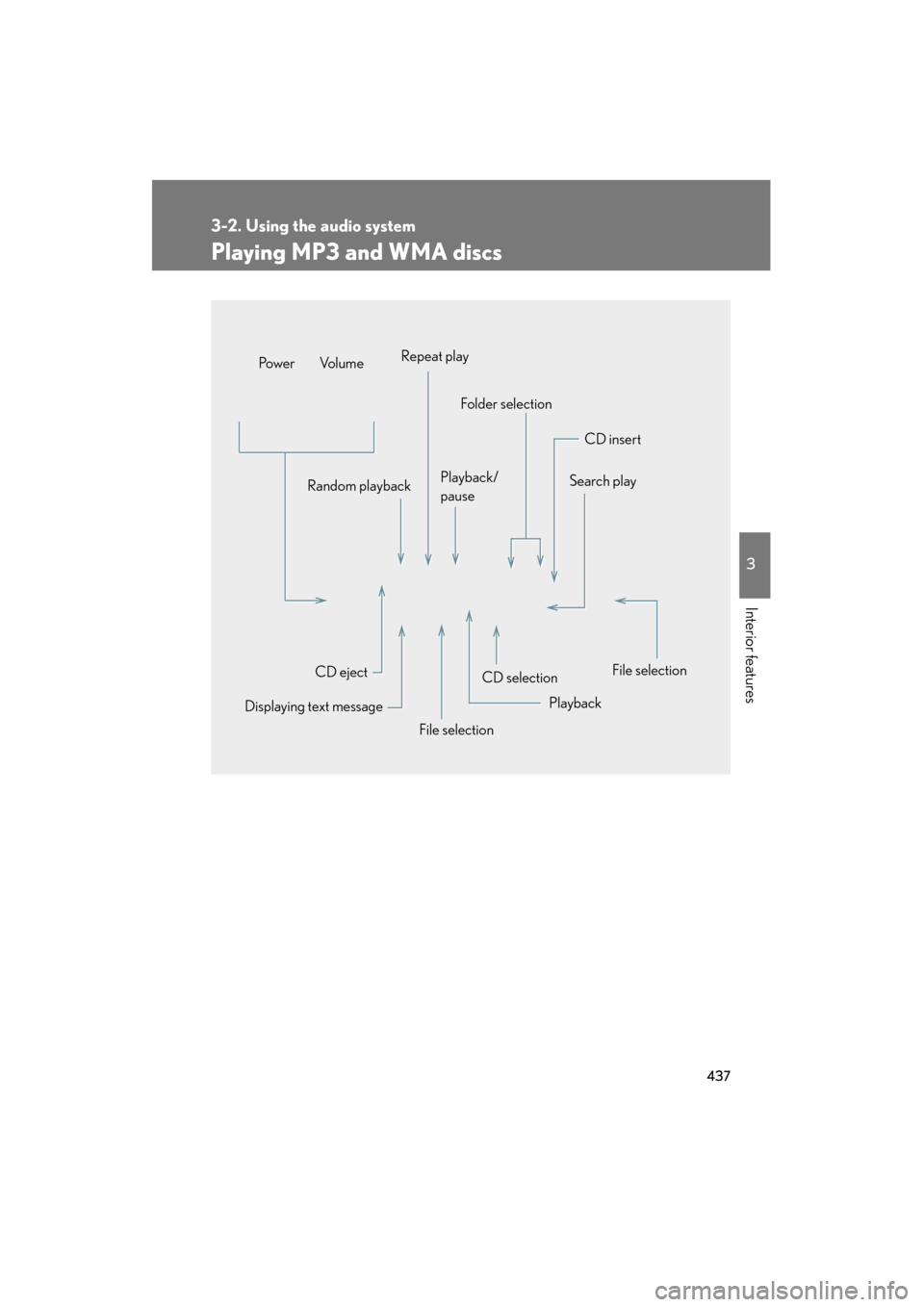
CD selectionCD insert
Folder selection
Random playback Playback/
pauseSearch play
File selection
Playback
File selection
Displaying text message CD eject
Po w e r Vo l u m e
Repeat play
GX460_OM_OM60J63U_(U).book Page 437 Thursday, March 29, 2012 9:10 AM
Page 441 of 846
440
3-2. Using the audio system
GX460_OM_OM60J63U_(U)
Random playback■ Playing files from a folder in random order
Press the 1 (RAND) button.
To cancel, press the 1 (RAND) button again.
■Playing all the files from a disc in random order
Press and hold the 1 (RAND) button until you hear a beep.
To cancel, press the 1 (RAND) button again.
Repeat play
■ Repeating a file
Press the 2 (RPT) button.
To cancel, press the 2 (RPT) button again.
■Repeating all the files in a folder
Press and hold the 2 (RPT) button until you hear a beep.
To cancel, press the 2 (RPT) button again.
Switching the display
Press the “TEXT” button.
Each time the button is pressed, the display changes in the following order:
Folder no./File no./Elapsed time → Folder name → File name →
Album title (MP3 only) → Tr a c k t i t l e → Artist name
GX460_OM_OM60J63U_(U).book Page 440 Thursday, March 29, 2012 9:10 AM
Page 442 of 846
441
3-2. Using the audio system
3
Interior features
GX460_OM_OM60J63U_(U)
■CD player protection feature
→P. 4 3 3
■Display
→P. 4 3 3
■When “ERROR”, “WAIT” or “NO MUSIC” is shown on the display
“ERROR”: This indicates a problem either in the CD or inside the player. The CD
may be dirty, damaged, or inserted up-side down.
“WAIT”: This indicates that operation is stopped due to a high temperatures inside the player. Wait for a while and then press the “CD” button. If the
CD still cannot be played back, contact your Lexus dealer.
“NO MUSIC”: This indicates that an MP3/WMA file is not included in the CD.
■Discs that can be used
→ P. 4 3 4
■Lens cleaners
→P. 4 3 4
■If discs are left inside the CD player or in the ejected position for extended peri-
ods of time
→ P. 4 3 4
GX460_OM_OM60J63U_(U).book Page 441 Thursday, March 29, 2012 9:10 AM
Page 448 of 846
447
3-2. Using the audio system
3
Interior features
GX460_OM_OM60J63U_(U)
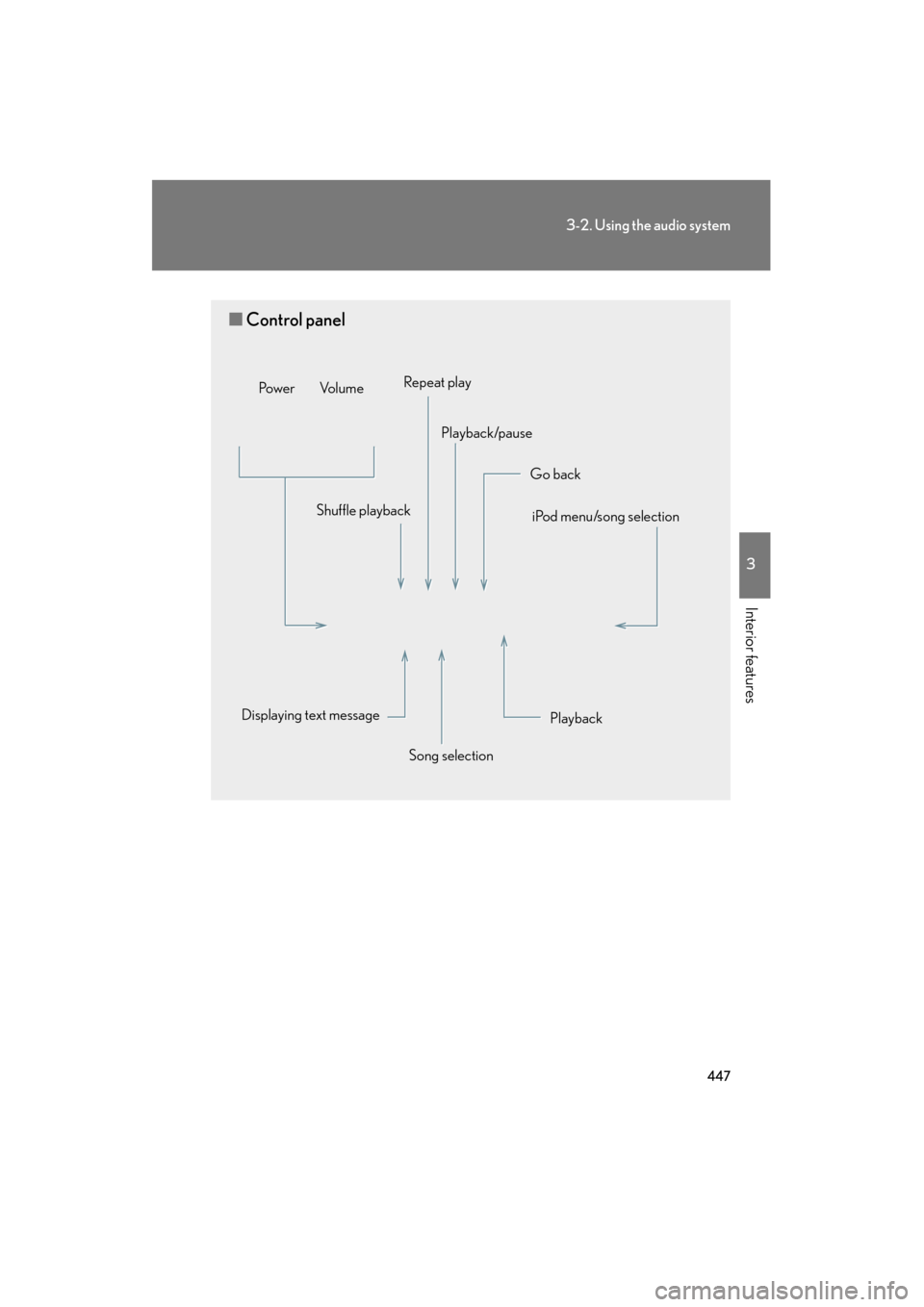
■Control panel
Playback
iPod menu/song selection
Displaying text message Shuffle playback
Go back
Song selection
Repeat play
Playback/pause
Po w e r Vo l u m e
GX460_OM_OM60J63U_(U).book Page 447 Thursday, March 29, 2012 9:10 AM