driving light Lexus IS200t 2017 s Owner's Guide
[x] Cancel search | Manufacturer: LEXUS, Model Year: 2017, Model line: IS200t, Model: Lexus IS200t 2017Pages: 676, PDF Size: 149.78 MB
Page 185 of 676
185
4Driving
IS200t_EE(OM53D77E)
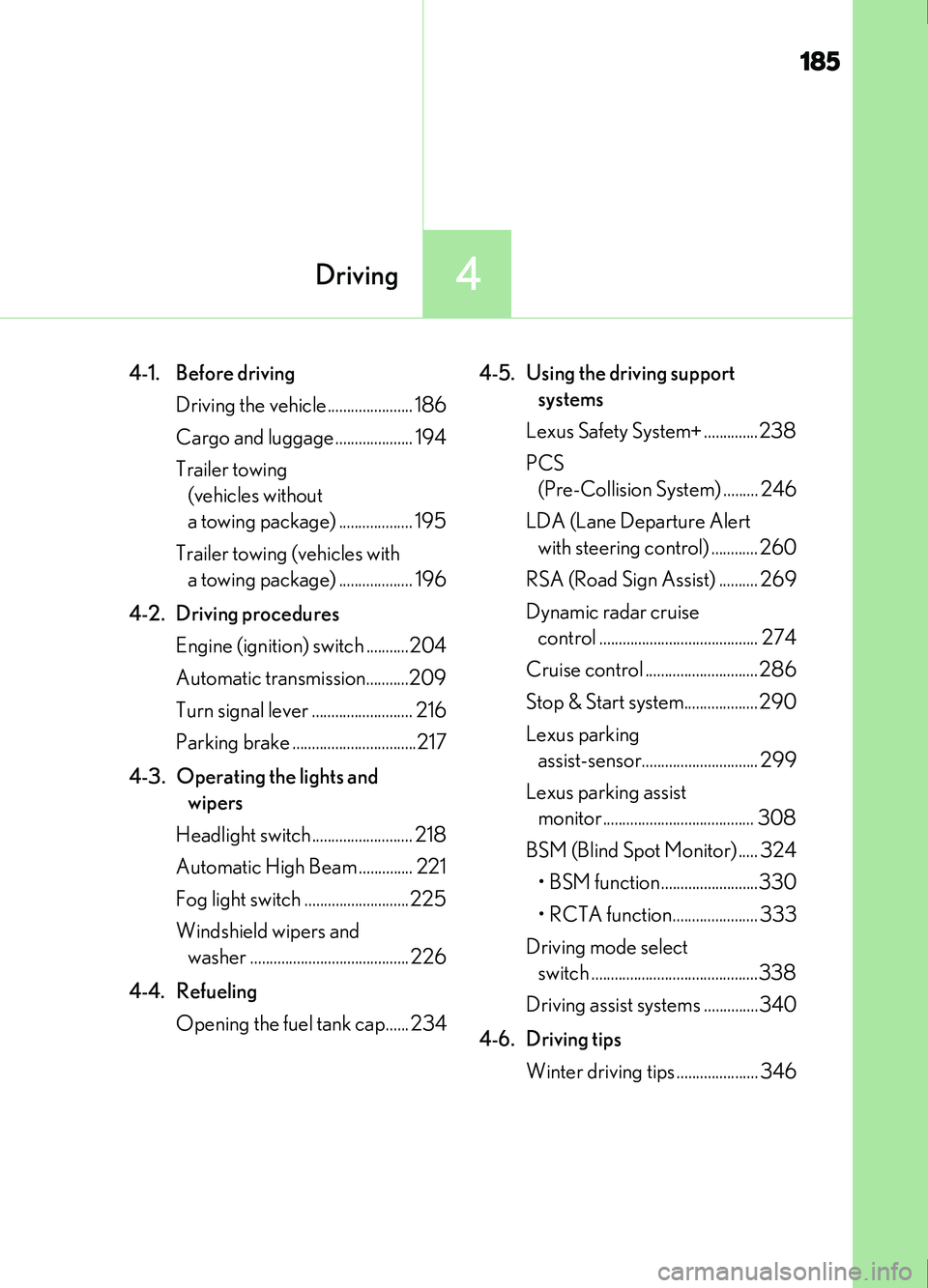
4-1. Before drivingDriving the vehicle...................... 186
Cargo and luggage .................... 194
Trailer towing (vehicles without
a towing package) ................... 195
Trailer towing (vehicles with a towing package) ................... 196
4-2. Driving procedures Engine (ignition) switch ...........204
Automatic transmission...........209
Turn signal lever .......................... 216
Parking brake ................................217
4-3. Operating the lights and wipers
Headlight switch .......................... 218
Automatic High Beam .............. 221
Fog light switch ...........................225
Windshield wipers and washer ......................................... 226
4-4. Refueling Opening the fuel tank cap...... 234 4-5. Using the driving support
systems
Lexus Safety System+ ..............238
PCS (Pre-Collision System) ......... 246
LDA (Lane Departure Alert with steering control) ............ 260
RSA (Road Sign Assist) .......... 269
Dynamic radar cruise control ......................................... 274
Cruise control ............................. 286
Stop & Start system................... 290
Lexus parking assist-sensor.............................. 299
Lexus parking assist monitor....................................... 308
BSM (Blind Spot Monitor) ..... 324 • BSM function .........................330
• RCTA function...................... 333
Driving mode select switch ...........................................338
Driving assist systems ..............340
4-6. Driving tips Winter driving tips ..................... 346
Page 189 of 676

1894-1. Before driving
4
Driving
IS200t_EE(OM53D77E)
WARNING
Observe the following precautions.
Failure to do so may result in death or serious injury.
■When starting the vehicle
Always keep your foot on the brake pedal while stopped with the engine running. This
prevents the vehicle from creeping.
■When driving the vehicle
●Do not drive if you are unfamiliar with the location of the brake and accelerator ped-
als to avoid depressing the wrong pedal.
• Accidentally depressing the accelerator pedal instead of the brake pedal willresult in sudden acceleration that may lead to an accident.
• When backing up, you may twist your body around, leading to a difficulty in oper-
ating the pedals. Make sure to operate the pedals properly.
• Make sure to keep a correct driving posture even when moving the vehicle only slightly. This allows you to depress the brake and accelerator pedals properly.
• Depress the brake pedal using your right foot. Depressing the brake pedal using
your left foot may delay response in an emergency, resulting in an accident.
●Do not drive the vehicle over or stop the vehicle near flammable materials.
The exhaust system and exhaust gases can be extremely hot. These hot parts may
cause a fire if there is any flammable material nearby.
●During normal driving, do not turn off the engine. Turning the engine off while driving
will not cause loss of steering or braking control, but the power assist to these systems
will be lost. This will make it more difficult to steer and brake, so you should pull over
and stop the vehicle as soon as it is safe to do so.
However, in the event of an emergency, such as if it becomes impossible to stop the
vehicle in the normal way: P. 545
●Use engine braking (downshift) to maintain a safe speed when driving down a steep
hill.
Using the brakes continuously may cause th e brakes to overheat and lose effective-
ness. ( P. 209)
●Do not adjust the positions of the steering wh eel, the seat, or the inside or outside rear
view mirrors while driving.
Doing so may result in a loss of vehicle control.
●Always check that all passengers’ arms, heads or other parts of their body are not
outside the vehicle.
Page 190 of 676
1904-1. Before driving
IS200t_EE(OM53D77E)
WARNING
Observe the following precautions.
Failure to do so may result in death or serious injury.
■When driving on slippery road surfaces
●Sudden braking, acceleration and steering may cause tire slippage and reduce your
ability to control the vehicle.
●Sudden acceleration, engine braking due to shifting, or changes in engine speed
could cause the vehicle to skid.
●After driving through a puddle, lightly depress the brake pedal to make sure that the
brakes are functioning properly. Wet brak e pads may prevent the brakes from func-
tioning properly. If the brakes on only one side are wet and not functioning properly,
steering control may be affected.
■When shifting the shift lever
●Do not let the vehicle roll backward while the shift lever is in a driving position, or roll
forward while the shift lever is in R.
Doing so may cause the engine to stall or lead to poor brake and steering perfor-
mance, resulting in an accident or damage to the vehicle.
●Do not shift the shift lever to P while the vehicle is moving.
Doing so can damage the transmission and may result in a loss of vehicle control.
●Do not shift the shift lever to R while the vehicle is moving forward.
Doing so can damage the transmission and may result in a loss of vehicle control.
●Do not shift the shift lever to a driving position while the vehicle is moving backward.
Doing so can damage the transmission and may result in a loss of vehicle control.
●Moving the shift lever to N while the vehicle is moving will disengage the engine from
the transmission. Engine braking is not available when N is selected.
●Be careful not to shift the shift lever with the accelerator pedal depressed. Shifting the
shift lever to a gear other than P or N may lead to unexpected rapid acceleration of
the vehicle that may cause an accident and result in death or serious injury.
■If you hear a squealing or scraping noise (brake pad wear indicators)
Have the brake pads checked and replaced by any authorized Lexus retailer or Lexus
authorized repairer, or any reliable repairer as soon as possible.
Rotor damage may result if the pads are not replaced when needed.
Moderate levels of brake pad and disc wear allow enhanced braking power. As a
result, the discs may wear more quickly than conventional brake discs. Therefore, when
replacing the brake pads, Lexus recommends that you also have the thickness of the
discs measured.
It is dangerous to drive the vehicle when the wear limits of the brake pads and/or those
of the brake discs are exceeded.
Page 191 of 676
1914-1. Before driving
4
Driving
IS200t_EE(OM53D77E)
WARNING
Observe the following precautions.
Failure to do so may result in death or serious injury.
■When the vehicle is stopped
●Do not race the engine.
If the shift lever is any position other than P or N, the vehicle may accelerate suddenly
and unexpectedly, causing an accident.
●In order to prevent accidents due to the vehicle rolling away, always keep depressing
the brake pedal while the engine is running, and apply the parking brake as neces-
sary.
●If the vehicle is stopped on an incline, in order to prevent accidents caused by the
vehicle rolling forward or backward, alwa ys depress the brake pedal and securely
apply the parking brake as needed.
●Avoid revving or racing the engine.
Running the engine at high speed while the vehicle is stopped may cause the exhaust
system to overheat, which could result in a fire if combustible material is nearby.
■When the vehicle is parked
●Do not leave glasses, cigarette lighters, spray cans, or soft drink cans in the vehicle
when it is in the sun.
Doing so may result in the following:
• Gas may leak from a cigarette lighter or spray can, and may lead to a fire.
• The temperature inside the vehicle may cause the plastic lenses and plastic mate-
rial of glasses to deform or crack.
• Soft drink cans may fracture, causing the contents to spray over the interior of the vehicle, and may also cause a short circuit in the vehicle’s electrical components.
●Do not leave cigarette lighters in the vehicle. If a cigarette lighter is in a place such as
the glove box or on the floor, it may be lit accidentally when luggage is loaded or the
seat is adjusted, causing a fire.
●Do not attach adhesive discs to the windshield or windows. Do not place containers
such as air fresheners on the instrument panel or dashboard. Adhesive discs or con-
tainers may act as lenses, causing a fire in the vehicle.
●Do not leave a door or window open if the curved glass is coated with a metallized
film such as a silver-colored one. Reflected sunlight may cause the glass to act as a
lens, causing a fire.
●Always apply the parking brake, shift the shift lever to P, stop the engine and lock the
vehicle.
Do not leave the vehicle unattended while the engine is running.
If the vehicle is parked with the shift lever in P but the parking brake is not set, the
vehicle may start to move, possibly leading to an accident.
●Do not touch the exhaust pipes while the engine is running or immediately after turn-
ing the engine off.
Doing so may cause burns.
Page 201 of 676

2014-1. Before driving
4
Driving
IS200t_EE(OM53D77E)
Your vehicle will handle differently when towing a trailer. In order to avoid acci-
dent, death or serious injury, keep the following in mind when towing:
■Checking connections between trailer and lights
Stop the vehicle and check the operation of the connection between the
trailer and lights after driving for a brief period as well as before starting off.
■Practicing driving with a coupled trailer
●Get the feel for turning, stopping and reversing with the trailer coupled by
practicing in an area with no or light traffic.
●When reversing with a coupled trailer, hold the section of the steering
wheel nearest to you and rotate clockwise to turn the trailer left or counter-
clockwise to turn it right. Always rotate a little at a time to prevent steering
error. Have someone guide you when reversing to lessen the risk of an
accident.
■Increasing vehicle-to-vehicle distance
At a speed of 10 km/h (6 mph), the distance to the vehicle running ahead of
you should be equivalent to or greater than the combined length of your vehi-
cle and trailer. Avoid sudden braking that may cause skidding. Otherwise, the
vehicle may spin out of control. This is especially true when driving on wet or
slippery road surfaces.
■Sudden acceleration/steering input/cornering
Executing sharp turns when towing may result in the trailer colliding with your
vehicle. Decelerate well in advance when approaching turns and take them
slowly and carefully to avoid sudden braking.
■Important points regarding turning
The wheels of the trailer will travel clos er to the inside of the curve than the
wheels of the vehicle. To make allowance for this, take the turns wider than you
would normally do.
Guidance
Page 208 of 676
2084-2. Driving procedures
IS200t_EE(OM53D77E)
NOTICE
■To prevent battery discharge
●Do not leave the engine switch in ACCESSORY or IGNITION ON mode for long
periods of time without the engine running.
●If “ACCESSORY” or “IGNITION ON” is displayed on the meters while the engine is
not running, the engine switch is not off. Exit the vehicle after turning the engine
switch off.
●Do not stop the engine when the shift lever is in a position other than P. If the engine is
stopped in another shift lever position, the engine switch will not be turned off but
instead be turned to ACCESSORY mode. If the vehicle is left in ACCESSORY
mode, battery discharge may occur.
■When starting the engine
●Do not race a cold engine.
●If the engine becomes difficult to start or stalls frequently, have your vehicle checked
by any authorized Lexus retailer or Lexus au thorized repairer, or any reliable repairer
immediately.
■Symptoms indicating a malfun ction with the engine switch
If the engine switch seems to be operating s omewhat differently than usual, such as the
switch sticking slightly, th ere may be a malfunction. Contact any authorized Lexus
retailer or Lexus authorized repairer, or any reliable repairer immediately.
Page 216 of 676

2164-2. Driving procedures
IS200t_EE(OM53D77E)
The lever will return to its original position immediately after operation.Right turn
Lane change to the right (move the
lever partway and release it)
The right hand signals will flash 3 times.
Lane change to the left (move the
lever partway and release it)
The left hand signals will flash 3 times.
Left turn
■If the turn signals do not stop flashing after turning left or right, or if you want
to stop them flashing
Operate the lever in the opposite direction to either position or .
If you move the lever to either position or , the selected turn signals will
flash.
■Turn signals can be operated when
The engine switch is in IGNITION ON mode.
■If the indicator flashes faster than usual
Check that a light bulb in the front or rear turn signal lights has not burned out.
■If the turn signals stop flashing before a lane change has been performed
Operate the lever again.
■Customization
The number of times the turn signals flash during a lane change can be changed.
(Customizable feature P. 641)
Turn signal lever
Operating instructions
1
2
3
4
23
14
Page 219 of 676

2194-3. Operating the lights and wipers
4
Driving
IS200t_EE(OM53D77E)
This system allows the headlights and front position lights to be turned on for 30
seconds when the engine switch is off.
Pull the lever toward you and release it
with the light switch is in or
after turning the engine switch off.
Pull the lever toward you and release it
again to turn off the lights.
■Daytime running light system
To make your vehicle more visible to other drivers during daytime driving, the daytime
running lights turn on automatically whenever the engine is started with the headlight
switch off or in the “AUTO” position an d the parking brake is released. (Illuminate
brighter than the front position lights.) Daytime running lights are not designed for use at
night.
■Headlight control sensor
■Automatic light off system
●When the light switch is in the or position: The headlights turn off auto-
matically if the engine switch is turned to ACCESSORY mode or off.
●When the light switch is in the position: The headlights and all lights turn off auto-
matically if the engine switch is turned to ACCESSORY mode or off.
To turn the lights on again, turn the engine switch to IGNITION ON mode, or turn the
light switch to the
position once and then back to the or position.
Follow me home system
The sensor may not function properly if an
object is placed on the sensor, or anything that
blocks the sensor is affixed to the windshield.
Doing so interferes with the sensor detecting
the level of ambient light and may cause the
automatic headlight system to malfunction.
Page 221 of 676
2214-3. Operating the lights and wipers
4
Driving
IS200t_EE(OM53D77E)
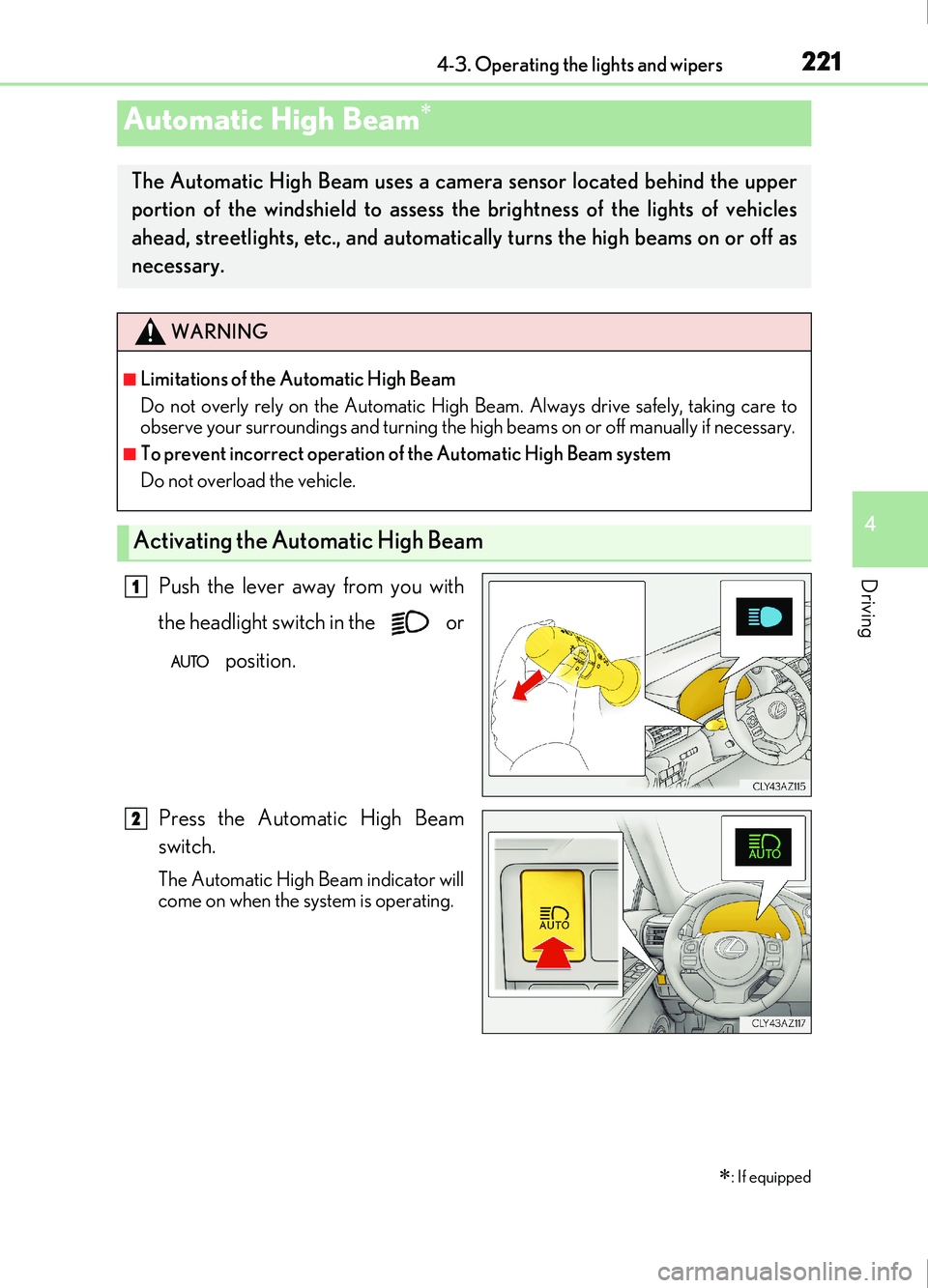
Push the lever away from you with
the headlight switch in the or position.
Press the Automatic High Beam
switch.
The Automatic High Beam indicator will
come on when the system is operating.
Automatic High Beam
: If equipped
The Automatic High Beam uses a came ra sensor located behind the upper
portion of the windshield to assess the brightness of the lights of vehicles
ahead, streetlights, etc., and automatically turns the high beams on or off as
necessary.
WARNING
■Limitations of the Automatic High Beam
Do not overly rely on the Automatic High Beam. Always drive safely, taking care to
observe your surroundings and turning the high beams on or off manually if necessary.
■To prevent incorrect operation of the Automatic High Beam system
Do not overload the vehicle.
Activating the Automatic High Beam
1
2
Page 223 of 676
2234-3. Operating the lights and wipers
4
Driving
IS200t_EE(OM53D77E)
■Conditions to turn the high beams on/off automatically
●When all of the following conditions are met, the high beams will be turned on automat-
ically (after approximately 1 second):
• The vehicle speed is approximately 40 km/h (25 mph) or more.
• The area ahead of the vehicle is dark.
• There are no vehicles ahead with headlights or tail lights turned on.
• There are few streetlights on the road ahead.
●If any of the following conditions is met, the high beams will turn off automatically:
• The vehicle speed is below approximately 30 km/h (19 mph).
• The area ahead of the vehicle is not dark.
• Vehicles ahead have their headli ghts or tail lights turned on.
• There are many streetlights on the road ahead.
■Camera sensor detection information
●The high beams may not be automatically turned off in the following situations:
• When a vehicle suddenly appears from around a curve
• When the vehicle is cut in front of by another vehicle
• When vehicles ahead cannot be detected due to repeated curves, road dividers or roadside trees
• When vehicles ahead appear in a faraway lane on a wide road
• When the lights of vehicles ahead are not on
●The high beams may be turned off if a vehicl e ahead that is using fog lights without its
headlights turned on is detected.
●House lights, street lights, traffic signals, and illuminated billboards or signs and other
reflective objects may cause the high beams to change to the low beams, or the low
beams to remain on.
●The following factors may affect the amount of time taken for the high beams to turn on
or off:
• The brightness of the headlights, fog lights, and tail lights of vehicles ahead
• The movement and direction of vehicles ahead
• When a vehicle ahead only has operational lights on one side
• When a vehicle ahead is a two-wheeled vehicle
• The condition of the road (gradient, curve, condition of the road surface, etc.)
• The number of passengers and amount of luggage in the vehicle
●The high beams may turn on or off unexpectedly.