driving light Lexus IS200t 2017 s Owner's Guide
[x] Cancel search | Manufacturer: LEXUS, Model Year: 2017, Model line: IS200t, Model: Lexus IS200t 2017Pages: 676, PDF Size: 149.78 MB
Page 224 of 676
2244-3. Operating the lights and wipers
IS200t_EE(OM53D77E)
●Bicycles or similar vehicles may not be detected.
●In the following situations the system may not be able to correctly detect the surround-
ing brightness level. This may cause the low beams to remain on or the high beams to
flash or dazzle pedestrians or vehicles ahead. In such a case, it is necessary to manually
switch between the high and low beams.
• When driving in inclement weather (heavy rain, snow, fog, sandstorms, etc.)
• When the windshield is obscured by fog, mist, ice, dirt, etc.
• When the windshield is cracked or damaged
• When the camera sensor is deformed or dirty
• When the temperature of the camera sensor is extremely high
• When the surrounding brightness level is equa l to that of headlights, tail lights or fog
lights
• When headlights or tail lights of vehicles ah ead are turned off, dirty, changing color,
or not aimed properly
• When the vehicle is hit by water, snow, dust, etc. from a preceding vehicle
• When driving through an area of interm ittently changing brightness and darkness
• When frequently and repeatedly driving ascending/descending roads, or roads with rough, bumpy or uneven surfaces (such as stone-paved roads, gravel roads, etc.)
• When frequently and repeatedly taking curves or driving on a winding road
• When there is a highly reflective object ahead of the vehicle, such as a sign or mirror
• When the back of a preceding vehicle is highly reflective, such as a container on a truck
• When the vehicle's headlights are damaged or dirty, or are not aimed properly
• When the vehicle is listing or titling due to a flat tire, a trailer being towed, etc.
• When the headlights are changed between the high beams and low beams repeat- edly in an abnormal manner
• When the driver believes that the high beams may be flashing or dazzling pedestri-
ans or other drivers
• When the vehicle is used in an area in which vehicles travel on the opposite side of
the road of the country for which the vehicle was designed, for example using a vehi-
cle designed for right-hand traffic in a left-hand traffic area, or vice versa
Page 225 of 676
2254-3. Operating the lights and wipers
4
Driving
IS200t_EE(OM53D77E)
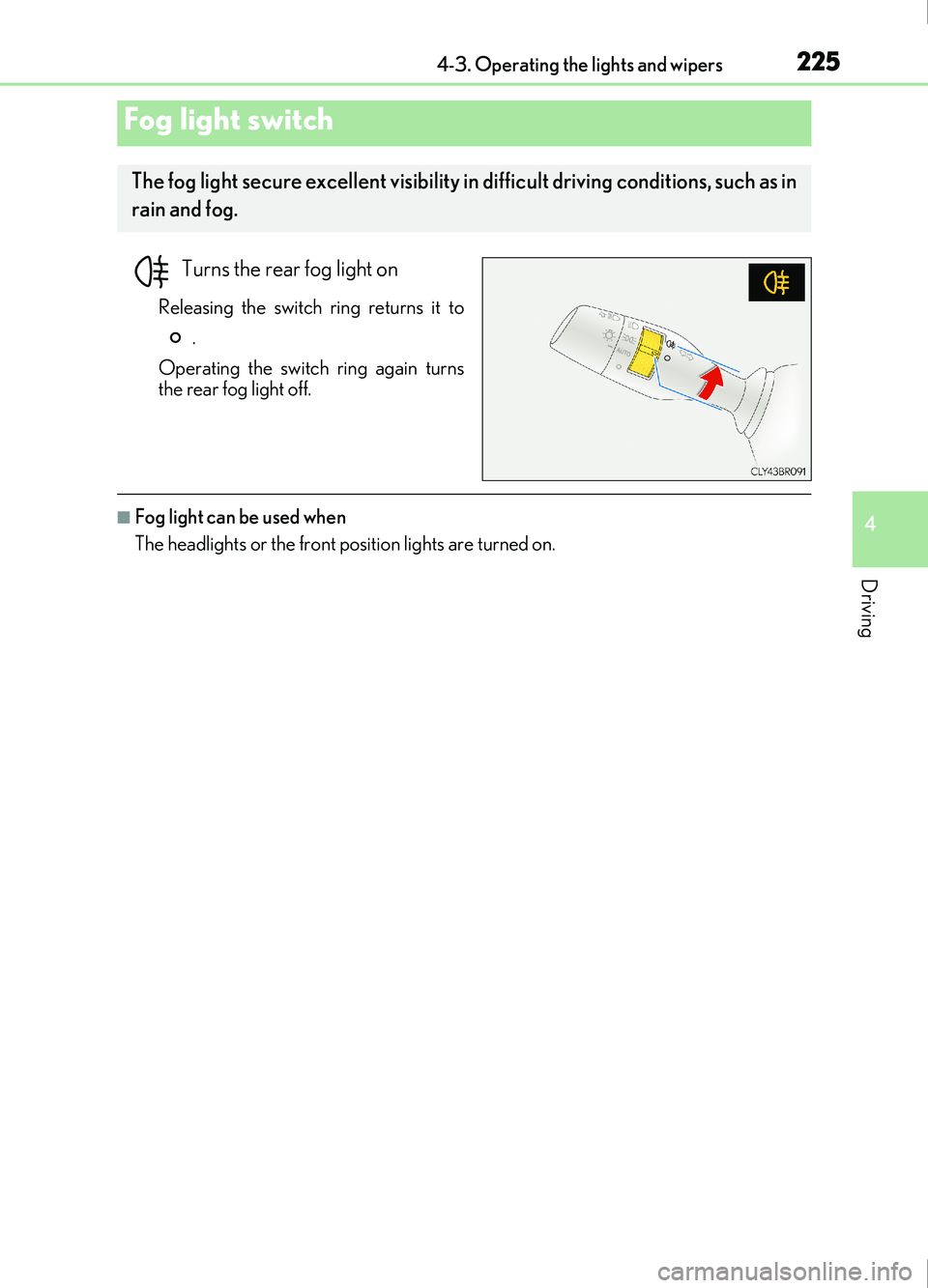
Turns the rear fog light on
Releasing the switch ring returns it to.
Operating the switch ring again turns
the rear fog light off.
■Fog light can be used when
The headlights or the front position lights are turned on.
Fog light switch
The fog light secure excellent visibility in difficult driving conditions, such as in
rain and fog.
Page 227 of 676
2274-3. Operating the lights and wipers
4
Driving
IS200t_EE(OM53D77E)
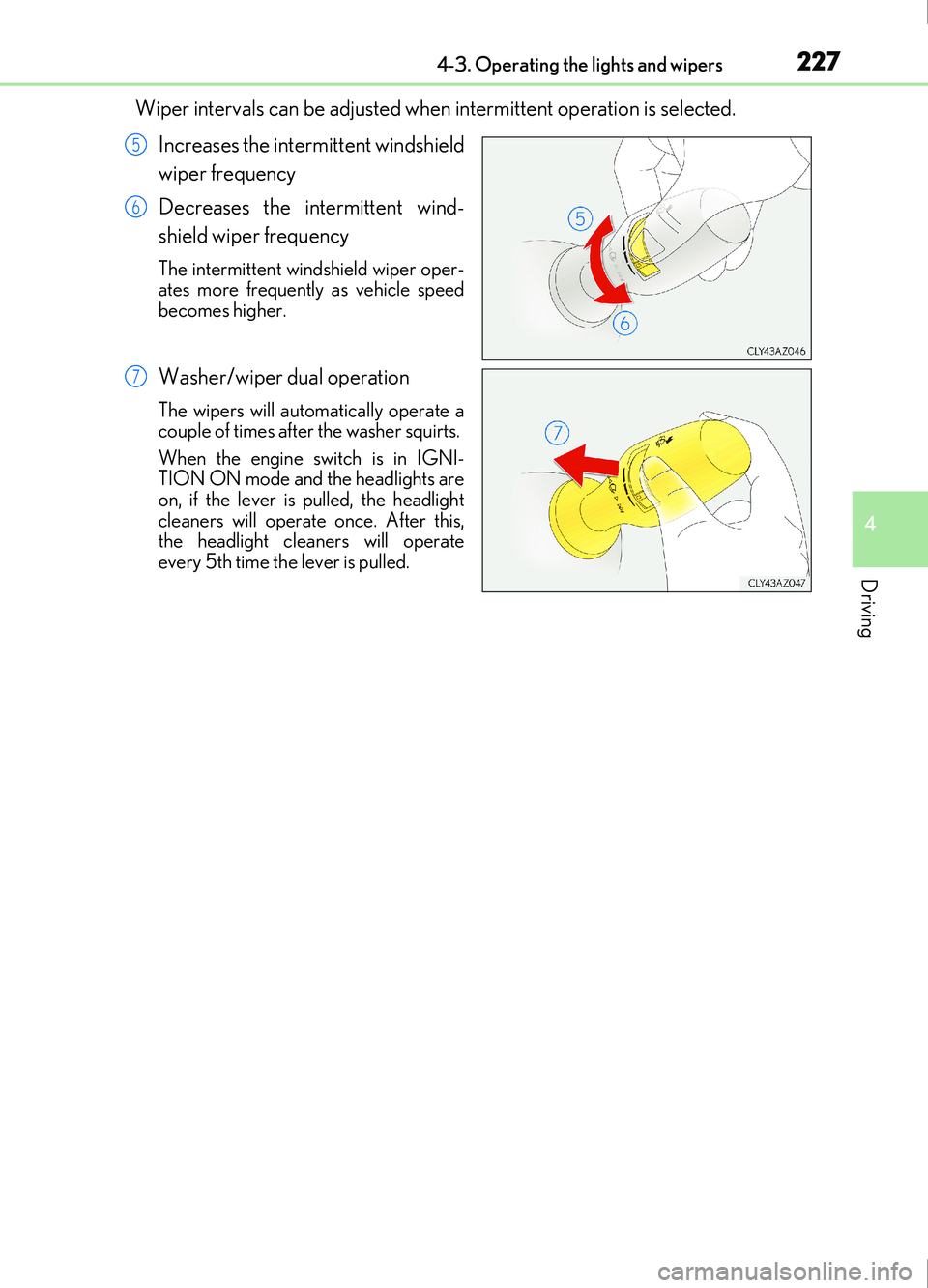
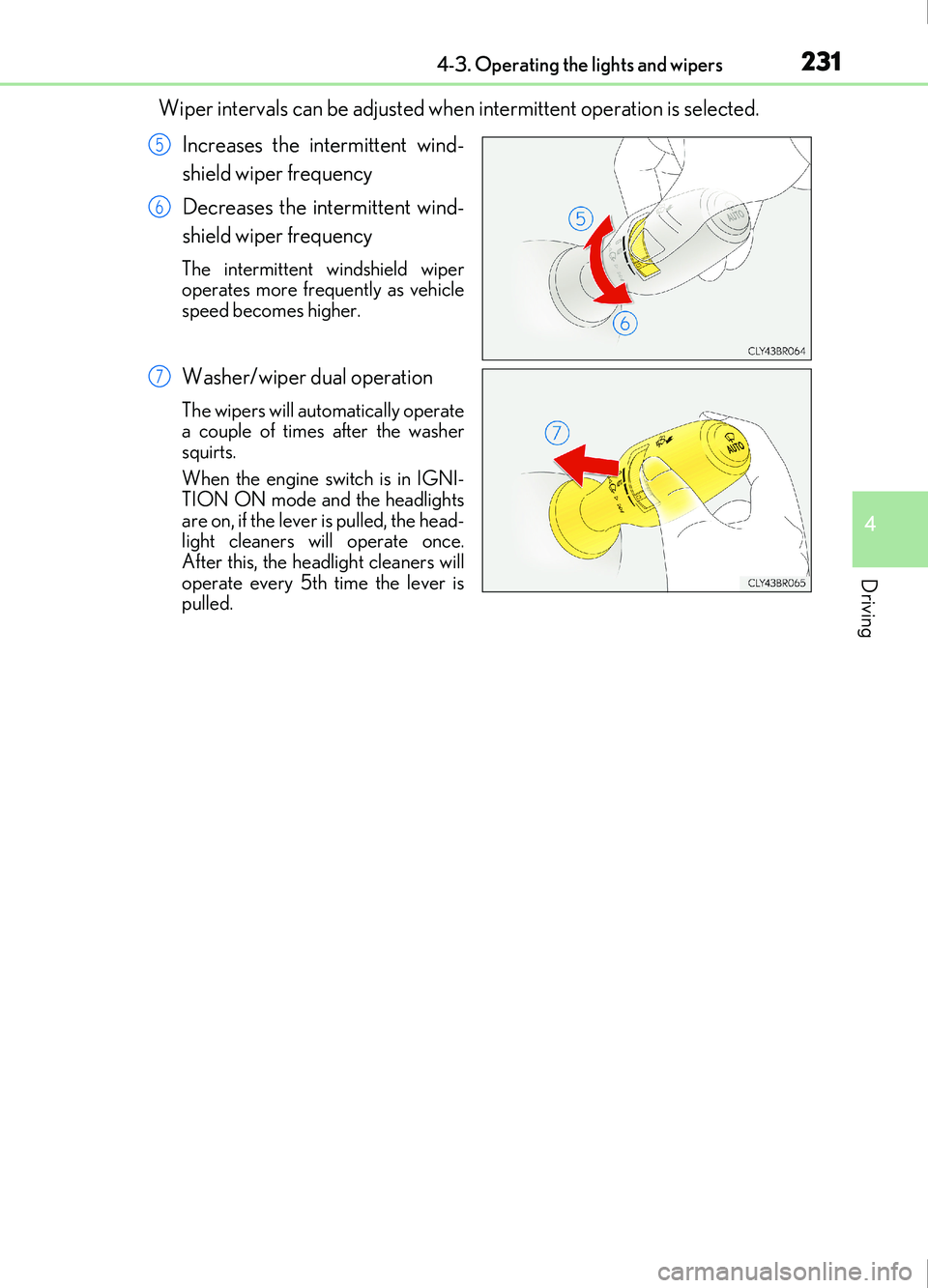
Wiper intervals can be adjusted when intermittent operation is selected.Increases the intermittent windshield
wiper frequency
Decreases the intermittent wind-
shield wiper frequency
The intermittent windshield wiper oper-
ates more frequently as vehicle speed
becomes higher.
Washer/wiper dual operation
The wipers will automatically operate a
couple of times after the washer squirts.
When the engine switch is in IGNI-
TION ON mode and the headlights are
on, if the lever is pulled, the headlight
cleaners will operate once. After this,
the headlight cleaners will operate
every 5th time the lever is pulled.
5
6
7
Page 229 of 676
2294-3. Operating the lights and wipers
4
Driving
IS200t_EE(OM53D77E)
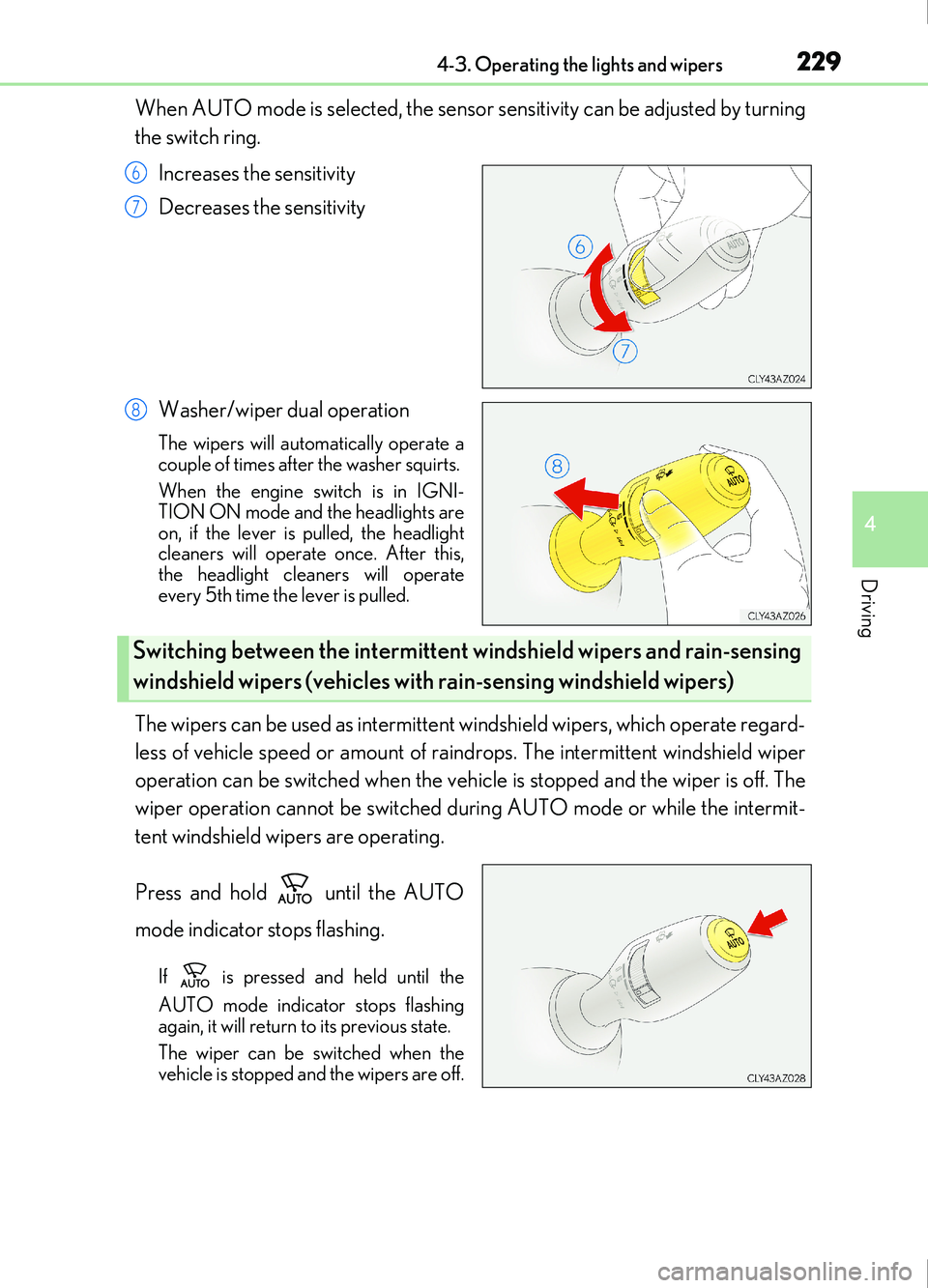
When AUTO mode is selected, the sensor sensitivity can be adjusted by turning
the switch ring.Increases the sensitivity
Decreases the sensitivity
Washer/wiper dual operation
The wipers will automatically operate a
couple of times after the washer squirts.
When the engine switch is in IGNI-
TION ON mode and the headlights are
on, if the lever is pulled, the headlight
cleaners will operate once. After this,
the headlight cleaners will operate
every 5th time the lever is pulled.
The wipers can be used as intermittent windshield wipers, which operate regard-
less of vehicle speed or amount of raindr ops. The intermittent windshield wiper
operation can be switched when the vehicle is stopped and the wiper is off. The
wiper operation cannot be switched during AUTO mode or while the intermit-
tent windshield wipers are operating.
Press and hold until the AUTO
mode indicator stops flashing.
If is pressed and held until the
AUTO mode indicator stops flashing
again, it will return to its previous state.
The wiper can be switched when the
vehicle is stopped and the wipers are off.
6
7
8
Switching between the intermittent windshield wipers and rain-sensing
windshield wipers (vehicles with rain-sensing windshield wipers)
Page 231 of 676
2314-3. Operating the lights and wipers
4
Driving
IS200t_EE(OM53D77E)
Wiper intervals can be adjusted when intermittent operation is selected.Increases the intermittent wind-
shield wiper frequency
Decreases the intermittent wind-
shield wiper frequency
The intermittent windshield wiper
operates more frequently as vehicle
speed becomes higher.
Washer/wiper dual operation
The wipers will automatically operate
a couple of times after the washer
squirts.
When the engine switch is in IGNI-
TION ON mode and the headlights
are on, if the lever is pulled, the head-
light cleaners will operate once.
After this, the headlight cleaners will
operate every 5th time the lever is
pulled.
5
6
7
Page 232 of 676
2324-3. Operating the lights and wipers
IS200t_EE(OM53D77E)
■The windshield wiper and washer can be operated when
The engine switch is in IGNITION ON mode.
■Dripping prevention wiper sweep
After performing a washing and wiping operation several times, the wipers operate one
more time after a short delay to prevent dripping.
However, this final wiper operation will not be perfor med while driving.
■Effects of vehicle speed on wiper operation (vehicles with rain-sensing windshield wip-
ers)
Vehicle speed affects the following even when the wipers are not in AUTO mode.
●Intermittent wiper interval
●Wiper operation when the washer is being used (delay until dr ip prevention wiper
sweep occurs)
With low speed windshield wi per operation selected, wiper operation will be switched
from low speed to intermittent wiper operat ion only when the vehicle is stationary.
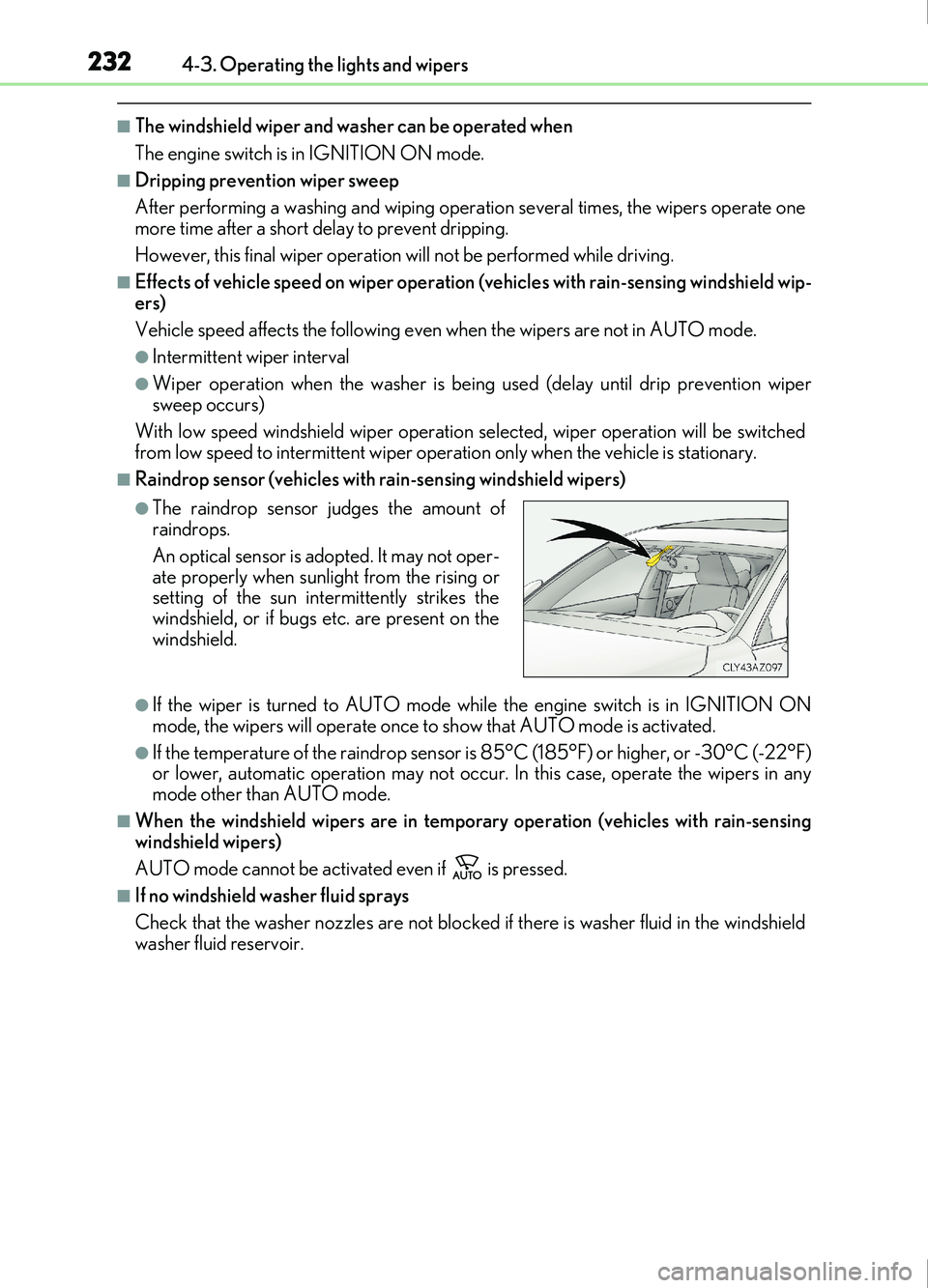
■Raindrop sensor (vehicles with rain-sensing windshield wipers)
●If the wiper is turned to AUTO mode while the engine switch is in IGNITION ON
mode, the wipers will operate once to show that AUTO mode is activated.
●If the temperature of the raindrop sensor is 85°C (185°F) or higher, or -30°C (-22°F)
or lower, automatic operation may not occur. In this case, operate the wipers in any
mode other than AUTO mode.
■When the windshield wipers are in temporary operation (vehicles with rain-sensing
windshield wipers)
AUTO mode cannot be activated even if is pressed.
■If no windshield washer fluid sprays
Check that the washer nozzles are not blocked if there is washer fluid in the windshield
washer fluid reservoir.
●The raindrop sensor judges the amount of
raindrops.
An optical sensor is adopted. It may not oper-
ate properly when sunlight from the rising or
setting of the sun intermittently strikes the
windshield, or if bugs etc. are present on the
windshield.
Page 233 of 676
2334-3. Operating the lights and wipers
4
Driving
IS200t_EE(OM53D77E)
WARNING
■Caution regarding the use of windshield wipers in AUTO mode
The windshield wipers may operate unexpectedly if the sensor is touched or the wind-
shield is subject to vibration in AUTO mode. Take care that your fingers or anything
else do not become caught in the windshield wipers.
■Caution regarding the use of washer fluid
When it is cold, do not use the washer fluid until the windshield becomes warm. The
fluid may freeze on the windshield and cause low visibility. This may lead to an accident,
resulting in death or serious injury.
NOTICE
■When the windshield is dry
Do not use the wipers, as they may damage the windshield.
■When there is no washer fluid spray from the nozzle
Damage to the washer fluid pump may be caused if the lever is pulled toward you and
held continually.
■When a nozzle becomes blocked
In this case, contact any authorized Lexus retailer or Lexus authorized repairer, or any
reliable repairer.
Do not try to clear it with a pin or other object. The nozzle will be damaged.
Page 237 of 676
2374-4. Refueling
4
Driving
IS200t_EE(OM53D77E)
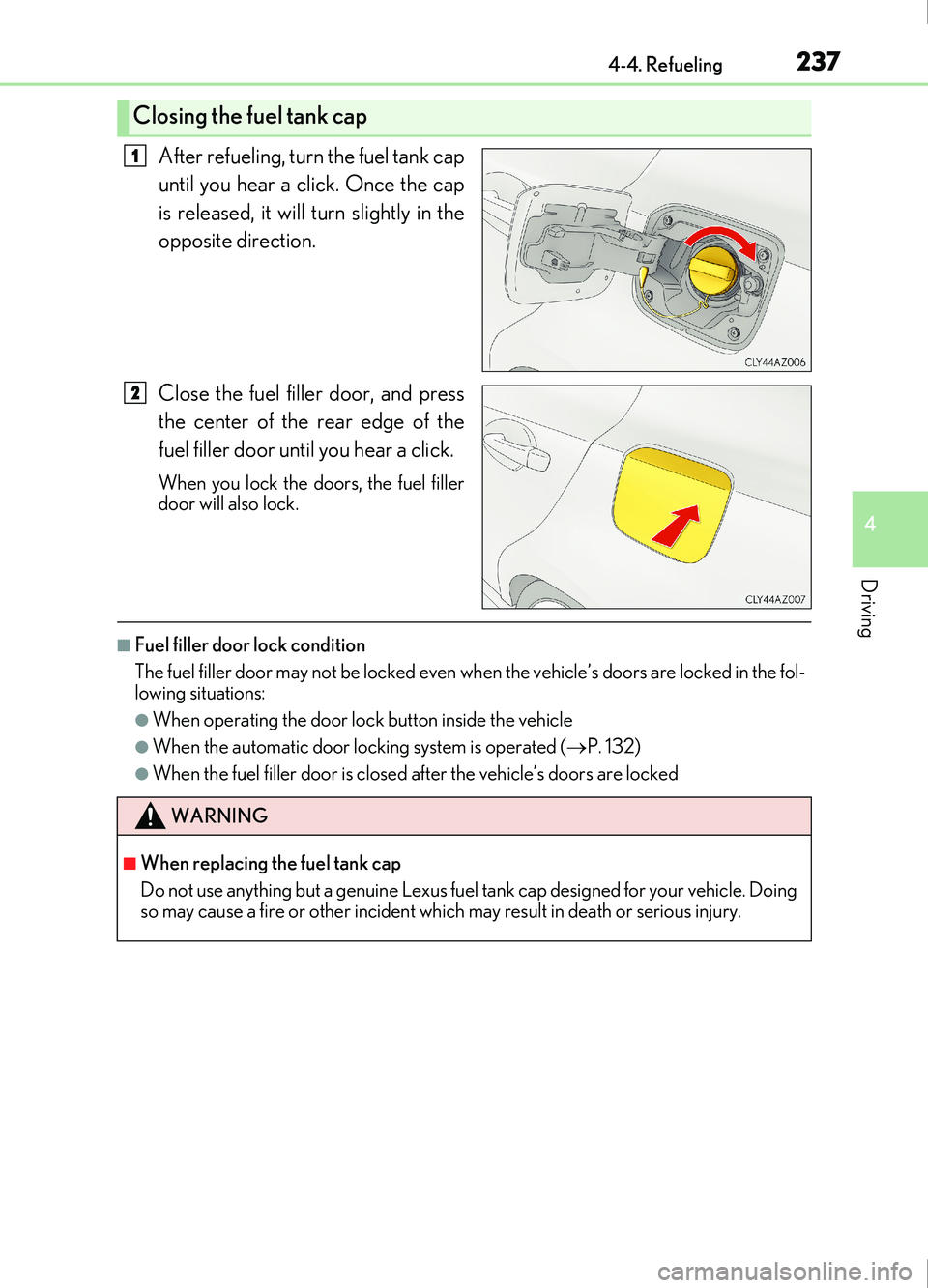
After refueling, turn the fuel tank cap
until you hear a click. Once the cap
is released, it will turn slightly in the
opposite direction.
Close the fuel filler door, and press
the center of the rear edge of the
fuel filler door until you hear a click.
When you lock the doors, the fuel filler
door will also lock.
■Fuel filler door lock condition
The fuel filler door may not be locked even when the vehicle’s doors are locked in the fol-
lowing situations:
●When operating the door lock button inside the vehicle
●When the automatic door lock ing system is operated (P. 132)
●When the fuel filler door is closed after the vehicle’s doors are locked
Closing the fuel tank cap
1
2
WARNING
■When replacing the fuel tank cap
Do not use anything but a genuine Lexus fuel tank cap designed for your vehicle. Doing
so may cause a fire or other incident which may result in death or serious injury.
Page 242 of 676
2424-5. Using the driving support systems
IS200t_EE(OM53D77E)
WARNING
●Do not attach window tinting to the windshield.
●Replace the windshield if it is damaged or cracked.
If the windshield needs to be replaced, contact any authorized Lexus retailer or Lexus
authorized repairer, or any reliable repairer.
●Do not get the camera sensor wet.
●Do not allow bright lights to shine into the camera sensor.
●Do not dirty or damage the camera sensor.
When cleaning the inside of the windshield, do not allow glass cleaner to contact the
lens. Also, do not touch the lens.
If the lens is dirty or damaged, contact any authorized Lexus retailer or Lexus autho-
rized repairer, or any reliable repairer.
●Do not subject the camera sensor to a strong impact.
●Do not change the installation position or direction of the camera sensor or remove it.
●Do not disassemble the camera sensor.
●Do not install an electronic device or device that emits strong electric waves near the
camera sensor.
●Do not modify any components of the vehicle around the camera sensor (inside rear
view mirror, etc.) or ceiling.
●Do not attach any accessories that may obstruct the camera sensor to the hood, front
grille or front bumper. Contact any author ized Lexus retailer or Lexus authorized
repairer, or any reliable repairer for details.
●If a surfboard or other long object is to be mounted on the roof, make sure that it will
not obstruct the camera sensor.
●Do not modify the headlights or other lights.
Page 250 of 676
2504-5. Using the driving support systems
IS200t_EE(OM53D77E)
■Enabling/disabling the pre-collision system
The pre-collision system can be enabled/disabled on ( P. 107) of the
multi-information display.
The system is automatically enabled each time the engine switch is turned to IGNI-
TION ON mode.
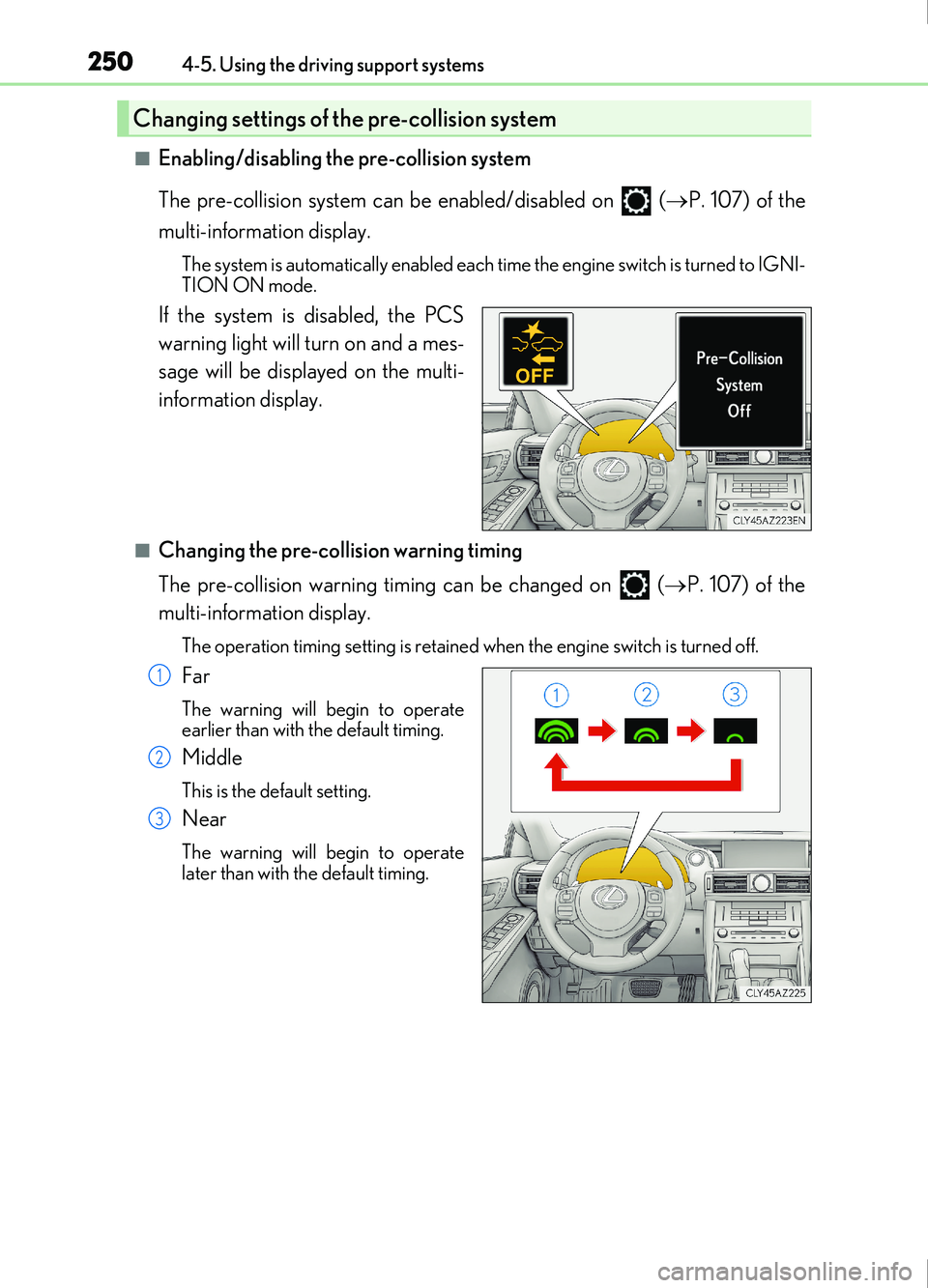
If the system is disabled, the PCS
warning light will turn on and a mes-
sage will be displayed on the multi-
information display.
■Changing the pre-collision warning timing
The pre-collision warning timing can be changed on ( P. 107) of the
multi-information display.
The operation timing setting is retained when the engine switch is turned off.
Far
The warning will begin to operate
earlier than with the default timing.
Middle
This is the default setting.
Near
The warning will begin to operate
later than with the default timing.
Changing settings of the pre-collision system
1
2
3