ECO mode Lexus IS300h 2017 Repair Manual
[x] Cancel search | Manufacturer: LEXUS, Model Year: 2017, Model line: IS300h, Model: Lexus IS300h 2017Pages: 692, PDF Size: 163.7 MB
Page 535 of 692
5357-3. Do-it-yourself maintenance
7
Maintenance and care
IS300h_EE(OM53D89E)
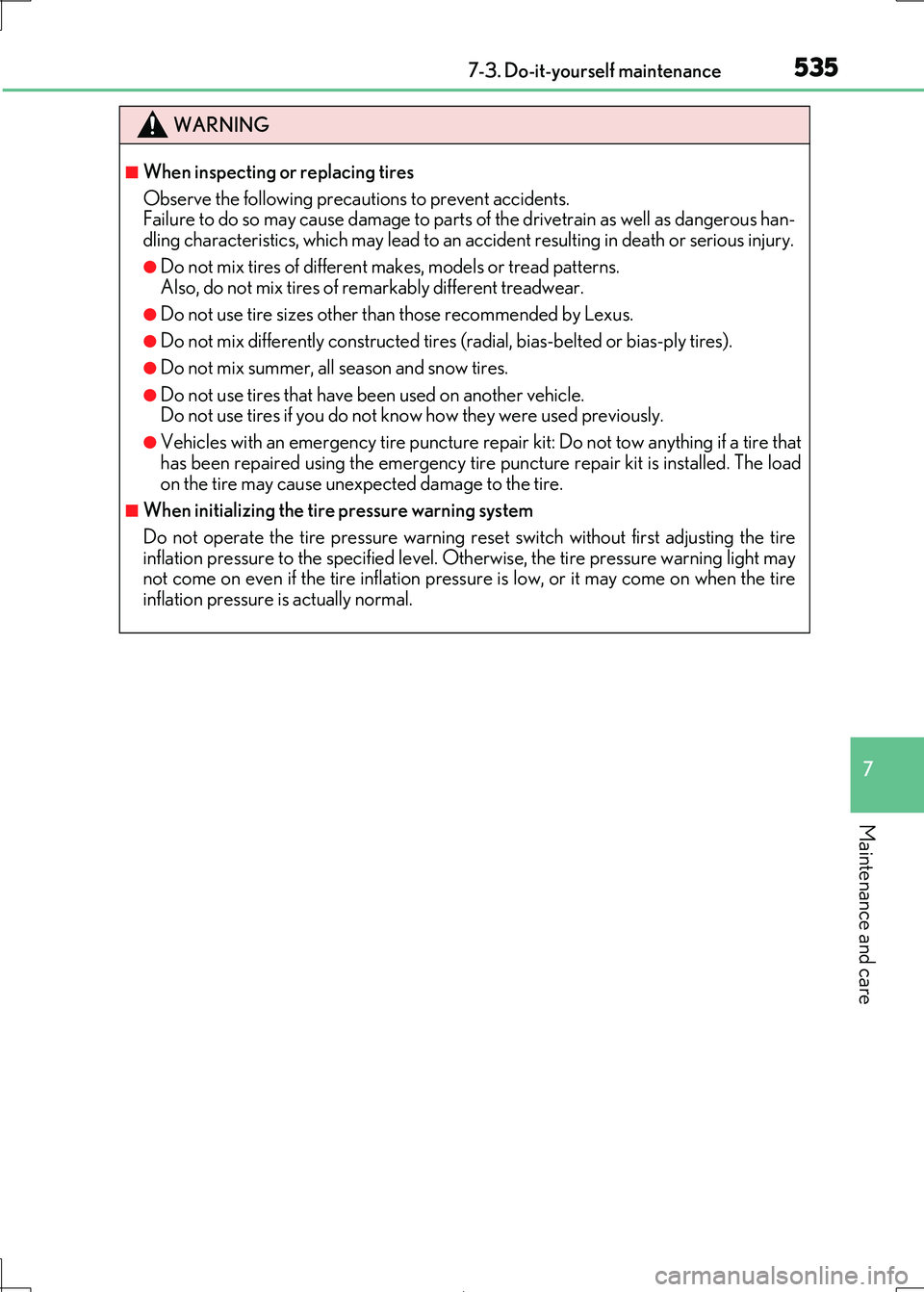
WARNING
■When inspecting or replacing tires
Observe the following precautions to prevent accidents.
Failure to do so may cause damage to parts of the drivetrain as well as dangerous han-
dling characteristics, which ma y lead to an accident resulting in death or serious injury.
●Do not mix tires of different makes, models or tread patterns.
Also, do not mix tires of re markably different treadwear.
●Do not use tire sizes other than those recommended by Lexus.
●Do not mix differently constructed tires (radial, bias-belted or bias-ply tires).
●Do not mix summer, all season and snow tires.
●Do not use tires that have been used on another vehicle. Do not use tires if you do not know how they were used previously.
●Vehicles with an emergency tire puncture repair kit: Do not tow anything if a tire that
has been repaired using the emergency tire puncture repair kit is installed. The load on the tire may cause unexpe cted damage to the tire.
■When initializing the tire pressure warning system
Do not operate the tire pressure warning reset switch without first adjusting the tire inflation pressure to the spec ified level. Otherwise, the tire pressure warning light may
not come on even if the tire inflation pressu re is low, or it may come on when the tire
inflation pressure is actually normal.
Page 579 of 692
5798-2. Steps to take in an emergency
8
When trouble arises
IS300h_EE(OM53D89E)
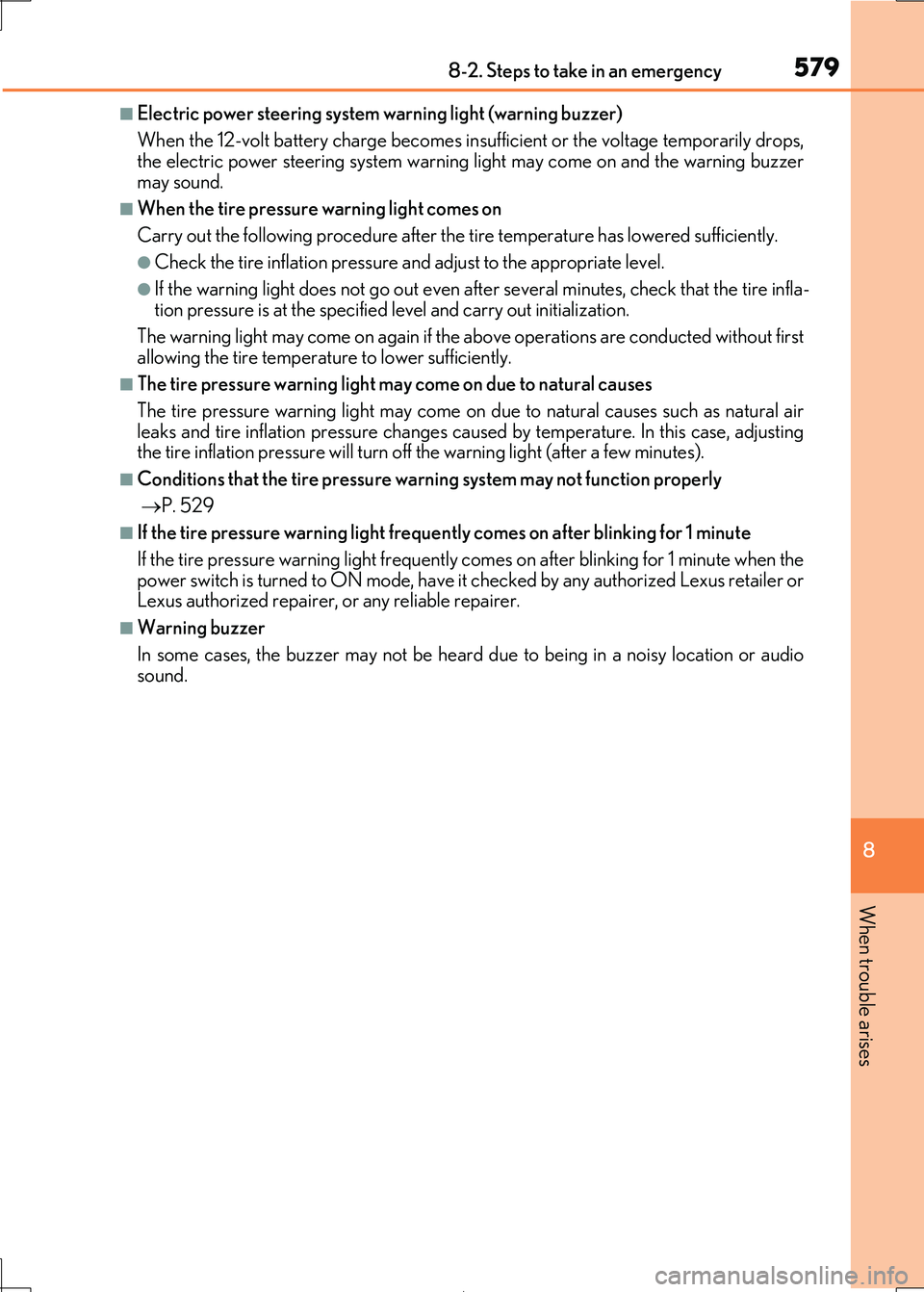
■Electric power steering system warning light (warning buzzer)
When the 12-volt battery charge becomes insu fficient or the voltage temporarily drops, the electric power steering system warning light may come on and the warning buzzer
may sound.
■When the tire pressure warning light comes on
Carry out the following procedure after the tire temperature has lowered sufficiently.
●Check the tire inflation pressure an d adjust to the appropriate level.
●If the warning light does not go out even after several minutes, check that the tire infla- tion pressure is at the specifie d level and carry out initialization.
The warning light may come on again if the above operations are conducted without first
allowing the tire temperature to lower sufficiently.
■The tire pressure warning light ma y come on due to natural causes
The tire pressure warning light may come on due to natural causes such as natural air
leaks and tire inflation pressure changes caus ed by temperature. In this case, adjusting the tire inflation pressure will turn off the warning light (after a few minutes).
■Conditions that the tire pressure warning system may not function properly
P. 529
■If the tire pressure warning light frequently comes on after blinking for 1 minute
If the tire pressure warning light frequently comes on after blinking for 1 minute when the
power switch is turned to ON mode, have it checked by any authorized Lexus retailer or Lexus authorized repairer, or any reliable repairer.
■Warning buzzer
In some cases, the buzzer ma y not be heard due to being in a noisy location or audio
sound.
Page 601 of 692
6018-2. Steps to take in an emergency
8
When trouble arises
IS300h_EE(OM53D89E)
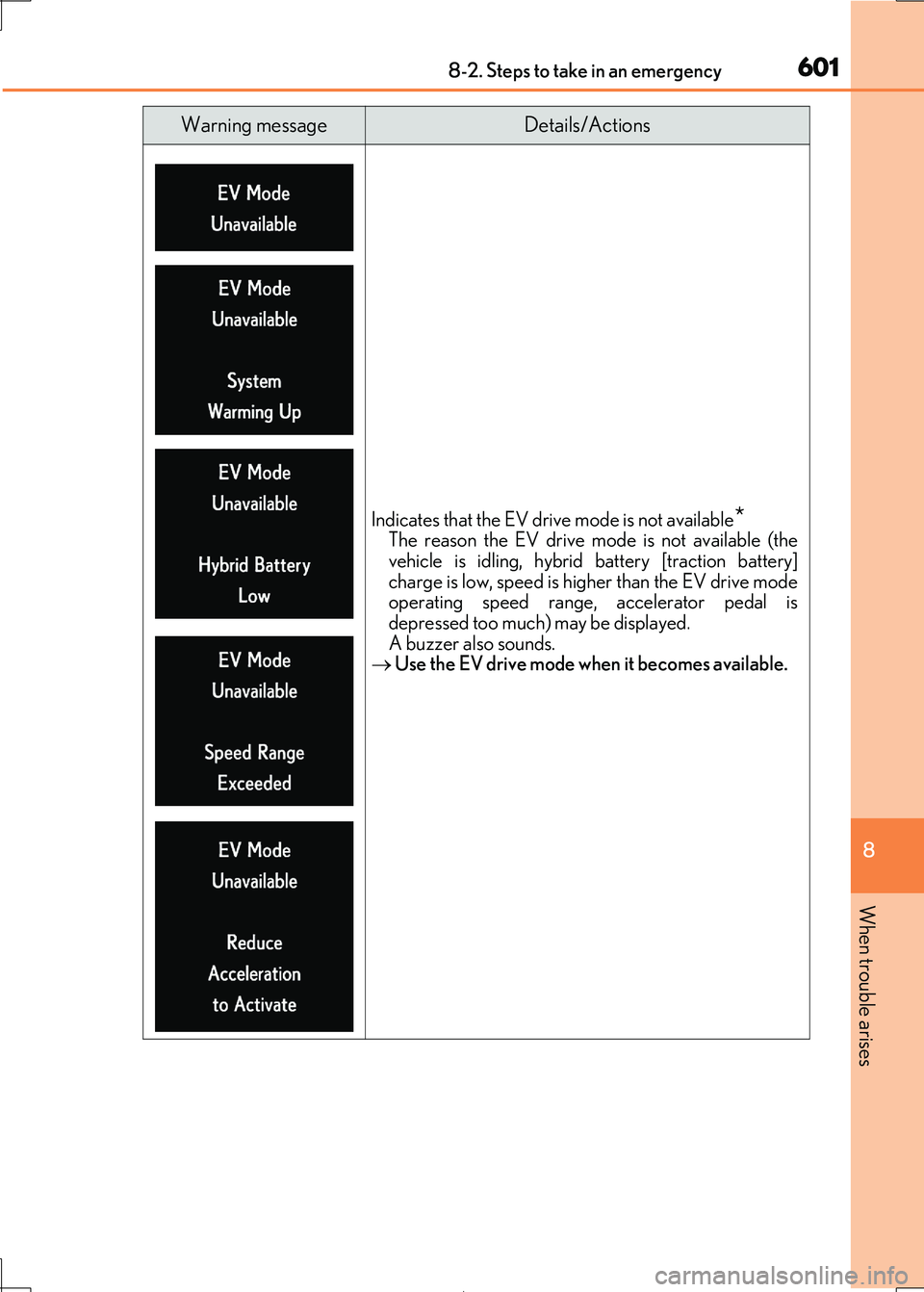
Indicates that the EV drive mode is not available*The reason the EV drive mode is not available (the
vehicle is idling, hybrid battery [traction battery]
charge is low, sp eed is higher than the EV drive mode operating speed range, accelerator pedal is
depressed too much) may be displayed.
A buzzer also sounds. Use the EV drive mode when it becomes available.
Warning messageDetails/Actions
Page 603 of 692
6038-2. Steps to take in an emergency
8
When trouble arises
IS300h_EE(OM53D89E)
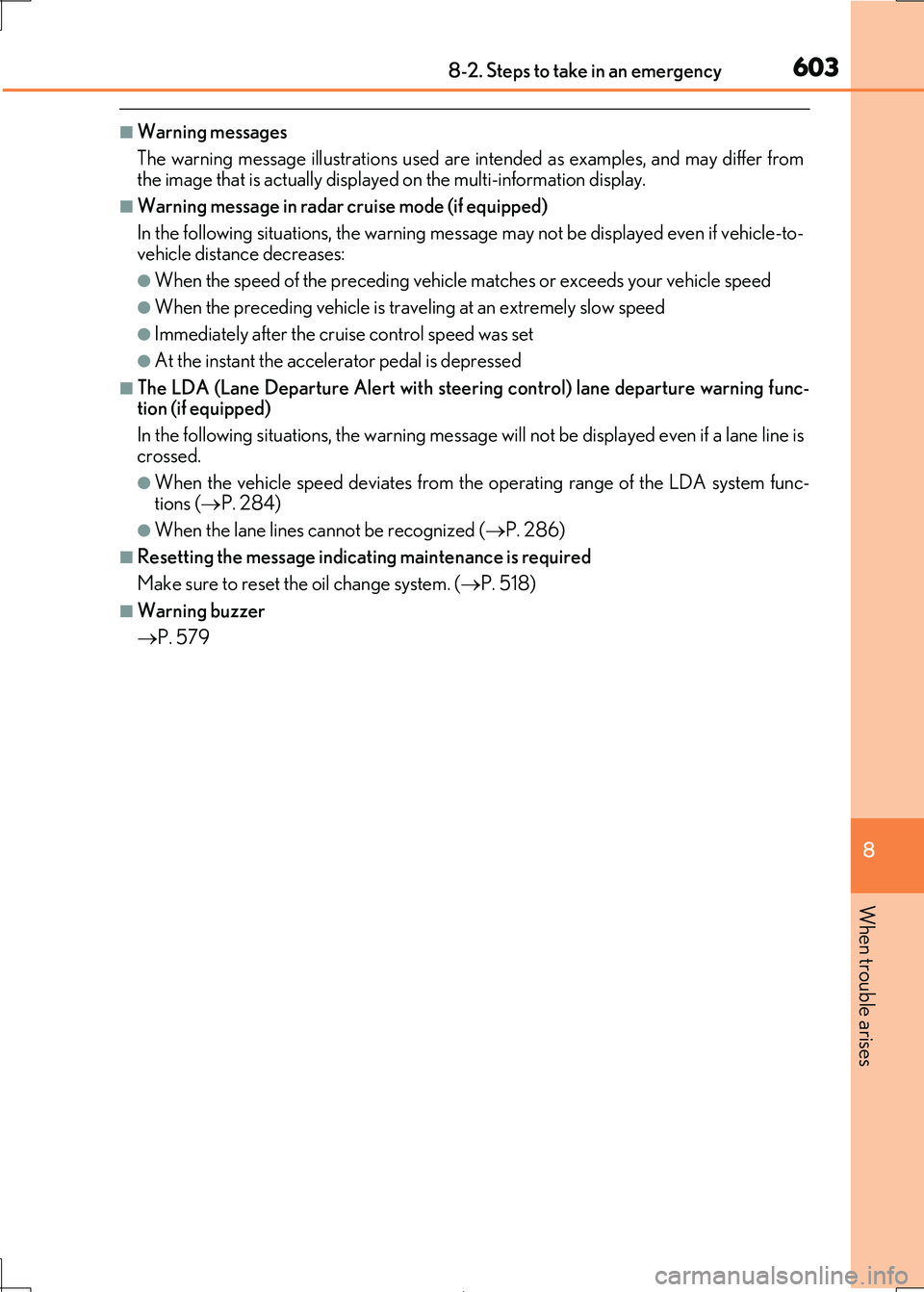
■Warning messages
The warning message illustrations used are intended as examples, and may differ from
the image that is actually displaye d on the multi-information display.
■Warning message in radar cruise mode (if equipped)
In the following situations, the warning message may not be displayed even if vehicle-to-
vehicle distance decreases:
●When the speed of the preceding vehicle matches or exceeds your vehicle speed
●When the preceding vehicle is traveling at an extremely slow speed
●Immediately after the cruise control speed was set
●At the instant the accelerator pedal is depressed
■The LDA (Lane Departure Alert with steering control) lane departure warning func-
tion (if equipped)
In the following situations, the warning messag e will not be displayed even if a lane line is
crossed.
●When the vehicle speed deviates from the operating range of the LDA system func- tions ( P. 284)
●When the lane lines cannot be recognized (P. 286)
■Resetting the message indicating maintenance is required
Make sure to reset the oil change system. ( P. 518)
■Warning buzzer
P. 579
Page 605 of 692
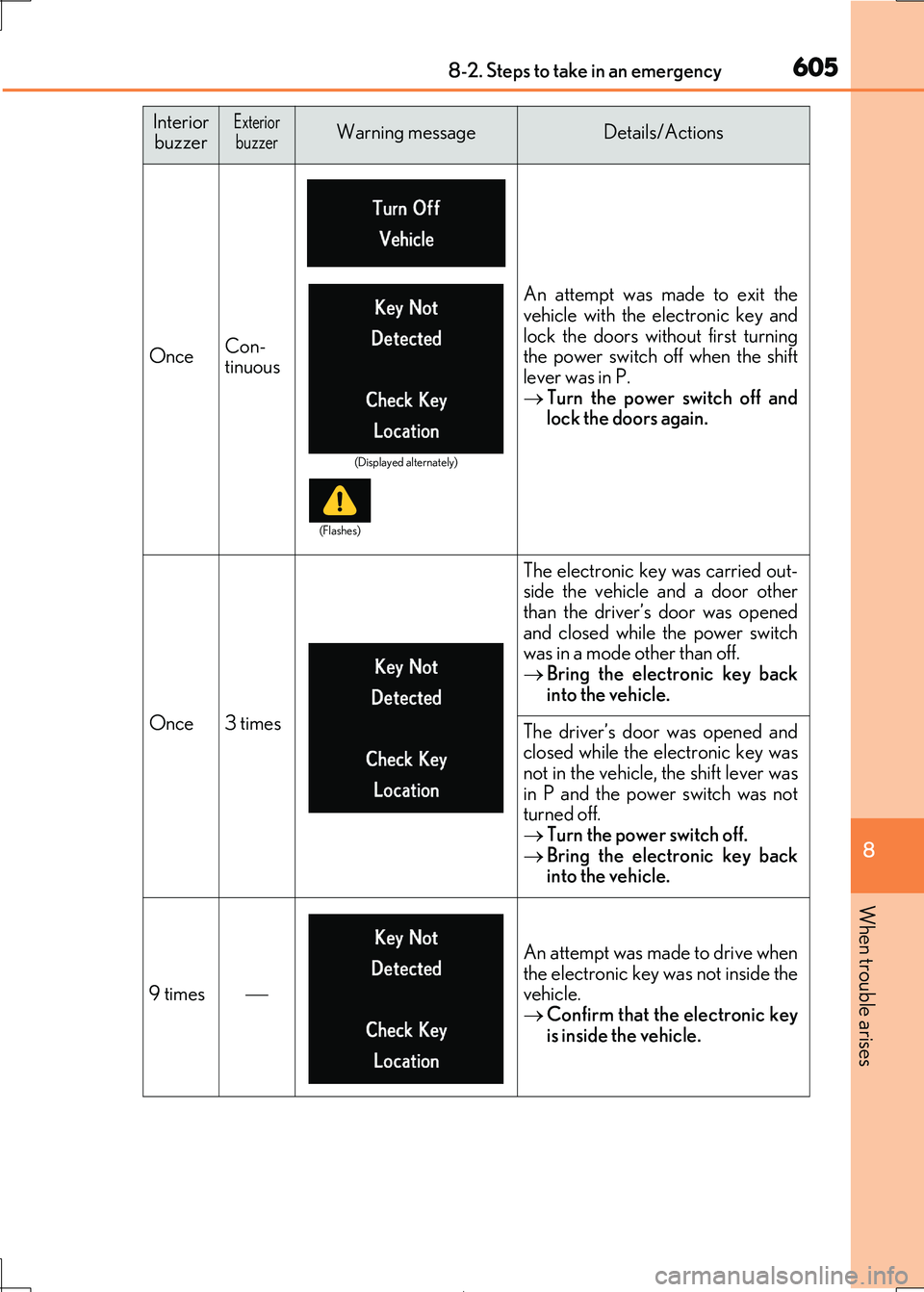
6058-2. Steps to take in an emergency
8
When trouble arises
IS300h_EE(OM53D89E)
OnceCon-
tinuous
An attempt was made to exit the
vehicle with the electronic key and
lock the doors without first turning the power switch off when the shift
lever was in P.
Turn the power switch off and lock the doors again.
Once3 times
The electronic key was carried out-side the vehicle and a door other
than the driver’s door was opened
and closed while the power switch was in a mode other than off.
Bring the electronic key back
into the vehicle.
The driver’s door was opened and closed while the electronic key was
not in the vehicle, the shift lever was
in P and the power switch was not turned off.
Turn the power switch off.
Bring the electronic key back into the vehicle.
9 times
An attempt was made to drive when
the electronic key was not inside the vehicle.
Confirm that the electronic key
is inside the vehicle.
Interior buzzerExteriorbuzzerWarning messageDetails/Actions
(Displayed alternately)
(Flashes)
Page 607 of 692
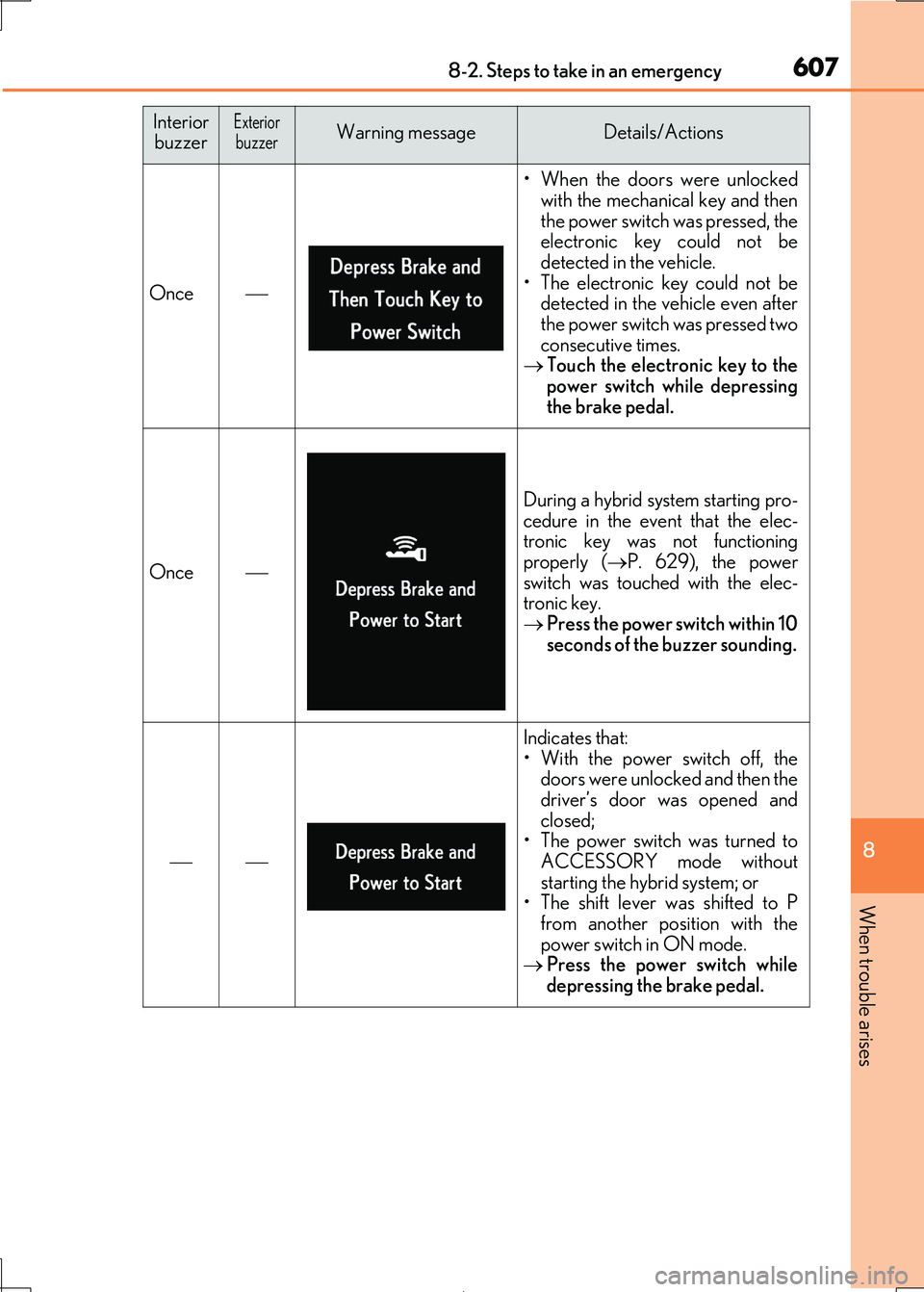
6078-2. Steps to take in an emergency
8
When trouble arises
IS300h_EE(OM53D89E)
Once
• When the doors were unlocked
with the mechanical key and then
the power switch was pressed, the electronic key could not be
detected in the vehicle.
• The electronic key could not be detected in the vehicle even after
the power switch was pressed two
consecutive times. Touch the electronic key to the
power switch while depressing
the brake pedal.
Once
During a hybrid system starting pro- cedure in the event that the elec-
tronic key was not functioning
properly ( P. 629), the power switch was touched with the elec-
tronic key.
Press the power switch within 10 seconds of the buzzer sounding.
Indicates that:• With the power switch off, the
doors were unlocked and then the
driver’s door was opened and closed;
• The power switch was turned to
ACCESSORY mode without starting the hybrid system; or
• The shift lever was shifted to P
from another position with the power switch in ON mode.
Press the power switch while
depressing the brake pedal.
Interior buzzerExteriorbuzzerWarning messageDetails/Actions
Page 627 of 692
6278-2. Steps to take in an emergency
8
When trouble arises
IS300h_EE(OM53D89E)
One of the following may be the cause of the problem:
●The 12-volt battery may be discharged. (P. 631)
●One or both of the 12-volt battery terminals may be disconnected.
( P. 522)
Contact any authorized Lexus retailer or Lexus authorized repairer, or any reliable
repairer if the problem canno t be repaired, or if repair procedures are unknown.
When the hybrid system does not start, the following steps can be used as an
interim measure to start the hybrid system if the power switch is functioning nor-
mally.
Do not use this starting procedur e except in cases of emergency.
Set the parking brake.
Shift the shift lever to P.
Turn the power switch to ACCESSORY mode.
Press and hold the power switch for ab out 15 seconds while depressing the
brake pedal firmly.
Even if the hybrid system can be starte d using the above steps, the system may
be malfunctioning. Have the vehicle insp ected by any authorized Lexus retailer
or Lexus authorized repairer , or any reliable repairer.
The interior lights and headlights do not turn on, or the horn does not
sound.
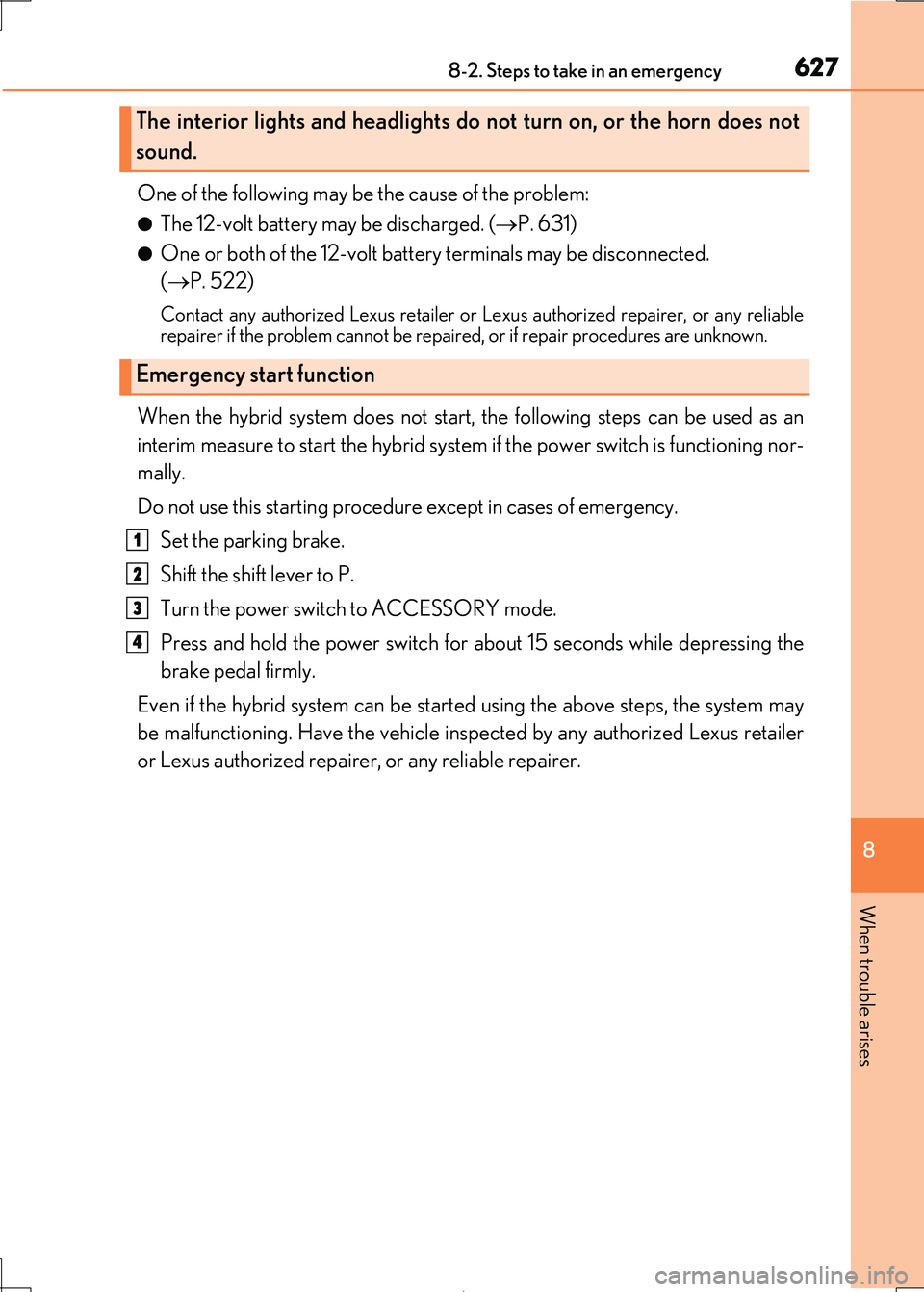
Emergency start function
1
2
3
4
Page 630 of 692

6308-2. Steps to take in an emergency
IS300h_EE(OM53D89E)
■Stopping the hybrid system
Shift the shift lever to P and pr ess the power switch as you normally do when stopping the
hybrid system.
■Replacing the key battery
As the above procedure is a temporary measure, it is recommended that the electronic
key battery be replaced immediately when the battery is depleted. (P. 549)
■Alarm (if equipped)
Using the mechanical key to lock th e doors will not set the alarm system.
If a door is unlocked using the mechanical key when the alarm system is set, the alarm may be triggered.
■Changing power switch modes
Release the brake pedal and press the power switch in step above. The hybrid system does not start and modes will be changed each time the switch is
pressed. ( P. 220)
■When the electronic key does not work properly
●Make sure that the smart entry & start system has not been deactivated in the
customization setting. If it is off, turn the function on.
(Customizable features: P. 657)
●Check if battery-saving mode is set. If it is set, cancel the function. (P. 158)
WARNING
■When using the mechanical key and operating the power windows or moon roof
Operate the power window or moon roof after checking to make sure that there is no possibility of any passenger having any of their body parts caught in the window or
moon roof.
Also, do not allow children to op erate the mechanical key. It is possible for children and other passengers to get caught in the power window or moon roof.
3
Page 633 of 692
6338-2. Steps to take in an emergency
8
When trouble arises
IS300h_EE(OM53D89E)
Maintain the engine speed of the second vehicle and start the hybrid system
of your vehicle by turning the power switch to ON mode.
Make sure the “READY” indicator comes on. If the indicator does not come
on, contact any authorized Lexus retailer or Lexus authorized repairer, or any
reliable repairer.
Once the hybrid system has started, remove the jumper cables in the exact
reverse order from which they were connected.
Once the hybrid system starts, have the vehicle inspected at any authorized
Lexus retailer or Lexus authorized repair er, or any reliable repairer as soon as
possible.
■Starting the hybrid system when the 12-volt battery is discharged
The hybrid system cannot be started by push-starting.
■To prevent 12-volt battery discharge
●Turn off the headlights and the audio system while the hybrid system is off.
●Turn off any unnecessary electrical componen ts when the vehicle is running at a low
speed for an extended period , such as in heavy traffic.
■Charging the 12-volt battery
The electricity stored in the 12-volt battery w ill discharge gradually even when the vehicle
is not in use, due to natural discharge and the draining effects of certain electrical appli-
ances. If the vehicle is left for a long time, the 12-volt battery may discharge, and the hybrid system may be unable to start. (The 12-volt battery recharges automatically while
the hybrid system is operating.)
■When recharging or repl acing the 12-volt battery
●In some cases, it may not be possible to unlock the doors using the smart entry & start
system when the 12-volt battery is discharged. Use the wireless remote control or the
mechanical key to lock or unlock the doors.
●The hybrid system may not start on the first attempt after the 12-volt battery has
recharged but will start normally after the second attempt. This is not a malfunction.
●The power switch mode is memorized by the vehicle. When the 12-volt battery is reconnected, the system will retu rn to the mode it was in before the 12-volt battery was
discharged. Before disconnecting the 12-vol t battery, turn the power switch off.
If you are unsure what mode the power switch was in before the 12-volt battery dis- charged, be especially careful when reconnecting the 12-volt battery.
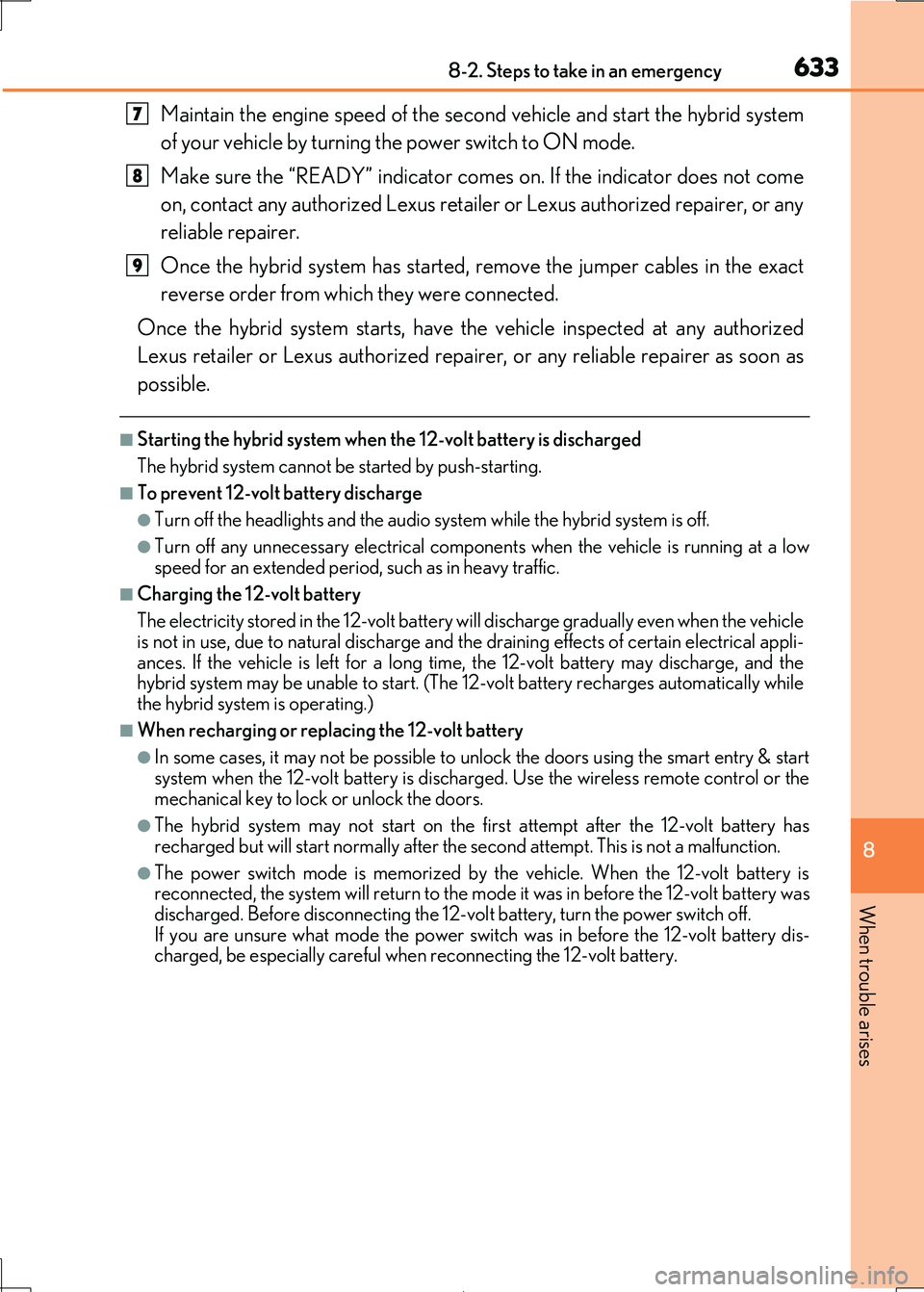
7
8
9
Page 663 of 692

663
9
9-2. Customization
Vehicle specifications
IS300h_EE(OM53D89E)
■Lexus parking assist-sensor*1 ( P. 309)
*1:If equipped
*2: When Lexus parking assist-sensor is operating.
■Driving mode select switch (P. 348)
*:If equipped
■Automatic air conditioning system (P. 466)
■Seat heaters* (P. 479)
*:If equipped
FunctionDefault settingCustomized setting
Detection distance of the front center sensorFarNearOO
Detection distance of the rear
center sensorFarNearOO
Buzzer volume31 to 5OO
Display setting*2All sensors dis-
playedDisplay offOO
12
FunctionDefault settingCustomized setting
Powertrain control in customized
mode*NormalPowerO—Eco
Chassis control in customized mode*NormalSportO—
Air conditioning operation in cus-
tomized mode*NormalEcoO—
12
FunctionDefault settingCustomized setting
Switching between outside air
and recirculated air mode linked
to “AUTO” switch operation
OnOffOO
A/C Auto switch operationOnOffOO
12
FunctionDefault settingCustomized setting
Seat heater timer controlOffOnOO
12