tires lexus LC500C 2021 Owner's Manual / LEXUS 2021 LC500 CONVERTIBLE OWNER'S MANUAL (OM11498U)
[x] Cancel search | Manufacturer: LEXUS, Model Year: 2021, Model line: LC500C, Model: Lexus LC500C 2021Pages: 410, PDF Size: 8.71 MB
Page 3 of 410

3TABLE OF CONTENTS
1
2
3
4
5
6
7
8
9
4-2. Driving proceduresEngine (ignition) switch .............. 146
Automatic transmission.............. 150
Turn signal lever............................. 156
Parking brake ................................. 157
Brake Hold....................................... 159
4-3. Operating the lights and wipers Headlight switch ............................. 161
Automatic High Beam ................ 164
Windshield wipers and washer 167
4-4. Refueling Opening the fuel tank cap.......... 171
4-5. Using the driving support systems Lexus Safety System + ................ 173
PCS (Pre-Collision System)..... 179
LKA (Lane-Keeping Assist) ..... 186
Dynamic radar crui se control with
full-speed range.......................... 194
Driving mode select switch...... 203
Intuitive parking assist ................ 204
BSM (Blind Spot Monitor) ....... 209
Driving assist systems .................. 218
4-6. Driving tips Winter driving tips ....................... 223
5-1. Remote Touch Remote Touch ............................... 226
5-2. Lexus Climate Concierge Lexus Climate Concierge ........ 230
5-3. Using the air conditioning system Automatic air conditioning system........................................................... 232Heated steering wheel/seat heat-
ers/seat ventilators/neck heaters.......................................................... 240
5-4. Using the interior lights Interior lights list ............................ 244
5-5. Using the storage features List of storage features .............. 246
Trunk features ............................... 248
5-6. Using the other interior features Other interior features .............. 249
Garage door opener ................. 250
6-1. Maintenance and care Cleaning and protecting the vehi-cle exterior................................... 258
Cleaning and protecting the vehi- cle interior ..................................... 262
6-2. Maintenance Maintenance re quirements .....265
General maintenance................ 266
Emission inspection and mainte- nance (I/M) programs ............ 269
6-3. Do-it-yourself maintenance Do-it-yourself service precautions.......................................................... 270
Hood .................................................. 272
Positioning a floor jack ............... 272
Engine compartment .................. 274
Battery .............................................. 279
Tires .................................................... 281
Replacing the tire......................... 289
Tire inflation pres
sure.................293
Wheels ............................................. 295
Air conditioning filter ................. 296
5Interior features
6Maintenance and care
Page 13 of 410
13Pictorial index
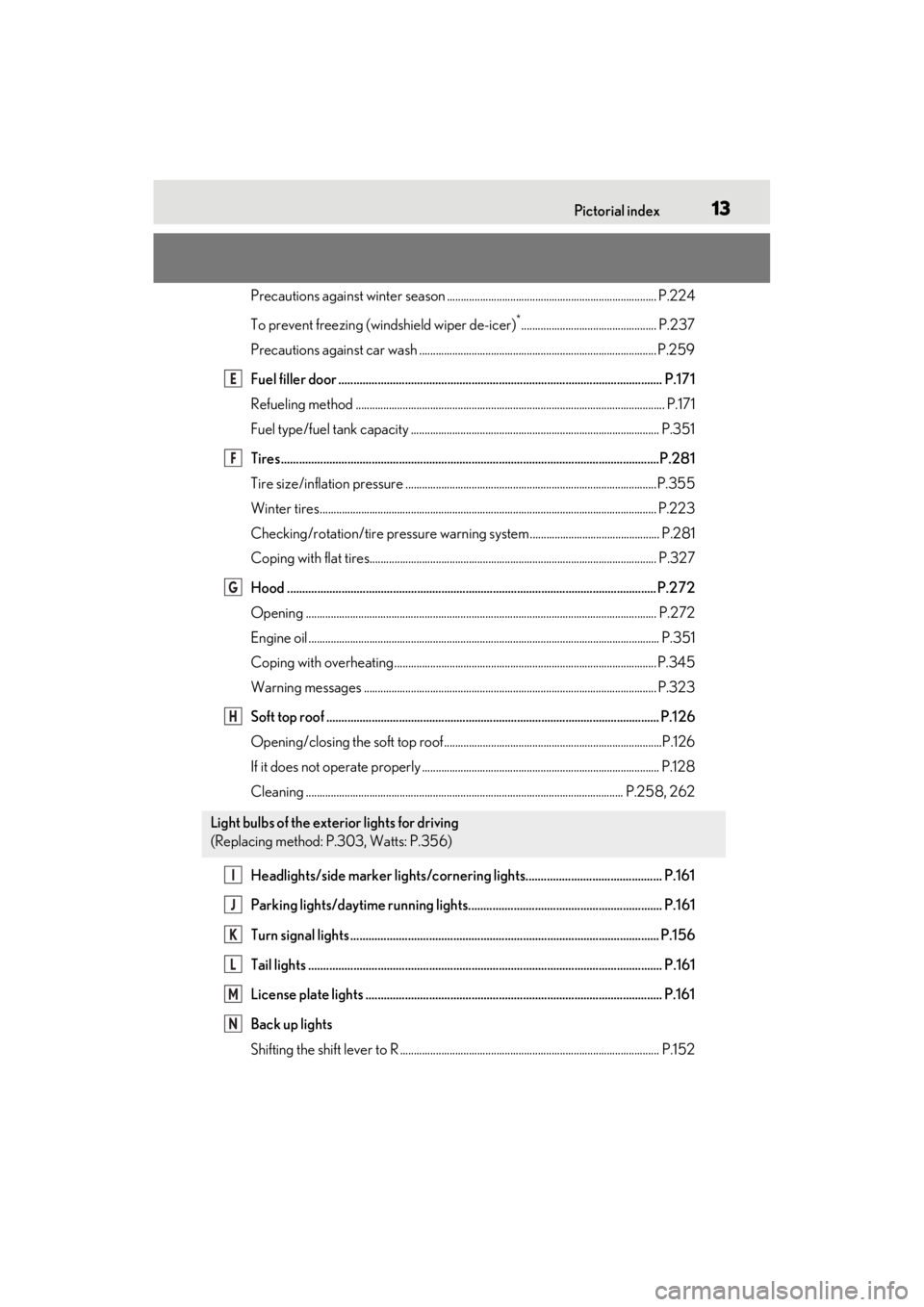
Precautions against winter season ............................................................................ P.224
To prevent freezing (windshield wiper de-icer)
*................................................. P.237
Precautions against car wash ............................. ......................................................... P.259
Fuel filler door ........................................................................................................... P.17 1
Refueling method ............................................................................................................... .P.171
Fuel type/fuel tank capacity ...... .................................................................................... P.351
Tires.......................................................................................................................... ...P.281
Tire size/inflation pressure ............................ ...............................................................P.355
Winter tires.......................................................................................................................... P.223
Checking/rotation/tire pressure warning system............................................... P.281
Coping with flat tires........................................................................................................ P .327
Hood .......................................................................................................................... P.272
Opening ........................................................................................................................ ....... P.272
Engine oil ..................................................................................................................... .......... P.351
Coping with overheating ............................................................................................... P.345
Warning messages .......................................................................................................... P.323
Soft top roof .............................................................................................................. P.12 6
Opening/closing the soft top roof...............................................................................P.126
If it does not operate properly ...................... ................................................................ P.128
Cleaning ................................................................................................................... P.25 8, 262
Headlights/side marker lights/cornering lights............................................. P.161
Parking lights/daytime running lights................................................................ P.161
Turn signal lights ...................................................................................................... P.156
Tail lights .................................................................................................................... .P.161
License plate lights .................................................................................................. P.161
Back up lights
Shifting the shift lever to R .............................................................................................. P.15 2
Light bulbs of the exterior lights for driving
(Replacing method: P.303, Watts: P.356)
E
F
G
H
I
J
K
L
M
N
Page 39 of 410
371-1. For safe use
1
For safety and security
■Pop Up Hood operational conditions
The Pop Up Hood will operate when the
vehicle detects an impact such as the fol-
lowing:
●The front bumper detects a frontal
impact equivalent to or greater than that
of a pedestrian while the vehicle being
driven within the operational speed
range of approximately 16 to 34 mph (25
to 55 km/h). (The system is operated by
an impact of threshold level or greater,
even in the case of a minor collision that
may not leave a trace on the front
bumper. Also, depending on the impact
conditions or vehicle speed, the system
may operate by a collision with a light or
small object or a small animal.)
●In other situations such as the following,
the system may operate when an impact
is applied to the lowe r part of the vehicle
or front bumper:
• Colliding with a curb
• Falling into a deep hole
• Landing hard
• Hitting the slope of a parking lot, an undulating road, a protruding object or
falling object
■Conditions under which the Pop Up
Hood may not operate properly
●If a pedestrian collides with the right or
left corner of the front bumper or the side
of the vehicle. As such impacts may be
difficult to detect, the system may not
operate.
●If the vehicle speed is not detected cor-
rectly, such as if the vehicle is sliding side-
ways, the system may not operate
properly.
■Conditions under which the Pop Up
Hood will not operate
The Pop Up Hood will not operate in the
following situations:
●Colliding with a lying person
●A frontal impact applied to the front
bumper while driving at speeds outside
of the operational speed range
●A side impact or rear impact
●A vehicle rollover (In some accident situ-
ations, the Pop Up Hood may operate.)
WARNING
■When the Pop Up Hood is operated
●Do not pull the hood lock release
lever. Doing so after the Pop Up Hood
has operated will further raise the
hood and may cause an injury. Do not
drive with the hood raised, as doing so
may block the driver’s vision, possibly
causing an accident.
●Do not forcibly push down the hood.
As the popped up hood cannot be
lowered by hand, doing so may
deform the hood or cause an injury.
●If the Pop Up Hood has operated,
have it replaced by your Lexus dealer.
If the Pop Up Hood has operated, stop
the vehicle in a safe place and contact
your Lexus dealer.
●Do not touch the lifters immediately
after the Pop Up Hood has operated,
as the lifters may be hot and burn you.
NOTICE
■Pop Up Hood precautions
●Make sure to close the hood before
driving, as the system may not operate
properly if the hood is not fully closed.
●Make sure that all 4 tires are of the
specified size and inflated to the speci-
fied tire pressure. If tires of a different
size are used, the system may not
operate properly.
●If something has hit the area around
the front bumper, the sensors may be
damaged even if the Pop Up Hood has
not operated. Have the vehicle
inspected by your Lexus dealer.
●Do not remove or repair the parts or
wiring of the Pop Up Hood, as doing
so may cause accidental operation or
prevent the system from operating
properly. If repair or replacement is
necessary, contact your Lexus dealer.
Page 138 of 410

1364-1. Before driving
4-1.Before driving
■Starting the engine
P.146
■Driving
1 With the brake pedal depressed,
shift the shift position to D.
(P.152)
Check that the shift position indicator
shows D.
2 If the parking brake is in manual
mode, release the parking brake.
(P.157)
3 Gradually release the brake pedal
and gently depress the accelerator
pedal to accelerate the vehicle.
■Stopping
1 With the shift position in D, depress
the brake pedal.
2 If necessary, set the parking brake.
If the vehicle is to be stopped for an
extended period of time, shift the shift posi-
tion to P. ( P.152)
■Parking the vehicle
1 Stop the vehicle completely.
2 If the parking brake is in manual
mode, set the parking brake.
(P.157)
3 Shift the shift position to P.
(P.152)
Check that the shift position indicator
shows P.
4 Press the engine switch to stop the
engine.
5 Slowly release the brake pedal.
6 Lock the door, making sure that
you have the electronic key on your
person.
If parking on a hill, block the wheels as
needed.
■Starting off on a steep uphill
1 Firmly depress the brake pedal and
shift the shift position to D.
The hill-start assist control will be activated.
( P.219)
2 Set the parking brake. ( P.157)
3 Release the brake pedal and gently
depress the accelerator pedal to
accelerate the vehicle.
4 Release the parking brake.
(P.157)
■When parking the vehicle
In order to prevent theft or effect of the
weather on the environment of the vehicle
cabin, close the soft top roof when parking
the vehicle.
■Driving in the rain
●Drive carefully when it is raining, because
visibility will be reduced, the windows
may become fogged-up, and the road
will be slippery.
●Drive carefully when it starts to rain,
because the road surface will be espe-
cially slippery.
●Refrain from high speeds when driving on
an expressway in the rain, because there
may be a layer of wa ter between the tires
and the road surface, preventing the
steering and brakes from operating
properly.
■Engine speed while driving
In the following conditions, the engine
speed may become high while driving. This
Driving the vehicle
The following procedures should be
observed to ensure safe driving:
Driving procedure
Page 140 of 410
1384-1. Before driving
WARNING
■When driving the vehicle
●Do not drive if you are unfamiliar with
the location of the brake and accelera-
tor pedals to avoid depressing the
wrong pedal.
• Accidentally depressing the accelera- tor pedal instead of the brake pedal
will result in sudden acceleration that
may lead to an accident.
• When backing up, you may twist your body around, leading to a difficulty in
operating the pedals. Make sure to
operate the pedals properly.
• Make sure to keep a correct driving posture even when moving the vehicle
only slightly. This allows you to depress
the brake and accelerator pedals
properly.
• Depress the brake pedal using your right foot. Depressing the brake pedal
using your left foot may delay
response in an emergency, resulting in
an accident.
●Do not drive the vehicle over or stop
the vehicle near flammable materials.
The exhaust system and exhaust gases
can be extremely hot. These hot parts
may cause a fire if there is any flamma-
ble material nearby.
●During normal driving, do not turn off
the engine. Turning the engine off
while driving will not cause loss of
steering or braking control, however,
power assist to the steering will be lost.
This will make it more difficult to steer
smoothly, so you should pull over and
stop the vehicle as soon as it is safe to
do so.
In the event of an emergency, such as
if it becomes impo ssible to stop the
vehicle in the normal way: P.306
●Use engine braking (downshift) to
maintain a safe speed when driving
down a steep hill.
Using the brakes continuously may
cause the brakes to overheat and lose
effectiveness. ( P.150)
●Do not adjust the positions of the
steering wheel, the seat, or the inside
or outside rear view mirrors while driv-
ing.
Doing so may result in a loss of vehicle
control.
●Always check that all passengers’
arms, heads or other parts of their
body are not outside the vehicle.
●Do not drive in excess of the speed
limit. Even if the legal speed limit per-
mits it, do not drive over 85 mph (140
km/h) unless your vehicle has high-
speed capability tires. Driving over 85
mph (140 km/h) may result in tire fail-
ure, loss of control and possible injury.
Be sure to consult a tire dealer to
determine whether the tires on your
vehicle are high-speed capability tires
or not before driving at such speeds.
■When driving on slippery road sur-
faces
●Sudden braking, acceleration and
steering may cause tire slippage and
reduce your ability to control the vehi-
cle.
●Sudden acceleration, engine braking
due to shifting, or changes in engine
speed could cause the vehicle to skid,
resulting in an accident.
●After driving through a puddle, lightly
depress the brake pedal to make sure
that the brakes are functioning prop-
erly. Wet brake pads may prevent the
brakes from functioning properly. If
the brakes on only one side are wet
and not functioning properly, steering
control may be affected.
■When shifting the shift position
●Do not let the vehicle roll backward
while a forward driving position is
selected, or roll forw ard while the shift
position is in R.
Doing so may cause the engine to stall
or lead to poor brake and steering
performance, resulting in an accident
or damage to the vehicle.
Page 146 of 410
1444-1. Before driving
■Total load capacity and seating capacity
These details are also described on the tire
and loading information label. ( P.293)
Vehicle load limits
Vehicle load limits include total
load capacity, seating capacity,
towing capacity and cargo capac-
ity.
Total load capacity (vehicle
capacity weight): P.350
Total load capacity means the com-
bined weight of occupants, cargo
and luggage.
Seating capacity: P.350
Seating capacity means the maxi-
mum number of occupants whose
estimated average weight is 150 lb.
(68 kg) per person.
Towing capacity
Lexus does not recommend towing
a trailer with your vehicle.
Cargo capacity
Cargo capacity may increase or
decrease depending on the weight
and the number of occupants.
WARNING
■Overloading the vehicle
Do not overload the vehicle.
It may not only cause damage to the tires,
but also degrade steering and braking
ability, resulting in an accident.
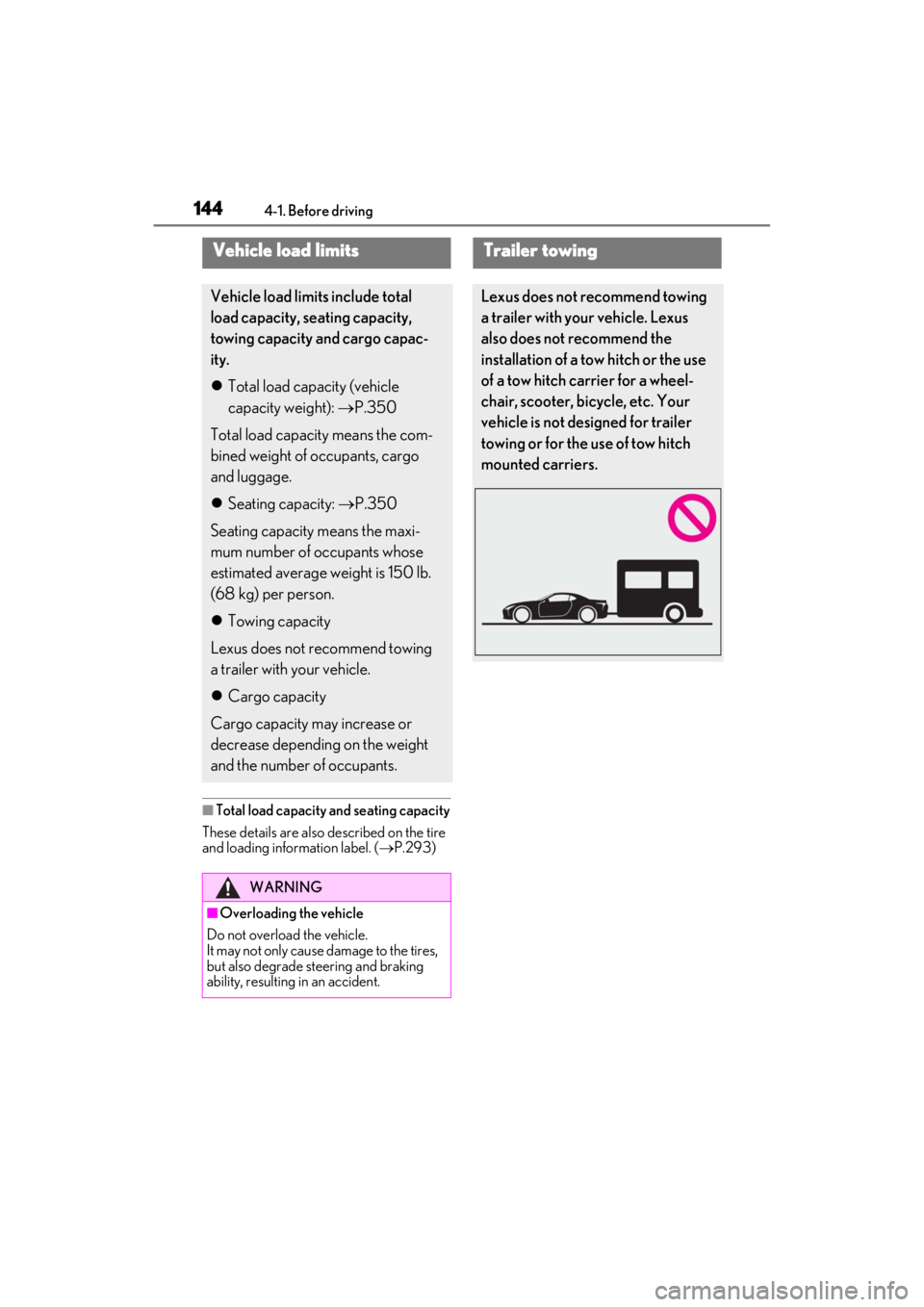
Trailer towing
Lexus does not recommend towing
a trailer with your vehicle. Lexus
also does not recommend the
installation of a tow hitch or the use
of a tow hitch carrier for a wheel-
chair, scooter, bicycle, etc. Your
vehicle is not designed for trailer
towing or for the use of tow hitch
mounted carriers.
Page 162 of 410

1604-2. Driving procedures
standby indicator light will go off. In addi-
tion, if any of the conditions are detected
while the system is holding the brake, a
warning buzzer will sound and a message
will be shown on the multi-information dis-
play. The parking brake will then be set
automatically.
■Brake hold function
●If the brake pedal is left released for a
period of about 3 minutes after the sys-
tem has started holding the brake, the
parking brake will be set automatically. In
this case, a warning buzzer sounds and a
message is shown on the multi-informa-
tion display.
●To turn the system off while the system is
holding the brake, firmly depress the
brake pedal and press the button again.
●The brake hold function may not hold the
vehicle when the vehicle is on a steep
incline. In this situation, it may be neces-
sary for the driver to apply the brakes. A
warning buzzer will sound and the multi-
information display will inform the driver
of this situation. If a warning message is
shown on the multi-information display,
read the message and follow the instruc-
tions.
■When the parking brake is set automati-
cally while the system is holding the
brakes
Perform any of the following operations to
release the parking brake.
●Depress the accelerator pedal. (The
parking brake will not be released auto-
matically if the seat belt is not fastened.)
●Operate the parking brake switch with
the brake pedal depressed.
Make sure that the pa rking brake indicator
light goes off. ( P.157)
■When an inspection at your Lexus
dealer is necessary
When the brake hold standby indicator
(green) does not illuminate even when the
brake hold switch is pressed with the brake
hold system operating conditions met, the
system may be malfun ctioning. Have the
vehicle inspected at your Lexus dealer.
■If “Brake Hold Fault Depress Brake to
Deactivate Visit Your Dealer” or
“Brake Hold Malfunction Visit Your
Dealer” is shown on the multi-informa-
tion display
The system may be malfunctioning. Have
the vehicle inspected by your Lexus dealer.
■Warning messages and buzzers
Warning messages and buzzers are used to
indicate a system malfunction or to inform
the driver of the need for caution. If a warn-
ing message is shown on the multi-informa-
tion display, read the message and follow
the instructions.
■If the brake hold operated indicator
flashes
P.317
WARNING
■When the vehicle is on a steep incline
When using the brake hold system on a
steep incline, exercise caution. The brake
hold function may not hold the vehicle in
such a situation.
■When stopped on a slippery road
The system cannot stop the vehicle when
the gripping ability of the tires has been
exceeded. Do not use the system when
stopped on a slippery road.
NOTICE
■When parking the vehicle
The brake hold system is not designed
for use when parking the vehicle for a
long period of time. Turning the engine
switch off while the system is holding the
brake may release the brake, which
would cause the vehicle to move. When
operating the engine switch, depress the
brake pedal, shift the shift position to P
and set the parking brake.
Page 182 of 410
1804-5. Using the driving support systems
WARNING
■Limitations of the pre-collision sys-
tem
●The driver is solely responsible for safe
driving. Always drive safely, taking
care to observe your surroundings.
Do not use the pre-collision system
instead of normal braking operations
under any circumstances. This system
will not prevent collisions or lessen col-
lision damage or injury in every situa-
tion. Do not overly rely on this system.
Failure to do so may lead to an acci-
dent, resulting in death or serious
injury.
●Although this system is designed to
help avoid a collision or help reduce
the impact of the collision, its effective-
ness may change according to various
conditions, therefore the system may
not always be able to achieve the same
level of performance.
Read the following conditions care-
fully. Do not overly rely on this system
and always drive carefully.
• Conditions under which the system may operate even if there is no possi-
bility of a collision: P.182
• Conditions under which the system may not operate properly: P.184
●Do not attempt to test the operation of
the pre-collision system yourself.
Depending on the objects used for
testing (dummies, cardboard objects
imitating detectable objects, etc.), the
system may not operate properly, pos-
sibly leading to an accident.
■Pre-collision braking
●When the pre-collision braking func-
tion is operating, a large amount of
braking force will be applied.
●If the vehicle is stopped by the opera-
tion of the pre-collision braking func-
tion, the pre-collision braking function
operation will be canceled after
approximately 2 seconds.
Depress the brake pedal as necessary.
●The pre-collision braking function may
not operate if certain operations are
performed by the driver. If the acceler-
ator pedal is being depressed strongly
or the steering wheel is being turned,
the system may determine that the
driver is taking evasive action and pos-
sibly prevent the pre-collision braking
function from operating.
●In some situations, while the pre-colli-
sion braking function is operating,
operation of the function may be can-
celed if the accelerator pedal is
depressed strongly or the steering
wheel is turned and the system deter-
mines that the driver is taking evasive
action.
●If the brake pedal is being depressed,
the system may determine that the
driver is taking evasive action and pos-
sibly delay the operat ion timing of the
pre-collision braking function.
■When to disable the pre-collision sys-
tem
In the following situations, disable the
system, as it may not operate properly,
possibly leading to an accident resulting
in death or serious injury:
●When the vehicle is being towed
●When your vehicle is towing another
vehicle
●When transporting the vehicle via
truck, boat, train or similar means of
transportation
●When the vehicle is raised on a lift with
the engine running and the tires are
allowed to rotate freely
●When inspecting the vehicle using a
drum tester such as a chassis dyna-
mometer or speedometer tester, or
when using an on vehicle wheel bal-
ancer
●When a strong impact is applied to the
front bumper or front grille, due to an
accident or other reasons
Page 183 of 410
1814-5. Using the driving support systems
4
Driving
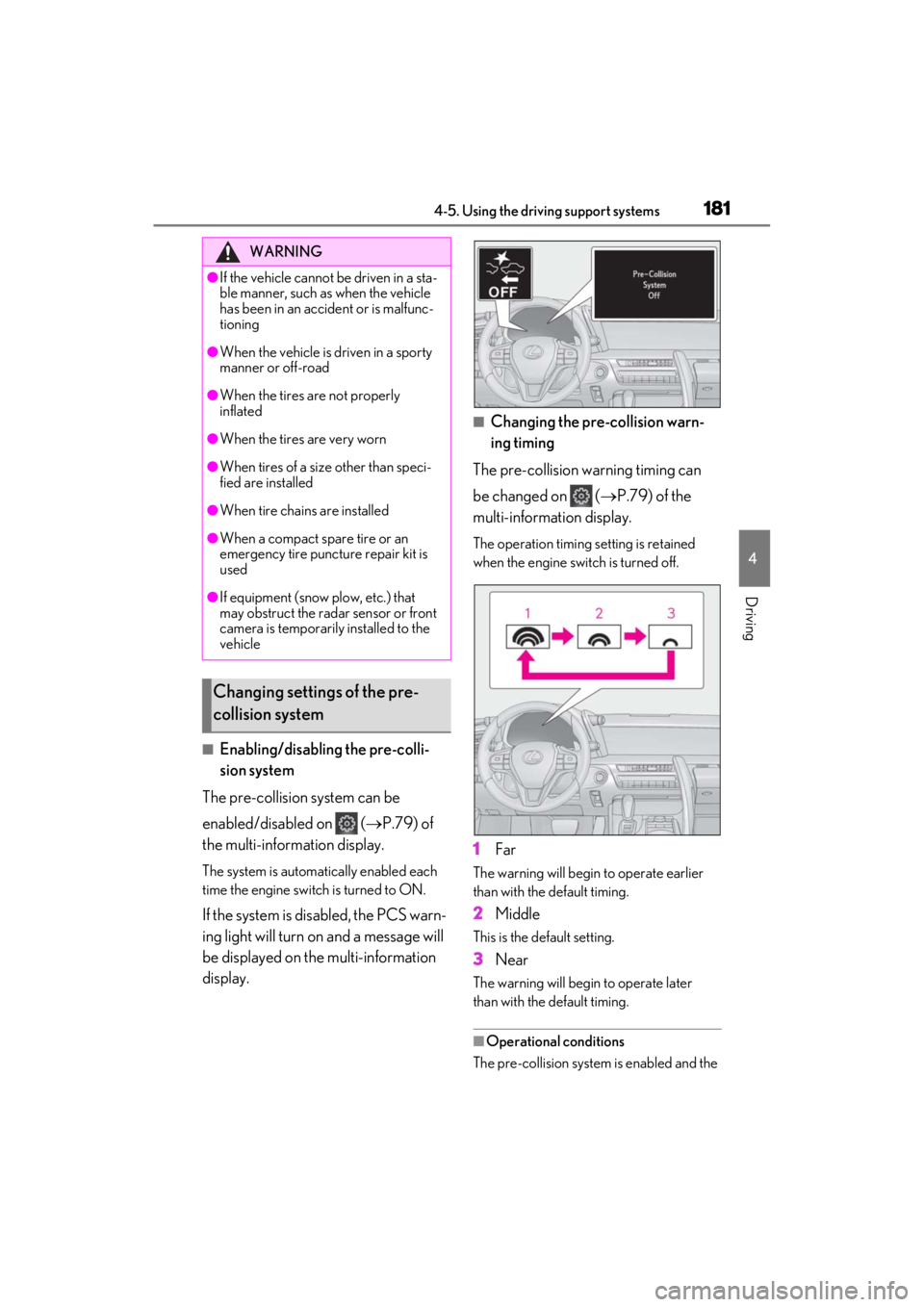
■Enabling/disabling the pre-colli-
sion system
The pre-collision system can be
enabled/disabled on ( P.79) of
the multi-information display.
The system is automatically enabled each
time the engine switch is turned to ON.
If the system is disabled, the PCS warn-
ing light will turn on and a message will
be displayed on the multi-information
display.
■Changing the pre-collision warn-
ing timing
The pre-collision warning timing can
be changed on ( P.79) of the
multi-information display.
The operation timing setting is retained
when the engine switch is turned off.
1Far
The warning will begin to operate earlier
than with the default timing.
2Middle
This is the default setting.
3Near
The warning will begi n to operate later
than with the default timing.
■Operational conditions
The pre-collision system is enabled and the
WARNING
●If the vehicle cannot be driven in a sta-
ble manner, such as when the vehicle
has been in an accident or is malfunc-
tioning
●When the vehicle is driven in a sporty
manner or off-road
●When the tires are not properly
inflated
●When the tires are very worn
●When tires of a size other than speci-
fied are installed
●When tire chains are installed
●When a compact spare tire or an
emergency tire puncture repair kit is
used
●If equipment (snow plow, etc.) that
may obstruct the radar sensor or front
camera is temporarily installed to the
vehicle
Changing settings of the pre-
collision system
Page 187 of 410

1854-5. Using the driving support systems
4
Driving
• The vehicle is wobbling.
• The vehicle is being driven at extremely high speeds.
• When driving on a hill
• If the radar sensor or front camera is mis- aligned
●In some situations such as the following,
sufficient braking force may not be
obtained, preventing the system from
performing properly:
• If the braking functions cannot operate to
their full extent, such as when the brake
parts are extremely cold, extremely hot,
or wet
• If the vehicle is not properly maintained (brakes or tires are excessively worn,
improper tire inflation pressure, etc.)
• When the vehicle is being driven on a gravel road or other slippery surface
●Some pedestrians such as the following
may not be detected by the radar sensor
and front camera, preventing the system
from operating properly:
• Pedestrians shorter than approximately 3.2 ft. (1 m) or tall er than approximately
6.5 ft. (2 m)
• Pedestrians wearing oversized clothing (a rain coat, long skir t, etc.), making their
silhouette obscure
• Pedestrians who are carrying large bag- gage, holding an umbrella, etc., hiding
part of their body
• Pedestrians who are bending forward or squatting
• Pedestrians who are pushing a stroller, wheelchair, bicycle or other vehicle
• Groups of pedestrians which are close
together
• Pedestrians who are wearing white and look extremely bright
• Pedestrians in the dark, such as at night or while in a tunnel
• Pedestrians whose clothing appears to
be nearly the same co lor or brightness as
their surroundings
• Pedestrians near walls, fences, guard-
rails, or large objects
• Pedestrians who are on a metal object (manhole cover, steel plate, etc.) on the
road
• Pedestrians who are walking fast
• Pedestrians who are changing speed abruptly • Pedestrians running out from behind a
vehicle or a large object
• Pedestrians who are extremely close to
the side of the vehicle (outside rear view
mirror, etc.)
■If VSC is disabled
●If VSC is disabled ( P.220), the pre-
collision brake assist and pre-collision
braking functions are also disabled.
●The PCS warning light will turn on and
“VSC Turned Off Pre-Collision Brake
System Unavailable” will be displayed on
the multi-information display.