LEXUS LS430 2003 Factory User Guide
LS430 2003
LEXUS
LEXUS
https://www.carmanualsonline.info/img/36/57050/w960_57050-0.png
LEXUS LS430 2003 Factory User Guide
Page 243 of 4500
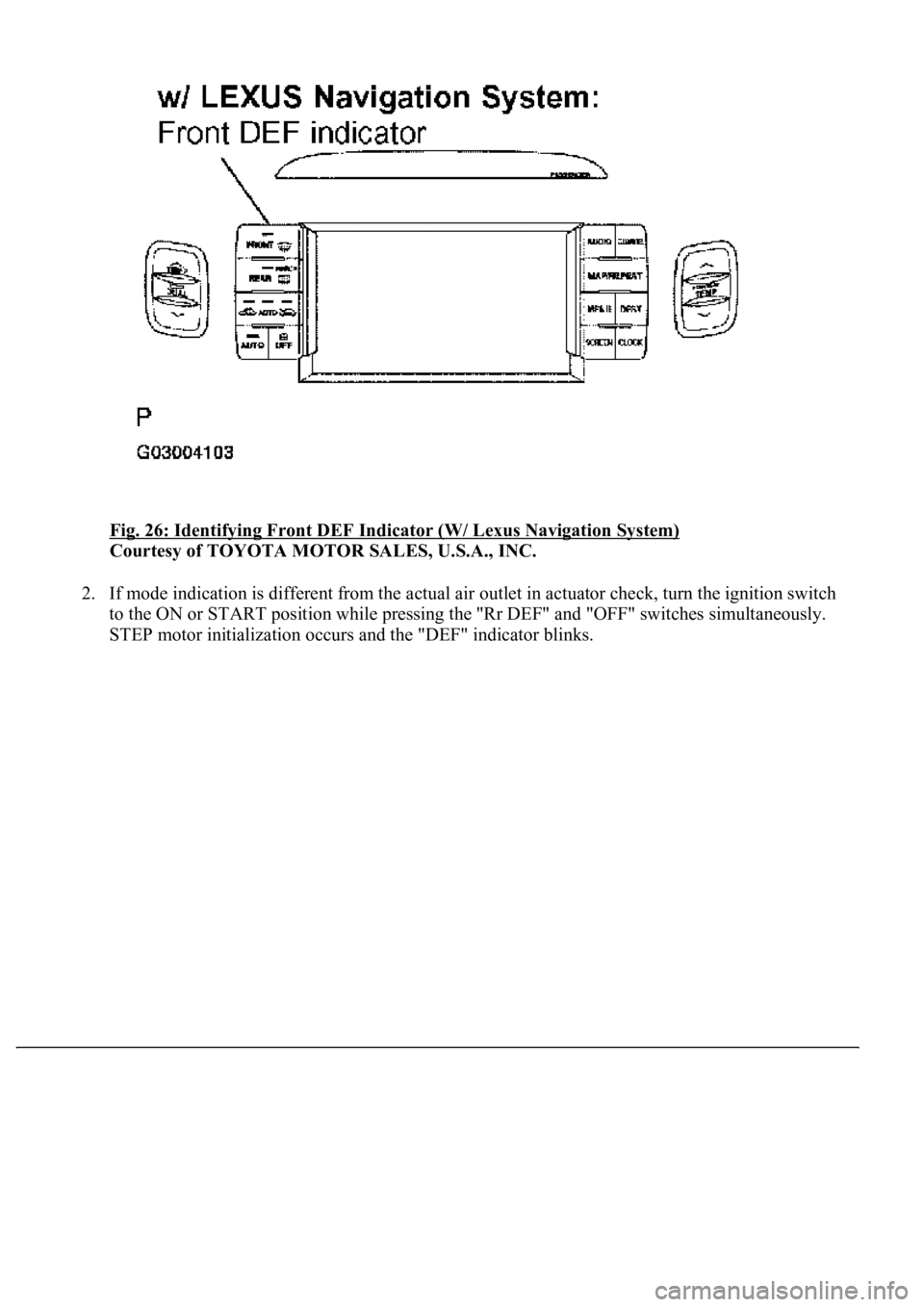
Fig. 26: Identifying Front DEF Indicator (W/ Lexus Navigation System)
Courtesy of TOYOTA MOTOR SALES, U.S.A., INC.
2. If mode indication is different from the actual air outlet in actuator check, turn the ignition switch
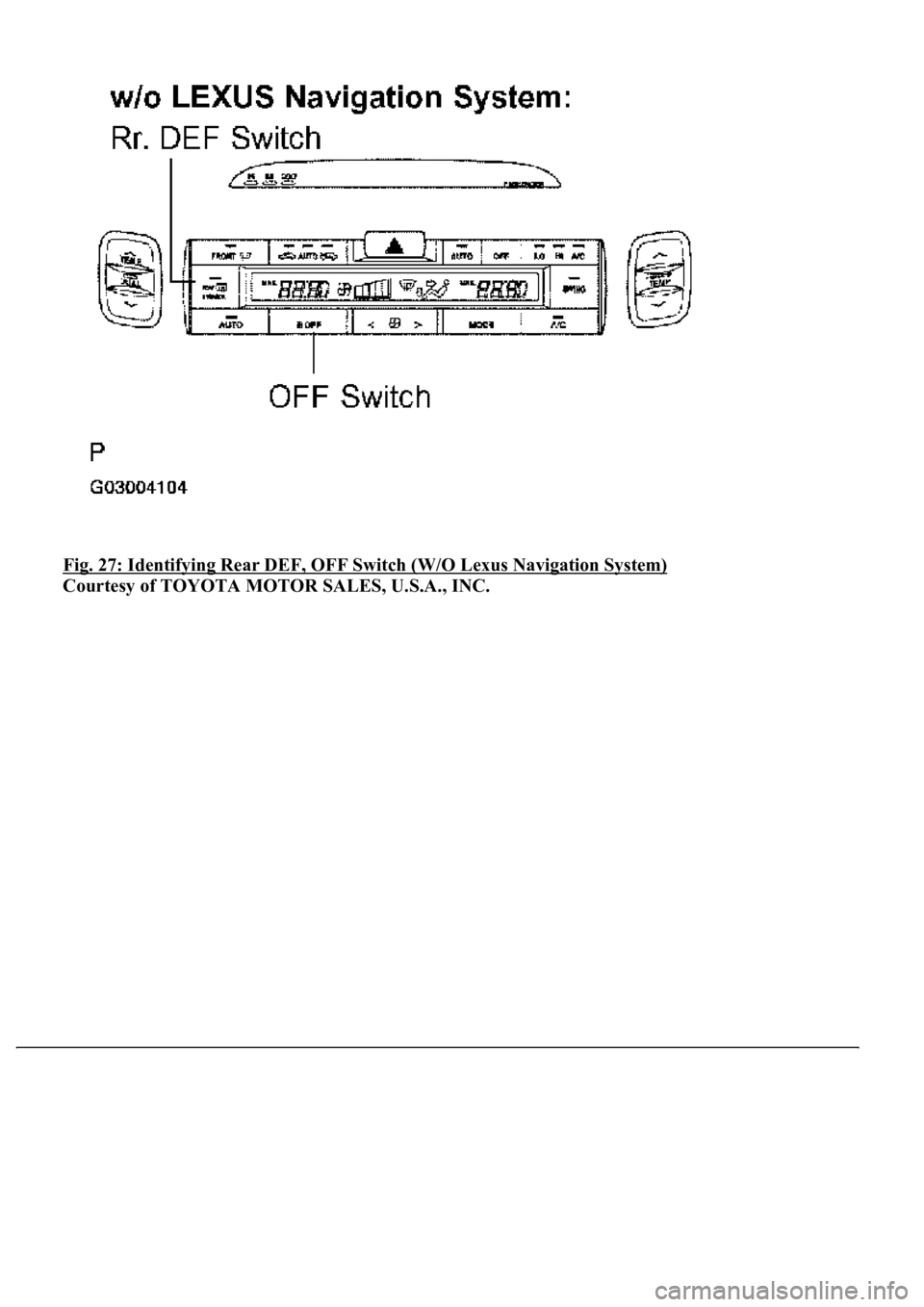
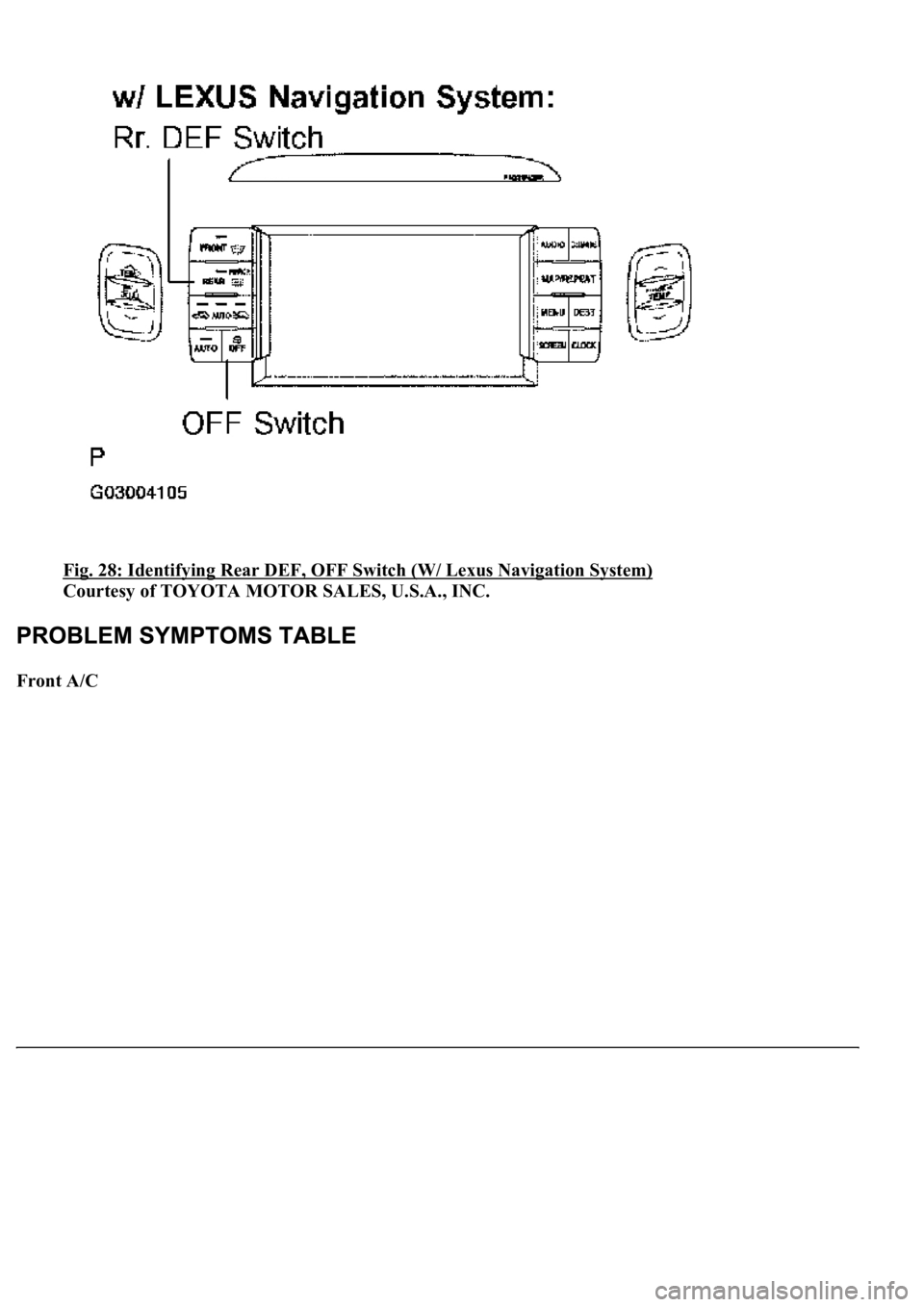
to the ON or START position while pressing the "Rr DEF" and "OFF" switches simultaneously.
STEP motor initialization occurs and the "DEF" indicator blinks.
Page 244 of 4500
Fig. 27: Identifying Rear DEF, OFF Switch (W/O Lexus Navigation System)
Courtesy of TOYOTA MOTOR SALES, U.S.A., INC.
Page 245 of 4500
Fig. 28: Identifying Rear DEF, OFF Switch (W/ Lexus Navigation System)
Courtesy of TOYOTA MOTOR SALES, U.S.A., INC.
Front A/C
Page 648 of 4500
OVERHAUL )
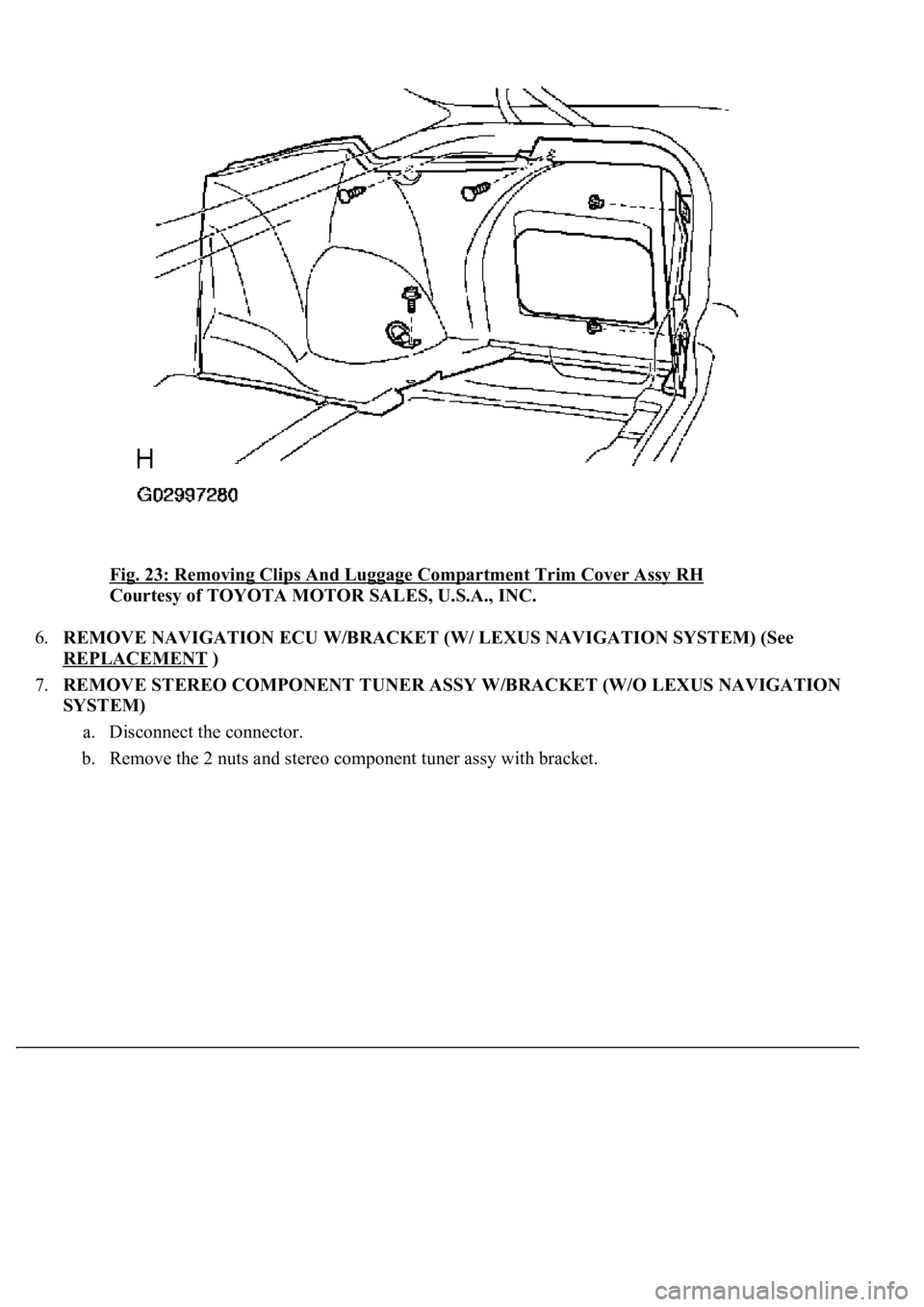
5.REMOVE LUGGAGE COMPARTMENT TRIM COVER ASSY RH (See step 22 on
OVERHAUL
)
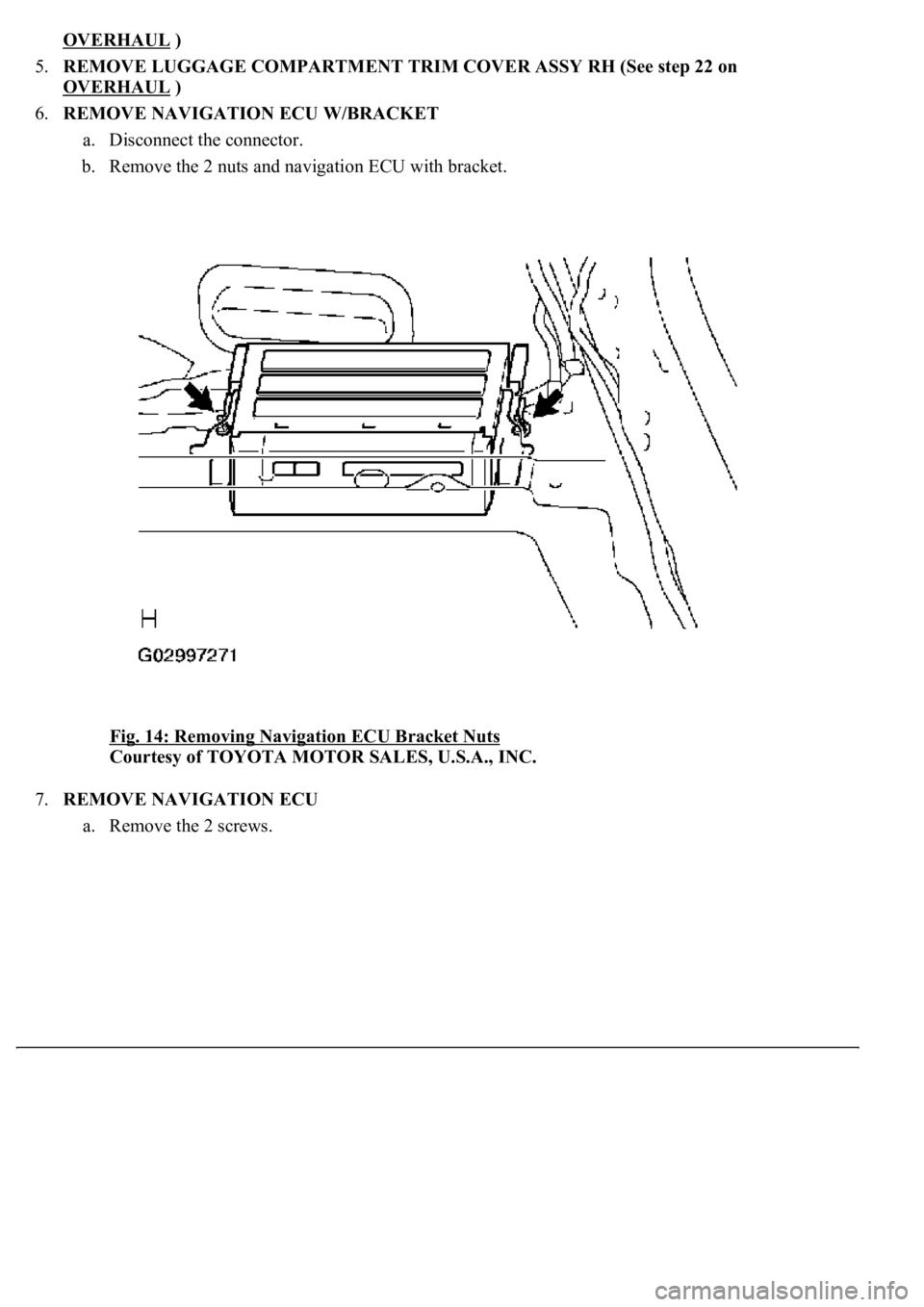
6.REMOVE NAVIGATION ECU W/BRACKET
a. Disconnect the connector.
b. Remove the 2 nuts and navigation ECU with bracket.
Fig. 14: Removing Navigation ECU Bracket Nuts
Courtesy of TOYOTA MOTOR SALES, U.S.A., INC.
7.REMOVE NAVIGATION ECU
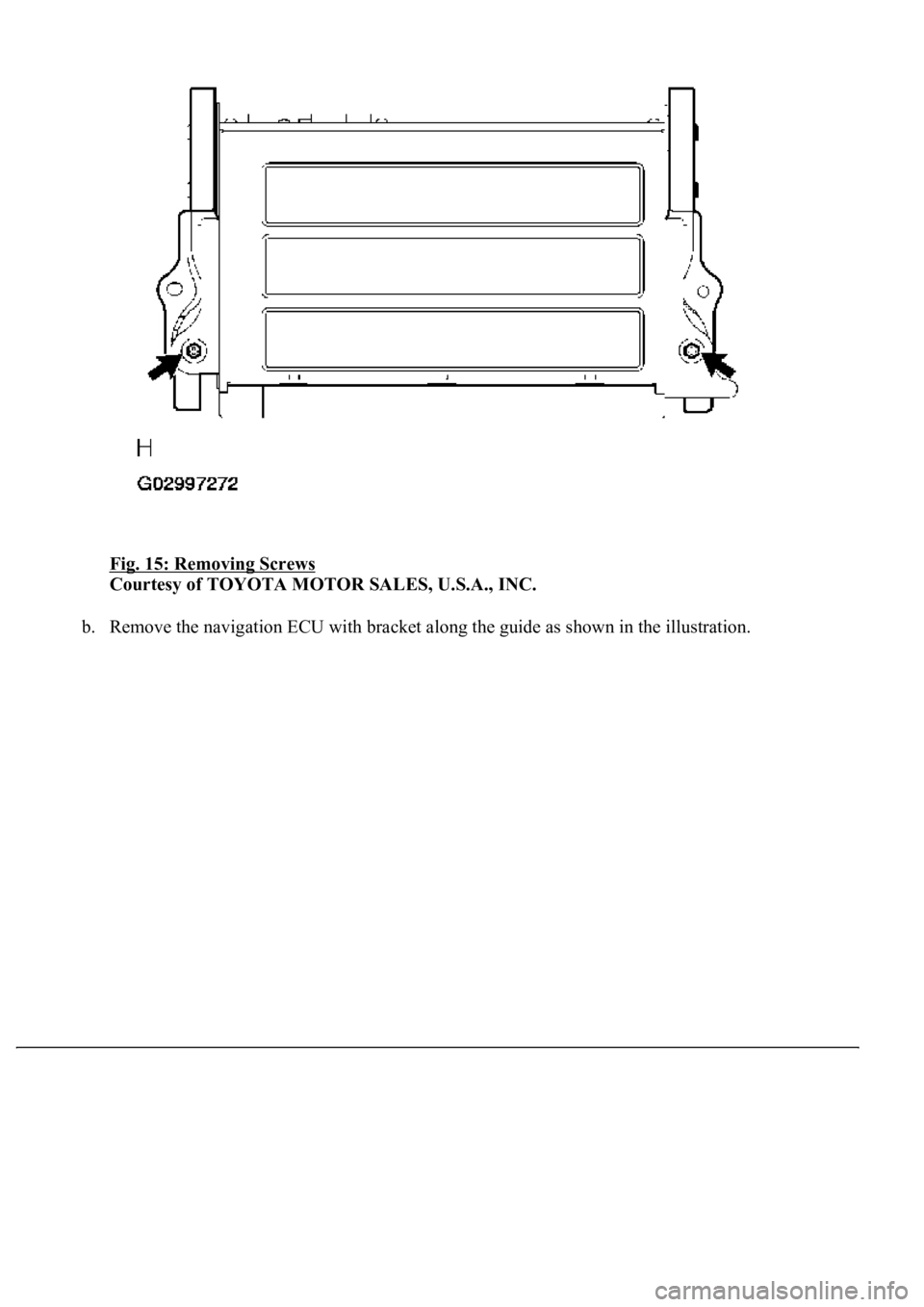
a. Remove the 2 screws.
Page 649 of 4500
Fig. 15: Removing Screws
Courtesy of TOYOTA MOTOR SALES, U.S.A., INC.
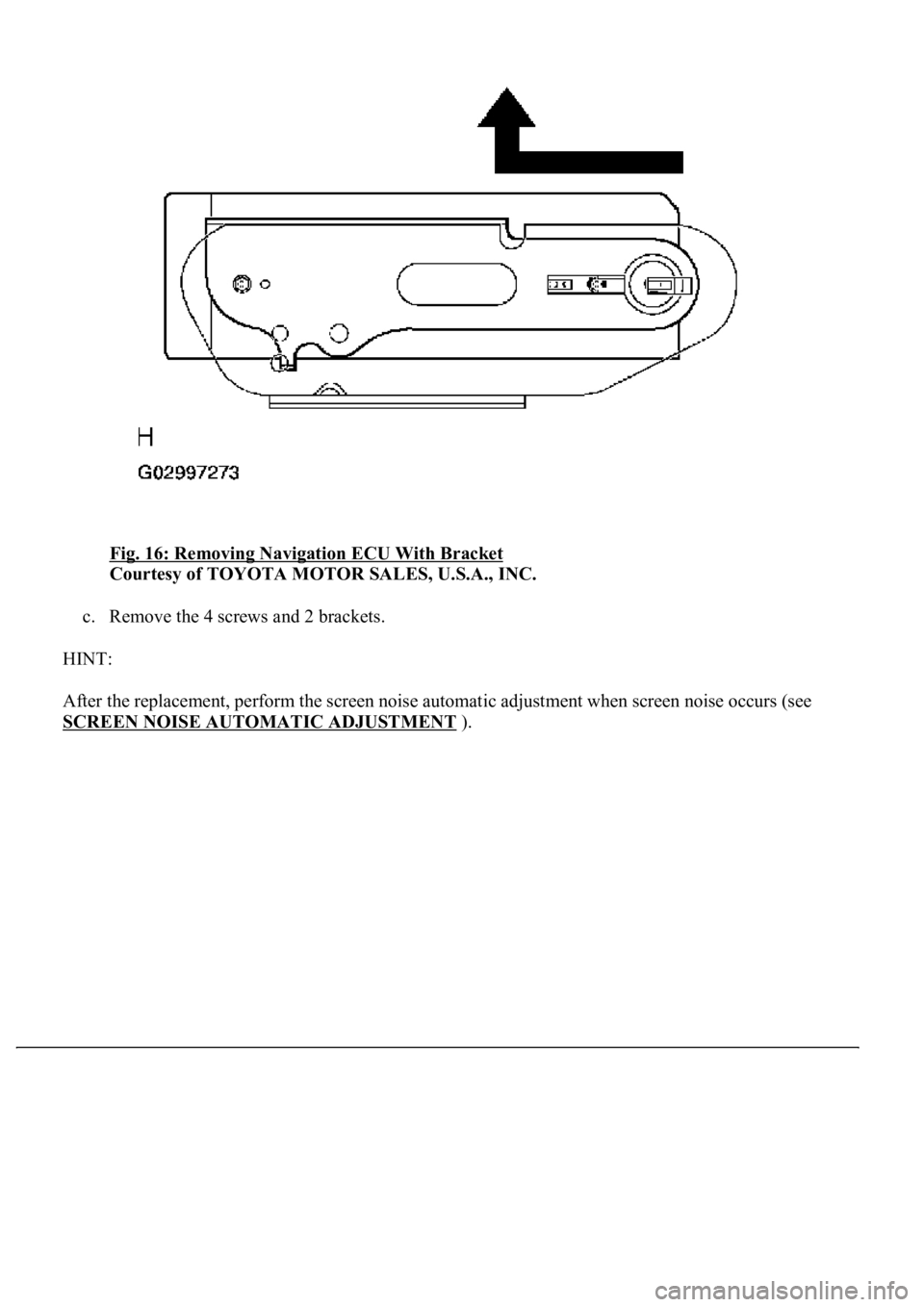
b. Remove the navigation ECU with bracket along the guide as shown in the illustration.
Page 650 of 4500
Fig. 16: Removing Navigation ECU With Bracket
Courtesy of TOYOTA MOTOR SALES, U.S.A., INC.
c. Remove the 4 screws and 2 brackets.
HINT:
After the replacement, perform the screen noise automatic adjustment when screen noise occurs (see
SCREEN NOISE AUTOMATIC ADJUSTMENT
).
Page 657 of 4500
Fig. 23: Removing Clips And Luggage Compartment Trim Cover Assy RH
Courtesy of TOYOTA MOTOR SALES, U.S.A., INC.
6.REMOVE NAVIGATION ECU W/BRACKET (W/ LEXUS NAVIGATION SYSTEM) (See
REPLACEMENT
)
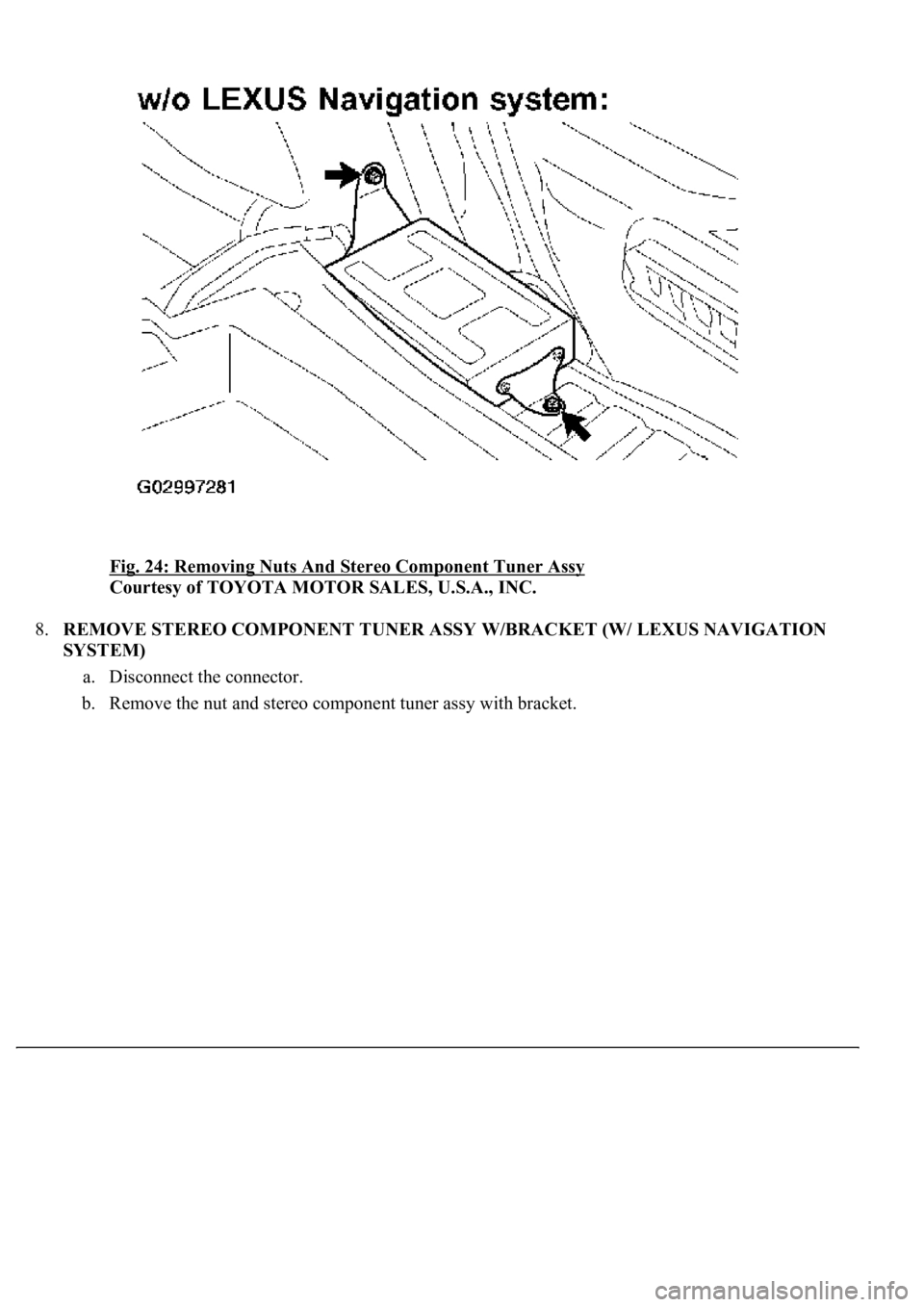
7.REMOVE STEREO COMPONENT TUNER ASSY W/BRACKET (W/O LEXUS NAVIGATION
SYSTEM)
a. Disconnect the connector.
b. Remove the 2 nuts and stereo component tuner assy with bracket.
Page 658 of 4500
Fig. 24: Removing Nuts And Stereo Component Tuner Assy
Courtesy of TOYOTA MOTOR SALES, U.S.A., INC.
8.REMOVE STEREO COMPONENT TUNER ASSY W/BRACKET (W/ LEXUS NAVIGATION
SYSTEM)
a. Disconnect the connector.
b. Remove the nut and stereo component tuner assy with bracket.
Page 690 of 4500
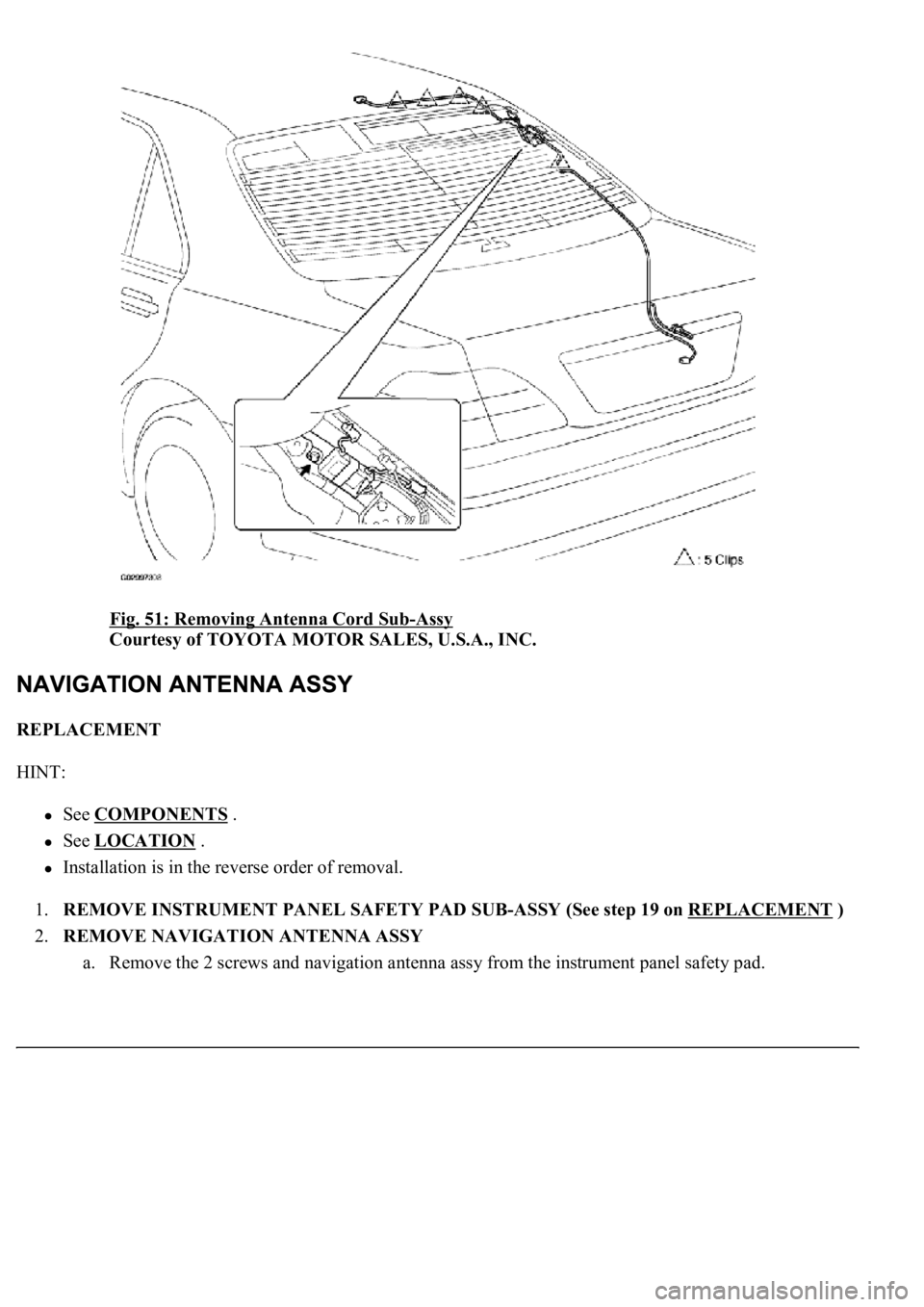
Fig. 51: Removing Antenna Cord Sub-Assy
Courtesy of TOYOTA MOTOR SALES, U.S.A., INC.
REPLACEMENT
HINT:
See COMPONENTS .
See LOCATION .
Installation is in the reverse order of removal.
1.REMOVE INSTRUMENT PANEL SAFETY PAD SUB-ASSY (See step 19 on REPLACEMENT
)
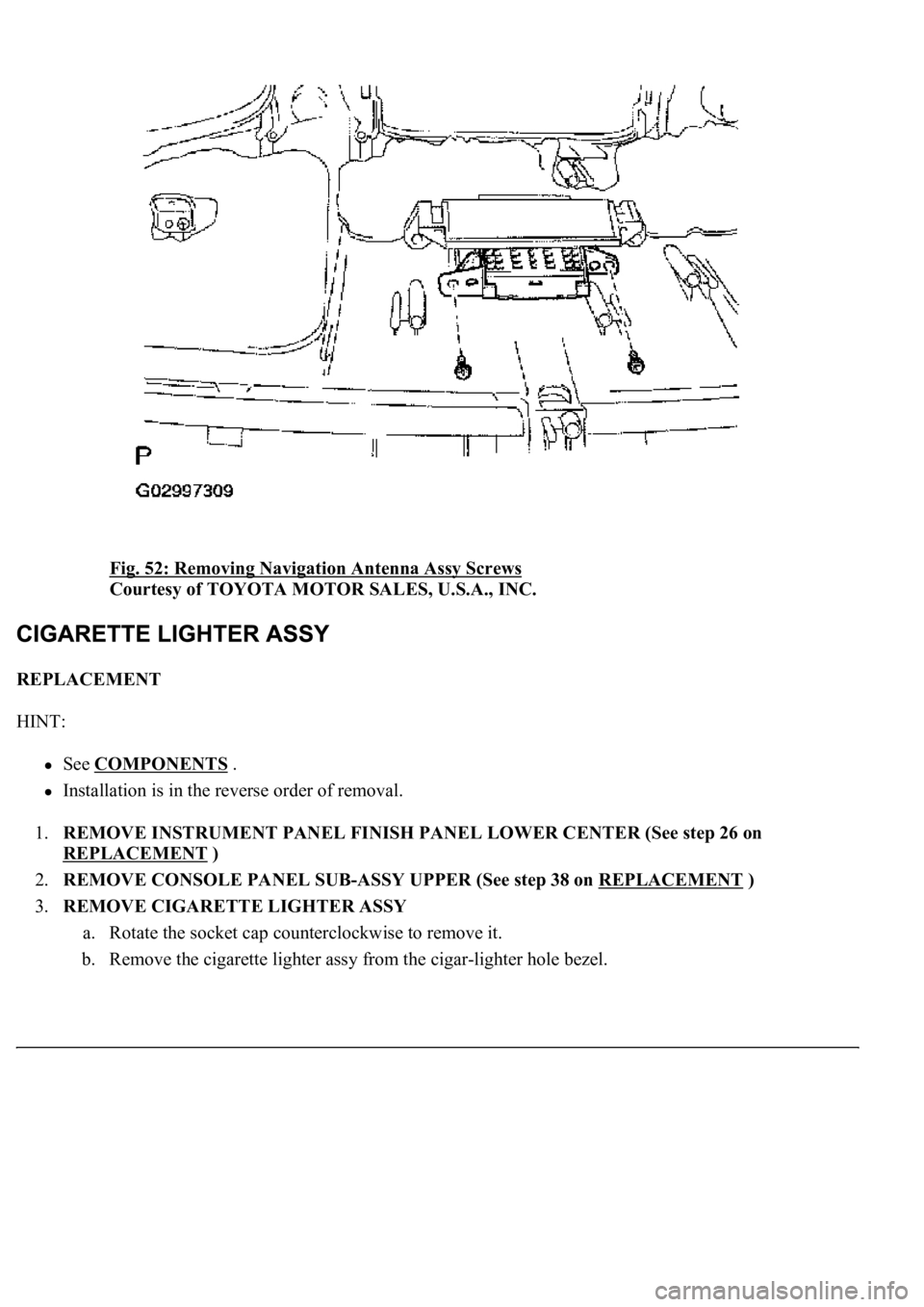
2.REMOVE NAVIGATION ANTENNA ASSY
a. Remove the 2 screws and navigation antenna assy from the instrument panel safety pad.
Page 691 of 4500
Fig. 52: Removing Navigation Antenna Assy Screws
Courtesy of TOYOTA MOTOR SALES, U.S.A., INC.
REPLACEMENT
HINT:
See COMPONENTS .
Installation is in the reverse order of removal.
1.REMOVE INSTRUMENT PANEL FINISH PANEL LOWER CENTER (See step 26 on
REPLACEMENT
)
2.REMOVE CONSOLE PANEL SUB-ASSY UPPER (See step 38 on REPLACEMENT
)
3.REMOVE CIGARETTE LIGHTER ASSY
a. Rotate the socket cap counterclockwise to remove it.
b. Remove the cigarette lighter assy from the cigar-lighter hole bezel.