reset LEXUS LS430 2003 Factory User Guide
[x] Cancel search | Manufacturer: LEXUS, Model Year: 2003, Model line: LS430, Model: LEXUS LS430 2003Pages: 4500, PDF Size: 87.45 MB
Page 1832 of 4500
OK:
Switch condition (ON/OFF) can be switched by actual operation.
NG: Go to step 2
OK: REPLACE COMBINATION METER ASSY (SEE OVERHAUL
)
2.INSPECT TRIP SWITCH
a. Disconnect the trip switch connector.
b. Measure the resistance according to the value (s) in the table below.
Standard
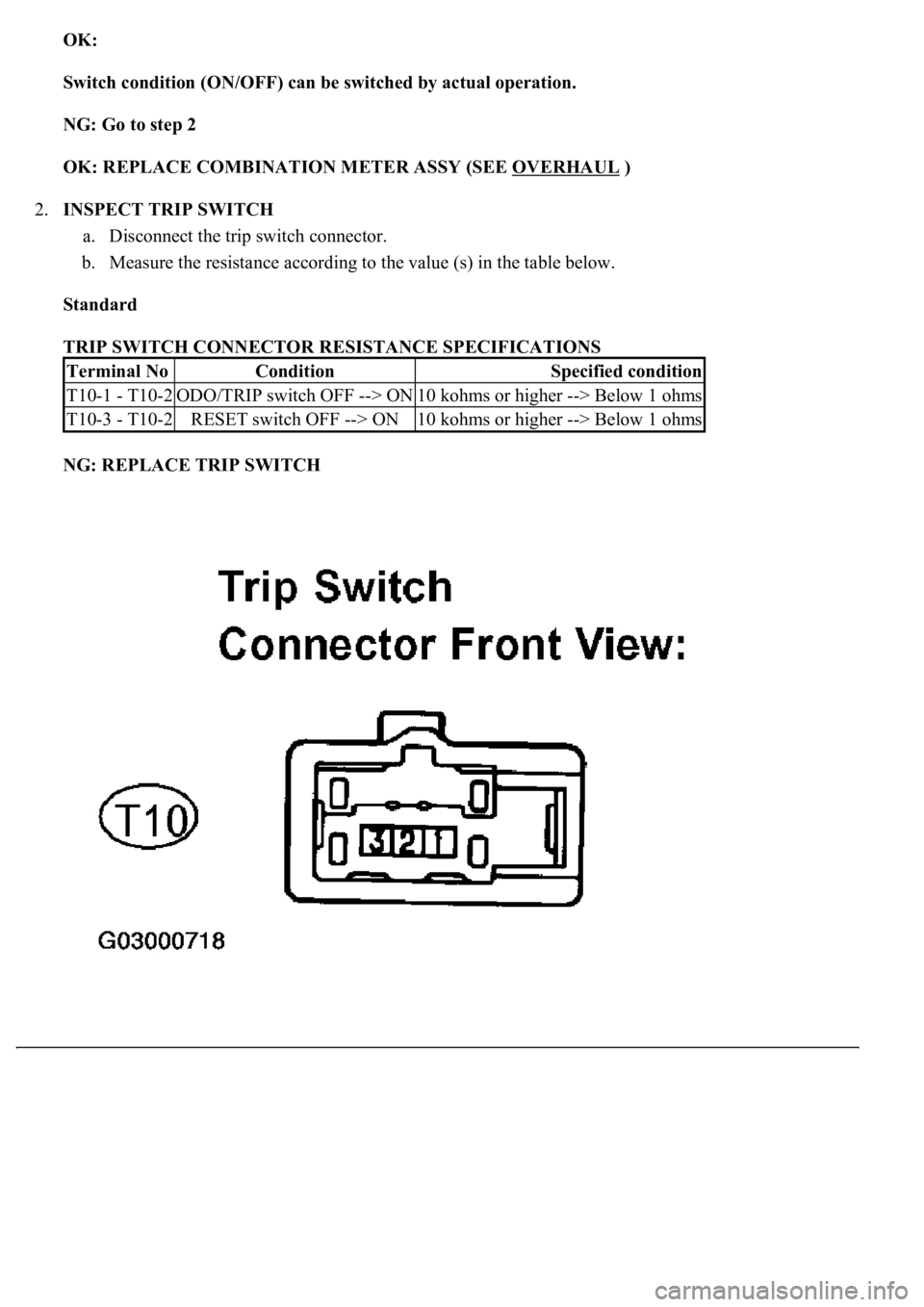
TRIP SWITCH CONNECTOR RESISTANCE SPECIFICATIONS
NG: REPLACE TRIP SWITCH
Terminal NoConditionSpecified condition
T10-1 - T10-2ODO/TRIP switch OFF --> ON10 kohms or higher --> Below 1 ohms
T10-3 - T10-2RESET switch OFF --> ON10 kohms or higher --> Below 1 ohms
Page 1848 of 4500
Standard:
Float down (switch on): Below 1 ohms
f. Pour the fluid back in the reservoir tank.
9.INSPECT WASHER LEVEL WARNING SWITCH
a. Disconnect the connector from the washer level warning switch.
b. Turn the ignition switch to the ON position.
c. Ground the terminal of the wire harness side connector, then check the washer level warning light.
OK:
Washer level warning light comes on.
10.MAINTENANCE LIQUID RESETTING PROCEDURE
a. Check that the display for ODO/TRIP shows no value (BLANK).
b. Turn the ignition switch off.
c. Pressing the reset switch, turn the ignition switch to the ON (keep pressing at least for 5 seconds).
d. The reset procedure is completed.
HINT:
During reset procedure:
"Mileage Reset" is displayed and the master warning light comes on with a buzzer sound.
Completion of reset procedure:
"Mileage Reset" and the master warning light go off.
If the ignition switch is turned off during reset procedure, reset mode is canceled.
If the reset switch is turned off during the reset procedure, reset mode is canceled and the display
shows the condition prior to the reset procedure.
If "Maint Reqd Soon" is displayed, it goes off 15 seconds after turning the ignition switch to the
ON position.
Page 1900 of 4500

SYSTEM NAME AND PAGE REFERENCE
1.Pay attention to the following points when inspecting the cruise control system.
a. Push the cruise control main switch ON-OFF button off when not using the cruise control.
b. Be careful of vehicle speed increase when driving downhill with the cruise control on.
c. RESUME/ACCEL operation, after canceling the cruise control, works as RESUME, and works as
ACCEL while the cruise control system is in operation.
d. Push the cruise control main switch ON-OFF button off and reset the cruise control if the CRUISE
main indicator light blinks while the cruise control system is in operation. When the cruise control
cannot be set by this procedure or cancelled immediately after setting, there may be a malfunction
in the system.
e. Do not use the cruise control system where the road conditions are as follows:
Heavy traffic
Steep downhill
Sharp turns
Icy or snowy roads
Slippery roads
System NameSee Procedure
Front Power Seat Control SystemINITIALIZATION
Page 1911 of 4500
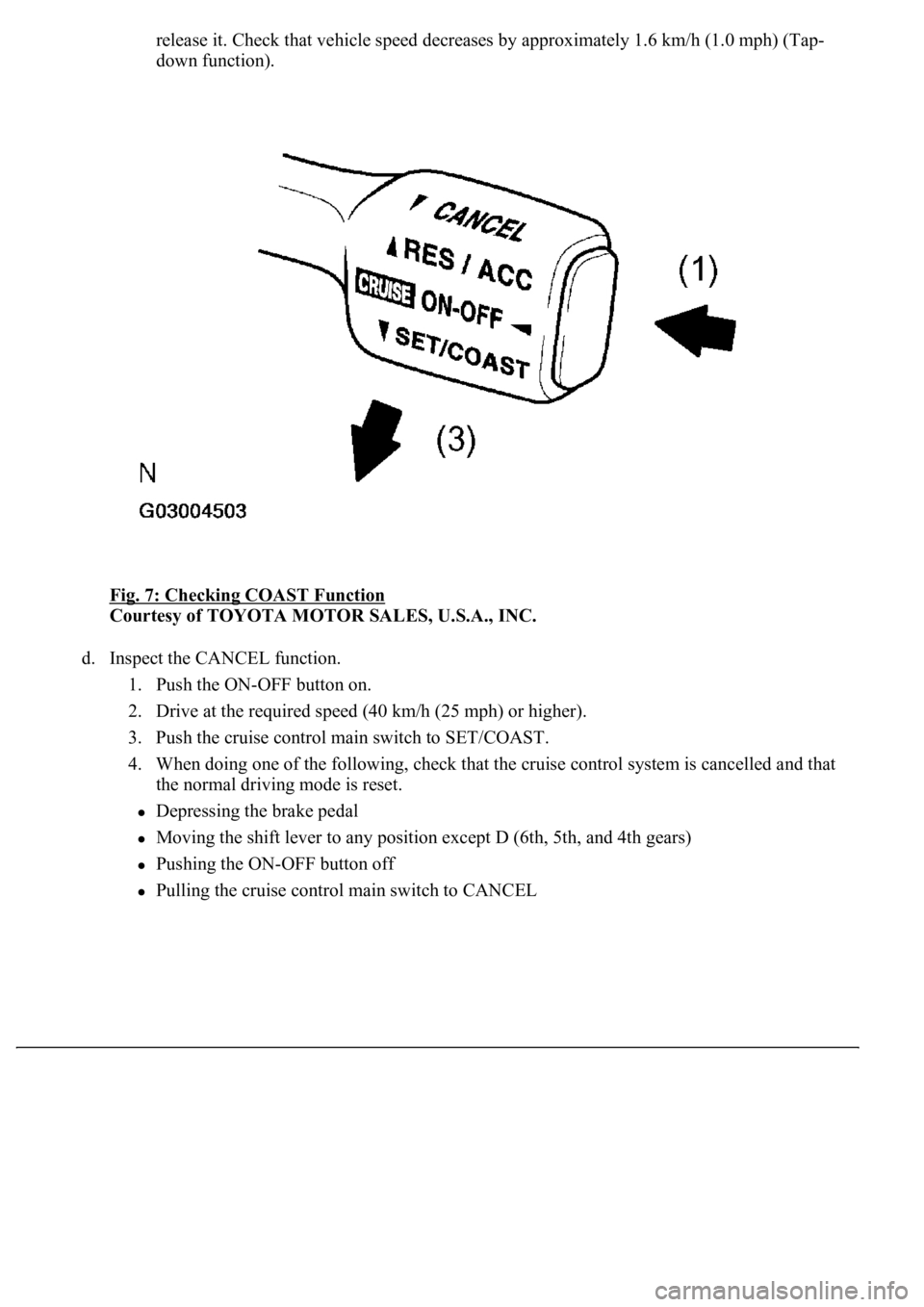
release it. Check that vehicle speed decreases by approximately 1.6 km/h (1.0 mph) (Tap-
down function).
Fig. 7: Checking COAST Function
Courtesy of TOYOTA MOTOR SALES, U.S.A., INC.
d. Inspect the CANCEL function.
1. Push the ON-OFF button on.
2. Drive at the required speed (40 km/h (25 mph) or higher).
3. Push the cruise control main switch to SET/COAST.
4. When doing one of the following, check that the cruise control system is cancelled and that
the normal driving mode is reset.
Depressing the brake pedal
Moving the shift lever to any position except D (6th, 5th, and 4th gears)
Pushing the ON-OFF button off
Pulling the cruise control main switch to CANCEL
Page 1912 of 4500
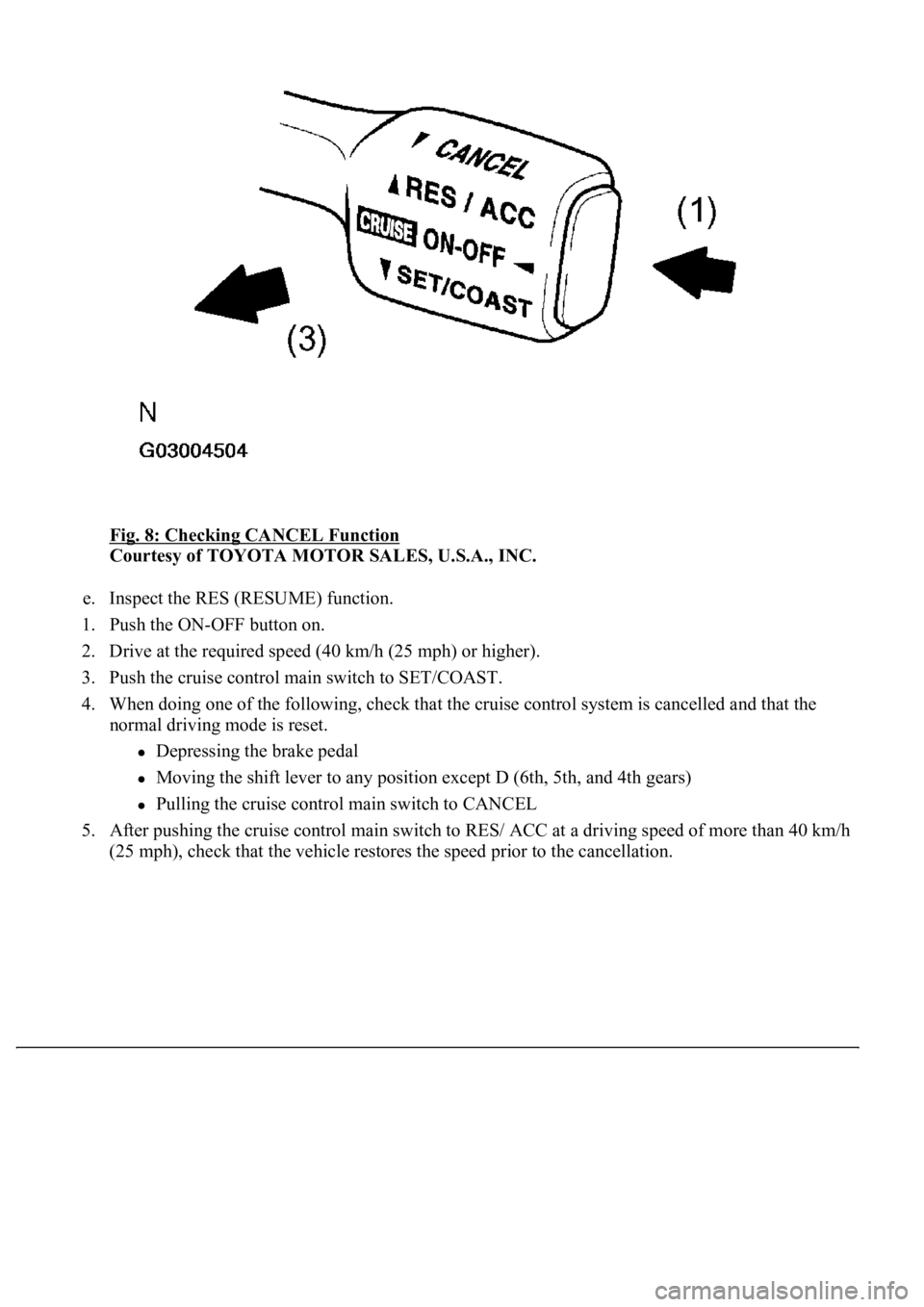
Fig. 8: Checking CANCEL Function
Courtesy of TOYOTA MOTOR SALES, U.S.A., INC.
e. Inspect the RES (RESUME) function.
1. Push the ON-OFF button on.
2. Drive at the required speed (40 km/h (25 mph) or higher).
3. Push the cruise control main switch to SET/COAST.
4. When doing one of the following, check that the cruise control system is cancelled and that the
normal driving mode is reset.
Depressing the brake pedal
Moving the shift lever to any position except D (6th, 5th, and 4th gears)
Pulling the cruise control main switch to CANCEL
5. After pushing the cruise control main switch to RES/ ACC at a driving speed of more than 40 km/h
(25 mph), check that the vehicle restores the speed prior to the cancellation.
Page 1983 of 4500
Courtesy of TOYOTA MOTOR SALES, U.S.A., INC.
HINT:
If the value does not change to 0°, it is possible that the sensor is aiming at something
different. Reconfirm that there are no reflective materials in the surroundings.
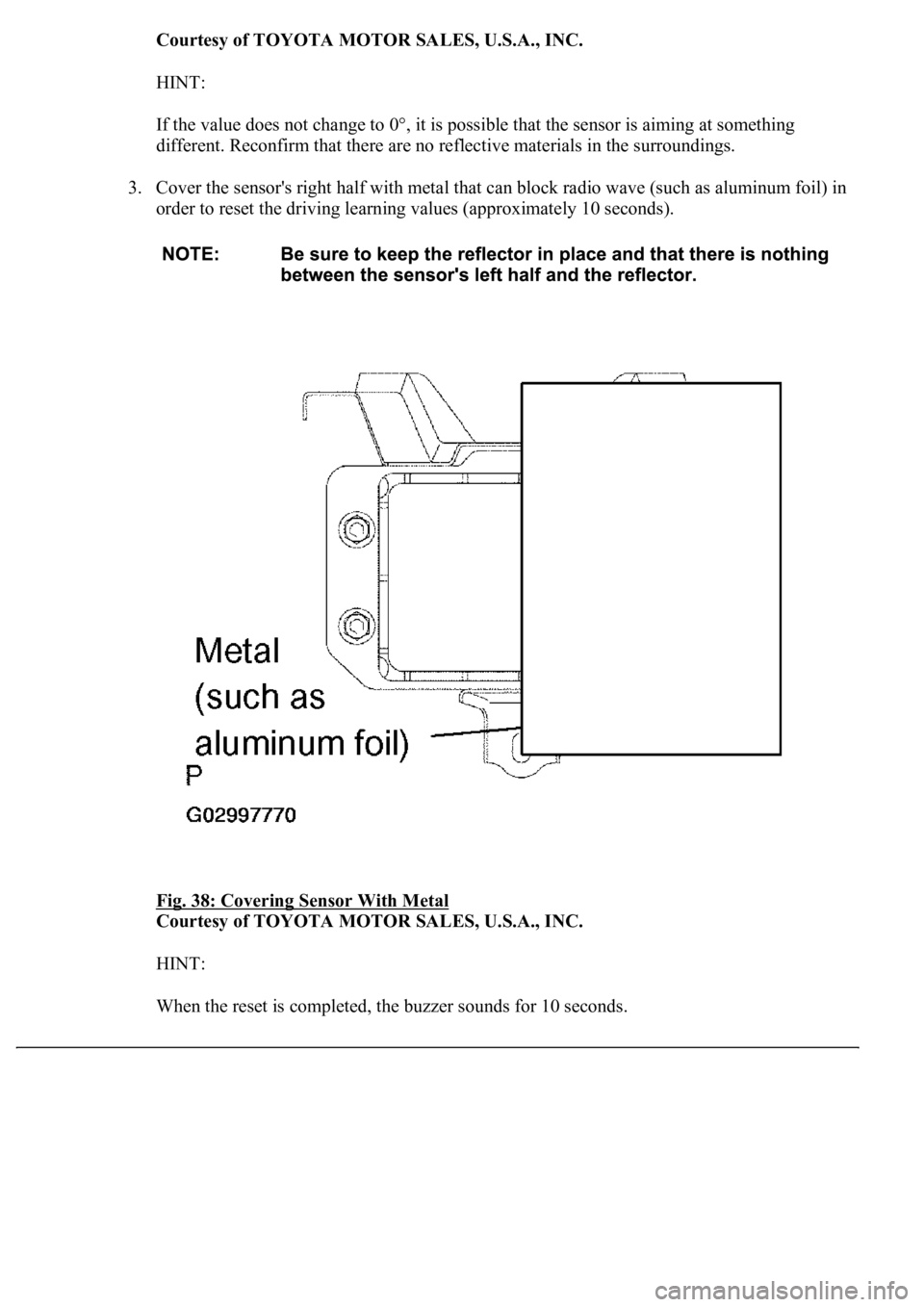
3. Cover the sensor's right half with metal that can block radio wave (such as aluminum foil) in
order to reset the driving learning values (approximately 10 seconds).
Fig. 38: Covering Sensor With Metal
Courtesy of TOYOTA MOTOR SALES, U.S.A., INC.
HINT:
When the reset is completed, the buzzer sounds for 10 seconds.
Page 2426 of 4500
PRECAUTION
SYSTEM NAME AND PAGE REFERENCE
Keep in mind the following points when inspecting the dynamic laser cruise control system.
As there is a limitation to the vehicle-to-vehicle distance controlling capability, do not overly rely on the
dynamic laser cruise control system.
Do not neglect to pay constant attention to the vehicle-to-vehicle distance and the traffic conditions when
using the dynamic laser cruise control system. Decelerate with the brake pedal, or accelerate with the
accelerator pedal, according to the situation, to keep an appropriate distance with the vehicle in front.
When the vehicle in front decelerates rapidly or another vehicle pulls out in front of the vehicle,
decelerating in time to avoid a collision may not be possible without additional braking.
The dynamic laser cruise control system is designed to assist in maintaining an appropriate distance with
the vehicle in front. However, the system alone is not sufficient. It is imperative that the driver pays
attention at all times.
The laser sensor has functions to automatically detect dirt on the sensor face and inform the driver, but it
is not perfect. Keep the sensor face clean.
The dynamic laser cruise control system does not work, or give vehicle-approaching warning, for vehicles
which are stopped or driving at significantly slower speeds. Always pay attention to those other vehicles.
The laser sensor detection area is narrow at close range, so detection of a vehicle pulling out just in front
may be delayed, or a motorcycle running on the side of the same lane may not be detected. The distance
to the vehicle in front may not be maintained properly due to these reasons.
Even if ACCEL is operated to increase the set vehicle speed, the vehicle does not accelerate because the
speed is controlled in accordance with the speed of the vehicle in front while driving with the vehicle-to-
vehicle distance control mode on (follow-up cruising). However, as the set vehicle speed has been
increased by ACCEL operation, the vehicle keeps accelerating when there is no vehicle in front. Check
the set speed with the set vehicle speed indication on the display.
The controlled vehicle distance may be shorter than the set vehicle distance when cruising on a long
downhill road.
Push the cruise control main switch ON-OFF button off and reset the cruise control if the master warning
light comes on, the CRUISE main indicator light blinks, and the fail indication is shown on the display
with a "pong" sound during dynamic laser cruise control operation.
System NameSee Procedure
Front Power Seat Control SystemINITIALIZATION
Page 2444 of 4500
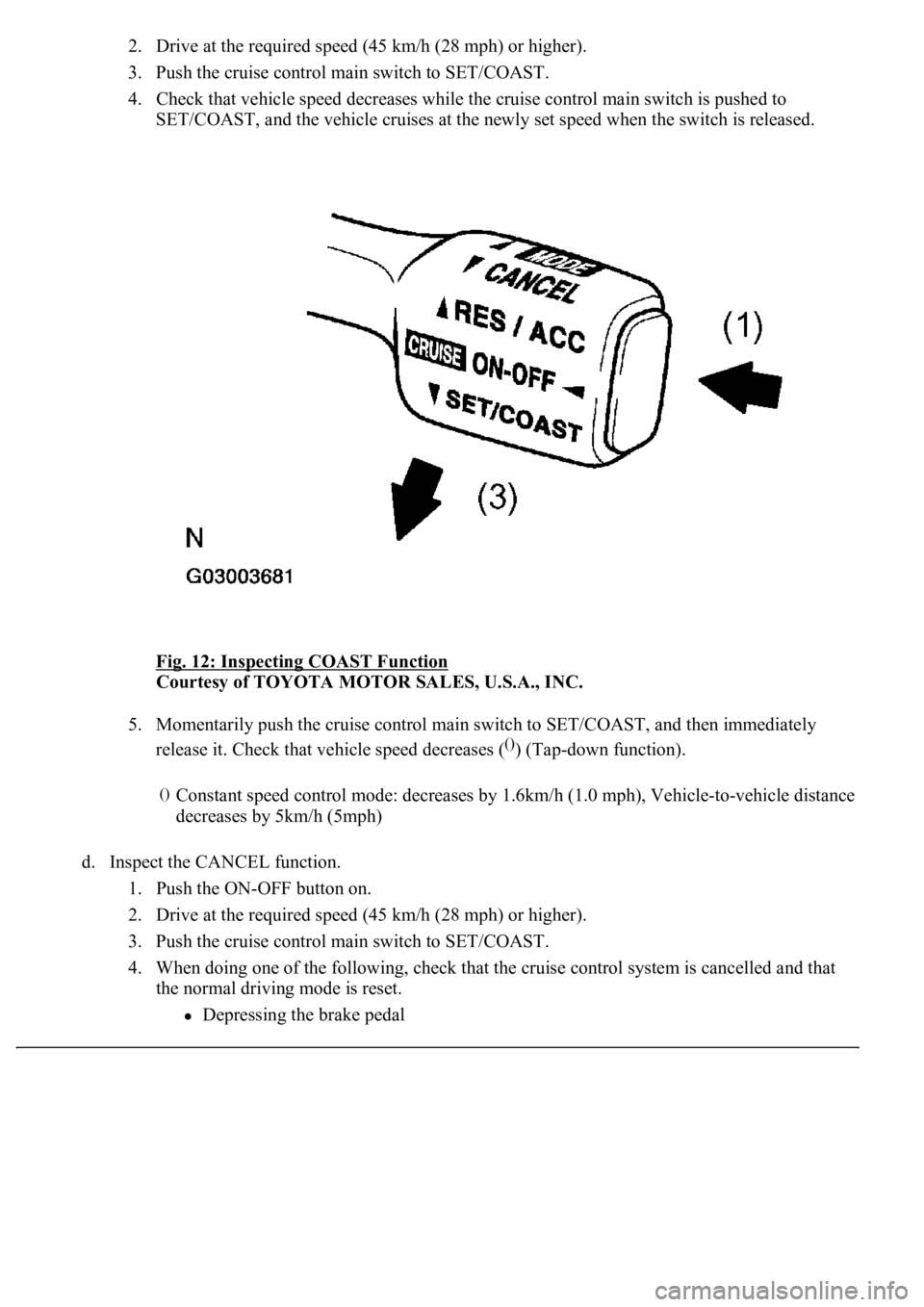
2. Drive at the required speed (45 km/h (28 mph) or higher).
3. Push the cruise control main switch to SET/COAST.
4. Check that vehicle speed decreases while the cruise control main switch is pushed to
SET/COAST, and the vehicle cruises at the newly set speed when the switch is released.
Fig. 12: Inspecting COAST Function
Courtesy of TOYOTA MOTOR SALES, U.S.A., INC.
5. Momentarily push the cruise control main switch to SET/COAST, and then immediately
release it. Check that vehicle speed decreases (
()) (Tap-down function).
d. Inspect the CANCEL function.
1. Push the ON-OFF button on.
2. Drive at the required speed (45 km/h (28 mph) or higher).
3. Push the cruise control main switch to SET/COAST.
4. When doing one of the following, check that the cruise control system is cancelled and that
the normal driving mode is reset.
Depressing the brake pedal
()Constant speed control mode: decreases by 1.6km/h (1.0 mph), Vehicle-to-vehicle distance
decreases by 5km/h (5mph)
Page 2445 of 4500
<003000520059004c0051004a00030057004b004800030056004b004c004900570003004f0048005900480055000300570052000300440051005c0003005300520056004c0057004c0052005100030048005b0046004800530057000300270003000b001900
57004b000f000300180057004b000f00030044005100470003[4th gears)
Pushing the ON-OFF button off
Pulling the cruise control main switch to CANCEL
Fig. 13: Inspecting CANCEL Function
Courtesy of TOYOTA MOTOR SALES, U.S.A., INC.
e. Inspect the RES (RESUME) function.
1. Push the ON-OFF button on.
2. Drive at the required speed (40 km/h (25 mph) or higher).
3. Push the cruise control main switch to SET/COAST.
4. When doing one of the following, check that the cruise control system is cancelled and that
the normal driving mode is reset.
Depressing the brake pedal
<003000520059004c0051004a00030057004b004800030056004b004c004900570003004f0048005900480055000300570052000300440051005c0003005300520056004c0057004c0052005100030048005b0046004800530057000300270003000b001900
57004b000f000300180057004b000f00030044005100470003[4th gears)
Pulling the cruise control main switch to CANCEL
5. After pushing the cruise control main switch to RES/ACC at a driving speed of more than 40
km/h (25 mph), check that the vehicle restores the speed prior to the cancellation.
HINT:
Page 2526 of 4500
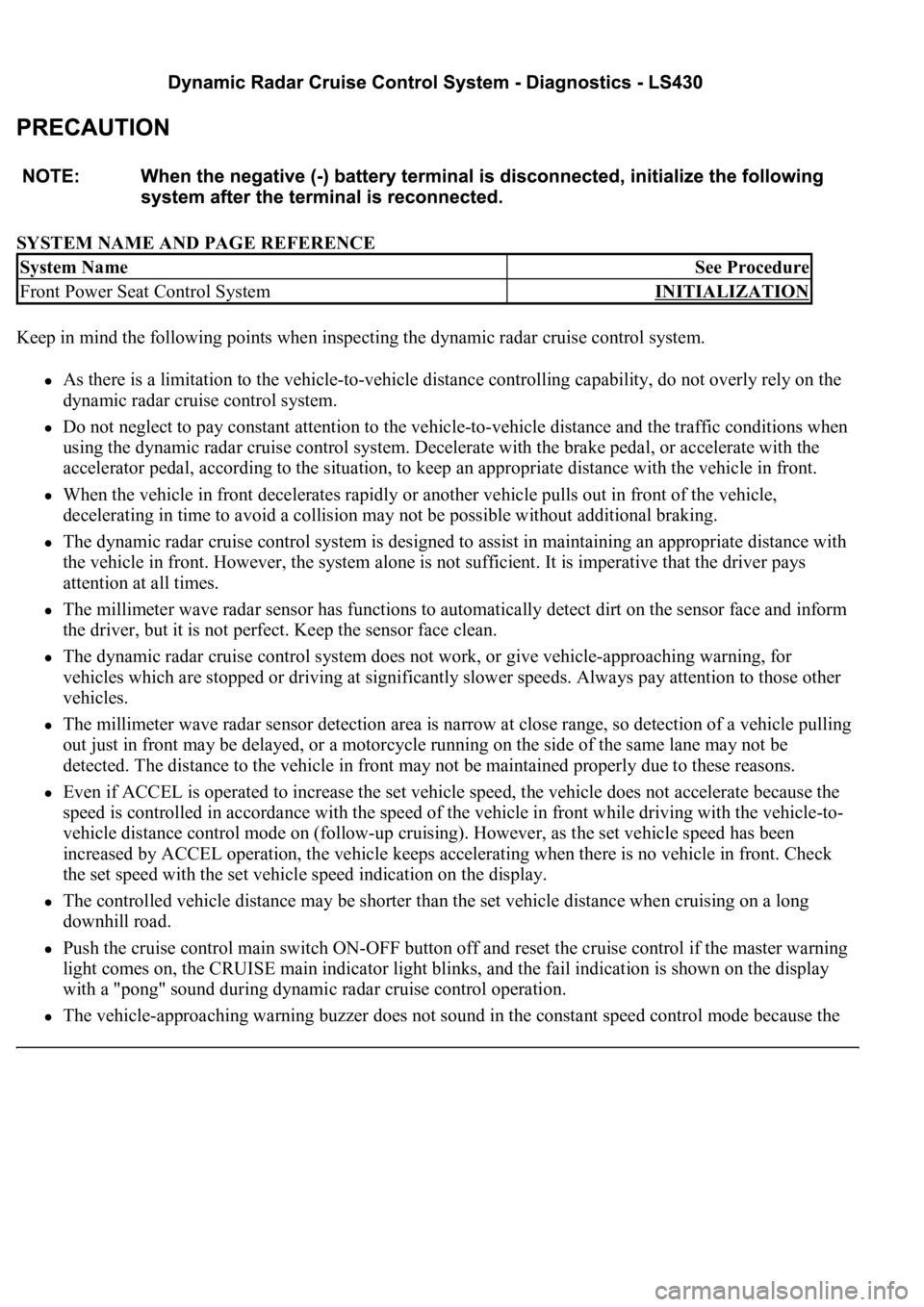
SYSTEM NAME AND PAGE REFERENCE
Keep in mind the following points when inspecting the dynamic radar cruise control system.
As there is a limitation to the vehicle-to-vehicle distance controlling capability, do not overly rely on the
dynamic radar cruise control system.
Do not neglect to pay constant attention to the vehicle-to-vehicle distance and the traffic conditions when
using the dynamic radar cruise control system. Decelerate with the brake pedal, or accelerate with the
accelerator pedal, according to the situation, to keep an appropriate distance with the vehicle in front.
When the vehicle in front decelerates rapidly or another vehicle pulls out in front of the vehicle,
decelerating in time to avoid a collision may not be possible without additional braking.
The dynamic radar cruise control system is designed to assist in maintaining an appropriate distance with
the vehicle in front. However, the system alone is not sufficient. It is imperative that the driver pays
attention at all times.
The millimeter wave radar sensor has functions to automatically detect dirt on the sensor face and inform
the driver, but it is not perfect. Keep the sensor face clean.
The dynamic radar cruise control system does not work, or give vehicle-approaching warning, for
vehicles which are stopped or driving at significantly slower speeds. Always pay attention to those other
vehicles.
The millimeter wave radar sensor detection area is narrow at close range, so detection of a vehicle pulling
out just in front may be delayed, or a motorcycle running on the side of the same lane may not be
detected. The distance to the vehicle in front may not be maintained properly due to these reasons.
Even if ACCEL is operated to increase the set vehicle speed, the vehicle does not accelerate because the
speed is controlled in accordance with the speed of the vehicle in front while driving with the vehicle-to-
vehicle distance control mode on (follow-up cruising). However, as the set vehicle speed has been
increased by ACCEL operation, the vehicle keeps accelerating when there is no vehicle in front. Check
the set speed with the set vehicle speed indication on the display.
The controlled vehicle distance may be shorter than the set vehicle distance when cruising on a long
downhill road.
Push the cruise control main switch ON-OFF button off and reset the cruise control if the master warning
light comes on, the CRUISE main indicator light blinks, and the fail indication is shown on the display
with a "pong" sound during dynamic radar cruise control operation.
The vehicle-approaching warning buzzer does not sound in the constant speed control mode because the
System NameSee Procedure
Front Power Seat Control SystemINITIALIZATION