ECO LEXUS LS500 2019 Owners Manual
[x] Cancel search | Manufacturer: LEXUS, Model Year: 2019, Model line: LS500, Model: LEXUS LS500 2019Pages: 512, PDF Size: 9.71 MB
Page 209 of 512
2094-5. Using the driving support systems
LS500_OM_(U)_1810 4
Driving ●
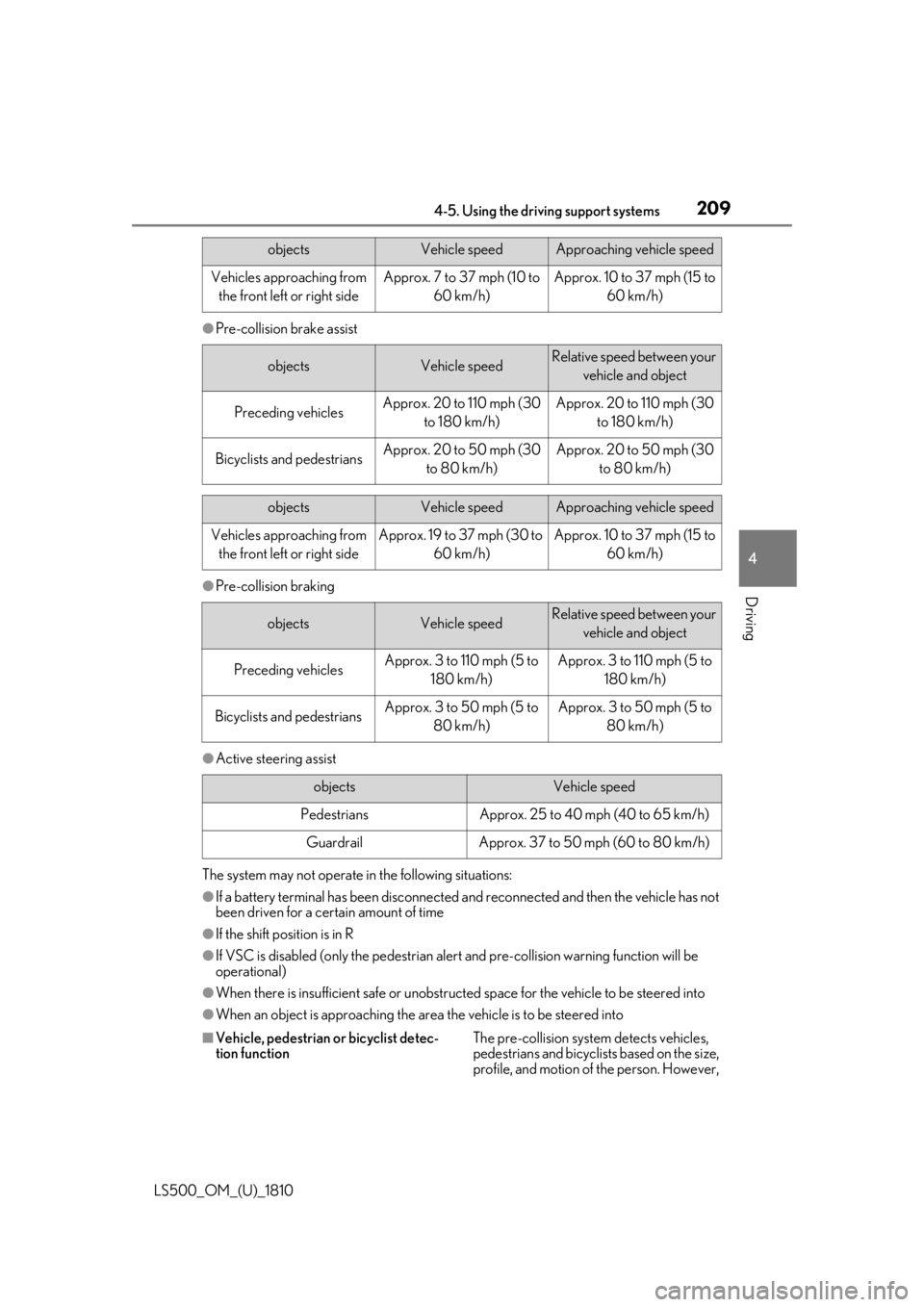
Pre-collision brake assist
●
Pre-collision braking
●
Active steering assist
The system may not operate in the following situations:
●
If a battery terminal has been disconnected and reconnected and then the vehicle has not
been driven for a certain amount of time
●
If the shift position is in R
●
If VSC is disabled (only the pedestrian alert and pre-collision warning function will be
operational)
●
When there is insufficient safe or unobstructed space for the vehicle to be steered into
●
When an object is approaching the area the vehicle is to be steered into
■
Vehicle, pedestrian or bicyclist detec-
tion function The pre-collision system detects vehicles,
pedestrians and bicyclists based on the size,
profile, and motion of the person. However, objects Vehicle speed Approaching vehicle speed
Vehicles approaching from
the front left or right side Approx. 7 to 37 mph (10 to
60 km/h) Approx. 10 to 37 mph (15 to
60 km/h)
objects Vehicle speed Relative speed between your
vehicle and object
Preceding vehicles Approx. 20 to 110 mph (30
to 180 km/h) Approx. 20 to 110 mph (30
to 180 km/h)
Bicyclists and pedestrians Approx. 20 to 50 mph (30
to 80 km/h) Approx. 20 to 50 mph (30
to 80 km/h)
objects Vehicle speed Approaching vehicle speed
Vehicles approaching from
the front left or right side Approx. 19 to 37 mph (30 to
60 km/h) Approx. 10 to 37 mph (15 to
60 km/h)
objects Vehicle speed Relative speed between your
vehicle and object
Preceding vehicles Approx. 3 to 110 mph (5 to
180 km/h) Approx. 3 to 110 mph (5 to
180 km/h)
Bicyclists and pedestrians Approx. 3 to 50 mph (5 to
80 km/h) Approx. 3 to 50 mph (5 to
80 km/h)
objects Vehicle speed
Pedestrians Approx. 25 to 40 mph (40 to 65 km/h)
Guardrail Approx. 37 to 50 mph (60 to 80 km/h)
Page 213 of 512
2134-5. Using the driving support systems
LS500_OM_(U)_1810 4
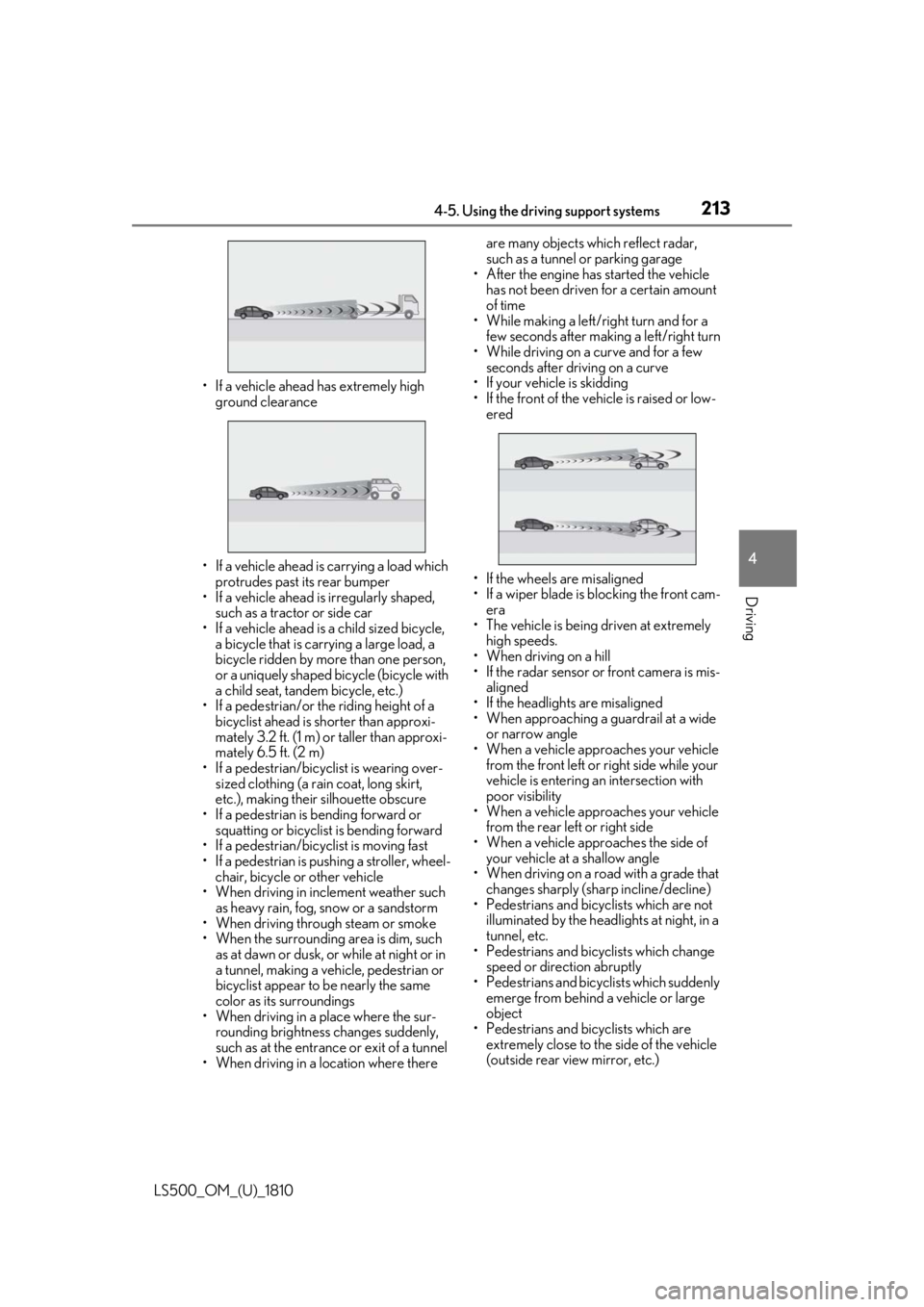
Driving • If a vehicle ahead has extremely high
ground clearance
• If a vehicle ahead is carrying a load which
protrudes past its rear bumper
• If a vehicle ahead is irregularly shaped,
such as a tractor or side car
• If a vehicle ahead is a child sized bicycle,
a bicycle that is carrying a large load, a
bicycle ridden by more than one person,
or a uniquely shaped bicycle (bicycle with
a child seat, tandem bicycle, etc.)
• If a pedestrian/or the riding height of a
bicyclist ahead is shorter than approxi-
mately 3.2 ft. (1 m) or taller than approxi-
mately 6.5 ft. (2 m)
• If a pedestrian/bicyclist is wearing over-
sized clothing (a rain coat, long skirt,
etc.), making their silhouette obscure
• If a pedestrian is bending forward or
squatting or bicyclist is bending forward
• If a pedestrian/bicyclist is moving fast
• If a pedestrian is pushing a stroller, wheel-
chair, bicycle or other vehicle
• When driving in incl ement weather such
as heavy rain, fog, snow or a sandstorm
• When driving through steam or smoke
• When the surrounding area is dim, such
as at dawn or dusk, or while at night or in
a tunnel, making a vehicle, pedestrian or
bicyclist appear to be nearly the same
color as its surroundings
• When driving in a place where the sur-
rounding brightness changes suddenly,
such as at the entrance or exit of a tunnel
• When driving in a lo cation where there are many objects which reflect radar,
such as a tunnel or parking garage
• After the engine has started the vehicle
has not been driven for a certain amount
of time
• While making a left/r ight turn and for a
few seconds after making a left/right turn
• While driving on a curve and for a few
seconds after driving on a curve
• If your vehicle is skidding
• If the front of the vehicle is raised or low-
ered
• If the wheels are misaligned
• If a wiper blade is blocking the front cam-
era
• The vehicle is being driven at extremely
high speeds.
• When driving on a hill
• If the radar sensor or front camera is mis-
aligned
• If the headlights are misaligned
• When approaching a guardrail at a wide
or narrow angle
• When a vehicle approaches your vehicle
from the front left or right side while your
vehicle is entering an intersection with
poor visibility
• When a vehicle approaches your vehicle
from the rear left or right side
• When a vehicle approaches the side of
your vehicle at a shallow angle
• When driving on a road with a grade that
changes sharply (sha rp incline/decline)
• Pedestrians and bicyclists which are not
illuminated by the head lights at night, in a
tunnel, etc.
• Pedestrians and bicyclists which change
speed or direction abruptly
• Pedestrians and bicyclists which suddenly
emerge from behind a vehicle or large
object
• Pedestrians and bicyclists which are
extremely close to the side of the vehicle
(outside rear view mirror, etc.)
Page 216 of 512
216 4-5. Using the driving support systems
LS500_OM_(U)_1810 the Adaptive Variable Suspension Sys-
tem ( P.295) will control the damp-
ing force of the shock absorbers to
help maintain an appropriate vehicle
posture. ■
Steering control
When the system determines that the
possibility of a frontal collision is high
and the driver is operating the steering
wheel, the LDH system ( P.295) will
control the turning angle of the front
and rear wheels and effort necessary
to turn the steering wheel to help
enhance steering responsiveness. WARNING■
Limitations of the pre-collision system●
The driver is solely responsible for safe
driving. Always drive safely, taking
care to observe your surroundings.
Do not use the pre-collision system
instead of normal braking operations
under any circumstances. This system
will not prevent collisions or lessen col-
lision damage or injury in every situa-
tion. Do not overly rely on this system.
Failure to do so may lead to an acci-
dent, resulting in death or serious
injury.
●
Although this system is designed to
help avoid a collision or help reduce
the impact of the coll ision, its effective-
ness may change according to various
conditions, therefore the system may
not always be able to achieve the same
level of performance.
Read the following conditions care-
fully. Do not overly rely on this system
and always drive carefully.
• Conditions under which the system
may operate even if there is no possi-
bility of a collision: P.219
• Conditions under which the system
may not operate properly: P.220 ●
Do not attempt to test the operation of
the pre-collision system yourself.
Depending on the objects used for
testing (dummies, cardboard objects
imitating detectable objects, etc.), the
system may not operate properly, pos-
sibly leading to an accident. ■
Pre-collision braking ●
When the pre-collision braking func-
tion is operating, a large amount of
braking force will be applied. ●
If the vehicle is stopped by the opera-
tion of the pre-collision braking func-
tion, the pre-collision braking function
operation will be canceled after
approximately 2 seco nds. Depress the
brake pedal as necessary. ●
The pre-collision braking function may
not operate if certain operations are
performed by the driver. If the acceler-
ator pedal is being depressed strongly
or the steering wheel is being turned,
the system may determine that the
driver is taking evasive action and pos-
sibly prevent the pre-collision braking
function from operating. ●
In some situations, while the pre-colli-
sion braking function is operating,
operation of the function may be can-
celed if the accelerator pedal is
depressed strongly or the steering
wheel is turned and the system deter-
mines that the driver is taking evasive
action.
●
If the brake pedal is being depressed,
the system may determine that the
driver is taking evasive action and pos-
sibly delay the operat ion timing of the
pre-collision braking function.
■
When to disable the pre-collision sys-
tem
In the following situations, disable the
system, as it may not operate properly,
possibly leading to an accident resulting
in death or serious injury:
●
When the vehicle is being towed
Page 219 of 512
2194-5. Using the driving support systems
LS500_OM_(U)_1810 4
Driving ●
Pre-collision braking
The system may not operate in the following situations: ●
If a battery terminal has been disconnected and reconnected and then the vehicle has not
been driven for a certain amount of time●
If the shift position is in R●
When the VSC OFF indicator is illuminated (only the pre-collision warning function will
be operational)■
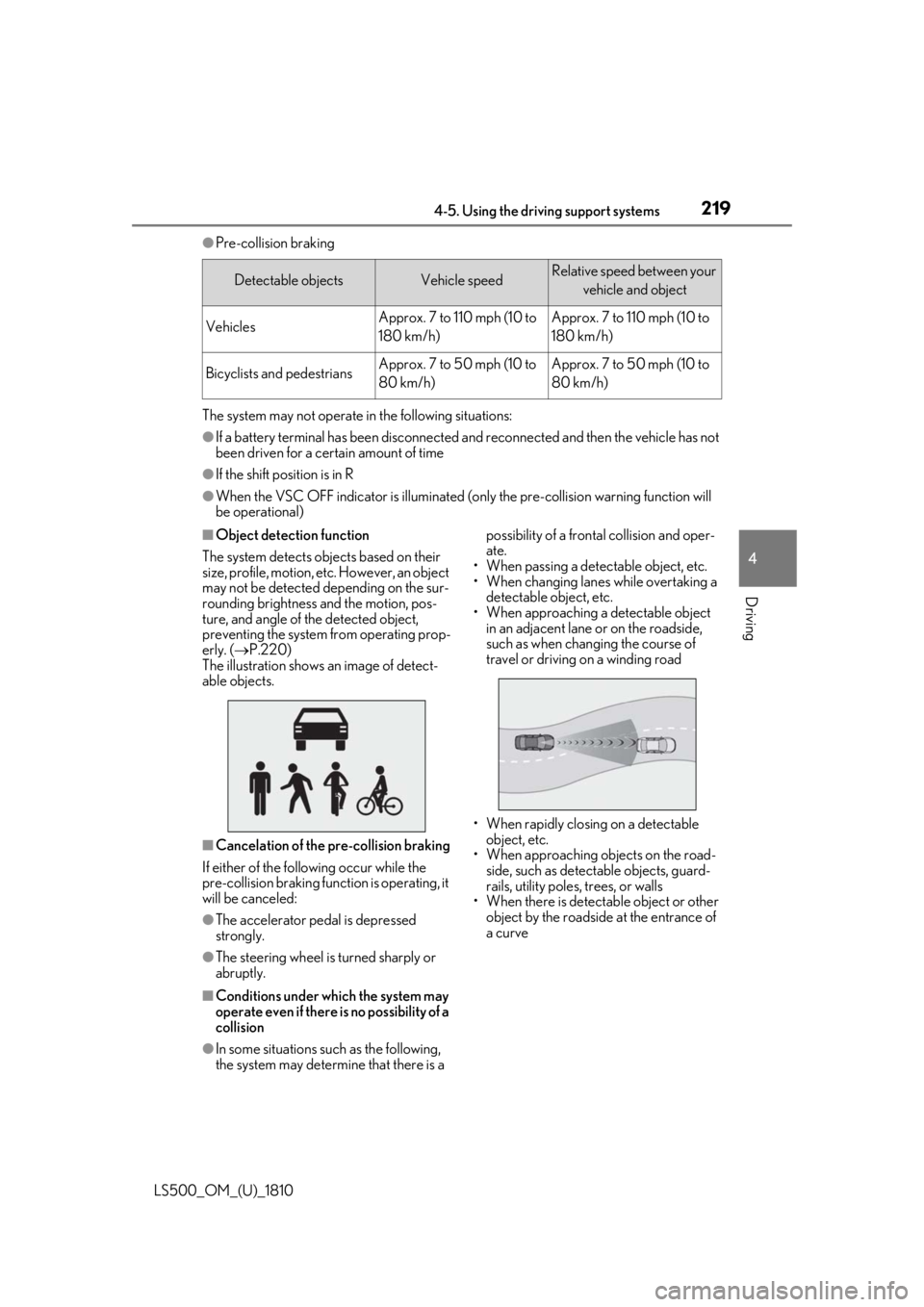
Object detection function
The system detects ob jects based on their
size, profile, motion, etc. However, an object
may not be detected depending on the sur-
rounding brightness and the motion, pos-
ture, and angle of the detected object,
preventing the system from operating prop-
erly. ( P.220)
The illustration shows an image of detect-
able objects.
■
Cancelation of the pre-collision braking
If either of the following occur while the
pre-collision braking function is operating, it
will be canceled:
●
The accelerator pedal is depressed
strongly.
●
The steering wheel is turned sharply or
abruptly.
■
Conditions under which the system may
operate even if there is no possibility of a
collision
●
In some situations such as the following,
the system may determine that there is a possibility of a frontal collision and oper-
ate.
• When passing a detectable object, etc.
• When changing lanes while overtaking a
detectable object, etc.
• When approaching a detectable object
in an adjacent lane or on the roadside,
such as when changing the course of
travel or driving on a winding road
• When rapidly closing on a detectable
object, etc.
• When approaching objects on the road-
side, such as detectable objects, guard-
rails, utility poles, trees, or walls
• When there is detectable object or other
object by the roadside at the entrance of
a curveDetectable objects Vehicle speed Relative speed between your
vehicle and object
Vehicles Approx. 7 to 110 mph (10 to
180 km/h) Approx. 7 to 110 mph (10 to
180 km/h)
Bicyclists and pedestrians Approx. 7 to 50 mph (10 to
80 km/h) Approx. 7 to 50 mph (10 to
80 km/h)
Page 221 of 512
2214-5. Using the driving support systems
LS500_OM_(U)_1810 4
Driving • When a detectable object is near a wall,
fence, guardrail, manhole cover, vehicle,
steel plate on the road, etc.
• When a detectable object is under a
structure
•When part of a detect able object is hid-
den by an object, such as large baggage,
an umbrella, or guardrail
• When multiple dete ctable objects are
close together
• If the sun or other light is shining directly
on a detectable object
• When a detectable object is a shade of
white and looks extremely bright
• When a detectable object appears to be
nearly the same color or brightness as its
surroundings
• If a detectable object cuts or suddenly
emerges in front of your vehicle
• When the front of your vehicle is hit by
water, snow, dust, etc.
• When a very bright light ahead, such as
the sun or the headlights of oncoming
traffic, shines directly into the front cam-
era
• When approaching the side or front of a
vehicle ahead
• If a vehicle ahead is a motorcycle
• If a vehicle ahead is narrow, such as a per-
sonal mobility vehicle
• If a preceding vehicle has a small rear
end, such as an unloaded truck
• If a preceding vehicle has a low rear end,
such as a low bed trailer
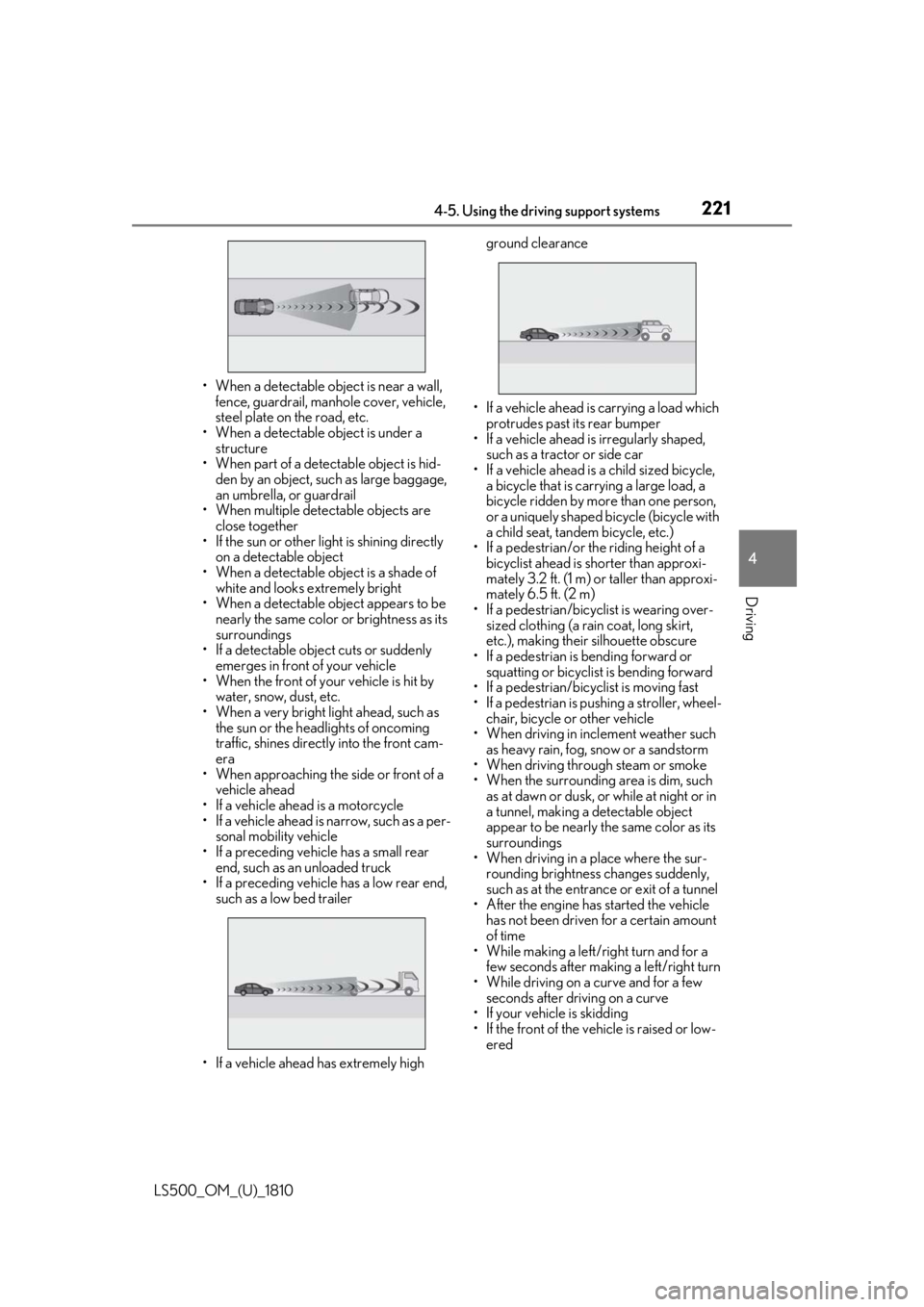
• If a vehicle ahead has extremely high ground clearance
• If a vehicle ahead is carrying a load which
protrudes past its rear bumper
• If a vehicle ahead is irregularly shaped,
such as a tractor or side car
• If a vehicle ahead is a child sized bicycle,
a bicycle that is carrying a large load, a
bicycle ridden by more than one person,
or a uniquely shaped bicycle (bicycle with
a child seat, tandem bicycle, etc.)
• If a pedestrian/or the riding height of a
bicyclist ahead is shorter than approxi-
mately 3.2 ft. (1 m) or taller than approxi-
mately 6.5 ft. (2 m)
• If a pedestrian/bicyclist is wearing over-
sized clothing (a rain coat, long skirt,
etc.), making their silhouette obscure
• If a pedestrian is bending forward or
squatting or bicyclist is bending forward
• If a pedestrian/bicyclist is moving fast
• If a pedestrian is pushing a stroller, wheel-
chair, bicycle or other vehicle
• When driving in incl ement weather such
as heavy rain, fog, snow or a sandstorm
• When driving through steam or smoke
• When the surrounding area is dim, such
as at dawn or dusk, or while at night or in
a tunnel, making a de tectable object
appear to be nearly the same color as its
surroundings
• When driving in a place where the sur-
rounding brightness changes suddenly,
such as at the entrance or exit of a tunnel
• After the engine has started the vehicle
has not been driven for a certain amount
of time
• While making a left/r ight turn and for a
few seconds after making a left/right turn
• While driving on a curve and for a few
seconds after driving on a curve
• If your vehicle is skidding
• If the front of the vehicle is raised or low-
ered
Page 225 of 512
2254-5. Using the driving support systems
LS500_OM_(U)_1810 4
Driving ■
If the PCS warning light illuminates and
a message is displayed on the
multi-information display
The system may be temporarily unavailable
or may be malfunctioning.
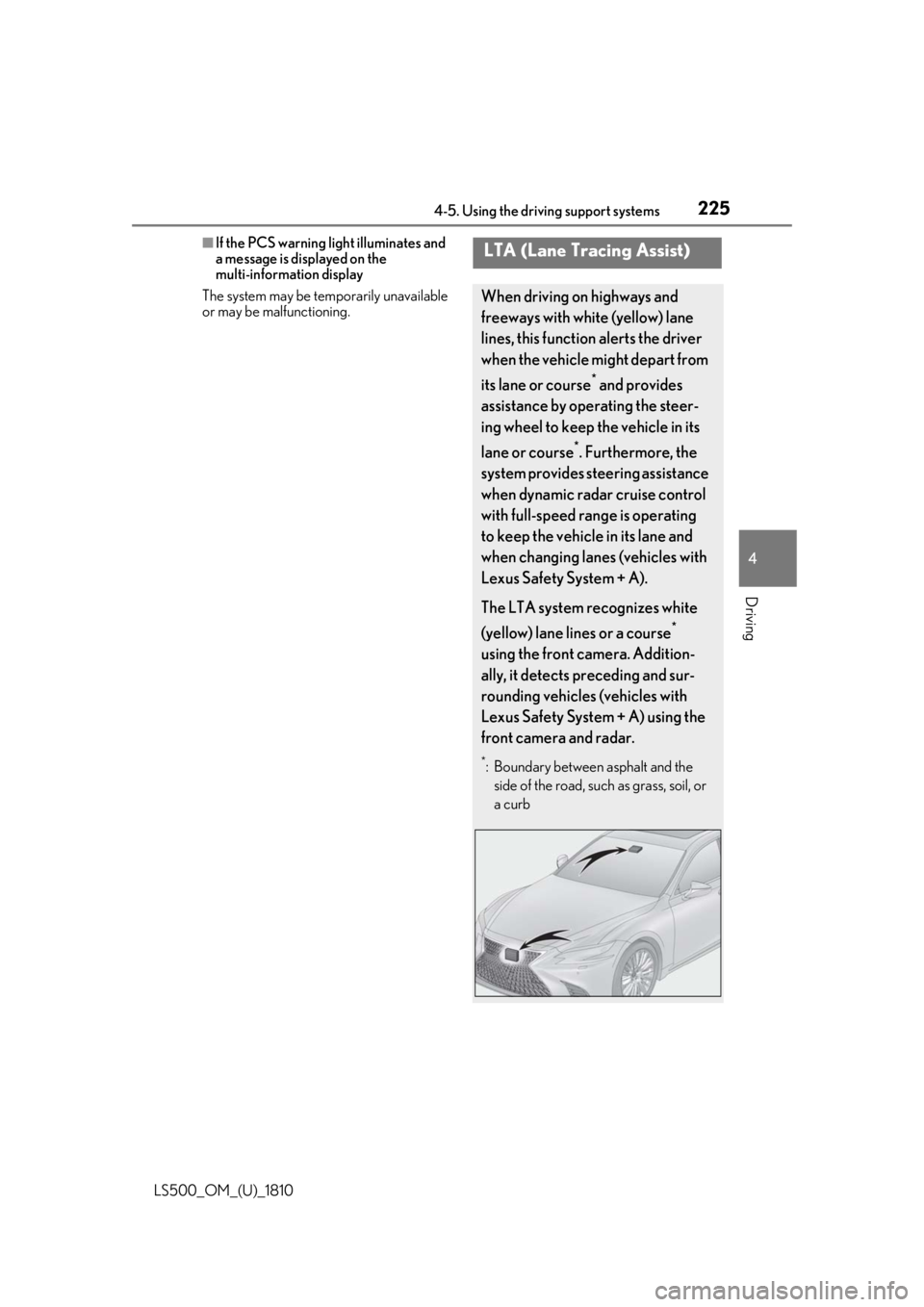
LTA (Lane Tracing Assist) When driving on highways and
freeways with white (yellow) lane
lines, this function alerts the driver
when the vehicle might depart from
its lane or course *
and provides
assistance by operating the steer-
ing wheel to keep the vehicle in its
lane or course *
. Furthermore, the
system provides steering assistance
when dynamic radar cruise control
with full-speed range is operating
to keep the vehicle in its lane and
when changing lanes (vehicles with
Lexus Safety System + A).
The LTA system recognizes white
(yellow) lane lines or a course *
using the front camera. Addition-
ally, it detects preceding and sur-
rounding vehicles (vehicles with
Lexus Safety System + A) using the
front camera and radar. *
: Boundary between asphalt and the
side of the road, such as grass, soil, or
a curb
Page 228 of 512
228 4-5. Using the driving support systems
LS500_OM_(U)_1810 ■
Lane departure alert function
When the system determines that the
vehicle might depart from its lane or
course *
, a warning is displayed on the
multi-information display, and either a
warning buzzer will sound or the steer-
ing wheel will vibrate to alert the driver.
When the warning buzzer sounds or
the steering wheel vibrates, check the
area around your vehicle and carefully
operate the steering wheel to move the
vehicle back to the center of the lane.
When the system determines that the
vehicle might depart from its lane and
that the possibility of a collision with an
overtaking vehicle in the adjacent lane
is high, the lane departure alert will
operate even if the turn signals are
operating. *
: Boundary between asphalt and the side
of the road, such as grass, soil, or a curbWARNING●
The traffic lines are yellow (which may
be more difficult to recognize than
lines that are white).●
The white (yellow) lines cross over a
curb, etc.●
The vehicle is driven on a bright sur-
face, such as concrete.●
If the edge of the road is not clear or
straight.●
The vehicle is driven on a surface that
is bright due to reflected light, etc.●
The vehicle is driven in an area where
the brightness changes suddenly, such
as at the entrances and exits of tunnels,
etc.●
Light from the headlights of an oncom-
ing vehicle, the sun, etc. enters the
camera.●
The vehicle is driven on a slope.●
The vehicle is driven on a road which
tilts left or right, or a winding road.●
The vehicle is driven on an unpaved or
rough road.
●
The traffic lane is excessively narrow
or wide.
●
The vehicle is extremely tilted due to
carrying heavy luggage or having
improper tire pressure.
●
The distance to the preceding vehicle
is extremely short.
●
The vehicle is moving up and down a
large amount due to road conditions
during driving (poor roads or road
seams).
●
When driving in a tunnel or at night
with the headlights off or when a head-
light is dim due to its lens being dirty or
it being misaligned.
●
The vehicle is struck by a crosswind. ●
The vehicle is affected by wind from a
vehicle driven in a nearby lane. ●
The vehicle has just changed lanes
through operation of the steering
wheel by the driver or crossed an
intersection. ●
Tires which differ by structure, manu-
facturer, brand or tread pattern are
used. ●
Snow tires, etc. are equipped. ●
The vehicle is being driven at
extremely high speeds.
Functions included in LTA system
Page 231 of 512
2314-5. Using the driving support systems
LS500_OM_(U)_1810 4
Driving
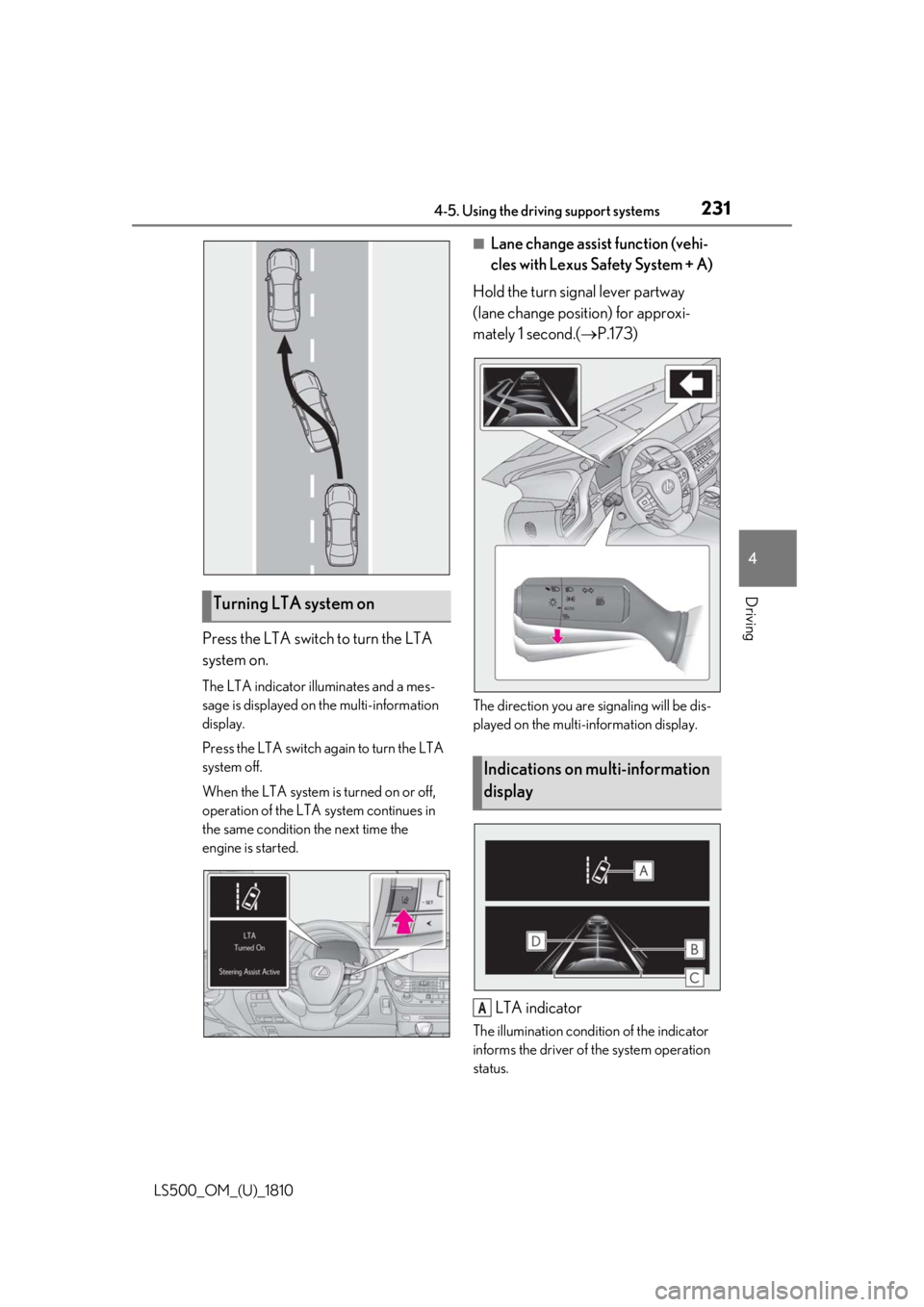
Press the LTA switch to turn the LTA
system on. The LTA indicator illuminates and a mes-
sage is displayed on the multi-information
display.
Press the LTA switch again to turn the LTA
system off.
When the LTA system is turned on or off,
operation of the LTA system continues in
the same condition the next time the
engine is started. ■
Lane change assist function (vehi-
cles with Lexus Safety System + A)
Hold the turn signal lever partway
(lane change position) for approxi-
mately 1 second.( P.173)
The direction you are signaling will be dis-
played on the multi-information display.
LTA indicator The illumination condition of the indicator
informs the driver of the system operation
status.Turning LTA system on
Indications on multi-information
display
A
Page 232 of 512
232 4-5. Using the driving support systems
LS500_OM_(U)_1810 Illuminated in white: LTA system is operat-
ing.
Illuminated in green: Steering wheel assis-
tance of the steering assi st function or lane
centering function is operating.
Flashing in orange: Lane departure alert
function is operating.
Operation display of steering
wheel operation supportDisplayed when the mu lti-information dis-
play is switched to the driving assist system
information screen.
Indicates that steering wheel assistance of
the steering assist func tion or lane center-
ing function is operating.
Both outer sides of the lane are displayed:
Indicates that steering wheel assist of the
lane centering function is operating.
One outer side of the lane is displayed:
Indicates that steering wheel assist of the
steering assist function is operating.
Both outer sides of the lane are flashing:
Alerts the driver that their input is neces-
sary to stay in the center of the lane (lane
centering function).
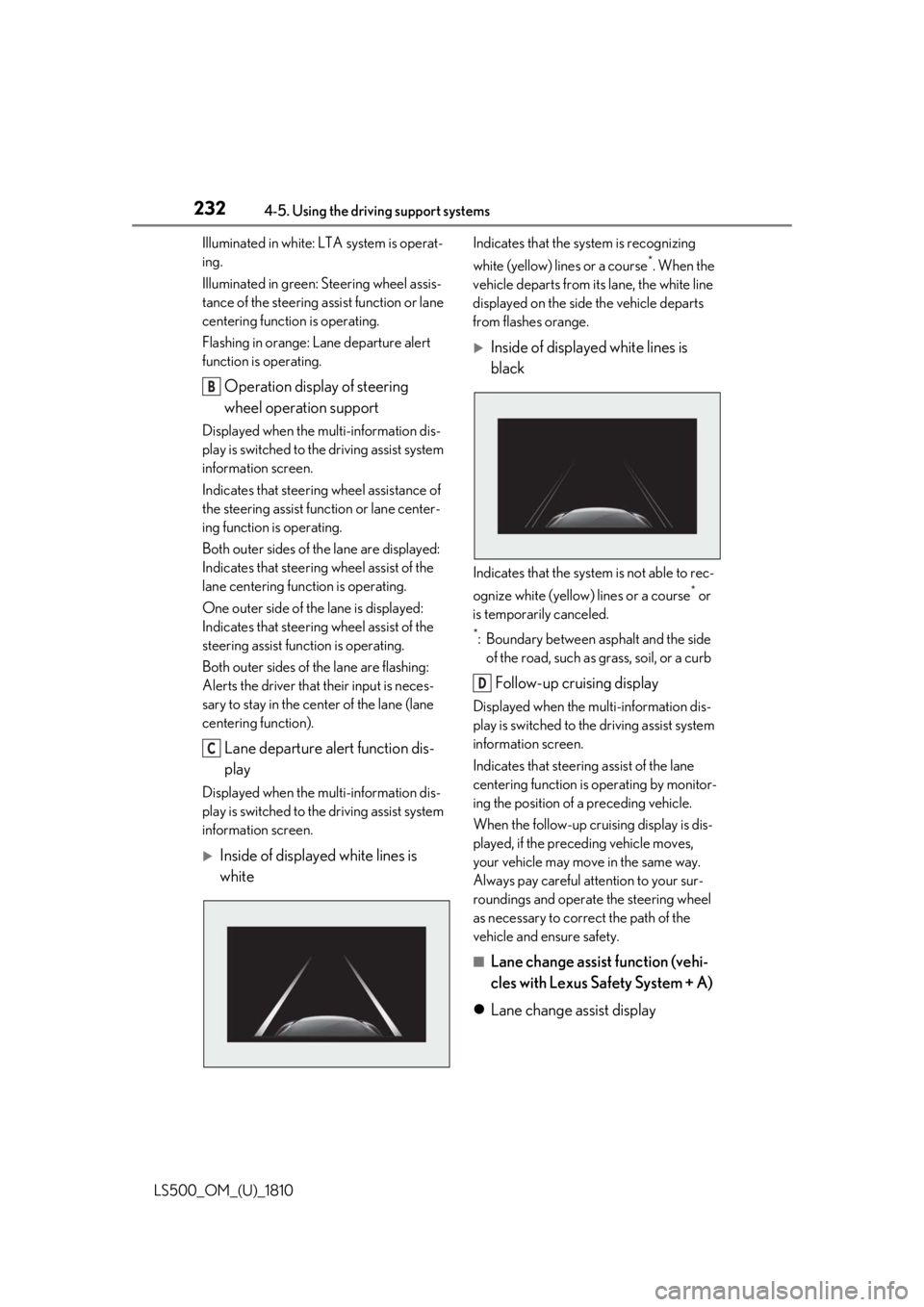
Lane departure alert function dis-
playDisplayed when the mu lti-information dis-
play is switched to the driving assist system
information screen.
Inside of displayed white lines is
white Indicates that the system is recognizing
white (yellow) lines or a course *
. When the
vehicle departs from it s lane, the white line
displayed on the side the vehicle departs
from flashes orange.
Inside of displayed white lines is
black
Indicates that the system is not able to rec-
ognize white (yellow) lines or a course *
or
is temporarily canceled. *
: Boundary between asphalt and the side
of the road, such as grass, soil, or a curb
Follow-up cruising display Displayed when the multi-information dis-
play is switched to th e driving assist system
information screen.
Indicates that steering assist of the lane
centering function is operating by monitor-
ing the position of a preceding vehicle.
When the follow-up cruising display is dis-
played, if the preceding vehicle moves,
your vehicle may move in the same way.
Always pay careful attention to your sur-
roundings and operate the steering wheel
as necessary to correct the path of the
vehicle and ensure safety.
■
Lane change assist function (vehi-
cles with Lexus Safety System + A)
Lane change assist displayB
C D
Page 233 of 512
2334-5. Using the driving support systems
LS500_OM_(U)_1810 4
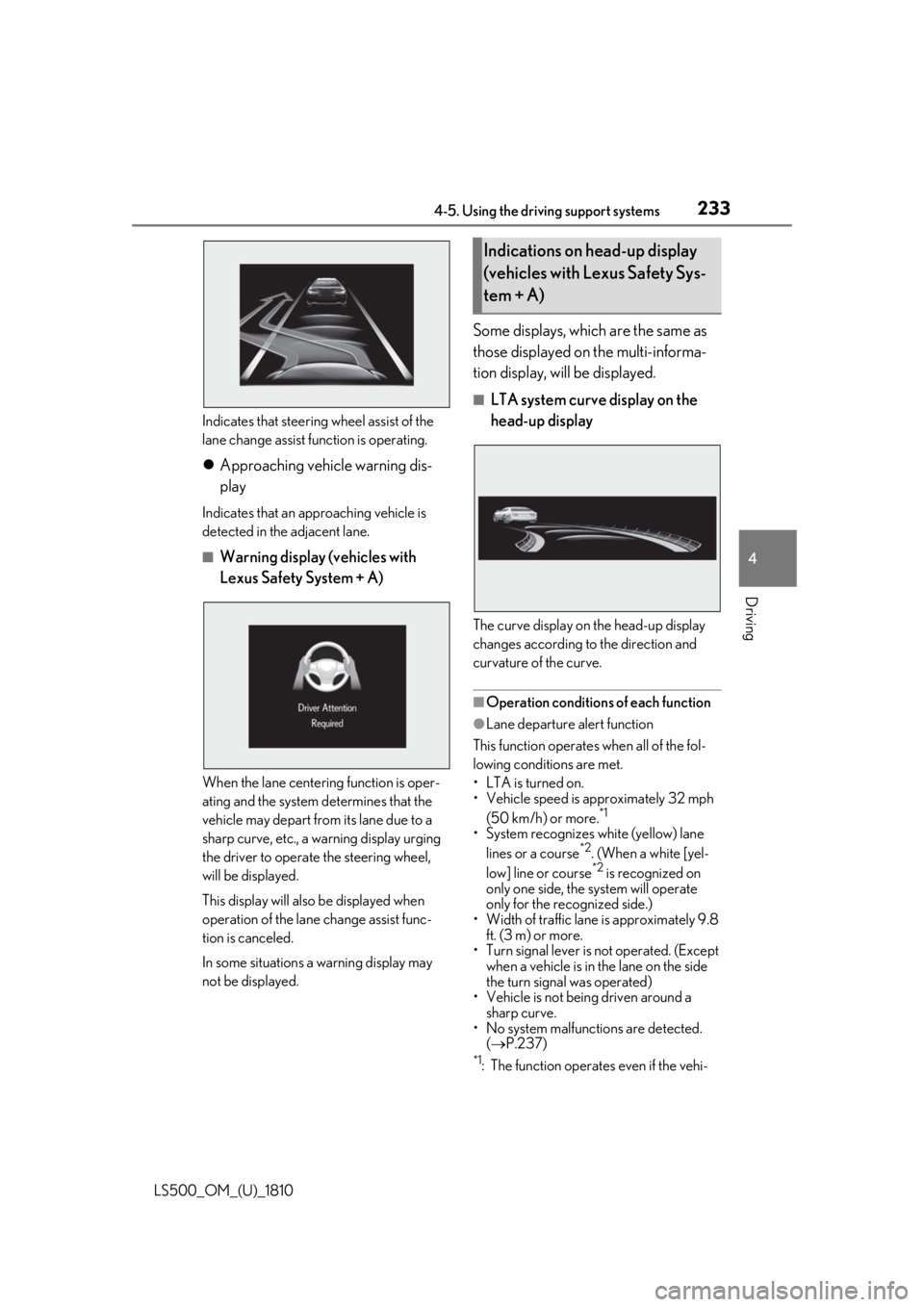
Driving Indicates that steering wheel assist of the
lane change assist function is operating.
Approaching vehicle warning dis-
play Indicates that an approaching vehicle is
detected in the adjacent lane. ■
Warning display (vehicles with
Lexus Safety System + A)
When the lane centering function is oper-
ating and the system determines that the
vehicle may depart from its lane due to a
sharp curve, etc., a warning display urging
the driver to operate the steering wheel,
will be displayed.
This display will also be displayed when
operation of the lane change assist func-
tion is canceled.
In some situations a warning display may
not be displayed. Some displays, which are the same as
those displayed on the multi-informa-
tion display, will be displayed. ■
LTA system curve display on the
head-up display
The curve display on the head-up display
changes according to the direction and
curvature of the curve.
■
Operation conditions of each function ●
Lane departure alert function
This function operates when all of the fol-
lowing conditions are met.
• LTA is turned on.
• Vehicle speed is ap proximately 32 mph
(50 km/h) or more. *1
• System recognizes white (yellow) lane
lines or a course *2
. (When a white [yel-
low] line or course *2
is recognized on
only one side, the system will operate
only for the recognized side.)
• Width of traffic lane is approximately 9.8
ft. (3 m) or more.
• Turn signal lever is not operated. (Except
when a vehicle is in the lane on the side
the turn signal was operated)
• Vehicle is not being driven around a
sharp curve.
• No system malfunctions are detected.
( P.237) *1
: The function operates even if the vehi-Indications on head-up display
(vehicles with Lexus Safety Sys-
tem + A)